
Our readers keep the lights on and my morning glass full of iced black tea. As an Amazon Associate, I earn from qualifying purchases.
Specs are compiled from manufacturer listings and verified buyer reviews and can change over time — please confirm the key details on the product page before buying.
You can stop window-snapping for good. A 5K2K monitor (5120×2160 pixels at a 21:9 aspect ratio — that is 33% wider than standard 4K) lets you stack two full-size apps side by side without squeezing them, so your email, timeline, and research all stay visible at once, with clear text you never have to squint at.
I’m Min — the founder and writer behind Gadgets Feed. This guide is built by comparing the manufacturers’ published specifications and the patterns across verified customer reviews, so you get each pick’s real strengths and trade-offs instead of marketing spin.
These are the top contenders for the best 5k2k monitor: one for mixed work and play, one for hardcore gaming, and one for color-accurate professional work.
Quick Picks
- Samsung 40″ ViewFinity S8 (S85TH) Curved Monitor — Best Overall
- LG Ultragear 45GX950A-B 45″ OLED Gaming Screen — Top Performer
- Dell UltraSharp U4025QW 40″ Curved LED Monitor — Pro Workhorse
How To Choose The Best 5K2K Monitor
A 5K2K monitor is a big investment, so you want to get the panel type, refresh rate, and connectivity right the first time. The three main panel technologies you will see are VA (Vertical Alignment), IPS-Black (In-Plane Switching with deeper blacks), and OLED (Organic Light-Emitting Diode) — each has different strengths for contrast, color accuracy, and response speed. For connectivity, look for Thunderbolt if you use a MacBook, and a built-in KVM switch (Keyboard-Video-Mouse switch that lets you control two computers with one keyboard and mouse) if you want to control two computers with one keyboard and mouse.
Panel Technology: VA, IPS-Black, or OLED
VA panels offer strong contrast (a high ratio of brightest to darkest parts of the image) and are good for mixed use like office work and media. IPS-Black panels, like the one from Dell, give you wide viewing angles and deeper blacks than standard IPS, making them a solid choice for color-critical work. OLED panels deliver the best contrast (the deepest, truest black levels) and the fastest response times, which is ideal for gaming, but they tend to face higher brightness in bright rooms.
Refresh Rate: How Smooth Should It Be?
Refresh rate (measured in Hz) tells you how many times per second the screen updates the image. A standard 60Hz monitor looks fine for office work, but at 120Hz, 144Hz, or 165Hz, motion becomes noticeably smoother and scrolling feels more fluid. If you play fast-paced or competitive games, aim for 144Hz or above. If your work is mostly productivity and design, 120Hz is more than enough and often a smart trade-off for better color accuracy.
Connectivity and the Single-Cable Desk
The best 5K2K monitors double as a hub for your entire desk. A Thunderbolt 5 or Thunderbolt 4 port can carry video, data, and power delivery (up to 140W) through a single cable to a laptop, which keeps your desk clean and charges your machine at the same time. A built-in KVM (Keyboard-Video-Mouse) switch lets you toggle between two computers — say a work laptop and a personal desktop — using the same keyboard, mouse, and screen, without swapping cables.
Quick Comparison
| Model | Best For | Panel Type | Refresh Rate | Contrast Ratio | Amazon |
|---|---|---|---|---|---|
| Samsung 40″ ViewFinity S8 S85TH | Productivity & Mac Users | VA | 144Hz | 3000:1 | $1,399.99Amazon |
| LG Ultragear 45GX950A-B | Hardcore Gaming | OLED | 165Hz | Infinite:1 | $1,998.00Amazon |
| Dell UltraSharp U4025QW | Color-Accurate Professional Work | IPS-Black (LED) | 120Hz | 2000:1 | $1,759.00$1,919.99Amazon |
In‑Depth Reviews
1. Samsung 40″ ViewFinity S8 (S85TH) Curved Monitor
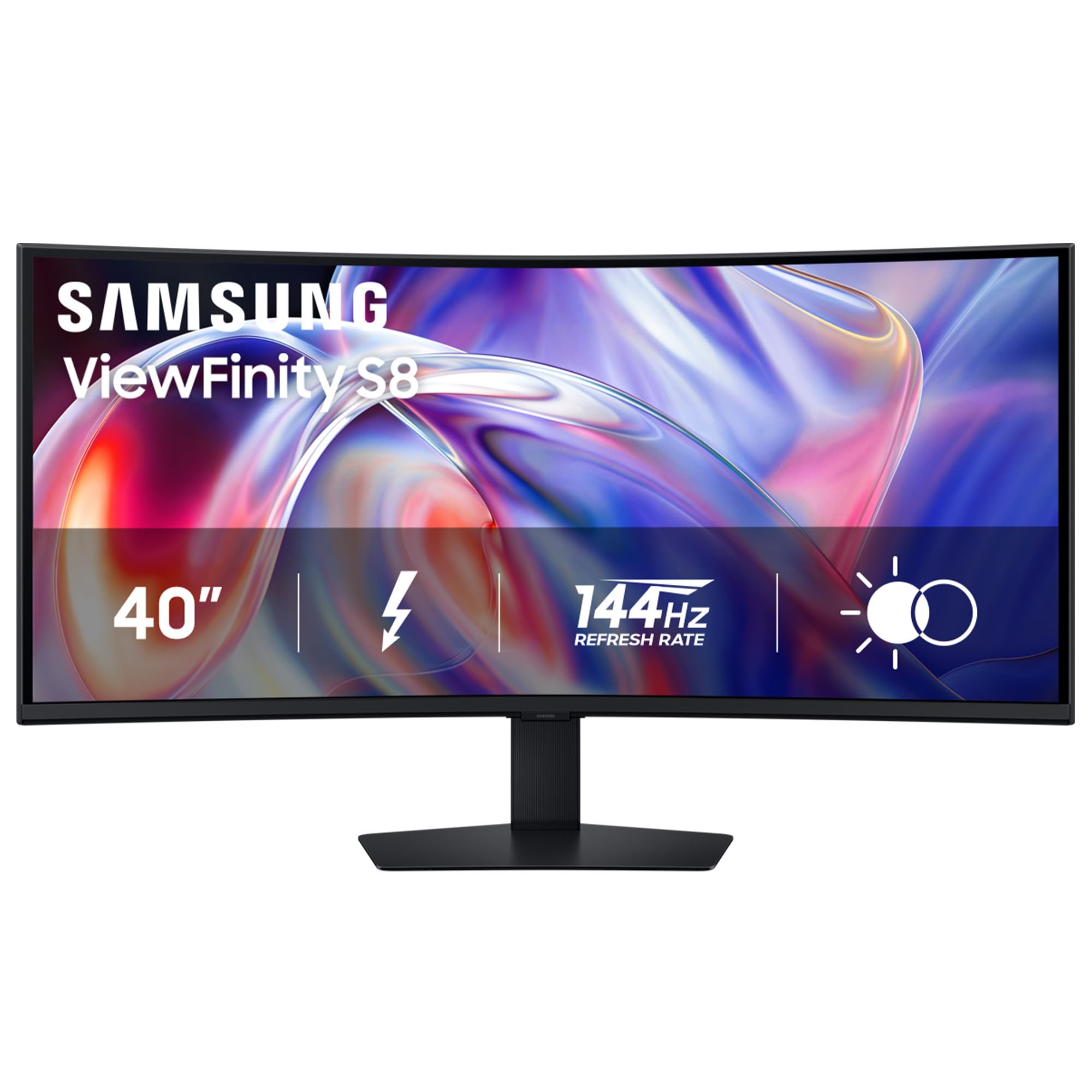
The all-rounder that pairs Mac-friendly Thunderbolt 5 with a silky 144Hz refresh rate.
The Samsung 40″ ViewFinity S8 S85TH makes your screen feel bigger and darker than the Dell UltraSharp U4025QW, because its VA panel (a type of LCD that blocks more backlight) delivers a 3000:1 contrast ratio — that is the gap between the brightest white and the darkest black, which is 50% deeper than the Dell’s 2000:1 ratio. You see richer blacks in movies and games, so dark cave scenes do not look gray. The 144Hz refresh rate (how many times per second the image updates) also lets you scroll through dense PDFs and play fast games more smoothly than the Dell’s 120Hz. With Thunderbolt 5 built in, you can plug a modern laptop into one cable and get both video and up to 140W of charging power, which keeps your desk clean and your battery full.
Buyers report that the S85TH works perfectly with an M4 MacBook Pro over a single Thunderbolt 4 cable, running at native HiDPI 3840×1620 at 144Hz with 140W charging, and that the built-in KVM switch and Ethernet port make it a true one-cable desktop hub. The catch is the out-of-box settings: several owners mention the monitor arrives too dim, and you need to switch from Eco to Custom picture mode and turn off Dynamic Brightness to get the best image. The menu system is also a bit convoluted, so it can take some tinkering to dial it in. Unlike the LG OLED below, which is built for fast-paced gaming, this Samsung is a stronger fit for mixed productivity and casual gaming where you want good contrast without the OLED price premium.
One hardware note: this monitor uses a VA panel, so viewing angles are slightly narrower than IPS-Black or OLED, but if you sit centered, it is not a real problem for daily use.
Picture-perfect tweaker: Once you adjust the picture settings (Picture Mode: Original, Contrast Enhancer: Off, Color Tone: Natural, Dynamic Brightness: Off, Save Energy: Off), owners mention the VA panel delivers sharp text, accurate colors, and excellent contrast for the price.
Mac connection watch-out: Some customers note the monitor goes blank after 30 seconds to 3 minutes on a MacBook — Samsung advises a return if this happens, so check your unit early in the return window.
Reach for this if: you want a do-it-all ultrawide for work, MacBook charging, movies, and some gaming, all at a refresh rate that outpaces most office monitors.
Look elsewhere if: you need instant plug-and-play without menu diving, or you do color-critical work that demands perfect factory calibration from the start.
2. LG Ultragear 45GX950A-B 45″ OLED Gaming Screen
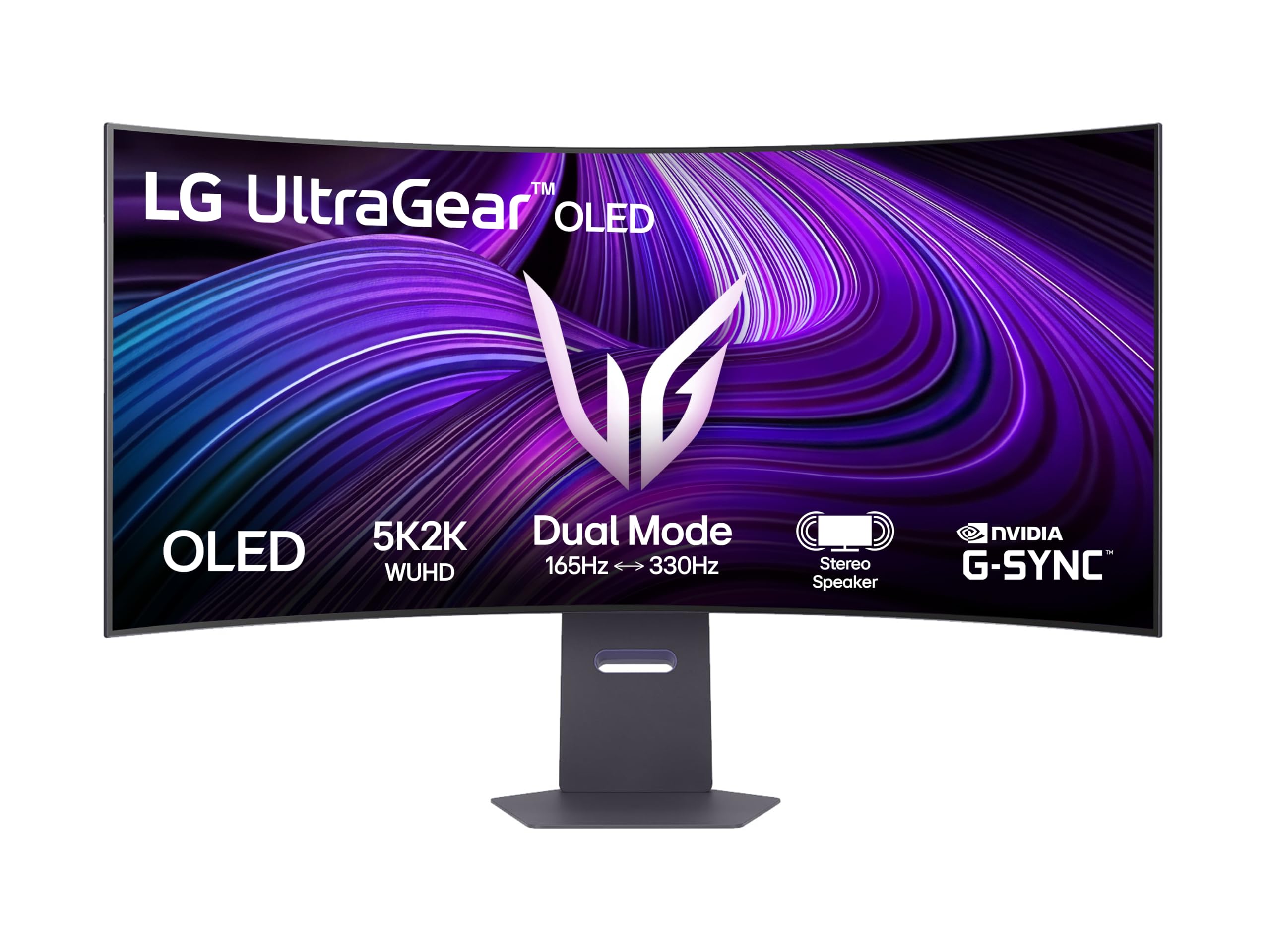
The speed king with OLED blacks so deep they look infinite on paper.
If you are building a top-tier gaming rig, the LG Ultragear 45GX950A-B is the pick that leaves everything else behind. Its OLED panel (Organic Light-Emitting Diode, where each pixel creates its own light and can turn off completely) delivers an infinite:1 contrast ratio (meaning true, pixel-level blacks — pixels that are off produce zero light) and a 0.03ms response time — far faster than any VA or IPS panel can manage — so motion looks perfectly crisp with no ghosting. The 165Hz refresh rate gives you a 15% smoother image than the Samsung’s 144Hz, which makes a real difference in fast shooters and racing games. It also supports both AMD FreeSync Premium Pro and G-Sync Compatibility, so tearing and stuttering are eliminated regardless of your graphics card brand.
Reviewers point out it is the best ultrawide they have ever owned, with one reviewer calling it “Bester Monitor” after replacing a Samsung Neo G8. The 800R curve (a tighter, more rich curve) is loved by gamers but is note — it is not ideal for side-by-side office work or design layouts where straight lines matter. Reviewers also mention the monitor needs a firmware update from the start to fix color uniformity, and that the built-in LED lighting is too weak to be useful. Unlike the Dell UltraSharp, which prioritizes color accuracy for professionals, this LG is a gaming-first screen that also handles productivity and movies beautifully once dialed in.
A common buyer note: for a proper 5K2K gaming experience at 165Hz, you will need a powerful graphics card like an Nvidia RTX 4090 to push those pixels smoothly.
Brilliant but demanding: The OLED delivers perfect blacks and a 98.5% DCI-P3 color gamut (a wide color space for vibrant, accurate colors), but it requires a powerful GPU and a firmware update to reach its full potential.
Curve caution: The strong 800R curve works great for immersion in a game, but if you plan to use this monitor for professional office work or wall-to-wall spreadsheets, it can feel disorienting.
Reach for this if: you are a serious gamer who wants the fastest response, the deepest blacks, and a refresh rate that beats every other 5K2K monitor on the market.
Look elsewhere if: you need a flat, color-accurate display for professional creative work, or you run a mid-range GPU that cannot drive 5K2K at high frame rates.
3. Dell UltraSharp U4025QW 40″ Curved LED Monitor

The color professional’s 5K2K that blends IPS-wide viewing angles with deep black levels.
The Dell UltraSharp U4025QW is built for people who live in Adobe Lightroom and Premiere Pro. Its IPS-Black technology (a type of LCD that blocks more light to produce deeper blacks than standard IPS, without sacrificing viewing angles) gives you a 2000:1 contrast ratio — better than standard IPS but less deep than the Samsung’s 3000:1 VA ratio. Colors stay accurate even when you lean left or right, which matters for color-critical work. At 600 nits brightness (the measure of light output), it is significantly brighter than the Samsung at 350 nits, so you can work comfortably in a well-lit office without cranking the settings. The 120Hz refresh rate is smooth enough for fluid scrolling and occasional games, though it falls short of the Samsung’s 144Hz and the LG’s 165Hz.
Shoppers say that the picture quality is outstanding after one simple fix: lowering the sharpness to 40 and using 150% scaling for the most crisp, readable text. They also note that the built-in KVM switch works well and can be configured to disable network switching, making it easy to toggle between a Mac Studio and a Debian Linux PC without unplugging anything. The catch, echoed by several owners, is the HDR mode (High Dynamic Range, which boosts brightness and color for more realistic images) is not good on Mac computers despite the HDR600 certification. The downward-facing ports also make plugging in cables tricky if you mount the monitor flush against a wall. Unlike the LG Ultragear, which is tune for gaming, this Dell is a productivity-first monitor that also handles creative work with precision.
Another reviewer note: the monitor uses about 30W of power at 90% brightness, which is impressively efficient for a 40-inch screen, and its built-in hub offers a wide, futureproofed set of ports.
Color-accurate hub: With a 120Hz refresh rate, a 99% color gamut, and a responsive built-in KVM, this monitor is a plug-and-play dream for professionals who work across multiple computers.
HDR limitation for Mac: The HDR mode does not work well on Apple computers, so if you need HDR video editing on a Mac, you might want to look at the Samsung instead.
Reach for this if: you do color-critical photo or video editing on a PC, want a bright screen for a sunlit office, and value the most accurate factory calibration in this list.
Look elsewhere if: you are a Mac user who needs HDR support, or you prioritize high-refresh-rate gaming over color accuracy and wide viewing angles.
Understanding the Specs
Contrast Ratio
This number tells you the difference between the brightest white and the darkest black a monitor can show. A higher contrast ratio (like 3000:1 or infinite:1) means deeper, richer blacks and more pop in dark scenes. OLED panels win here because each pixel turns off completely for true black, while VA and IPS-Black panels use a backlight that always leaks a tiny amount of light. For movies and dark-room gaming, aim for at least 2000:1. For typical office work, any ratio above 1000:1 looks good.
Refresh Rate (Hz)
This is how many times per second your screen refreshes the image. At 60Hz, you see 60 frames per second — fine for typing, but you may notice a slight blur when scrolling fast. At 120Hz (120 fps), motion looks smooth and scrolling feels fluid. At 144Hz and 165Hz, the improvement is sharper still, especially in competitive gaming where every millisecond matters. The difference between 120Hz and 144Hz is subtle for most people, but 165Hz vs 60Hz is night and day.
FAQ
Will a 5K2K monitor work with my MacBook Pro?
Do I need a powerful graphics card for 5K2K gaming?
Can I use a 5K2K monitor for professional photo and video editing?
What is the difference between a 5K2K monitor and a standard 4K monitor?
How does a built-in KVM switch work on these monitors?
Is a curved 5K2K monitor good for office work?
How bright does my monitor need to be for a well-lit office?
What is AMD FreeSync Premium Pro and do I need it?
Final Thoughts: The Verdict
For most people, the best 5k2k monitor winner is the Samsung 40″ ViewFinity S8 S85TH because it blends a high 144Hz refresh rate, deep 3000:1 VA contrast, and a Thunderbolt 5 port (with 140W charging) into a package that handles work, movies, and gaming while staying affordable. If you are a creative professional who needs the most accurate factory-calibrated color and a bright screen for a sunny office, grab the Dell UltraSharp U4025QW. And for hardcore gamers who demand the lowest response time and deepest OLED blacks, the standout is the LG Ultragear 45GX950A-B.
How We Picked
We do not accept paid placement. Every pick is matched to a real buyer and a real use-case; we do not hands-on test units.
Sources & Methodology
Specifications: manufacturer listings and product documentation. Review insights: verified customer reviews, as of July 2026. Pricing: not shown on this page (it changes often); check the current price via the retailer link.
As an Amazon Associate, Gadgets Feed earns from qualifying purchases. This does not affect which products we feature.
Related Guides
Product prices and availability are accurate as of the date/time indicated and are subject to change. Any price and availability information displayed on Amazon at the time of purchase will apply to the purchase of this product. As an Amazon Associate I earn from qualifying purchases.
CERTAIN CONTENT THAT APPEARS ON THIS SITE COMES FROM AMAZON. THIS CONTENT IS PROVIDED "AS IS" AND IS SUBJECT TO CHANGE OR REMOVAL AT ANY TIME.
Amazon and the Amazon logo are trademarks of Amazon.com, Inc. or its affiliates.