
Our readers keep the lights on and my morning glass full of iced black tea. As an Amazon Associate, I earn from qualifying purchases.
Specs are compiled from manufacturer listings and verified buyer reviews and can change over time — please confirm the key details on the product page before buying.
Choosing a 60% keyboard means giving up the number pad and function row to free up desk space for mouse swipes. The real decision isn’t the size, it’s the switch tech inside—magnetic, optical, or classic mechanical—that decides speed, sound, and feel. This guide breaks down the top models to help you match one to how you actually type and play..
I’m Min — the founder and writer behind Gadgets Feed. This guide is built by comparing the manufacturers’ published specifications and the patterns across verified customer reviews, so you get each pick’s real strengths and trade-offs instead of marketing spin.
Whether you’re a competitive gamer chasing faster actuation or a typist wanting a thocky, satisfying sound, the right 60% keyboard can transform your setup for the better.
Our Picks at a Glance


How To Choose The Best 60% Keyboard
Stepping down to a 60% layout is a big change. You trade the dedicated arrow keys and function row for a smaller footprint, but you gain a huge amount of mouse room. The key is to understand that not all 60% keyboards are created equal—the switch technology inside is the main differentiator..
Switch Tech: The Heart of the Board
This is the most important choice. Hall Effect magnetic switches use magnets to detect key presses, which allows for adjustable actuation points and features like Rapid Trigger for gaming. Optical switches use light beams for fast, zero-debounce presses. Traditional mechanical switches like Reds or Blues offer a classic, tactile feel. Your choice here dictates your entire typing and gaming experience..
Wired vs. Wireless
For competitive gaming, you want the most stable and fastest data transfer, so a wired connection is your safest bet. Wireless, especially with a 2.4GHz dongle (a small USB receiver that plugs into your PC), is now very reliable, but can sometimes cause interference on specific systems. Think about your desk setup and if you need the freedom of Bluetooth to switch between a PC and a tablet without unplugging cables..
Build Quality & Customization
Look for hot-swappable sockets so you can change switches without soldering—just pull out the old ones and push in new ones. The keycap material matters: PBT (a tougher plastic) is more durable and oil-resistant than ABS (a softer plastic that gets shiny over time). Aluminum top plates add rigidity and a premium feel. Also, consider if you want per-key RGB (each key lights up individually) or are happy with a single color to manage battery drain or just fit your vibe.
Quick Comparison
| Model | Best For | Switch Type | Polling Rate | Connectivity | Amazon |
|---|---|---|---|---|---|
| Womier WK61★ Best Overall | Budget DIY Enthusiasts | Mechanical (Red) | — | Wired (USB-C) | Amazon |
| Aula WIN60 HEFPS Gaming Value | FPS Gamers on a Budget | Hall Effect (Magnetic) | 8000 Hz | Wired (USB-C) | Amazon |
| DAREU COOL60Translucent Stunner | Translucent Aesthetics & Speed | Hall Effect (Magnetic) | 8000 Hz | Wired (USB) | Amazon |
| RK ROYAL KLUDGE RK61 | Portable Multi-Device Typing | Mechanical (Blue) | — | Wireless (BT/2.4G/USB-C) | Amazon |
| AULA Hero 68 HE | Feature-Packed All-Rounder | Hall Effect (Magnetic) | 8000 Hz | Wired (USB-C) | Amazon |
| SteelSeries Apex 9 Mini (Renewed) | Optical Speed on a Deal | Optical (OptiPoint) | — | Wired (USB-C) | Amazon |
| Razer Huntsman Mini | Build Quality & Chroma RGB | Optical (Linear) | — | Wired (Micro USB) | Amazon |
| Logitech G PRO X 60 | Pro Wireless Performance | Optical (Tactile) | — | Wireless (LIGHTSPEED/BT) | Amazon |
| SteelSeries Apex Pro Mini | The Ultimate Adjustable Flagship | Hall Effect (HyperMagnetic) | — | Wireless (Quantum 2.0/BT) | Amazon |
In‑Depth Reviews
1. Womier 60% Percent Keyboard Gaming
Our pick — over 4.5★ from 700+ verified ratings; the strongest balance of quality and price.
A creamy-sounding, budget-friendly tinkerer’s dream that looks sharp on any desk.
This keyboard has become a favorite for a very specific reason: it’s a gateway into the DIY mechanical keyboard world without the entry fee. The hot-swappable design means you can pull out the quiet red linear switches and drop in your own, turning it into a truly custom board over time. The linear and soft key travel makes every click easy to register, and the switches themselves are rated to last for 50 million keypresses.
It’s not just about the feel; it’s about the sound. The multi-layer sound-dampening fillings significantly reduce resonance and hollow noise, giving it that satisfying, “creamy” or “thocky” acoustic that enthusiasts chase. Buyers report the build quality feels solid for the price, and the theme style is a standout, especially the matte translucent bottom cover that makes the RGB glow beautifully in all directions.
The 3 included sublimation keycaps add to the fun, letting you match colors on the fly. It’s compatible with PC, PS4, Xbox Series X|S, and Xbox One, making it a versatile choice for console and PC gamers alike.
The DIY Appeal
- Hot-swappable switches for easy customization
- Multi-layer dampening gives a rich, creamy sound
- Works across PC and modern consoles
The Budget Constraints
- May need keycap or switch upgrades for a premium feel
- Driver software is Windows-only
Reach for this if: you’re a beginner who wants to learn about custom keyboards and enjoy a great-sounding, great-looking board right away.
Look elsewhere if: you need wireless connectivity or a fully refined, premium build straight from the start.
2. Aula WIN60 HE
A magnetic switch marvel that brings flagship gaming features to a budget price point.
The Aula WIN60 HE isn’t just a budget keyboard; it’s a performance keyboard that happens to be affordable. It uses Hall Effect magnetic switches, which means zero physical contact for actuation, eliminating wear and tear. This tech delivers a blazing 8000 Hz polling rate for ultra-fast response times, giving you a real competitive edge in FPS titles like Valorant and CS2.
Its headline feature is Rapid Trigger mode, with an ultra-low 0.02mm RT step distance. This means the keyboard can register a key press and release almost instantly without waiting for the key to physically reset, making actions like counter-strafing feel incredibly sharp and immediate. The owner consensus is that the sound quality is “thocky” and satisfying without being annoying, and the build feels heavier and more substantial than its price suggests.
Be aware of two quirks. First, the stock keycaps feel a bit cheap and can affect the sound, so switching them out is a common recommendation. Second, as owners mention, “8k polling causes USB issues on AMD systems,” so you may need to lower the polling rate on certain setups. The web-based driver is surprisingly easy to use for remapping and RGB, though some find it slightly unpolished.
The Core Strength: It offers a taste of high-end magnetic switch performance—customizable actuation and rapid trigger—at a fraction of the cost of premium boards.
The Honest Caveat: You’ll likely want to invest in better keycaps, and the listed compatibility excludes PS5/PS4, so it’s a Windows PC-focused tool.
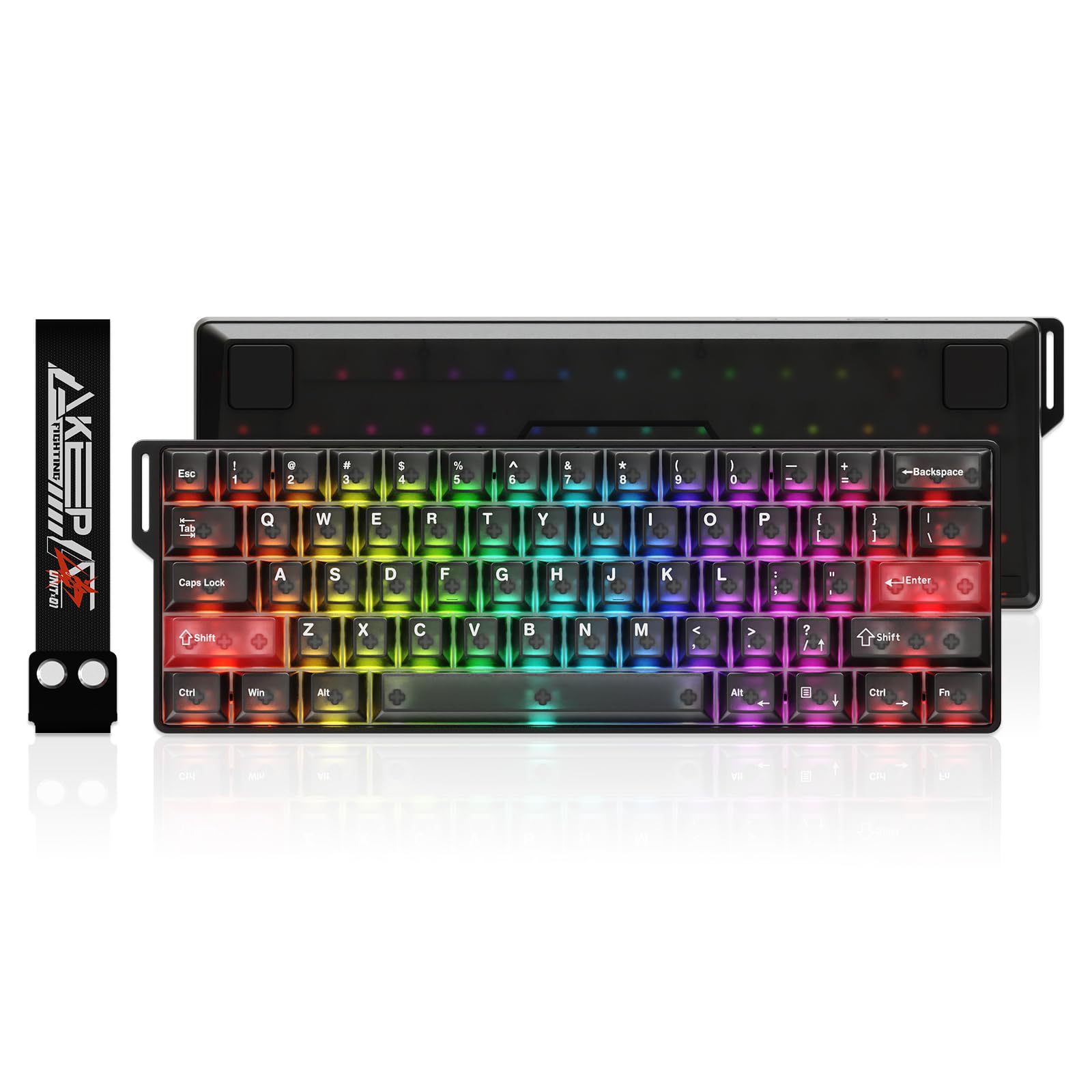
3. DAREU COOL60
A frosted-glass aesthetic paired with tournament-grade magnetic speed for the style-conscious gamer.
The DAREU COOL60 makes a statement before you even type a word. Its optical-grade PC casing and keycaps have a hazy, mist-like texture that softens the 16.8 million color RGB into a glowing, eye-comforting showcase. This isn’t just for looks, the matte finish is also resistant to smudges and fingerprints, keeping that premium vibe intact.
Performance matches the pretty exterior. It’s another 8K Hall Effect contender, boasting an 8000 Hz polling rate and ultra-low 0.125ms latency. But its defining spec is the 0.01mm Rapid Trigger step distance and adjustable actuation from 0.2mm to 3.5mm. You can program it via a web browser or dedicated software, with advanced features like SOCD/DKS/MT/TGL for competitive players, so the board grows with your skill level.
Owners describe the sound as a “creamy toc” that is a perfect mix of clicky and thocky, and the build feels excellent. It’s lightweight at 430g, making it an easy travel companion for LAN parties.
Why It Stands Out
- Stunning frosted translucent design resists fingerprints
- Ultra-low 0.01mm rapid trigger for instant response
- Fully customizable via web or desktop software
Things to Watch For
- Some owners have reported reliability concerns
- Wired-only connection
Pick this for: gamers who want their keyboard to be a visual centerpiece and demand bleeding-edge speed features.
Think twice if: you need a wireless setup or place a premium on long-term reliability over immediate features.
4. RK ROYAL KLUDGE RK61
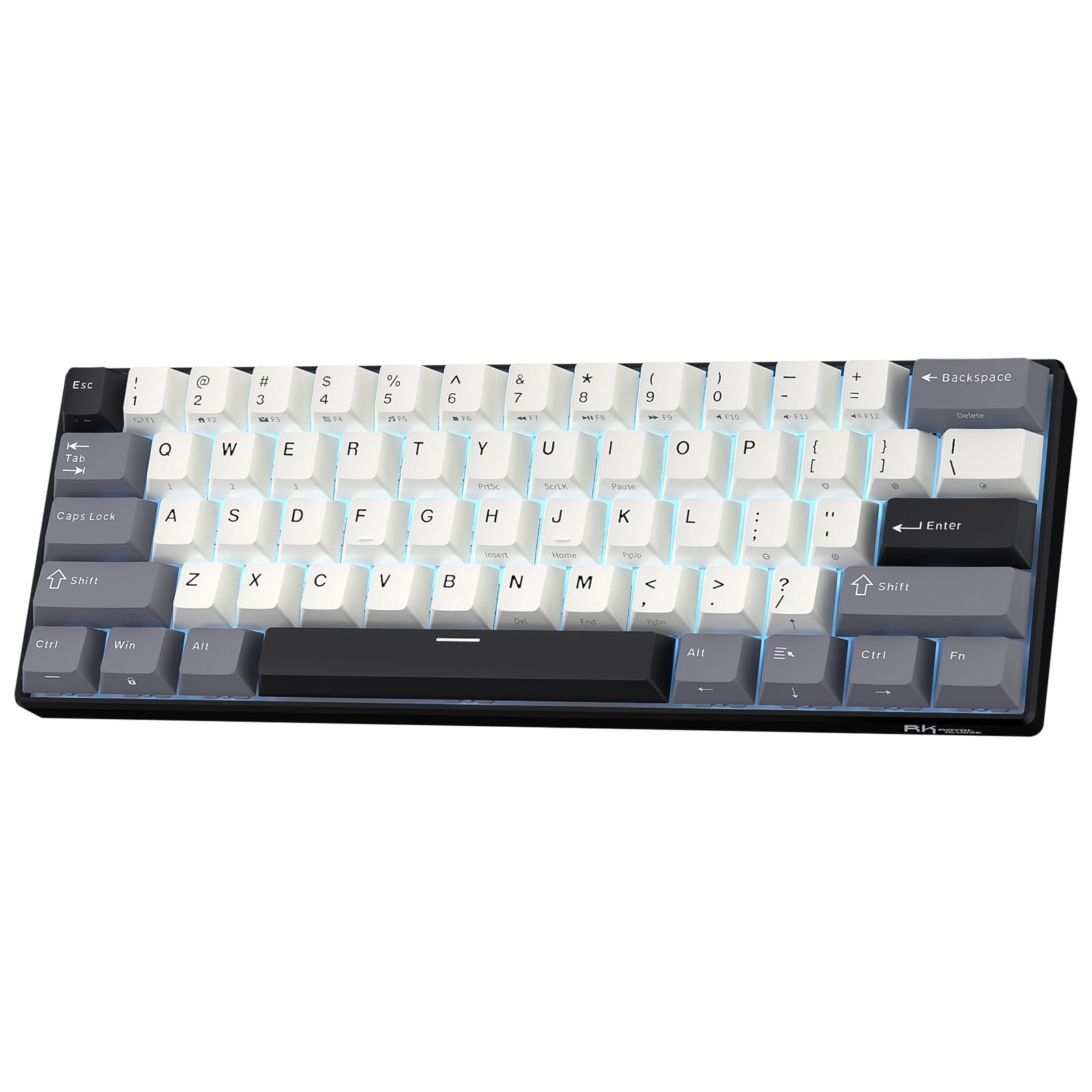
A wireless all-rounder with impressive battery life that’s perfect for a tidy, portable setup.
The RK61 is a legend in the budget sphere, and this current version builds on that legacy with true versatility. It offers tri-mode connectivity: Bluetooth 5.0, 2.4GHz wireless, and a wired USB-C option. You can connect it to up to 3 devices simultaneously (laptop, tablet, phone) and switch between them instantly—making it a fantastic choice for a mobile office or anyone who wants to declutter their desk.
Under the keys, it’s designed for a “thocky,” satisfying typing feel. Dual-layer silencing foam eliminates hollow cavity noise and works with factory-lubricated stabilizers for a solid, premium sound. The hot-swappable PCB supports both 3-pin and 5-pin switches, so you can customize it with RK’s pre-lubed Creamy, Tactile, or Silent switches to fine-tune your preference.
Features like the 1450mAh battery offer up to 200 hours of use with the lights off, and the oil-resistant double-shot PBT keycaps are built to last. The main trade-off is the blue switches, which have a loud, clicky sound—great for some, distracting for others—and the wireless input lag makes it less ideal for fast-paced competitive gaming.
The Versatility
- True tri-mode wireless (BT/2.4G/USB-C) for multiple devices
- 200 hours of battery life with lights off
- Hot-swappable with standard 3-pin and 5-pin switches
The Compromises
- Blue switches are loud and clicky
- Wireless latency isn’t ideal for competitive FPS
Best suited for: touch typists, students, and office workers wanting a compact, multi-device wireless keyboard.
Not for: competitive gamers who need the fastest possible response time.
5. AULA Hero 68 HE

A fast and functional magnetic switch board that adds arrow keys without abandoning the 60% compact philosophy.
The AULA Hero 68 HE shows that “60%” doesn’t have to mean sacrificing your arrow keys. This thoughtful layout squeezes in a bit more functionality while keeping the compact footprint that saves desk space. Inside, you get the same rapid Hall Effect magnetic switch technology as its siblings, with a fast trigger mode and an adjustable range of 0.1-3.4mm with 0.01mm accuracy.
This precision makes every keystroke record instantly and reliably, a boon for rhythm games and FPS alike.. The build is solid at 900g, giving it a hefty, stable presence on the desk. The standout visual feature is the side-printed PBT keycaps, a new trend where the lettering is on the front face of the key. This design lets the RGB light shine through and offers a cleaner look from your typing angle.
The “lightbox” design on the front edge adds an extra rich glow, so your desk setup looks as good as it feels. It’s a wired keyboard with a USB-C connection for stable performance, and the web driver (Windows only) handles all your remapping and lighting needs. Customers note the sound is amazing and the reliability is top-notch—it performs exactly as advertised.
What You Gain
- Retains arrow keys, easing the transition from larger boards
- Fast trigger with 0.1-3.4mm adjustable actuation
- Unique side-printed PBT keycaps that resist fading
What You Trade
- Wired-only connection limits portability
- Web driver doesn’t support macOS
Choose this if: you like the idea of a magnetic switch board but can’t live without dedicated arrow keys for work or play.
Pass if: you require a wireless setup or use a Mac as your primary machine.
6. SteelSeries Apex 9 Mini (Renewed)

A chance to grab a premium optical board with speed-focused tech at a renewed price.
This is SteelSeries’ speed demon in a compact form. The Apex 9 Mini uses custom OptiPoint optical switches that register presses using light, which means zero debounce delay and a lightning-fast 0.2ms response time. That translates to 33% faster actuation compared to standard mechanical switches, giving you a tangible edge in fast-paced games.
The “Mini” in the name is a bit of a misnomer—it’s actually a 60% layout, but with a 2-point actuation system, you can set the registration depth from a light 1mm press to a more deliberate 1.5mm press. This makes it versatile for different games. The hot-swappable design means you can even change the switches to a different feel without any soldering.
Since this is a renewed (refurbished) unit, the experience is a bit of a lottery. Reviewers point out that most units look and work like new, with instant PC recognition and great RGB. However, since the light doesn’t shine through the default double-shot PBT keycaps, you’ll want pudding keycaps to appreciate the full RGB effect. The aluminum frame is sturdy, though one owner noted the casing is plastic.
The Main Perks
- 33% faster actuation with optical switches
- Hot-swappable switch design for customization
- Refurbished units are often a great value
Deal Considerations
- Refurbished condition can vary, with a small risk of defects
- RGB doesn’t show well through the default keycaps
Grab this for: a bargain seeker wanting a reputable brand’s optical speed without paying flagship prices.
Be wary if: you prefer brand-new products with a full manufacturer warranty over potential savings.
7. Razer Huntsman Mini

A premium, ultra-compact board from a gaming giant that prioritizes a solid feel and deep ecosystem.
The Razer Huntsman Mini is built for those who value a premium feel. It’s covered with a matte aluminum top frame, which gives it excellent structural integrity and a cool, sturdy touch under your hands. This isn’t a hollow plastic board; it feels dense and ready for intense gaming sessions, a big part of why owners praise its quality.
Beneath the frame sit Razer’s Linear Optical Switches. Instead of a physical contact, they use an optical beam to register presses at 1.0 mm—15-30% shorter actuation distance than other linear switches. This makes key presses feel crisp, responsive, and, according to many users, surprisingly quiet and smooth compared to the sharp clicks of mechanical switches.
You’re also buying into the Razer ecosystem. Razer Chroma RGB supports 16.8 million colors and syncs with games and hardware from 30+ partners. Razer Hypershift allows for full macro programming, and Razer Snap Tap via Synapse 4 prioritizes the latest input between a pair of assigned keys for responsive in-game movement. The oil-resistant doubleshot PBT keycaps keep it looking clean over time.
Built to Impress
- Matte aluminum top frame for premium stability
- Fast optical switches with a 1.0 mm actuation
- Full Razer Chroma RGB and Snap Tap support
Check the Fit
- 60% size is too small for some users, requiring a learning curve
- Opinions are divided on the value compared to other options
Ideal for: Razer fans and gamers with tiny desks who want a solid, quiet, high-performing board.
Reconsider if: you’re not invested in the Razer ecosystem or need more keys for productivity.
8. Logitech G PRO X 60

A tournament-ready wireless option designed with esports athletes for uncompromising pro-level performance.
The Logitech G PRO X 60 is the next generation of the professional wireless keyboard, designed in collaboration with esports athletes. Its biggest selling point is freedom without lag. It connects via LIGHTSPEED wireless with a super-fast 1 ms response rate, or you can fall back on Bluetooth. This gives you relentless performance without the cable clutter.
You can tailor the feel to your playstyle with GX optical switches, choosing between tactile (included here) or linear variants. They offer faster actuation and zero debounce delay, ensuring no input is lost. The KEYCONTROL technology is another pro-level feature, allowing you to customize every key across 5 unique layers. This turns the small keyboard into a powerhouse of macros and shortcuts, with media controls and a volume roller for convenience.
Since it’s built for travel to tournaments, Logitech includes a carrying case for protection. It’s a heavy, well-built board at 1380g, and owners loving the long-lasting battery life. However, this comes with some trade-offs: the software has been reported as buggy, the switches are not hot-swappable, and the big keys can be loud. It’s a specialized tool for a specific kind of player..
Pro-Grade Features
- LIGHTSPEED wireless with a 1 ms response rate
- 5-layer KEYCONTROL customization for pro control
- Included carrying case for tournament travel
Pro-Grade Compromises
- Switches are not hot-swappable for easy repair
- Software stability has been a point of frustration
Built for: competitive gamers who need reliable, low-latency wireless freedom and don’t mind the premium price.
Skip for: tinkerers who want to swap switches or those who prefer a simpler, cheaper setup.
9. SteelSeries Apex Pro Mini Wireless

The pinnacle of adjustable performance, letting you program two actions into one physical key press.
The SteelSeries Apex Pro Mini is the most advanced keyboard on this list, and it earns the “flagship” label. At its heart are OmniPoint 2.0 Adjustable HyperMagnetic switches, offering an incredible 40 levels of per-key actuation from 0.1mm to 4.0mm. You can set your WASD keys to a feather-light 0.1mm for ultra-fast movement, and your ability keys to a deep 4.0mm press, so you never trigger a special accidentally.
The killer feature is Rapid Trigger, which eradicates latency from physical switch movement by activating and deactivating keys based on travel distance rather than a fixed point. It also has 2-in-1 Action Keys, which is groundbreaking. You can program two different actions to the same key—walk with a light touch or sprint with a deep press. This alone gives a massive competitive advantage.
It’s a wireless powerhouse too, with lag-free Quantum 2.0 Dual Wireless via 2.4GHz and Bluetooth 5.0, plus a premium aluminum top plate. Shoppers say it feels great to type on, holds up well to abuse, and has an intuitive software experience. The main concerns are reliability reports of backlights stopping and its premium price tag, but for the absolute best feature set in gaming, it’s the king..
The Cutting Edge
- 40 levels of per-key actuation adjustment
- 2-in-1 Action Keys for walking and sprinting on one key
- Lag-free Quantum 2.0 wireless with Bluetooth 5.0
The Reality Check
- Premium price tag that requires justification
- Reports of backlight failures and mixed reliability
For the serious competitor: if you want every possible advantage and enjoy deep customization, this is the ultimate choice.
For the practical buyer: if you just want a solid gaming keyboard without the risk of more complex features, a simpler model is safer.
Understanding the Specs
Switch Types Explained
Mechanical switches (like Red or Blue) use a physical metal contact to register a keypress—they’re classic, reliable, and often hot-swappable. Optical switches use a light beam instead, which means zero debounce delay and faster actuation since there’s no physical contact to wait for. Hall Effect (magnetic) switches are the newest tech, using magnets to measure key travel distance. This enables magical features like adjustable actuation points and Rapid Trigger mode, giving you total control over when a key press registers.
Polling Rate and Latency
Polling rate is how often your keyboard reports its status to your PC, measured in Hz. Standard keyboards are 1000 Hz (1ms), but gaming boards often hit 8000 Hz (0.125ms). A higher polling rate means a slightly faster, more responsive connection. Latency is the total delay between your physical press and the action happening on screen. While these numbers matter for esports, the human eye can’t perceive the difference between 1ms and 0.125ms—it’s more about marketing and the feel of consistency.
FAQ
Is a 60% keyboard bad for everyday typing?
What is the difference between Hall Effect and optical switches?
Will a 60% keyboard work with my PS5 or Xbox?
What does the Rapid Trigger feature do in gaming?
Why do my RGB lights not show through my keycaps?
Can I change the switches on any of these keyboards?
What is a good budget for a quality 60% keyboard?
Why does my keyboard not have full functionality on a Mac?
Final Thoughts: The Verdict
Across the board, the 60% keyboard winner is the Aula WIN60 HE because it delivers flagship magnetic switch performance at a price that undercuts the competition. If you want wireless freedom and long battery life for a multi-device setup, grab the RK ROYAL KLUDGE RK61. And for the absolute pinnacle of adjustable performance with features like 2-in-1 Action Keys, the SteelSeries Apex Pro Mini is the one to reach for.
How We Picked
We do not accept paid placement. Every pick is matched to a real buyer and a real use-case; we do not hands-on test units.
Sources & Methodology
Specifications: manufacturer listings and product documentation. Review insights: verified customer reviews, as of September 2026. Pricing: not shown on this page (it changes often); check the current price via the retailer link.
As an Amazon Associate, Gadgets Feed earns from qualifying purchases. This does not affect which products we feature.