
Our readers keep the lights on and my morning glass full of iced black tea. As an Amazon Associate, I earn from qualifying purchases.
Specs are compiled from manufacturer listings and verified buyer reviews and can change over time — please confirm the key details on the product page before buying.
Mounting a 60-inch TV to the wall should be a one-and-done job, but picking the wrong bracket can leave you staring at glare, struggling to reach cables, or worrying about whether it can actually hold the weight. This guide zeroes in on the mounts that get the job done securely, with the movement you actually need, so you can stop second-guessing and start watching.
I’m Min — the founder and writer behind Gadgets Feed. This guide is built by comparing the manufacturers’ published specifications and the patterns across verified customer reviews, so you get each pick’s real strengths and trade-offs instead of marketing spin.
Here is what matters most when picking the right 60 tv wall mount: the movement type (full motion vs fixed tilt), the VESA pattern compatibility, and the maximum weight rating — because a mount that doesn’t fit or can’t carry the load is useless on day one.
Quick Picks
- Perlegear Long Arm TV Wall Mount (PGMF26B-US) — Long Reach
- USX STAR Heavy Duty Full Motion TV Wall Mount — Super Duty
- monTEK Ultra Slim TV Wall Mount for 43-90 Inch TVs — Ultra Slim
- Perlegear UL Listed Full Motion TV Wall Mount (PGLF8) — Solid All-Rounder
- Mounting Dream UL Listed TV Wall Mount (MD2617) — Budget Full Motion
- HOME VISION Heavy Duty TV Wall Mount (HV9901) — XXL Tilt
- SANUS Preferred Extendable Tilt TV Wall Mount (SLT4-B1) — Precision Tilt
How To Choose The Best 60 TV Wall Mount
Picking a wall mount for a 60-inch TV depends on three things: the range of motion you need, whether the VESA pattern on the back of your TV matches the mount, and how much weight the bracket is rated to hold. A mount that can’t swivel toward your seating area or doesn’t align with your wall studs is a frustrating install you’ll want to avoid.
Full Motion vs Tilt Only: Which Movement Do You Need?
Full-motion mounts let you pull the TV away from the wall, swivel it left or right, and tilt it up or down to kill glare. If you have an off-center seating position or need to access ports behind the TV easily, a full-motion arm is worth it. A tilt-only mount keeps the TV much closer to the wall — usually around 2-3 inches — but you lose the ability to swivel. This works fine if your seating is directly in front of the screen and glare is your only complaint.
VESA Pattern: The Simple Measuring Tape Check
VESA is the distance (in millimeters) between the four screw holes on the back of your TV, measured horizontally and vertically. A 60-inch TV commonly uses a 400x400mm or 600x400mm pattern. Every mount in this guide supports those sizes, but you should still check your TV’s manual or measure the hole spacing yourself before buying. A mount that says it fits “up to 600x400mm” is safe for anything smaller, too.
Weight Rating and Stud Spacing
A 60-inch TV typically weighs between 40 and 70 pounds. Most modern mounts handle 100 pounds or more, but you still need to confirm the mount’s max load exceeds your TV’s weight. Also check your wall stud spacing — 16 inches is standard, but some homes use 24-inch spacing. Several mounts on this list, including the Home Vision and USX STAR, specifically accommodate 24-inch studs, saving you the headache of a misaligned install.
Quick Comparison
| Model | Best For | Movement Type | Max VESA | Weight Capacity | Amazon |
|---|---|---|---|---|---|
| Perlegear PGMF26B-US (Long Arm) | Corner & extended reach | Full Motion | 400x400mm | 110 lbs | $59.48$79.99Limited time dealAmazon |
| USX STAR Heavy Duty | Very large TVs (85-120″) | Full Motion | 900x600mm | 220 lbs | $98.99$118.99Limited time dealAmazon |
| monTEK Ultra Slim | Sleek, low-profile look | Full Motion | 600x400mm | 132 lbs | $69.99$99.99PrimeAmazon |
| Perlegear PGLF8 | Solid all-around full motion | Full Motion | 600x400mm | 132 lbs | $52.20$67.22Limited time dealAmazon |
| Mounting Dream MD2617 | Budget-friendly full motion | Full Motion | 600x400mm | 100 lbs | $49.99$67.79Limited time dealAmazon |
| HOME VISION HV9901 | Extra-large TVs (60-120″) | Tilt | 900x600mm | 220 lbs | $69.99$99.99Amazon |
| SANUS SLT4-B1 | Simple tilt with easy leveling | Tilt | 600x415mm | 150 lbs | $79.99Amazon |
In‑Depth Reviews
1. Perlegear Long Arm TV Wall Mount (PGMF26B-US)

The arm that stretches 37.4 inches to put your TV exactly where the room demands.
If your living room has an awkward corner or you need to swing a screen toward a kitchen island, this Perlegear long-arm mount solves problems most brackets can’t touch. It reaches 37.4 inches from the wall, versus the Perlegear PGLF8 at 10.2 inches, and retracts to just 2.6 inches when you want it flush. The single-stud design means you can place it almost anywhere on the wall, making it ideal for corners or rooms with roof eaves.
The mount supports VESA patterns up to 400x400mm and holds up to 110 pounds, which comfortably covers most 55-inch and 65-inch TVs. The tool-free tilt (+5°/-15°) helps kill overhead glare, and the +/-90° swivel lets you direct the screen across a wide room. One thing to note: this mount cannot be installed on drywall alone — it needs a wood stud or solid concrete wall. Buyers report that the included drilling template and pre-labeled hardware make setup straightforward, even for a first-time installer.
Compared to the Mounting Dream MD2617 which supports a minimum 42-inch screen, the Perlegear long arm starts at 32 inches, giving you more flexibility if you ever swap to a smaller TV in the same spot. The tradeoff is the 400x400mm VESA limit, which won’t fit the 600x400mm pattern some 65-inch screens use.
class-leading reach: The 37.4-inch extension and +/-90° swivel make this the top pick for corner installations or rooms where the seating is far from the wall.
Single-stud limitation: If your TV weighs over 110 pounds or your studs are wider than standard, this mount may not be the right fit.
Reach for this if: your room layout demands a long arm that can swing a 55-65-inch TV into a corner or toward a secondary viewing area.
Look elsewhere if: you need to mount a TV larger than 65 inches or heavier than 110 pounds.
2. USX STAR Heavy Duty Full Motion TV Wall Mount
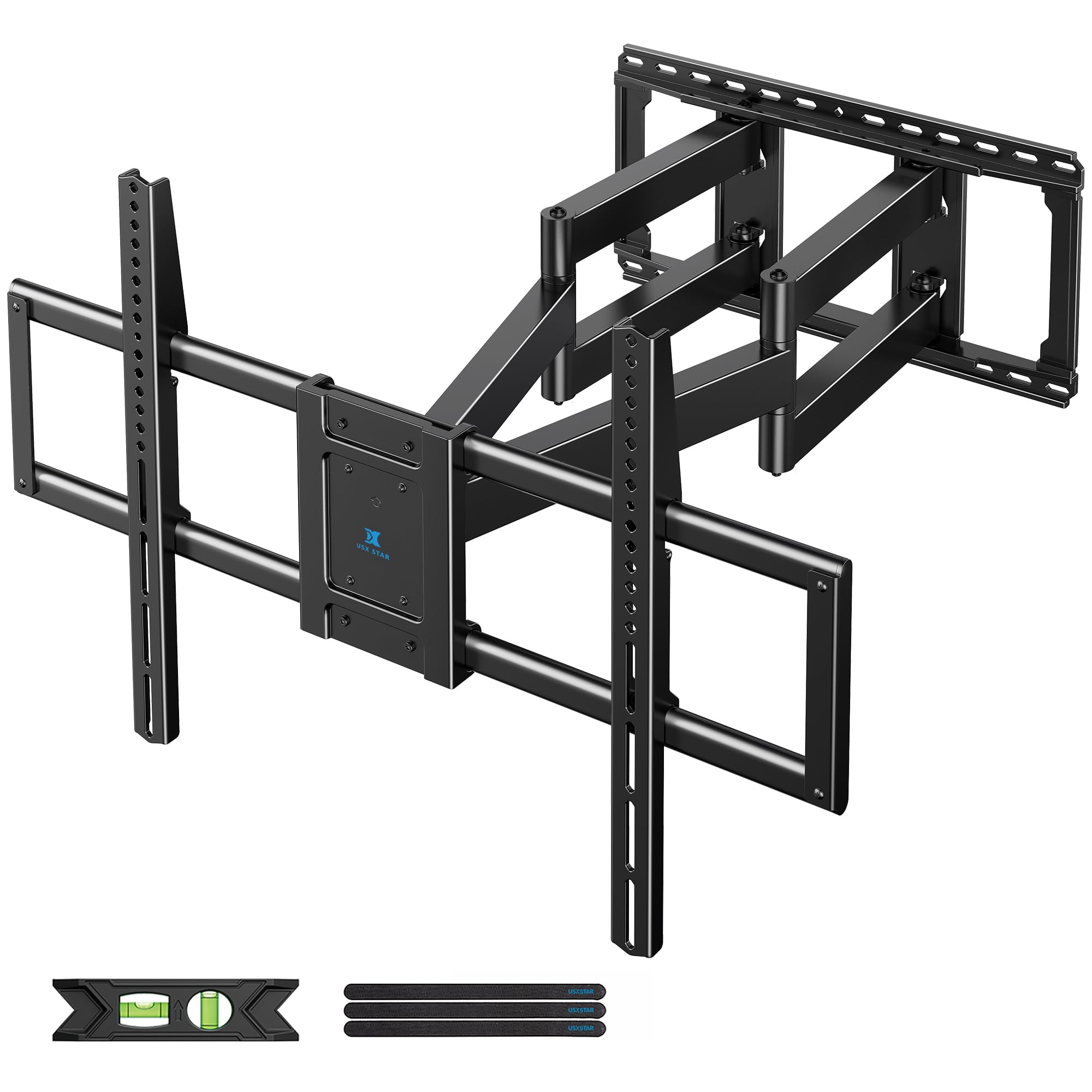
A reinforced six-arm behemoth that swallows a 100-inch screen without flinching.
The USX STAR is built for the biggest TVs in the house, supporting screens from 60 inches all the way up to 120 inches and holding a massive 220 pounds. That makes it a strong alternative to the HOME VISION tilt mount, but with full-motion capability — you get 28 inches of extension, +/-65° swivel, and +/-10° tilt. The six thickened articulating arms (most mounts use two) distribute the weight more evenly and reduce wobble.
VESA compatibility stretches from 200x100mm all the way to 900x600mm, which covers virtually every large-screen TV on the market. The mount fits wood studs at 12, 16, 18, and 24-inch spacing — a big plus if your home has non-standard stud spacing. Reviewers who mounted 85-inch and 100-inch TCL and Hisense TVs noted the thick metal construction and the easy hook-and-snap installation. One reviewer noted the pull cords were a bit short for a 100-inch screen and used zip ties instead, but that did not affect the mount’s stability.
Unlike the Sanus SLT4-B1 which offers 9 inches of lateral shift to center the TV, the USX STAR relies on its long 28-inch arm and wide swivel range to position the screen. The extended arm also means the mount sits 3.07 inches from the wall at its most compact, so it is not ultra-slim.
Beastly capacity: 220-pound limit, 28-inch extension, and 24-inch stud spacing make it the go-to for 85-inch and larger screens.
Not ultra-slim: At 3.07 inches from the wall, it does not sit as flush as a tilt-only or low-profile mount.
Grab this for: a 75-to-120-inch TV on 24-inch studs where you need full swivel and tilt plus a long reach.
Pass on it if: you want a slim profile under 2 inches or only need to mount a standard 60-inch TV.
3. monTEK Ultra Slim TV Wall Mount for 43-90 Inch TVs

A full-motion mount that vanishes to just over an inch from the wall.
Most full-motion mounts stick out 2.5 to 3 inches even when pushed flat, but the monTEK retracts to just 1.1 inches — about the thickness of two stacked smartphones. That gives you the sleek, floating look of a fixed mount while still offering 16.5 inches of extension and +/-60° swivel. The low profile also includes a Velcro cable management strap to keep wires tidy behind the screen.
The mount works with 43-90-inch TVs and supports VESA patterns up to 600x400mm, which is the standard for most 60-inch and 65-inch screens. It holds up to 132 pounds, which is more than enough for any 60-inch TV you will find. The tool-free tilt ranges +3°/-12°, and the post-install leveling gives you +/-3° of fine adjustment. monTEK backs it with a 10-year warranty, matching the Sanus tier of long-term coverage.
Unlike the Perlegear PGLF8 which extends 16.6 inches but sticks out 3 inches when retracted, the monTEK gives up about a half-inch of reach for a drastically slimmer look. The tradeoff is that the slim design limits the max tilt to 12 degrees, which is still enough for most glare situations.
Best of both worlds: Full motion + 1.1-inch profile means you get swivel without the bulky look.
Slightly less tilt: At 12 degrees max, it may not work for very high wall placements.
Pick this if: you want a 60-inch TV to look flush against the wall but still need to swivel it toward a corner seat.
Skip this if: you are mounting the TV above a tall fireplace where you need more than 15 degrees of downward tilt.
4. Perlegear UL Listed Full Motion TV Wall Mount (PGLF8)

The classic full-motion mount that buyers consistently call “very sturdy” across hundreds of reviews.
The Perlegear PGLF8 is the full-motion mount that hits the balance for most 60-inch TV owners: it extends 16.6 inches from the wall, swivels +/-50°, and tilts +5°/-15° — all while holding up to 132 pounds. The UL listing means it has been independently tested for safety, and Perlegear backs it with a 5-year warranty. One buyer who mounted a 65-inch Samsung reported he was “very impressed with the quality,” specifically praising the smooth motion and sturdy build.
This mount is engineered with solid steel bearings and precision washers at every joint, which is why the swivel feels smoother than on cheaper full-motion brackets. It also includes a bubble level and pre-labeled hardware to simplify installation. The open wall plate design works with in-wall cable management kits, so you can hide power cords completely behind the TV.
Compared to the Mounting Dream MD2617, which also pulls out to 16.6 inches but is rated for 100 pounds, the Perlegear is rated for 132 pounds and includes a 5-year warranty versus Mounting Dream’s standard coverage. The tradeoff is that the PGLF8 sits 3 inches from the wall when retracted, which is not as slim as the monTEK’s 1.1 inches.
Proven reliability: Tested to withstand 60,000 motion cycles and 4x the rated load, so it is built to last.
Not the slimmest: At 3 inches retracted, it is noticeably thicker than a low-profile mount.
Ideal for: the buyer who wants a trusted, well-reviewed full-motion mount with plenty of weight headroom and a smooth swivel.
Not ideal for: anyone who needs the mount to sit extremely close to the wall.
5. Mounting Dream UL Listed TV Wall Mount (MD2617)

The entry-level full-motion mount that still includes a bubble level and cable clips.
The Mounting Dream MD2617 is a clean, wallet-friendly way to get full-motion capability for a 60-inch TV. It extends to 16.6 inches for easy port access, swivels left/right, and tilts 5 degrees up or 15 degrees down. The post-installation +/-4° leveling adjustment lets you nudge the TV perfectly straight after hanging it. The mount fits VESA patterns up to 600x400mm and supports TVs from 42 to 84 inches, up to 100 pounds.
Installation is made easier with a paper template you tape to the wall, pre-labeled hardware bags, and four included cable clips. Mounting Dream also provides concrete anchors upon request if you are mounting to a brick or concrete wall. The mount retracts to 2.5 inches, giving it a slightly slimmer profile than the Perlegear PGLF8’s 3 inches.
Where it falls short compared to the Perlegear PGLF8 is the weight capacity: 100 pounds vs 132 pounds. That still covers most 60-inch TVs, but if your TV is on the heavier side (some older 60-inch LCDs weigh over 90 pounds), you will have less safety margin. Reviewers generally praise its ease of installation, though a few note that the included bubble level is small and takes some patience to read.
Good value for full motion: You get extension, swivel, tilt, and a low price without giving up UL listing.
Lighter weight ceiling: The 100-pound limit means less margin if your TV is near 90 pounds.
Choose this for: a standard 60-inch TV on a budget, where you want full articulation without paying a premium.
Think twice if: your TV is over 90 pounds or you want a longer warranty than the standard coverage.
6. HOME VISION Heavy Duty TV Wall Mount (HV9901)
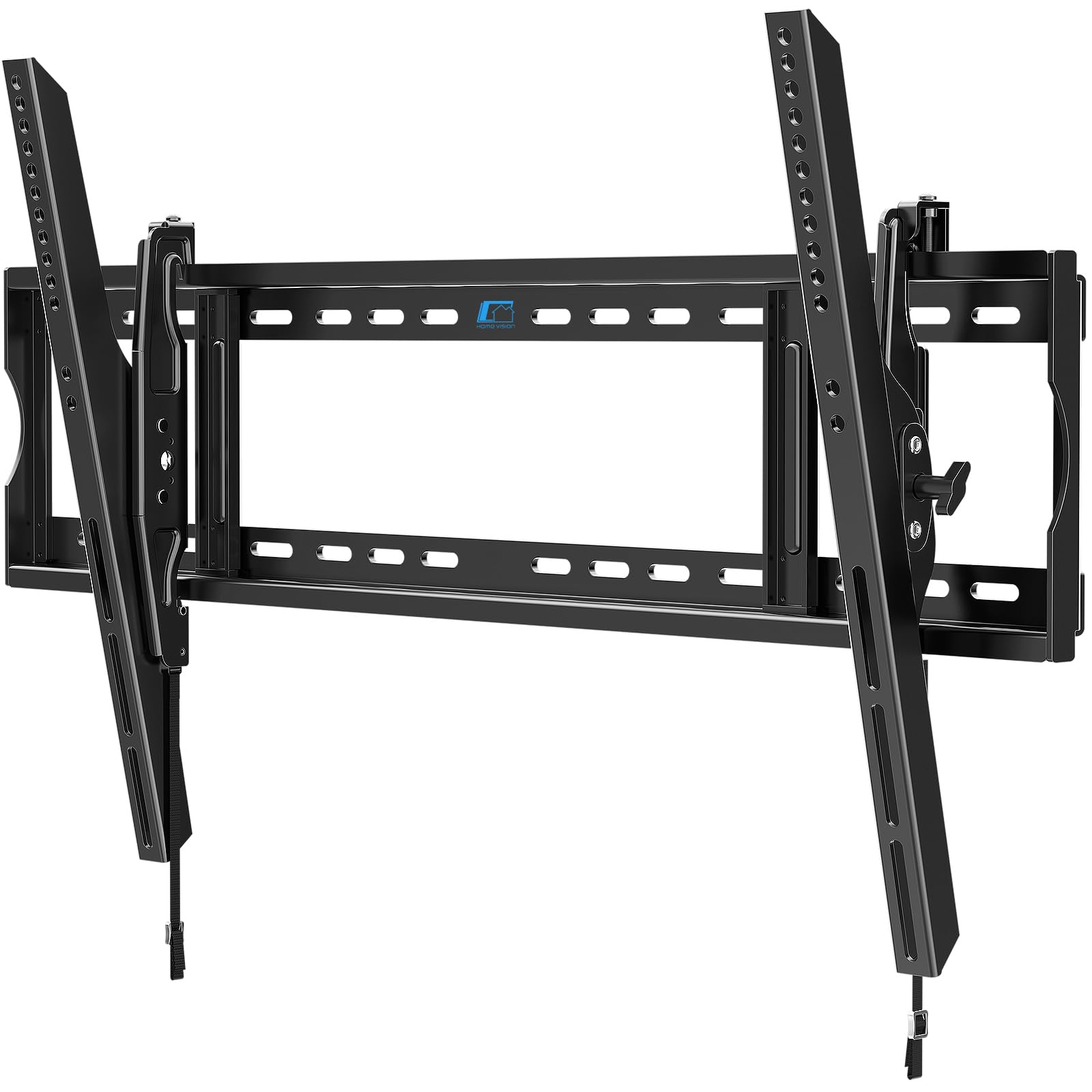
A low-profile tilt bracket that handles everything from a 60-inch to a 120-inch screen.
If you want your TV to sit as flat against the wall as possible and do not need to swivel it, the HOME VISION HV9901 is the simplest, strongest tilt-only option. It holds up to 220 pounds and supports VESA patterns up to 900x600mm, which makes it compatible with virtually any 60-inch or larger TV. The one-piece wall plate eliminates the multi-part alignment hassle that some full-motion mounts require.
At just 2.56 inches from the wall, it is slimmer than any full-motion mount on this list except the monTEK. The tool-free tilt adjusts 10 degrees down and 5 degrees up — enough to kill glare from overhead lights. The mount fits studs up to 32 inches apart, which is wider than any other mount here. The USX STAR stops at 24-inch studs, so the HOME VISION is the right pick for older homes or custom wall framing.
The catch is the 10-degree tilt angle: the Perlegear PGLF8 offers 15 degrees of tilt, so if your TV is mounted high above a fireplace, the HOME VISION may not angle downward enough. The ±1° post-installation leveling is also tighter than the ±3° or ±4° you get on other mounts, so getting it dead-level requires a more precise initial installation.
Massive capacity + wide stud spacing: 220 pounds and 32-inch studs means zero compatibility concerns for large screens.
Limited tilt range: The 10-degree max tilt is less than the 15 degrees many rivals offer.
Reach for this if: mounting a 75-120-inch TV in a standard viewing position where swivel is not needed and studs are spaced unusually wide.
Skip if: your TV is mounted high and you need more than 10 degrees of downward tilt.
7. SANUS Preferred Extendable Tilt TV Wall Mount (SLT4-B1)
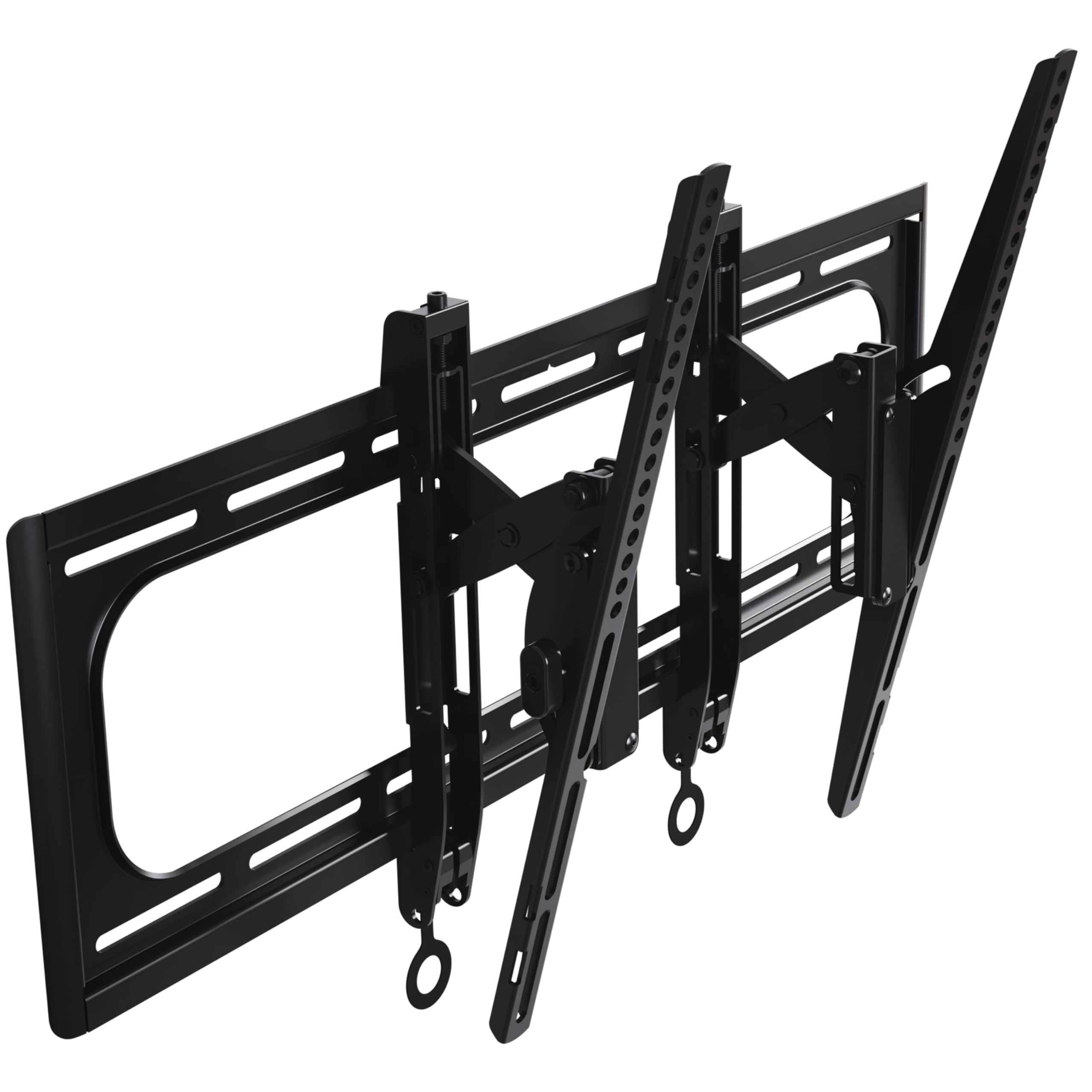
A tilt mount that slides 9 inches sideways to center the TV on off-center studs.
The SANUS SLT4-B1 solves the problem that frustrates most DIY installers: what to do when the wall studs do not line up with the center of your TV. This mount lets you shift the screen up to 9 inches left or right after installation, plus adjust the height by 1 inch and level it after hanging. That means you can lock the bracket onto the studs you have and slide the TV to where it actually looks right in the room.
It fits 42-90-inch TVs up to 150 pounds and supports VESA patterns up to 600x415mm. The 12-degree tilt range matches the monTEK’s max tilt, and the mount extends 5.7 inches from the wall to give enough clearance for cables. SANUS includes a drill template and pre-sorted hardware for a three-step installation — one buyer mentioned the lag screws held a 100-plus-pound TV securely when hitting studs. The mount is backed by a 10-year warranty and 40-plus years of SANUS engineering experience.
Where the SANUS differs from the tilt-only HOME VISION is the lateral shift feature: the HOME VISION has no side-to-side adjustment, so you must center it perfectly during the install. The SANUS also uses a premium steel build with a UL listing for safety. One drawback is that it lacks a built-in level (a buyer noted this), so you will need your own level tool to get the wall plate straight during installation.
Forgiving installation: 9 inches of lateral shift and 1 inch of height adjustment mean no do-over if studs are off-center.
No built-in level: You will need to supply your own level tool for a perfectly straight installation.
Best for: rooms where the wall studs are not centered behind the TV location, thanks to the generous slide-and-level adjustments.
Not for: anyone who needs to swivel the TV toward multiple seating areas — this is a tilt-only mount.
Understanding the Specs
VESA Pattern (mm)
VESA is the standard pattern of holes on the back of your TV, measured in millimeters horizontally by vertically. A 60-inch TV usually uses 400x400mm or 600x400mm. If your TV’s VESA is 400x400mm and the mount says “max VESA 600x400mm,” it fits — the mount includes holes for both. If your TV’s VESA is larger than the mount’s max, it will not attach at all. Always check your TV’s VESA before buying.
Weight Capacity (lbs)
This is the maximum weight the mount is certified to hold. A 60-inch TV typically weighs 40-70 pounds, so any mount rated for 100 pounds or more is safe. If you plan to upgrade to a heavier 85-inch or 100-inch screen later, consider a mount like the USX STAR or HOME VISION that handles 220 pounds. Never exceed the rated capacity, even by a few pounds.
FAQ
Will a full-motion mount fit a 60-inch TV?
How far from the wall should my 60-inch TV sit?
Can I install a TV wall mount on drywall alone?
What stud spacing do I need for a 60-inch TV mount?
What is the difference between tilt and full-motion mounts?
Is UL listing important for a TV wall mount?
Can I reuse a TV wall mount on a different TV?
Do I need any special tools to install a TV wall mount?
Final Thoughts: The Verdict
For most people, the 60 tv wall mount winner is the Perlegear PGLF8 because it delivers reliable full-motion performance with a 132-pound capacity, smooth swivel, and a 5-year warranty at a price that makes the most sense for the typical 60-inch setup. If you want a slim profile that still swivels, grab the monTEK Ultra Slim. And for a massive 85-inch or 100-inch screen that needs a 28-inch reach and 220-pound capacity, the standout is the USX STAR Heavy Duty.
How We Picked
We do not accept paid placement. Every pick is matched to a real buyer and a real use-case; we do not hands-on test units.
Sources & Methodology
Specifications: manufacturer listings and product documentation. Review insights: verified customer reviews, as of July 2026. Pricing: not shown on this page (it changes often); check the current price via the retailer link.
As an Amazon Associate, Gadgets Feed earns from qualifying purchases. This does not affect which products we feature.
Product prices and availability are accurate as of the date/time indicated and are subject to change. Any price and availability information displayed on Amazon at the time of purchase will apply to the purchase of this product. As an Amazon Associate I earn from qualifying purchases.
CERTAIN CONTENT THAT APPEARS ON THIS SITE COMES FROM AMAZON. THIS CONTENT IS PROVIDED "AS IS" AND IS SUBJECT TO CHANGE OR REMOVAL AT ANY TIME.
Amazon and the Amazon logo are trademarks of Amazon.com, Inc. or its affiliates.