
A 600Hz monitor isn’t a minor refresh cycle bump—it’s a category shift that pushes motion clarity past the point where the human eye can perceive individual frames, effectively eliminating ghosting and stutter at any frame rate your GPU can throw at it. For competitive shooters and esports athletes, this means tracking a flick-shot strafing across your peripheral vision becomes as crisp as a still image.
I’m Min — the co-founder and writer behind Gadgets Feed. My deep-dive research into panel technology, overdrive algorithms, and real-world input latency metrics reveals exactly which high-refresh displays deliver on the promise of true motion fidelity for serious gamers.
After analyzing eleven models across TN, OLED, and WOLED architectures with refresh rates from 480Hz to 720Hz, I’ve isolated the genuine contenders. Here is the definitive, spec-level guide to finding the perfect 600 hz monitor for your competitive setup.
How To Choose The Best 600 Hz Monitor
Choosing a monitor in this rarefied speed tier means prioritizing motion clarity above all else—but that decision forces trade-offs in color accuracy, resolution, and viewing angles that casual buyers often overlook. Understanding the panel architecture behind the refresh rate number is the only way to get what you’re actually paying for.
Panel Type: TN vs. OLED at 600Hz
A 600Hz TN panel like the BenQ XL2586X+ achieves its speed through fast liquid crystal twist and specialized overdrive, but it does so with limited color volume and narrow viewing angles. OLED panels at 500Hz–540Hz, by contrast, deliver near-instant pixel transitions at the individual sub-pixel level without voltage overshoot artifacts, but they sometimes cap out below the true 600Hz threshold. If absolute maximum refresh rate is your only metric, TN wins; if you want motion clarity without sacrificing contrast and color, OLED is the superior technology at slightly lower nominal Hz.
Connectivity Bandwidth: The Bottleneck
A display capable of 600Hz is useless if your cable and GPU can’t feed it enough data. At 1920×1080, DisplayPort 1.4 with DSC (Display Stream Compression) can handle 600Hz, but for 1440p resolutions above 500Hz, you need DisplayPort 2.1 UHBR20 or HDMI 2.1. The Alienware AW2524HF explicitly warns that HDMI caps at 255Hz for its 500Hz panel—a critical real-world detail that many buyers miss. Always verify your graphics card’s output standard before purchasing a monitor in this speed class.
Response Time and Overdrive Implementation
The advertised 0.5ms (GtG) on a TN panel or 0.03ms on an OLED refers to raw pixel transition, but real-world motion clarity depends on how the monitor’s overdrive handles the transition. The BenQ XL2586X+ uses DyAc 2 with a dual backlight strobe to reduce perceived persistence blur, while OLED panels eliminate this blur entirely at the pixel level. However, TN overdrive at extreme speeds can introduce overshoot (inverse ghosting), which a sharp reviewer noted on the 600Hz Zowie—a trade-off you should factor into your decision.
Quick Comparison
On smaller screens, swipe sideways to see the full table.
| Model | Category | Best For | Key Spec | Amazon |
|---|---|---|---|---|
| ASUS ROG Swift PG27AQDP | OLED | Pure motion at 1440p | 480Hz WOLED, 0.03ms | Amazon |
| MSI MPG 271QR QD-OLED X50 | QD-OLED | Color accurate high speed | 500Hz QD-OLED, 0.03ms | Amazon |
| LG 27GX790B-B | OLED | Dual-mode versatility | 540Hz/720Hz Dual, 0.02ms | Amazon |
| INNOCN 27″ GA27M1Q | QD-OLED | Value 500Hz OLED | 500Hz QD-OLED, 0.03ms | Amazon |
| Alienware AW2725DF | QD-OLED | All-rounder 360Hz OLED | 360Hz QD-OLED, 0.03ms | Amazon |
| Samsung Odyssey OLED G6 G60SF | QD-OLED | Glare-free 500Hz gaming | 500Hz QD-OLED, 0.03ms | Amazon |
| Sony INZONE M10S | OLED | Tournament-focused OLED | 480Hz OLED, 0.03ms | Amazon |
| BenQ Zowie XL2586X+ | TN | 600Hz native esports | 600Hz Fast TN, DyAc 2 | Amazon |
| ASUS ROG Swift PG27AQWP-W | Tandem OLED | Brightest dual-mode OLED | 540Hz Tandem WOLED, 0.02ms | Amazon |
| Alienware AW2524HF | IPS | Entry-level high speed | 500Hz Fast IPS, 0.5ms | Amazon |
| LG 32U990A-S | IPS | Professional color work | 60Hz 6K IPS, 2000:1 CR | Amazon |
In‑Depth Reviews
1. ASUS ROG Swift OLED PG27AQDP

The world’s first 1440p 480Hz OLED panel, the PG27AQDP uses a WOLED structure with a custom heatsink to sustain high brightness without burn-in risk. Its 0.03ms GtG response time is effectively instantaneous, producing motion clarity that rivals or exceeds TN panels at higher refresh rates because there is zero overshoot or ghosting. The included ROG-exclusive AI Assistant adjusts OSD parameters dynamically based on in-game content.
Color performance is exceptional: 99% DCI-P3 coverage with Delta E <2 factory calibration, and the VESA DisplayHDR True Black 400 certification ensures deep blacks in dark scenes. The matte anti-glare coating reduces reflections in bright rooms, though some users report a slight grainy texture on gray backgrounds. The 3-year warranty includes burn-in coverage, a necessary reassurance for OLED longevity at these brightness levels.
Connectivity is forward-looking with DisplayPort 2.1 UHBR20 and dual HDMI 2.1 ports, though early firmware notes indicate VRR stability issues on DisplayPort that require a firmware update to resolve. For competitive gamers who want OLED’s contrast without sacrificing speed, this is the most balanced high-refresh OLED currently shipping.
Why it’s great
- True 480Hz OLED with zero overshoot artifacts
- Factory calibrated Delta E <2 color accuracy
Good to know
- Matte coating can appear grainy on solid gray
- VRR over DP may require firmware fix
2. MSI MPG 271QR QD-OLED X50
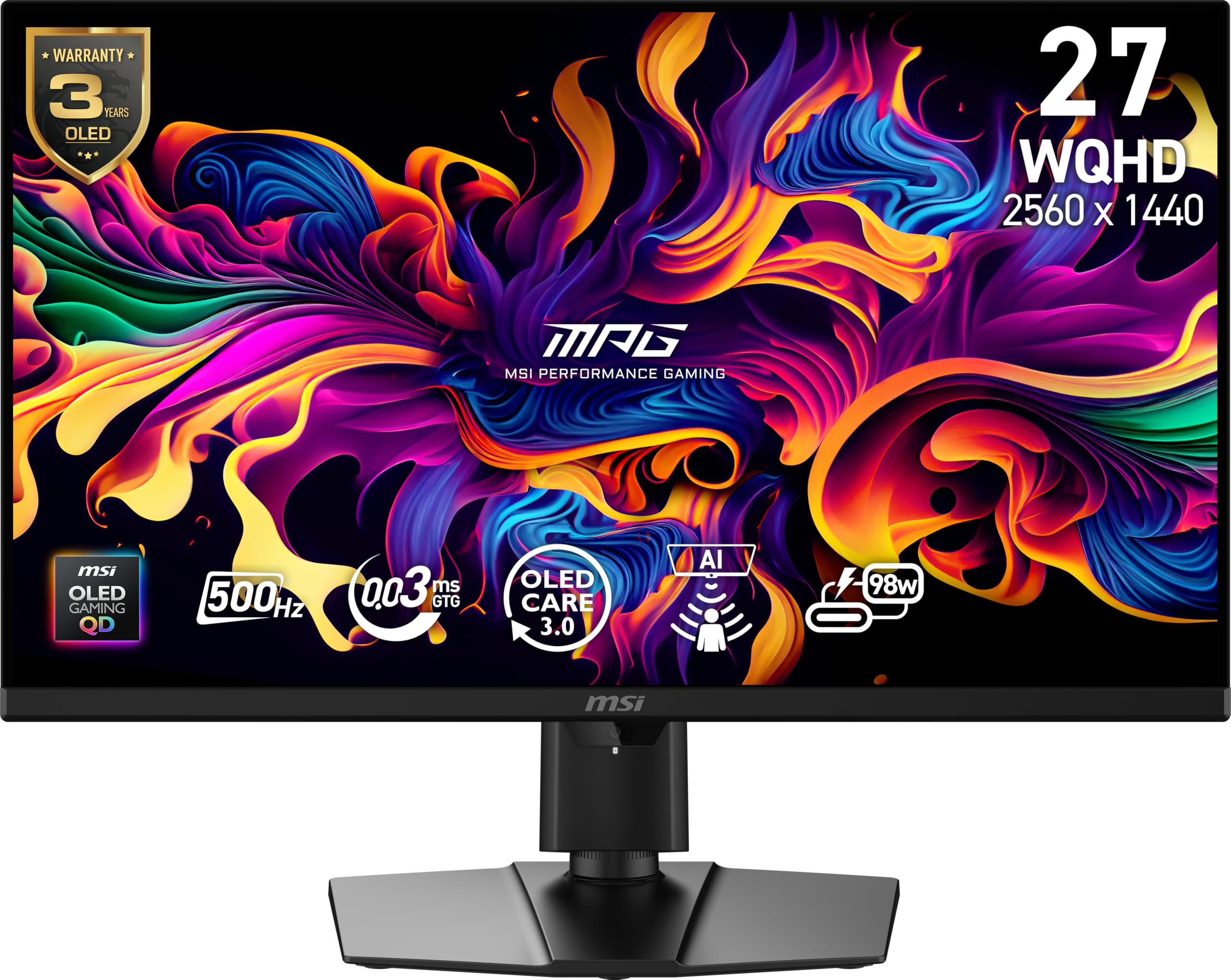
The MPG 271QR X50 is the only monitor on this list that combines 500Hz refresh rate with DisplayPort 2.1a UHBR20, meaning it can drive its 1440p panel at full speed without needing Display Stream Compression. This eliminates the DSC-related display disconnects that plague other high-refresh OLEDs. The QD-OLED panel delivers 99% DCI-P3 with a 1.5 million:1 native contrast ratio and VESA DisplayHDR True Black 500 certification.
MSI’s graphene heatsink is fanless, preventing dust buildup while maintaining panel longevity. The AI Care Sensor uses a CMOS camera to detect human presence every 0.2 seconds, automatically blanking the screen when you step away—a practical OLED burn-in mitigation that works better than static pixel shifting alone. The USB-C port provides 98W Power Delivery, enough to charge a high-end laptop through a single cable.
Pixel response is rated at 0.03ms GtG, and the VESA ClearMR 21000 rating confirms exceptional motion clarity. The 3-year burn-in warranty covers the panel, matching the industry standard for premium OLEDs. If you need maximum refresh rate at 1440p without DSC artifacts, this is the most future-proof connectivity solution available.
Why it’s great
- Runs 500Hz at 1440p without DSC via DP 2.1a
- AI Care Sensor for automated burn-in prevention
Good to know
- AI auto-off may be too sensitive in practice
- Text fringing noticeable without scaling adjustment
3. LG 27GX790B-B Ultragear OLED

The LG 27GX790B-B uses LG’s 4th Gen Primary RGB Tandem OLED structure, which stacks four RGB layers to achieve 335 nits typical brightness while reducing power consumption. Its headline feature is Dual Mode: you can toggle between QHD resolution at 540Hz or HD (1920×1080) at 720Hz via a hotkey, giving esports players the option to prioritize detail or raw speed mid-match. The 0.02ms GtG response time is the fastest on this list.
UL-verified Perfect Black and VESA DisplayHDR True Black 500 ensure deep, accurate blacks, while the 1.5 million:1 contrast ratio produces HDR content with striking dynamic range. The matte finish is ideal for bright rooms, and the 3-sided nearly bezel-less design keeps the focus on the screen. DisplayPort 2.1 and USB-C with single-cable output simplify the desk setup for competitive gamers who travel to LAN events.
Some users note the proprietary power cable is an inconvenience for cable management, and the bottom bezel is thicker than expected. However, the combination of the brightest OLED panel in LG’s lineup with the highest dual-mode refresh rate makes this a compelling choice for players who want one monitor for both competitive and immersive gaming.
Why it’s great
- Dual Mode up to 720Hz for competitive speed
- Brightest OLED at 335 nits typical
Good to know
- Proprietary power cable complicates replacement
- Bottom bezel thickness may trigger OCD
4. INNOCN 27″ GA27M1Q

The INNOCN GA27M1Q proves that high-refresh OLED doesn’t require a premium-tier brand name. It uses the same QD-OLED panel technology found in monitors costing significantly more, delivering 99% DCI-P3 coverage and a 1,500,000:1 contrast ratio at 500Hz with 0.03ms response time. The 10-bit color depth (1.07 billion colors) ensures smooth gradients without banding, and the HDR500 certification improves dynamic range in mixed-brightness scenes.
Connectivity includes dual DisplayPort and dual HDMI 2.1 ports, making it compatible with current-gen consoles at high refresh rates. The stand offers height, tilt, and swivel adjustment plus a 100mm x 100mm VESA mount pattern. The white chassis with LED atmosphere lights is a design departure from the standard black gaming aesthetic, which may appeal to users building a lighter-themed setup.
Color tuning out of the box benefits from manual calibration to reach its full potential, and the built-in speakers are adequate for casual use but not competitive audio. For the price, this is the most feature-dense high-refresh OLED monitor currently available, especially for buyers who want 500Hz performance without paying for brand markup.
Why it’s great
- Best price-to-performance ratio for 500Hz OLED
- Wide connectivity with dual HDMI 2.1 and DP
Good to know
- Color accuracy improves with manual calibration
- Built-in speakers are basic
5. Alienware AW2725DF QD-OLED

While the AW2725DF “only” reaches 360Hz, it packs QD-OLED technology with 2560×1440 resolution that buyers often describe as looking nearly 2K in clarity. The 0.03ms GtG response and infinite contrast ratio (1.5 million:1 typical) produce HDR content with stunning depth, particularly in dark game environments where OLED blacks eliminate the backlight bleed common to IPS panels. The 99.3% DCI-P3 coverage with Delta E
<2 ensures color fidelity suitable for content creation.
The ergonomic stand offers height, tilt, swivel, and pivot adjustments, and the build quality is typical of Dell’s premium Alienware line. VESA DisplayHDR True Black 400 certification and AMD FreeSync Premium Pro support ensure smooth, tear-free gameplay. The 3-year burn-in warranty provides long-term confidence in the QD-OLED panel’s durability.
Text clarity is slightly compromised by the QD-OLED subpixel layout, though at 1440p on a 27-inch panel, the fringing is minimal for most users. The coating has a slight purple tint noticeable in direct light. For gamers who want OLED’s visual quality and are willing to trade peak refresh rate for higher resolution, this remains the benchmark 360Hz all-rounder.
Why it’s great
- Superb QHD OLED image quality with HDR True Black 400
- Full ergonomic stand with pivot adjustment
Good to know
- QD-OLED text fringing present at desktop use
- Slight purple tint to anti-reflective coating
6. Samsung Odyssey OLED G6 G60SF
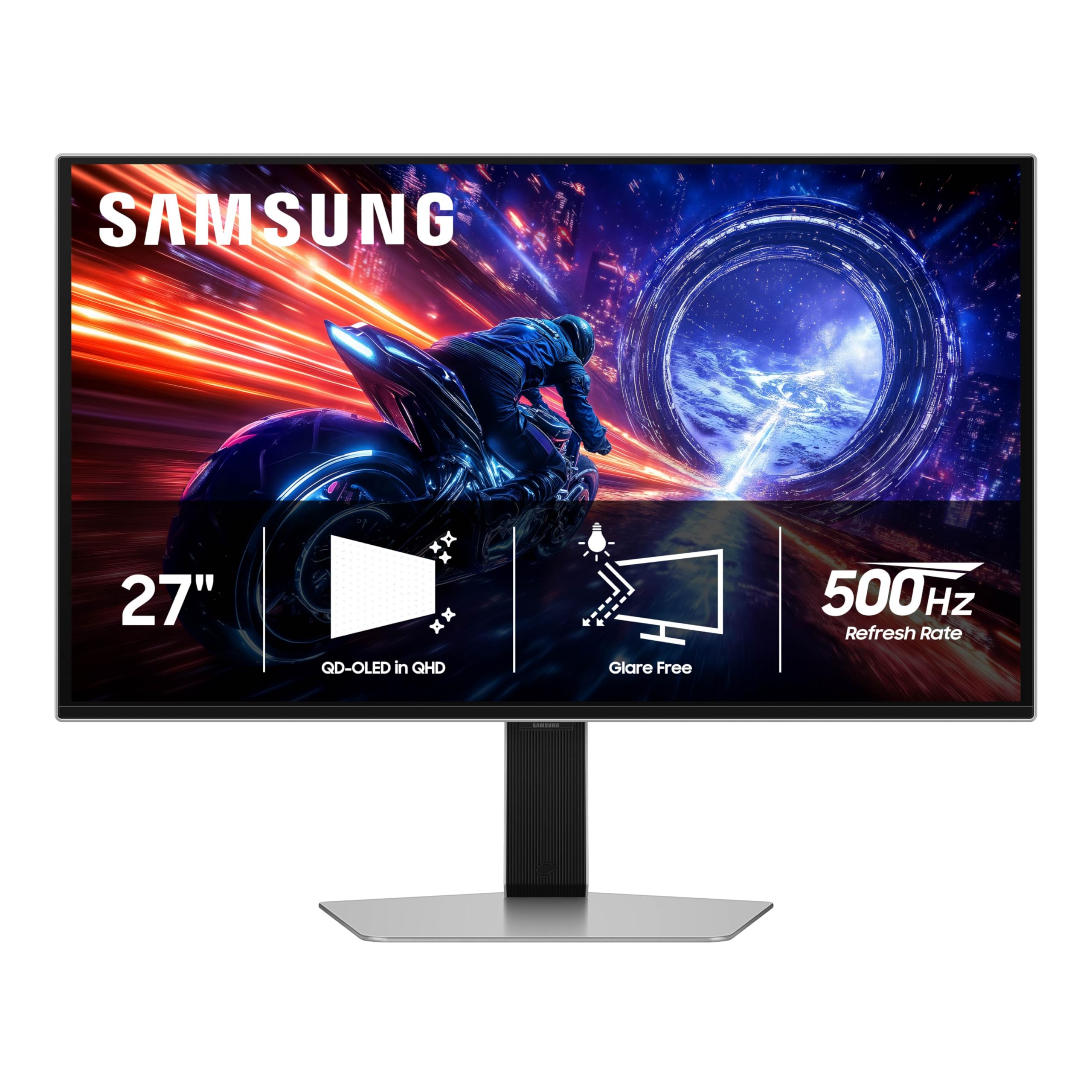
Samsung’s Odyssey G6 G60SF is the first OLED monitor to combine 500Hz refresh rate with Samsung’s Glare Free technology, which uses a specialized surface treatment to diffuse ambient light rather than reflecting it. This makes the QD-OLED panel usable in brightly lit rooms where standard glossy OLEDs wash out. The 0.03ms response time and VESA DisplayHDR True Black 500 certification deliver deep blacks and up to 1000 nits peak brightness.
The G-Sync compatibility eliminates tearing, and the 1440p resolution provides a sharp image without the GPU load of 4K. The ergonomic stand supports tilt, height, and pivot adjustments, making it adaptable to different desk setups. The 3-year warranty covers the OLED panel, which is standard for this tier.
Some users report that the back button on the OSD joystick can feel fragile, which is a concern for heavy use. The 300 cd/m2 typical brightness is lower than some competitors, though the Glare Free coating makes it feel brighter in practice by cutting reflections. For competitive gamers in bright environments, this is the most usable high-refresh OLED available.
Why it’s great
- Glare Free coating works well in bright rooms
- 500Hz QD-OLED with HDR True Black 500
Good to know
- OSD back button feels fragile
- Typical brightness lower than WOLED competitors
7. Sony INZONE M10S

Developed in partnership with the Fnatic esports organization, the INZONE M10S is built specifically for competitive play. Its 480Hz WOLED panel with 0.03ms response time is tuned for motion clarity, and the Tournament Mode hot-switches between FPS Pro+ presets that adjust contrast to make enemies more visible in dark corners. The low-profile 4mm thin base maximizes desk space for wide mouse sweeps at low sensitivity.
The custom fanless heatsink prevents thermal throttling while eliminating the risk of fan noise or dust ingress. The 3-year OLED burn-in warranty matches the industry standard. Connectivity includes DisplayPort 2.1 UHBR10 and dual HDMI 2.1 ports, though the UHBR10 bandwidth is half the speed of UHBR20, meaning it relies on DSC for 480Hz at 1440p.
The 24.5” emulation mode switches the active screen area to the standard esports size while maintaining full resolution, a feature not available on most 27-inch monitors. For LAN tournament players who need consistent screen sizing across venues, this is the most purpose-built OLED gaming monitor on the market.
Why it’s great
- Tournament-tuned FPS Pro+ modes
- Ultra-slim stand base for desk space
Good to know
- DP 2.1 is UHBR10, requires DSC for 480Hz
- No built-in speakers
8. BenQ Zowie XL2586X+
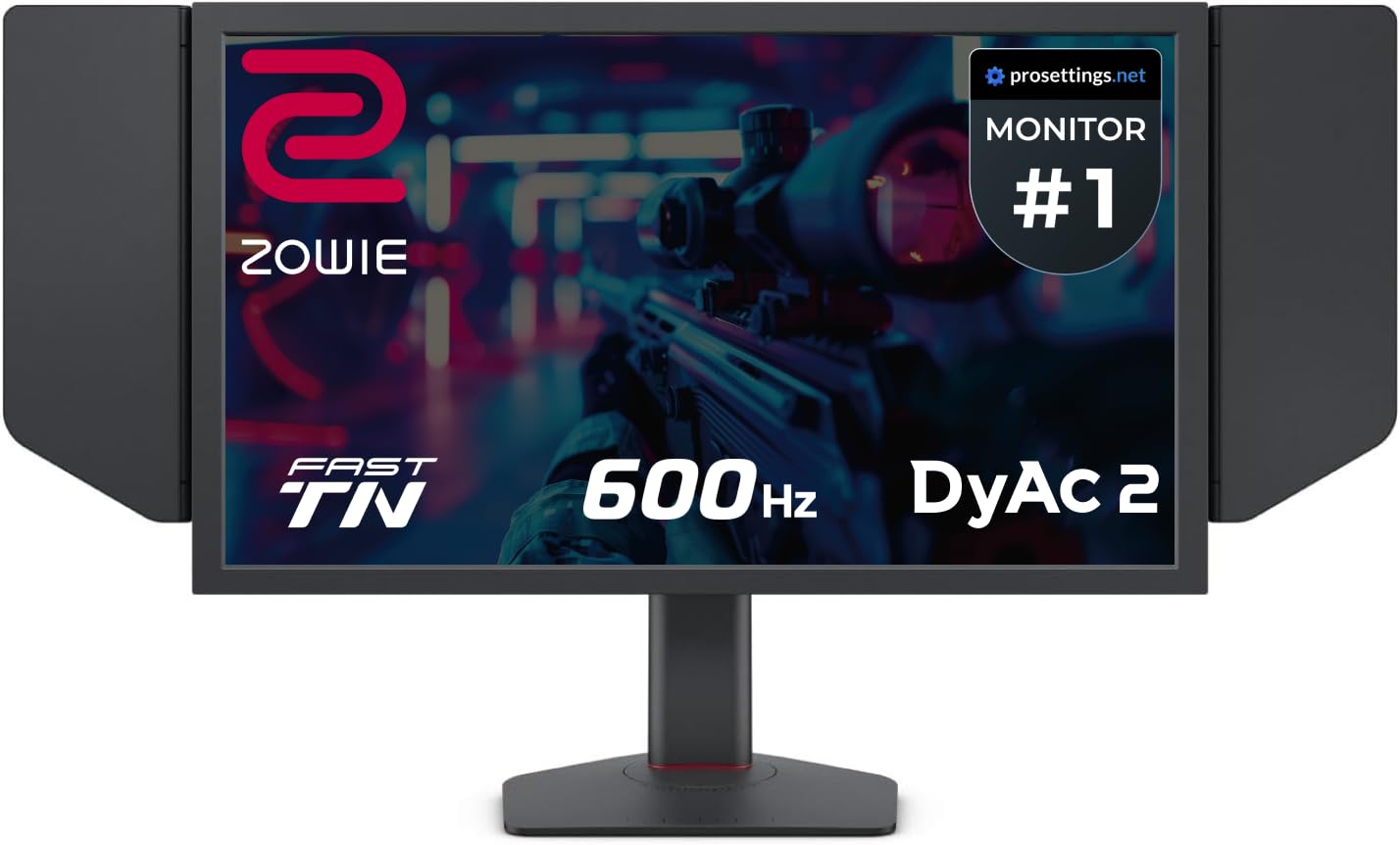
The BenQ Zowie XL2586X+ is the only monitor on this list with a native 600Hz refresh rate, achieved using a newly developed Fast TN panel that reduces overshoot through improved electrical conductivity. This makes it the undisputed champion of raw frame rate for professional Counter-Strike and Valorant players who need the lowest possible motion persistence. The DyAc 2 dual backlight technology strobes the backlight in sync with frame updates to reduce perceived blur beyond what pixel response alone can achieve.
Resolution is 1920×1080—the standard used by esports pros—which ensures maximum image sharpness on the Fast TN panel compared to scaling lower resolutions. The vivid color film improves color performance by 35% over standard TN, reducing the washed-out look that competitive TN monitors are known for. The included shield hood blocks ambient light during LAN matches, and the S-Switch allows instant profile switching between game settings.
Color accuracy and viewing angles remain TN-level compromises: colors shift noticeably off-angle, and the matte coating is aggressive. As one reviewer noted, a 480Hz OLED provides better overall visual quality, but for absolute maximum motion clarity in a controlled esports environment, the 600Hz Zowie is the benchmark.
Why it’s great
- True 600Hz native refresh rate (no overclock)
- DyAc 2 strobing reduces persistence blur
Good to know
- Poor color accuracy and narrow viewing angles
- DyAc 2 can introduce overshoot at high setting
9. ASUS ROG Swift PG27AQWP-W

The PG27AQWP-W uses ASUS’s Tandem OLED technology, which stacks two WOLED layers to achieve 15% higher peak brightness and 25% larger color volume than previous-generation WOLED panels. The result is a 540Hz QHD / 720Hz HD dual-mode experience with a TrueBlack Glossy panel that eliminates the hazy diffusion of matte coatings, producing exceptionally sharp imagery. The 0.02ms response time matches LG’s fastest offering.
ASUS OLED Care Pro includes a Neo Proximity Sensor that detects when you leave the desk and switches the screen to black, a genuinely useful burnout prevention feature that works passively. The 3-year warranty includes burn-in coverage and Advanced Replacement RMA. DisplayPort 2.1 UHBR20 provides the full 80Gbps bandwidth needed to run 540Hz at 1440p without DSC.
On the downside, the glossy panel can produce reflections in bright rooms, and some users report noticeable gray banding in gradient test patterns. The built-in speakers are quieter than average, which may require external speakers or headphones. For buyers who want the absolute brightest and most color-rich high-refresh OLED, the Tandem panel technology justifies the premium price.
Why it’s great
- Brightest OLED with Tandem panel technology
- Full DP 2.1 UHBR20 bandwidth without DSC
Good to know
- Glossy panel reflects ambient light
- Gray banding visible in some gradient tests
10. Alienware AW2524HF

The AW2524HF is a 24.5-inch Fast IPS panel that reaches 500Hz via overclock (480Hz native), making it the most affordable entry point for ultra-high refresh rate gaming. The 0.5ms GtG response in Extreme mode minimizes ghosting, and the 99% sRGB coverage ensures accurate colors for a TN-alternative panel. The AMD FreeSync Premium certification supports tear-free gameplay with compatible GPUs.
The ergonomic stand offers height, tilt, swivel, and pivot adjustments, and TUV ComfortView Plus reduces blue light emission without washing out colors—a useful feature for long gaming sessions. The build quality is solid, with Dell’s 3-year Advanced Exchange warranty that ships a replacement before you return the defective unit.
However, the IPS panel cannot match OLED black levels or contrast, and the overclocked 500Hz mode requires a DisplayPort connection—HDMI tops out at 255Hz. Some users report that the panel degrades over time, with one review noting a drop from 500Hz to 360Hz after several months due to panel wear. For budget-conscious gamers who want high speed over image quality, this is a functional entry point.
Why it’s great
- Most affordable 500Hz-capable monitor
- Full ergonomic stand with pivot
Good to know
- 500Hz requires DisplayPort, HDMI limited to 255Hz
- IPS contrast cannot compete with OLED
11. LG 32U990A-S Ultrafine 6K

The LG 32U990A-S is the only monitor on this list not designed for high-refresh gaming. At 60Hz, it exists for creative professionals who need 6K (6144×3456) resolution on a 32-inch Nano IPS Black panel with a 224 PPI pixel density that packs over 21 million pixels. The 2000:1 contrast ratio from Nano IPS Black technology produces deeper blacks than standard IPS, though it still cannot match OLED’s perfect black levels.
Thunderbolt 5 connectivity with 96W Power Delivery supports 6K daisy-chaining, and the 99.5% Adobe RGB and 98% DCI-P3 coverage with real 10-bit color depth satisfies professional color grading and photo editing workflows. The VESA DisplayHDR 600 certification ensures highlights pop without blooming, and the TÜV Rheinland Eye Comfort certification reduces eye strain during long sessions.
Some users report persistent sleep/wake issues requiring manual power cycles, and the built-in speakers are subpar for music. The 60Hz refresh rate makes it unsuitable for high-speed gaming, but for a creative workstation that needs maximum workspace and color accuracy, this is a reference-grade professional display.
Why it’s great
- 6K resolution with 224 PPI for maximum workspace
- Thunderbolt 5 with 96W PD and daisy-chaining
Good to know
- 60Hz refresh: not for gaming
- Some users report sleep/wake reliability issues
FAQ
Can the human eye actually see the difference between 480Hz and 600Hz?
Why does the Alienware AW2524HF cap at 255Hz over HDMI?
Final Thoughts: The Verdict
For most users, the 600 hz monitor winner is the BenQ Zowie XL2586X+ because it delivers the highest native refresh rate available with DyAc 2 motion clarity tuning specifically for esports. If you want OLED’s contrast and color without sacrificing speed, grab the ASUS ROG Swift PG27AQDP. And for the best value 500Hz OLED experience, nothing beats the INNOCN GA27M1Q.