
The hurdle for a genuinely capable 64 bit computer used to be a four-figure investment, but the market has fractured into tiers where a mini-PC can rival a workstation from three years ago. Modern 64-bit architecture, combined with efficient multi-core designs from AMD and Intel, means your choice is no longer about compatibility—it’s about matching the specific workload to the correct silicon, memory configuration, and GPU pairing.
I’m Min — the co-founder and writer behind Gadgets Feed. I’ve dissected several hundred product listings to isolate the actual performance metrics that matter in this generation of 64-bit desktops, separating genuine long-term value from marketing fluff. This guide focuses on the real-world specs that define a smart purchase in this category right now.
Whether you are building a home office or a high-FPS gaming rig, the right decision starts with identifying which 64 bit computer delivers the processor cores, fast memory, and graphics architecture your specific tasks demand without forcing you to pay for unused overhead.
How To Choose The Best 64 Bit Computer
The primary decision point for any 64-bit desktop is the CPU generation and its platform socket. An AM5 socket from AMD supports future Ryzen upgrades, while Intel’s LGA 1700 is at its end-of-life. Your choice determines whether you can drop in a newer processor three years from now or need a full motherboard replacement.
Prioritize the GPU Over the CPU for Gaming
A high-core-count CPU paired with a weak integrated GPU will bottleneck modern games instantly. Look for machines with at least an RTX 5060 Ti or equivalent if 1440p gaming is your target. For pure productivity, a fast SSD and high RAM capacity matter more than the discrete graphics card.
Memory Speed and Capacity
DDR5 6000MHz offers a measurable uplift in frame rates and application loading times compared to DDR4 3200MHz, but the difference is negligible for office tasks. 16GB is the minimum for modern gaming; 32GB is the sweet spot for multitasking; 64GB is necessary for virtual machines or heavy data analysis.
Quick Comparison
On smaller screens, swipe sideways to see the full table.
| Model | Category | Best For | Key Spec | Amazon |
|---|---|---|---|---|
| GMKtec M5 Ultra | Mini PC | Compact Office & Light Gaming | AMD Ryzen 7 7730U | Amazon |
| abytepsark Core i7 Desktop | Tower PC | Entry-Level Gaming | Intel Core i7 (3.9GHz) | Amazon |
| NINGMEI Soul | Tower PC | Customizable Starter Rig | AMD Ryzen 7 5700G | Amazon |
| KOTIN Ryzen 5 9600X | Tower PC | Mid-Range 1440p Gaming | AMD Ryzen 5 9600X (5.4GHz) | Amazon |
| YAWYORE Gaming PC | Tower PC | High-RAM Gaming | AMD Ryzen 7 5700X | Amazon |
| HP Desktop i5-12500T | Business PC | Productivity & Multitasking | 64GB DDR4 RAM | Amazon |
| Lenovo Legion Tower 5i | Gaming PC | Expandable Performance Rig | Intel Core Ultra 7 265F | Amazon |
| CyberPowerPC Gamer Master | Gaming PC | Upper Mid-Range Gaming | AMD Ryzen 7 8700F | Amazon |
| Skytech Gaming Nebula | Gaming PC | High-End 1440p Gaming | RTX 5060 Ti 16GB | Amazon |
| Dell Pro Tower Plus | Business PC | Enterprise & AI Productivity | Intel Core Ultra 5 235 | Amazon |
| Thermaltake LCGS View i570 | Gaming PC | Enthusiast 4K Gaming | Intel Core i9-14900KF | Amazon |
In‑Depth Reviews
1. KOTIN Prebuilt Gaming PC (Ryzen 5 9600X, RTX 5060 Ti)

This KOTIN build strikes the most balanced spec sheet in the mid-range tier. The AMD Ryzen 5 9600X, based on the Zen 5 architecture, delivers single-core speeds up to 5.4GHz that directly translate to high frame rates in esports titles like Valorant and Overwatch 2. The RTX 5060 Ti with 8GB of GDDR7 memory handles 1440p gaming at high settings without the thermal throttling common in budget cards.
The 16GB of DDR5-6000MHz RAM in dual-channel configuration eliminates memory bandwidth bottlenecks, and the 1TB PCIe 4.0 NVMe SSD reads at 6,000MB/s — enough to load large open-world games in under ten seconds. The digital CPU temp display on the air cooler is a practical touch for monitoring sustained loads during long sessions.
WiFi 7 and Bluetooth 5.3 ensure future-proof connectivity, while the 650W 80+ Gold PSU provides clean power for potential upgrades. Users confirmed smooth performance on titles like Baldur’s Gate 3 and Arc Raiders at max settings, making this the most coherent all-rounder in the group for a buyer who wants modern architecture without paying the enthusiast premium.
Why it’s great
- Zen 5 CPU delivers the best single-thread performance in its price bracket
- DDR5-6000 and PCIe 4.0 SSD eliminate loading bottlenecks
- WiFi 7 included standard — no dongle needed
Good to know
- Component brands (motherboard, PSU) are not explicitly named
- Runs warm under sustained loads; good airflow case is recommended
2. Thermaltake LCGS View i570 (i9-14900KF, RTX 5070)

The Thermaltake LCGS View i570 represents the top of the performance stack in this guide, pairing an Intel Core i9-14900KF with NVIDIA’s RTX 5070. The i9’s 24 cores (8 Performance, 16 Efficient) clock up to 6.0GHz, and the 32GB of DDR5 6000MT/s RGB memory from ToughRAM ensures no application runs out of headroom. This is a 4K gaming machine capable of handling Black Myth Wukong and Cyberpunk 2077 at high settings with ray tracing enabled.
The closed-loop 240mm liquid cooler keeps the i9’s thermal output manageable under sustained loads, and the filtered vertical PSU cover with ventilated side radiator mount shows Thermaltake’s engineering focus on airflow. The system includes a B760 chipset motherboard and 1TB NVMe M.2 SSD for fast storage.
Verified buyers report flawless operation with games like Baldur’s Gate 3 and Helldivers 2, and note the system runs whisper-quiet despite the high-power components. The absence of bloatware is a welcome detail. This is the right pick for someone who wants to skip the building process and get straight to high-refresh 4K gaming without compromise.
Why it’s great
- i9-14900KF and RTX 5070 combo handles 4K ray tracing
- Liquid cooling keeps noise low under full load
- No bloatware pre-installed
Good to know
- Slight fan noise at idle reported by some users
- Premium price point suited for enthusiast budgets
3. CyberPowerPC Gamer Master (Ryzen 7 8700F, RTX 5060 Ti)

The CyberPowerPC Gamer Master leverages the AMD Ryzen 7 8700F, an 8-core Zen 4 processor clocked at 4.1GHz base with boost capability, paired with an NVIDIA GeForce RTX 5060 Ti featuring 8GB of GDDR7 memory. The AM5 socket and B850 chipset motherboard provide a clear upgrade path to future Ryzen 9000 series processors, making this a long-term investment rather than a dead-end platform.
With 16GB of DDR5 RAM and a 1TB PCIe 4.0 NVMe SSD, this system boots Windows 11 Home in seconds and loads games like Call of Duty Warzone at over 100 FPS on high settings at 1080p and 1440p. The tempered glass side panel and custom RGB lighting give it a clean aesthetic, and the 7.1 channel audio output is a bonus for immersive gaming.
Customer feedback highlights the whisper-quiet cooling solution and rugged case build. The USB-C 3.2 ports on the front panel provide fast charging and data transfer for modern peripherals. This machine is ideal for a gamer who wants a strong mid-range performer today with the option to drop in a more powerful CPU down the line.
Why it’s great
- AM5 socket allows future CPU upgrades without motherboard swap
- GDDR7 memory on RTX 5060 Ti delivers fast texture rendering
- Quiet operation even under gaming load
Good to know
- Some users reported initial BIOS quirks (USB power setting)
- Tech support responsiveness varies
4. Skytech Gaming Nebula (Ryzen 7 5700, RTX 5060 Ti 16GB)

The Skytech Gaming Nebula stands out with an RTX 5060 Ti carrying 16GB of GDDR7 memory — double the VRAM of most competitors at this tier. This makes it uniquely suited for high-resolution texture packs, modded games, and creative applications like video editing where GPU memory capacity directly impacts performance. The AMD Ryzen 7 5700 processor provides solid 8-core throughput at 4.6GHz boost.
32GB of DDR4 3200MHz RAM with heat spreaders ensures smooth multitasking during streaming or running multiple applications simultaneously. The 1TB Gen4 NVMe SSD loads games at speeds up to 30x faster than traditional HDDs. Skytech’s claim of “no bloatware” is consistent with user reports, and the packaging includes a decent gaming keyboard and mouse as starter peripherals.
Buyers report excellent performance on titles like Marvel Rivals and Elden Ring at 1440p with high settings, and the system runs cool even during extended sessions. The 650W 80+ Gold PSU provides stable power delivery. This rig is the smart choice for a gamer or creator who needs high VRAM capacity without paying for a full flagship card.
Why it’s great
- 16GB VRAM on RTX 5060 Ti handles 1440p textures and mods easily
- 32GB RAM provides generous multitasking headroom
- No bloatware pre-installed; clean Windows 11 experience
Good to know
- DDR4 memory instead of DDR5 limits future memory bandwidth
- Case RGB lighting control may require additional software
5. YAWYORE Gaming PC (Ryzen 7 5700X, RTX 5060)

The YAWYORE Gaming PC delivers generous memory and storage specs at a mid-range price point, pairing a Ryzen 7 5700X (8 cores, 4.6GHz boost) with an RTX 5060 featuring 8GB GDDR7. The 32GB of DDR4 3200MHz RAM is double the standard 16GB found in most similarly priced builds, providing ample room for virtual machines, heavy browser workloads, and memory-intensive games like modded Skyrim or Cities Skylines.
The MSI B550M-A PRO motherboard provides a reliable foundation with PCIe 4.0 support for the 1TB NVMe SSD. The 650W 80+ Bronze power supply offers stable energy efficiency. The ARGB fans and remote control for lighting are nice extras for aesthetic customization. Built-in WiFi and Bluetooth eliminate the need for external adapters.
Users report seamless performance on CSGO, Red Dead Redemption 2, and heavily modded Arma Reforger servers. The compact tower design fits easily into tight desk setups. This machine offers the highest RAM-to-price ratio in this list, making it ideal for power users who run multiple demanding applications simultaneously.
Why it’s great
- 32GB DDR4 RAM at this price point is excellent for multitaskers
- MSI B550 motherboard provides reliable build quality
- Built-in WiFi and Bluetooth for easy peripheral pairing
Good to know
- DDR4 platform limits future memory upgrade paths
- RTX 5060 is slightly less powerful than the Ti variant
6. Dell Pro Tower Plus (Core Ultra 5 235, 64GB DDR5)
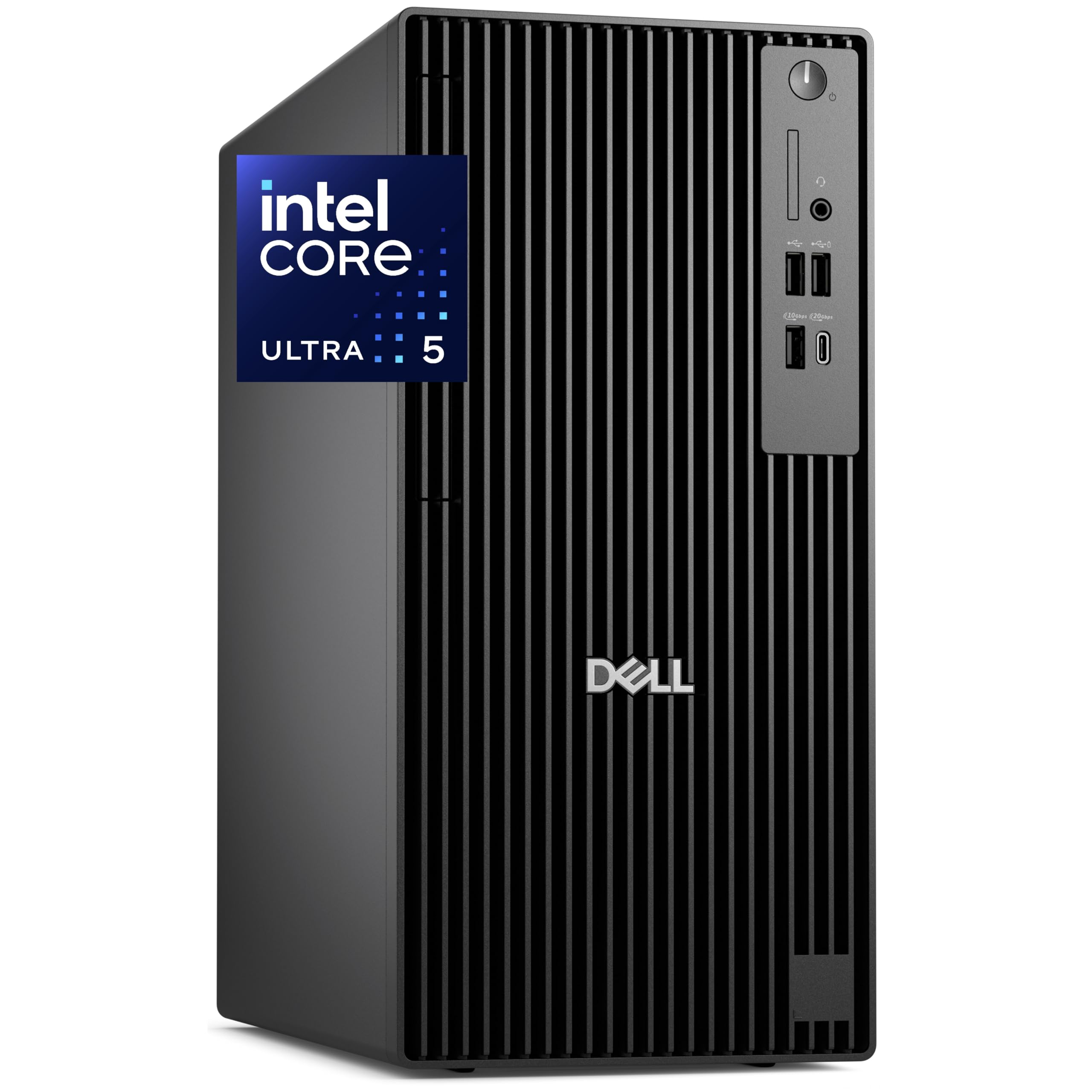
The Dell Pro Tower Plus is engineered for enterprise productivity with an Intel Core Ultra 5 235 processor that includes a dedicated Neural Processing Unit (NPU) for AI acceleration. This means tasks like real-time background blurring in video calls, AI-assisted document analysis, and Windows Copilot integration run on dedicated hardware instead of burdening the CPU or GPU cores.
64GB of DDR5 RAM and a 2TB PCIe NVMe SSD provide the kind of headroom demanded by financial analysts, software developers running multiple virtual machines, and creative professionals working with large datasets. The native triple 4K DisplayPort output allows driving three independent monitors without a discrete graphics card, critical for multi-screen productivity workflows.
Windows 11 Pro includes advanced encryption and remote desktop access for corporate environments. The chassis includes a DVDRW drive for legacy media access and TPM 2.0 for security compliance. Note that WiFi requires the included USB adapter or a separate Intel WiFi/BT card upgrade. This machine is purpose-built for a business user who needs massive RAM and AI features, not gaming performance.
Why it’s great
- 64GB DDR5 RAM handles heavy virtual machine loads
- Built-in NPU accelerates AI productivity features
- Triple 4K display output without needing a GPU
Good to know
- WiFi requires external USB adapter or internal card upgrade
- Integrated graphics not suitable for gaming
7. Lenovo Legion Tower 5i (Core Ultra 7 265F, RTX 5060 Ti)

The Lenovo Legion Tower 5i brings a brand-name build quality with an Intel Core Ultra 7 265F processor and NVIDIA GeForce RTX 5060 Ti 8GB graphics. The Core Ultra 7’s hybrid architecture (Performance + Efficient cores) optimizes power draw for gaming while keeping background tasks responsive. The 16GB of 5600MHz DDR5 memory is expandable to 128GB, offering serious future-proofing.
The transparent tool-less side panel makes upgrading components straightforward — no screwdrivers needed to access the interior. The 2.5G Ethernet and WiFi 6E ensure the fastest network connectivity available, crucial for online gaming and large file transfers. Lenovo includes 3 months of Xbox Game Pass, adding immediate value for new owners.
Buyers confirm it runs a golf simulator without lag and handles emulators like PCSX2 and RPCS3 at 4K resolution. The tool-less design is a standout feature for users who plan to upgrade storage or RAM over time. If you want a reliable Lenovo build with easy expandability, this Legion Tower delivers.
Why it’s great
- Tool-less side panel makes upgrades simple and fast
- 2.5G Ethernet and WiFi 6E for top-tier connectivity
- DDR5 expandable to 128GB for long-term use
Good to know
- 16GB RAM is the minimum configuration; most buyers will want to upgrade
- GPU is adequate for 1440p but may struggle at 4K ultra settings
8. GMKtec M5 Ultra Mini PC (Ryzen 7 7730U, 32GB DDR4)
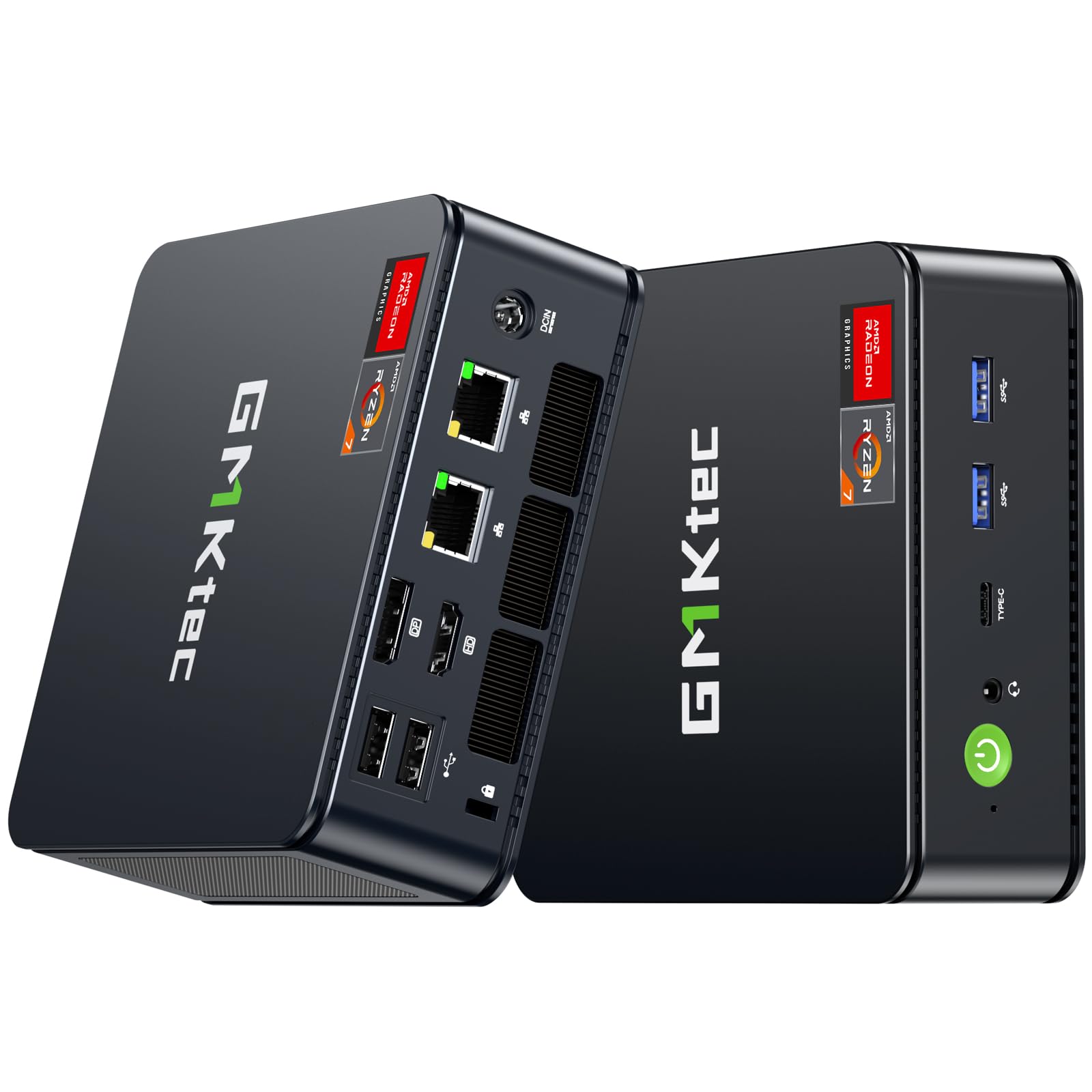
The GMKtec M5 Ultra crams an AMD Ryzen 7 7730U (8 cores, 4.5GHz boost) into a compact mini PC chassis that uses only 15 watts at idle, making it the most energy-efficient 64-bit computer in this roundup. Despite its size, it delivers 32GB of DDR4 RAM and 512GB PCIe 3.0 SSD storage, which is more than adequate for office productivity, media streaming, and light gaming like World of Tanks at 40-60 FPS on medium settings.
The dual 2.5GbE LAN ports make this mini PC an excellent choice for network applications like pfSense, Untangle, or a home server. It supports triple 4K display output via HDMI 2.0, DisplayPort, and USB-C, making it viable for multi-monitor office setups. WiFi 6E and Bluetooth 5.2 provide modern wireless connectivity.
Users praise the quiet operation and cool temperatures even under load. The compact form factor frees up desk space significantly. This is the right pick for anyone who needs a powerful, silent, low-power PC for a home office, media center, or network appliance without the footprint of a traditional tower.
Why it’s great
- Dual 2.5GbE LAN ports ideal for networking and server use
- Very low power consumption with strong performance
- Triple 4K display support in a tiny form factor
Good to know
- Not suitable for AAA gaming without a dedicated GPU
- Storage is PCIe 3.0, not Gen4
9. HP Desktop Tower (i5-12500T, 64GB DDR4)
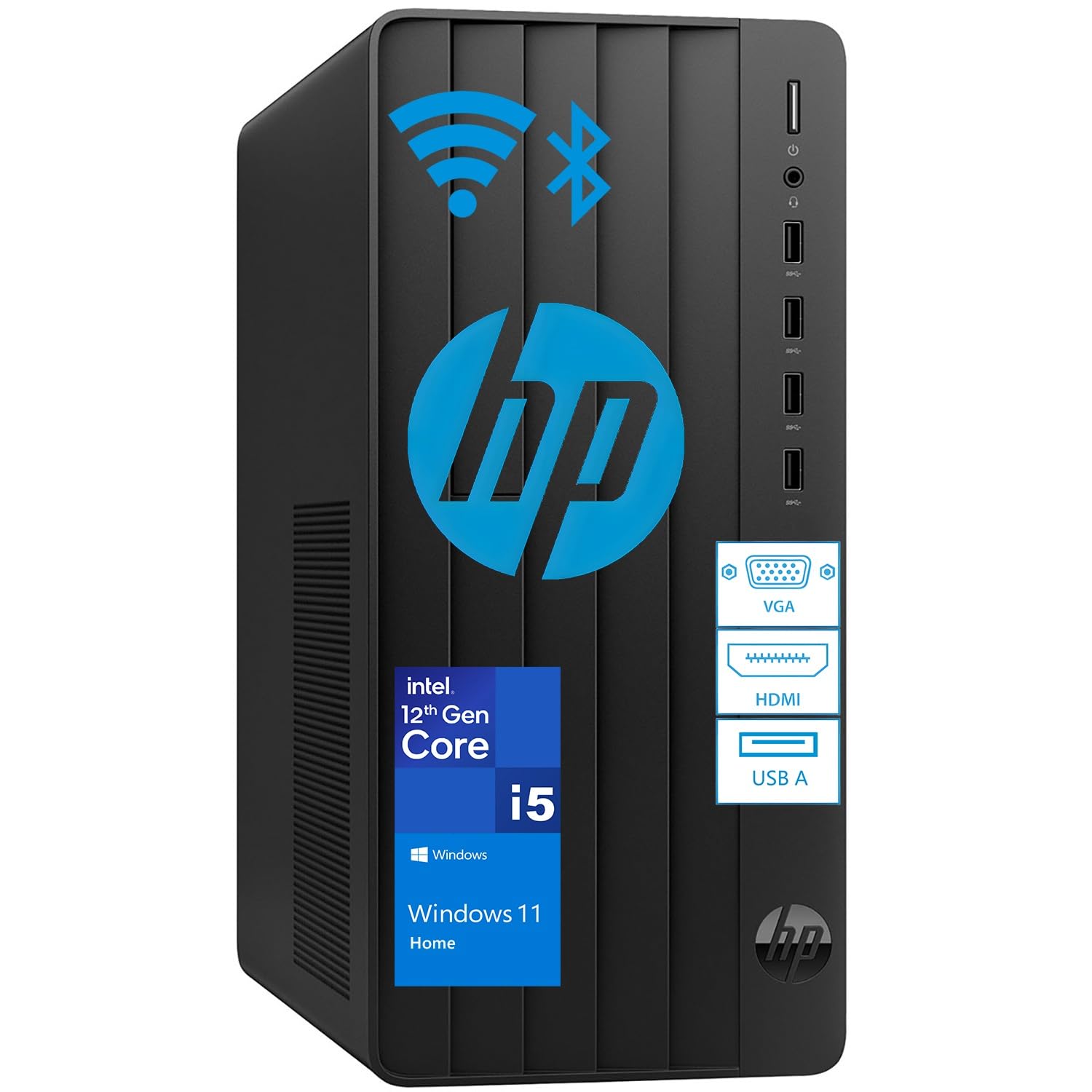
The HP Desktop Tower maximizes productivity-focused specs with an Intel Core i5-12500T processor, 64GB of DDR4 RAM, and a 2TB PCIe SSD. The i5-12500T is a 6-core, 12-thread chip from the 12th generation Alder Lake family, designed for efficient power delivery in business environments. The massive 64GB memory pool allows dozens of browser tabs, multiple spreadsheets, and heavy CRM software to run without stuttering.
The 2TB SSD provides instant boot-up times and ample storage for large file archives. Windows 11 Home comes pre-installed with a wired keyboard and mouse included, making it a complete out-of-box solution for home offices or small businesses. The Intel UHD Graphics 770 handles 4K video playback and dual monitor setups without issue.
Buyers report easy setup and reliable operation. HP’s brand reliability and the generous RAM/Storage combination make this a strong choice for a non-gaming user who needs a powerful workhorse for business tasks, data management, or family computing. The modest processor speed is offset by the massive memory capacity.
Why it’s great
- 64GB RAM handles extreme multitasking with ease
- 2TB SSD provides enormous out-of-box storage
- HP brand reliability with included keyboard and mouse
Good to know
- Integrated graphics not suitable for gaming
- Processor is a lower-power T-series chip, not the fastest i5 available
10. NINGMEI Soul (Ryzen 7 5700G, 16GB DDR4)
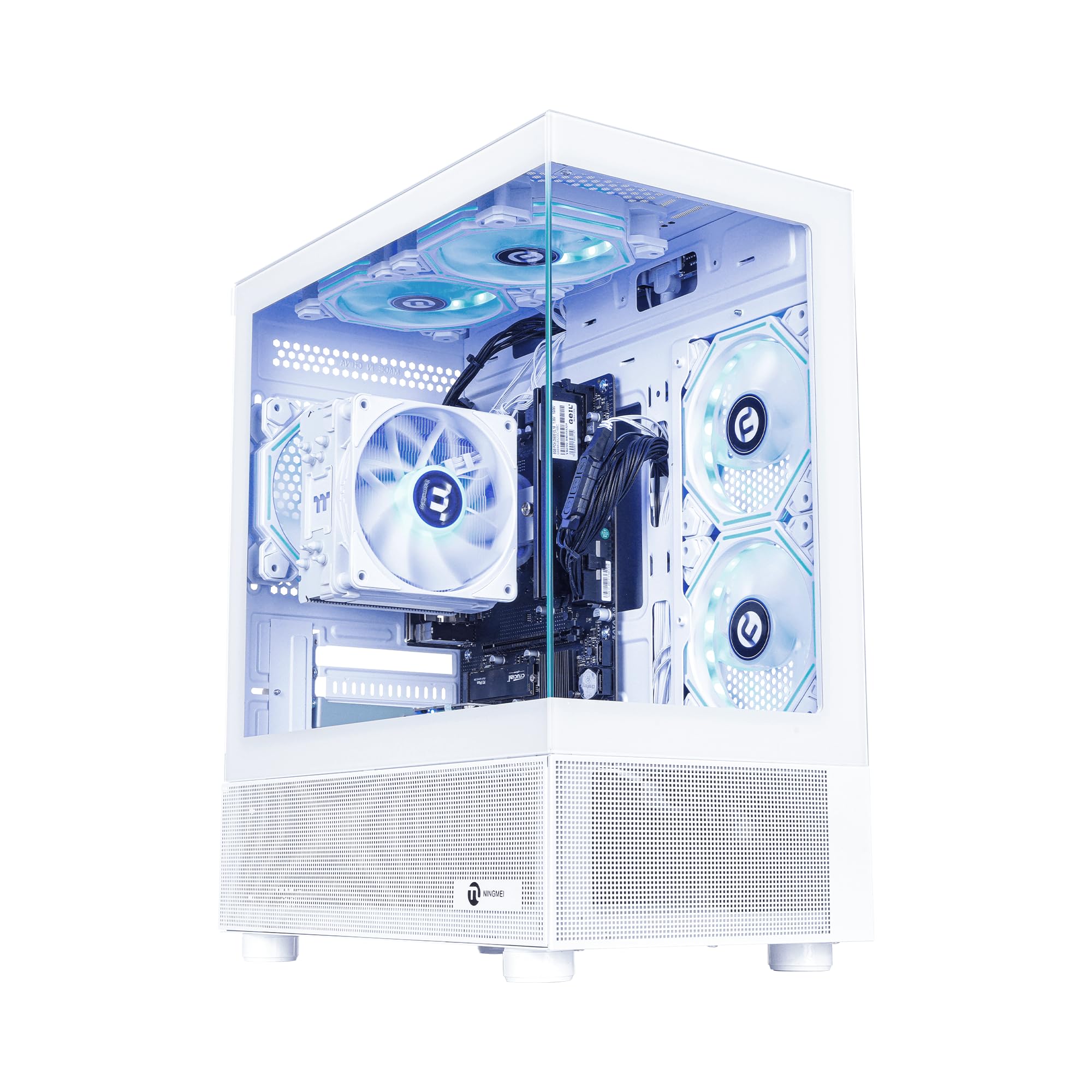
The NINGMEI Soul is designed as a starter platform that expects you to add your own GPU. The AMD Ryzen 7 5700G APU includes integrated Radeon Vega graphics capable of light gaming (Sims 4, Fortnite at low settings), but the real value lies in the 1TB NVMe SSD, 16GB DDR4 RAM, and the 550W 80+ PSU that accepts standard PCIe power connectors for a future graphics card.
The white chassis with 6 RGB fans provides excellent airflow from the start, and the removable magnetic dust screen on the top panel makes cleaning simple. The ATX 3.0 native PSU supports peak power spikes from modern GPUs. Users report easy installation of an RTX 2060, and the case opens from both sides for convenient access.
This machine makes sense for a budget-conscious builder who wants a pre-built foundation with a modern CPU and strong airflow, preferring to purchase a discrete GPU separately when funds allow. It ships with Windows 11 Home and includes a mouse pad, which is a nice touch.
Why it’s great
- Excellent airflow design with 6 RGB fans and dust screen
- ATX 3.0 native PSU ready for modern graphics cards
- Large 1TB NVMe SSD included at a low base price
Good to know
- No discrete GPU included — you must add one for gaming
- Integrated Vega graphics limit gaming to esports titles only
11. abytespark Core i7 Desktop (i7-4770, RTX 3050)

The abytespark Core i7 Desktop is the entry-level option in this guide, featuring an older Intel Core i7-4770 processor from 2013 architecture paired with an RTX 3050 8GB graphics card. The CPU, while still functional for basic tasks and older games, lacks TPM 2.0 and Secure Boot support required by Windows 11, which was installed via a bypass method. This limits its compatibility with future Windows updates.
With 16GB of RAM (likely DDR3 given the platform age) and a 512GB SSD, it handles less demanding titles like Fortnite, CSGO, and Minecraft at 1080p without issue. The RGB fan lighting and included keyboard, mouse, and mouse pad provide a complete starter package. The RTX 3050 graphics card is the main redeeming feature, capable of playing modern games at low-medium settings.
Buyers report success running BONEWORKS in VR and appreciate the easy setup process. However, the misleading processor specification (advertised as “Core i7” without specifying the decade-old generation) is a red flag for informed buyers. This machine is only suitable for someone with a strict budget who wants a discrete GPU and doesn’t need modern architecture or security features.
Why it’s great
- Includes RTX 3050 discrete GPU at a very low entry cost
- Comes with RGB lighting, keyboard, mouse, and mouse pad
- Can run some VR titles with reduced settings
Good to know
- Processor is a 2013 architecture, lacking modern security features
- Windows 11 installed via bypass — future update support uncertain
- No Bluetooth included; requires separate adapter
FAQ
Is 16GB of RAM enough for a 64-bit computer in 2026?
Can I upgrade the GPU in a pre-built 64-bit desktop later?
Does an NPU in a CPU matter for a 64-bit desktop?
Final Thoughts: The Verdict
For most users, the 64 bit computer winner is the KOTIN Prebuilt Gaming PC because it pairs the latest Zen 5 CPU with a modern RTX 5060 Ti and DDR5 memory at a price that doesn’t sacrifice value. If you want maximum VRAM for 1440p gaming and creative work, grab the Skytech Gaming Nebula. And for uncompromised 4K performance, nothing beats the Thermaltake LCGS View i570.