
The jump from 32-bit to 64-bit computing unlocked the ability to address more than 4GB of RAM, transforming laptops from simple document editors into multitasking powerhouses. Today, a 64-bit architecture is the baseline for running modern operating systems, demanding creative software, and even handling the latest AI-accelerated applications that rely on the expanded memory space a 64-bit processor provides.
I’m Rikta — the co-founder and writer behind Gadgets Feed. I’ve spent years analyzing laptop chipset roadmaps, memory bandwidth benchmarks, and real-world performance data across every major manufacturer to help you separate meaningful specs from marketing noise. (And Homer 🐱 supervised the entire research process from his perch on the warm charging brick).
Whether you need a budget workhorse for school, a portable workstation for creative tasks, or a gaming rig that chews through AAA titles, the core requirement remains the same: a modern 64-bit processor paired with enough RAM and fast storage to let it stretch its legs. This guide cuts through the jargon to help you find the best 64 bit laptop for your specific workflow and budget.
How To Choose The Best 64 Bit Laptop
Every modern laptop sold today runs a 64-bit operating system, but the quality of that 64-bit experience varies wildly based on the processor generation, the amount of RAM, and the type of storage. Here’s what to focus on to avoid a slow, bottlenecked machine.
Processor Generation Matters More Than Core Count
A 12th-gen Intel Core i5 or a Ryzen 5 5500U still delivers solid everyday performance, but 13th-gen, 14th-gen, and Intel Core Ultra (Meteor Lake) chips bring efficiency gains, better integrated graphics (Iris Xe and Intel Arc), and a dedicated NPU for AI tasks. For demanding multitasking, prioritize a chip with at least 10 cores and a boost clock above 4.5 GHz.
RAM Capacity Defines Your Multitasking Ceiling
A 64-bit operating system can theoretically handle terabytes of RAM, but most budget laptops ship with only 8GB, which quickly fills up with a dozen browser tabs and a video call. For comfortable multitasking, 16GB is the new baseline. If you run virtual machines or large creative projects, 32GB or 64GB is a worthwhile investment — just ensure the RAM is not soldered if you plan to upgrade later.
Quick Comparison
On smaller screens, swipe sideways to see the full table.
| Model | Category | Best For | Key Spec | Amazon |
|---|---|---|---|---|
| GEEKOM GeekBook X14 Pro | Ultraportable | Premium portable powerhouse | Intel Core Ultra 9 185H / 32GB RAM | Amazon |
| ASUS Zenbook 14 AI PC OLED | Ultraportable | Creative work & on-the-go use | Intel Core Ultra 9 285H / 32GB RAM | Amazon |
| Lenovo Legion 5i | Gaming | High-end gaming & creation | Intel i7-14700HX / RTX 5070 | Amazon |
| GIGABYTE AERO X16 | Creator/Gaming | AI creation & AAA gaming | AMD Ryzen AI 9 HX 370 / RTX 5070 | Amazon |
| Thunderobot Storm 17 5060 | Gaming | Maxed-out gaming specs | Intel i7-13620H / RTX 5060 / 64GB RAM | Amazon |
| HP 17 Laptop (64GB) | Desktop Replacement | Heavy multitasking & VMs | Intel i7-1355U / 64GB RAM / 2TB SSD | Amazon |
| Dell 15 Touchscreen (64GB) | Business | Business productivity & AI Copilot | Intel i5-1334U / 64GB RAM / 2TB SSD | Amazon |
| HP 15 Touchscreen (16GB) | Mid-Range | Touchscreen productivity & light gaming | Intel i7-1355U / 16GB RAM / Iris Xe | Amazon |
| Lenovo V15 (AMD Ryzen 5) | Business/Student | Solid value for college & office | AMD Ryzen 5 5500U / 16GB RAM | Amazon |
| Dell 15 (i3-100U) | Budget | Everyday computing & school | Intel Core i3-100U / 8GB RAM | Amazon |
| Acer Aspire 3 (Ryzen 3) | Budget | Entry-level productivity | AMD Ryzen 3 7320U / 8GB LPDDR5 | Amazon |
In‑Depth Reviews
1. GEEKOM GeekBook X14 Pro

The GEEKOM GeekBook X14 Pro is a revelation in the ultraportable space, packing a 14-core Intel Core Ultra 9 185H processor with a dedicated NPU for AI acceleration into a magnesium-alloy chassis that weighs just 2.2 pounds. The 14-inch 2.8K OLED display with a 120Hz refresh rate and 100% DCI-P3 coverage delivers visuals that rival professional monitors, making color grading and video editing a pleasure on the go.
With 32GB of LPDDR5x RAM at 7500MHz and a 1TB PCIe Gen4 SSD, this machine handles heavy multitasking and large file transfers without breaking a sweat. The dual USB4 ports with 40Gbps throughput, HDMI 2.1 support, and the included docking station mean you can connect multiple 4K monitors without dongle headaches. The 72Wh battery delivers a genuine full day of mixed use, and the 65W GaN charger brings it to 80% in about an hour.
Build quality is exceptional for the price point — the CNC-machined unibody feels far more premium than its price suggests, and the IceBlade 2.0 thermal system keeps the chassis cool and whisper-quiet during demanding workloads. The only minor compromise is the touchpad, which some users find less smooth than premium competitors, and the speakers are adequate but not exceptional.
Why it’s great
- Incredible 2.8K OLED 120Hz display with wide color gamut
- 2.2 lbs ultraportable design with premium magnesium alloy build
- 32GB LPDDR5x RAM and dual USB4 ports for future-proof connectivity
Good to know
- Touchpad surface could be smoother
- Speakers are average for the premium tier
2. ASUS Zenbook 14 AI PC OLED
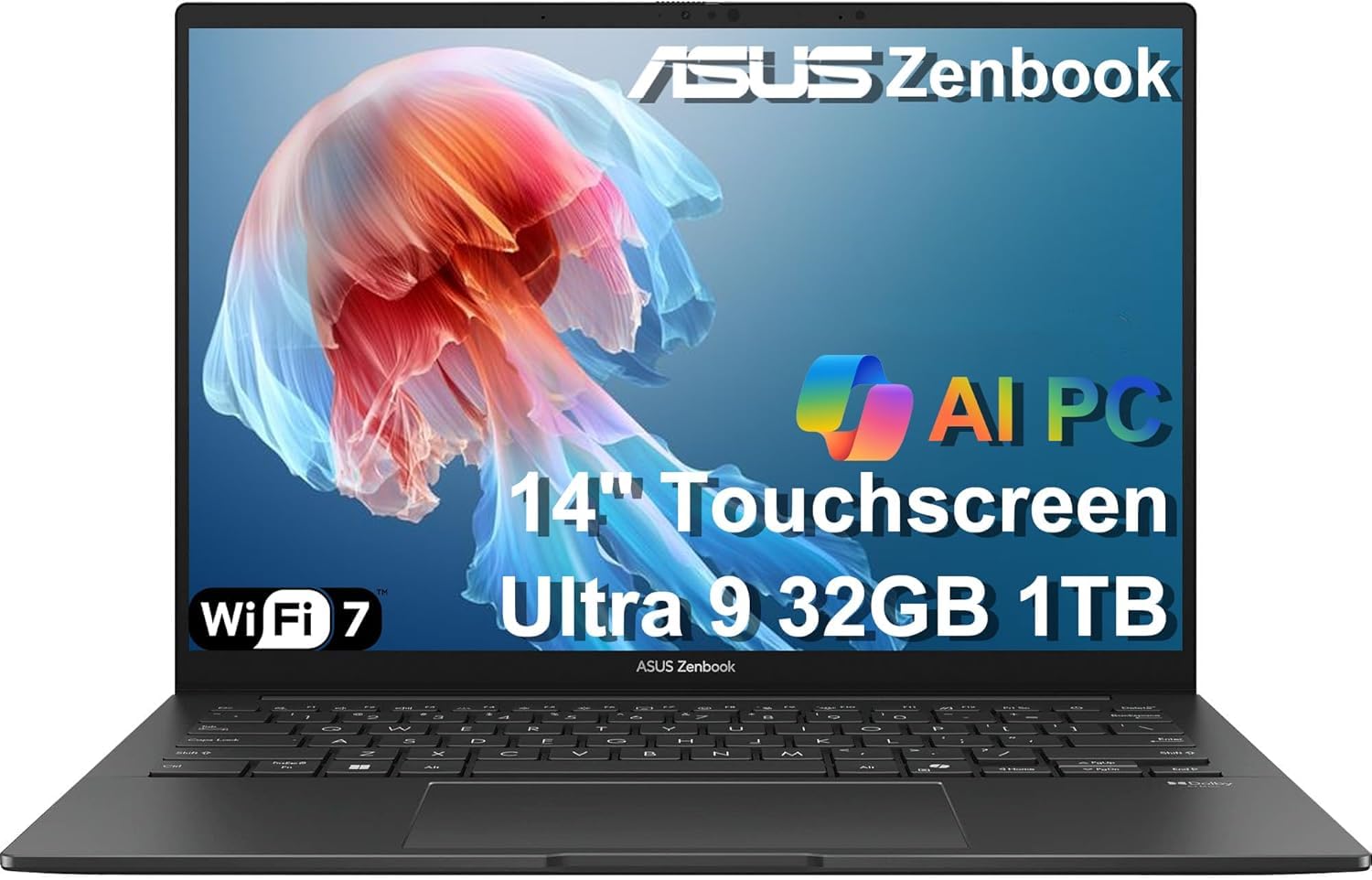
The ASUS Zenbook 14 UX3405 is the benchmark for a premium ultraportable, powered by the 16-core Intel Core Ultra 9 285H processor that delivers desktop-class performance in a slender 0.59-inch chassis. The 14-inch WUXGA ASUS Lumina OLED touchscreen hits 500 nits brightness with stunning contrast and 100% DCI-P3, and the 18-hour battery life means you can leave the charger at home for a full workday plus evening entertainment.
This generation introduces Thunderbolt 4 ports (two of them) for 40Gbps data transfers and external 4K monitor support, alongside a full HDMI 2.1 port that handles 4K at 60Hz without a dock. The 32GB of DDR5 RAM and 1TB PCIe SSD provide seamless multitasking, while the FHD IR webcam with a privacy shutter ensures secure video calls. The Super-linear speakers deliver some of the best audio in this size class.
The keyboard is a standout feature for a 14-inch laptop — key travel is satisfying for long typing sessions, and the backlighting is evenly distributed. The trackpad is spacious and accurate. The only real drawback is the soldered RAM (upgradeable only at purchase), and the lack of a full-size USB-A port means you’ll need a dongle for older peripherals, though the generous port selection partially mitigates this.
Why it’s great
- Exceptional 18-hour battery life
- Bright OLED touchscreen with excellent color accuracy
- Top-tier Intel Ultra 9 processor with NPU for AI tasks
Good to know
- RAM is soldered and not user-upgradeable
- Only one USB-A port requires dongles for multiple legacy devices
3. Lenovo Legion 5i

The Lenovo Legion 5i is a precision gaming machine, combining the 20-core Intel Core i7-14700HX processor with an NVIDIA GeForce RTX 5070 GPU on a 15-inch 2.5K OLED display that refreshes at 165Hz. This combination delivers smooth frame rates in demanding titles like Cyberpunk 2077 and Baldur’s Gate 3 at high settings, with the OLED panel providing true blacks and vibrant colors that make every scene pop.
The Legion Coldfront: Hyper cooling system uses dual fans and robust copper heat pipes to maintain performance under sustained loads, and the Lenovo AI Engine+ intelligently balances power and thermals through the Legion Space software. Fast charging via USB-C brings the battery from 0 to 70% in under 30 minutes, a lifesaver for students moving between classes and gaming sessions.
Build quality is sturdy with a premium Eclipse Black finish, and the keyboard offers excellent tactile feedback despite the numpad shifting the main keys slightly to the left. The 16GB of RAM is adequate for most games but may become a bottleneck for heavy multitasking — the single-channel configuration in some units can cost up to 10% CPU performance, so consider upgrading to dual-channel 32GB for the best experience.
Why it’s great
- Stunning 165Hz OLED display with 2.5K resolution
- Powerful RTX 5070 GPU capable of high-fidelity gaming
- Excellent thermal management and quick charging
Good to know
- Single-channel 16GB RAM limits CPU performance in some scenarios
- Speakers are underwhelming for the price point
4. GIGABYTE AERO X16

The GIGABYTE AERO X16 is a Copilot+ PC that leverages the AMD Ryzen AI 9 HX 370 processor with its dedicated NPU for local AI tasks like real-time language translation and image generation. The 16-inch 165Hz WQXGA display at 2560×1600 resolution offers a spacious canvas for creative work, and the RTX 5070 GPU with DLSS 4 support accelerates rendering in Blender and video exports in DaVinci Resolve.
Measuring just 0.65 inches thick and weighing 4.18 pounds, this is impressively portable for a 16-inch gaming laptop with a dedicated GPU. The thermal solution keeps the CPU in the mid-60s Celsius range under load when paired with a cooling pad, and the dual 2W speakers with DTS:X Ultra provide immersive audio. The 32GB DDR5 RAM and 1TB SSD ensure snappy performance across demanding workflows.
The GiMATE AI interface adds a layer of intelligent control, learning your usage patterns to optimize power distribution. Battery life reaches about 7 hours for school use, dropping to around 2-3 hours under gaming load. The build quality feels premium with minimal flex, and the keyboard offers a comfortable typing experience. The main drawback is the single USB-C port, which can be limiting for those who need to charge and use external drives simultaneously.
Why it’s great
- Powerful AMD Ryzen AI processor with dedicated NPU
- Excellent thermals under sustained creative loads
- Premium slim design with bright 165Hz display
Good to know
- Only one USB-C port limits connectivity
- Initial stability issues may require a clean OS reinstall
5. Thunderobot Storm 17 5060
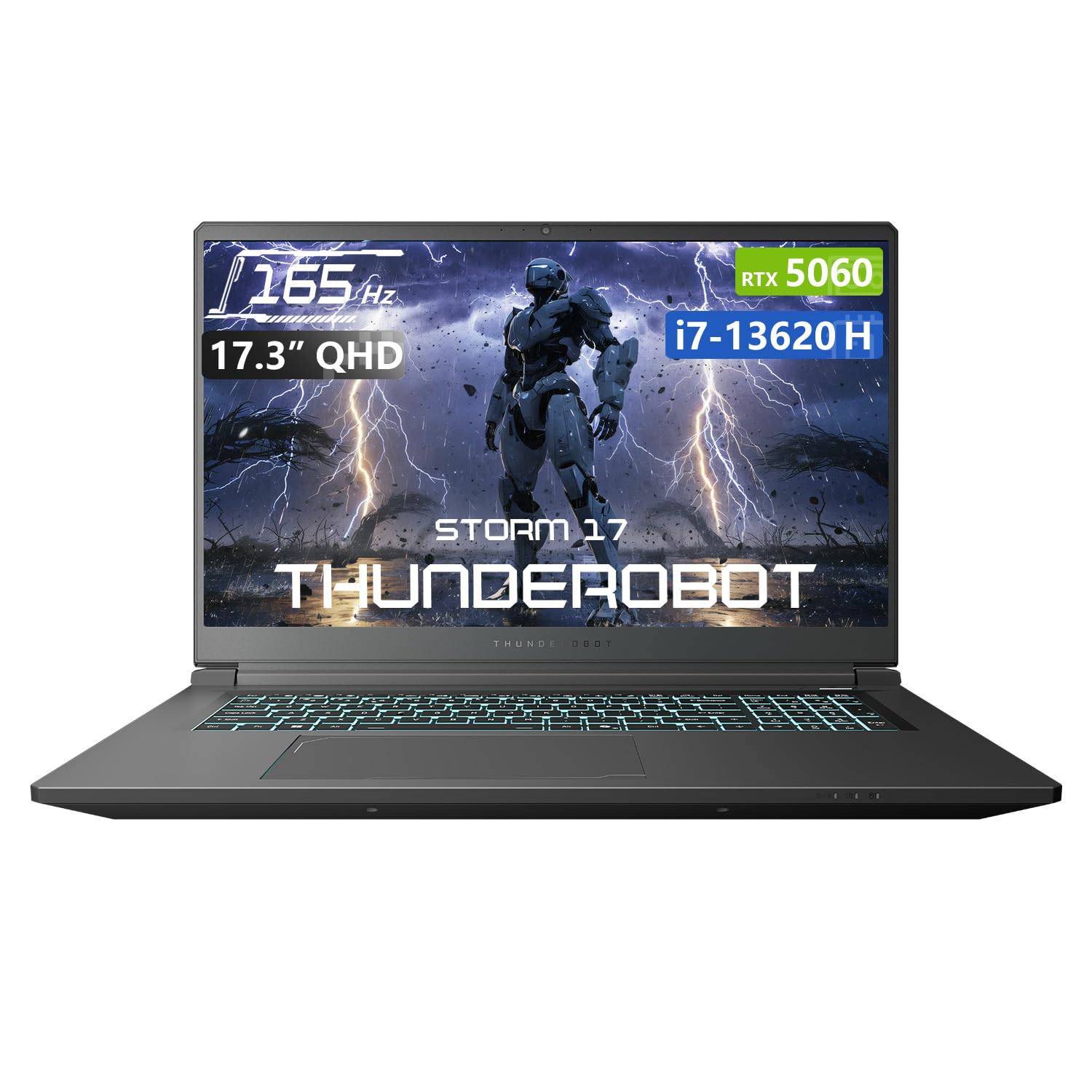
The Thunderobot Storm 17 5060 earns its place in this list by offering a staggering 64GB of DDR5 RAM and a 2TB PCIe SSD paired with an Intel Core i7-13620H and an RTX 5060 GPU — all at a price that undercuts most competitors. The 17.3-inch QHD display with a 165Hz refresh rate delivers smooth, sharp visuals for both gaming and creative work, and the 10-core processor handles heavy multitasking with ease.
The cooling system is a highlight: 245 ultra-thin copper fins combined with dual 12V turbofans move 19.8 CFM of air through four omnidirectional outlets. This keeps the system running at peak performance during extended gaming sessions, and the one-click forced cooling mode is useful for laptop gaming on a desk. The RTX 5060 handles modern titles at high settings with ray tracing enabled, though more demanding games like Baldur’s Gate 3 may require some settings adjustments for stable 60fps.
At this price point, the value proposition is undeniable — you get a fully loaded 64GB system with a 2TB drive that would cost significantly more from mainstream brands. The build quality is solid though not premium, and the 53Wh battery is on the smaller side for a 17-inch laptop, limiting unplugged gaming to about 2 hours. The power brick gets quite hot under load, so ensure good ventilation.
Why it’s great
- Exceptional 64GB RAM and 2TB SSD for the price
- Robust cooling system with rapid thermal dissipation
- Sharp QHD 165Hz display for immersive gaming
Good to know
- Battery life is short for extended unplugged use
- Power supply runs hot during heavy gaming
6. HP 17 Laptop (64GB RAM)

The HP 17 laptop is built for users who need extreme memory capacity without breaking the bank, packing 64GB of DDR4 RAM and a 2TB SSD into a 17.3-inch form factor. The Intel Core i7-1355U with 10 cores and Iris Xe graphics provides enough power for running multiple virtual machines, large spreadsheets, and heavy research workflows simultaneously. The HD+ (1600×900) touchscreen display is functional rather than stunning, offering adequate brightness for indoor office use.
The port selection is generous with SuperSpeed USB Type-C, dual USB-A ports, and HDMI 1.4b for connecting external monitors. The backlit keyboard is comfortable for long typing sessions, and the large 17.3-inch screen provides a spacious workspace. The battery life is a known limitation — around 2.5-3 hours under light use and significantly less under load, so this is best treated as a desktop replacement that can occasionally move to another room.
The build quality is typical HP consumer-grade, with a plastic chassis that feels durable if not premium. The webcam quality is below average, and the lack of USB-C charging is a notable omission in this price range. For users who genuinely need 64GB of RAM for tasks like running 4+ virtual machines or massive data analysis, this offers unbeatable value, but those who prioritize display quality or battery life should look elsewhere.
Why it’s great
- Massive 64GB RAM capacity ideal for virtualization
- Large 2TB SSD for ample local storage
- Touchscreen display with comfortable keyboard
Good to know
- Short battery life of 2.5-3 hours
- HD+ display resolution is lower than competitors at this price
7. Dell 15 Touchscreen (64GB RAM)
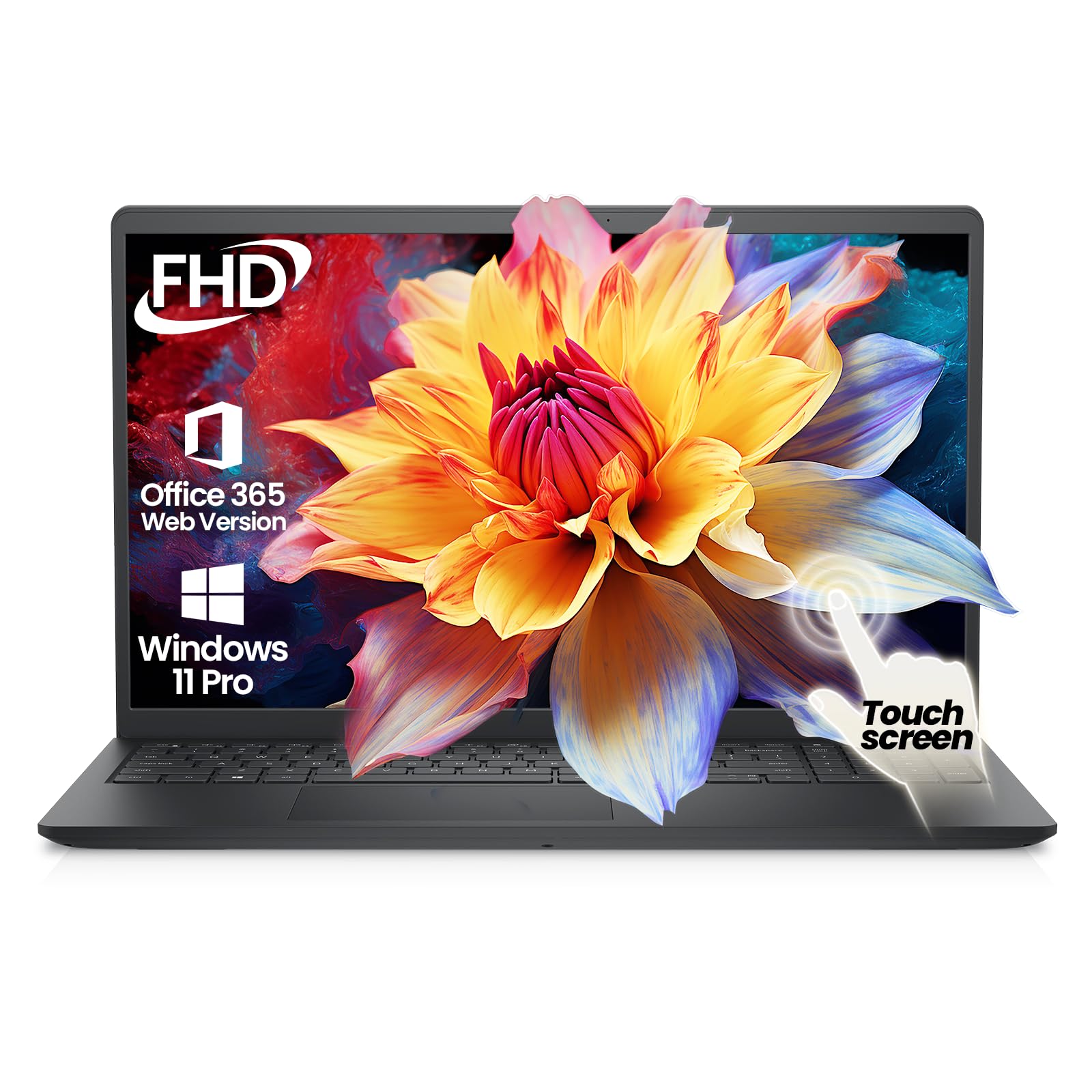
Dell’s 15 Touchscreen Business Laptop brings a 13th-gen Intel Core i5-1334U with 10 cores and 64GB of DDR4 RAM, paired with a 2TB PCIe SSD and Windows 11 Pro with AI Copilot. The 15.6-inch FHD IPS touchscreen with anti-glare coating is bright enough for office environments, and the Dell build quality ensures reliability for daily business use. The 10-core i5 processor is surprisingly capable — it outperforms many older i7 chips while remaining power-efficient.
The port selection is business-ready with USB-C, HDMI, and dual USB-A ports, plus Wi-Fi 6 and Bluetooth 5.4 for modern wireless connectivity. The 64GB RAM capacity allows for running multiple enterprise applications, teams meetings, and heavy browser tabs without slowdown. Windows 11 Pro adds features like BitLocker encryption, Remote Desktop, and Group Policy management that are essential for corporate environments.
The display hits 220 nits brightness, which is adequate for indoor use but struggles in very bright environments. The integrated UHD graphics handle 4K external monitors via HDMI without issue but are not suitable for gaming. The inclusion of Copilot AI provides useful workflow shortcuts for drafting emails and summarizing documents. This is a solid, no-nonsense business machine that prioritizes memory capacity, reliability, and professional features over flashy specs.
Why it’s great
- 64GB RAM for heavy business multitasking
- Windows 11 Pro with AI Copilot for smart workflows
- Reliable Dell build quality with onsite service
Good to know
- Display brightness is only 220 nits
- Integrated graphics not suitable for gaming
8. HP 15 Touchscreen (i7-1355U)

The HP 15 Touchscreen laptop delivers impressive versatility with its 13th-gen Intel Core i7-1355U, 16GB of RAM, and 512GB SSD, all wrapped in a lightweight 3.52-pound chassis. The 15.6-inch FHD IPS touchscreen is responsive and bright, making it ideal for presentations, design reviews, and casual content consumption. The Iris Xe graphics are surprisingly capable — users report running Cyberpunk 2077 and Resident Evil Village at 60fps on medium settings.
Connectivity is well-covered with USB-C, dual USB-A ports, and HDMI, plus Wi-Fi 6 for fast wireless transfers. The HP Fast Charge technology reaches 50% in 45 minutes, making it practical for users on the go. The 7 hours and 45 minutes of claimed battery life is realistic for light productivity use, though gaming will drain it much faster. This machine is best for students or professionals who need a single device for both productivity and light gaming.
The display has muted colors and lower contrast compared to more premium options, which is noticeable when editing photos or watching HDR content. The trackpad is adequate but not as smooth as premium competitors. For the price, this offers a rare combination of touchscreen capability, a powerful i7 processor, and sufficient RAM for most users, making it a strong mid-range contender for anyone who values versatility.
Why it’s great
- Versatile touchscreen with powerful i7 processor
- Lightweight design at 3.52 pounds
- Capable Iris Xe graphics for light gaming
Good to know
- Display has muted colors and low contrast
- Battery life is limited under gaming load
9. Lenovo V15 (AMD Ryzen 5)

The Lenovo V15 with the AMD Ryzen 5 5500U processor offers exceptional value for budget-conscious buyers who need genuine multitasking capability. With 6 cores and 12 threads boosting to 4.0GHz, this chip handles Chrome tabs, office applications, and even light gaming like Fortnite and Rocket League at playable frame rates. The 16GB of RAM and 512GB SSD provide ample headroom for college coursework or small business operations.
The 15.6-inch FHD display is adequate for productivity tasks, though reviews consistently note it’s the weakest component — colors appear washed out and viewing angles are limited. The numerical keypad is a welcome addition for spreadsheet work, and the port selection includes USB-C, HDMI, and RJ45 Ethernet for reliable wired connectivity. Windows 11 Pro adds enterprise features like Remote Desktop and BitLocker encryption at no extra cost.
Build quality is sturdy with a textured plastic finish that resists fingerprints, and the keyboard offers decent tactile feedback. The battery life is a clear weak point — about 45 minutes under heavy use and 1.25 hours on power saver, making it essential to stay near an outlet. The touchpad placement can cause accidental right-clicks, and the fan noise is noticeable under load. For its price, this delivers solid performance where it counts: the processor, RAM, and storage.
Why it’s great
- Excellent processor performance for the price
- 16GB RAM and 512GB SSD provide smooth multitasking
- Windows 11 Pro with enterprise features included
Good to know
- Display quality is poor with washed-out colors
- Very short battery life requires frequent charging
10. Dell 15 (i3-100U)

The Dell 15 with the Intel Core i3-100U processor is a serviceable entry-level machine for basic computing tasks like web browsing, document editing, and video streaming. The 12th-gen i3 with 2 cores and 4 threads boosting to 4.7GHz is adequate for light workloads, and the 8GB of DDR4 RAM handles a few browser tabs and office applications without major slowdown. The 512GB SSD ensures fast boot times and quick application launches, a significant upgrade over older spinning hard drives.
The 15.6-inch FHD display at 120Hz is a surprise inclusion at this price point, providing smoother scrolling and more responsive cursor movement than standard 60Hz panels. The ComfortView software reduces blue light emissions, which is helpful for extended study sessions. Dell’s 1-year onsite service adds peace of mind that’s rare in the budget segment, with technicians coming to your location for hardware issues.
The build quality is solid for the price, and the numerical keypad is convenient for data entry. However, the 8GB RAM ceiling limits multitasking — having 10+ browser tabs open with a video call will strain the system. The battery life is short, and the webcam quality is below average. For students or home users with minimal computing needs, this is a functional and reliable choice, but anyone needing heavier multitasking should consider models with 16GB RAM.
Why it’s great
- 120Hz FHD display for smoother visuals at this price
- Includes 1-year Dell onsite service
- Fast SSD ensures quick boot times
Good to know
- 8GB RAM limits heavy multitasking
- Short battery life and below-average webcam
11. Acer Aspire 3 (Ryzen 3)

The Acer Aspire 3 A315-24P-R7VH is the most affordable entry point into 64-bit computing on this list, powered by the AMD Ryzen 3 7320U with Radeon Graphics. The 4-core, 8-thread processor with boost up to 4.1GHz is snappy for basic tasks like web browsing, email, and document editing, and the Radeon integrated graphics handle light gaming and video playback without issue. The 8GB of LPDDR5 RAM is faster than the DDR4 found in most budget machines, improving responsiveness.
The 15.6-inch FHD IPS display with narrow bezels provides a modern look with decent color reproduction for the price. The TNR (Temporal Noise Reduction) webcam technology improves low-light video quality compared to typical budget webcams, and Acer PurifiedVoice with AI noise reduction filters out background noise during calls. The 11-hour claimed battery life is generous for the price, though real-world usage averages around 6-9 hours depending on workload.
Build quality is acceptable for the price tier, with a slim and light design that’s easy to carry between classes. The keyboard lacks backlighting, which can be frustrating in dim environments, and the trackpad surface is smooth but the button travel is shallow. The 128GB SSD is small — expect to manage storage carefully or upgrade to a larger drive. For students or home users on a tight budget who need a reliable laptop for basic tasks, this delivers solid value.
Why it’s great
- Very affordable entry into reliable 64-bit computing
- Good battery life for all-day school use
- FHD IPS display with modern narrow bezels
Good to know
- 128GB SSD fills up quickly; requires storage management
- No backlit keyboard and shallow trackpad buttons
FAQ
Is a 64-bit laptop better than a 32-bit one?
How much RAM do I need for a 64-bit laptop in 2024?
What is the difference between Intel Core and Intel Core Ultra processors?
Final Thoughts: The Verdict
For most users, the best 64 bit laptop is the GEEKOM GeekBook X14 Pro because it delivers a premium 2.8K OLED display, 32GB RAM, and a powerful Intel Ultra 9 processor in an ultraportable 2.2-pound chassis at a competitive price. If you need maximum memory for virtualization or heavy multitasking, the HP 17 with 64GB RAM provides unbeatable capacity for the price. And for high-end gaming with a stunning OLED display, the Lenovo Legion 5i with its RTX 5070 and 165Hz screen is the clear choice.