
Our readers keep the lights on and my morning glass full of iced black tea. As an Amazon Associate, I earn from qualifying purchases.
Specs are compiled from manufacturer listings and verified buyer reviews and can change over time — please confirm the key details on the product page before buying.
Buying a 64GB RAM PC is really about one thing: never watching your machine choke again. Whether you juggle a dozen browser tabs, render video, or run virtual machines, the memory ceiling is what separates a smooth day from a stuttering one. This guide breaks down 13 desktops that ship with 64GB already installed, so you pick the right tower the first time.
I’m Min — the founder and writer behind Gadgets Feed. This guide is built by comparing the manufacturers’ published specifications and the patterns across verified customer reviews, so you get each pick’s real strengths and trade-offs instead of marketing spin.
Every pick below was chosen for the amount of memory it carries, the storage it brings, and the customer feedback behind it. When you finish, you’ll know which machine truly earns the title of the best 64GB RAM PC for your budget and workload.
Our Picks at a Glance



How To Choose The Best 64GB RAM PC
Picking a desktop with 64GB of memory isn’t the same as picking any computer. You’re shopping for headroom — for the ability to keep every program open at once without the machine gasping for air. Here’s what to weigh before you buy.
Processor and Workload Match
Match the CPU to what you actually do. A 12th-generation Intel i5 with 12 threads handles spreadsheets and video calls easily, while a Core i9 with 16 cores and 24 threads is built for 3D rendering and software development. More cores mean more parallel tasks, but they also cost more and may need a better cooler.
New Versus Renewed
Renewed workstations from HP and Dell are professionally reconditioned enterprise machines. They often carry the same 64GB memory and heavy-duty build as new units, but come at a fraction of the cost. The trade-off is shorter or unclear warranty coverage, so check the seller’s return policy before you commit.
Quick Comparison
| Model | Best For | RAM | Storage | Processor Speed | Amazon |
|---|---|---|---|---|---|
| The Horizon Autherium Dragon RGB I9 RTX Gaming PC★ Best Overall | Gaming & creative work | 64GB | 5TB | 5.3 GHz | Amazon |
| HP Z2 Tower G4 WorkstationBest Value | Budget multitasking | 64GB | 1TB NVMe | 5 GHz | Amazon |
| Dell Precision Tower 5820 WorkstationQuiet Workhorse | Photo editing | 64GB | 1TB NVMe | 3.6 GHz | Amazon |
| HP Desktop Computer Tower PC (i5-12500T) | Home office basics | 32GB | 1TB SSD | — | Amazon |
| HP Pavilion Desktop Computer Tower PC | Everyday productivity | 64GB | 1TB PCIe SSD | 4.3 GHz | Amazon |
| HP ProDesk Desktop Computer PC | Small business use | 64GB | 1TB NVMe | 4.3 GHz | Amazon |
| HP Pro Tower 290 G9 Business Desktop | Office & school work | 64GB | 2TB PCIe SSD | 4.5 GHz | Amazon |
| HP Pro Business Desktop Computer (i9-12900K) | Heavy business workloads | 64GB | 1TB PCIe SSD | 5.2 GHz | Amazon |
| HP 2026 Desktop Computer (i5-12500) | Family & remote work | 64GB | 2TB SSD | 4.6 GHz | Amazon |
| HP Envy Desktop PC (i9-14900K) | Stock trading & analytics | 64GB | 2TB SSD | 6 GHz | Amazon |
| Dell Tower Computer Desktop (Ultra 7 265F) | Video editing & rendering | 64GB DDR5 | 1TB SSD | 5.3 GHz | Amazon |
| Skytech Gaming King 95 Gaming PC | High-end gaming | 64GB DDR5 | 4TB NVMe | 5.2 GHz | Amazon |
| HP OMEN 45L Gaming Desktop | Ultimate gaming build | 64GB DDR5 | 2TB NVMe | 5.7 GHz | Amazon |
In‑Depth Reviews
1. The Horizon Autherium Dragon RGB I9 RTX Gaming PC
Our pick — over 4.5★ from 50+ verified ratings; the strongest balance of quality and price.
A 5TB storage tower with real horsepower behind that 64GB frame
This is the one to beat for anyone who wants a machine that works as hard as they do. The Core i9 KF processor pushes up to 5.3 GHz with 30 MB of cache, a spec that translates directly into faster code compilation and smoother 4K timelines.
Owners call it “better than advertised,” and the recurring theme is that it runs a game and a dev environment at the same time without stutter. One owner reported the Thermaltake 850W PSU failing at around 60 hours, but support resolved it quickly, and the listing backs that up with a 3-year parts and 5-year labor warranty. The 360mm liquid cooler and 11 fans keep it quiet under sustained gaming and rendering loads.
If your main worry is raw multitasking power, this tower’s 64GB RAM is the line between smooth and stuck. The RTX 5070 OC with 12GB GDDR6 handles ray tracing and DLSS 4.0 in modern titles. It is not a budget pick, and the many ports and ARGB lighting mean you’ll need desk space to take advantage of it all. But as a complete workstation-and-play machine, the trade-offs are well balanced.
What earns its place
- 64GB RAM and 5TB total storage in one tower
- Core i9 KF up to 5.3 GHz with 30MB cache
- 360mm AIO cooling keeps it whisper-quiet
- 3-year parts, 5-year labor warranty
Where it asks more of you
- Premium-tier price reflects the high-end hardware
- One owner had a PSU issue, though support fixed it fast
Locked in for: Gamers and creators who need one machine to handle it all without compromise.
Hold back if: You only do basic web browsing and spreadsheet work — you’d be paying for power you never use.
2. HP Z2 Tower G4 Workstation
This renewed workstation proves 64GB doesn’t have to mean flagship pricing.
If you want the memory without the markup, the Z2 Tower G4 is the shortcut. It’s a renewed enterprise workstation running an Intel 9900K with 16 MB of cache, 64GB of DDR4 RAM, and a 1TB NVMe SSD. That combination means it boots fast and keeps its footing under heavy multitasking. The tower is also designed for expansion — there’s room to add storage, memory, and a graphics card later (sold separately), so it grows with you rather than being a dead end.
There’s a gap in raw processing muscle versus the Horizon above: the i9 here tops out at a lower clock speed and carries 16 MB of cache against the Horizon’s 30 MB. But for the price difference, many buyers will happily trade peak speed for value. The renewed condition is genuinely impressive when it’s right — one review noting a unit arrived “4 days early, well packaged, condition like brand new, no dust inside/out” captures what most buyers experience.
The honest caveat is variability. A couple of reviews report units that arrived with drive problems or didn’t meet the renewed standard, though the seller sent replacement parts for self-repair. The 3.8-star average reflects that inconsistency, so buy from a seller with a solid return policy. Buy from a seller with a solid return policy, and this is one of the least expensive routes into a 64GB machine. Also note: no keyboard, mouse, or WiFi adapter is included — you supply those.
Strongest when: You want maximum memory for minimum outlay and don’t mind sourcing your own peripherals.
Think twice if: You need top-tier CPU speed or a no-caveats warranty straight from the start.
3. Dell Precision Tower 5820 Workstation
A quietly competent tower for photo editing and data work, not late-night frag hunting
The Precision 5820 is a renewed workstation aimed at people who push pixels and spreadsheets, not pixels and polygons. Its W-2123 processor runs four cores at 3.6 GHz alongside 64GB of RAM and a 1TB NVMe drive. Buyers routinely describe it as running “like a server” — steady through long photo-editing and data sessions. For photo editing specifically, this configuration is more than enough to keep large raw files moving without lag.
What stands out most to owners is simply how reliable and quiet it is. The tower accepts additional drives without fuss, which suits anyone who accumulates archives over time. It handles no gaming, though — the included P2000 card is a workstation-class GPU, not a gaming one. That’s the deliberate trade you make when choosing a workstation over a gaming rig.
Two practical notes from real use: a discrete GPU here uses DisplayPort connections, so you’ll need a DisplayPort-to-HDMI cable if your monitor only takes HDMI. And the renewed quality varies — one reviewer noted a unit arriving with visible scratches. Most units arrive clean, but confirm with your seller. For a focused, quiet editing machine, it does its job without drama.
The quiet advantage: Fan noise is a non-issue, a plus if you work in a shared space or record audio nearby.
Not for gaming: The P2000 workstation card is tuned for rendering and CAD, not frame rates — pair this with a different machine if gaming is on your list.
Best matched to: Photographers and analysts who prioritize reliability and silence over gaming.
Move along if: You need a graphics card that can run modern games at high settings.
4. HP Desktop Computer Tower PC, Intel i5-12500T
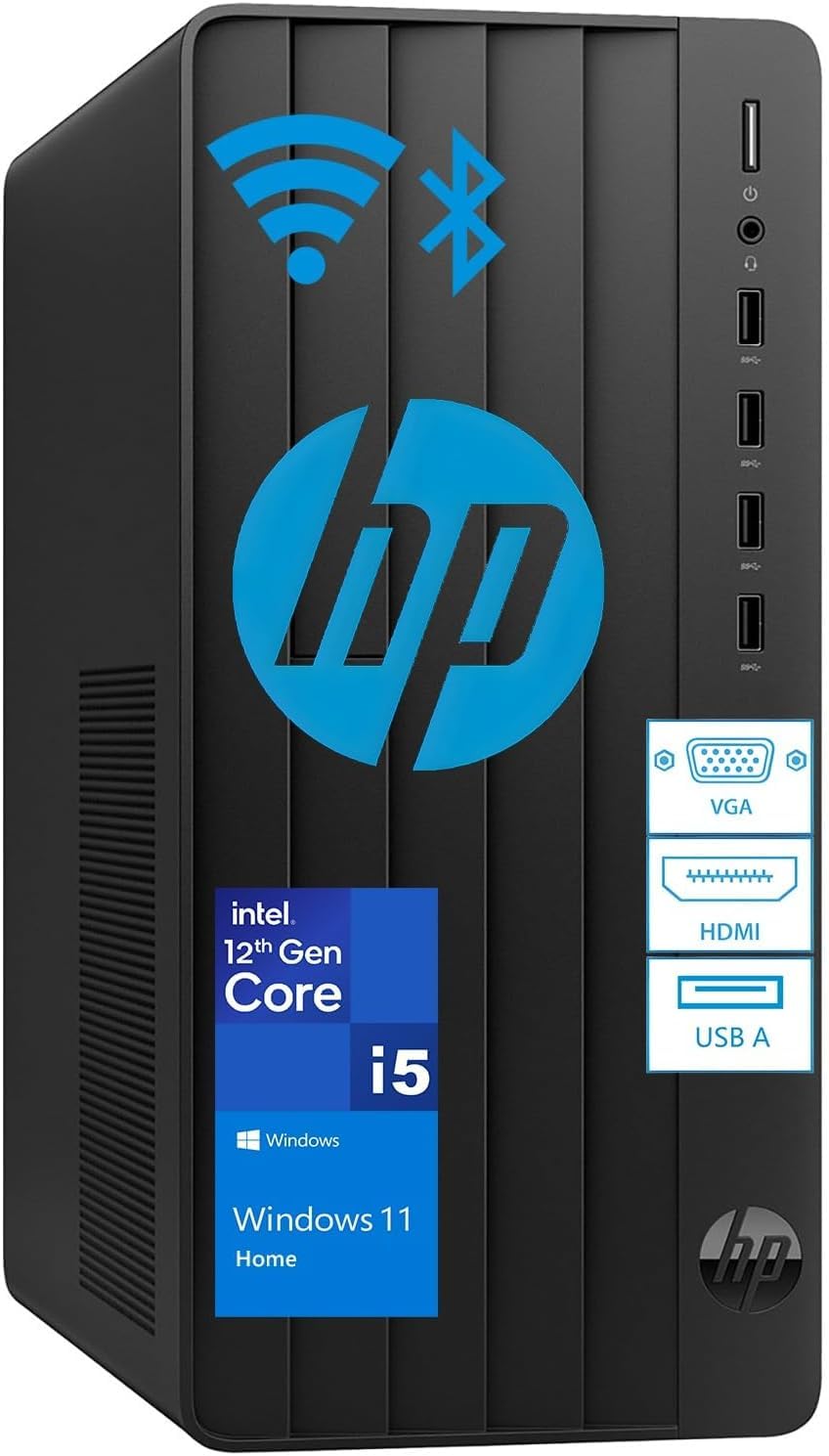
A straightforward home office tower — but read the memory spec carefully
It’s worth flagging up front: this tower ships with 32GB of RAM, not 64GB. That’s half the memory of every other pick here, so it belongs on your list only if your work leans toward video calls, documents, and browser tabs rather than heavy multitasking or virtual machines. What it does bring is a modern 6-core i5-12500T and a 1TB SSD, and owners consistently praise how quickly it’s up and running. The setup is genuinely simple — plug in, sign in, go.
Everyday tasks run smoothly on the Intel UHD 770 integrated graphics (built-in graphics that share the main memory). You get multiple USB ports, HDMI, and VGA, so common monitors and peripherals connect without adapters. Buyers push back on value: the integrated graphics limit it to basic duties, and at least one owner found only a single HDMI port with a VGA connection as the backup, calling the bundled keyboard and mouse low quality.
The recurring reliability gripe is note honestly: a few buyers report drive failures within the first year, and a business owner had three identical units fail at once. That’s rare across the overall picture, but it’s real. For a single home machine doing light work, it’s a sensible, uncomplicated choice — just don’t expect it to carry a 64GB workload.
The easy-life case
- Very fast, simple setup from the start
- 1TB SSD and a 6-core i5-12500T
- Complete with wired keyboard and mouse
Know before you buy
- Only 32GB RAM — half this article’s baseline
- A few owners mention early drive failures
Suits: Home and student users who want a no-fuss machine for browsing and office tasks.
Wrong tool for: Anyone who specifically needs 64GB of RAM for heavy multitasking.
5. HP Pavilion Desktop Computer, Tower PC
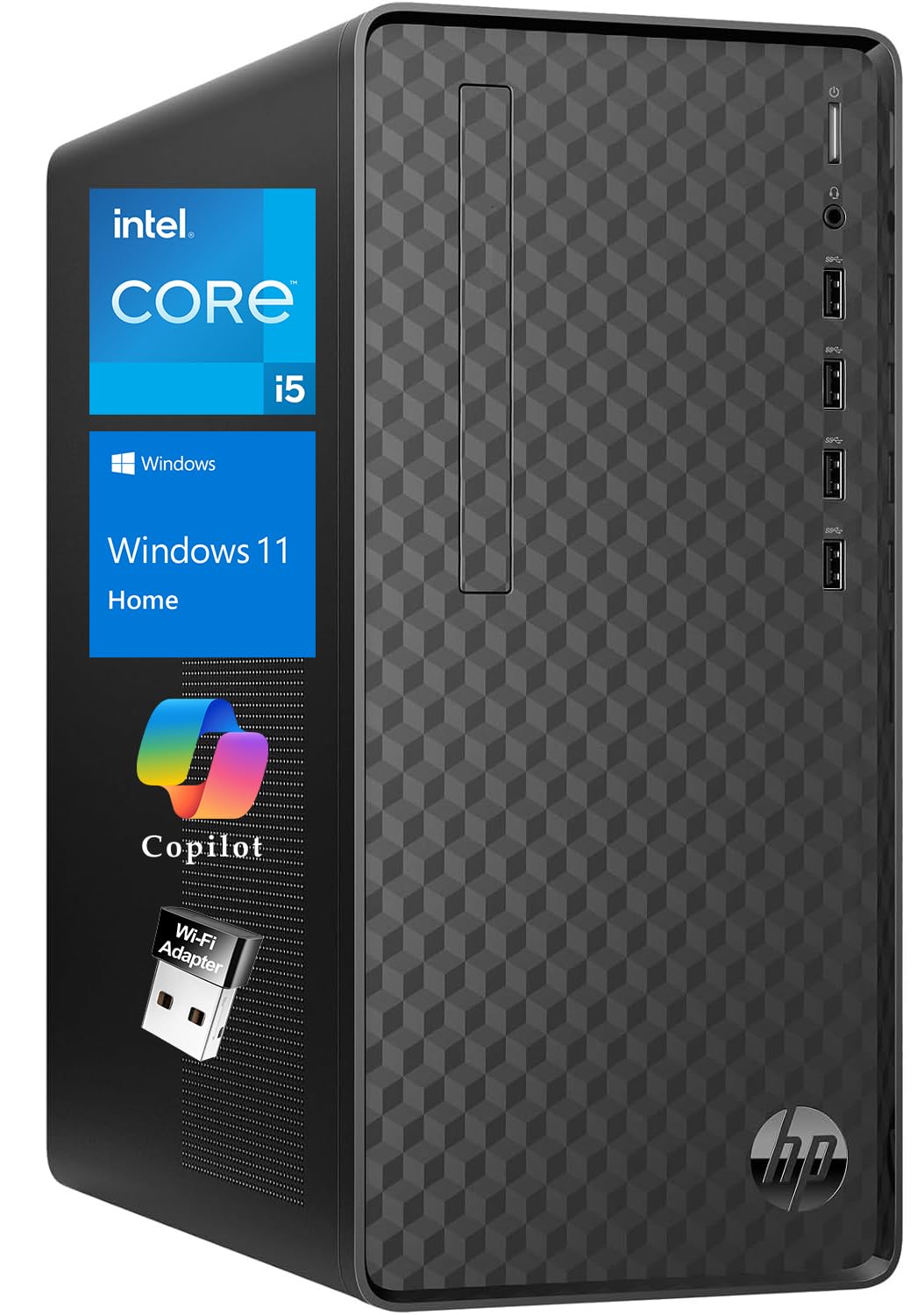
The compact daily driver that quietly ticks the 64GB box without hogging your desk
The Pavilion balances footprint against capability better than most towers here. You get 64GB of DDR4 RAM paired with a 1TB PCIe SSD and a 10th-generation Intel Core i5 running six cores up to 4.3 GHz with 12MB of cache. The tower itself is space-conscious and light enough to reposition easily, which matters if your desk is already crowded. For documents, video conferences, and dozens of open browser tabs, this configuration stays responsive.
Connectivity is what wins people over: a full spread of USB 3.2 Gen 2 (a fast USB standard) and standard USB-A ports, HDMI 2.0, VGA, and DVI-I for multiple monitors, plus a wireless USB WiFi adapter and a security lock slot. It arrives ready to work with a keyboard and mouse and Windows 11 Home preinstalled. Owners describe strong price-to-performance and smooth handling of heavy multitasking and data work.
The catch to weigh is upgrade friction. Opening the case needs a screwdriver, and there are only two RAM slots — which means swapping in more memory later requires replacing the existing sticks rather than adding to them. A rare owner also reported a crash and a fan noise shortly after setup. For most, though, it’s a comfortable mid-tier machine that covers everyday computing, light photo and video editing, and office work.
The compact win: A small footprint with big-port coverage — ideal where desk space is tight but connectivity isn’t negotiable.
The upgrade caveat: Just two RAM slots and a screwdriver-required case mean future memory upgrades replace, not add to, what’s inside.
Made for: Home and small-office users who want 64GB in a tidy, well-connected tower.
Not ideal for: Tinkerers planning frequent internal upgrades.
6. HP ProDesk Desktop Computer PC
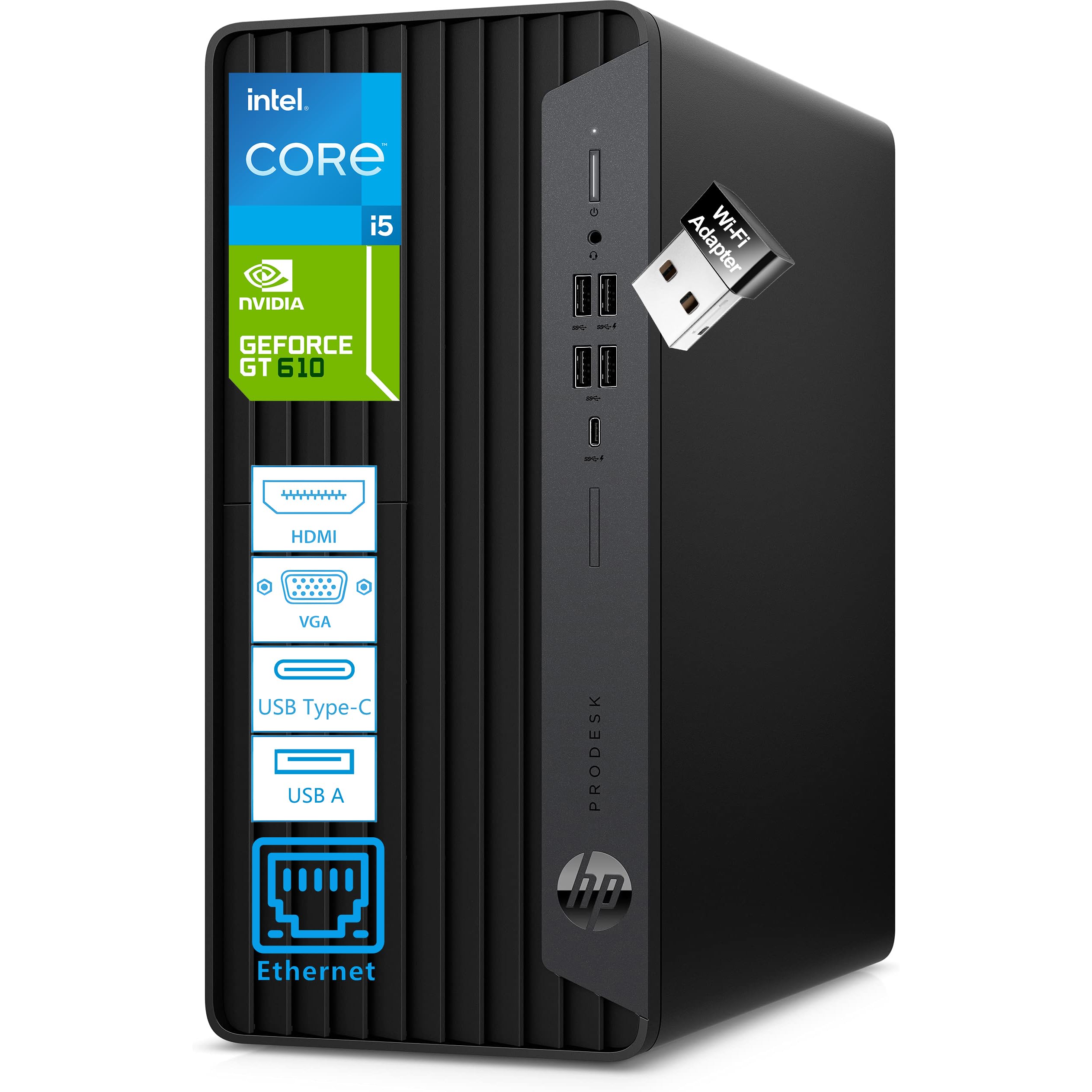
A small-form business tower that multitasks as hard as you do
If your workday never runs one app at a time, this ProDesk is built for you. The 6-core, 12-thread Intel Core i5-10400F chip clocks up to 4.3 GHz, paired with 64GB of DDR4 RAM and a 1TB NVMe PCIe SSD (a fast solid-state drive) for quick boots. The memory is the headline: the listing says it handles demanding applications simultaneously, which is exactly why you’d want 64GB instead of 32GB in a business machine. It’s also among the most proven picks here, with a strong track record and a large base of owners.
Connectivity is comprehensive for an office: 10 USB ports including a USB-C 10Gbps, Gigabit Ethernet, and a bundled USB WiFi adapter, plus HDMI, DVI-I, and VGA for multi-monitor setups. There’s even a dedicated NVIDIA 2GB graphics card for dual displays and smoother visuals. Quiet operation is a regular talking point — this runs soft enough for open-plan work.
The main limitation is graphics headroom. There’s no built-in Bluetooth, so you’ll need an adapter, and the mid-tier dedicated GPU bumps up against its ceiling on modern games — one buyer found it fell short for gaming while doing everything else well. If your focus is business applications, dual monitors, and reliable multitasking, though, that ceiling rarely matters.
Meant for: Home offices and small businesses that need abundant memory and serious port count.
Reconsider if: Gaming or GPU-heavy creative work is part of your routine.
7. HP Pro Tower 290 G9 Business Desktop

Double the storage and all the memory, aimed squarely at busy offices
For a work machine, this HP Pro Tower gives you the two numbers that matter: 64GB of RAM and a 2TB PCIe M.2 SSD (a fast, compact solid-state drive). That storage is double what several rivals here offer, so you get serious room for business files and software. The 13th-generation Intel Core i3-13100 chip runs four cores at a base of 3.40 GHz and boost up to 4.50 GHz with 12 MB of L3 cache (a fast memory pool for the processor) — the listing says it beats a Core i7-9700 — and it handles office multitasking and research without strain.
Connectivity is generous: Wi-Fi 6 and Bluetooth, HDMI, VGA, RJ-45, and eight USB ports split between USB 2.0 and USB 3.2 Gen 1. There’s even an external slim DVD drive for reading and writing discs, a rarity on modern desktops. Buyers describe quick, quiet performance — some note it’s actually quieter than the machines it replaces. An office owner who picked up several for a team called them “really fast” and reported the crew enjoying the speed. It arrives ready to work with a wired keyboard and mouse and Windows 11 Pro.
The honest limit is the processor tier. An i3 sits below an i7 or i9 here, so heavy 3D rendering or advanced creative work isn’t its job. But for school, office tasks, and dependable multi-monitor work at 4K, the balance of memory and storage makes it a practical, long-running office companion.
Where it delivers
- 64GB RAM plus a generous 2TB PCIe SSD
- Wi-Fi 6, Bluetooth, and eight USB ports
- External slim DVD drive included
Trimmed on purpose
- An i3 processor won’t suit heavy rendering workloads
- No discrete graphics for gaming or GPU-crunching apps
Right for: Offices and students who want lots of memory and storage with straightforward performance.
Look elsewhere if: Your work depends on dedicated graphics or top-tier CPU throughput.
8. HP Pro Business Desktop Computer, Intel Core i9
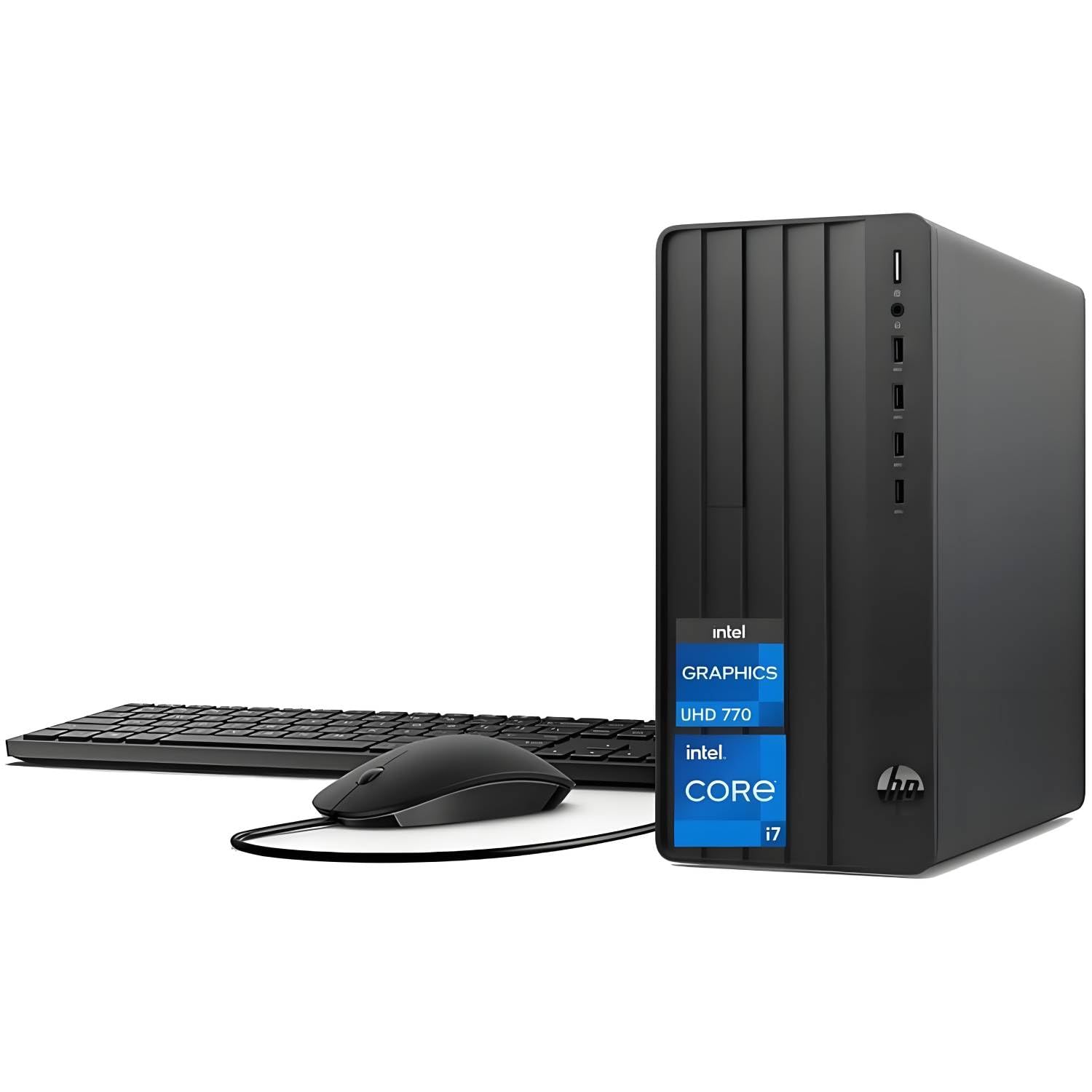
A 16-core i9 in a modest business shell, if you can verify what you’re buying
Under the hood, this is serious hardware: an Intel i9-12900K with 16 cores, 24 threads, up to 5.2 GHz, and 30MB of cache, backed by 64GB of RAM and a 1TB PCIe SSD. That processor is built for demanding business applications, rendering, and heavy multitasking. It’s configured to support dual 4K monitors, Wi-Fi 6, and Bluetooth through a well-stocked port selection that includes 8 USB 3.2 Gen 2, HDMI-in 1.4, and HDMI-out 2.1.
Performance feedback on the unit itself is largely positive — customers note smooth operation, fast boot and restart, and WiFi that performs better than expected. Silent operation is another recurring plus, keeping it unobtrusive in a professional environment.
But you need to buy carefully here, because reliability feedback is genuinely mixed. Some owners describe it as doing everything just fine, while a small number report a unit that stopped working within months and, in more troubling cases, arriving altered from what was listed. The 3.9-star average reflects that split, so check the specific seller’s history and return terms before you order. If you want the i9 power and are willing to verify the source, it can be a strong performer — just treat the purchase like you would any higher-stakes buy.
The power on paper: 16 cores and 24 threads up to 5.2 GHz make this a genuine heavy-lifting machine for multitasking.
Verify before you commit: Mixed reliability feedback means the seller matters as much as the spec sheet — confirm condition and return terms first.
A fit for: Buyers who want i9-grade multitasking and will vet the seller carefully.
Fragile ground for: Anyone who wants a bulletproof, fully verified-new machine without extra homework.
9. HP 2026 Desktop Computer, Intel i5-12500
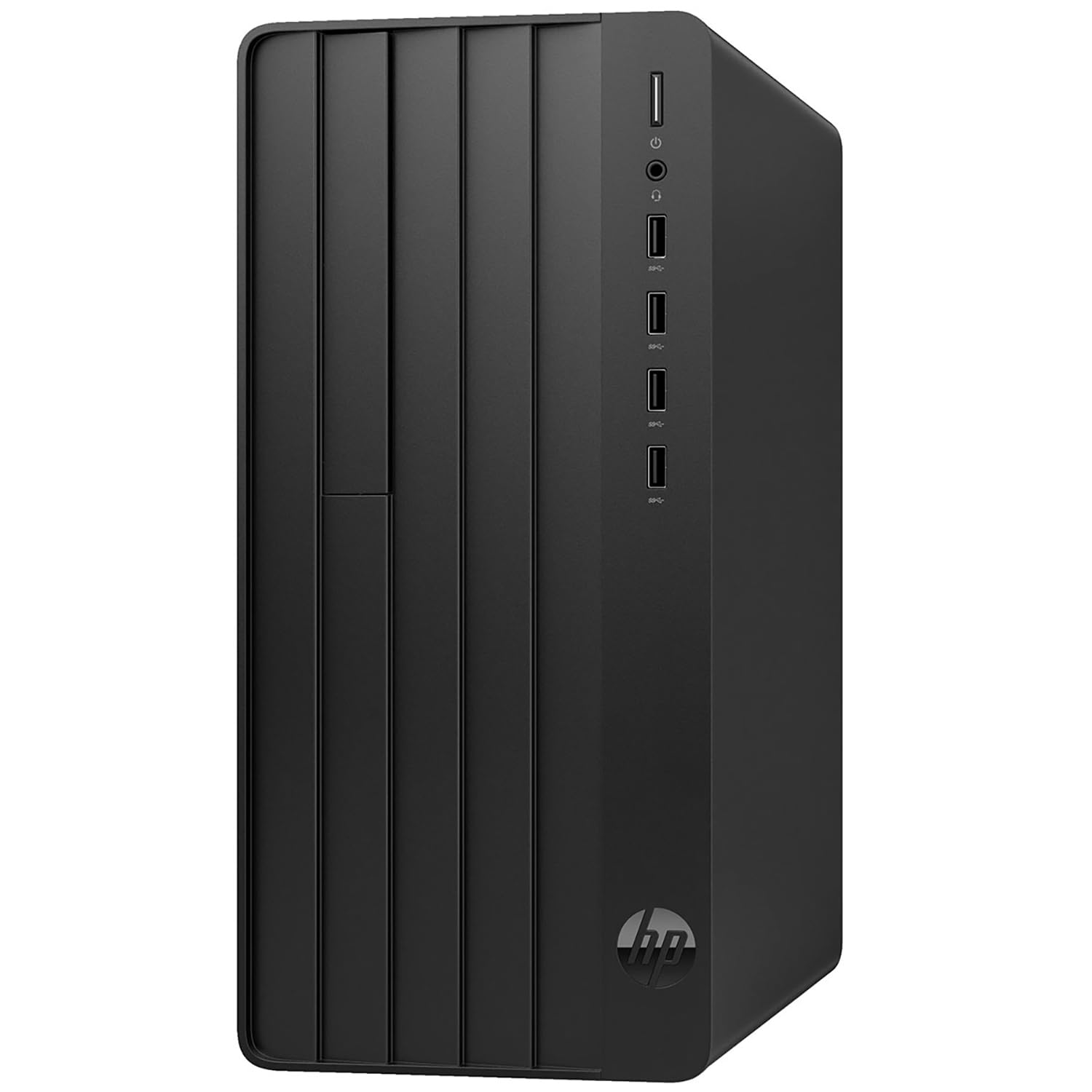
A shared-family and remote-work tower that swaps laptops for real expandability
Think of this as the practical household machine. It pairs 64GB of DDR4 RAM with a 2TB PCIe SSD and a 12th-generation Intel Core i5-12500 running six cores with 12 threads up to 4.6 GHz. That combination keeps family devices, school sessions, and work applications separate and running at once without bogging down. The 2TB of solid-state storage means plenty of space for documents, media, and children’s activities with room to spare.
Connectivity covers eight USB ports, HDMI, VGA, Ethernet, and included WiFi 6, with a wired keyboard and mouse in the box and Windows 11 Home preinstalled. There’s also lifetime access to Office 365 on the web for document creation and editing without a subscription. Real-world feedback captures the expansion appeal well: one owner moved all their data from a failed Dell over to this machine without trouble and called setup simple.
The one limitation to keep in mind is internal room for a big graphics card — the case doesn’t accommodate flagship GPUs. It ships with US/EU power adapters and the WiFi may need a command-line reset initially, a minor quirk. For families, students, and remote workers prioritizing memory and storage over graphics, this covers the essentials comfortably.
The right call for: Families and remote workers who need abundant memory, storage, and software from day one.
Pass on it if: You plan to install a flagship graphics card later.
10. HP Envy Desktop PC, Intel Core i9-14900K

A data-crunching tower built for traders and analysts running it all at once
For anyone pushing thousands of concurrent processes, this Envy was practically designed for you. The 14th-generation Intel Core i9-14900K runs at a base of 3.20 GHz with turbo boost up to 6.00 GHz, backed by 64GB of RAM and a 2TB SSD. There’s an NVIDIA GeForce RTX graphics card with 8GB of GDDR6 dedicated memory, and Realtek Wi-Fi 6 with Bluetooth 5.3. In practice, one owner running stock trading software reported never seeing processor loading exceed 20% or memory usage exceed 30% across complex concurrent analyses.
The port spread is generous too — a USB Type-C at 5Gbps, two USB Type-A at 10Gbps, two more at 5Gbps, and four USB 2.0 Type-A, so peripherals and displays connect without dongles. Windows 11 Pro is preinstalled, and buyers describe it as fast and powerful. For stock charting and data work specifically, the combination of a top-tier CPU and 64GB of memory is the definition of headroom.
The honest concern is thermal. The cooling setup uses a heatsink and fan, and a compute-heavy owner reported it couldn’t sustain maximum CPU load, with all cores overheating past 90°C after an hour of full load. If your typical day runs the CPU near its ceiling for long stretches, that’s a limitation. For burstier analytics and trading work, it’s far less of an issue.
The case for it
- i9-14900K with turbo up to 6.00 GHz
- 64GB RAM holds heavy concurrent workloads
- RTX 8GB graphics and Bluetooth 5.3
Worth weighing
- Air cooling struggles under sustained max load
- Premium price for the 14th-gen hardware
Built for: Traders, analysts, and power users whose day is one long, multi-threaded workload.
Less ideal if: You routinely sustain maximum CPU load for hours on end.
11. Dell Tower Computer Desktop Intel Ultra 7 265F RTX 5060

A next-gen creator tower that renders 4K without making you wait
This Dell is the new-generation counterpart to the workstations above, and the specs explain why creators favor it. The Intel Ultra 7 265F packs 20 cores with a max turbo up to 5.3 GHz, paired with 64GB of DDR5 RAM and a 1TB SSD. Then there’s the NVIDIA GeForce RTX 5060 with GDDR7 memory. The result, in real hands, is a machine that renders 4K video near-instantly — one editor called it an ideal Windows 11 Pro workstation. For freelancers and studios processing footage and 3D assets, that speed on tap changes how you work.
DDR5 memory adds higher bandwidth than the DDR4 machines here, which keeps dozens of browser tabs and heavy applications moving together. Multiple reviewers highlight exactly this — DDR5 RAM and the SSD handling loads of tabs easily. It stays quiet during long editing sessions, a genuine perk when you’re tethered to it for hours, and it ships ready to work with Windows 11 Pro plus a Dell keyboard and mouse set.
Two small real-world gripes come up: the included power cord runs short, and a buyer wished for an extra front USB port. Neither is a deal-breaker. There’s also a discrepancy between the listing headline and the specification field on storage size, so confirm your intended configuration with the seller before ordering. For creators who want modern processing power and DDR5 speed, the trade-offs are minor.
The creative edge: 20 cores and DDR5 memory make short work of 4K rendering and software that lives on parallel processing.
Small things to know: The power cord runs short and the spec listing has a storage-size discrepancy — verify your configuration directly.
Perfect for: Video editors, animators, and freelancers who need fast rendering and quiet operation.
Wrong fit if: You want the absolute lowest cost per gigabyte of memory.
12. Skytech Gaming King 95 Gaming PC

Top-tier gaming silicon wrapped around 64GB of fast DDR5 memory
The King 95 brings together an AMD Ryzen 7 9800X3D running at 4.7 GHz with a 5.2 GHz turbo and a hefty 4TB Gen4 NVMe M.2 SSD. Then add 64GB of DDR5 RAM at 6000 with a heat spreader and an NVIDIA RTX 5080 with 16GB of GDDR7 memory. For gaming at high resolutions and frame rates, this is the configuration that delivers — reviewers point out amazing frame rates across demanding titles, and the 64GB handles memory-hungry games like Star Citizen comfortably.
Cooling is handled by a 360mm AIO liquid cooler with ARGB fans, and the tower uses a King 95 case that showcases the build. It ships with EXPO/XMP memory profiles preconfigured, so you don’t have to fiddle with BIOS settings to get rated speeds. Buyers repeatedly praise how well-packaged it arrives — high-density foam, a dust bag, and secure connections — with several noting it boots without issue.
There’s a mixed note on networking: the onboard Ethernet port was faulty on at least one unit, fixed with a USB-to-Ethernet adapter, so keep a backup connection in mind. Some owners also wished for a larger 1000W power supply rather than the included 850W. The King 95 case is large, so check your desk space. But for a gaming-first build with plenty of memory, it’s a strong, well-supported machine.
The wins that matter
- Ryzen 7 9800X3D and RTX 5080 with 16GB GDDR7
- 64GB DDR5 at 6000 with 4TB NVMe storage
- 360mm AIO cooling and preconfigured EXPO profiles
Keep in perspective
- Ethernet connectivity saw mixed reports on some units
- Large case demands real desk space
The pick for: Gamers who want flagship performance and plenty of memory in a showcase build.
Consider size: The King 95 tower is big — confirm it fits before it ships.
13. HP OMEN 45L Gaming Desktop

The everything-maxed tower — a 32GB RTX 5090 and a Core Ultra 9 in one chassis
This is the top of the mountain, and the specs say so plainly. The Intel Core Ultra 9 285K runs up to 5.7 GHz with 36 MB of cache, paired with 64GB of DDR5 RAM and a 2TB PCIe Gen4 NVMe M.2 SSD. The graphics card is an NVIDIA GeForce RTX 5090 with 32 GB of GDDR7 dedicated memory — the largest video memory buffer in this entire lineup. If you game at 4K, create 3D content, or want AI acceleration on the desktop, there is no larger memory footprint or faster chip combination here.
Cooling gets real engineering attention. The OMEN CRYO CHAMBER channels fresh air to the liquid-cooler radiator, and a 360mm LCD liquid cooler dissipates heat with dynamic lighting effects. Owners describe it as a “beast” that fires up instantly and runs games at max settings without strain, and they consistently note it works straight from the start with nothing to configure beyond enabling an XMP profile. The chassis also follows an industry-standard form factor with tool-less access, so upgrading components later needs no screwdriver.
The honest caveats matter at this level. Build quality and reliability feedback is genuinely mixed — some shoppers say flawless operation, while a small number describe units that arrived non-functional or developed power issues over months. It’s also the heaviest and priciest pick here, so it commands desk space and budget. If you want the absolute ceiling of 64GB gaming performance and accept that it is a serious investment, few machines can match what this one holds.
The ceiling, spec by spec
- RTX 5090 with 32 GB GDDR7 — the largest GPU memory here
- Core Ultra 9 285K up to 5.7 GHz with 36 MB cache
- Tool-less access and OMEN CRYO CHAMBER cooling
The weight of going maxed
- Reliability feedback is mixed on a handful of units
- Top-tier pricing and a large chassis
The top of the list for: Gamers and creators who want maximum graphics memory and CPU speed and won’t accept a compromise.
Think hard before: You buy if you want a lower-risk, lower-cost tower for lighter daily work.
Understanding the Specs
Why 64GB of RAM Changes Your Day
RAM is your computer’s short-term workspace — everything currently open sits in it. With 64GB, you can keep a browser with dozens of tabs, a video editor, and a spreadsheet all open at once without the machine slowing down. Half that amount often forces you to close programs or wait while the computer swaps data to the slower drive. That’s the real reason people seek out a 64GB machine: to stop managing their own workload.
CPU Cores and Boost Speed, Translated
The processor’s core count decides how many tasks it can truly run side by side. A 6-core chip handles office work and multitasking comfortably, while a 16-core or 20-core processor is built for rendering, code builds, and heavy data work. Boost speed — the top GHz figure — is the short burst of extra speed when a task demands it. More cores help sustained loads; higher boost helps snappy single tasks.
Storage Type and Capacity
An SSD stores your files on memory chips instead of spinning disks, so everything opens faster. NVMe drives are the quickest form of SSD, running over the PCIe interface. Capacity tells you how much you can keep — a 1TB drive holds everyday files and a few large projects, while a 4TB or 5TB setup gives room for big game libraries and raw media archives. Match capacity to how much you save, not just how much you open.
New, Renewed, and What It Means for You
Renewed desktops are previously owned machines that have been inspected and restored, usually from business fleets. They often carry the same memory and build as new units at a lower tier of cost. The trade-off is warranty coverage that can be shorter or unclear, and condition that varies a little more. Factory-new towers tend to come with cleaner, longer warranties. Both can be smart buys — the right one depends on how much certainty you want to pay for.
FAQ
Is 64GB of RAM overkill for everyday use?
Do these desktop towers support adding more memory later?
Is a renewed or refurbished workstation worth it compared with a new one?
Will a 64GB RAM PC handle video editing and 3D rendering?
What is the difference between DDR4 and DDR5 memory in these desktops?
Do these PCs come with a keyboard and mouse included?
Can I add a dedicated graphics card to an office desktop later?
How much storage should I pair with 64GB of RAM?
Are these 64GB desktops good for gaming?
Does a 64GB RAM PC run quietly enough for an office?
Final Thoughts: The Verdict
For most buyers, the top 64gb ram pc here is the The Horizon Autherium Dragon RGB I9 RTX Gaming PC because it packs 64GB of RAM and 5TB of storage behind a 5.3 GHz Core i9 and a liquid-cooled build, with a track record most machines here can’t touch. If you want maximum memory and graphics muscle for creative work, reach for the Dell Tower with the Intel Ultra 7 265F and RTX 5060, which renders 4K near-instantly. And for the cheapest route into 64GB of memory, the renewed HP Z2 Tower G4 delivers the memory and expandability at the most budget-friendly tier — just budget for your own keyboard, mouse, and WiFi adapter.
How We Picked
We do not accept paid placement. Every pick is matched to a real buyer and a real use-case; we do not hands-on test units.
Sources & Methodology
Specifications: manufacturer listings and product documentation. Review insights: verified customer reviews, as of September 2026. Pricing: not shown on this page (it changes often); check the current price via the retailer link.
As an Amazon Associate, Gadgets Feed earns from qualifying purchases. This does not affect which products we feature.