
Our readers keep the lights on and my morning glass full of iced black tea. As an Amazon Associate, I earn from qualifying purchases.
Specs are compiled from manufacturer listings and verified buyer reviews and can change over time — please confirm the key details on the product page before buying.
You want a smaller keyboard that frees up desk space for your mouse, but you still need the arrow keys and essential shortcuts. A 65% layout (a compact keyboard without the number pad or top function row) gives you that. Your choice hinges on whether you prioritize magnetic switch adjustability, wireless freedom, or a gasket-mounted board’s deep “thock” sound. This guide breaks down the best 65 percent keyboard options by the concrete benefit each delivers, so you can pick the one that fits your daily routine.
I’m Min — the founder and writer behind Gadgets Feed. This guide is built by comparing the manufacturers’ published specifications and the patterns across verified customer reviews, so you get each pick’s real strengths and trade-offs instead of marketing spin.
Whether you prioritize silent keys for a shared space, rapid-trigger response for competitive play, or a hefty aluminum frame that never slides, the 65 percent keyboard field has a variant built around your priority.
Our Picks at a Glance

How To Choose The Best 65 Percent Keyboard
Understanding the trade-offs of switch type, connectivity, and sound dampening is key to picking the right 65% board. A 65% layout keeps your essential editing keys, so the real differences come down to the switch type, the connection options, and the internal padding that shapes the sound.
Switch Type: Mechanical vs. Hall Effect
Traditional mechanical switches physically click a metal leaf to register a keypress. Hall Effect switches use a magnet, which means the actuation point (how far down you have to press before the key registers) can be adjusted in software. For gamers, that adjustable point is the whole reason to pay for magnetic switches, because you can set the trigger absurdly early for rapid strafing.
Connectivity: Wired, Wireless, or Tri-Mode
Wired boards are the simplest, with near-zero latency, and they tend to cost less. Wireless boards add 2.4GHz dongles and Bluetooth, letting you switch between a PC, a tablet, and a laptop. Tri-mode boards give you all three options, so you can go cordless at home and plug in when the battery runs low or you need the most stable connection mid-match.
Sound Profile: Gasket Mount and Foam Layers
The “thocky” sound you hear in keystroke videos comes from internal construction, not just the switches. Gasket mounts suspend the plate in soft material, while layered foam dampens echo. Boards with five layers of sound-dampening materials produce a deeper, quieter tone, which matters if you share an office or game late at night.
Quick Comparison
| Model | Best For | Switch Type | Connectivity | Battery | Amazon |
|---|---|---|---|---|---|
| ASUS ROG Falchion RX★ Best Overall | Quiet premium typing | Optical (Red/Blue) | Tri-Mode | 430+ hrs (RGB off) | Amazon |
| HyperX Origins 2 65Customizer’s Pick | Full customization | Hot-swap 5-pin | Wired USB-C | — | Amazon |
| EPOMAKER Galaxy68Premium Build | Wireless aluminum build | Hot-swap linear | Tri-Mode | 6000mAh | Amazon |
| ARBITER Polar 65 | Rapid-trigger competition | Hall Effect (Fuji) | Wired USB-C | — | Amazon |
| EPOMAKER HE68 Lite | Budget magnetic gaming | Hall Effect | Wired USB-C | — | Amazon |
| GLORIOUS GMMK 2 | Entry-level enthusiast | Hot-swap 5-pin | Wired USB-C | — | Amazon |
| EPOMAKER x AULA F65 | Thocky wireless typing | Hot-swap | Tri-Mode | 4000mAh | Amazon |
| HyperX Alloy Origins 65 | Console + PC gaming | Mechanical (Red) | Wired USB-C | — | Amazon |
| RK ROYAL KLUDGE RK68 | Budget wireless workhorse | Hot-swap (Red) | BT5.0 + USB-C | 1450mAh | Amazon |
In‑Depth Reviews
1. ASUS ROG Falchion RX Low Profile
Our pick — over 4.5★ from 250+ verified ratings; the strongest balance of quality and price.
The quietest premium pick, with typing that sounds like tap dancing in the rain.
If your desk doubles as a workspace, the Falchion RX is the pick that vanishes into the background. Owners describe the sound as “tap dancing in the rain,” and the credit goes to two layers of integrated silicone foam that kill echoes and switch pinging. The pre-lubed ROG RX low-profile optical switches use light, not metal contacts, giving you a shorter actuation distance and faster trigger response with near-zero debounce delay.
Wireless freedom comes from tri-mode connectivity: Bluetooth for up to three devices, 2.4GHz RF with ROG SpeedNova that stretches to 430+ hours of battery life with RGB off, or a standard wired USB connection. The 68-button layout packs a protective cover that doubles as a tray mount, plus an interactive touch panel for adjusting volume and media without hunting for keys. Owners do note the low-profile layout takes adjustment for typing, since the shorter travel invites accidental adjacent key presses at first.
Mac users get a clean toggle between Windows and macOS modes, and you can record macros on the fly. One honest caveat from the review pages: the red switch version can cause accidental modifier presses like Control-Y, while the blue variant’s firmer tactile force sidesteps that issue, making it the version owners describe as their favorite.
low-profile speed
- Keyboard quality is the standout, with a stable, wobble-free frame that feels heavy and premium.
- Quiet operation wins over open-office workers, and it makes a strong case as a daily driver.
- Three connection routes plus Mac/Windows toggling cover nearly every setup.
limited switch choice
- Low-profile layout means a learning curve for typists, with accidental neighbor-key hits initially.
- The protective cover doesn’t fit as snugly as owners would like.
- Firmware updates through Armoury Crate can feel like a chicken-and-egg problem.
speed gamers: you want a whisper-quiet board that switches between three devices and still delivers a tactile, solid keystroke.
switch tinkerers: you’re a hardcore typist who hates relearning layouts, or you want the tactile click without adjusting to low-profile travel.
2. HyperX Origins 2 65
A fully rebuildable board with 8k polling for near-instant input.
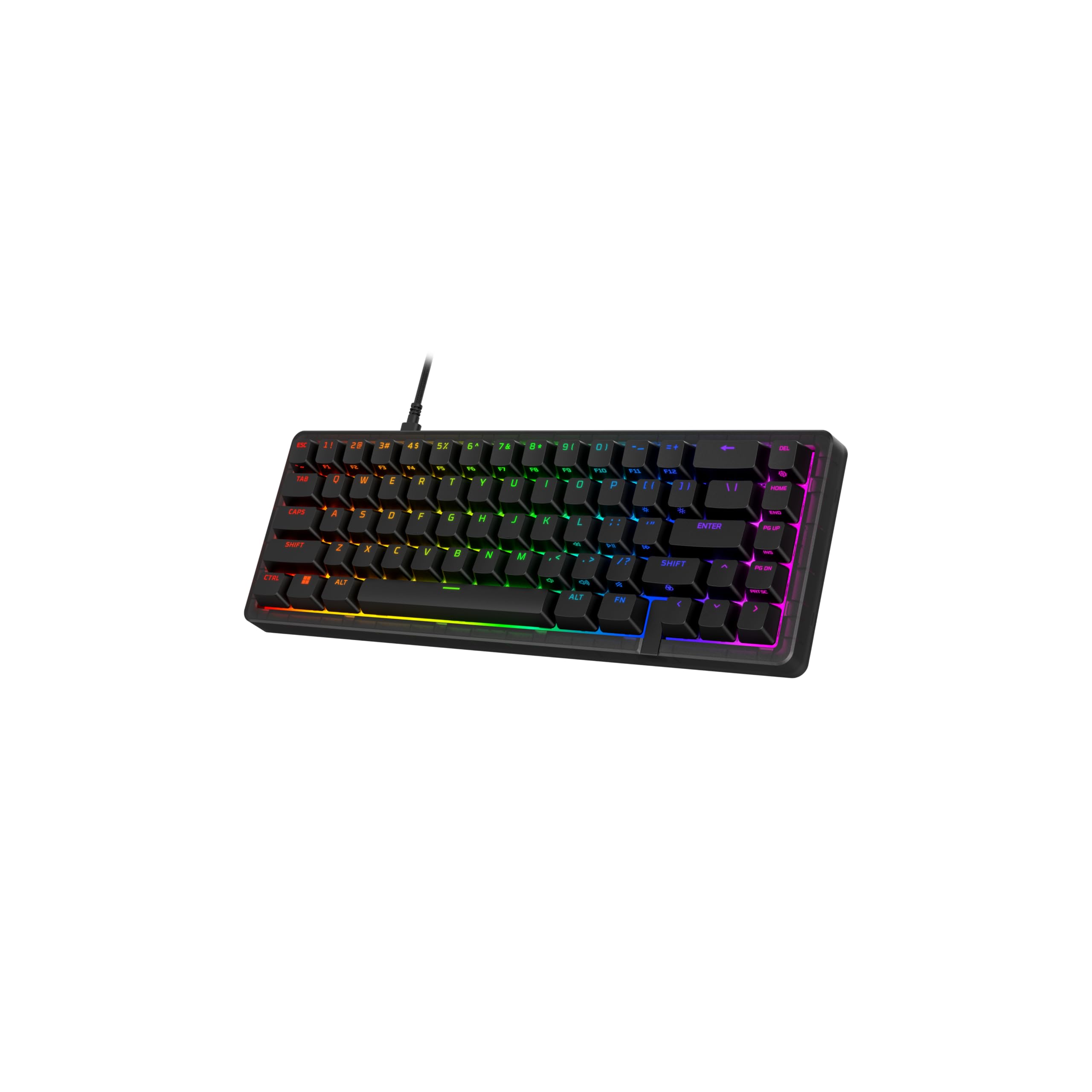
Most hot-swap boards let you change switches and keycaps, but the Origins 2 65 takes customization one step further with a one-piece drop-in frosted housing. You can swap the colorful outer shell without buying a new keyboard, or even print your own using the open-source design files. Beneath that, hot-swap 5-pin sockets mean you can pull the factory HyperX Linear Red switches and drop in tactile or clicky ones with no soldering.
The performance side keeps pace with the flexibility. An 8k polling rate means the board communicates with your PC up to 8000 times every second, so inputs land with minimal delay. Owners appreciate the compact 65% layout that still includes the arrow keys, and the high-profile form factor with flip-down feet lets you dial in a comfortable angle.
Day-to-day comfort comes from an O-ring mount that adds a light bounce and deeper sound to each keystroke, plus a reverb-dampening removable silicone weight and plate-mounted stabilizers that cut wobble. The NGENUITY software open up rebinding, macros, and up to three unique input profiles for RGB and key assignments. The one recurring wish from owners is a wireless version, since the wired USB-C connection is the only thing standing between this board and perfection.
solid typing feel: the near-total customization — swappable housing, switches, and keycaps — backed by a solid, responsive typing feel that owners call super smooth.
software quirks: it’s firmly wired-only, so if your setup demands Bluetooth, this isn’t the one.
3. EPOMAKER Galaxy68
A 1.25kg aluminum shell that feels like a fortress, with a battery that outlasts your workweek.
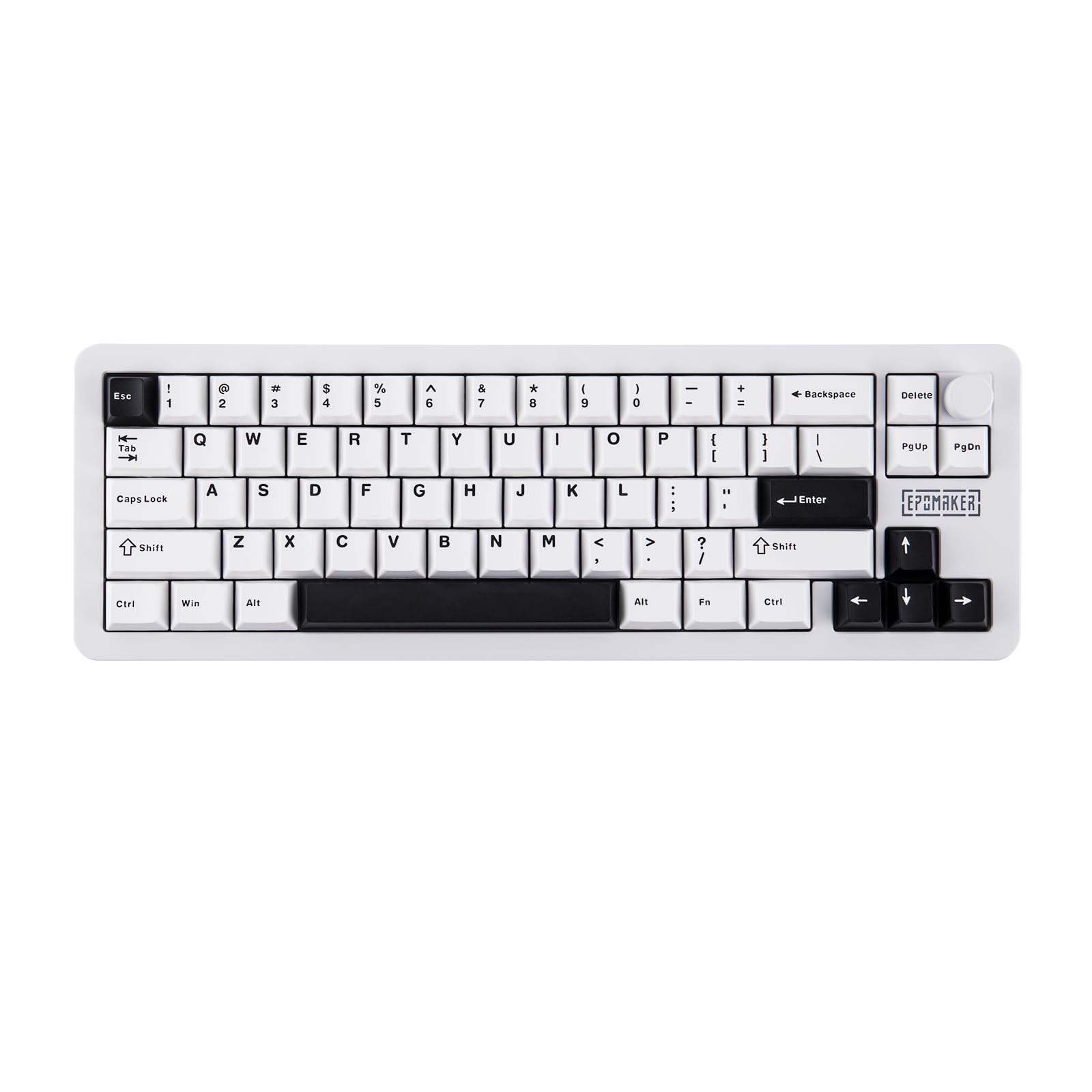
Weight is the first thing you notice with the Galaxy68. The powder-coated aluminum shell tips the scales at 1.25kg, which owners say makes it feel genuinely premium and rock-solid on a desk. The 67-key layout keeps the essentials while freeing up mouse space, and the satisfying metal knob plus spaced-out arrow keys give it a layout that’s easy to use without looking down.
Battery life is the headline here. Twin 3000mAh cells combine for 6000mAh total, delivering an astounding 500 hours of light-off usage in Bluetooth or 2.4GHz mode, or 27 hours of continuous wireless gaming with backlighting at full brightness. The 1000Hz polling rate in both 2.4GHz wireless and wired modes, plus the ultra-low 2.5ms latency in cable mode, keeps your inputs feeling instant.
Typing feel is where this board shows its engineering. The gasket-mount structure with a flex-cut PCB and plate creates a soft, buttery landing, while five layers of dampening (PORON foam, IXPE pad, PET pad, more PORON, and a bottom sponge) deliver that deep, thocky sound owners love. QMK/VIA support means you can remap keys and build macros through VIA’s web interface without flashing firmware. The trade-off owners flag is that the spacebar sounds noticeably worse than the rest of the keys, so purists may want to tweak it.
RGB showpiece: the hefty, truly-aluminum construction and the creamy, thocky sound it produces straight from the start.
hollow case: office-bound typists who find the 65% layout’s missing numpad confusing, since this board is clearly built for gamers.
4. ARBITER Polar 65

Magnetic switches tunable from 0.1mm to 3.8mm in a CNC aluminum frame that won’t budge.
The Polar 65 runs on Fuji Hall Effect switches, which use magnets instead of physical contacts. That opens up 20 sensitivity levels from 0.1mm to 3.8mm, so you can set the actuation point absurdly early for competitive games where every millisecond counts. Owners note the switches are buttery smooth, and the continuous rapid trigger with less than 1ms latency is built for strafe-heavy shooters.
Construction is equally serious. The CNC aluminum frame gives it a weighted, premium stability that owners call surprisingly heavy, while dual silicone dampening keeps typing quieter than most mechanical boards. The dual-shot PBT keycaps feel grippy and crisp, and the screw-in spacebar stabilizer plus plate-mounted stabilizers on other keys minimize rattle.
Customization lives in a webapp, with 16 vibrant RGB lighting modes and personalized configurations stored on onboard memory. Owners also love that the LED brightness responds to keypress depth, which is a neat visual a neat extra you won’t find on most boards. The honest cons: a plastic bottom case, no adjustable legs, and no per-key RGB, so if you want zone-by-zone lighting control, this falls short. Owners also note it’s geared more for gaming than marathon typing sessions.
tournament-ready build
- Adjustable actuator travel from 0.1mm to 3.8mm gives you fine control over response.
- CNC aluminum frame delivers the hefty, stable feel gamers want.
- Dual silicone dampening makes it quiet for a magnetic board.
stiff stabilizers
- No per-key RGB, and the lack of legs means you can’t adjust the typing angle.
- Plastic bottom case contrasts with the premium aluminum top.
- Not the top choice for typing-first users.
competitive players: competitive gamers who want rapid-trigger magnetics with a solid, heavy frame and quiet acoustics.
modders: you need per-key lighting control or an adjustable typing angle.
5. EPOMAKER HE68 Lite
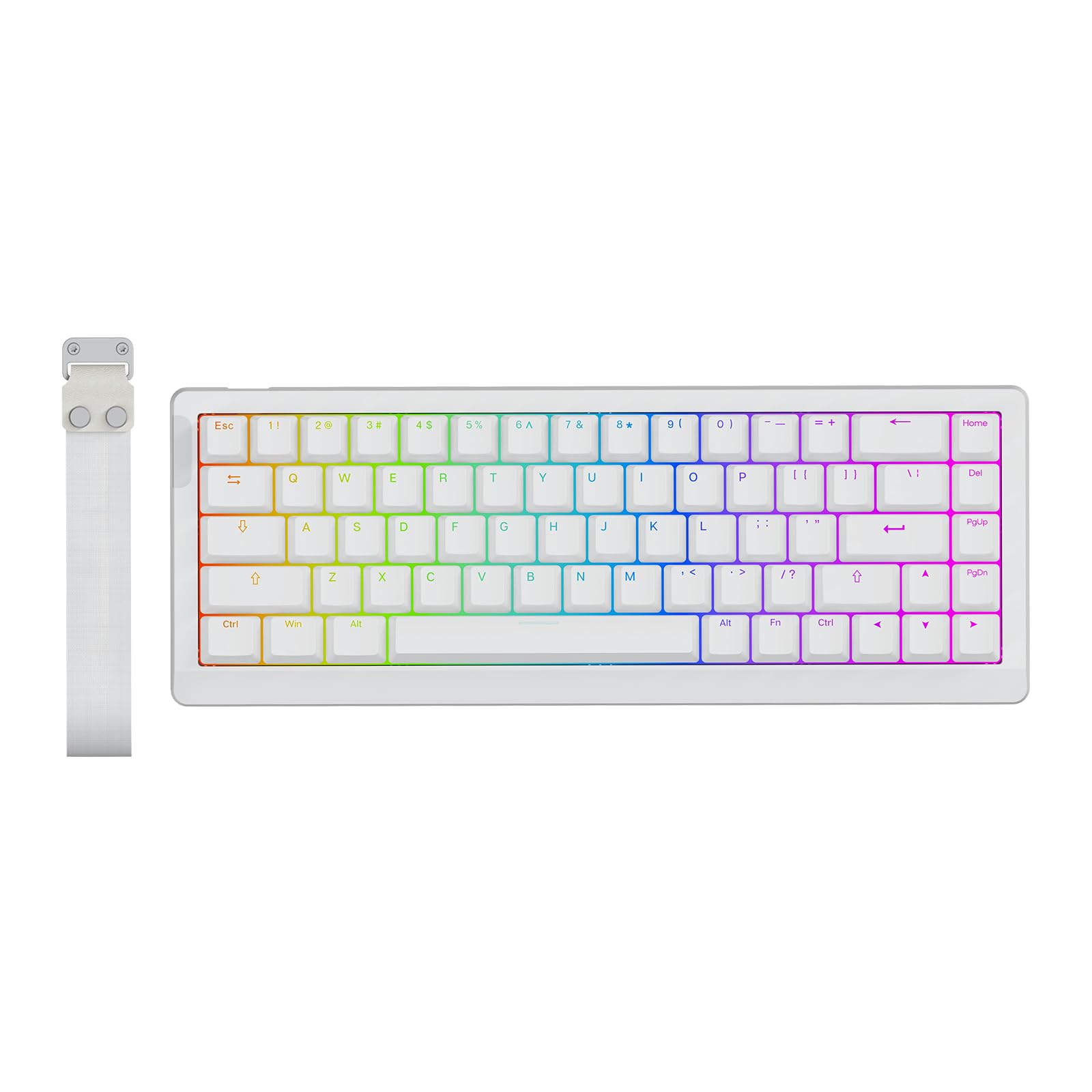
Hall Effect performance at a budget price, packed into a 0.6kg board with a carry strap.
The HE68 Lite brings the dream of magnetic switches down to a price that’s hard to argue with. Owners call it the best keyboard for the money hands down, and the spec sheet backs that up: an 8000Hz polling rate and a 128,000Hz per-key scan rate mean commands register in 0.125 milliseconds. You can fine-tune the rapid trigger travel in 0.005mm steps, all the way down to a zero dead zone for near-instantaneous actuation.
Gaming-focused features abound. Snap Key (SOCD) prioritizes your latest keypress of opposite directions so your character never freezes mid-strafe, and Dynamic Keystroke (DKS) plus Mod Tap deliver true analog input, letting one stroke trigger up to four actions. The factory-lubed magnetic linear switches feel buttery smooth, and the five-layer sound-dampening design (PRO Sandwich Foam, IXPE pad, PET pad, socket pad, bottom foam) produces a satisfying creamy thock instead of clatter.
Portability is a strong suit. At just 0.6kg with a handy strap, it’s easy to toss in a bag, and the detachable USB-C port makes it plug-and-play with Windows, Mac, and Android. The shine-through PBT keycaps stay bright and clear in low light, with a unique A-RGB two-layer lighting system. One recurring theme in the reviews: the software can be buggy and requires patience, even though it performs well once you get it dialed in.
hall-effect switches: the insane value — Hall Effect switches, 8k polling, and a creamy sound profile at a budget price.
basic keycaps: the EPOMAKER software needs patience, so if you hate fiddling with drivers, expect a learning curve.
6. GLORIOUS GMMK 2 65%

A gateway board for DIY fans, with smooth stock switches and a metal top plate.
The GMMK 2 is the classic “your first enthusiast keyboard” recommendation, and the reviews back that up. It comes with fox linear mechanical switches that owners describe as smooth and lubed, sitting in a hot-swap socket that accepts any 5-pin switch. That means you can start with the quiet linear feel and later drop in clicky or tactile switches without soldering, turning it into a permanent tinkering project.
Build quality punches above expectations. A metal or aluminum top plate gives it a solid weight, and the built-in sound dampening material keeps keystrokes satisfyingly thocky without being loud. Owners specifically note the foam padding makes it “fairly quiet without sounding weird,” and the double-shot keycaps hold up to heavy use. Compatibility spans Windows, Mac, and Linux, with a removable USB-C cord.
Customization flows through Glorious Core software using QMK’s open-source configurator for keymaps. Owners find the software does the job for RGB and keybinds, though it can be unintuitive and takes a few tries to change colors. The biggest physical quirk: the Caps Lock indicator LED sits on the side and is nearly invisible. There’s also a reliability note in the data — some buyers report intermittent keys failing to register, which shows up in the review pages as a mixed signal on long-term dependability.
hot-swap versatility
- Smooth, lubed stock switches rival boards costing far more.
- 5-pin hot-swap sockets make switch experiments a no-solder affair.
- Quiet foam dampening and a solid metal plate feel premium.
dated design
- The Caps Lock indicator is nearly invisible from a normal typing position.
- Software RGB control takes multiple attempts to feel intuitive.
- Occasional reports of keys failing to register show up in reviews.
customizers: first-time mechanical buyers who want a quiet, smooth board they can grow into with custom switches.
modernists: anyone who hates software tinkering or needs a visible Caps Lock light.
7. EPOMAKER x AULA F65

A gasket-mounted board with five layers of dampening, engineered for that deep thock.
The F65 earns its spot for pure sound quality. It skips the function row and knob to give you a clean 67-key layout, then packs the case with five layers of sound-absorbing material: two layers of Poron foam (a soft, high-density foam that soaks up vibration), an IXPE switch pad (a thin foam layer under the switches), a PET enhancement pad (a plastic sheet that shapes the sound), and a bottom silicone pad. The payoff is the deep “thock” sound enthusiasts love, and owners mention the Reaper switches sound great straight from the box.
The flex-cut PC plate is a big part of the feel. Polycarbonate is softer than steel or FR4, and adding flex-cuts reduces harsh bottom-outs, making long typing sessions more comfortable. Pre-lubed stabilizers eliminate rattle, and the gasket mount structure dampens vibration for a stable, precise feel. Owners praise the stock Cherry-profile keycaps as top quality, with mint accents that look premium.
Connectivity covers every base with tri-mode options: Bluetooth, 2.4GHz wireless, and wired USB. The 4000mAh battery delivers extended usage for long work sessions or gaming marathons, and the south-facing RGB LEDs are compatible with Cherry-profile keycaps. The 1000Hz polling rate keeps inputs responsive. The honest caveat: setup is not beginner-friendly, since running VIA requires firmware flashing and the browser-based tool can glitch, though the desktop app works fine.
budget wireless: the deep, thocky sound from the Reaper switches and the top-notch stock keycaps.
mediocre battery: beginners who want plug-and-play setup, since the VIA firmware flashing process takes patience.
8. HyperX Alloy Origins 65

A solid, compact board that plays nice with PlayStation and Xbox, not just your PC.
Most compact boards are PC-only, but the Alloy Origins 65 connects via USB-C to PlayStation 4, PlayStation 5, Xbox One, and Xbox Series consoles. That makes it a rare 65% option for living-room gamers who want mechanical keys without a full-size deck. It’s plug-and-play on PC, so you can drop it in and start typing with zero driver setup.
The red linear switches feel smooth and fast, which owners say improves gaming performance. Build quality gets consistent praise: a solid, heavy frame with a metal backplate, grippy double-shot PBT keycaps, and a flat design that makes cleaning easy. The RGB backlight is pleasant and subtle, controlled through HyperX NGENUITY software that works well for rebinding and lighting effects.
At 65 keys, this is a true 65% layout — no numpad, no function row. Owners appreciate the space it frees on a desk, and the weight makes it feel durable rather than cheap. The one recurring request is an ‘end’ button, which the layout omits, and Windows 11 users need to disable Dynamic Lighting for the backlight to behave. The reliability picture is mixed in reviews, with some owners reporting the CMD key stopping working over time.
durable aluminum: the satisfying clickiness and solid, heavy build, plus rare console compatibility for a 65% board.
non-hot-swap: no ‘end’ key to be found, and occasional long-term reliability concerns about the CMD key.
9. RK ROYAL KLUDGE RK68

A budget wireless board that holds its own against a flagship, minus the price tag.
The RK68 is the value king of this list, and owners say it feels comparable to a Corsair K95 aside from key texture. That’s high praise for a board that keeps costs down by shipping with quiet red linear switches in a hot-swap PCB. You can swap in any 3-pin or 5-pin switch without soldering, so it’s a mod-friendly platform from day one. It’s also factory-foamed and lubed, which owners say makes the stabilizers quiet and the whole board feel more expensive than it is.
Wireless freedom comes from Bluetooth 5.0, letting you switch between three devices with FN + Q/W/E in wireless mode. The 1450mAh battery delivers about 13 hours of continuous use with the lightest backlight, and a 3-4 hour fast recharge brings it back online. A single blue backlight offers 20 dynamic modes, which is a step down from RGB but still plenty for a budget build.
Typing feel gets solid marks, with the soft, top-to-bottom linear feedback feeling smoother than tactile switches and perfect for open offices or late-night gaming. The 68-key layout keeps arrow keys and frequently used control keys, unlike 61-key boards. The recurring gripe is Bluetooth lag when the battery runs low, and the short right shift key takes adjustment. There’s also no Home/End cluster, which some owners miss.
budget compact
- Pre-foamed and lubed from the start, so it sounds better than most budget boards.
- Hot-swap sockets make upgrades a no-solder project.
- Tri-device Bluetooth switching via FN + Q/W/E boosts productivity.
stabilizer rattle
- Bluetooth lag appears when the battery gets low.
- The short right shift key causes mis-hits until you adjust.
- Only blue backlight, not RGB, and no Home/End keys.
first-timers: you want an affordable wireless mechanical board for a small desk or tight budget, without sacrificing switch upgrades.
perfectionists: you need RGB lighting, dedicated Home/End keys, or a full-size right shift.
Understanding the Specs
Hot-Swap vs. Soldered Switches
Hot-swap sockets let you pull out the switches and push in new ones without touching a soldering iron. That means you can change the feel of the board from linear (smooth, no bump) to tactile (small bump at the actuation point) or clicky (audible click) whenever you want. Most boards here use 5-pin sockets, which accept both 3-pin and 5-pin switches, giving you the widest range of aftermarket options.
Polling Rate and Actuation Point
Polling rate is how often the keyboard reports its state to your PC — 1000Hz means once every millisecond, while 8000Hz means eight times per millisecond, which competitive gamers feel as tighter input. The actuation point is how far down you must press a key before it registers. On Hall Effect boards, you can adjust this in software from as early as 0.1mm to a deep 3.8mm, letting you tune the board to your reflexes.
Gasket Mount and Sound Dampening
A gasket mount suspends the plate between soft rubber or silicone strips instead of screwing it rigidly to the case. That soft landing produces a flexible, bouncier feel and a deeper sound. Most boards here stack multiple foam layers — Poron, IXPE, PET, and silicone — to absorb echoes and switch pinging, which is why some sound creamy and thocky while others clatter.
Tri-Mode Connectivity
Tri-mode means a board can connect three ways: wired USB-C, a 2.4GHz dongle, and Bluetooth. The dongle offers near-wired latency for gaming, while Bluetooth frees up a port and works across devices like tablets and phones. Boards with large batteries, like 4000mAh or 6000mAh, can run for weeks of office use between charges, though backlighting brightness dramatically cuts that runtime.
FAQ
What exactly is a 65 percent keyboard?
Will a 65% keyboard work with my Mac or console?
What is the difference between Hall Effect and regular mechanical switches?
Can I change the switches on these keyboards?
Which keyboard is the quietest for an open office?
How long does the battery last on a wireless 65% keyboard?
Is a wired or wireless 65% keyboard better for gaming?
What should I look for in a budget 65 percent keyboard?
Do 65% keyboards have a learning curve?
Final Thoughts: The Verdict
For most people, the best 65 percent keyboard winner is the ASUS ROG Falchion RX because it pairs whisper-quiet optical switches with tri-mode wireless and a long 430+ hour battery. If you want total customization down to the housing and switches, grab the HyperX Origins 2 65. And for competitive play where rapid trigger magnetics matter most, the ARBITER Polar 65 is the one to reach for.
How We Picked
We do not accept paid placement. Every pick is matched to a real buyer and a real use-case; we do not hands-on test units.
Sources & Methodology
Specifications: manufacturer listings and product documentation. Review insights: verified customer reviews, as of August 2026. Pricing: not shown on this page (it changes often); check the current price via the retailer link.
As an Amazon Associate, Gadgets Feed earns from qualifying purchases. This does not affect which products we feature.