
Our readers keep the lights on and my morning glass full of iced black tea. As an Amazon Associate, I earn from qualifying purchases.
Specs are compiled from manufacturer listings and verified buyer reviews and can change over time — please confirm the key details on the product page before buying.
You want a TV that looks massive and fits the “66 inch” slot you saw online. The truth is that the industry standard is 65 inches — that extra inch does not exist in practice, but it means you get a huge selection of 65-inch panels with Mini-LED, QLED, or OLED technology. The problem is that each of those terms means a different look in your living room: how bright the screen gets, how deep the blacks are, and how smooth fast action appears. This guide tells you which 65-inch model (the nearest available size) gives you the picture quality you actually want, based on the published specs and what real buyers report.
I’m Min — the founder and writer behind Gadgets Feed. This guide is built by comparing the manufacturers’ published specifications and the patterns across verified customer reviews, so you get each pick’s real strengths and trade-offs instead of marketing spin.
After digging through nine top contenders, the best 66 inch tv for most people is the LG G5 OLED evo because it blends perfect black levels with enough brightness for a bright room and the fastest AI processing.
Quick Picks
- Hisense 65″ U8 Series ULED Mini-LED 4K UHD — Top Performer
- LG 65-Inch Class OLED evo AI Super Upscaling 4K — Best Overall
- Sony 65 Inch OLED 4K Ultra HD TV BRAVIA 8 Smart — Dark Room Pick
- Toshiba 65″ Class Z670R Series Mini-LED 4K UHD — Fastest Fire TV
- LG 65-Inch Class OLED evo C4 Series Smart TV — Gaming OLED
- Samsung 65-Inch Class Neo QLED QN70F 4K Mini — AI Upscaler
- Sony BRAVIA 3 II 65 Inch 4K HDR LED Smart — PS5 Match
- Hisense 65″ Hi-QLED S7 CanvasTV Series 4K UHD — Art Gallery
- TCL Amazon Exclusive 65 Inch Class T7 Series 4K — Budget Gamer
How To Choose The Best 65-Inch TV
A 65-inch TV is a big purchase that will stay in your home for years. To pick the right one, you need to understand three things: the display technology, the refresh rate (how fast the screen updates), and the smart platform. Here is what each means for your daily viewing.
Display Technology: Mini-LED vs. QLED vs. OLED
The type of backlight controls how bright the screen gets and how dark the blacks look. Mini-LED uses thousands of tiny LEDs (light-emitting diodes) for precise local dimming, which means bright highlights and dark shadows appear without a glowing halo around them. QLED uses a quantum dot layer (a film that converts light into purer colors) on top of a standard LED backlight to produce a wide color range. OLED uses self-lit pixels — each pixel is its own light source and can turn off completely — for perfect black levels, but it is typically less bright in a sunny room. If your room has a lot of windows, a Mini-LED or QLED model keeps the picture visible. For a dark home theater, OLED is the winner.
Refresh Rate: 120Hz, 144Hz, or 165Hz
Refresh rate, measured in Hertz (Hz), is how many times per second the screen redraws the image. A standard 60Hz TV works fine for movies and news. For fast-moving sports and gaming, you want at least 120Hz to see smooth, blur-free motion. Many newer models offer 144Hz or even 165Hz panels. That higher rate is crucial if you connect a gaming PC, because it keeps fast camera pans and quick movements from looking choppy or tearing.
Smart TV Platform: Google TV vs. Fire TV vs. webOS
The operating system controls how you find apps and stream shows. Google TV and Fire TV both offer huge app libraries and voice control, but they organize content differently. Fire TV is tightly integrated with Alexa and Amazon services. Google TV gives you a personalized home screen and works well with Google Assistant. LG’s webOS is known for its simple, pointer-based remote control. Pick the platform that matches the devices and services you already use, because a slow or cluttered interface will frustrate you every single day.
Quick Comparison
| Model | Best For | Panel Type | Refresh Rate | Smart Platform | Amazon |
|---|---|---|---|---|---|
| Hisense 65″ U8 Series | Ultimate Brightness & Gaming | Mini-LED ULED | Native 165Hz | Google TV | Amazon |
| LG 65″ G5 Series | Bright Room OLED | OLED evo | 144Hz | webOS | Amazon |
| Sony 65″ A80L OLED | Cinematic Dark Room Viewing | OLED | 120Hz | Google TV | Amazon |
| Toshiba 65″ Z670R | Fast Fire TV & Mini-LED | Mini-LED | Native 144Hz | Fire TV | Amazon |
| LG 65″ C4 OLED | Versatile Gaming & Movies | OLED evo | 144Hz | webOS | Amazon |
| Samsung 65″ QN70F | AI-Powered 4K Upscaling | Neo QLED Mini-LED | 144Hz | Samsung Tizen | Amazon |
| Sony 65″ XR30M2 | PS5 & Anti-Glare | Direct LED | 120Hz | Google TV with Gemini | Amazon |
| Hisense 65″ CanvasTV | Art Mode & Décor | QLED | Native 144Hz | Google TV | Amazon |
| TCL 65″ T7 Series | Budget 144Hz Gaming | QLED | 144Hz | Google TV | Amazon |
In‑Depth Reviews
1. Hisense 65″ U8 Series ULED Mini-LED 4K UHD Smart Google TV (65U8QG)
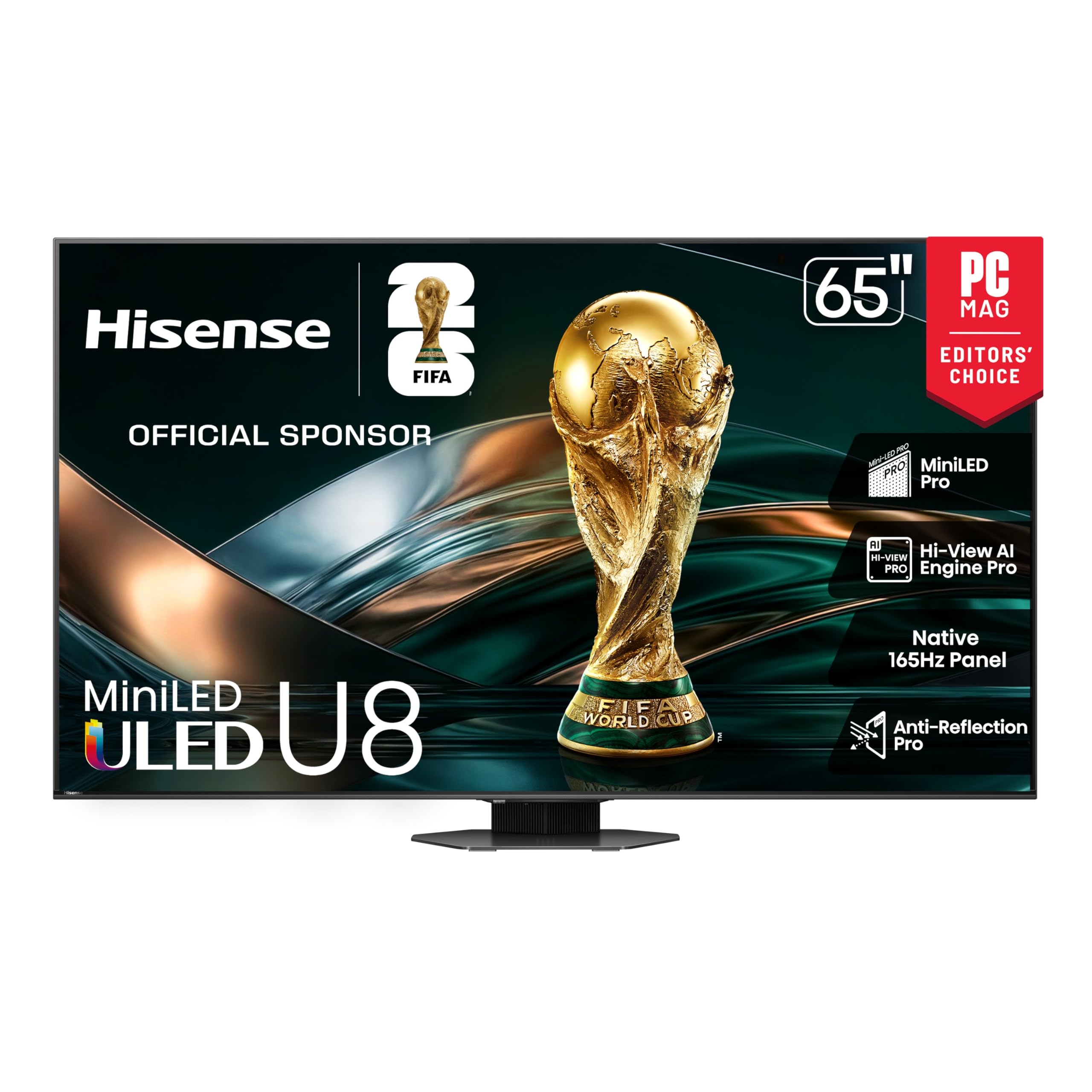
The brightness king that turns your living room into a personal IMAX.
This TV is for you if you want the brightest, most detailed picture possible without paying OLED prices. The Hisense 65U8QG uses a Mini-LED backlight with up to 5600 local dimming zones and hits a peak brightness of 5000 nits (a measure of brightness, like the sun on a clear day). In real terms, a sunlit soccer field on screen looks blindingly real, and a dark movie scene’s explosion keeps every ember visible. Owners mention the picture is “sharp, bright, and vibrant,” and several note the anti-glare coating virtually kills reflections. The built-in 4.1.2-channel Dolby Atmos system has left and right surround channels and two up-firing speakers, so you hear sound from above you without a soundbar. The native 165Hz refresh rate beats the Toshiba Z670R’s 144Hz for smoother PC gaming motion. The catch: some owners say the Google TV software occasionally needs a factory reset after long standby, so be comfortable with a periodic power cycle.
What Stands Out
- Native 165Hz panel beats the Toshiba Z670R (144Hz) for buttery PC gaming motion.
- 5000 nits peak brightness and 5600 dimming zones keep HDR highlights punchy and blacks deep.
- Built-in 4.1.2-channel surround with up-firing speakers for overhead audio effects.
The Trade-Offs
- Software stability is a real concern — some customers note Google TV requires factory resets.
Reach for this if: you game on PC or console and want the highest 165Hz refresh rate, extreme 5000-nit peak brightness, and you do not mind the occasional software reset.
Look elsewhere if: you want a set-and-forget smart platform with no risk of software glitches — the Toshiba Z670R is more stable.
2. LG 65-Inch Class OLED evo AI Super Upscaling 4K G5 Series Smart TV (OLED65G5WUA, 2025)

OLED brightness that finally works in a bright room — no sacrifice needed.
LG’s G5 is the TV you want if you love OLED’s perfect black levels but worried the screen would look dim during the day. It uses over 8.3 million self-lit pixels — each pixel can turn on or off independently — for true black and vivid colors. The Alpha 11 AI Processor Gen2 upscales lower-resolution content to near-4K using AI Picture Pro, meaning a standard HD broadcast looks sharp and detailed. Reviewers point out the “rich bright colors with deep clear blacks” make it the best LG TV they have owned. One reviewer noted the mount was easy to install, but a major catch: this model ships with a wall mount and no table stand — if you plan to put it on a TV stand, you must buy a separate base. The 144Hz refresh rate and support for both AMD FreeSync and NVIDIA G-Sync keep gaming smooth and tear-free.
Why It Leads
- Perfect black levels from self-lit OLED pixels create infinite contrast.
- AI upscaling enhances lower-resolution content to a crisp 4K look.
One Big Catch
- No table stand included — wall mount only. You must buy a separate stand if you use a TV cabinet.
Best for: buyers who want an OLED TV that stays bright in a sunny room, with the best picture quality and AI processing, and are okay with wall-mounting it.
skip it if: you must use a TV stand and do not want the extra cost and hassle of buying a separate base.
3. Sony 65 Inch OLED 4K Ultra HD TV BRAVIA 8 Smart Google TV (K-65XR80)

The cinematic OLED that makes dark scenes look like a theater screening.
The Sony BRAVIA 8 is for the movie lover who watches in a controlled, dimly lit room. It uses over 8 million self-lit pixels with XR Contrast Booster 15, which means a scene with a single candle in a pitch-black room looks stunningly realistic — the candlelight feels like it is glowing in your space. The XR Processor analyzes every frame in real-time to boost color, contrast, and clarity. It supports Dolby Vision (a format for better color and contrast in 4K), Dolby Atmos (3D surround sound), IMAX Enhanced, and DTS:X, so you get every major premium format. Shoppers say “stunning dark scene performance” and note it needs a dark room to truly shine. Compared to the LG G5, the Sony includes exclusive features for PlayStation 5, including Auto HDR Tone Mapping and Auto Genre Picture Mode, which tune the picture automatically when you plug in a PS5. One downside: some owners mention the Google TV software can have sound dropouts on apps and requires multiple privacy agreement acceptances during setup.
Cinematic Strengths
- Perfect OLED black levels with XR Contrast Booster 15 for incredible shadow detail.
- Studio-calibrated modes for Netflix, Prime Video, and Sony Pictures Core.
- Exclusive PS5 features: Auto HDR Tone Mapping and Auto Genre Picture Mode.
Real-World Limits
- Some buyers report Google TV sound dropouts and clunky privacy-agreement flow.
Ideal for: home-theater enthusiasts and PS5 owners who want perfect blacks and a calibrated picture straight from the box, and who watch in a dark room.
Avoid if: you have a bright living room with lots of windows — the LG G5 or a Mini-LED TV will serve you better.
4. Toshiba 65″ Class Z670R Series Mini-LED 4K UHD Smart Fire TV (65Z670R, 2026 New)
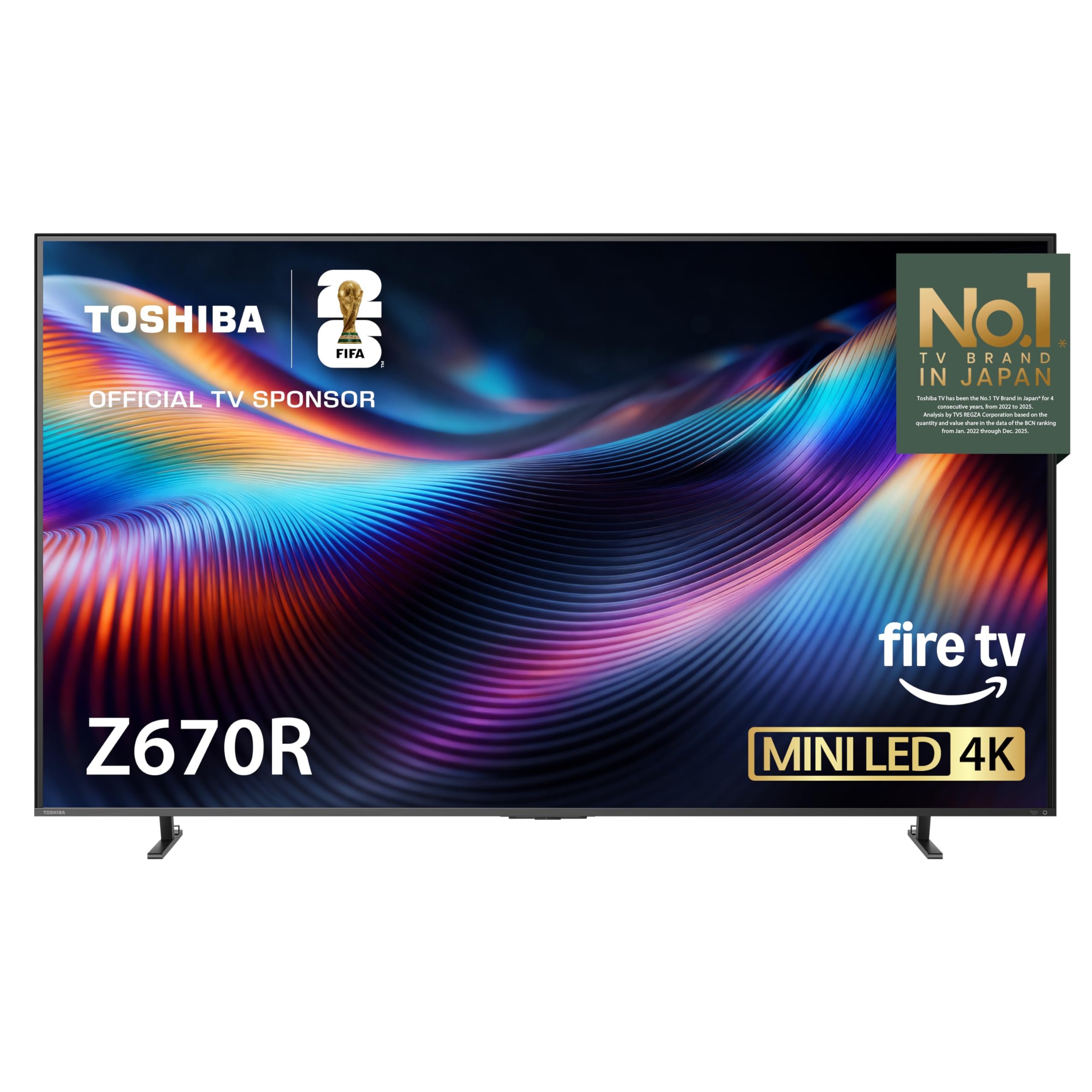
A Mini-LED panel married to the snappiest smart platform per verified buyer reviews.
The Toshiba Z670R stands out for its extremely fast interface: owners mention the Fire TV boots in roughly two seconds. You press the power button and are on the home screen before you sit down. Behind that speed is a Mini-LED panel with Full Array Local Dimming, delivering deep blacks and bright highlights similar to the Hisense U8 but at a different price. The REGZA Engine ZRi Gen3, fine-tuned by Toshiba engineers in Japan, tune clarity, contrast, and audio scene by scene. The native 144Hz refresh rate, combined with AMD FreeSync Premium and VRR (Variable Refresh Rate — adjusts the screen’s refresh rate to match the game’s frame rate), makes this a strong choice for console gaming. It also has Game Mode Pro for low input lag. A helpful design detail: the legs adjust to a 36-inch or 70-inch width, so the TV fits on smaller stands. Some owners mention the Fire TV home screen feels cluttered with promoted content and that the sound can crackle at higher volumes with heavy bass — a soundbar solves that.
Standout Features
- Fastest smart TV boot time — customers note ~2 seconds to home screen.
- Mini-LED with Full Array Local Dimming for deep blacks and bright highlights.
- Adjustable feet (36″ or 70″ wide) fit smaller TV furniture easily.
Honest Drawbacks
- Fire TV home screen is cluttered; sound crackles at volume 16 with heavy bass.
Pick this if: you want a fast, no-wait smart TV with Mini-LED picture quality and flexible stand placement for a narrow TV stand.
Not for: audio purists who avoid external speakers — you will want a soundbar to avoid bass crackle at high volume.
5. LG 65-Inch Class OLED evo C4 Series Smart TV (OLED65C4PUA, 2024)

The gamer’s OLED with instant response and four full-bandwidth HDMI 2.1 ports.
The LG C4 is a favorite among console and PC gamers because it pairs a 144Hz refresh rate with a 0.1ms response time (the time a pixel takes to change color) and supports both NVIDIA G-Sync and AMD FreeSync Premium. Fast camera movements stay smooth without tearing, and your inputs feel instant. It goes beyond the Toshiba Z670R by offering four HDMI 2.1 inputs — you can connect a PS5, Xbox Series X, gaming PC, and a soundbar all at once and still get the full bandwidth. The A9 AI Processor Gen7 handles AI Super Upscaling, so a 1080p game looks sharper than you would expect. Buyers who use it as a monitor report “spectacular clarity and deep blacks,” with one reviewer noting it is superior to their previous Acer Predator 43-inch monitor. The one shortfall versus the Hisense U8 is peak brightness — the LG C4 is brighter than older OLEDs but still lower than the brightest Mini-LEDs, so in a very bright room the image can look less punchy.
Gaming Advantages
- 144Hz + 0.1ms response with G-Sync and FreeSync for tear-free, low-lag gaming.
- Four HDMI 2.1 ports — plug in multiple consoles and a soundbar without swapping cables.
- AI Super Upscaling makes lower-resolution content look sharper on the 4K panel.
Brightness Limit
- Lower peak HDR brightness than Mini-LED competitors like the Hisense U8 — shows less punch in a bright room.
Best for: multi-console gamers and PC users who need four HDMI 2.1 inputs and want OLED black levels with zero input lag.
Consider the Hisense U8 instead if: your room gets a lot of natural light and you must have the highest possible HDR brightness.
6. Samsung 65-Inch Class Neo QLED QN70F 4K Mini LED Smart TV (2025)

AI that turns older HD shows into near-4K with 20 neural networks working in real time.
The Samsung QN70F solves a common problem: most of what you watch is not true 4K. The NQ4 AI Gen2 processor uses 20 neural networks to upscale standard HD and SDR (Standard Dynamic Range — the standard color and brightness range) content to a 4K HDR-like picture. That means an old sitcom rerun or a YouTube video shot on a smartphone looks sharper and more colorful on this TV than on a standard model. The Mini-LED backlighting with Quantum Matrix Technology provides precise local dimming for contrast, and the 144Hz Motion Xcelerator handles sports and gaming smoothly. Reviewers point out “deep blacks, bright highlights, and vibrant colors” with minimal blooming, and one reviewer praised the 75-inch version for “excellent motion handling.” The design is notably slim. The catch is the platform: Samsung Tizen has access to fewer apps than Google TV or Fire TV, and some users find it less intuitive.
Upscaling Power
- NQ4 AI Gen2 with 20 neural networks upscales HD content to impressive 4K quality.
- Mini-LED precision control keeps blacks deep and whites bright.
- Slim, modern design with a thin bezel.
Platform Limitation
- Samsung Tizen has a smaller app library than Google TV or Fire TV.
Ideal for: viewers who watch a lot of older HD content or YouTube and want AI upscaling to improve the picture quality, and who prefer a slim design.
Skip if: you rely on niche or less common streaming apps that may not be available on Tizen.
7. Sony BRAVIA 3 II 65 Inch 4K HDR LED Smart Google TV (K-65XR30M2, 2026 Model)
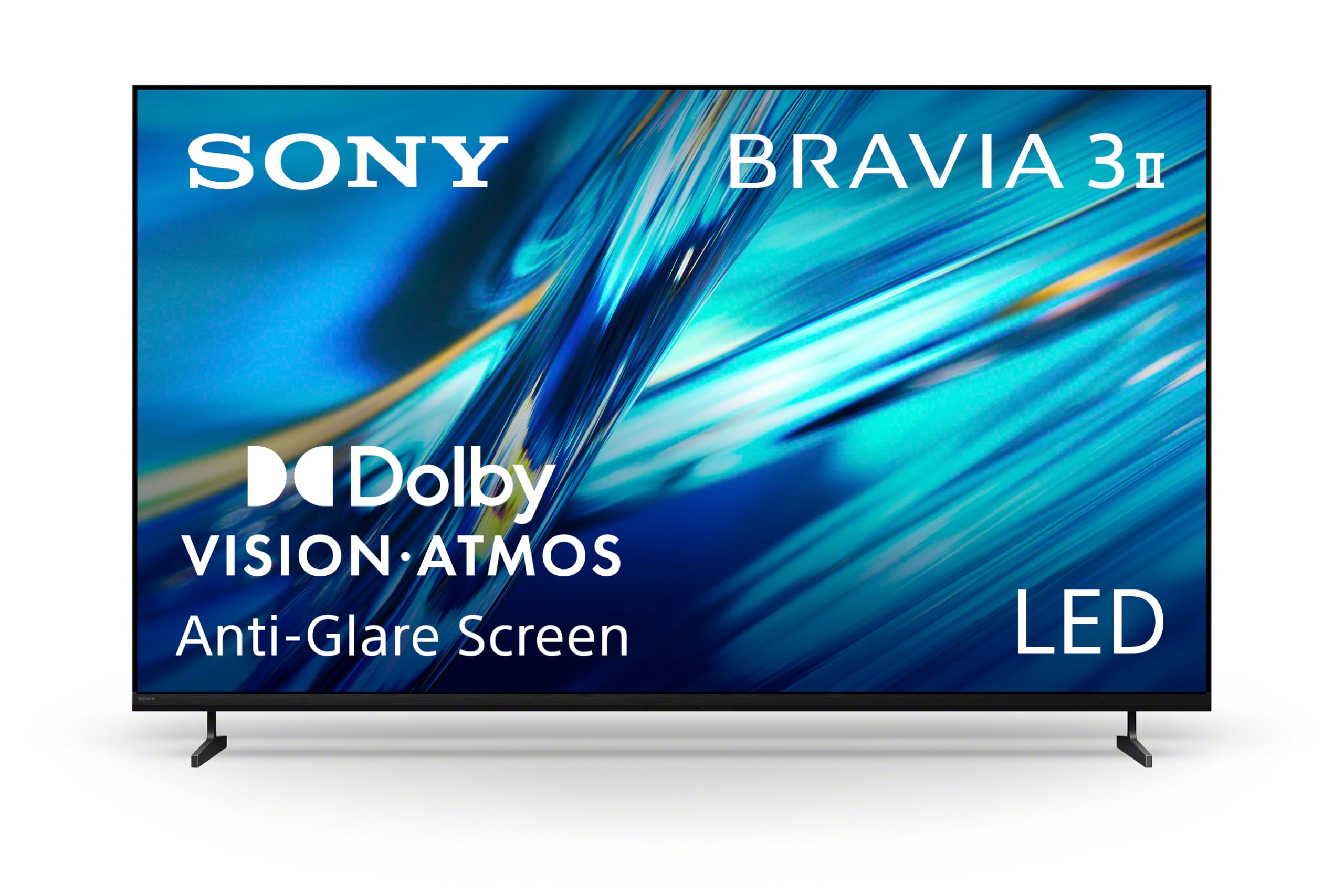
A Sony LED with an anti-glare screen made for daytime sports and PS5 gaming.
The Sony BRAVIA 3 II uses a Direct LED backlight with an Anti-Glare Screen available only on the 65-inch and 75-inch sizes. This coating cuts reflections from windows and lamps, so you can watch a football game in the afternoon without seeing your own silhouette in the glass. The XR Processor uses AI scene recognition to adjust color, contrast, and clarity in real time, and the Motionflow XR keeps fast action blur-free. Sony tuned this TV for PlayStation 5: plug in the console, and the TV automatically enables Auto HDR Tone Mapping and Auto Genre Picture Mode, so picture settings switch to the best for gaming or streaming without menus. The 120Hz refresh rate supports HDMI 2.1 features like 4K/120, VRR, and ALLM (Auto Low Latency Mode — switches to a low-delay mode for gaming). Shoppers say “great picture and sound” and note Sony TVs often outlast competitors — one buyer mentioned their previous Sony lasted seven years. The main trade-off: sound quality disappointed one reviewer, who called the remote buttons “pitifully small.”
Key Strengths
- Anti-Glare Screen (65″/75″ only) removes reflections in bright rooms.
- Exclusive PS5 features: Auto HDR Tone Mapping and Auto Genre Picture Mode.
- 120Hz Motionflow for smooth sports and action movies.
Real Trade-Offs
- Sound quality is underwhelming; many owners add a soundbar.
- Remote buttons are small and hard to press accurately.
Buy this for: a bright living room where reflections are a problem, or as the perfect companion for a PlayStation 5.
Consider a different pick if: you expect great audio from the start — plan to budget for a soundbar with this TV.
8. Hisense 65″ Hi-QLED S7 CanvasTV Series 4K UHD Google Smart Art TV (65S7SG, 2026 New)
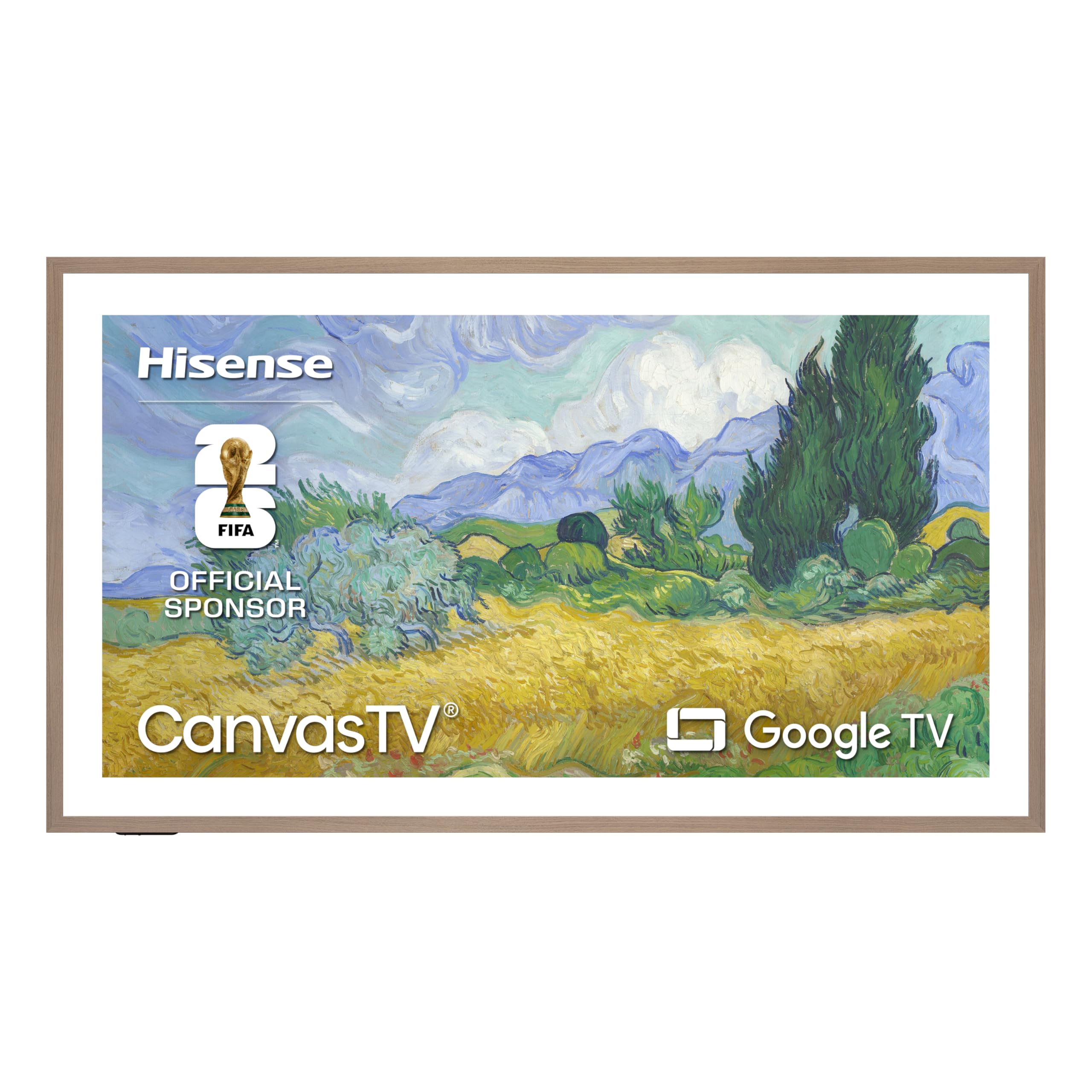
A TV that doubles as a framed painting when you are not watching it.
The Hisense CanvasTV is for buyers who do not want a big black rectangle on the wall when the TV is off. In Art Mode, the Hi-Matte display shows over 1,000 free pieces of artwork or your own photos, and the included magnetic Teak wood-look frame makes the TV blend in like a real painting. The anti-glare Hi-Matte panel kills reflections so the art looks consistent even with a window across the room. When you do want to watch, this is a fully capable 4K TV with a native 144Hz refresh rate and AI Smooth Motion for sports and games. The UltraSlim Wall Mount sits flush with zero gap, but a stand is also included. Buyers report the “picture is bright and sharp” and the Art Mode “mimics a framed painting.” The downside: in dim light, the Art Mode screen stays too bright with a flickering backlight, and off-angle viewing makes colors look tinted and desaturated.
Where It Shines
- Hi-Matte anti-glare display and Teak frame make it look like a painting on the wall.
- Flush wall mount included; stand also provided in the box.
- Native 144Hz panel for smooth motion when watching content.
The Art Mode Gap
- In dim light, the Art Mode screen is too bright with backlight flicker; off-angle colors look tinted.
Perfect for: design-conscious buyers who want a TV that disappears into the decor and looks like wall art when off, and who primarily watch in moderate to bright light.
Not the pick for: home-theater fans who watch mainly in the dark — the art-mode compromises the picture quality in low light.
9. TCL Amazon Exclusive 65 Inch Class T7 Series 4K QLED HDR Smart Google TV (65T7)
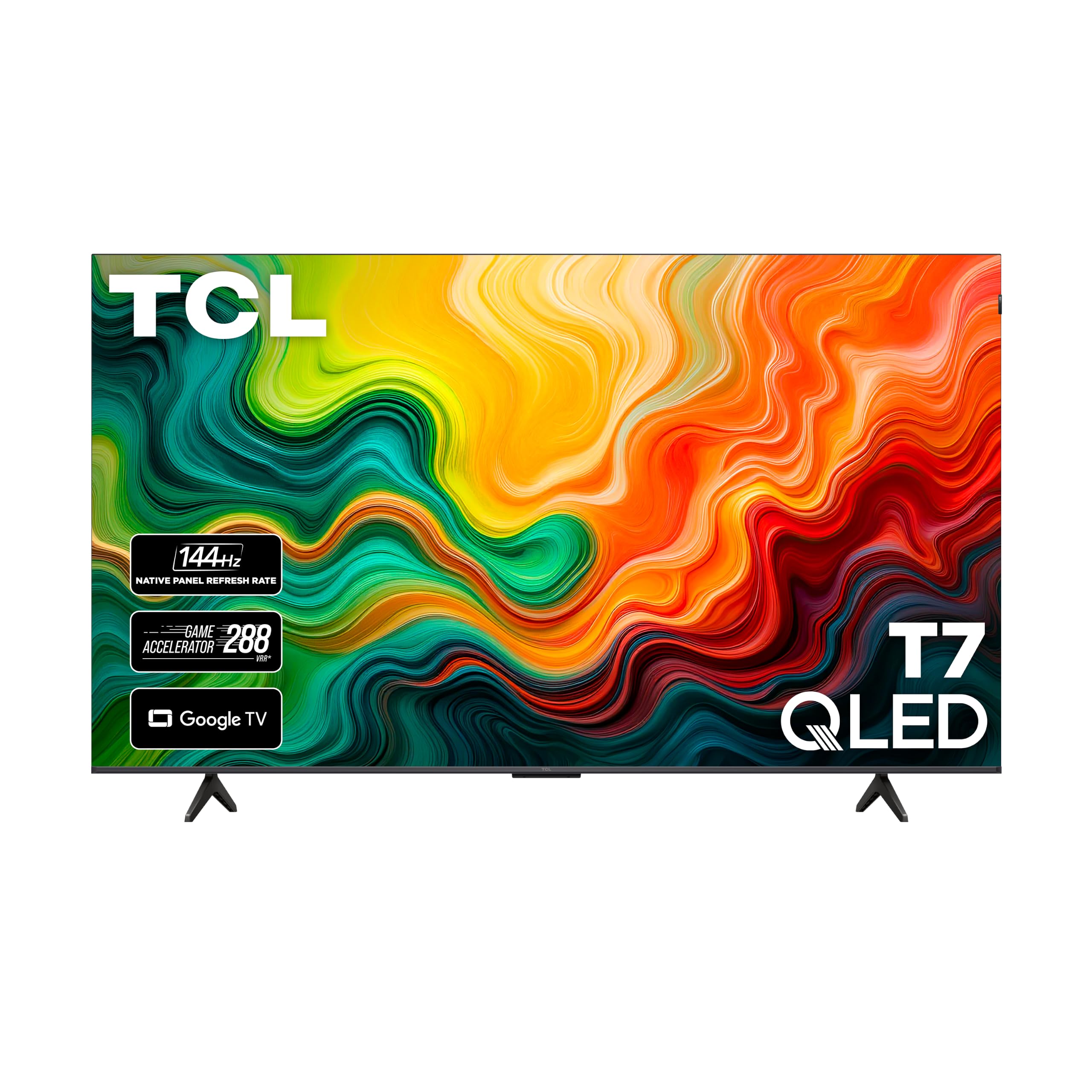
The entry-level 144Hz QLED that punches above its weight for PC gaming.
The TCL T7 is the budget-friendly pick that does not skimp on gaming specs. It features a 144Hz panel with a 288Hz Variable Gaming Refresh Rate (VRR) for smooth motion. The QLED (Quantum Dot) layer covers nearly the entire DCI-P3 color space (a wide color standard for film and TV), so colors look rich and vibrant. Owners mention “excellent PC gaming (Crimson Desert) with no lag or blur,” and one owner reported that 4K 120Hz mode is “amazing” and you can switch to 1080p up to 240Hz for competitive gaming. The TCL AIPQ Pro Processor tune color, contrast, and clarity, and the FullView 360 metal bezel-less design looks premium. The catch: one owner reported the TV does not wake properly from power save mode via HDMI and requires unplugging and re-plugging the cable. The speakers are “okay” — fine for casual use, but gamers will want a soundbar. It also requires an internet connection and Google setup before using any HDMI inputs, delaying the initial plug-and-play.
Gaming Value
- 144Hz panel with 288Hz VRR for ultra-smooth, tear-free gaming.
- QLED color covers nearly the full DCI-P3 space for rich, vibrant hues.
- Bezel-less design looks more premium than its price suggests.
Budget Compromises
- PC monitor wake issue: must unplug/replug HDMI to wake from power save.
- Speakers are mediocre — plan to use a separate sound system.
Great for: PC and console gamers on a budget who want a 144Hz QLED panel and do not mind adding a soundbar and coping with one HDMI wake quirk.
Avoid if: you need reliable PC monitor behavior from the start or want great built-in speakers.
Understanding the Specs
Refresh Rate (60Hz vs 144Hz vs 165Hz)
Refresh rate is the number of times per second the TV redraws the entire image. A standard TV runs at 60Hz, which is fine for news and dramas. For sports and fast-paced action, 120Hz is a big step up — motion looks smoother and blur is reduced. The latest TVs offer 144Hz or even 165Hz panels. These higher rates are crucial for PC gaming because they allow the monitor to match high frame rates from a powerful graphics card, eliminating stutter and screen tearing. If you plan to connect a gaming console like a PS5 or Xbox Series X, a 120Hz or 144Hz panel ensures you see the full benefit of those consoles’ high-frame-rate modes.
Local Dimming & Mini-LED
Local dimming is a technology that controls the brightness of different zones of the screen independently. A standard LED TV lights the whole back panel at once, so dark parts of the image can look grayish if near a bright area. Mini-LED TVs use thousands of very small LEDs grouped into hundreds or thousands of dimming zones. This allows the screen to show a bright window next to a deep shadow without a glowing halo around it. The more dimming zones, the more precise the control. Mini-LED is currently the best way to get near-OLED black levels while also achieving very high brightness that works well in a bright room.
FAQ
Will a 65-inch TV fit in the same space as a 66-inch TV?
What is the difference between QLED and OLED for a 65-inch TV?
Is 144Hz refresh rate overkill for watching movies?
Can I use a 65-inch TV as a computer monitor?
Do I need a soundbar with a 65-inch TV?
How long should a 65-inch TV last?
Will Dolby Vision and HDR10+ work on any 65-inch TV?
What is the best smart TV platform for a 65-inch TV?
Final Thoughts: The Verdict
For most people, the best 66 inch tv is the LG G5 OLED evo because it combines perfect OLED black levels with enough brightness for a bright room and the fastest AI processing. If you want the absolute brightest panel for a sunny living room and you value the highest 165Hz refresh rate for gaming, grab the Hisense U8 Mini-LED. And for the best value in a 144Hz QLED gaming TV, the TCL T7 is tough to top.
How We Picked
We do not accept paid placement. Every pick is matched to a real buyer and a real use-case; we do not hands-on test units.
Sources & Methodology
Specifications: manufacturer listings and product documentation. Review insights: verified customer reviews, as of July 2026. Pricing: not shown on this page (it changes often); check the current price via the retailer link.
As an Amazon Associate, Gadgets Feed earns from qualifying purchases. This does not affect which products we feature.