
Running out of space on your PC or gaming console is a slow grind—deleting old projects, shuffling files to the cloud, buying more internal drives. At 6TB, an external hard drive is the threshold where casual backups become serious, long-term archives for media libraries, Steam game installs, and workstation project vaults. The difference between a drive that lasts five years and one that dies in six months comes down to the spindle speed, the cache buffer, and the enclosure’s cooling ability, not just the storage label.
I’m Min — the co-founder and writer behind Gadgets Feed. I’ve spent hundreds of hours pulling apart the technical specifications, customer pain points, and real-world performance data across every major 6TB external hard drive on the market to build a guide that separates genuine reliability from marketing fluff.
This guide cuts through the noise to help you find the best 6tb external hard drive for your specific use case—whether that’s console game storage, workstation backups, or a portable media vault.
How To Choose The Best 6TB External Hard Drive
Choosing a 6TB external hard drive is different from picking a smaller USB stick because the physical and mechanical constraints at this capacity are significant. Desktop 3.5-inch drives require a power adapter and sit on a desk, while portable 2.5-inch drives run off bus power but top out at 6TB with lower spindle speeds. Your use case—stationary desktop backup versus mobile media transport—decides which form factor wins. Factor in rotational speed, cache capacity, and the enclosure’s cooling design before any brand loyalty.
7200RPM vs 5400RPM Spindle Speed
At 6TB, the spindle speed is the single biggest predictor of sustained read and write performance. A 7200RPM drive moves data at roughly 200–250 MB/s sequential reads, while a 5400RPM drive typically manages 150–180 MB/s. For moving large video files or game installs, the extra speed cuts transfer time by 20–30%. The trade-off is noise and heat—7200RPM drives run louder and hotter, which matters if the drive sits on your desk near your workspace. Enterprise-grade 7200RPM drives, like the Ultrastar inside the SanDisk G-Drive Project, also carry higher reliability ratings than consumer 5400RPM units.
Desktop 3.5-inch vs Portable 2.5-inch Form Factor
Virtually every 6TB desktop external hard drive uses a 3.5-inch form factor, requires an AC power adapter, and offers better cooling and higher spindle speeds. Portable 2.5-inch 6TB drives, like the WD Elements Portable and the WD My Passport, are a recent engineering breakthrough—they run solely off USB bus power and fit in a laptop bag. The catch is they use lower-power 5400RPM drives and thinner platters, making them slightly slower and potentially less durable under continuous heavy writes. If you need a drive that travels daily, the 2.5-inch portable form factor wins. For a home office backup that stays plugged in, the 3.5-inch desktop form factor gives you more reliability per dollar.
Quick Comparison
On smaller screens, swipe sideways to see the full table.
| Model | Category | Best For | Key Spec | Amazon |
|---|---|---|---|---|
| WD 6TB Elements Portable | Portable HDD | Everyday on-the-go backups | 2.5-inch, 5400RPM, 5Gbps USB 3.2 | Amazon |
| Seagate Expansion 6TB | Desktop HDD | Reliable desktop backup with data recovery | 3.5-inch, 5400RPM, USB 3.0 | Amazon |
| WD 6TB My Passport | Portable HDD | Secure portable storage with encryption | 2.5-inch, 5400RPM, USB-C & USB-A | Amazon |
| Avolusion HDDGear Pro 6TB | Gaming HDD | PS4/PS5 game storage expansion | 2.5-inch, 7200RPM, 64MB Cache | Amazon |
| WD 6TB Elements Desktop | Desktop HDD | High-capacity stationary storage | 3.5-inch, 5400RPM, USB 3.0 | Amazon |
| WD 6TB Elements Desktop (UK) | Desktop HDD | Simple plug-and-play desktop storage | 3.5-inch, 5400RPM, USB 3.0 | Amazon |
| SanDisk Pro G-Drive 6TB | Pro HDD | Professional video editing & backups | 3.5-inch, 7200RPM, Thunderbolt 3 | Amazon |
| TERRAMASTER D6-320 Enclosure | DAS Enclosure | Multi-drive expandable storage | 6-bay, USB 3.2 Gen2, 10Gbps | Amazon |
| Crucial X10 6TB Portable SSD | Portable SSD | Fast, rugged high-speed external storage | 2.5-inch SSD, 2100MB/s, USB-C | Amazon |
In‑Depth Reviews
1. WD 6TB Elements Portable

The WD Elements Portable 6TB is the world’s first 2.5-inch portable hard drive at this capacity, and it nails the balance between size and storage. Its 5400RPM spindle and USB 3.2 Gen 1 (5Gbps) interface deliver consistent sequential reads around 140 MB/s— adequate for daily backups, media libraries, and document archives. The drive measures smaller than most phone cases in footprint and draws power solely through the USB cable, making it the easiest travel companion for laptop users who need a terabyte-plus vault on the go.
Customer reports confirm whisper-quiet operation and a metal-reinforced plastic enclosure that keeps weight low without feeling flimsy. Several users noted the stock USB-A cable can be flaky over time, and a replacement short cable is a cheap upgrade. The drive runs warm under sustained writes, which is normal for a 2.5-inch spinning drive at 6TB density, but all reviews indicate no performance throttling or early failure.
Where this drive excels is raw value per gigabyte in a portable form factor. It requires no power brick, works with Windows out of the box, and reformats easily for Mac Time Machine. If you need a single cable, go-anywhere 6TB storage solution for everyday file hoarding, this is the cleanest choice at this tier.
Why it’s great
- True bus-powered portable 6TB in a 2.5-inch form factor
- Whisper-quiet operation and compact footprint
- Consistent sequential speeds for daily backup workflows
Good to know
- Stock USB cable may degrade over time
- Runs warm under sustained heavy writes
- 5400RPM slower than 7200RPM desktop alternatives
2. Seagate Expansion 6TB
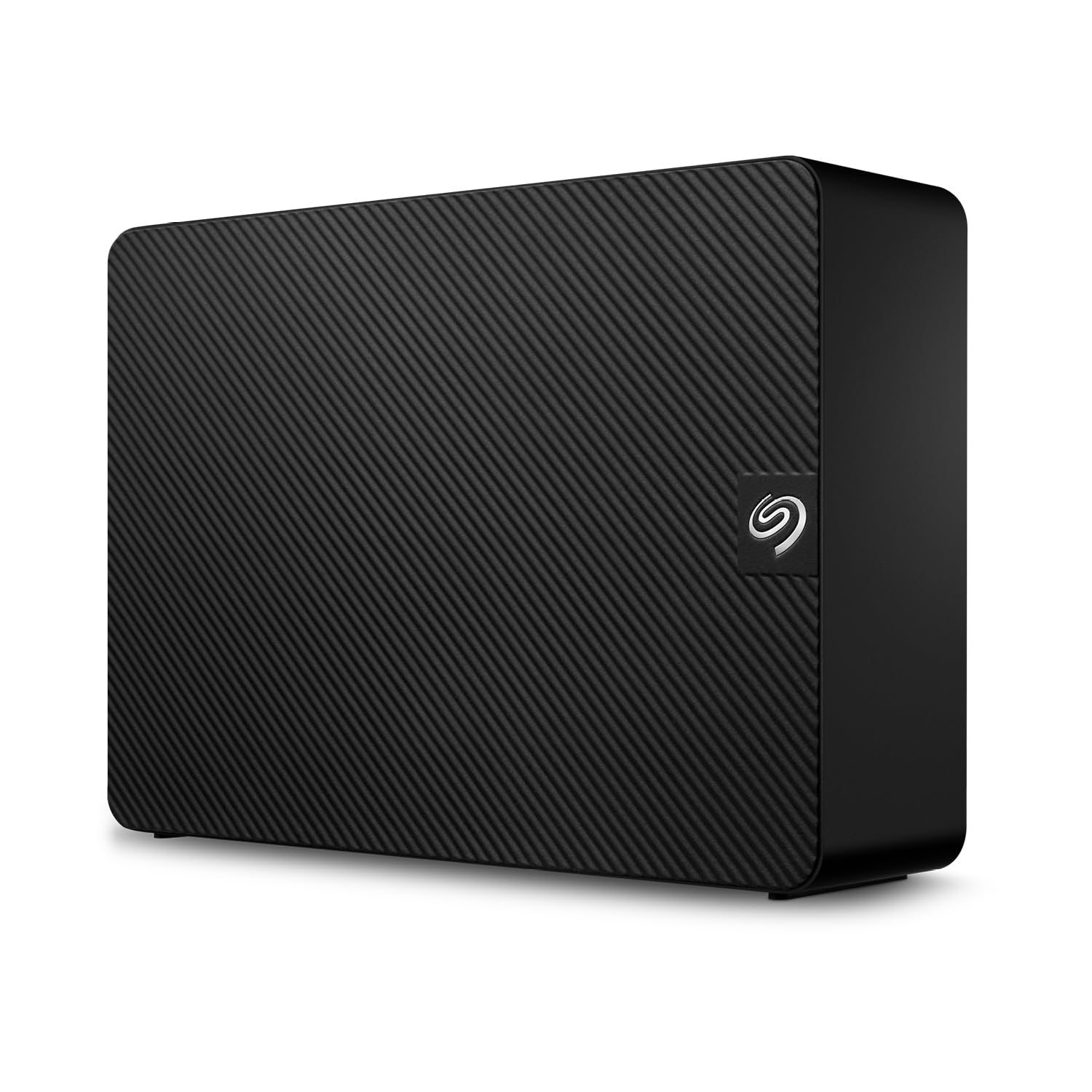
The Seagate Expansion 6TB is a desktop-class 3.5-inch external HDD built for users who prioritize peace of mind over portability. It comes with Seagate’s Rescue Data Recovery Services—a 2-year plan that covers professional data recovery if the drive fails, which is rare at this price tier. The drive ships formatted exFAT for cross-platform Windows and Mac compatibility, and real-world tests show average sequential reads around 175 MB/s and writes near 150 MB/s over USB 3.0.
User experiences are split between long-term reliability and occasional noise complaints. The drive can produce audible seek sounds during heavy writes, which matters if it lives on your desk in a quiet office. Several Mac users successfully reformatted for Time Machine, and video editors reported it handled daily file transfers without issues. The negative reviews cluster around early failures—some drives failing within a month—but the Rescue Service mitigates that risk significantly compared to competitor warranties.
For a desktop backup drive that stays plugged in via USB 3.0 and needs to just work, the Seagate Expansion 6TB delivers competent performance with a backup safety net. Just replace the included USB-A cable with a shielded one if you run into dropouts, and account for the occasional noise spike under load.
Why it’s great
- Includes Rescue Data Recovery Services for added protection
- Good cross-platform compatibility out of the box
- Decent 175 MB/s read speed for backup workflows
Good to know
- Occasional audible seek noise during heavy writes
- Some units report early failure rates
- No USB-C, requires external power adapter
3. WD 6TB My Passport

The WD My Passport 6TB packs hardware-based 256-bit AES encryption and password protection into a slim 2.5-inch portable shell, making it the best choice for users who carry sensitive data between locations. It comes with a USB-A cable and a USB-A-to-C adapter, ensuring compatibility across old and new laptops, tablets, and gaming consoles like the Nintendo Switch. Its 5400RPM spindle delivers reliable sequential reads around 130 MB/s, consistent with other bus-powered 6TB portables.
Customer feedback highlights the effortless plug-and-play experience on both Windows and macOS, plus the included WD Backup software for scheduled archiving. The silicone-infused exterior and compact shape absorb minor drops better than bare plastic enclosures. However, a notable minority report drive failure within six months, typically manifesting as the drive spinning but not mounting—suggesting potential controller board issues rather than the platters themselves.
If you value data security and cross-platform convenience in a portable package, the My Passport justifies its mid-range price premium with encryption hardware and broad OS compatibility. Just maintain a secondary backup if you rely on this as your primary vault, given the occasional failure reports.
Why it’s great
- Hardware-based 256-bit AES encryption for data security
- USB-C and USB-A compatibility across devices
- Compact, sturdy design with silicone enclosure
Good to know
- Some units fail within 6 months (spinning but not mounting)
- Slowest sequential reads among 6TB portables
- WD Backup software is Windows-only
4. Avolusion HDDGear Pro 6TB

The Avolusion HDDGear Pro is a renewed (refurbished) 2.5-inch external drive that uses a 7200RPM enterprise-class internal mechanism and 64MB of cache, delivering noticeably faster game load times on PS4, PS4 Pro, and PS4 Slim than standard 5400RPM externals. It ships pre-formatted to the PS4 file system, so you plug it in, power it on, and the console immediately recognizes the extra 6TB. The external casing is bulkier than a typical portable because it houses a high-performance 7200RPM drive with active cooling.
User reports confirm it runs cooler than average for a 7200RPM drive and maintains steady frame rates even on large open-world titles like Red Dead Redemption 2. The mechanical noise is noticeable—several customers described it as “loud” compared to silent SSDs or 5400RPM HDDs, and the front-facing blue LED is bright enough to need tape in a dark room. After 10 months of use, one reviewer reported zero lag or FPS issues, with the only hiccup being a power outage that required a PS4 rebuild.
Given its renewed status, you’re getting a 7200RPM enterprise drive at a budget-friendly price point, but the enclosure quality and brightness of the indicator light are concessions. If you need a responsive 6TB game vault for a console and aren’t sensitive to drive noise, this is the most speed you can get per dollar.
Why it’s great
- 7200RPM enterprise drive delivers faster game load times
- Pre-formatted for PS4, true plug-and-play console expansion
- Stays cool thanks to active enclosure ventilation
Good to know
- Audible mechanical noise and bright blue LED
- Renewed unit with refurbished internal drive
- Bulky 2.5-inch form factor for desktop use
5. WD 6TB Elements Desktop

The Western Digital Elements Desktop 6TB is the benchmark for reliable, high-capacity stationary storage. It uses a 3.5-inch 5400RPM WD Green or WD Blue drive inside an aluminum-and-glass enclosure that dissipates heat efficiently—customers report it running cooler than competing Seagate desktop drives during long transfers. The USB 3.0 interface delivers consistent sequential reads in the 170 MB/s range, more than adequate for automated nightly backups, Plex media servers, or local workstation archives.
User sentiment across hundreds of verified reviews reflects high trust in WD’s long-term reliability, with many data recovery professionals stating WD drives fail statistically less often than other consumer brands. The drive sits upright on a stable base and doesn’t tip over easily. The noise floor is low—a faint hum during idle, slightly audible seek during writes. A small number of units were DOA or died within weeks, but the majority of reviewers report years of trouble-free operation.
If you need a 6TB desktop drive that stays plugged in 24/7 and you prioritize reliability above all else, the WD Elements Desktop is arguably the safest mechanical storage investment in this comparison. It lacks USB-C or Thunderbolt, but for pure backup fidelity at 6TB, the engineering track record speaks for itself.
Why it’s great
- Industry-leading long-term reliability reputation
- Efficient heat dissipation from aluminum enclosure
- Low noise profile for desktop placement
Good to know
- Only USB 3.0 (no USB-C or Thunderbolt)
- 5400RPM slower than 7200RPM competitors
- Some reports of DOA units on arrival
6. WD 6TB Elements Desktop (UK Spec)
This UK-market version of the WD Elements Desktop 6TB is functionally identical to the US model—same 3.5-inch 5400RPM drive, same USB 3.0 interface, same aluminum-glass enclosure—but ships with a UK power adapter plug. For international buyers or users outside the US, this version is often available at a cost that compensates for needing an adapter or replacement power supply. The drive delivers the same reliable 170 MB/s read speeds and whisper-quiet idle noise.
Customer reviews are split between praise for the drive’s performance and frustration over the plug incompatibility for US buyers. Several users explicitly warned that the included power brick is UK-spec and requires a separate purchase of a US power adapter or a replacement brick. On the positive side, those who successfully sorted the power situation reported the drive works flawlessly for Time Machine on Mac and plex-serving on Windows, with the same low failure rate as the US version.
If you live outside of North America or don’t mind sourcing a compatible power supply, this is essentially the same proven WD Elements Desktop at a potentially budget-friendly price. Factor in the adapter cost before buying, and it’s a straightforward desktop 6TB solution.
Why it’s great
- Same reliable WD 3.5-inch drive as the US version
- Low noise and good thermal performance
- Potential savings for international buyers
Good to know
- UK power plug not compatible with US/North American outlets
- Requires separate power adapter purchase for US use
- 5400RPM slower than 7200RPM alternatives
7. SanDisk Professional 6TB G-Drive Project

The SanDisk Professional G-Drive Project is the most data-secure 6TB HDD on this list, housing a 7200RPM Ultrastar enterprise-class hard drive inside a metal chassis with both Thunderbolt 3 (40Gbps) and USB 10Gbps interfaces. Sustained read speeds hit 250 MB/s in benchmarks, making it roughly 50% faster than consumer 5400RPM desktop drives and suitable for 4K ProRes video editing directly off the drive. The PRO-BLADE SSD Mag slot adds future expandability for an NVMe SSD cache.
Professional users report it handles large video and raw photo files reliably without thermal throttling, thanks to the aluminum enclosure and acoustic dampening. The drive ships formatted for Mac (HFS+), so Windows users need to reformat before use. A small number of early adopters note slow startup times (up to 20 minutes on first power-on) and the awkward placement of the power switch on the rear. The premium price reflects the Ultrastar reliability rating and Thunderbolt bandwidth—this is not for casual file hoarders.
For creative professionals who edit 4K or 6K video and need a near-line 6TB archive that can keep pace with their workflow, the G-Drive Project’s combination of speed, build quality, and dual interface connectivity is unmatched in the HDD space at this capacity.
Why it’s great
- Enterprise-class 7200RPM Ultrastar drive for sustained 250MB/s throughput
- Thunderbolt 3 for professional video editing workflows
- PRO-BLADE expansion slot for future SSD caching
Good to know
- Very premium pricing reflects enterprise-grade components
- Slow initial boot for some units (up to 20 min)
- Formatted for Mac out of the box
8. TERRAMASTER D6-320 Enclosure

The TERRAMASTER D6-320 is not a pre-loaded hard drive—it’s a 6-bay direct-attached storage (DAS) enclosure that lets you install your own 3.5-inch SATA drives up to 22TB each for a maximum of 132TB. It uses USB 3.2 Gen 2 (10Gbps) to deliver aggregate read speeds up to 1,030 MB/s with six drives populated. The tool-less drive sleds and hot-swap support make it easy to expand or replace drives without powering down, and the metal enclosure with an intelligent fan keeps temperatures under 40°C under load.
User feedback is a mixed bag. Enthusiasts love the build quality and transfer speeds once the stock USB cable is replaced with a short, shielded 0.5m cable—the factory thin cable causes signal dropouts at 10Gbps. Firmware issues, including NCQ errors triggering USB resets during large transfers, have been reported. The DAS presents drives individually to the OS without RAID, so it’s best suited for users comfortable managing JBOD arrays with software RAID or manual file organization.
For users who need a scalable multi-drive 6TB solution and don’t mind the initial cable swap and firmware quirks, the D6-320 offers the best expansion potential in this guide. But it’s not a plug-and-play external hard drive—it requires technical comfort.
Why it’s great
- Up to 132TB total capacity with hot-swappable drives
- Fast 10Gbps USB-C throughput for large media workflows
- Effective cooling with intelligent temperature-controlled fan
Good to know
- Stock USB cable causes signal loss at 10Gbps
- Firmware NCQ issues during simultaneous transfers
- No RAID support; drives appear as individual disks
9. Crucial X10 6TB Portable SSD
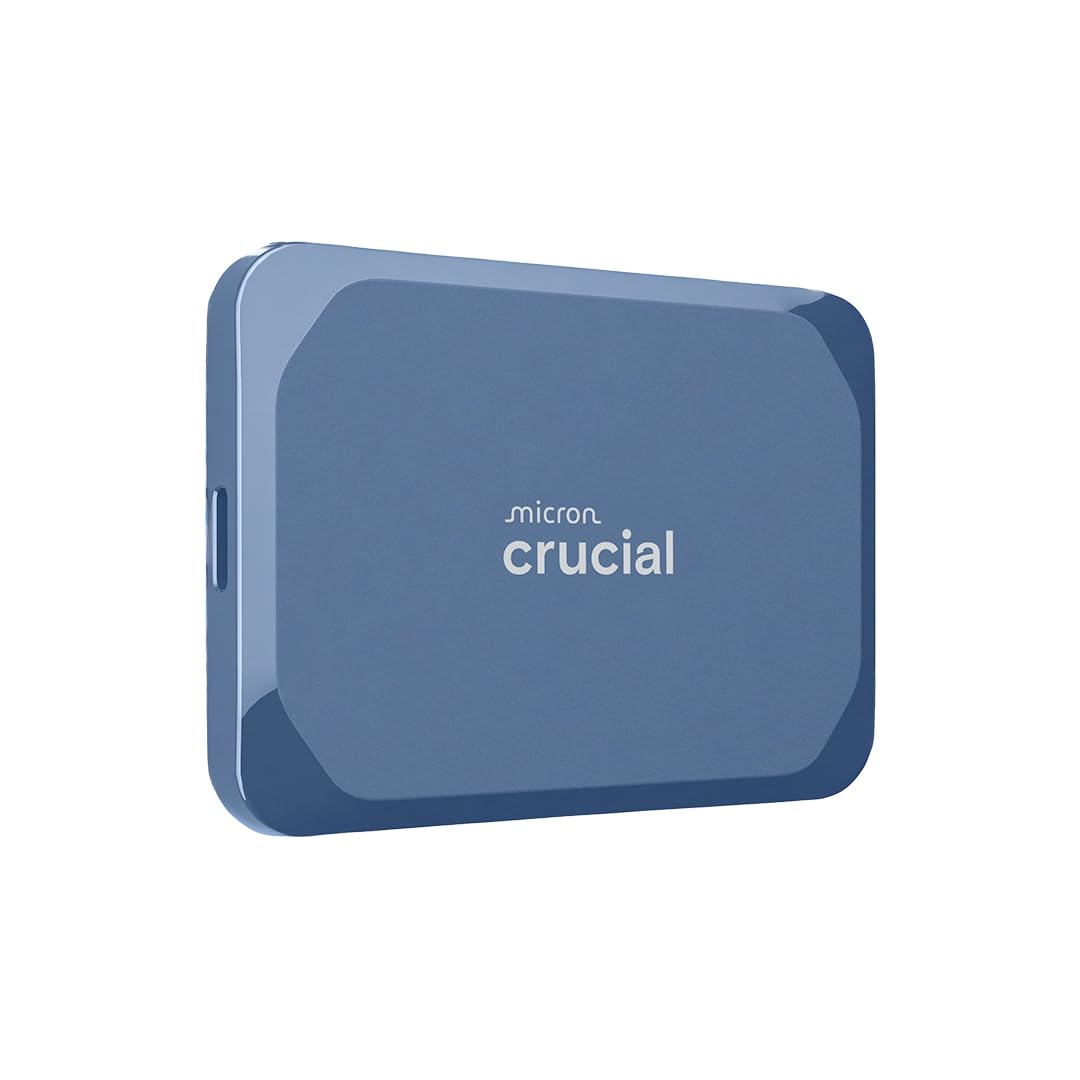
The Crucial X10 6TB Portable SSD represents an entirely different storage paradigm from the HDDs above—it uses NAND flash with no moving parts, hitting sequential read speeds up to 2,100 MB/s over USB 3.2 Gen 2×2. That’s roughly 10 times faster than the fastest 7200RPM external HDD. It also carries IP65 dust and water resistance and a 3-meter drop rating, making it genuinely rugged for fieldwork, daily commutes, and backpack travel. The drive weighs almost nothing and fits in a shirt pocket.
Creative professionals running ProRes recording directly to the drive or editing 4K timelines in Premiere reported real-world sustained writes around 1.4-1.8 GB/s with no thermal throttling. The drive runs silent and barely warm. A significant caveat: achieving the maximum 2,100 MB/s requires a USB 3.2 Gen 2×2 host port (20Gbps), which is still rare on MacBooks and older PCs—on standard USB 3.2 Gen 2, it drops to roughly 1,000 MB/s, still much faster than any mechanical drive. The premium price is the highest on this list by a wide margin.
If your workflow demands sub-minute 6TB transfers, rugged portability, and silent operation, and you have a Gen 2×2 port (or accept the fallback speed), the Crucial X10 is the ultimate go-anywhere vault. For pure bulk archival where speed isn’t critical, an HDD offers more capacity per dollar.
Why it’s great
- Blazing 2,100 MB/s sequential reads over USB 3.2 Gen 2×2
- Dust, water, and drop resistance for field use
- Completely silent and cool under sustained heavy writes
Good to know
- Premium price per gigabyte is much higher than HDDs
- Requires USB 3.2 Gen 2×2 host for maximum speed
- Small capacity ceiling compared to HDDs at same cost
FAQ
Can a 3.5-inch 6TB external hard drive run off a single USB port without external power?
Is a 6TB external HDD fast enough for video editing?
How long should a 6TB external hard drive last with daily use?
Final Thoughts: The Verdict
For most users, the best 6tb external hard drive winner is the WD 6TB Elements Portable because it delivers true bus-powered portability at the highest capacity in the smallest physical footprint. If you need desktop-class reliability and data recovery protection, grab the Seagate Expansion 6TB. And for professional video editing workflows demanding 7200RPM enterprise speed, nothing beats the SanDisk Professional G-Drive Project.