
Our readers keep the lights on and my morning glass full of iced black tea. As an Amazon Associate, I earn from qualifying purchases.
Specs are compiled from manufacturer listings and verified buyer reviews and can change over time — please confirm the key details on the product page before buying.
You want a 7-inch monitor that fits neatly into your Raspberry Pi project, retro gaming rig, or PC stats dashboard, yet stays readable from across the desk. But this category splits into two very different worlds: touchscreens built for single-board computers and plain video monitors meant for cameras or car use. You need to know which world you are buying into, so you end up with the right panel for the job—if you need a finger-driven interface or just a clear second screen.
I’m Min — the founder and writer behind Gadgets Feed. This guide is built by comparing the manufacturers’ published specifications and the patterns across verified customer reviews, so you get each pick’s real strengths and trade-offs instead of marketing spin.
Below, you will find the best 7 inch monitor options for makers, tinkerers, and drivers, ranked by real-world performance and user satisfaction.
In this article
Note: This list uses flexible, human-like matching for the screen size, so not every pick is the exact number searched; the nearest same-type size serves the same purpose.
Our Picks at a Glance


How To Choose The Best 7-Inch Monitor
Before you add one to your cart, you need to settle the most important question: is this screen going to be touched, or just looked at? That single decision separates the Raspberry Pi touchscreens from the general-purpose video monitors, and picking the wrong type means wasted money and a frustrating setup.
Know Your Resolution Reality
The two resolution classes you will see are 800×480 and 1024×600. The jump to 1024×600 is a real upgrade for text, because it gives you roughly 60% more pixels to render interfaces and code with. For video, both look fine at this size; the difference shows up when you are reading small fonts or trying to fit a dashboard on screen.
Touch: Capacitive vs. Resistive
If you want a screen that reacts to a light finger tap like your phone does, you need a capacitive touchscreen. Resistive panels require firm pressure from a stylus or fingernail, which feels dated. For any modern Pi project, capacitive is the standard.
Compatibility Beyond the Pi
The best 7-inch panels are not locked to one device. A quality screen with an HDMI input will work as a temporary PC monitor, a gaming console display, or a security camera viewer. The most versatile picks here act as a universal second screen, not just a Pi accessory.
Quick Comparison
| Model | Best For | Resolution | Touch | Connectivity | Amazon |
|---|---|---|---|---|---|
| Hosyond 7 Inch IPS★ Best Overall | Pi 5 Projects | 1024 x 600 | 5-Point Capacitive | HDMI, Micro USB | Amazon |
| Padarsey 7″ LEDBest Value | Car & RV Cameras | — | No | 2x AV Input | Amazon |
| HAMTYSAN 7″ IPSCompact Pick | Frameless Projects | 800 x 480 | No | HDMI, Micro USB | Amazon |
| ELECROW 7″ Touch | AIDA64 Dashboards | 1024 x 600 | 5-Point Capacitive | HDMI, Micro USB | Amazon |
| GeeekPi 7-Inch | Continuous Monitoring | 1024 x 600 | No | HDMI | Amazon |
| Hosyond 7″ TFT | Multi-Input Use | 1024 x 600 | No | HDMI, VGA, AV | Amazon |
| Eyoyo 7 Inch IPS | Versatile CCTV Viewing | 1024 x 600 | No | HDMI, VGA, BNC, USB, AV | Amazon |
| YEDDY Backup Kit | Truck/RV Rear View | 800 x 480 | No | AV (Camera Included) | Amazon |
| ROADOM 7″ Touch | All-in-One Pi Case | 1024 x 600 | 5-Point Capacitive | HDMI, USB-C, 3.5mm | Amazon |
In-Depth Reviews
1. Hosyond 7 Inch IPS LCD Touch Screen Display Panel
Our pick — over 4★ from 600+ verified ratings; the strongest balance of quality and price.
A 1024×600 IPS touchscreen that gives your Raspberry Pi 5 a crisp, finger-friendly interface.
If you are running a Pi 5 or Pi 4 and want a display that behaves like a tiny tablet, this Hosyond panel is the one to beat. It drives a sharp 1024×600 IPS picture that owners describe as bright and responsive, and it is a true plug-and-play unit for Raspbian, Ubuntu, Kali-Linux, and Kodi with no driver install. Set up takes around 10 minutes from the start, which is the experience you want from a hobbyist screen.
The panel stands out for its flexibility as much as its touch quality. Beyond the Raspberry Pi family, it works as a general-purpose HDMI sub-display for a desktop PC, and the capacitive touch supports up to 5-point input on modern Windows systems. The 16:9 aspect ratio here contrasts sharply with the 1.66:1 found on the HAMTYSAN below, making it a more natural fit for standard widescreen content.
The display-quality praise is the most common theme across owner feedback, and the touch functionality is the second-most-discussed strength. Buyers report it as a “plug-and-play HDMI display for Pi 5” that replaces fussy DSI ribbon connections. The main caveat to know: a few users hit compatibility snags with the newest Bookworm Raspbian image, so check your OS version before you rely on it for a critical build.
What Owners Love
- Bright, crisp 1024×600 IPS display
- Responsive 5-point capacitive touch
- Works with Pi, PC, and gaming consoles
What To Watch
- Potential hiccups with the newest Bookworm image
- Built-in speakers are low quality
- No printed instructions included
Reach for it if: you want the most proven touchscreen experience for a Pi 5 project and value crisp resolution for text-heavy interfaces.
Look elsewhere if: your workflow depends on the very latest Raspberry Pi OS release before you have time to troubleshoot.
2. Padarsey 7 Inch LED Backlight TFT LCD Monitor
A dedicated, no-frills 7-inch display for car and RV backup cameras that just works.
This Padarsey monitor is not trying to be a computer screen. It is built for one core job: showing a clear feed from a rearview or RV camera, and owners say it does that job well. The 7-inch TFT panel pairs with a wide-angle lens view and offers a 16:9 or 4:3 adjustable aspect ratio, plus a rotatable screen so you can find the best angle on your dash.
You get two AV inputs, so you could run a car DVD player on one channel and a backup camera on the other. It includes a remote controller, a holder, and a frame in the box. For an RV driver, this acts as a reliable rearview mirror sitting near the steering wheel, and owners mention the polarized screen stays visible even while wearing sunglasses.
Its top strength is raw functionality, and its second is value for money. The recurring trade-off is brightness: several owners find the display dim in direct sunlight, and the picture can look grainy at this size even with a 720p camera—customers note it is “grainy on 7″” but “adequate for tailgate/bumper proximity.” The mounting frame is also described as flimsy, though the bottom threads allow a tripod mount instead. This is a focused tool for vehicle use, not a multi-device screen.
Solid Points
- Two AV inputs for camera and DVD
- Rotatable, adjustable screen
- Includes remote control and holder
Good To Know
- Brightness can be dim in daylight
- Mounting base feels cheap
- No audio input or output
Who it beats: any car owner who wants a simple, dependable wired camera monitor without paying for smart features.
Who it doesn’t: anyone hoping to use this as a bright multimedia screen or expecting a sturdy mounting arm.
3. HAMTYSAN 7 Inch Portable Monitor
A bare, frame-free 800×480 IPS panel that tucks into DIY builds and computer cases.
The HAMTYSAN takes the opposite approach from cased monitors: it ships without a case or frame, giving makers a raw panel they can bury inside a computer case, mount on a wall, or build into a custom project. Despite the bare design, the 7-inch IPS screen keeps colors consistent out to a wide 178° viewing angle, and the 800×480 resolution reads fine for chat, status, or dashboards.
It is a true plug-and-play HDMI display for Raspberry Pi 400, 4, 3, 2, and Zero, plus Jetson Nano and other boards. The included multi-angle bracket has a rubber groove that protects the display edge. Buyers put it to work as a Twitch chat window, a Discord sidebar, and a small third monitor, with several noting the video quality for YouTube and gaming is surprisingly smooth thanks to a 3-5 ms response time.
The display quality is the main reason owners pick this, and its versatility is the second-praised trait. The honest catch is build quality, which draws mixed notes ranging from solid to cheaply made. One owner sums up the reality: a unit can arrive with a dead pixel, and the exposed back means you will want a 3D-printed shell or careful handling.
Why It Wins
- Tempered glass with full lamination for clarity
- Frameless, easy to integrate anywhere
- Fast 3-5 ms response time
The Trade-Off
- No back cover protection
- No audio output for media sticks
- Build quality varies between units
Pick this for: a maker who wants a low-cost, embeddable screen for inside a computer case or a permanent DIY installation.
skip it if: you expect a finished product you can just set on a desk without any DIY mounting or protection.
4. ELECROW 7 Inch 1024×600 Touchscreen
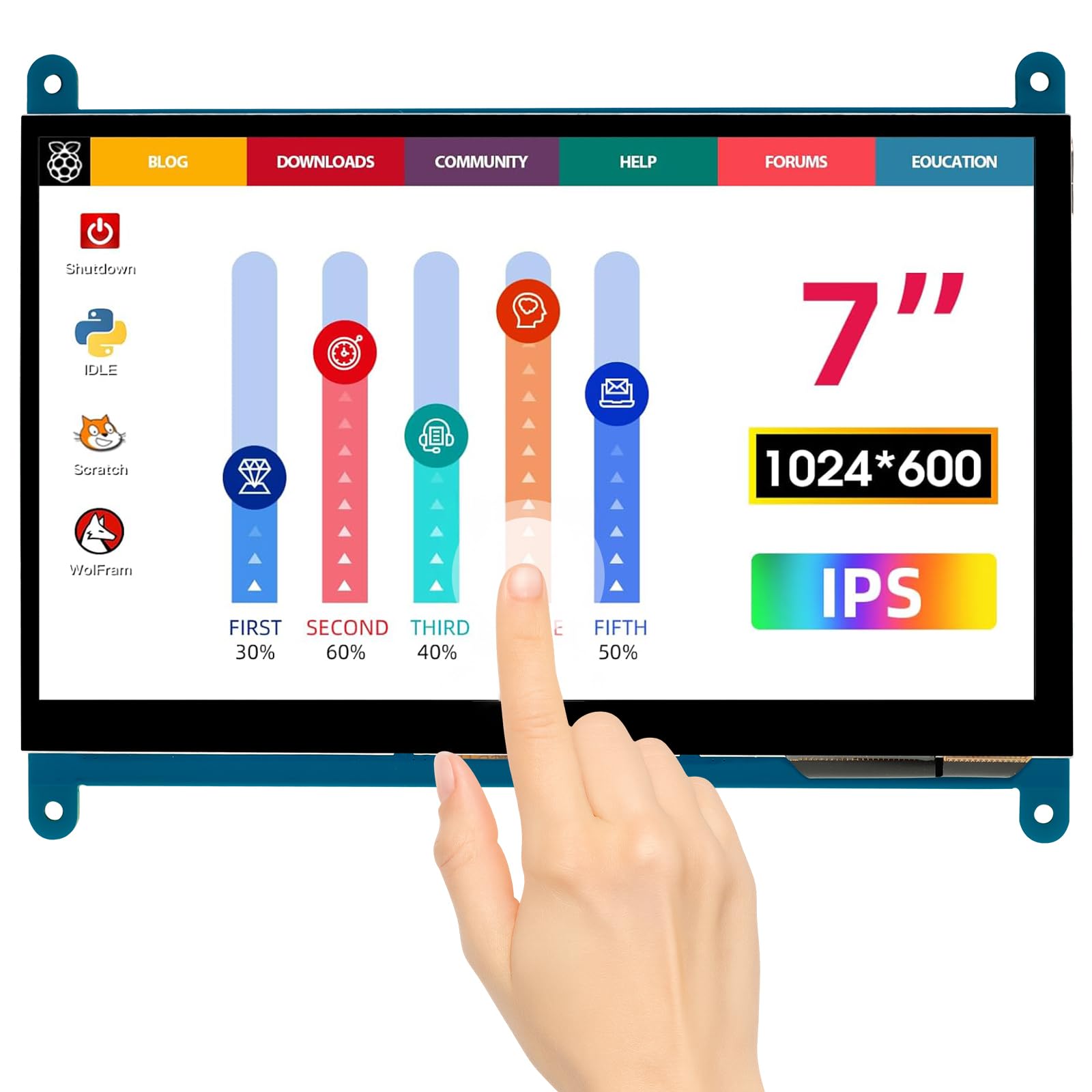
A bezel-free 1024×600 touchscreen with sharp pixel density for dashboards and dual-screen radio rigs.
The ELECROW is a favorite among owners who need sharp text and accurate touch in a compact panel. Its 1024×600 IPS resolution over a wide 170° viewing angle means you can read small labels clearly, which makes it a go-to for AIDA64 sensor panels and amateur radio setups. The capacitive touch supports up to 5-point input, and the bezel-free design makes it look modern on a desk.
Compatibility is broad, covering Raspberry Pi 5, 4, 3B+, 2B+, BB Black, Banana Pi, and Jetson Nano, along with Windows 10/8/7. Setup is genuinely driver-free on Linux and most boards, and the package includes copper screws for mounting. One buyer uses it in a dual-screen go box alongside a smaller 5-inch model, calling the touch flawless and plug-and-play.
The display quality dominates owner praise, with image quality as the second most-liked aspect. The notable fit note: touch on Windows 10 can fail for some users due to a device ID issue, even though it works from the start on Linux and Windows 7. For an AIDA64 panel, owners recommend using Windows “extend” mode and note that custom layouts need manual pixel placement.
Strengths
- Crisp 1024×600 resolution
- Fully bezel-free design
- Physical power switch on back
Caveats
- Touch can fail on Windows 10
- No included templates for AIDA64
- Requires wired connection only
Reach for this if: you need a sharp, reliable touch panel for a Linux-based smart-home hub, radio go box, or system monitoring dashboard.
Look elsewhere if: your primary machine is Windows 10 and you depend on touch input working without tinkering.
5. GeeekPi 7-Inch Screen for Raspberry Pi

A non-touch 1024×600 workhorse that stays on all day as a network monitor.
If you do not need touch and you want a screen that can run continuously without complaint, the GeeekPi is a strong candidate. It is a 1024×600 IPS panel with a fast 2 ms response time, and reviewers point out leaving it on for months at a time as a network monitor via a KVM switch without any issues. It is small, clear, and bright, with a stand that earns no complaints.
Compatibility covers Raspberry Pi 5, 4B, 3B+, 3B, plus Jetson Nano and Banana Pi, and it runs on Windows 11/10/8/7 with no driver needed. The 16:9 aspect ratio handles standard video well, and owners note it can scale up to run at 1920×1080, though text is readable rather than razor-sharp at that setting. It works great as a troubleshooting monitor for PC builds.
The display quality is the feature owners praise most, followed closely by overall screen quality. It reads as a quality 1024×600 panel that does exactly what you ask. The few gripes center on missing mounting screws in the box and the fact that setup can be a little tricky if you skip the instructions.
Why It Shines
- Runs continuously for months
- Fast 2 ms response time
- Portable and easy to carry
Watch Out For
- No built-in speakers
- Mounting screws may be missing
- Slight blue tint without color correction
Best for: a dedicated always-on status display for network monitoring, or a portable screen for PC troubleshooting where touch is irrelevant.
Consider another if: you want a touch interface or you need audio to come out of the monitor itself.
6. Hosyond 7 Inch TFT LCD Mini Monitor

A featherweight 300-gram 1024×600 screen that connects to nearly anything with a video port.
This Hosyond monitor earns its keep as a multi-tool. Unlike Pi-specific panels, it carries HDMI, VGA, and AV inputs, so it will accept a signal from a game console, a DSLR, a car DVD player, a CCTV feed, or a computer. Weighing just 0.68 lbs (300 g), it is light enough to fit inside a gaming case or mount on a swing arm for a compact OBS capture display.
The 7-inch 16:9 TFT panel delivers a 1024×600 resolution with 350 cd/m² brightness and a wide 170° viewing angle. It includes a built-in speaker and an infrared remote control for adjusting settings without touching the unit. Shoppers say it works flawlessly with Linux Mint, supports 1080P 16:9 via HDMI with audio passthrough, and produces an excellent picture for the price.
Owners most appreciate the value and the compact size that lets it disappear into a wall or a project. The honest downsides are scattered: the build quality is a mixed bag, one unit arrived with a rattling component inside, and the screen does not sleep, which risks a “No Signal” burn-in if left on. It also has no dedicated power-off from the remote’s sleep function, so plan for that in permanent installs.
Flexible Strengths
- Three input types: HDMI, VGA, AV
- Extremely light at 300 g
- Built-in speaker and remote
Honest Limits
- Screen never sleeps, burn-in risk
- Mixed build quality reports
- No USB-C power option
Choose it for: a project that needs one small screen to handle multiple old and new video sources, like a retro gaming bench or a car PC.
Pick something else if: you need a rugged, always-on display with reliable sleep behavior and a premium shell.
7. Eyoyo Mini Monitor 7 Inch
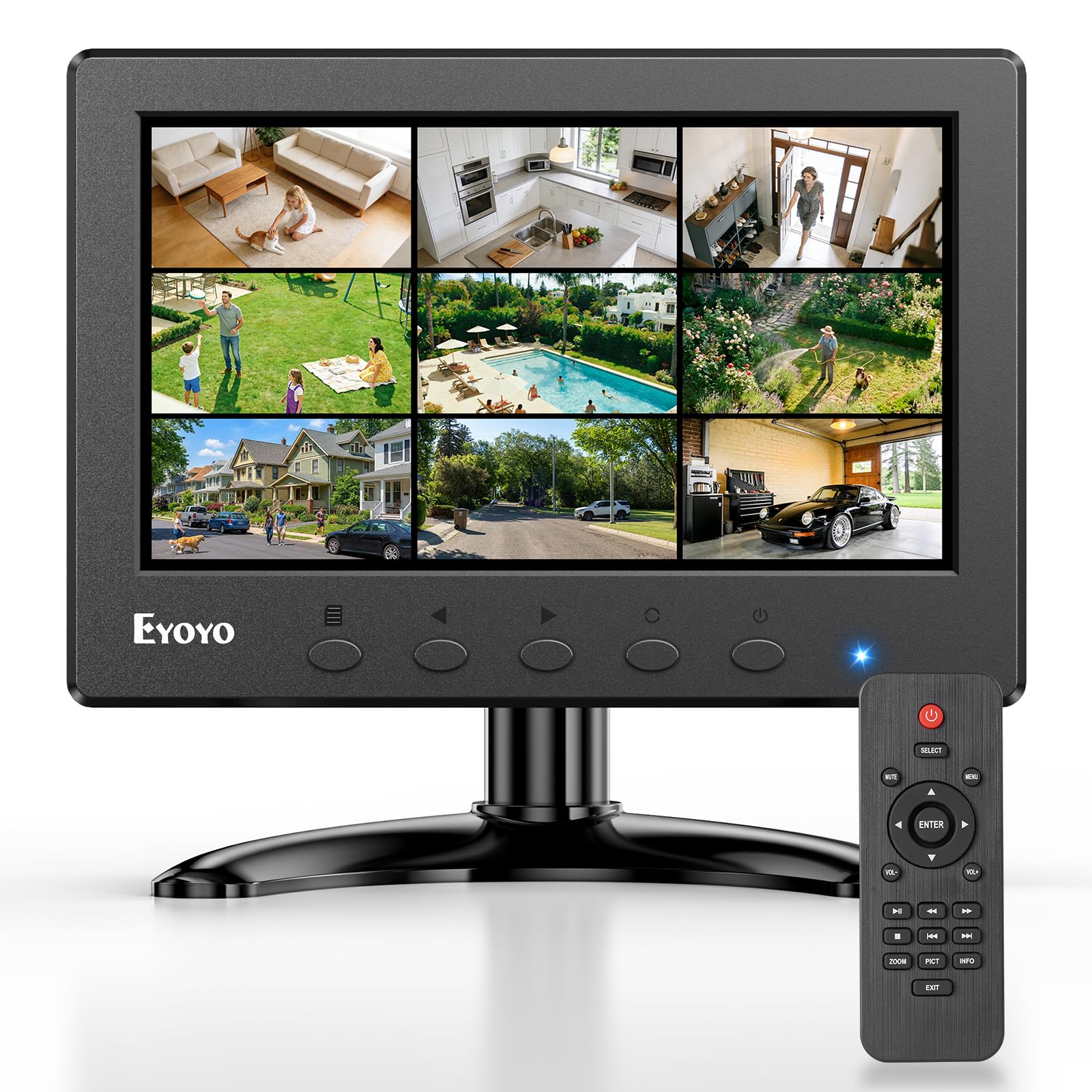
The most connection-rich 7-inch panel, with an image-flip trick made for teleprompters.
The Eyoyo stands apart with its unusual image mirror and flip function, which lets you flip the picture vertically and horizontally. That makes it a natural fit as a teleprompter monitor, a ceiling-mounted display, or a car screen where orientation matters. It also packs more input options than anything else here: HDMI, VGA, BNC, USB, and AV, so it can pull from a Raspberry Pi, a security CCTV camera, a DVD player, or a TV box.
The 1024×600 IPS panel holds a 500:1 contrast ratio, 160° viewing angles, and a strong 400 cd brightness rating, with dual built-in speakers for audio. Buyers use it for field tech work, troubleshooting headless NAS servers, and even film-to-video transfers. The remote control and wall-mountable VESA 75mm pattern make installation flexible.
The size is what owners praise most, with picture quality second. It handles analog video well, which is rare among modern small panels. The mixed notes center on speakers being tinny and RF noise leaking into radio bands, which matters if you are a HAM radio operator. For general use, it is a durable, practical monitor, though one VESA hole may need a shorter bolt.
What Stands Out
- Image flip for teleprompter use
- Five different video inputs
- Wall mountable with VESA 75mm
What To Note
- RF noise interferes with radio gear
- Speakers sound tinny
- No audio output jack
Reach for it if: you need one screen to handle several device types, especially analog CCTV or a teleprompter setup.
Look elsewhere if: you are a radio enthusiast who needs a display that will not emit RF interference.
8. YEDDY Backup Camera System Kit

A full truck-and-trailer reversing kit with night vision that outshines pricier systems.
This is not just a monitor; it is a complete backup camera system built for big vehicles. The 7-inch monitor pairs with a 170° wide-angle camera that uses a 6-layered all-glass lens, and the kit includes a 20-meter 4-pin aviation extension cable specifically for trucks, RVs, trailers, and skid steers. The monitor automatically turns on and switches to the rear view when you shift into reverse.
The camera carries an IP68 waterproof rating (meaning it is fully sealed against dust and prolonged immersion) and 18 infrared lights, so it delivers usable night vision even with no ambient light at all. Owners of step vans, tractors, balers, and skid loaders report amazing low-light performance—one buyer installed it on a 10-foot step van and called the viewing angle and picture quality better than more expensive systems they had tried.
Functionality and overall quality are the two most-praised aspects, and the system is easy to install with straightforward wiring. Fleet buyers have purchased five or more units and come back for replacements, which says a lot about consistency. The 800×480 monitor resolution is lower than the 1024×600 panels above, but for a rearview feed at arm’s length it is perfectly clear.
Why It’s A Kit Winner
- IP68 waterproof camera
- 18 infrared lights for night vision
- 170° wide viewing angle
Consider This
- Monitor resolution is 800×480
- Heavy kit at 2 kg
- Wired install requires cable routing
Best for: truck, RV, tractor, and trailer owners who want a dependable reversing camera with strong night vision right from the start.
pass on it if: you only need a small monitor for a Raspberry Pi, since this kit is purpose-built for vehicles.
9. ROADOM 7″ Touchscreen Monitor

The finished, cased touchscreen with dual speakers that skips the DIY fragility.
The ROADOM is the rare 7-inch touchscreen that does not look like a bare circuit board. It wraps the LCD panel, board, and protective case into one smooth unit, so there are no exposed PCBs (printed circuit boards) or fragile ribbon cables to worry about. The 1024×600 IPS (in-plane switching) panel offers a 178° viewing angle, 300 cd brightness (candela per square meter, a measure of screen luminance), and a 700:1 contrast ratio, with dual 1Wx2 speakers built in.
It is a true plug-and-play device with 5-point capacitive touch and a fast 3-5 ms response time. You connect via HDMI for video and USB-C for touch, and it requires no driver installation on Windows, Linux, or macOS. The kit is generous, including HDMI and Micro-HDMI cables, USB-A to Type-C cables, a GPIO power cable, a 5V 3A power adapter, and a Pi mounting kit.
Owners find the display quality exceeds expectations, with vivid colors and a responsive touchscreen that works immediately. The GPIO power option keeps a Pi workspace clean by powering both the Pi and screen from a single source. The complaints are specific: multi-touch can fail on the newest Pi OS Bookworm until you switch a touchscreen mode setting, and one owner noted the monitor backfeeds power after shutdown, keeping a CPU fan running.
Premium Benefits
- Protective case with no exposed board
- Dual 1Wx2 speakers included
- Complete cable and mount kit
Know Before Buying
- Bookworm OS needs a touch mode tweak
- Possible power backfeed after shutdown
- 1024×600 can crowd some apps
Reach for it if: you want a finished, ready-to-use touchscreen with speakers and a protective case, without any DIY fiddling.
Look elsewhere if: you are on the latest Pi OS and want zero configuration before multi-touch gestures work.
Understanding the Specs
Resolution: 1024×600 vs 800×480
This is the single most important spec for a 7-inch screen. The higher 1024×600 count gives you about 60% more pixels than 800×480, which makes text sharper and lets you fit larger windows on screen. Video looks fine on both, but for reading code, chat, or system dashboards, the higher resolution is the one worth paying for.
Capacitive vs. Resistive Touch
Capacitive touch responds to the light tap of your finger, just like a phone screen, and it supports multi-touch gestures like pinch-to-zoom. Resistive touch requires firm pressure from a stylus or fingernail and usually only tracks one point. For any modern build, capacitive is the standard to look for.
FAQ
Will a 7 inch Raspberry Pi touchscreen work with a Raspberry Pi 5?
How does 1024×600 compare to 800×480 on a 7 inch screen?
Can I use a Raspberry Pi monitor as a second screen for my laptop?
Do these 7 inch monitors need a driver installed?
Is a backup camera monitor different from a Raspberry Pi screen?
How do I power a touchscreen Raspberry Pi monitor?
Can I wall mount a 7 inch monitor?
What is the difference between IPS and TFT LCD panels?
Does a 7 inch monitor work for a CCTV security camera?
Final Thoughts: The Verdict
For most makers, the 7 inch monitor winner is the Hosyond 7 Inch IPS Touch Screen because it balances a crisp 1024×600 resolution with responsive 5-point touch and broad Raspberry Pi and PC compatibility. If you want an all-in-one finished panel with speakers and a protective case, grab the ROADOM 7″ Touchscreen. And for truck, RV, and tractor owners who need a reversing camera kit that works in the dark, the YEDDY Backup Camera System is the one to reach for.
How We Picked
We do not accept paid placement. Every pick is matched to a real buyer and a real use-case; we do not hands-on test units.
Sources & Methodology
Specifications: manufacturer listings and product documentation. Review insights: verified customer reviews, as of September 2026. Pricing: not shown on this page (it changes often); check the current price via the retailer link.
As an Amazon Associate, Gadgets Feed earns from qualifying purchases. This does not affect which products we feature.