
Our readers keep the lights on and my morning glass full of iced black tea. As an Amazon Associate, I earn from qualifying purchases.
Specs are compiled from manufacturer listings and verified buyer reviews and can change over time — please confirm the key details on the product page before buying.
You want the function keys and arrow keys you actually use, without the numpad wasting half your desk. That is exactly what a 70 percent keyboard gives you — a compact board that keeps your mouse close and your reach short. This guide ranks the top 70 percent keyboards by build, sound, and connectivity to help you pick one that feels complete.
I’m Min — the founder and writer behind Gadgets Feed. This guide is built by comparing the manufacturers’ published specifications and the patterns across verified customer reviews, so you get each pick’s real strengths and trade-offs instead of marketing spin.
We looked at feel, sound, and connectivity to find the 70 percent keyboard that genuinely fits the way you type and game.
Our Picks at a Glance


How To Choose The Best 70 Percent Keyboard
When you shop for a compact mechanical keyboard, you will notice three things every day: how the keys sound and feel, how you connect it to your devices, and whether you can customize it later. These three factors separate a good compact board from a frustrating one.
Sound and Feel Come From the Mount
The biggest difference between a cheap-feeling board and a satisfying one is the internal structure. A gasket mount means the plate is cushioned with soft material instead of screwed directly to the case, which softens each keystroke and produces that deep “thock” sound people hunt for. Many boards also add layers of foam inside to kill hollow echo and make the keys feel more solid under your fingers.
Switch Types Decide the Experience
Most compact boards ship with linear switches, which press straight down with no bump and are generally quieter than clicky ones. If you are new to mechanical keyboards, look for a hot-swappable board — this means you can pull out the switches and replace them with different ones later, no soldering required. This lets you swap switches later to change the feel without buying a new board.
Wireless Means Checking the Battery and Modes
If you want to go wireless, check how the board connects before you buy. Many offer tri-mode connectivity, letting you switch between Bluetooth, a 2.4GHz wireless dongle, and a wired USB-C cable. Battery life varies a lot depending on whether you run the RGB lighting, so look for the stated hours with the backlight on versus off to know what you are really getting.
Quick Comparison
| Model | Best For | Layout & Keys | Connectivity | Key Feel | Amazon |
|---|---|---|---|---|---|
| GravaStar Mercury K1 Pro★ Best Overall | Premium Build & Sound | 75% / 79 Keys | Tri-Mode Wireless | Gasket Linear | Amazon |
| Redragon K734WBest Value | Budget Tri-Mode Value | 75% / 81 Keys | Tri-Mode Wireless | Gasket Linear | Amazon |
| Redragon K628 PolluxModder’s Pick | Simple Wired Entry | 75% / 78 Keys | Wired USB-C | Quiet Linear | Amazon |
| Ajazz AK820 | Creamy Sound on a Budget | 75% / 81 Keys | Wired USB-C | Gasket Linear | Amazon |
| Fogruaden 75% | Quiet Office Typing | 75% / 82 Keys | Wired USB-A | Gasket Linear | Amazon |
| RK Royal Kludge R75 | Travel-Friendly Wireless | 75% / 68 Keys | Tri-Mode Wireless | Gasket Linear | Amazon |
| SOLAKAKA A75 | Multi-Device Flexibility | 75% / 81 Keys | Tri-Mode Wireless | Gasket Linear | Amazon |
| AULA F75 Pro | High-End Feel, Mid Price | 75% / 81 Keys | Tri-Mode Wireless | Gasket Linear | Amazon |
| AULA S75 Pro | Built-In Screen & Knob | 75% / 80 Keys | Tri-Mode Wireless | Gasket Linear | Amazon |
In‑Depth Reviews
1. GravaStar Mercury K1 Pro
Our pick — over 4.5★ from 750+ verified ratings; the strongest balance of quality and price.
A sci-fi statement piece that types as richly as it looks, with a seriously hefty frame.
Its aluminum alloy exoskeleton with an open-frame design provides a rigid, premium feel that most boards lack. It is the longest of our picks at 16.34 inches, a full 63% wider than the Redragon K734W, so it takes up more real estate — but you feel that solidity in every keystroke. Buyers consistently describe the experience as one of the best they have owned, praising the sturdy construction and buttery smooth keys.
Run by GravaStar x Kailh Speedy Mint linear switches with a 45gf actuation force and 1.2mm pre-travel, each press is smooth, crisp, and rated for 70,000,000 keystrokes. The gasket-mounted FR4 plate paired with a 5-layer foam dampening structure delivers the deep, satisfying “thock” that owners cannot stop talking about. You get 79 keys plus a dedicated control knob for volume and mute, and the dual RGB systems offer 16.8 million colors across 13 lighting modes — customizable through a web-based driver rather than installed software.
Wireless life is genuinely multi-day: up to 470 hours with the lighting off, or up to 40 hours with it on. It connects via 2.4GHz, Bluetooth, or wired USB-C, so it works with your gaming PC, laptop, or tablet. The crowd favorite sits at 4.7 stars across more than 700 owners, and the review pages sum it up: “Premium sci-fi design, hefty build, vibrant RGB, satisfying sound.”
Why It Wins
- Aluminum exoskeleton feels rigid and premium — the #1 praise from owners
- Deep thocky sound from gasket mount and 5-layer foam
- 470-hour battery life with RGB off is exceptional
Things to Weigh
- Compact layout means no dedicated Home/End keys
- South-facing RGB can reduce legend readability in the dark
The short read: If you want a keyboard that feels like a serious piece of hardware and sounds incredible, this is the one — it is the highest-rated pick here for a reason.
Look elsewhere if: You want a smaller footprint or need dedicated navigation keys, since the compact layout drops Home and End.
2. Redragon K734W
A compact wireless board that gives premium brands a run for their money at a fraction of the cost.
This budget board delivers premium features at a fraction of the cost. It packs 81 keys into a 10-inch frame — nearly 63% more compact than the GravaStar above — freeing up a huge amount of mouse space on your desk. The tri-mode connectivity covers Type-C wired, Bluetooth 3.0/5.0, and 2.4GHz wireless with a range up to 10 meters, letting you hop between devices with top-side buttons. What wins people over is the quality: it is the most-mentioned positive, with owners calling it better than their Corsair K70 and K95 boards.
Thick-lubed custom linear switches in a gasket mount provide cushioned travel and smooth feedback. Five layers of noise cancellation keep it quiet enough for mic use, though a few describe the sound as clicky or poppy rather than creamy. The upgraded socket accepts nearly all 3-pin or 5-pin switches for hot-swappable replacement, so you can change the feel later without soldering. South-facing RGB sits under durable dye-subbed PBT keycaps, keeping the legends clear and vivid over time.
It runs on Windows only, and the driverless design means no bloated software — a pro for some, a con if you want custom RGB effects or macros. The recurring note is the tall profile, which a few found caused wrist strain without a rest. Buyers report: “Compact TKL, tri-mode (BT/2.4GHz/wired), solid build, quiet with dampening but clicky/poppy sound.”
Bang for buck: This delivers tri-mode wireless, a gasket mount, and hot-swap in a compact frame — owners consistently say it beats far pricier boards.
The height catch: It sits tall, so plan for a wrist rest if you type for long stretches.
3. Redragon K628 Pollux
A wired tinkerer’s dream that sounds like a ticka-ticka treat right from the start.
If you want to get into keyboard modding without spending much, this 78-key board is built for it. The true hot-swap socket design is compatible with 99.8%+ of switches, making swaps easier with less wobble. Buyers love that it disassembles easily for cleaning, and the 75% layout keeps dedicated arrow keys and number keys while measuring about 5 inches shorter than a full-size board. It matches the width of a 15-inch laptop, so it slides neatly into a travel setup.
The sound is the standout — owners describe a very satisfying “ticka-ticka” feel and response, and the quiet basic linear switches make registering every click easy. You get up to 20 preset RGB backlighting modes with adjustable brightness and speed, plus a music sync mode for a full light show. The Mix+ Grey colorway with white and grey keys comes with an extra set of keycaps, and it works across Windows, MacOS, and Linux via a simple wired USB-C connection.
One builder reported the stock feel as cheap, with switches that felt scratchy unlubed and very tight in the sockets. That same owner praised its modability, noting the easy teardown and ample space to add foam or tape. This board suits you if you enjoy making it your own. Just know the compact layout removes the second Enter key to the right of the numpad area, so you will need a brief adjustment.
Built to Tinker
- True hot-swap socket fits 99.8%+ of switches
- Easy disassembly for cleaning and modding
- Satisfying ticka-ticka sound that owners love
Know Before Buying
- No second Enter key right of the numpad area
- Stock switches feel tight and scratchy to some
Reach for this if: You like the idea of opening up your keyboard and making it yours — this is a forgiving, cheap platform to learn on.
Not for: Anyone who wants a premium feel with zero effort, since the stock switches need a little breaking in or swapping.
4. Ajazz AK820
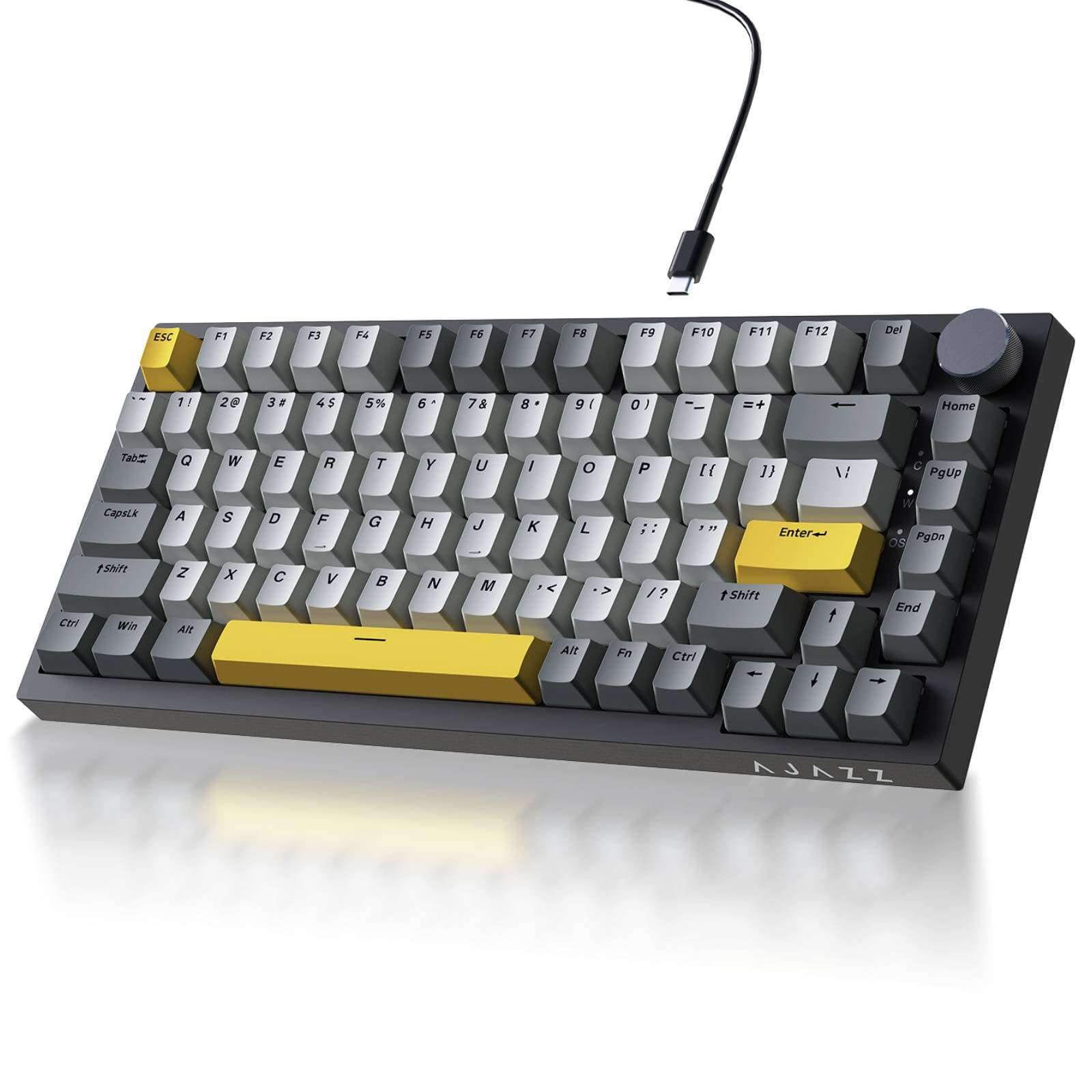
A wired board that delivers that deep thocky sound people pay double for.
This 81-key board is all about the sound — it is the single most-praised aspect, with over a hundred owners calling it out. The precision gasket mount, layered with Poron sandwich cotton and high-density foam, eliminates hollow typing noise and produces that sought-after deep, creamy thock. The factory-lubricated sea salt moonlight linear switches are smooth and crisp right from the start, making it a joy for both gaming and daily typing. At 11.86 inches long and just 400g, it is light and compact enough to free up 30% more desktop space.
The non-slip metal volume knob is a highlight, letting you adjust or mute audio instantly mid-game. South-facing RGB LEDs sit under premium double-shot PBT keycaps, giving oil resistance and long-lasting legends across 20 default lighting modes. The flex-cut PCB supports both 3-pin and 5-pin switches, so customizing later is easy. It connects via a detachable USB-C cable for stable, zero-latency performance on both Mac and Windows.
Owners often mention this board replaced their Razer Ornata purely because of the key feel, and that they were not expecting the lights and see-through keys at this level. The main gripe is that the manual does not explain how to switch lighting modes well — you need the Fn+\| key combo to cycle them. It is wired only, so if you need wireless this is not the one, but for a clean, creamy, affordable typing experience it is hard to argue with.
The thock is real: The gasket and foam layering give this budget board a sound profile that rivals far more expensive customs.
One annoyance: The manual skips how to change light modes, so you will need to find the Fn key combo yourself.
5. Fogruaden 75%

The hushed board for shared spaces that still keeps a satisfying clicky feel.
If your keyboard sits in an office or a room where other people can hear you, this 82-key board is tuned for you. The linear red switch is smooth with minimal resistance and a slight key sound, and the PC material positioning plate combined with a bottom silent sponge reduces noise and key vibration. Owners describe it as not super loud but still giving that satisfying clicky feel — one even called it perfect for quiet use. The gasket mount cushions the plate on both top and bottom, creating a softer typing feel without changing the tactile response.
You get 18 RGB backlight modes with 8 backlight colors on board, easy to switch between without software, and it is fun to use at night. All keys support N-key rollover, meaning multiple keys can register simultaneously for gaming, and it adapts to Windows 7/8/10 or later and Mac. The 75% layout with 82 keys leaves more room for your mouse, and the volume knob on the top right is handy for quick adjustments.
One owner who swapped from a Alienware mechanical keyboard with brown switches said it types almost better and praised the design and knob. The RGB is not blindingly bright, which some prefer as less in-your-face, but if you want obnoxiously bright lighting this is not it. It connects only via wired USB-A, so it is a straightforward, no-fuss desktop board rather than a portable wireless one.
Quiet Strength
- Silent sponge and PC plate make it office-friendly
- 18 RGB modes easy to cycle on board
- Hot-swappable 3-pin or 5-pin sockets
The Fine Print
- Wired USB-A only — no wireless option
- RGB brightness is modest, not blinding
Pick this for: A quiet workspace where you still want a mechanical feel and easy RGB control without software.
skip it if: You need wireless or you want maximum-brightness lighting effects.
6. RK Royal Kludge R75

The smallest board here that still keeps arrow keys, arrowed for travel.
At just 68 keys, this is the most stripped-down layout in the lineup — but it keeps the essential arrow keys and a CNC metal volume knob. It is the one owners describe as a great travel size, fitting easily into a bag for work on the move. The 4000mAh battery is the headline, delivering at least 7 days of use, and one owner who uses it for full-time work-from-home reports around 25-30 hours per charge, needing to charge roughly twice a week.
Pre-lubed cream linear switches in a gasket mount with five sound-dampening layers deliver a smooth, creamy typing feel. A 1.2mm single-key slotted PCB ensures each keystroke registers accurately and stably. You get over 20 built-in RGB backlight modes, doubleshot PBT keycaps, and the removable volume knob is both hot-swappable and programmable. It connects via Bluetooth 5.1, 2.4GHz, or wired USB-C, handling up to 3 devices at once.
What makes this board special for enthusiasts is QMK/VIA compatibility, meaning you can remap keys and customize it deeply. Owners praise the RK app for its many lighting options and easy key remapping. The recurring note is that RGB lighting does not illuminate the keycap letters themselves, so legends can be hard to see in the dark. One owner liked it so much they bought a second one for their wife after a year of reliable use.
Made for the road: Its small footprint and long battery make it the best travel companion here, and QMK/VIA support is a bonus for tinkerers.
The dim catch: RGB does not shine through the keycap letters, so look elsewhere if you need backlit legends at night.
7. SOLAKAKA A75
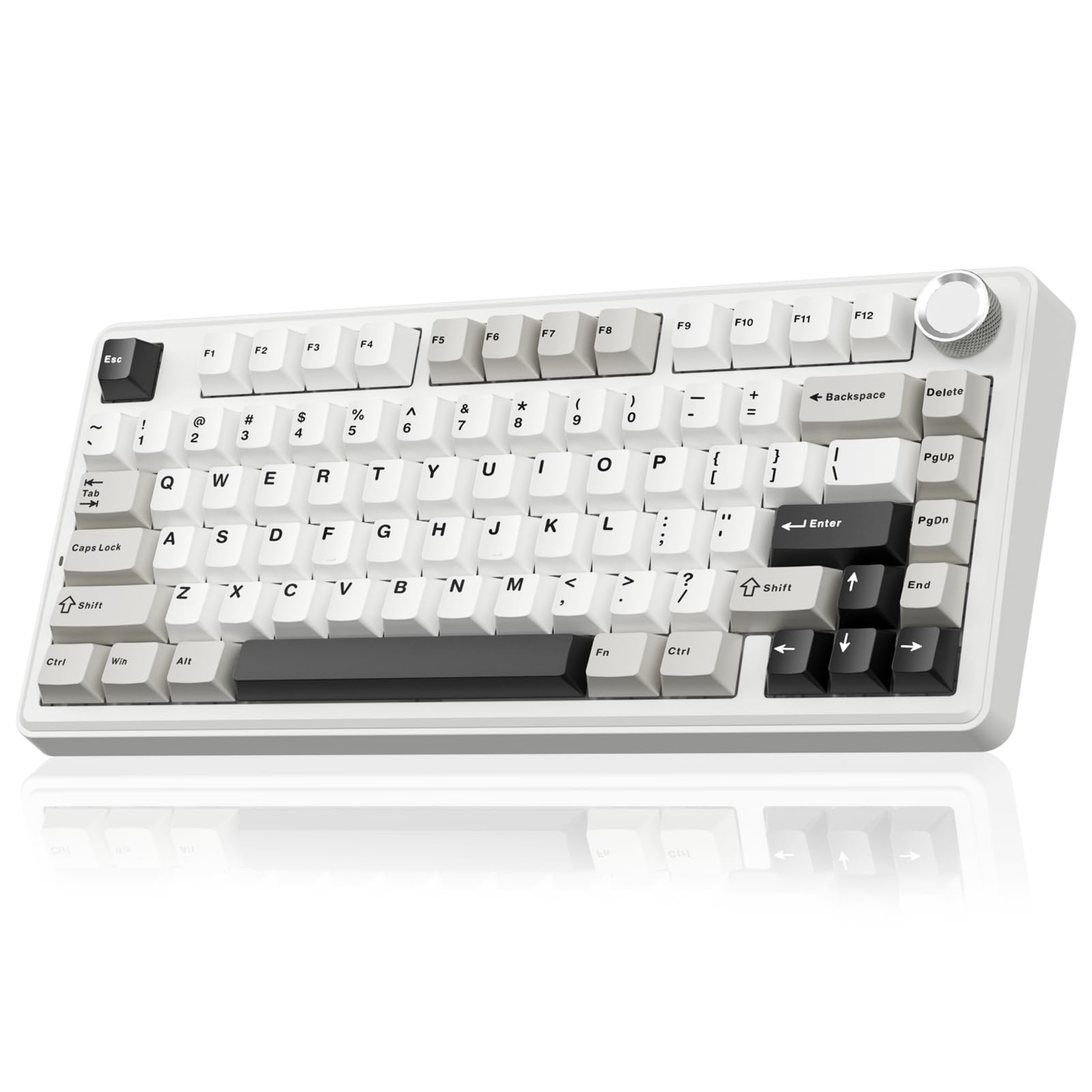
A creamy, crystal-capped board that connects to five devices at once without breaking a sweat.
This 81-key board is the connectivity king of the list. It supports 2.4GHz wireless, BT5.0, and USB-C wired, and can connect to up to five devices simultaneously — so you can hop from your desktop to laptop to tablet without re-pairing. It works with Windows, Mac, and iOS systems, with keyboard shortcuts to switch between them (Fn + W for Windows, Fn + E for Mac, Fn + Q for Android). Owners consistently praise the smooth, buttery typing feel and creamy sound, noting it does not bother coworkers.
The gasket mount structure uses a PCB single-key slotting process with IXPE shaft bottom pad, PET voice actor pad, silicone base mat, and PO sound-absorbing cotton to eliminate cavity noise. It ships with pre-lubricated stabilizers and LEOBOG reaper switches, delivering precise and smooth keystrokes. Full hot-swap functionality supports 3-pin or 5-pin switches, so even beginners can DIY their ideal board without soldering. The premium PBT keycaps use double injection molding to resist sweat and fading.
The multifunctional metal knob switches between gaming and office modes — in gaming mode it selects lighting patterns and brightness, while in office mode it controls volume and mute. You get 17 lighting modes plus 10 music-sync effects via the driver. One owner called it the best keyboard under, praising the easy setup and amazingly long battery life. The 4000mAh battery delivers extended usage. Just note the driver software only supports Windows and needs to run in wired mode, so Mac users lose the advanced customization.
Connection Central
- Pairs with up to 5 devices across Windows, Mac, and iOS
- Creamy, quiet sound that does not bother coworkers
- Dual-mode knob for gaming and office control
Worth Knowing
- Driver software is Windows-only and needs wired mode
- Keys can get loud if you slam them hard
Grab it for: A multi-device setup where you switch between a PC, Mac, and tablet all day — five-device pairing is a genuine time-saver.
Think twice if: You are on Mac and want deep software customization, since the driver is locked to Windows.
8. AULA F75 Pro
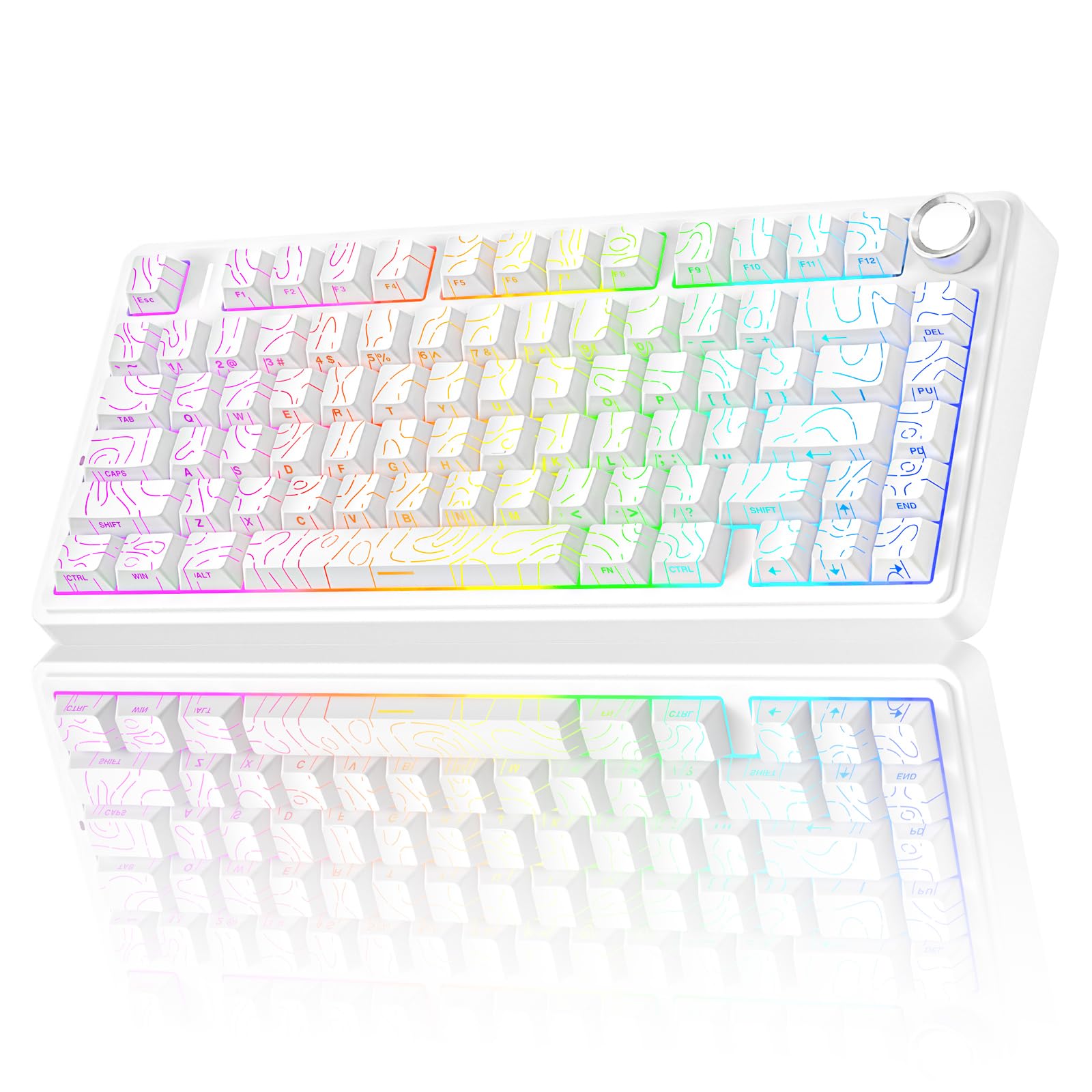
The board that sounds like a custom but costs a fraction — the streaming crowd’s secret.
This 81-key board delivers a high-end feel that owners say rivals boards costing far more. The topo-pattern side-printed PBT keycaps use double injection molding and heat sublimation, making them durable, fade-proof, and soft to the touch — and the side-printed legends let the RGB light shine through the fonts for a distinctive look. It is the pick that owners call ideal for streaming and editing, appreciating the satisfying sound and clean aesthetic.
The typing feel comes from pre-lubricated LEOBOG star vector switches, bringing a smooth, creamy mechanical sound with fast response. The gasket structure features an extended integrated silicone pad and PCB single-key slotting, optimizing resilience and stability for a softer, more elastic hand feel. Five layers of filling silencer counteract cavity noise for a solid feel. The whole package is hot-swappable, supporting 3-pin or 5-pin switches for easy DIY customization.
It connects tri-mode via Bluetooth 5.0, 2.4GHz wireless, or USB wired, pairing with up to five devices, and works with PC, laptops, tablets, phones, PS, and XBOX. The 4000mAh battery gives long-lasting life. The multi-function knob switches between gaming mode (brightness and lighting effects) and office mode (volume and play/pause). One owner said it was a gift for their brother-in-law but they almost kept it because it sounded so nice, praising the bright colors and working switches. The main caveat is that the plastic case feels a little cheap to some, and the lights turn off when idle unless you adjust the settings.
Why It Impresses
- Side-printed PBT keycaps look cool and resist fading
- Pre-lubed LEOBOG switches feel creamy and thocky from the start
- Pairs with 5 devices across PC, console, and mobile
Minor Quirks
- Plastic case feels less premium than metal rivals
- Lights switch off when idle by default
Choose this for: A creamy, high-end typing feel with striking side-printed keycaps — perfect for streamers or anyone who stares at their board.
Consider elsewhere if: You want a metal build, since the plastic shell is the main compromise here.
9. AULA S75 Pro
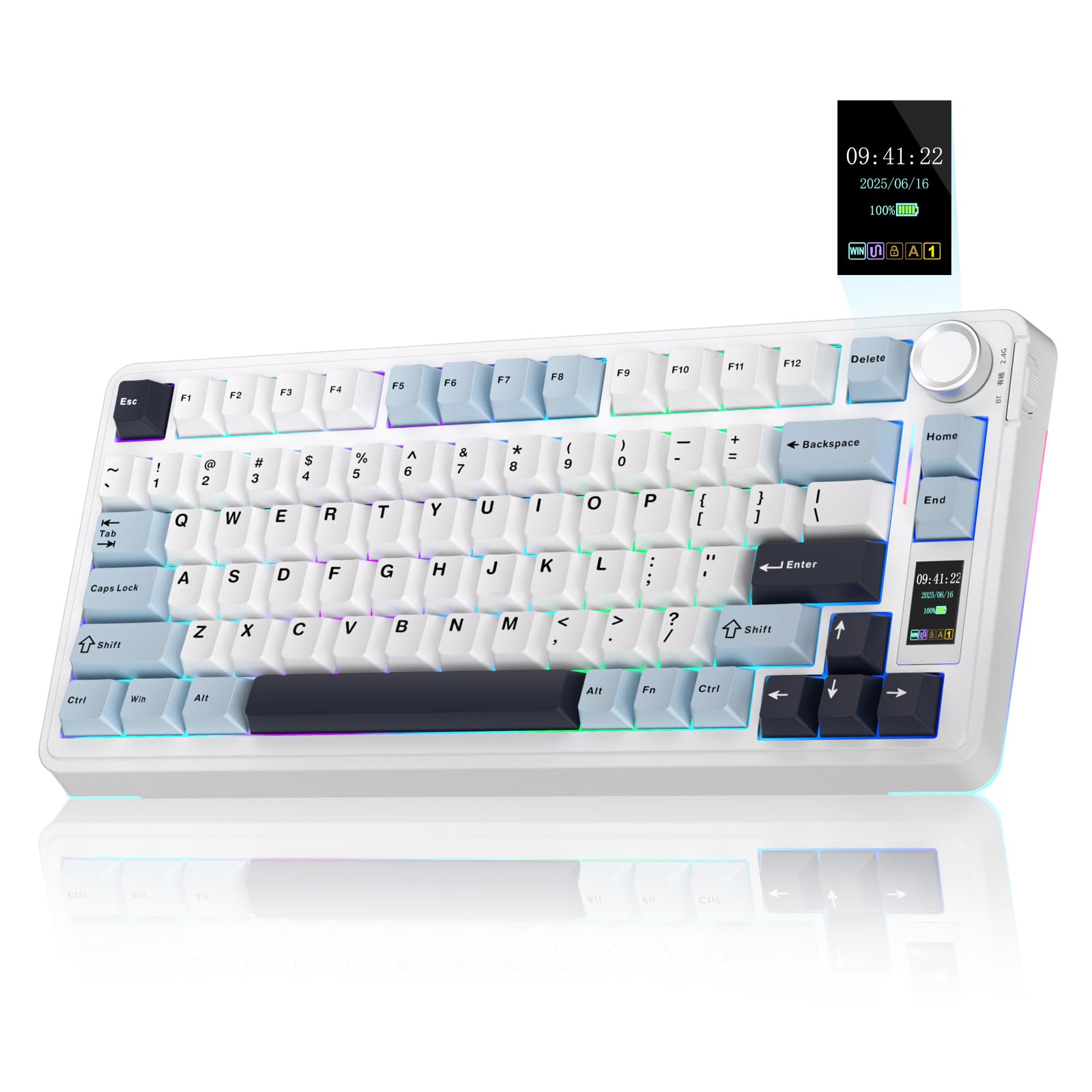
The keyboard with a tiny screen that shows your battery, GIFs, and connection status at a glance.
This is the most feature-packed board in the list, thanks to a built-in LCD screen that acts as an interactive interface. Through it, you can see battery status, date and time, operating system, GIF images, volume, and backlight effects in real time — no need to guess when you need to charge. The multifunction knob works alongside the screen, letting you quickly customize most functions. Owners love the smooth, high-resolution GIF display and call the overall package a genuine premium feel.
The typing experience is deep and thocky, described as between creamy and clacky. It features an advanced structure with an extended integrated silicone pad and PCB single-key slotting for a softer, more elastic feel. Five layers of filling silencer counteract cavity noise. It ships with pre-lubricated switches and stabilizers, and the hot-swappable base supports 3-pin or 5-pin switches. The 80-key 75% layout keeps essential arrow keys while saving desk space, and the PBT keycaps are sweat-proof and fade-resistant.
Connectivity is tri-mode via BT5.0, 2.4GHz wireless, and USB-C, saving up to five devices with a quick side-button switch. It works with Windows, Mac, iOS, and Android. The RGB backlight offers 19 lighting effects and over 16.8 million colors, plus a side light for extra atmosphere. With the driver, all keys support macro customization. Battery life runs about 20 hours with full RGB, stretching up to a week with sleep enabled. The catch: the screen and driver only configure on Windows in wired mode, and one owner noted the screen shows a wrong date on Mac.
Screen Appeal
- LCD screen shows battery, time, OS, and custom GIFs
- Deep thocky sound with pre-lubed switches
- Tri-mode with 5-device memory on Windows, Mac, iOS, Android
Setup Notes
- Screen and driver config require Windows in wired mode
- Screen shows incorrect date when used with Mac
Get this if: You want the coolest feature set — a live screen, a knob, and creamy sound — and you mostly use Windows.
Steer clear if: You are a Mac-only user who wants the screen to work properly, since it needs Windows for configuration.
Understanding the Specs
Gasket Mount and Sound Layers
A gasket mount means the keyboard’s plate is cushioned with a soft material between it and the case, rather than screwed in rigidly. This softens each keystroke and produces a deeper sound. Many boards add layers of foam or silicone inside — the more layers, the less hollow echo you hear. If you want that creamy “thock” sound people talk about, look for a board that lists a gasket structure and multiple dampening layers.
Hot-Swappable Sockets
A hot-swappable keyboard lets you pull out the switches with a tool and push in new ones without any soldering. Most modern boards accept 3-pin or 5-pin switches, which covers nearly all mechanical switches on the market. This means you can start with a linear switch for quiet typing and later swap to a tactile or clicky switch for a different feel. This lets you swap switches later to change the feel without buying a new board.
FAQ
What is the difference between a 70 percent and 75 percent keyboard?
Will a 75 percent keyboard work with my Mac or Windows PC?
How long does the battery last on a wireless 75 percent keyboard?
What does hot-swappable mean and why should I care?
Is a linear switch better than a clicky one for gaming?
Why is the sound of a keyboard called creamy or thocky?
What are PBT keycaps and are they better than ABS?
Can I program macros on a 75 percent keyboard?
Why do some RGB boards not light up the keycap letters?
Is an 81-key or 68-key layout better for a beginner?
Final Thoughts: The Verdict
For most buyers, the 70 percent keyboard winner is the GravaStar Mercury K1 Pro because it pairs a rigid aluminum build with a genuinely satisfying thocky sound and exceptional 470-hour battery life. If you want the best value with tri-mode wireless, grab the Redragon K734W — it delivers a gasket mount and hot-swap for a fraction of the cost. And for the coolest feature set, the AULA S75 Pro with its live LCD screen is the one to reach for.
How We Picked
We do not accept paid placement. Every pick is matched to a real buyer and a real use-case; we do not hands-on test units.
Sources & Methodology
Specifications: manufacturer listings and product documentation. Review insights: verified customer reviews, as of September 2026. Pricing: not shown on this page (it changes often); check the current price via the retailer link.
As an Amazon Associate, Gadgets Feed earns from qualifying purchases. This does not affect which products we feature.