
The $700 gaming desktop segment is the most contested ground in prebuilt PCs — it’s the price point where you either get a real dedicated GPU or you get stuck with integrated graphics that can’t run modern AAA titles at playable frame rates. The difference between a smart pick and a regretful purchase here comes down to whether the builder prioritized the graphics card or skimped on it in favor of a flashy CPU sticker.
I’m Min — the co-founder and writer behind Gadgets Feed. I’ve spent hundreds of hours cross-referencing component pricing, examining benchmark data, and reading verified buyer experiences to determine which prebuilt machines actually deliver the best gaming performance at this specific budget cap.
After analyzing 11 different desktop configurations in this bracket, I’ve identified the builds that offer genuine 1080p gaming capability without cutting corners; here is my expert breakdown of the best $700 gaming desktop options available right now.
How To Choose The Best $700 Gaming Desktop
At this budget, every dollar spent on a component that doesn’t improve gaming FPS is a dollar wasted. Here are the three most important factors to check before you buy.
Prioritize the GPU Above Everything Else
In a $700 gaming desktop, the graphics card determines whether you can run modern titles at medium or high settings at 1080p. A machine with an older or entry-level dedicated GPU like the GTX 1660 Super or RX 580 will deliver 60+ FPS in esports titles, while a system relying on integrated graphics will choke on anything beyond Minecraft or League of Legends. Look for at least an RTX 3050 6GB or equivalent. The CPU matters far less in this price tier — an i5-12400F paired with an RTX 3050 will game better than an i7-4770 with integrated graphics.
Check the Platform Age and Upgrade Path
Many budget prebuilt PCs use decade-old motherboards and CPUs (like the 4th-gen i7-4770) that lack TPM 2.0 support, making them incompatible with Windows 11 without workarounds. These older platforms also limit your future GPU upgrade because the PCIe slot may be an older revision and the power supply may lack the necessary connectors. A modern AM4 or LGA1700 motherboard with a 550W or higher 80+ Bronze PSU gives you a clear upgrade path to drop in a better GPU later.
Verify the Power Supply Quality and Wattage
A cheap 400W PSU with no 80+ rating is a red flag. It may not deliver enough clean power for a mid-range GPU upgrade, and a PSU failure can damage every component in your system. Look for at least 500W with an 80+ certification and PCIe power connectors. A 550W 80+ Bronze unit, like the one in the ALCPOK Ryzen 7 build, gives you the headroom to install a used RTX 3060 or RX 6600 down the line without swapping the power supply.
Quick Comparison
On smaller screens, swipe sideways to see the full table.
| Model | Category | Best For | Key Spec | Amazon |
|---|---|---|---|---|
| STGAubron i7 + RTX 3050 | Premium | 1080p AAA gaming | RTX 3050 6GB / i7 8th Gen | Amazon |
| WIWB Ryzen 5 + RTX 3050 | Premium | 1080p gaming + streaming | Ryzen 5 4500 / RTX 3050 6GB | Amazon |
| abyespark i7 + GTX 1660 Super | Mid-Range | Budget esports gaming | GTX 1660 Super 6GB / i7-4770 | Amazon |
| ALCPOK Ryzen 7 5700G | Mid-Range | Upgrade-ready office + light gaming | Ryzen 7 5700G / iGPU / 550W PSU | Amazon |
| STGAubron i7 + RX 580 | Mid-Range | Budget 1080p gaming starter | RX 580 8GB / i7 4th Gen | Amazon |
| BEASTCOM Q3 Ryzen 5 3400G | Budget | Entry-level casual gaming | Vega 11 iGPU / 4K output | Amazon |
In‑Depth Reviews
1. STGAubron Gaming PC Desktop, Intel Core i7 8th Gen, RTX 3050 6G
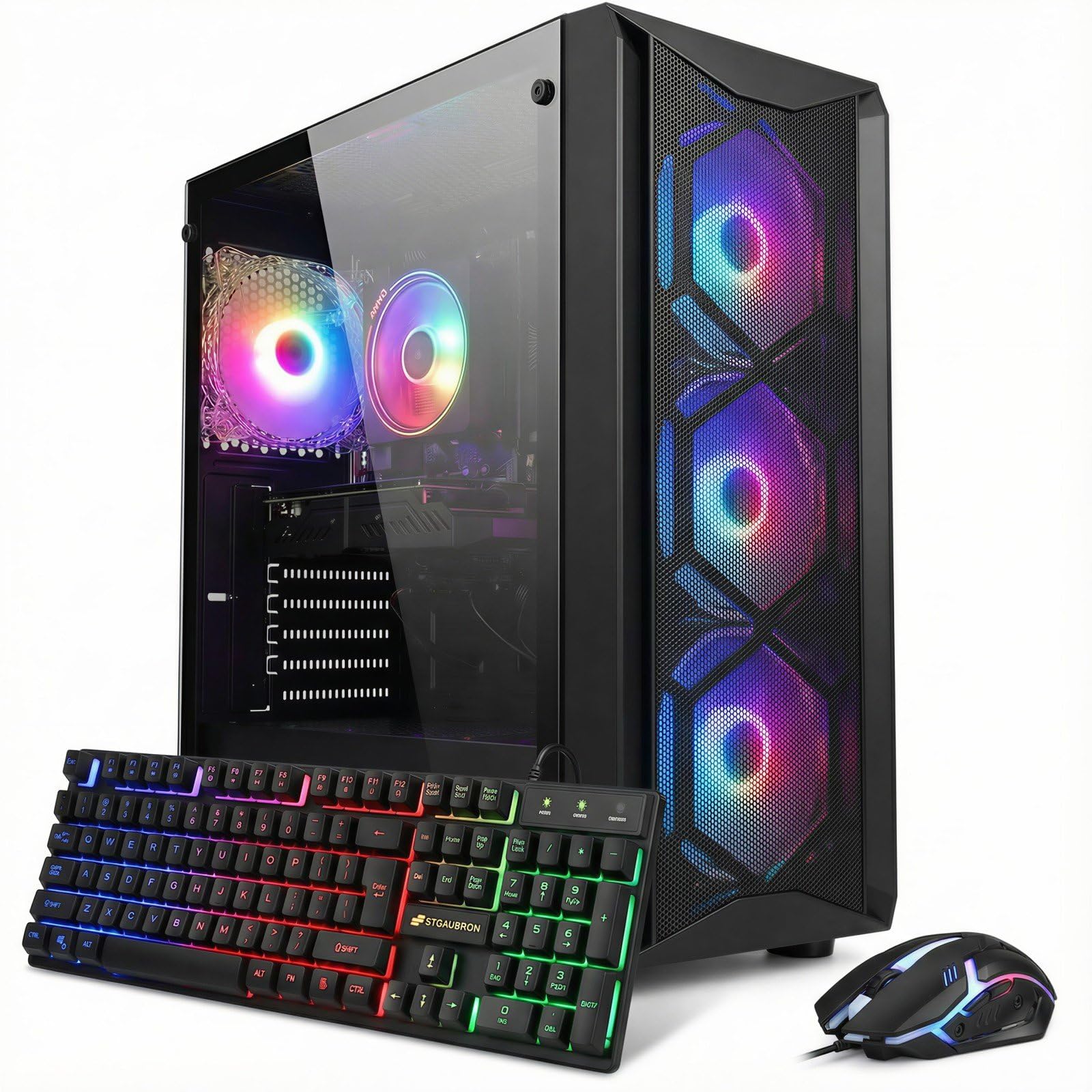
This STGAubron build delivers the most balanced spec sheet in the $700 bracket, pairing a dedicated RTX 3050 6GB GPU with a 6-core i7-8700 that can boost to 4.1 GHz. The RTX 3050’s Ampere architecture supports ray tracing and DLSS, allowing this machine to push 60+ FPS in titles like Fortnite, Call of Duty Warzone, and Elden Ring at 1080p high settings — something no integrated graphics build can match.
The 512GB NVMe SSD ensures fast boot times and game loads, while 16GB of DDR4 RAM keeps multitasking smooth. Wi-Fi 6 and Bluetooth 5.2 provide modern wireless connectivity, and the included RGB keyboard and mouse reduce the initial setup cost. The 8th-gen CPU is showing its age, but at this price point, the GPU carries the gaming load, and the motherboard supports DDR4 and PCIe 3.0 for future storage upgrades.
Customer feedback is overwhelmingly positive for gaming performance, with users reporting smooth operation across a wide library of games. A few buyers noted support responsiveness issues and older Windows version quirks, but the hardware itself is reliable for 1080p gaming. The RGB fan setup and tempered glass side panel give it a clean gaming aesthetic that fits most setups.
Why it’s great
- Genuine dedicated RTX 3050 6GB supports ray tracing
- 6-core i7 can handle streaming while gaming
- Wi-Fi 6 and Bluetooth 5.2 included standard
Good to know
- 8th-gen CPU limits future platform upgrades
- Only 512GB SSD may fill quickly with modern games
2. WIWB Gaming Desktop PC, Ryzen 5 4500, RTX 3050
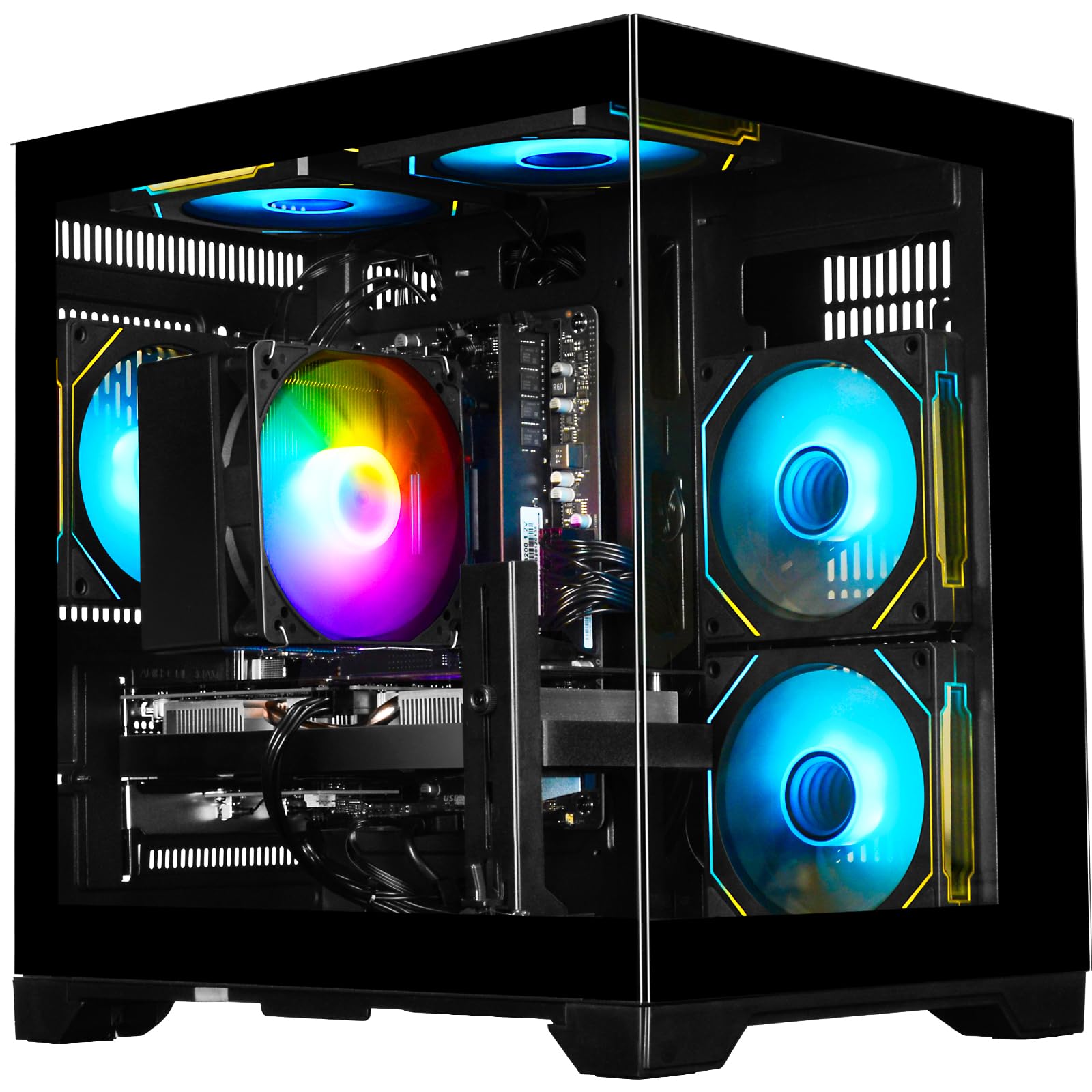
This WIWB build is a strong contender for the best value in this tier, combining a Zen 3 Ryzen 5 4500 with an RTX 3050 6GB. The Zen 3 architecture offers better IPC efficiency than the older Intel 8th-gen chips, which translates to smoother frame pacing in CPU-bound games like Valorant and CS2. The RTX 3050 handles 1080p ultra settings on most esports titles and medium settings on AAA releases.
With 16GB of DDR4 3200MHz RAM and a 512GB NVMe SSD, the system feels snappy for booting Windows, loading games, and multitasking. The built-in Wi-Fi 6 ensures a stable low-latency connection for competitive online play. The case uses an airflow-focused design with multiple fans, keeping thermals in check during extended sessions. The PSU is adequate for the current configuration but has limited headroom for significant GPU upgrades.
Verified buyers consistently praise the plug-and-play experience and solid 1080p performance. One user reported running a 240Hz monitor at full frame rates in competitive titles. The system runs quietly at idle, with fan noise only becoming noticeable under sustained gaming loads. The lack of bloatware is a nice bonus for users who want a clean Windows experience out of the box.
Why it’s great
- Zen 3 Ryzen 5 offers better per-core performance than older Intel
- RTX 3050 drives 1080p high settings smoothly
- Wi-Fi 6 included for low-latency online gaming
Good to know
- PSU has limited upgrade headroom for future GPUs
- 512GB storage fills fast with large game installations
3. suevery Desktop Computer, i5-12400F, RTX 3050 6G

The suevery build stands out for its all-white chassis and five RGB fans, but its real strength is the 12th-gen i5-12400F processor. This CPU uses the LGA1700 socket with support for DDR4 and DDR5, giving it a genuine upgrade path to newer Intel processors. The RTX 3050 6GB provides the same 1080p gaming chops as the other RTX 3050 builds in this guide, running Apex Legends at 150+ FPS and AAA titles at 60 FPS on high settings.
With 16GB of DDR4 3200MHz RAM and a 512GB NVMe SSD, boot times and game loads are fast. The 5 RGB fan configuration delivers strong airflow, keeping the i5-12400F cool even under sustained loads. The pure white aesthetic is rare in this price bracket and matches modern white monitor and peripheral setups nicely. The included wired keyboard and mouse are basic, but functional.
Buyer reviews highlight excellent gaming performance for the price, with one user noting that Red Dead Redemption 2 and No Man’s Sky run smoothly on high settings. Some users reported needing to download missing audio drivers after a clean Windows install, which is a common quirk with budget prebuilts. The compact tower size makes it a good fit for smaller desks.
Why it’s great
- 12th-gen i5-12400F on LGA1700 platform with upgrade path
- Distinctive all-white design with 5 RGB fans
- Strong 1080p gaming performance with RTX 3050
Good to know
- 512GB SSD fills quickly with modern game installs
- May require driver downloads after clean Windows installation
4. ALCPOK Gaming PC Desktop, AMD Ryzen 7 5700G

Unlike the other mid-range builds, this ALCPOK system uses integrated Radeon graphics from the Ryzen 7 5700G rather than a dedicated GPU. That means out of the box, it will struggle with AAA gaming — you’ll be limited to League of Legends, Dota 2, and CS2 at 1080p low settings. However, the 550W 80+ Bronze power supply includes PCIe power connectors, and the motherboard has a full PCIe x16 slot for adding a dedicated GPU later.
The Ryzen 7 5700G has 8 cores and 16 threads, making it a fantastic productivity CPU for tasks like video editing, 3D rendering, and compiling code. The 1TB NVMe SSD provides ample storage out of the box, and the 16GB of DDR4 3200MHz RAM keeps multitasking responsive. The five ARGB fans offer excellent cooling and customizable lighting effects. The system is quiet during light use.
Multiple verified buyers confirm that adding a GPU like the RTX 3060 or RX 6600 transforms this PC into a capable gaming machine. The PSU has enough wattage for mid-range cards, but a 700W upgrade is recommended for higher-end GPUs. One reviewer noted the cooler arrived slightly crooked from shipping, but build quality was otherwise solid. This is the best choice if you want strong productivity performance now with GPU upgrade plans.
Why it’s great
- 8-core Ryzen 7 is excellent for productivity and multitasking
- 550W 80+ Bronze PSU ready for GPU upgrades
- Included 1TB NVMe SSD provides generous storage
Good to know
- Integrated graphics cannot run AAA games acceptably
- Requires purchasing a dedicated GPU for serious gaming
5. abytespark Prebuilt Gaming PC, i7-4770, GTX 1660 Super
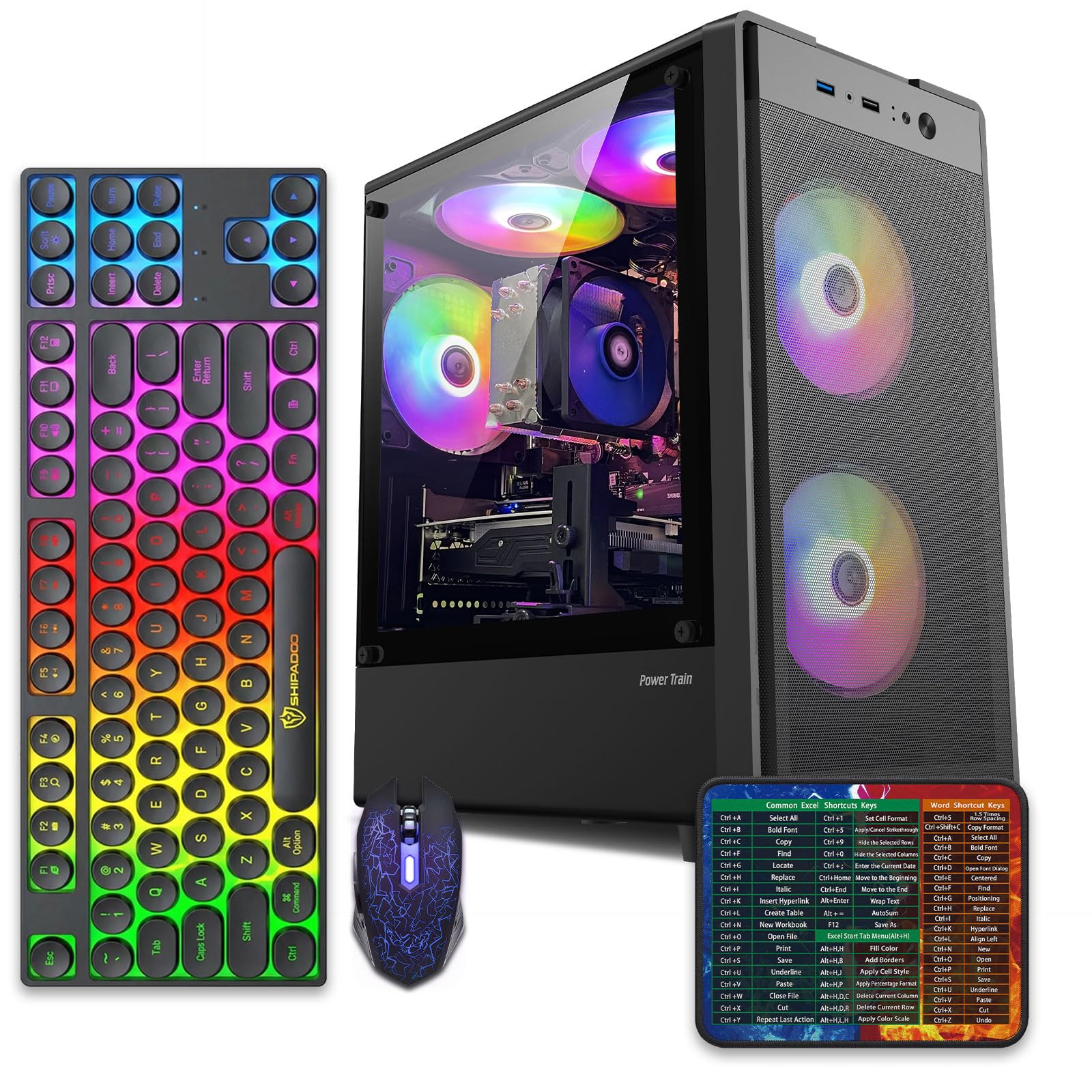
This abytespark build is the budget-focused pick, pairing a GTX 1660 Super with an older i7-4770. The 1660 Super is still a capable 1080p GPU — it can run Fortnite, Apex Legends, and Valheim at high settings with 60+ FPS, and it handles lighter VR titles like BONEWORKS. The 6GB of GDDR6 VRAM is sufficient for most games at 1080p without hitting memory limits.
The i7-4770 is a decade-old 4-core, 8-thread processor that will bottleneck the GPU in CPU-heavy scenes, and the motherboard lacks TPM 2.0 which means Windows 11 is not officially supported. The 512GB SSD is adequate for a moderate game library, and 16GB of DDR3 RAM is still sufficient for gaming, though the older DDR3 standard means lower bandwidth than modern builds. The four RGB fans and included keyboard, mouse, and mouse pad add value.
One verified reviewer noted successful VR gaming, which is impressive for a budget build. However, another buyer flagged that the seller bypasses Windows 11 hardware requirements, so the system may face future compatibility issues. The GTX 1660 Super is the saving grace here — if you find this PC discounted and are content with Windows 10, it offers usable 1080p gaming performance for less than other options.
Why it’s great
- GTX 1660 Super provides reliable 1080p gaming frames
- Comes with keyboard, mouse, and mouse pad
- Can handle lighter VR titles
Good to know
- i7-4770 platform lacks TPM 2.0 and Windows 11 support
- DDR3 RAM and old motherboard limit upgrade potential
6. STGAubron Gaming PC Desktop, i7 4th Gen, RX 580 8G
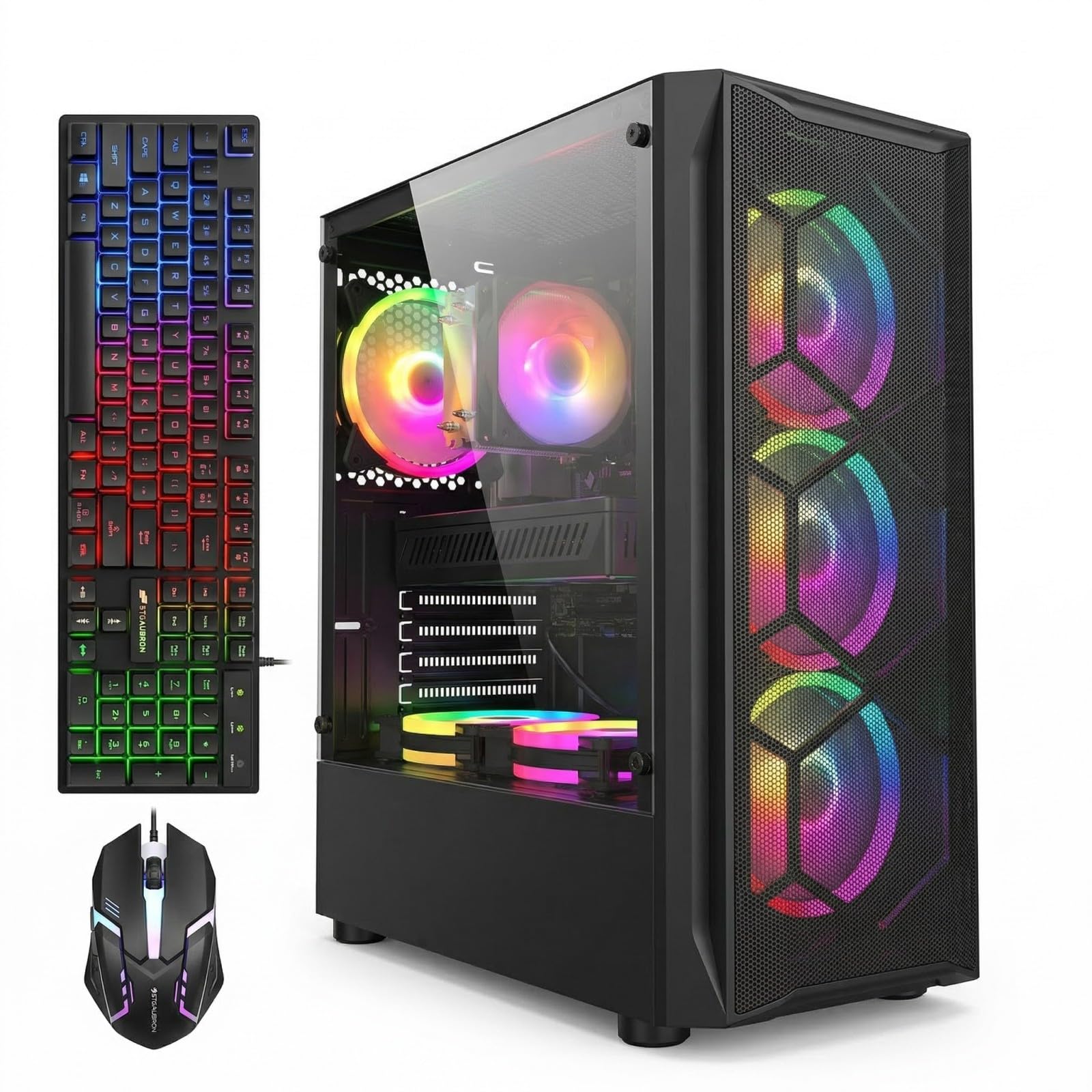
This STGAubron model uses the AMD RX 580 8GB, a GPU that launched in 2017 but still holds up for 1080p gaming at medium settings in titles like GTA V, Rocket League, and Call of Duty Warzone. The 8GB VRAM buffer is actually generous for the price tier, allowing higher texture quality settings without running out of memory. The i7 4th-gen CPU is old and lacks AVX2 support, which can cause trouble in some newer titles.
The 1TB SSD is a standout feature at this price — it provides significantly more storage than the 512GB drives found in competing builds. 16GB of DDR3 RAM is adequate for gaming, though the older memory standard limits performance. The six RGB fans provide ample cooling, and the included keyboard and mouse set make this a true ready-to-play package. Wi-Fi 6 support is a pleasant surprise on an otherwise budget build.
Buyer feedback is mixed. Several users report smooth performance in Roblox, Minecraft, and Fortnite for young gamers. However, one reviewer experienced a system failure after two days, and the unit ships with a French language setup that can be frustrating to reconfigure. The RX 580 cannot match the RTX 3050’s feature set or efficiency, but the larger 1TB SSD and 8GB VRAM make this an interesting alternative for storage-focused users.
Why it’s great
- 1TB SSD provides double the storage of most budget competitors
- RX 580 8GB handles 1080p medium settings well
- Six RGB fans and Wi-Fi 6 included
Good to know
- i7 4th-gen lacks AVX2 support for some modern games
- RX 580 is an older GPU with no ray tracing support
7. BEASTCOM Q3 Gaming PC, Ryzen 5 3400G

The BEASTCOM Q3 relies entirely on the Vega 11 integrated graphics of the Ryzen 5 3400G. This APU can run older esports titles like League of Legends, CS:GO, and Fortnite at low settings with playable frame rates, but it will struggle with modern AAA releases even at the lowest settings. The 4K output capability is misleading — you can connect a 4K monitor, but the Vega 11 iGPU cannot render games at that resolution.
With 16GB of DDR4 RAM and a 512GB NVMe SSD, the system is snappy for web browsing, office work, and media consumption. The RGB lighting includes a remote control for easy customization. The compact tower size makes it suitable for small desks or dorm rooms. The 500W PSU provides some headroom for a GPU upgrade, but the motherboard’s power delivery may limit higher-end options.
Buyer reviews are split between satisfied parents buying for young children and disappointed users who expected gaming performance. One verified buyer noted that the system arrived without a power cord and was non-functional, indicating quality control issues. For users willing to add a graphics card later, this system could be upgraded, but as delivered, its gaming capability is limited to lightweight titles only.
Why it’s great
- Low barrier to entry for casual gaming and office use
- Remote-controlled RGB lighting adds personalization
- 500W PSU offers some room for GPU upgrades
Good to know
- Vega 11 iGPU cannot run modern AAA games
- No dedicated graphics card included at all
8. Skytech Gaming Azure 3, Ryzen 7 7700X, RTX 5070

While this PC exceeds the $700 target, it represents the ceiling of what modern gaming desktops can deliver with an RTX 5070 and Ryzen 7 7700X. The 12GB GDDR7 VRAM handles 1440p high refresh rate gaming easily, and the 360mm AIO liquid cooler keeps the 7700X cool even during extended sessions. The 1TB Gen4 NVMe SSD loads games in seconds, and 32GB of DDR5 6000MHz RAM provides plenty of headroom for creative workloads.
The 850W Gold-rated ATX 3 PSU supports the latest PCIe Gen5 GPUs and provides ample upgrade headroom. The system ships without bloatware, which is a welcome touch at this price point. The all-white Azure case design is visually striking with tempered glass and 360mm ARGB AIO cooling. The included keyboard and mouse are functional but basic for this tier.
Buyers consistently praise the out-of-the-box experience, noting the absence of pre-installed junk software. One reviewer reported that the RGB software was the only source of bloat and was easily removed. The system runs quietly during general use. Some users reported that Windows was not activated, requiring manual activation — a known issue with some prebuilt PCs at this level.
Why it’s great
- RTX 5070 12GB with GDDR7 for 1440p high refresh gaming
- 360mm AIO liquid cooler for silent CPU cooling
- 850W Gold PSU and no bloatware preinstalled
Good to know
- Price is significantly above the $700 target budget
- Windows may not be activated out of the box
9. MSI Codex Z2, R7-8700F, RTX 5070

The MSI Codex Z2 offers an 8-core Ryzen 7 8700F paired with an RTX 5070 12GB, providing excellent performance for 1440p gaming and 4K output. The 2TB Gen4 NVMe SSD is a major advantage for users with large game libraries, eliminating the need for immediate storage upgrades. The 32GB of DDR5 RAM ensures smooth multitasking even while running demanding games and streaming software simultaneously.
The cooling system uses four ARGB fans — three front intake and one rear exhaust — for positive pressure airflow that keeps dust accumulation low. The MSI Center software allows customization of the RGB lighting and system monitoring. The VR-ready configuration is certified for headsets like the Meta Quest. The included keyboard and mouse are basic but functional.
Some buyers reported SSD failures and Bluetooth compatibility issues that required support intervention, though MSI’s warranty support was responsive for most RMA requests. The fans can get loud under sustained gaming loads, which is typical for air-cooled high-performance systems. Registering the product online adds an extra three months to the warranty period, which is worth doing.
Why it’s great
- 2TB NVMe SSD provides massive game storage out of the box
- RTX 5070 12GB handles 1440p ultra settings
- VR-ready with multiple display outputs
Good to know
- Some users reported SSD failures requiring RMA
- Fans become loud under heavy gaming loads
10. Alienware Aurora ACT1250, Ultra 7 265F, RTX 5070

The Alienware Aurora delivers a premium gaming experience with the Intel Core Ultra 7 265F and RTX 5070 12GB. The 1000W Platinum-rated PSU provides exceptional power headroom for future GPU upgrades and runs at high efficiency, reducing heat output. The RTX 5070 handles 1440p and entry-level 4K gaming with ray tracing enabled, pushing high frame rates in competitive titles.
The Alienware Command Center software allows deep customization of the RGB lighting zones, performance profiles, and per-game settings. The 1TB SSD capacity is standard for this tier but may feel small given the price point. The included 1-year Dell onsite service is a significant advantage — Dell will dispatch a technician to your location if hardware issues cannot be resolved remotely, which is rare in the prebuilt market.
Buyer reviews note that the system runs impressively quiet for its power level, thanks to the efficient PSU and well-tuned fan curves. Some users reported cosmetic quality issues like misaligned front bezel lights or sticky power buttons, highlighting Alienware’s inconsistent build QC. The long boot time of around 2 minutes on some units is unusual for a system with a fast NVMe SSD and may indicate a driver or software issue that requires attention.
Why it’s great
- 1000W Platinum PSU provides massive future upgrade headroom
- Includes 1-year Dell onsite service warranty
- RTX 5070 12GB for high refresh 1440p gaming
Good to know
- Higher price point than other $700 gaming desktop options
- Some units reported cosmetic build quality issues
11. iBUYPOWER Element, i7 14700F, RTX 5070
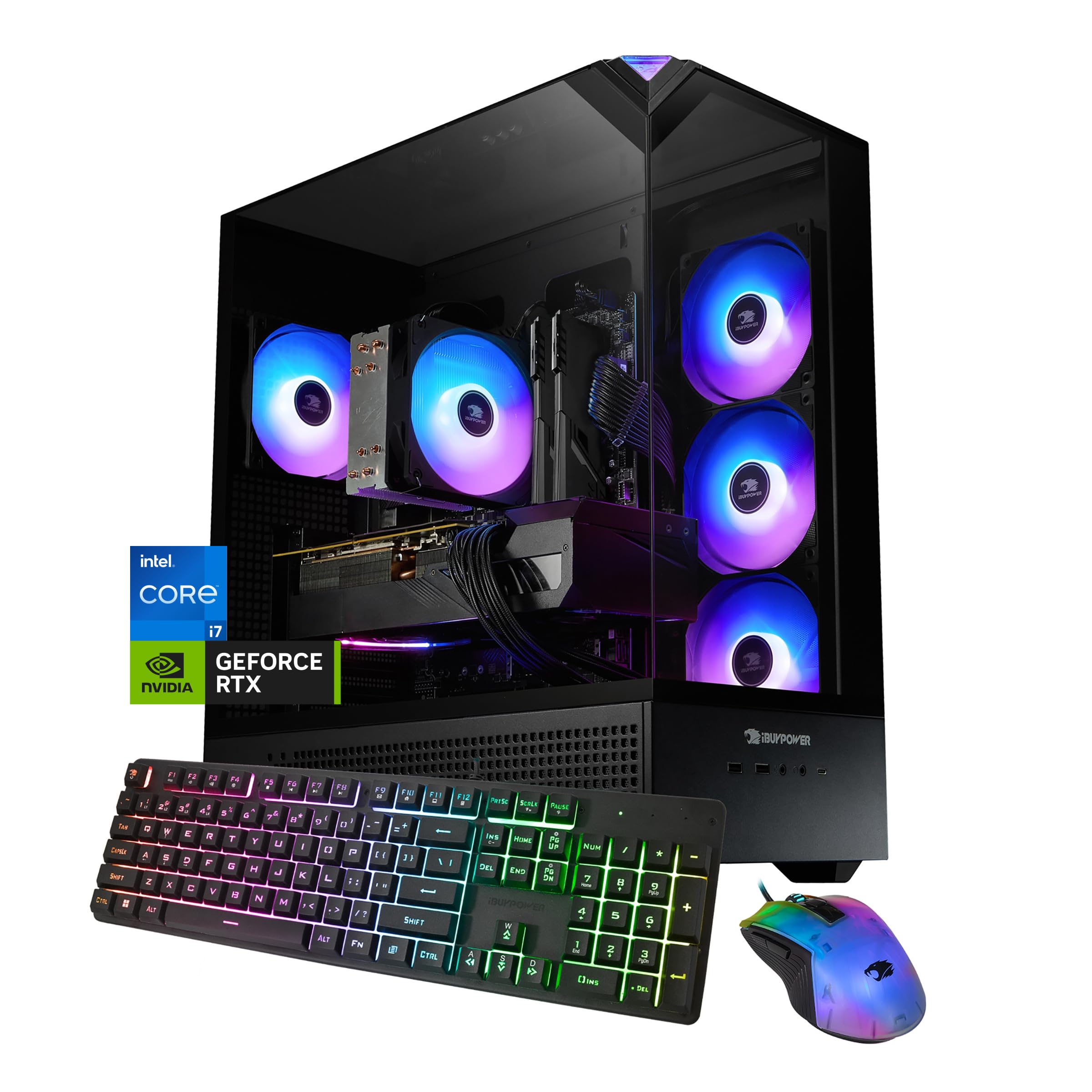
The iBUYPOWER Element brings an Intel Core i7 14700F with 20 cores (8 P-cores + 12 E-cores) paired with the RTX 5070 12GB GDDR7 GPU. The 14700F handles both gaming and professional workloads like 3D rendering or video encoding with ease. The 32GB DDR5 5200MHz RAM ensures ample memory bandwidth for multitasking, though the speed is on the lower end for DDR5. The tempered glass case with 16-color RGB lighting gives it a flashy gaming aesthetic.
The 1TB NVMe SSD provides fast load times and sufficient storage for an average game library. The system ships without bloatware, which is standard for iBUYPOWER builds at this price. The included gaming keyboard and mouse are RGB-enabled and suitable for daily use. Wi-Fi is included via a wireless card, though it uses the older 802.11ac standard rather than Wi-Fi 6, which is a noticeable omission at this price point.
Some buyers reported minor issues like missing GPU packing foam causing cosmetic damage during shipping, and misaligned USB ports on the front panel. One user noted that only two RAM slots are populated, leaving two slots empty for future upgrades. The system runs cool under load with the multi-fan air cooler setup. Overall, buyers praise the performance per dollar, with many noting that self-building a comparable system would cost more given current GPU prices.
Why it’s great
- 20-core i7 14700F handles productivity and gaming equally well
- RTX 5070 12GB with GDDR7 delivers exceptional 1440p performance
- No bloatware preinstalled
Good to know
- Uses older 802.11ac Wi-Fi instead of Wi-Fi 6
- Some shipping quality control issues reported
FAQ
Can a $700 gaming desktop run modern AAA games at 1080p?
Should I buy a $700 prebuilt or build my own PC?
Why do some budget prebuilt PCs use decade-old CPUs?
What should I upgrade first on a $700 gaming desktop?
Final Thoughts: The Verdict
For most users, the best $700 gaming desktop winner is the STGAubron with the RTX 3050 because it delivers genuine dedicated GPU performance, modern connectivity, and a balanced 6-core CPU at the right price point. If you want a cleaner aesthetic with a better upgrade path, grab the suevery i5-12400F build. And for productivity users who plan to add a GPU later, nothing beats the ALCPOK Ryzen 7 5700G with its 550W PSU and 1TB storage.