
Building your own mechanical keyboard no longer means breaking out a soldering iron or hunting down rare components. The market for 75 percent boards with pre-soldered PCBs, gasket mounts, and full metal cases has matured rapidly, delivering enthusiast-grade results straight out of the box. The hard part now is picking the right foundation for your switches and keycaps.
I’m Min — the co-founder and writer behind Gadgets Feed. I’ve spent countless hours dissecting spec sheets, cross-referencing user modding reports, and comparing connectivity protocols, case materials, and sound-dampening layers across the most popular barebone platforms to find which one genuinely delivers on its promise. This guide exists to save you that same research time.
No matter whether you are chasing a creamy thock for your office desk or a rapid-trigger setup for competitive gaming, the best 75 barebones keyboard is the one that matches your specific switch choice, your preferred connection method, and your tolerance for post-build tuning.
How To Choose The Best 75 Barebones Keyboard
A 75 percent barebones keyboard is essentially a frame, PCB, and plate without switches or keycaps. Your choice will determine the acoustic profile, the typing feel, the connectivity options, and the long-term modding potential. Prioritize the four factors below before any other feature.
Case Material and Build Density
The material of the case is the single biggest predictor of weight, sound, and rigidity. A full CNC aluminum frame — seen on premium models like the GMMK PRO and Womier SK75 — delivers a dense, tank-like feel that eliminates case flex and produces a clean, metallic resonance. Plastic frames are lighter and cheaper, but they often require extra foam or silicone layers to suppress hollow cavity noise. If you plan to carry the board to LANs or between desks, weight matters; a full aluminum 75 board typically weighs between 3 and 4 pounds.
Gasket Mount vs. Tray Mount Structure
The mounting style controls how much the plate and PCB flex when you type. Gasket mount boards use silicone or foam pads to suspend the plate, creating a softer, more uniform bottom-out and a deeper sound signature. Tray mount boards screw directly into the bottom case, resulting in a stiffer, harder bottom-out that some speed-oriented typists prefer. Most current-generation barebones in this category have adopted gasket mounts because they allow for a wider range of customization through different plate materials and foam configurations.
Hot-Swap PCB Compatibility
Not all hot-swap sockets accept the same switches. Standard mechanical hot-swap boards support 3-pin and 5-pin MX-style switches. Hall Effect boards, like the Womier SK75, use magnetic switches that require a different type of PCB. Make sure the barebones you pick matches the switch family you intend to use. If you want the ability to swap between linear, tactile, and clicky without buying a new board, stick with a mechanical hot-swap PCB that clearly states support for 5-pin switches.
Firmware and Programmable Features
Open-source firmware such as VIA and QMK gives you full control over key mapping, macro layers, and lighting effects without requiring an internet connection to proprietary software. Boards that support VIA out of the box — the YUNZII AL80 and Womier ERA75 — let you remap every key, including the rotary knob, through a browser-based configurator. Proprietary software, like that on the AULA S75 Pro, works well for basic adjustments but often lacks the flexibility demanded by power users who want custom actuation points or complex combos.
Quick Comparison
On smaller screens, swipe sideways to see the full table.
| Model | Category | Best For | Key Spec | Amazon |
|---|---|---|---|---|
| GMMK PRO | Premium | Enthusiast modding platform | Full CNC aluminum, 5-pin hot-swap | Amazon |
| Womier SK75 | Gaming | Rapid trigger with magnetic switches | 8000 Hz polling, Hall Effect PCB | Amazon |
| YUNZII AL80 | Premium | VIA/QMK programmable aluminum | 6000 mAh battery, CNC aluminum | Amazon |
| AULA F99 Pro | Mid-Range | Full-size layout with creamy sound | 99 keys, 8000 mAh battery | Amazon |
| AULA S75 Pro | Mid-Range | Built-in LCD screen and knob | Five-layer dampening, gasket mount | Amazon |
| Womier ERA75 | Mid-Range | VIA programmable with full aluminum build | 8000 mAh battery, CNC aluminum | Amazon |
| Glorious GMMK | Budget | First time builders | 87 keys, aluminum top plate | Amazon |
In‑Depth Reviews
1. GLORIOUS GMMK PRO 75% Barebones Black

The GMMK PRO is the board that convinced me that the line between pre-built and fully custom no longer exists. Glorious starts with a single block of CNC-machined aluminum. The resulting chassis weighs roughly four pounds, which eliminates any sense of flex or hollow resonance. The anodized surface resists scratches far better than painted plastic, and the gasket mount produces a uniformly soft bottom-out that modders typically seek after swapping plates and foams.
The hot-swap PCB accepts both 3-pin and 5-pin MX switches, so you are not locked into a specific brand. Swappable top frames, a detachable rotary knob, and a brass plate option let you tune both the acoustics and the aesthetics without buying a second board. The included braided USB-C cable is a rare courtesy at this price point. The stock stabilizers are pre-lubed from the factory and require only minor grease touch-ups for a rattle-free space bar.
The proprietary Glorious Core software handles remapping and lighting control, though it lacks the layer depth of QMK. For users who want a tank-like foundation with the flexibility to evolve their build over time, the GMMK PRO remains the gold standard at this tier. The only real compromise is the absence of wireless connectivity, but that keeps the latency floor as low as possible for competitive scenarios.
Why it’s great
- CNC aluminum shell delivers unmatched rigidity and weight
- Swappable top frame and plate options for sound tuning
- Pre-lubed stabilizers require minimal post-build adjustment
Good to know
- Proprietary software, not VIA/QMK compatible out of the box
- Wired-only connection limits desk setup flexibility
2. Womier SK75 TMR/HE Keyboard
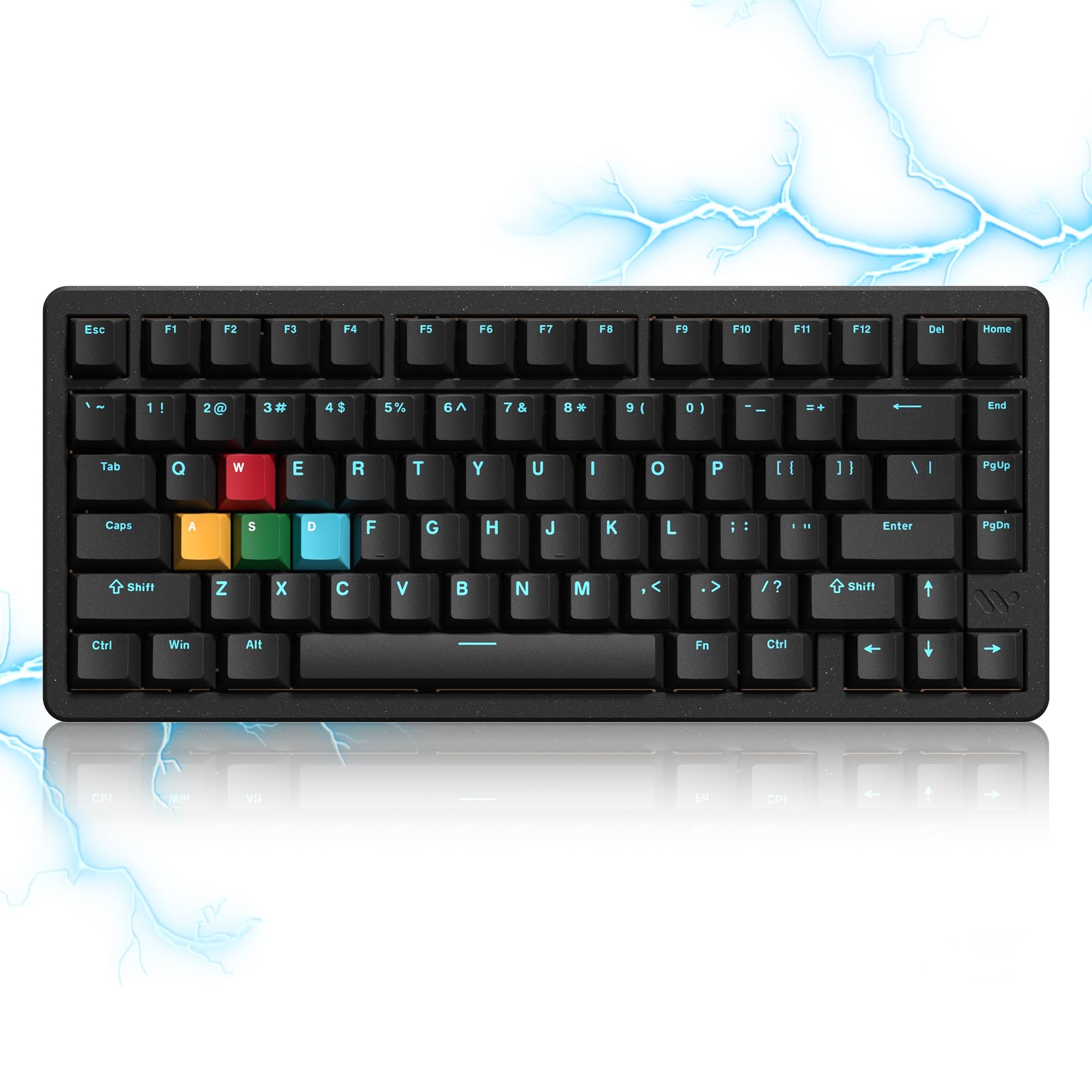
The Womier SK75 represents a fundamental shift in what a barebones keyboard can be. Instead of using metal leaves to register keystrokes, this board uses Hall Effect sensors paired with pre-lubed magnetic switches. That means fully adjustable actuation from 0.1 millimeter up to 3.5 millimeters, which allows you to set the same key to be hair-trigger sensitive for gaming and deliberately deep for typing. The rapid trigger function releases the keystroke the instant your finger lifts, eliminating the reset lag inherent to mechanical switches.
The polling rate hits 8000 Hz, translating to 0.125 millisecond response time in wired mode. That is eight times faster than the standard 1000 Hz boards. The frame is full CNC aluminum, so the build quality matches the electrical performance. The PCB also accepts standard 3-pin and 5-pin mechanical switches, giving you the option to swap between magnetic and mechanical without changing the board. The 8000 mAh battery lasts through multiple days of mixed-use without needing a charge.
The mediocre stock keycaps and the power switch hidden under the caps lock are genuine annoyances. The online driver, while functional, lacks the polish of Wooting’s software. But if your primary use case is competitive gaming where every millisecond counts, the SK75’s magnetic platform is a category ahead of any traditional mechanical hot-swap board in this price range.
Why it’s great
- Adjustable actuation and rapid trigger via Hall Effect sensing
- 8000 Hz polling rate with 0.125 ms response in wired mode
- Accepts both magnetic and mechanical 3/5-pin switches
Good to know
- Stock keycaps feel underwhelming for a premium chassis
- On/off switch under caps lock is inconvenient for wireless use
3. YUNZII AL80 Wireless Mechanical Keyboard

The YUNZII AL80 achieves what few boards in this category manage: full CNC aluminum construction with native VIA and QMK firmware support at a price that undercuts most competitors. The anodized silver case feels dense and cool to the touch, and the gasket mount produces a muted, creamy sound profile right out of the box. The cocoa cream V2 linear switches that ship with the pre-built version are loud and ringy, but since this is a barebones purchase, you will be replacing them anyway. That is not a flaw — it is the point of buying a barebones platform.
The tri-mode connectivity covers Bluetooth 5.0, 2.4 GHz wireless, and USB-C wired. The included 2.4 GHz dongle enables a 1000 Hz polling rate for low-latency gaming. The 6000 mAh battery provides approximately two weeks of casual use before requiring a charge. The south-facing RGB LEDs eliminate the compatibility issues that north-facing LEDs cause with Cherry-profile keycaps. The LCD screen, which displays battery level, connection mode, and custom GIFs, is a welcome addition, though the companion software uses poorly translated menus.
The knob lacks knurling and can feel slippery under oily fingers. The included keycaps are not shine-through, so the south-facing RGB is less visible than on a board with transparent legends. For users who prioritize firmware flexibility and a premium chassis over flashy RGB, the AL80 offers the best firmware-to-build-quality ratio in the entire mid-range segment.
Why it’s great
- VIA/QMK open-source firmware out of the box for full key remapping
- CNC aluminum case delivers premium weight and resonance
- Tri-mode connectivity with 6000 mAh battery for extended use
Good to know
- Stock cocoa cream switches are loud and ringy (easily swapped)
- LCD software interface is poorly translated
4. AULA F99 Pro Wireless Mechanical Keyboard

The AULA F99 Pro takes a different approach from the 75 percent competition by incorporating a full number pad into a compact 99-key layout. If your workflow depends on frequent numeric entry, this layout eliminates the need for a separate numpad while keeping a relatively small desk footprint. The gasket mount and the five-layer silicone dampening stack produce a creamy, velvety sound profile that reviewers consistently highlight as the board’s strongest attribute.
The 8000 mAh battery is the largest in this entire roundup. With RGB disabled, the board can run for weeks on a single charge. The tri-mode connectivity covers Bluetooth 5.0, 2.4 GHz wireless, and USB-C wired. The multi-function knob toggles between backlight brightness control and media volume, and the PBT double-shot keycaps resist shine far longer than the ABS caps found on cheaper boards. The hot-swap PCB accepts both 3-pin and 5-pin switches.
The plastic enclosure, while sturdy, does not match the premium heft of the aluminum-chassis boards. The lack of QMK or VIA support means you are limited to the proprietary AULA driver for macro and lighting configuration. For users who prioritize battery endurance and a numpad over a metal case, the F99 Pro delivers the most practical daily driver experience in the mid-range category.
Why it’s great
- 8000 mAh battery offers class-leading wireless runtime
- Five-layer dampening produces a creamy, velvety sound
- 96% layout with dedicated number pad for data entry
Good to know
- Plastic case lacks the weight and resonance of aluminum
- No VIA or QMK support; proprietary driver only
5. AULA S75 PRO Wireless Gaming Keyboard
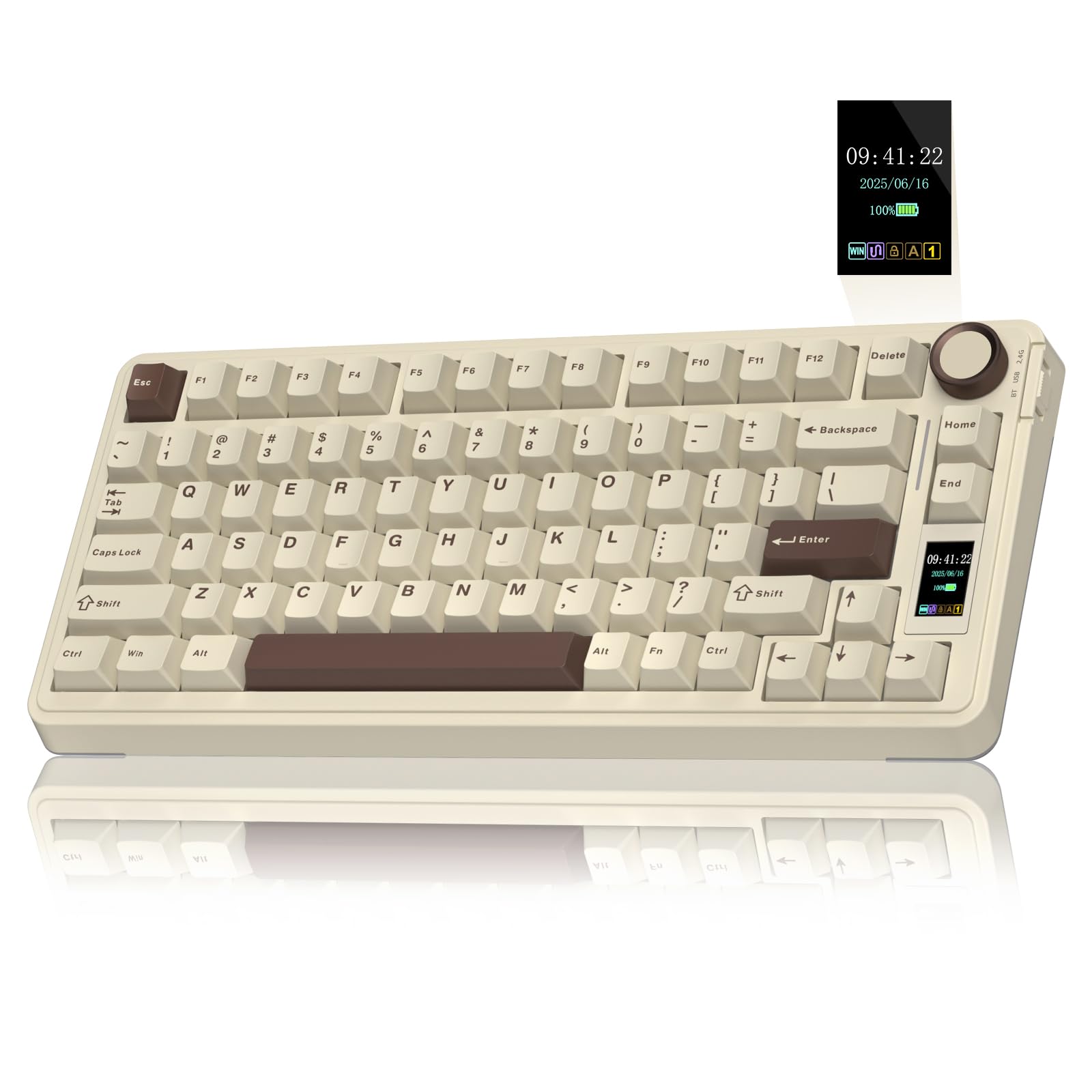
The AULA S75 Pro nails the thocky sound profile that the keyboard community obsesses over without requiring any post-purchase modifications. The five-layer filling structure — a combination of silicone pads, foam, and PCB single-key slotting — eliminates all traces of metallic ping or hollow cavity noise. The pre-lubed star vector linear switches produce a deep, creamy bottom-out that sounds far more expensive than the board’s construction suggests. The gasket mount ensures a uniform typing feel across every key.
The built-in LCD screen displays time, date, battery status, and custom GIFs, and it can be programmed through the Windows-only companion software. The multifunction knob handles volume or backlight control depending on the mode. The tri-mode connectivity covers Bluetooth 5.0, 2.4 GHz wireless, and USB-C wired, with a side-mounted toggle switch for quick connection swaps. The PBT double-shot keycaps resist shine and provide a textured grip surface.
The plastic case, while well-constructed, does not carry the same weight as the aluminum boards. Battery life sits around 20 hours with full RGB enabled, which is average for this capacity. Users on macOS will find the LCD software locked behind Windows-only installation. For builders who want an immediately satisfying typing sound out of the package, the S75 Pro delivers the best acoustic floor in the mid-range segment.
Why it’s great
- Five-layer dampening produces an immediately thocky stock sound
- LCD screen and knob add convenient visual feedback
- Tri-mode connectivity with easy side-toggle switching
Good to know
- Plastic case lacks the heft of CNC aluminum alternatives
- LCD configuration requires Windows software; no macOS support
6. Womier ERA75 Wireless Mechanical Keyboard
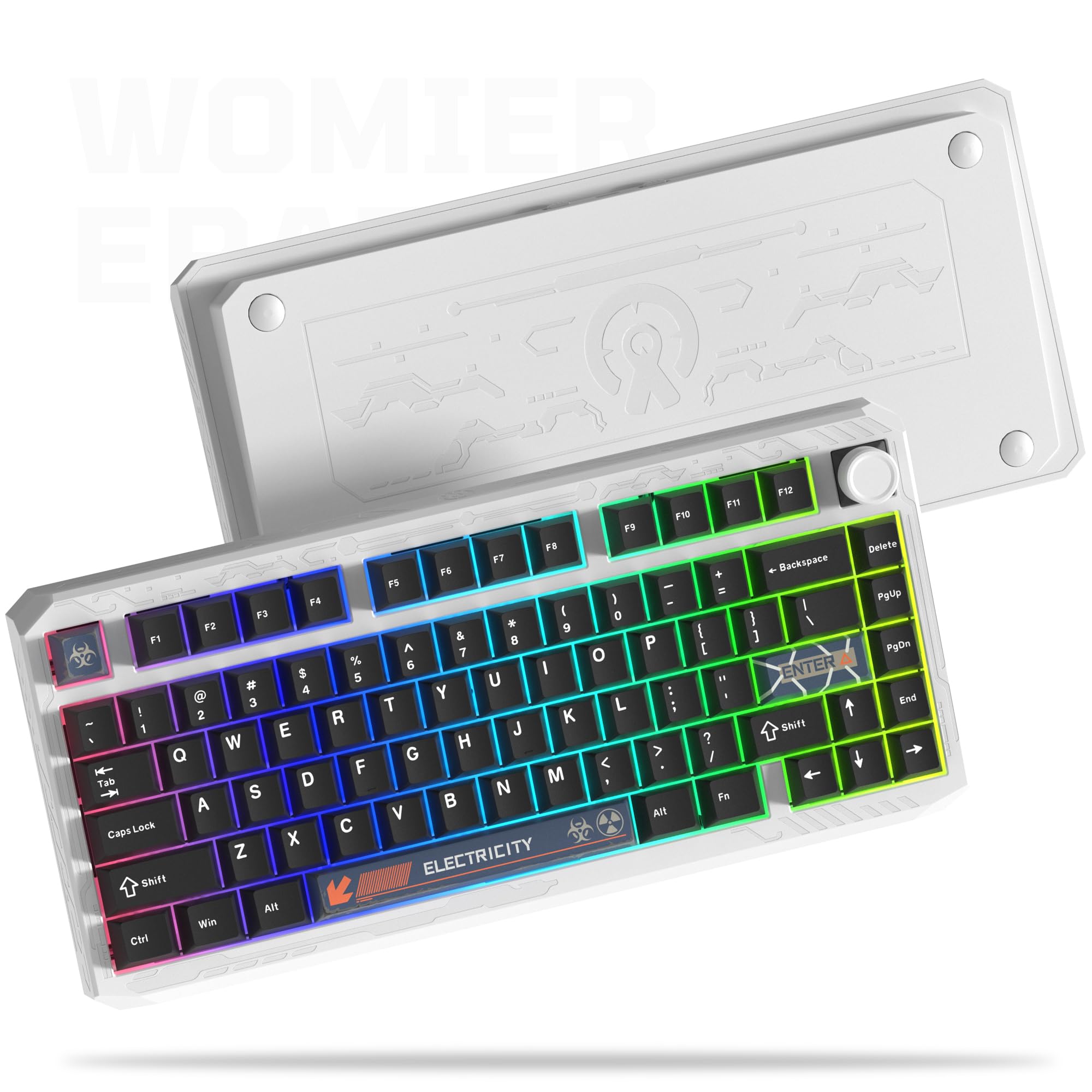
The Womier ERA75 is the board that makes VIA/QMK firmware accessible at a price point where other manufacturers are still shipping proprietary software. The CNC aluminum case is finished with a powder-coated texture that feels smooth yet grippy, and the diamond-cut table edges catch light in a way that plain rectangular slabs do not. The gasket mount and the factory-lubed POM linear switches produce a creamy sound profile that sits between the budget thock of the AULA boards and the clinical precision of the GMMK PRO.
The hot-swap knob is a clever detail — you can plug it in when you want volume control or leave it off for a clean, unbroken aesthetic. The 8000 mAh battery provides enough power for several weeks of mixed wireless use. The tri-mode connectivity covers Bluetooth 5.0, 2.4 GHz, and USB-C. The VIA support works directly in the browser, allowing you to remap every key, including the knob, without downloading any software. The 2.4 GHz dongle stores magnetically inside the case, a small convenience that prevents dongle loss.
The stock keycaps lack contrast, making the legends hard to read in low-light conditions. The typing angle is slightly higher than neutral, which may be fatiguing for flat-wrist typists. For users who want full firmware control in a metal chassis without spending GMMK PRO money, the ERA75 is the most compelling VIA-compatible option in the mid-range.
Why it’s great
- VIA/QMK firmware out of the box for complete key customization
- CNC aluminum with 8000 mAh battery for premium build and runtime
- Removable hot-swap knob offers aesthetic flexibility
Good to know
- Stock keycaps have low-contrast legends, hard to read in dim lighting
- High typing angle may fatigue flat-wrist typists
7. Glorious GMMK 85% TKL Barebone
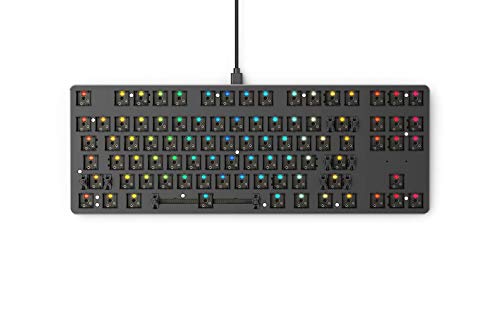
The original Glorious GMMK remains the most accessible entry point into the barebones ecosystem. The aluminum top plate and ABS plastic bottom case provide a rigid frame that eliminates case flex without the weight penalty of a full metal chassis. The floating key design, which exposes the switch tops, makes it easy to swap keycaps and switches without disassembling the board. The tray mount construction is stiffer than gasket mount, but it provides a consistent typing feel that beginners will find predictable.
The hot-swap PCB accepts 3-pin switches only. If you have 5-pin switches, you will need to clip the two plastic alignment legs before installation. The per-key RGB lighting is bright and vibrant, and the Glorious Core software handles macro and lighting remapping without requiring an internet connection. The included keycap puller and braided USB-C cable reduce the cost of the first build. The standard ANSI layout with a standard bottom row guarantees compatibility with almost any aftermarket keycap set.
The stabilizers are serviceable but not pre-lubed, so you may hear rattle on the space bar and larger modifiers until you apply your own grease. The foam that ships inside the case is thin and does not fully suppress cavity noise. A cheap sheet of shelf liner or a roll of PE foam transforms the acoustic profile. For the lowest possible total cost of ownership, the GMMK gives you a solid, upgradable foundation that scales well into higher-end components.
Why it’s great
- Standard ANSI layout with full aftermarket keycap compatibility
- Rigid aluminum top plate with floating key design for easy swaps
- Entry-level price point with Glorious Core software support
Good to know
- Only supports 3-pin switches; 5-pin switches require leg clipping
- Stock stabilizers are not pre-lubed; after-market grease recommended
FAQ
Can I use 5-pin switches on a 3-pin hot-swap board?
Is the gasket mount better than a tray mount for typing?
Do all 75 percent barebones keyboards support VIA firmware?
How important is the plate material for sound?
What is rapid trigger on a Hall Effect keyboard?
Final Thoughts: The Verdict
For most users, the best 75 barebones keyboard winner is the Glorious GMMK PRO because its full CNC aluminum frame, swappable plate system, and pre-lubed stabilizers provide the most complete enthusiast platform without pushing into true custom-shop pricing. If you want native VIA firmware and wireless flexibility in a metal chassis, grab the Womier ERA75. And for competitive gaming where adjustable actuation and rapid trigger are non-negotiable, nothing beats the Womier SK75. The right barebones board is the one that matches your switch family, your preferred firmware, and your tolerance for post-build tuning.