
Stepping up from a standard 60Hz panel to a 75Hz monitor is the single most cost-effective upgrade you can make for your daily computing. The extra 15 frames per second eliminates the subtle judder in desktop window movements, makes cursor tracking feel instantly more responsive, and smooths out video playback. For office workers, students, and casual gamers alike, that 25% refresh rate bump transforms the feel of every interaction without demanding a high-end graphics card.
I’m Min — the co-founder and writer behind Gadgets Feed. I’ve spent countless hours analyzing panel specifications, refresh rate performance, and real-world usability data to separate marketing claims from actual daily benefits for this guide.
After poring through thousands of verified buyer experiences and technical spec sheets, I’ve assembled the definitive ranking of the best 75 hz monitor options that deliver tangible smoothness without breaking your budget.
How To Choose The Best 75 Hz Monitor
A 75Hz monitor occupies a sweet spot that many buyers overlook. It provides a noticeably smoother desktop experience than a standard 60Hz display while requiring no exotic hardware to drive it. Understanding a few key factors will help you pick the right panel for your specific mix of work and play.
Panel Technology: IPS vs VA
For a 75Hz monitor used primarily for office productivity, browsing, and media consumption, IPS panels dominate the recommendation lists. IPS technology delivers superior color accuracy (often 99% sRGB), wide 178-degree viewing angles, and consistent brightness across the entire screen. VA panels, by contrast, offer deeper black levels and higher static contrast ratios (3000:1 vs 1000:1), which can make text pop on dark-mode interfaces. If you read documents or code all day, IPS is the safer bet; if you watch movies in a dim room, VA may look richer.
Adaptive Sync and Input Connectivity
AMD FreeSync is nearly universal on modern 75Hz monitors, and it works with both AMD and recent NVIDIA GPUs (via DisplayPort) to eliminate screen tearing when frame rates dip below the refresh rate. Check that the monitor includes at least one HDMI port capable of 75Hz at 1080p — many budget models still ship with older HDMI 1.4 or VGA ports, and you’ll want to avoid VGA for video if possible. DisplayPort is a nice bonus for future-proofing but not strictly necessary at this resolution and refresh rate.
Ergonomics and Eye Comfort
Since most 75Hz monitors target all-day use, ergonomic adjustments matter more than you might expect. A panel with tilt adjustment is the bare minimum; height-adjustable stands add significant long-term comfort. TÜV Rheinland-certified flicker-free backlighting and a low blue light mode are standard on better models and genuinely reduce eye fatigue during eight-hour work sessions. VESA mounting compatibility (usually 100x100mm) allows you to use a monitor arm, freeing up desk space and improving posture.
Quick Comparison
On smaller screens, swipe sideways to see the full table.
| Model | Category | Best For | Key Spec | Amazon |
|---|---|---|---|---|
| Samsung 32″ LS32B304NWNXGO | Premium | Immersive media & work | 32-inch, 4000:1 VA contrast | Amazon |
| Dell S2722DC | Premium | USB-C laptop charging | 27-inch, 2560×1440, 65W USB-C | Amazon |
| ASUS VA27DQ | Mid-Range | Color-accurate office work | 27-inch IPS, 75Hz, built-in speakers | Amazon |
| HP V24v G5 | Mid-Range | Compact workspace setup | 24-inch, 3000:1 VA, FreeSync | Amazon |
| Sceptre E248W-19203R | Budget | Entry-level gaming & media | 24-inch, 99% sRGB, FPS/RTS modes | Amazon |
| Acer SB273 G0bi | Budget | Large display on a budget | 27-inch IPS, 120Hz capable | Amazon |
| ViewSonic VA2456A-MHD | Budget | Productivity with presets | 24-inch IPS, 120Hz, 5 presets | Amazon |
| Samsung 24″ S40GD | Mid-Range | Ergonomic productivity | 24-inch IPS, height/pivot adjust | Amazon |
| Kado Dual 27″ Curved | Mid-Range | Immersive dual-screen setup | 27-inch curved 1500R, 98% sRGB | Amazon |
In‑Depth Reviews
1. Samsung 32-Inch LS32B304NWNXGO

The Samsung 32-inch LS32B304NWNXGO offers a commanding 32-inch VA panel with a 4000:1 static contrast ratio, making it the top choice for users who want deep blacks and rich cinematic contrast in a borderless design. AMD FreeSync keeps 75Hz gameplay tear-free, and the advanced Eye Saver Mode reduces blue light emissions effectively for all-day comfort. The three-sided borderless bezel creates a near-seamless look in multi-monitor arrays, and the 75Hz refresh rate ensures every window drag and video transition feels fluid.
Connectivity includes both HDMI and DisplayPort inputs, allowing full 75Hz operation without compatibility headaches. The built-in Game Mode enhances image contrast and color saturation for supported titles, turning the monitor into a capable casual gaming display. Brightness holds steady at 250 cd/m², adequate for most indoor lighting conditions, and the anti-glare coating minimizes reflections during long work sessions.
Customer feedback consistently praises the monitor’s large screen real estate, crisp 1080p resolution at 32 inches, and the substantial visual upgrade from smaller panels. Minor reports of screen tearing on certain GPU configurations remind users to enable FreeSync in the monitor’s OSD and driver panel simultaneously. For anyone prioritizing an expansive, immersive 75Hz experience for both productivity and entertainment, this Samsung delivers the best overall package.
Why it’s great
- Exceptional 4000:1 contrast ratio for deep blacks
- Borderless design perfect for multi-monitor setups
- FreeSync and Game Mode for smooth casual gaming
Good to know
- 1080p pixel density is lower on a 32-inch screen
- Stand offers tilt but no height adjustment
2. Dell S2722DC

The Dell S2722DC is the only monitor in this roundup with a 2560×1440 WQHD resolution, offering significantly sharper text and more screen real estate than 1080p panels. Its 27-inch IPS display produces 99% sRGB color gamut with 350 cd/m² brightness, making it a legitimate option for light photo editing alongside daily productivity. The 75Hz refresh rate pairs with AMD FreeSync to deliver smooth motion without the ghosting that plagues slower panels.
The defining feature is the USB-C port delivering 65W of power delivery — a single cable handles video, data, and laptop charging, dramatically reducing desk clutter for modern laptops. The stand offers full ergonomic adjustment including height, pivot, swivel, and tilt, a rarity at this price tier. Built-in speakers are present, though reviews note they sound tinny and quiet compared to dedicated desktop speakers.
Customer reviews highlight the monitor’s excellent build quality, the convenience of USB-C connectivity, and the sharpness upgrade from 1080p. The most common complaint is that the speakers are underwhelming, but this is a minor concession for a monitor that otherwise excels at every productivity task. For professionals who need a crisp, feature-rich 75Hz display with modern connectivity, the Dell S2722DC is the premium choice.
Why it’s great
- WQHD resolution offers far sharper text than 1080p
- 65W USB-C power delivery simplifies desk setup
- Full ergonomic stand with height, pivot, and swivel
Good to know
- Built-in speakers are weak and tinny
- Premium price compared to 1080p 75Hz options
3. Samsung 24-Inch S40GD
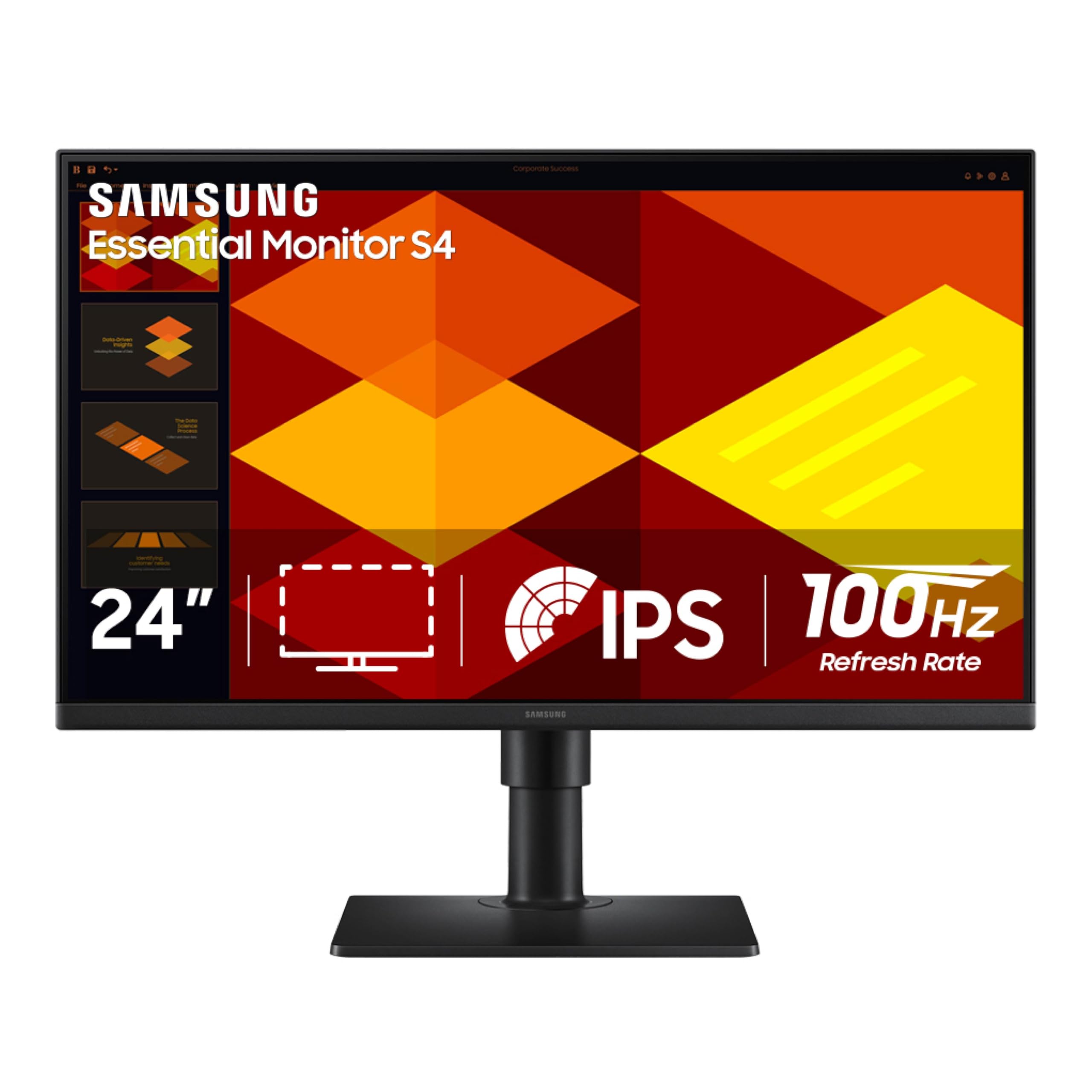
The Samsung S40GD packs an IPS panel with a 100Hz refresh rate into a business-oriented design that includes a fully adjustable stand — height, pivot, swivel, and tilt — a feature set usually reserved for far more expensive monitors. The 24-inch 1080p IPS display delivers 250 cd/m² brightness with consistent colors across wide viewing angles, ideal for spreadsheets, coding, and document work. The 100Hz refresh rate goes beyond the 75Hz requirement, providing even smoother cursor and scrolling motion.
Connectivity is generous with two HDMI ports, one DisplayPort input, a headphone-out jack, and a built-in USB hub for peripherals. The monitor includes Eye Saver Mode and Flicker-Free technology, both TÜV Rheinland-certified for reduced eye strain during long workdays. The borderless bezel design looks modern on any desk, and the built-in power supply eliminates the bulky external brick common on budget monitors.
User feedback praises the exceptional build quality, the smooth motion at 100Hz, and the versatility of the fully adjustable stand. A small number of units have been reported with backlight bleed near the top edge, typically resolved by pressing the bezel gently. For buyers who want an ergonomic 75Hz-capable monitor with room to grow into 100Hz, the Samsung S40GD offers outstanding value.
Why it’s great
- Fully adjustable stand with height and pivot
- 100Hz refresh rate exceeds the 75Hz target
- Built-in USB hub and dual HDMI ports
Good to know
- Some units may exhibit backlight bleed
- Online manual is poorly organized
4. ASUS VA27DQ

The ASUS VA27DQ combines a 27-inch IPS panel with a 75Hz refresh rate and Adaptive-Sync compatibility that works with both NVIDIA GeForce and AMD Radeon GPUs. The frameless design on three sides gives the monitor a clean, modern appearance that blends into any workspace. Color accuracy is solid for an IPS panel at this tier, with 72% NTSC gamut coverage that delivers vibrant yet natural-looking images for media consumption and general office tasks.
Connectivity options include HDMI, DisplayPort, and VGA, ensuring compatibility with legacy systems alongside modern laptops. The built-in 2W stereo speakers provide clear audio for video calls and system sounds, though they lack low-end punch for music or movies. ASUS Eye Care technology includes TÜV Rheinland-certified Flicker-Free and Low Blue Light modes that genuinely reduce eye fatigue during extended sessions.
Customer reviews consistently note the monitor’s excellent brightness and crisp image quality, with several users praising its performance for non-gaming workloads like photo editing and office productivity. The primary downside is the plastic stand, which offers tilt adjustment but feels less substantial than metal alternatives. For a well-rounded 75Hz monitor that handles work and light gaming with equal grace, the ASUS VA27DQ is a strong mid-range contender.
Why it’s great
- Adaptive-Sync works with both NVIDIA and AMD GPUs
- Frameless design with 178-degree viewing angles
- TÜV-certified eye care for long sessions
Good to know
- Plastic stand feels lightweight and basic
- Speakers lack bass for media consumption
5. HP V24v G5
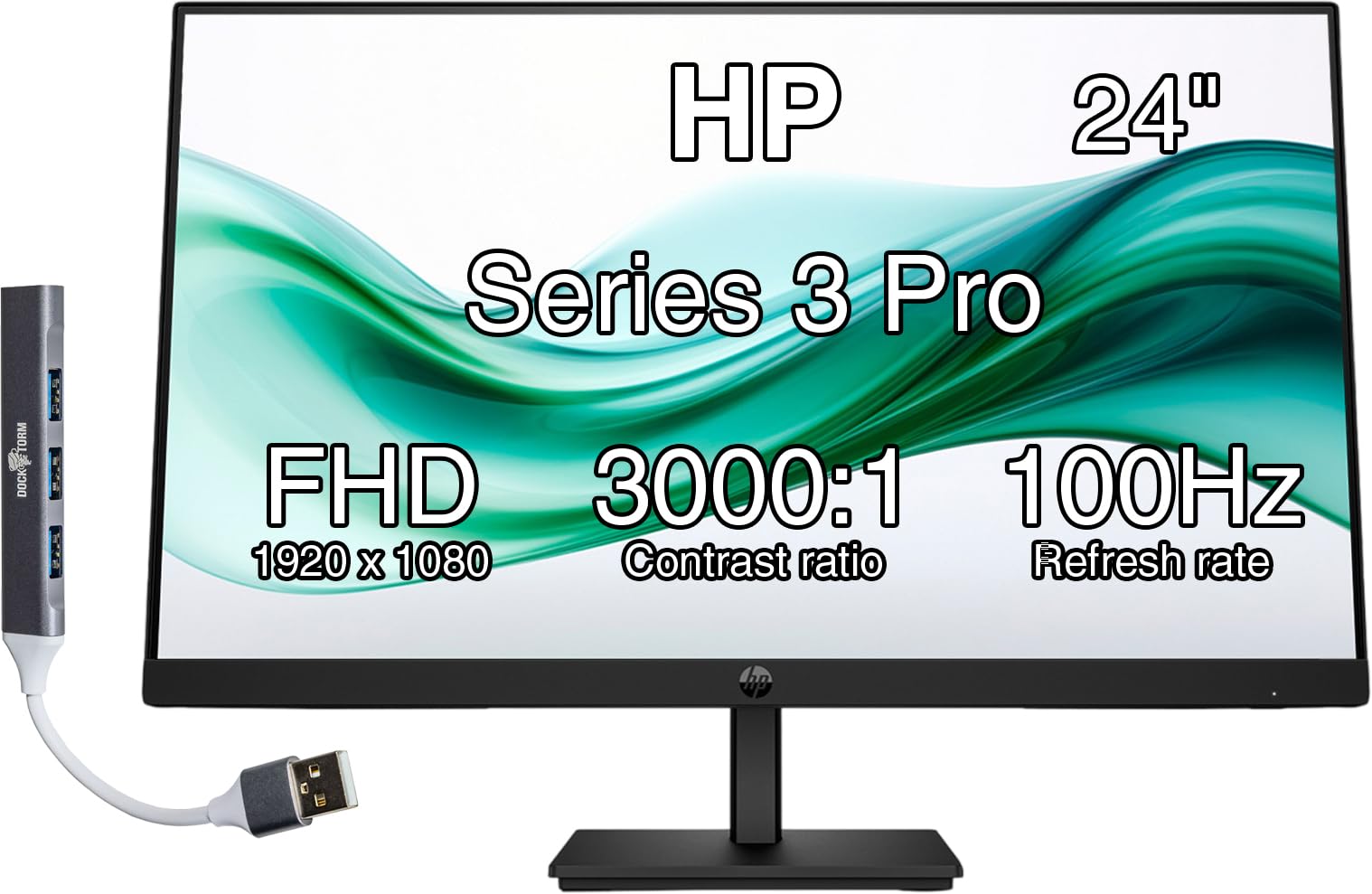
The HP V24v G5 is a 24-inch VA panel monitor that leverages a 3000:1 contrast ratio to deliver deep blacks and excellent text readability, making it a favorite for office productivity and document-heavy workflows. The 75Hz refresh rate with AMD FreeSync support provides smooth motion without the tearing artifacts common on non-sync displays. The anti-glare coating is effective at reducing reflections, and the 250 nits brightness is sufficient for typical indoor office lighting.
The monitor features a three-sided micro-edge bezel design that keeps the focus on the screen, along with a neat cable management system built into the stand. The intuitive Joypad OSD button makes navigating settings straightforward, and HP Display Center software allows direct control from Windows. Connectivity includes one HDMI 1.4 port and one VGA port, with the included Docztorm Data Hub adding an extra USB hub for peripherals.
Users describe the HP V24v G5 as a straightforward, reliable monitor that works as advertised with smooth gaming performance and clear image quality. The stand offers only tilt adjustment, and some users note the arm doesn’t slide up for height changes, requiring a riser to match taller monitors. For a space-efficient 75Hz monitor that prioritizes contrast and clarity for productivity, the HP V24v G5 is a smart pick.
Why it’s great
- VA panel with 3000:1 contrast for deep blacks
- FreeSync support for smooth gaming
- Anti-glare coating reduces reflections
Good to know
- Stand has tilt only, no height adjustment
- VGA port is outdated for modern GPUs
6. Kado Dual 27-Inch Curved

The Kado Dual 27-Inch Curved monitor pack delivers two 27-inch 1500R curved VA panels with a 75Hz refresh rate and 98% sRGB color gamut coverage in a single package. The 1500R curvature wraps around your peripheral vision, reducing eye strain during long coding or writing sessions while providing an immersive feel for media. Each monitor includes built-in speakers and custom FPS and RTS gaming modes that adjust color and contrast for competitive titles.
AMD FreeSync compatibility is built into each panel, ensuring tear-free motion at 75Hz. The dual-pack configuration includes all necessary HDMI cables and power adapters, making setup straightforward right out of the box. VESA 100x100mm mounting points on each monitor allow users to attach monitor arms for a clean floating setup.
Customer feedback is overwhelmingly positive, with users praising the exceptional value of getting two curved 27-inch monitors at this price point. The screens are described as bright with vibrant color, easy to set up, and perfectly matched for a seamless dual-screen workspace. The only common note is that the built-in speakers are adequate for system sounds but not for primary audio. For anyone building a dual-monitor 75Hz workstation, this Kado pack is an unbeatable value.
Why it’s great
- Two curved 27-inch monitors in one cost-effective package
- 1500R curvature enhances immersion and reduces eye strain
- 98% sRGB and FreeSync for vivid tear-free gaming
Good to know
- Speakers are basic, not for primary audio
- Stand offers tilt adjustment only
7. Sceptre E248W-19203R

The Sceptre E248W-19203R is the entry-level champion of the 75Hz monitor category, offering a 24-inch 1080p LED panel with 99% sRGB color gamut at a price that undercuts most competitors. The 75Hz refresh rate is natively supported over HDMI, and the monitor includes custom FPS and RTS game modes that optimize gamma and color saturation for different genres. Built-in speakers deliver robust enough audio for casual use, and the Blue Light Shift feature reduces eye strain during nighttime sessions.
Connectivity includes two HDMI ports and one VGA port, plus a headphone jack for private listening. The 250 cd/m² brightness is adequate for most indoor environments, and the 100x100mm VESA mounting pattern allows for arm or wall mounting. The monitor’s slim profile and thin bezels give it a surprisingly modern look for its budget positioning.
User reviews consistently express surprise at the monitor’s quality given its low cost, with many noting vibrant colors after calibration and smooth 75Hz performance for console gaming. The stand is on the wobbly side and the raised bezel design feels dated, but these are acceptable trade-offs at this price tier. For budget-conscious buyers who need a reliable 75Hz monitor for mixed use, the Sceptre E248W-19203R delivers impressive value.
Why it’s great
- 99% sRGB color gamut for vivid images
- Dual HDMI ports plus VGA for versatile connectivity
- FPS and RTS game modes improve visibility
Good to know
- Stand feels wobbly and lacks height adjustment
- Raised bezel design looks less modern
8. Acer SB273 G0bi

The Acer SB273 G0bi offers a 27-inch IPS panel with a native 1080p resolution and Adaptive-Sync support that scales up to 120Hz, making it a versatile option that comfortably exceeds the 75Hz baseline. The zero-frame design maximizes screen visibility with ultra-thin bezels on three sides, creating an edge-to-edge look that blends into multi-monitor configurations. The 1ms VRB (Visual Response Boost) effectively reduces motion blur, though this mode typically disables brightness adjustment.
Connectivity includes HDMI and VGA ports, and the monitor is compatible with both FreeSync-equipped AMD GPUs and Adaptive-Sync NVIDIA GPUs. The IPS panel delivers consistent brightness and color at 178-degree viewing angles, with a 100,000,000:1 dynamic contrast ratio for handling high-contrast scenes. The stand offers tilt adjustment and feels stable despite its lightweight construction.
Customer reviews highlight the monitor’s excellent picture quality, easy setup, and outstanding value for a large-screen display. The main complaint involves Amazon’s packaging rather than the product itself — several units arrived with insufficient padding. For buyers seeking a large 75Hz-capable monitor that can also hit 120Hz for smoother gaming, the Acer SB273 G0bi is a smart budget-friendly choice.
Why it’s great
- 27-inch IPS panel at a budget-friendly price point
- Supports up to 120Hz for smoother gaming potential
- 1ms VRB reduces motion blur effectively
Good to know
- VGA port is dated; HDMI performance varies
- Stock may arrive with insufficient packaging padding
9. ViewSonic VA2456A-MHD

The ViewSonic VA2456A-MHD pairs a 24-inch IPS panel with a 120Hz refresh rate and SuperClear IPS technology, ensuring accurate colors and consistent brightness from any viewing angle. The 1080p resolution delivers sharp text and vibrant images, while the 1500:1 static contrast ratio provides good depth for both work and media. Adaptive Sync compatibility eliminates screen tearing, and the 1ms MPRT response time keeps fast-moving content crisp.
This monitor stands out for its optimized view presets — Game, Movie, Web, Text, and Mono — that tailor color temperature and contrast to specific tasks without manual calibration. The OSD is controlled via a rocker switch that takes some getting used to but offers intuitive navigation once learned. Connectivity includes HDMI, DisplayPort, and VGA, with built-in speakers providing basic audio output.
Users consistently describe the VA2456A-MHD as a sharp, reliable monitor with excellent clarity and vibrant colors straight out of the box. The basic stand offers tilt adjustment only and can be wobbly, but the VESA 100x100mm mounting compatibility solves this for arm users. For a productivity-focused 75Hz-capable monitor that comes pre-configured for different workflows, the ViewSonic VA2456A-MHD is an excellent choice.
Why it’s great
- 120Hz refresh rate with 1ms MPRT for smooth motion
- Five preset modes optimize settings for different tasks
- SuperClear IPS for accurate colors at any angle
Good to know
- Stand is basic with tilt only and can wobble
- 250 nits brightness may feel dim in bright rooms
FAQ
Is a 75Hz monitor worth it over a 60Hz monitor?
Can my graphics card handle a 75Hz monitor?
Do I need a special HDMI cable for 75Hz at 1080p?
What is Adaptive Sync and do I need it on a 75Hz monitor?
Does a 75Hz monitor support console gaming at 75 FPS?
Final Thoughts: The Verdict
For most users, the 75 hz monitor winner is the Samsung 32-Inch LS32B304NWNXGO because its large 32-inch VA panel with 4000:1 contrast and borderless design delivers an immersive experience that elevates both work and entertainment without requiring a premium budget. If you need 65W USB-C charging and sharp WQHD resolution for a modern laptop-centric desk, grab the Dell S2722DC. And for a compact, budget-friendly 75Hz panel that still offers 99% sRGB color and reliable performance, nothing beats the Sceptre E248W-19203R.