
Our readers keep the lights on and my morning glass full of iced black tea. As an Amazon Associate, I earn from qualifying purchases.
Specs are compiled from manufacturer listings and verified buyer reviews and can change over time — please confirm the key details on the product page before buying.
Mounting a monitor to the wall is the fastest way to reclaim your desk, but the 75×75 mm hole pattern on the back of your screen is only half the story. The real question is how much weight your mount can carry, how far it can reach, and whether you can adjust it without it drooping an hour later. This guide breaks down the best 75×75 VESA mounts by what they actually do for your workspace, not just the specs on the box.
I’m Min — the founder and writer behind Gadgets Feed. This guide is built by comparing the manufacturers’ published specifications and the patterns across verified customer reviews, so you get each pick’s real strengths and trade-offs instead of marketing spin.
Whether you own a small 17-inch portable panel or a heavy 49-inch ultrawide, finding the right 75×75 VESA mount means matching the arm’s weight limit to your screen.
Our Picks at a Glance


How To Choose The Best 75×75 VESA Mount
Before you buy, you need to know three things about your monitor: its screen size, its weight, and the distance between the four screw holes on the back. A 75×75 VESA mount matches a pattern where those holes are 75 millimeters apart, both horizontally and vertically. Getting the pattern right is easy; matching the weight is where most people go wrong.
Match the Weight, Not Just the Inches
A 32-inch monitor can weigh 10 pounds, and another 32-inch model can weigh 20 pounds. Always check the mount’s rated capacity in pounds against the actual weight of your screen. If you mount a heavy ultrawide on a budget arm rated for half its weight, you will get sagging and a screen that drifts downward no matter how tight you turn the knobs.
Fixed, Tilt, or Full Motion
Before you pick a mount, decide how often you’ll move the screen. A fixed mount sits flush against the wall and never moves — ideal if you always watch straight-on. A tilt mount lets you angle the screen up or down, which cuts glare from windows. A full-motion gas-spring arm (a jointed arm with a gas piston that holds the screen in place) lets you pull the screen toward you, swivel it side to side, and rotate it into portrait mode. So ask yourself: do you just want the screen off your desk, or will you reposition it throughout the day?
Know Your Wall
Most arms recommend mounting into a wood stud, solid concrete, or brick. Drywall alone rarely holds a monitor arm, especially a gas-spring one that you pull and push every day. If you are renting or cannot find a stud, a desk clamp mount might be the safer route.
Quick Comparison
| Model | Best For | Weight Capacity | Max Screen | Movement | Amazon |
|---|---|---|---|---|---|
| ARES WING Wall Mount Arm★ Best Overall | Heavy ultrawide gaming monitors | 44 lbs | 49 inches | Full motion | Amazon |
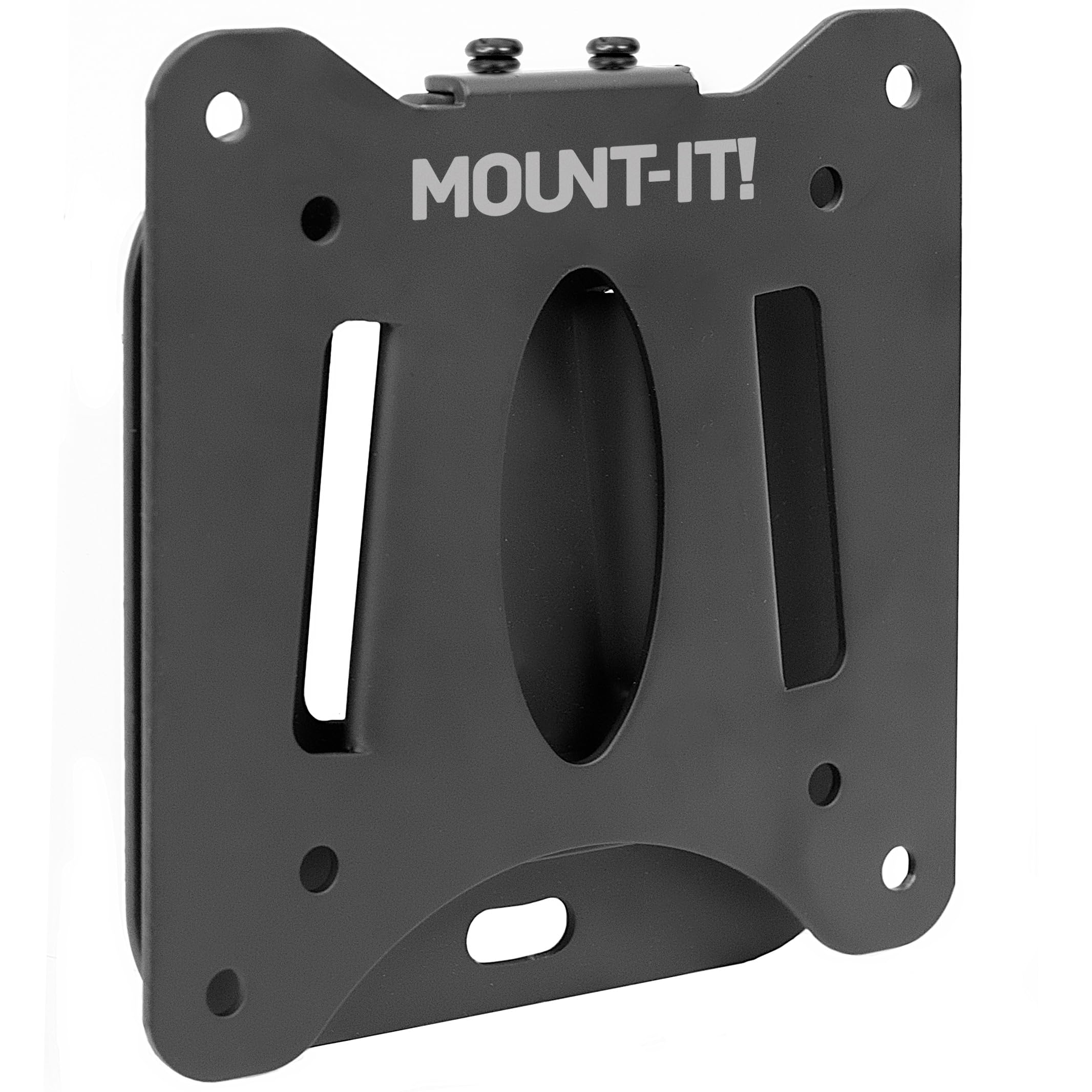
| Mount-It! Ultra Low ProfileBudget Champion | Budget flush TV mounting | 60 lbs | 32 inches | Fixed | Amazon |
| MOUNTUP Single Monitor MountTop Performer | Desk clamp budget builds | 17.6 lbs | 32 inches | Full motion | Amazon |
| Mount-It! Low Profile Tilt | Glare reduction on a budget | 30 lbs | 32 inches | Tilt | Amazon |
| UPGRAVITY Wall Mount | Smooth mid-range gas spring | 17.6 lbs | 32 inches | Full motion | Amazon |
| ErgoFocus Wall Mount | Flexible angle adjusters | 19.8 lbs | 32 inches | Full motion | Amazon |
| PUTORSEN Wall Mount | Ultra-slim full motion | 19.8 lbs | 32 inches | Full motion | Amazon |
| JUNEBOX Portable Stand | Small portable monitors | 10 lbs | 18 inches | Swivel | Amazon |
In‑Depth Reviews
1. ARES WING Wall Mount Monitor Arm
Our pick — over 4.5★ from 400+ verified ratings; the strongest balance of quality and price.
The heavy-duty champion that holds ultrawides without a hint of sag.
If you run a big curved gaming monitor, this is the mount to beat. The steel and aluminum body pairs with a gas spring that survived 20,000+ fatigue tests, so it should hold its tension for years.
You get serious flexibility here: a +50° to -20° tilt, a 180° swivel, and a full 360° rotation, so you can spin a portrait-mode coding screen or angle the display to cut glare. The arm extends up to 23.9″ toward you when you need it, then tucks back to just 5″ from the wall when you are done. Buyers report that it pairs perfectly with 34-inch ultrawides and even 32-inch TVs with extra speakers attached, and the built-in cable channel hides three HDMI cables plus power in one clean run.
Mount it into a wood stud, solid concrete, or brick—the maker warns against drywall anchors alone. On the adjustability front, the gas spring feels smoother than a traditional spring arm, though long-term reliability is something owners say only time will tell.
Articulated arm strength
- 44 lb capacity — handles heavy ultrawides and curved 1000R panels without droop
- Full 360° rotation plus 10″ of height travel
- Built-in cable management keeps a clean look
Heavy monitor limit
- Needs a wood stud or concrete — not for drywall alone
- Premium price tier for a single-arm mount
grab it if: your screen weighs more than 20 lbs or stretches past 34 inches, because this is one of the few arms rated for that job.
think twice if: you only have drywall and no stud to anchor into.
2. Mount-It! Ultra Low Profile Fixed TV Wall Mount
The flush flat bracket that disappears behind your screen for pennies.
If your TV never moves, this fixed bracket is the no-fuss answer. It sits just 0.55″ off the wall, so your screen looks almost painted onto the surface. Built from heavy-duty steel rated to hold 60 lbs, it easily supports 32-inch screens and smaller — and it’s among the most budget-friendly options here.
What wins people over is how simple the install is: the bracket has a built-in bubble level so you can get it straight without a separate tool, and all the hardware ships in the box. Owners mention it works perfectly for a 32-inch curved monitor in a home office and fits beautifully into tight spaces where a bulky arm would never work.
The catch is that this is a fixed, non-moving mount — no tilt, no swivel, no extension. If your monitor’s cables come straight out of the back, the ultra-low profile can make them hard to reach, and a few owners note the securing screw is awkward to tighten once the screen is hung. It is also worth knowing the bracket holes are sized for smaller bolts, so some buyers have had to drill them out slightly for M6 screws.
reach for it if: you want the cheapest possible flush mount for a small TV or a stationary monitor.
look elsewhere if: you need to angle the screen to fight glare — get a tilt mount instead.
3. MOUNTUP Single Monitor Mount
The desk-clamp classic that frees your wall and your workspace.
Not everyone wants to drill into a wall, and that is exactly who this mount is for. It clamps onto your desk edge with a C-clamp (drill-free) or drops into a grommet hole, and it holds monitors up to 32 inches and 17.6 lbs. The cold-rolled steel build feels rigid, and the detachable VESA plate makes it easy to snap your screen on and off.
You get a full range of motion: 45° up and 45° down tilt, left and right swivel, and a 360° rotation, plus height adjustment along the center pole. That lets you switch between landscape and portrait without any extra tools. The desk clamp fits tables between 0.4″ and 1.97″ thick, and if your desk is thicker, the maker will send a bigger clamp on request.
The honest trade-off is the weight limit. At 17.6 lbs, this is not the mount for a heavy 32-inch gaming panel — owners say to keep it light at that size. A few long-term users also report the tension loosens over time, letting the monitor drift forward with a light touch, though the 3-year support means the maker will help sort that out.
best for: renters or anyone who wants a solid arm without touching the walls.
not for: heavy ultrawides — stick to the 44 lb ARES WING above if your screen is beefy.
4. Mount-It! Low Profile Tilting TV Wall Mount

A slim tilt mount that solves glare without stealing your wall space.
When your TV sits high on a wall or across from a bright window, a little downward angle is all you need. This mount tilts 15° down and 5° up, which is enough to kill reflections, and it holds your screen just 1.65″ off the wall so it still looks built-in. The steel plate is rated to 30 lbs, covers 24–32 inch flat panels, and skips swivel or extension entirely to stay slim.
The quick-release bracket is the standout feature here: you can lift your TV off the wall plate in seconds, which makes it a favorite for RVs and campers who need to stow the screen before driving. It mounts to a single wood stud, metal stud, concrete, or brick, and the included hardware plus step-by-step instructions mean a typical install takes around 15 minutes. Owners have put this on everything from a digital picture frame to a collapsible lift-top desk, and it holds firm.
A couple of notes for the picky buyer: this is a tilt-only mount, so do not expect left-right swivel, and it is not built for curved screens. Once it is up, fine-tuning the angle is harder than adjusting a full-motion arm, so set the tilt before you tighten everything down. The lifetime warranty with US-based support adds confidence.
choose it: for a bedroom or kitchen TV where glare is the issue and a flush look matters.
skip it: if you need to swivel the screen toward different seats — that demands a full-motion arm.
5. UPGRAVITY Monitor Wall Mount

A well-engineered gas arm that makes height tweaks feel easy.
If you switch between sitting and standing at a desk, you need an arm you can nudge into a new position without wrestling it. Its gas spring passed 25,000+ exercise tests, delivering an 11-inch height-adjustable range with a light touch. It holds up to 17.6 lbs across 17 to 32-inch flat or curved screens, and the high-grade steel build keeps everything stable.
The motion range is generous: +90°/-45° tilt, 180° swivel, and 360° rotation into portrait mode, plus a 20.5-inch forward extension. When you are done working, the arm tucks back to just 3″ from the wall — the tightest retraction of any full-motion arm here. Owners are quick to praise how clean it looks and how much desk space it frees, with some buying three or four of them for multi-screen setups.
The trade-off is a slightly clunky feel and some customers note the tilt only really settles into two fixed positions rather than a smooth gradient. Also, the included Allen wrench does not fit the tensioner hex socket, so you may need your own tool to fine-tune the gas spring. A 3-year warranty covers it.
pick this: when you want a smooth, adjustable wall arm and the price-to-feature balance feels right.
steer clear: if you are mounting anything over 17.6 lbs — this one is for lighter setups.
6. ErgoFocus Wall Mount

The full-motion arm with the widest tilt range in this lineup.
Most arms cap tilt around 45°, but this one goes further: +90°/-90° tilt and +90°/-90° swivel, which means you can angle a screen nearly flat or swing it dramatically side to side. The spring-loaded arm extends up to 21.6″ toward you and rotates a full 360° into portrait mode, making it the most physically flexible option here for 13 to 32-inch monitors up to 19.8 lbs.
Buyers consistently call the adjustability class-leading. One reviewer notes it holds a 30-inch curved monitor solidly on a standing desk, and another says it supports a 34-inch ultra-wide beyond its official spec. The gas spring makes height and angle changes smooth, and the wall-mount design spares your desk from clamp marks. One owner bought three for a sim racing rig and a work-from-home setup, reporting zero issues over years.
The small catch is the installation layout: the upper mounting holes sit side by side, which can make it tricky to align with wall studs. Take your time measuring before you drill. The 2-year warranty and rave reviews make it a confident pick for maximum range.
go with it: if you want the widest possible angle range and a smooth spring feel.
consider the layout: before buying, check that your stud spacing works with the close-together top holes.
7. PUTORSEN Wall Mount
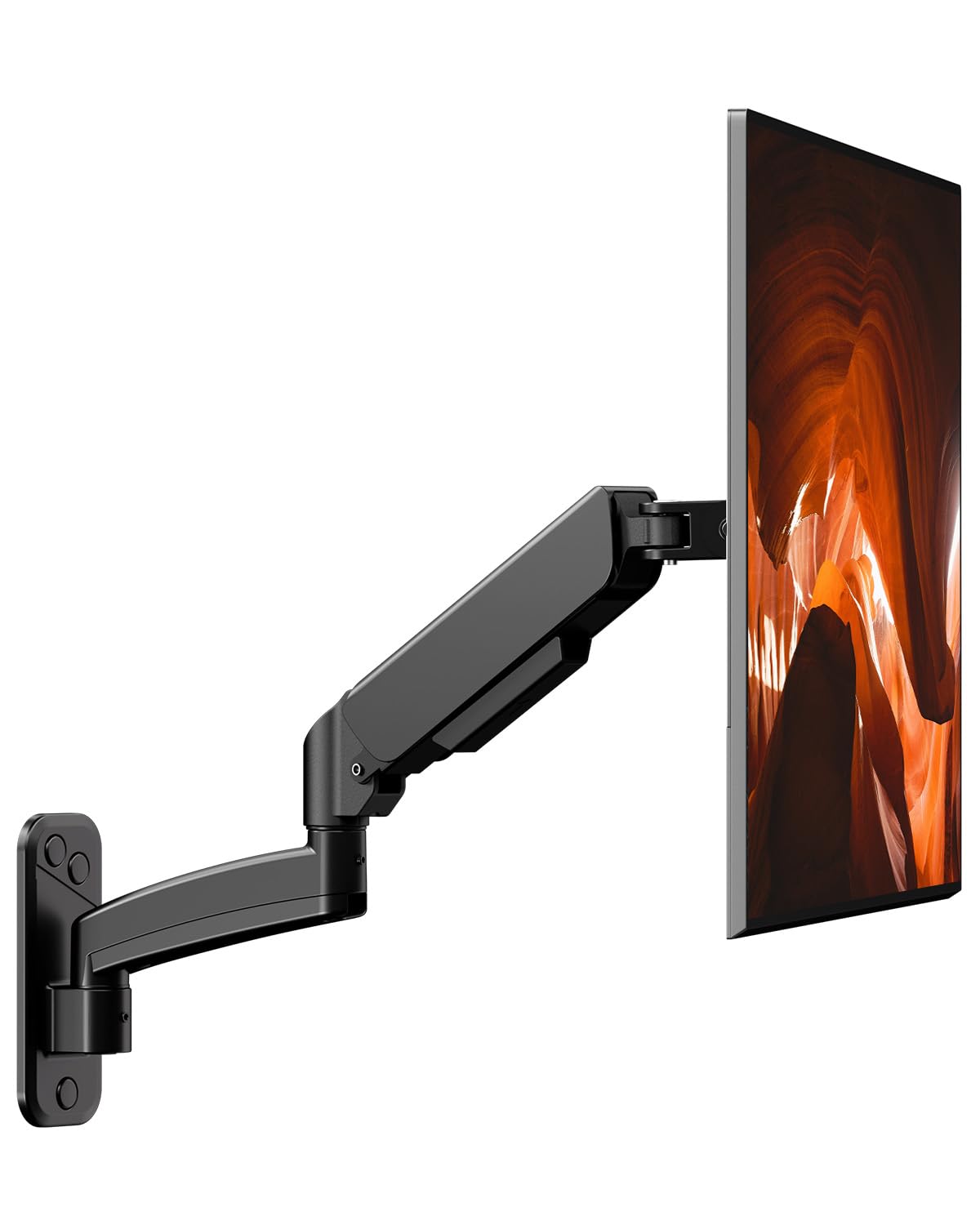
The full-motion arm that hugs the wall when you are not using it.
Full-motion arms usually push your screen far off the wall, but this one keeps a minimal 98mm gap when tucked in — roughly four inches — so your monitor won’t loom over a small desk. Despite the slim profile, you still get 45° up and down tilt, 90° left and right swivel, and 180° rotation, so you lose none of the flexibility you’d expect from a gas-spring arm.
It handles 17 to 32-inch flat or curved screens at up to 19.8 lbs per arm. The spring-assisted height adjustment is genuinely tool-free — a light touch repositions the screen, and it stays exactly where you leave it. Owners running dual 27-inch monitors describe the gas springs as “buttery smooth” and praise the aviation-grade aluminum feel, reporting no wobble or sagging even after repeated tweaks.
Installation takes under 10 minutes, and it works on wood studs, bricks, and solid concrete. Built-in cable management keeps the cords hidden. The only real downside is the smaller review base so far, but the perfect 5-star pattern suggests this is a sleeper hit.
grab this: if you want full motion but your desk is cramped and every inch of wall clearance counts.
pass on it: if you need a mount for screens bigger than 32 inches.
8. JUNEBOX Portable Monitor Stand

The desk stand built for small portable screens that travel with you.
If your monitor is a 15.6-inch portable panel that you carry between home and office, a wall mount makes no sense. This freestanding aluminum stand is the answer: it holds 7 to 18-inch screens up to 10 lbs on a 7.75″ x 7.75″ base, so your little display stands tall on any desk without a clamp or a drill. It only fits the 75×75 VESA pattern, not the larger 100×100, so check your screen before you buy.
The clever part is the four anti-loss M4 screws that stay attached to the bracket — you never have to worry about dropping a tiny screw behind your desk. Mounting is tool-free: you just screw your monitor onto the spring-loaded captive bolts and you are done. The base swivels 360°, letting you turn the screen to share with a colleague without lifting the whole stand, and anti-slip pads keep it planted.
Owners love it for portable flat panels and digital frames, noting it is sturdy and highly portable. The main trade-off is that height is not adjustable, and changing between portrait and landscape requires literally removing and remounting the device at a 90° angle. One buyer also mentions the swivel has a clicky, loud feel when you rotate it, though it stays perfectly stable.
perfect for: portable 15.6-inch or smaller monitors that move between desks.
wrong fit: for any screen over 18 inches or heavier than 10 lbs — this is a lightweight specialist.
Understanding the Specs
VESA Pattern
The VESA pattern is the distance in millimeters between the four screw holes on the back of your monitor, measured as width x height. A 75×75 pattern means the holes are 75 mm apart both horizontally and vertically. Most small and mid-size monitors use either 75×75 or 100×100, and many mounts support both, so always check your screen’s manual before picking a bracket.
Weight Capacity
The rated weight capacity tells you the heaviest monitor the mount can safely hold. This is the number that matters most, because an arm rated for 17.6 lbs that is holding a 25 lb ultrawide will sag and drift no matter how tight you make the joints. Compare the mount’s capacity against your monitor’s actual weight, not its screen size.
FAQ
What does 75×75 VESA actually mean?
How do I check if my monitor has a 75×75 VESA pattern?
Will a 75×75 mount work with a 100×100 VESA monitor?
How much weight can a 75×75 VESA mount hold?
Can I mount a curved monitor on a 75×75 VESA mount?
Do I need to mount into a wall stud?
What is the difference between a fixed mount and a full-motion mount?
Can I use a desk mount instead of a wall mount?
Final Thoughts: The Verdict
For most people, the 75×75 vesa mount winner is the ARES WING Wall Mount Arm because its 44 lb capacity and 49-inch support make it the only arm that handles genuinely heavy ultrawides without sagging. If you want a budget flush TV bracket, grab the Mount-It! Ultra Low Profile at a fraction of the cost. And for small portable monitors that travel with you, the JUNEBOX Portable Stand is the one to reach for.
How We Picked
We do not accept paid placement. Every pick is matched to a real buyer and a real use-case; we do not hands-on test units.
Sources & Methodology
Specifications: manufacturer listings and product documentation. Review insights: verified customer reviews, as of August 2026. Pricing: not shown on this page (it changes often); check the current price via the retailer link.
As an Amazon Associate, Gadgets Feed earns from qualifying purchases. This does not affect which products we feature.