
Choosing an 8-bit keyboard isn’t just about hitting keys; it’s about resurrecting the tactile soul of a retro era. The round, stepped keycaps draw you into a different rhythm of typing, where every press is a deliberate, satisfying event rather than a flat, modern tap.
I’m Min — the co-founder and writer behind Gadgets Feed. I’ve spent hundreds of hours combing through schematics, switch types, and consumer sentiment to separate the true throwback performers from the gimmicky lookalikes.
Whether you are a programmer chasing a nostalgic workflow or a writer seeking auditory ASMR, this guide will cut the static to help you find the best 8 bit keyboard for your hands and your desk.
How To Choose The Best 8 Bit Keyboard
Buying a retro mechanical keyboard requires balancing aesthetic authenticity against modern ergonomic and connectivity demands. The wrong choice leads to fatigue from a steep key angle or buyer’s remorse from a lack of customization features.
Switch Type: Clicky vs. Linear vs. Tactile
The switch defines the entire user experience. Blue switches deliver the loud, crisp click-clack reminiscent of original typewriters and are favored by those who want auditory feedback with every press. Linear switches (like Red or the pre-lubed Cocoa Cream V2) trade noise for a smooth, creamy travel that is far more tolerable in shared spaces.
Hot-Swappable PCB: The Upgrade Path
Not all retro keyboards are dead ends. A hot-swappable PCB allows you to pull out the stock switches and plug in a different feel (from thocky to silent) without soldering. If you plan on keeping the board for years, a hot-swap socket is the single most valuable spec for longevity.
Connectivity: Wired vs. Wireless
Wired USB-A boards offer zero latency and plug-and-play simplicity, ideal for a stationary desktop. Tri-mode options (Bluetooth, 2.4GHz, and USB-C) grant freedom for multi-device setups including tablets and laptops, but require battery management and driver support for full RGB programming.
Quick Comparison
On smaller screens, swipe sideways to see the full table.
| Model | Category | Best For | Key Spec | Amazon |
|---|---|---|---|---|
| 8Bitdo Retro 108 | Premium | Retro gaming & workflow | 108-key, hot-swappable, tri-mode | Amazon |
| YUNZII QL75 | Premium | Wireless multi-device typist | 75% layout, QMK/VIA, tri-mode | Amazon |
| RK ROYAL KLUDGE S108 | Mid-Range | Full-size RGB with wrist rest | 108-key, per-key RGB, sidelight | Amazon |
| AULA F2088 | Mid-Range | All-day typing with wrist rest | 104-key, media knob, magnetic rest | Amazon |
| Ajazz AK820 | Mid-Range | Compact creamy thock sound | 75% layout, gasket mount, hot-swap | Amazon |
| HUO JI Z-99 | Budget Champion | Budget creamy feel | 99-key, gasket, 4-layer foam | Amazon |
| SEUNKWANG TK100 | Budget | Authentic typewriter click on a budget | 104-key, metal panel, blue switches | Amazon |
In‑Depth Reviews
1. 8Bitdo Retro 108
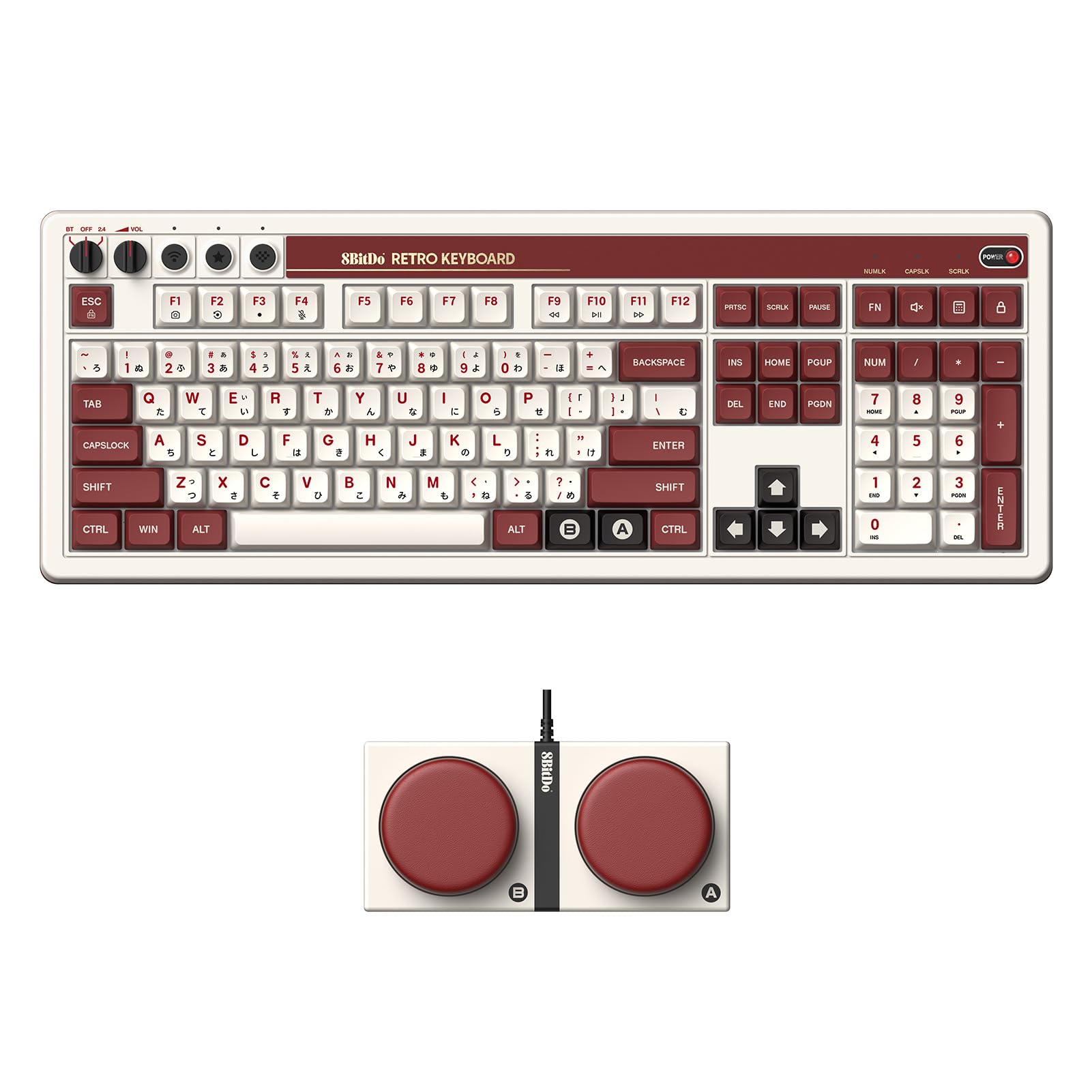
This board nails the 1980s FAMICOM aesthetic with a deliberate two-tone colorway and physical volume/connection knobs that feel genuinely premium. The 108-key full-size layout includes a dedicated number pad and a row of super programmable macro buttons, making it a daily driver for productivity rather than a desk ornament.
Typing action is crisp and addictive thanks to the clicky mechanical switches, delivering an audio signature that reviewers describe as “pure nostalgia.” The hot-swappable PCB means you can swap in linear or tactile switches later, extending the board’s relevance well past the honeymoon phase.
The lack of per-key backlighting keeps the retro look honest but means late-night typing requires external light. The large footprint also demands significant desk real estate, and the software for macro programming received mixed feedback. For a tri-mode board that feels, sounds, and looks the part, this is the edge.
Why it’s great
- Authentic NES-era aesthetic with tactile knobs
- Hot-swappable PCB for future switch upgrades
- Dual macro keys and full-size numpad
Good to know
- No per-key backlighting
- Programming software is clunky
- Large footprint dominates the desk
2. YUNZII QL75
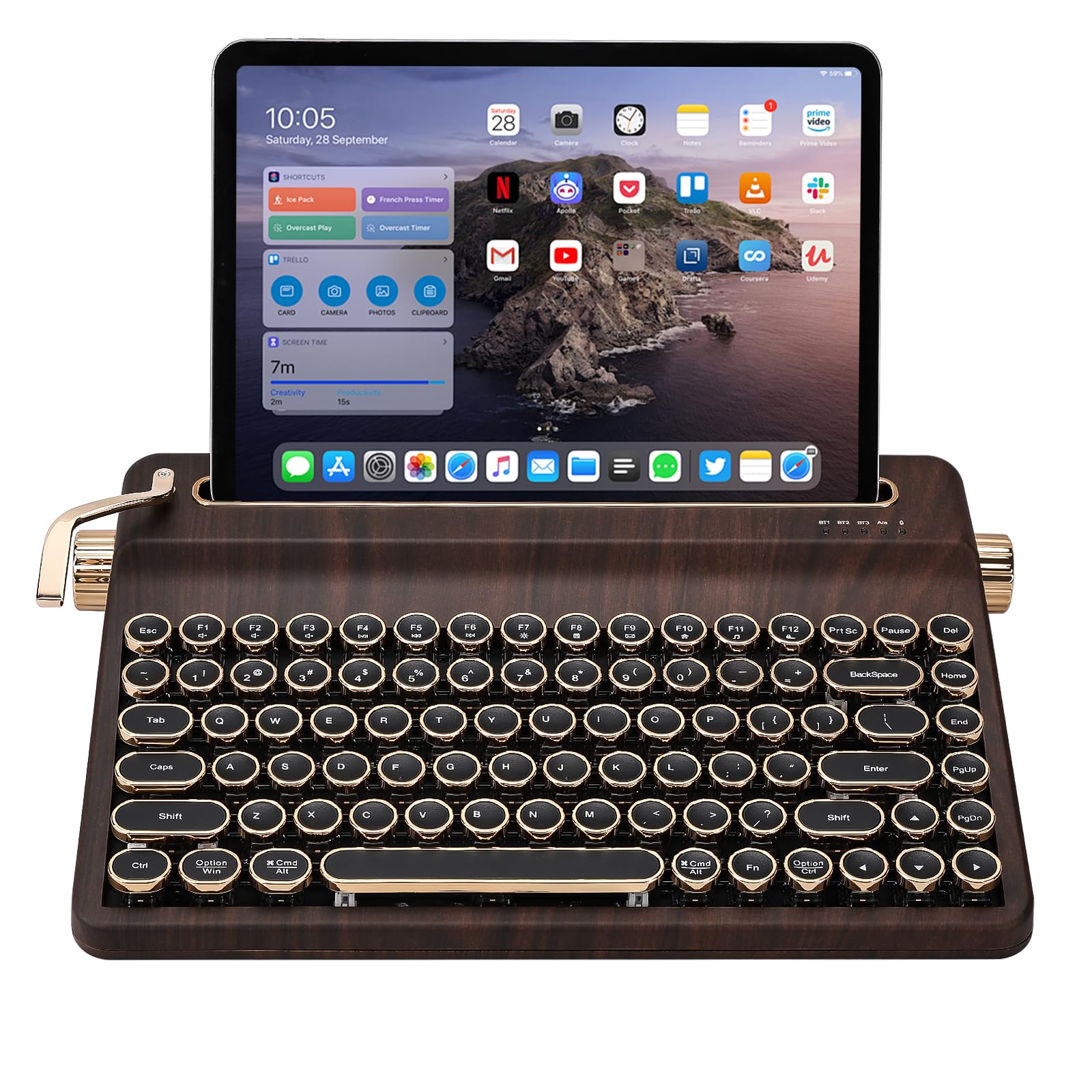
The YUNZII QL75 brings genuine QMK/VIA programmability to the retro market, a rarity among round-keycap boards. This 75% layout saves significant desk space while offering Bluetooth, 2.4GHz, and USB-C connectivity, allowing you to switch between a PC, tablet, and phone without pulling cables.
The stepped key rows mimic the ergonomic slope of a classic typewriter, and the pre-lubed Cocoa Cream V2 switches deliver a deep, thocky sound that avoids the harshness of stock blue switches. The integrated tablet stand is a clever addition for writers who work between a laptop and a secondary device.
Build quality leans toward plastic rather than metal, and the 12.9-inch iPad Pro only fits in portrait orientation on the stand. The RGB is present but side-lit rather than shining through the keycaps, making it subtle rather than flashy. For the enthusiast who values customization and portability, this is a strong contender.
Why it’s great
- Full QMK/VIA support for custom keymaps
- Stepped key rows for ergonomic retro feel
- Built-in tablet stand
Good to know
- Plastic case, not metal
- Tablet stand only fits portrait mode for large iPads
- Side RGB is underwhelming
3. RK ROYAL KLUDGE S108

This board offers up to 168 RGB backlight modes with a unique transparent sidelight strip that projects an immersive glow onto the desk surface. The aluminum alloy top panel adds a cold, rigid feel that resists scratches and makes the keyboard heavy enough to stay planted during frantic typing sessions.
The blue switches produce the classic loud click-clack that purists crave, and the included detachable ABS wrist rest provides a crucial ergonomic buffer for long hours of use. At 17.4 inches wide, the full 108-key layout leaves nothing out, including a dedicated calculator key.
The round keycaps require a brief adaptation period — several users noted a drop in words-per-minute when switching from standard square caps. The wrist rest is also considered too low by some, requiring an additional pad for proper wrist alignment. For those who want the loudest, brightest retro board on the block, this fits the bill.
Why it’s great
- Vast customization with 168 RGB modes
- Aluminum alloy panel is sturdy and scratch-resistant
- Full-size layout with dedicated media keys
Good to know
- Round keycaps reduce typing speed initially
- Wrist rest is too low for some users
- Blue switches are very loud
4. AULA F2088

The AULA F2088 strikes a rare balance between vintage aesthetic and modern creature comforts. The aluminum alloy panel houses a media control knob that lets you switch between lighting effects and volume adjustment with a long press, a feature usually reserved for double the price.
The included magnetic wrist rest snaps on solidly and provides contoured support, reducing fatigue during extended writing sessions. The blue switches deliver the expected clicky feedback, but the double-shot injection round keycaps feel more durable and resistant to shine than cheaper alternatives.
The rainbow LED backlight is non-RGB per-key, limiting customization to preset modes rather than free color selection. The keycap lettering could also be slightly larger for visibility. Still, for a board that includes a knob, a wrist rest, and a metal top plate at this tier, it represents excellent value.
Why it’s great
- Metal top panel with media control knob
- Magnetic wrist rest is solid and ergonomic
- Double-shot keycaps resist wear
Good to know
- Only rainbow backlight, not per-key RGB
- Keycap lettering could be larger
- Blue switches are loud
5. Ajazz AK820
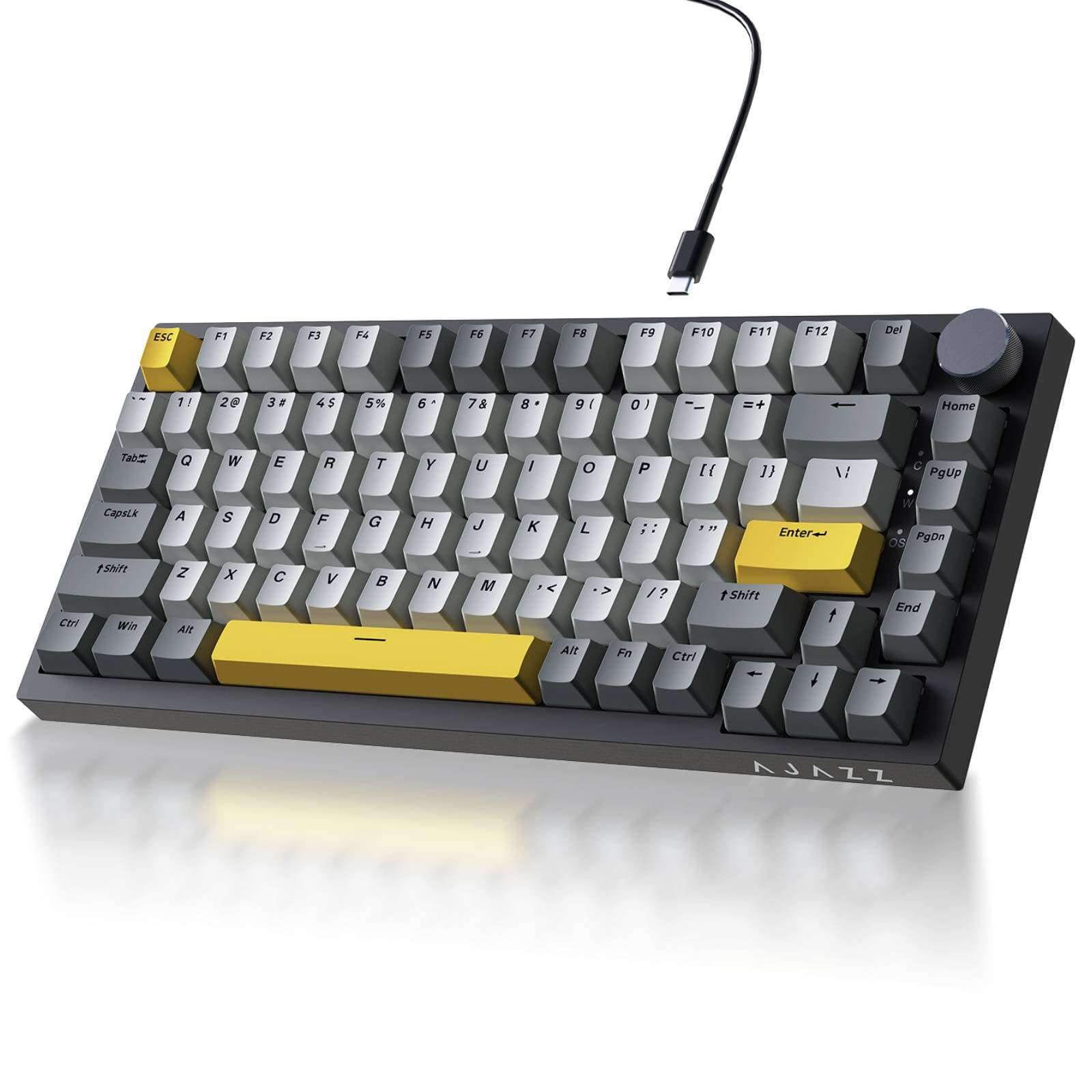
The Ajazz AK820 is a 75% board that focuses on sound quality above all else. The gasket mount structure combined with Poron sandwich cotton and high-density foam eliminates hollow resonance, producing a creamy, bubble-wrap-like thock that is quiet enough for shared spaces but still satisfying.
The factory-lubed sea salt moonlight switches are buttery smooth out of the box, and the south-facing RGB minimizes keycap shine-through issues for a clean backlit look. The PBT double-shot keycaps offer superior oil resistance, keeping the legends crisp after months of daily use.
It lacks wireless connectivity, sticking to a detachable USB-C cable for zero-latency performance. The 82-key layout omits the function row in some configurations, which could frustrate users who rely on F-keys for shortcuts. For the pure tactile and auditory experience in a compact form, this is the play.
Why it’s great
- Gasket mount produces creamy, quiet thock
- Factory-lubed switches are smooth out of box
- South-facing RGB with PBT keycaps
Good to know
- Wired only, no wireless option
- 75% layout lacks function row
- Plastic build, not metal
6. HUO JI Z-99
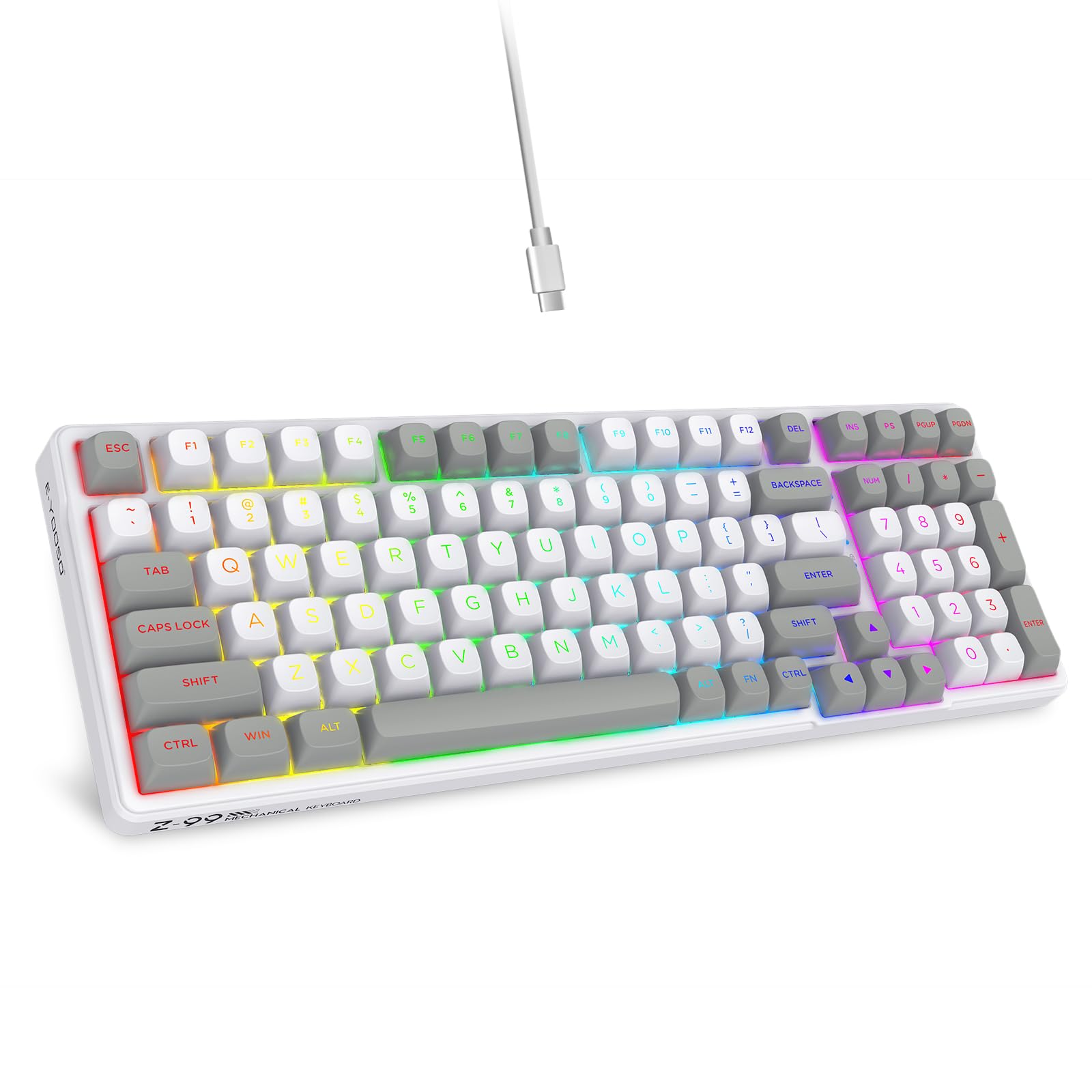
The HUO JI Z-99 packs a gasket structure and four layers of sound-absorbing foam into a slim 99-key layout, effectively reducing hollow noise by 80% according to the manufacturer. The result is a creamy typing sound that rivals boards at double its tier, making it a fantastic entry point for newcomers to the hobby.
The hot-swappable PCB supports both 3-pin and 5-pin switches, and the included linear switches are pre-lubed for immediate smoothness. The RGB backlight offers 15 effects plus 8 solid colors, and side lighting adds extra ambiance. The Pro software support allows macro mapping for workflow optimization.
The plastic case feels less premium than aluminum options, and the keycaps are basic double-shot PBT that look good but lack the retro styling of other boards on this list. For budget-conscious buyers who prioritize feel over flash, this is a strong choice.
Why it’s great
- Gasket mount with 4-layer foam for creamy sound
- Hot-swappable PCB supports most switch types
- Pro software for macro customization
Good to know
- Plastic case lacks premium heft
- Keycaps are standard, not retro-styled
- Wired only
7. SEUNKWANG TK100
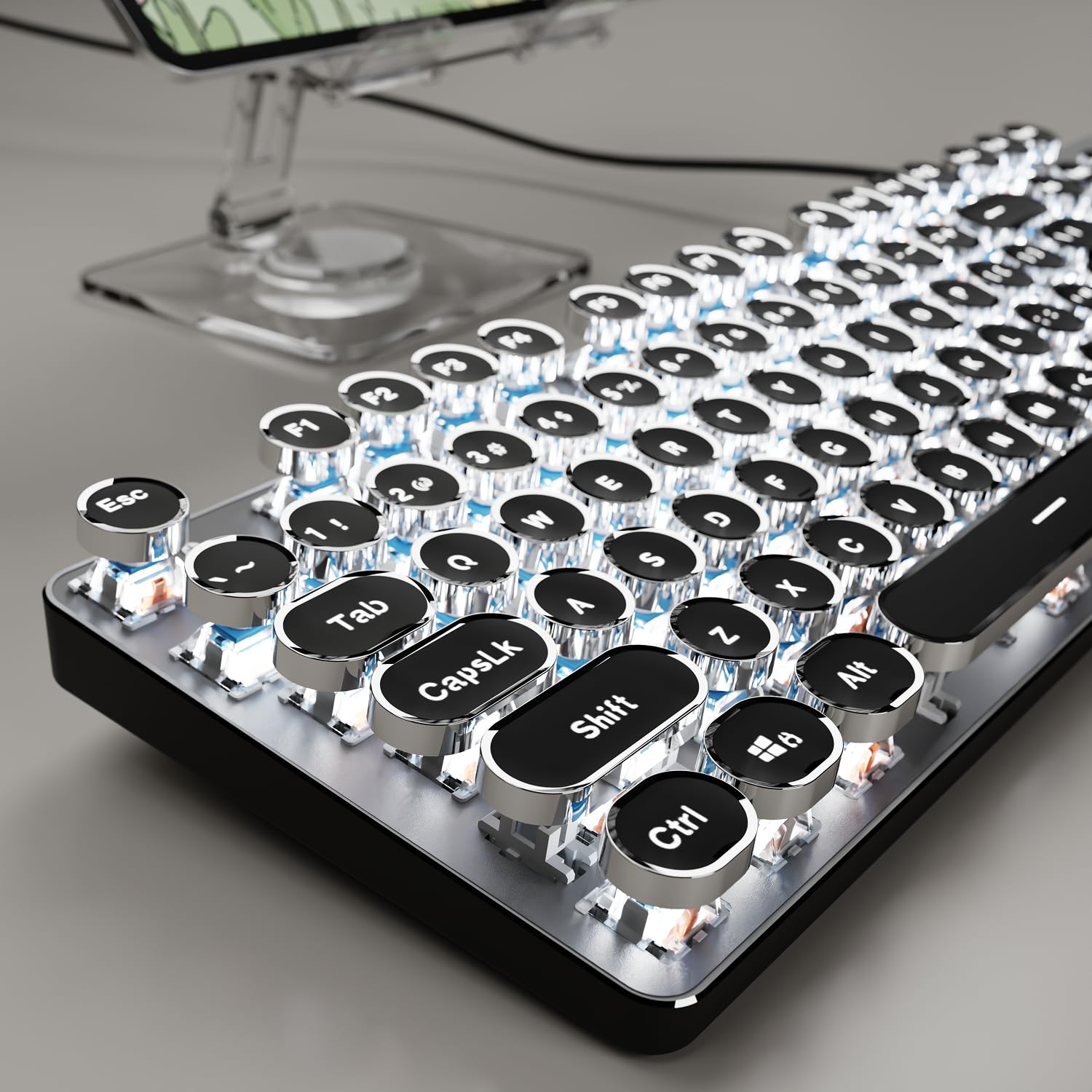
For the pure typewriter experience at the lowest entry point, the SEUNKWANG TK100 delivers the loud, clicky blue switch sound and a genuine aluminum alloy top plate that feels substantial. The white backlight is single-color but includes 19 preset effects, from wave to pulse to reactive typing.
The round double-shot keycaps are stepped to fit fingertips naturally, reducing mis-hits compared to other round-cap boards at this level. The USB-A wired connection is truly plug-and-play with no drivers required, making it a zero-hassle addition to any Windows or Linux system.
The keys are very loud, making it a poor choice for shared offices or late-night use. The round key surface area also requires more precision, increasing typing errors initially. For a budget-friendly ticket to the retro club, this board delivers the essential sensory experience.
Why it’s great
- Aluminum metal panel at an entry-level price
- True clicky blue switch audio
- Stepped keycaps improve accuracy
Good to know
- Very loud, not suitable for shared spaces
- Smaller key surface causes typing errors
- Single-color white backlight only
FAQ
Are round typewriter keycaps harder to type on than standard square ones?
Can I replace the switches on a budget retro keyboard?
What does QMK/VIA compatibility mean for a typewriter keyboard?
Final Thoughts: The Verdict
For most users, the best 8 bit keyboard winner is the 8Bitdo Retro 108 because it nails the nostalgic aesthetic with a hot-swappable PCB and reliable tri-mode connectivity for modern workflows. If you want deep programmability in a compact wireless form, grab the YUNZII QL75. And for the pure, uncut typewriter click-clack at the lowest cost, nothing beats the SEUNKWANG TK100.