
Our readers keep the lights on and my morning glass full of iced black tea. As an Amazon Associate, I earn from qualifying purchases.
Specs are compiled from manufacturer listings and verified buyer reviews and can change over time — please confirm the key details on the product page before buying.
Stepping up from a pocket-sized 6-inch reader to a larger 7.8- or 8-inch screen is the single best change you can make for your eyes and your reading flow. You get more words per page — fewer taps to turn — and a text size that genuinely works for long sessions without constant zooming or scrolling. This guide sorts the best options based on their actual specs (the waterproof rating, storage, and display quality that matter) and the real experiences of verified buyers.
I’m Min — the founder and writer behind Gadgets Feed. This guide is built by comparing the manufacturers’ published specifications and the patterns across verified customer reviews, so you get each pick’s real strengths and trade-offs instead of marketing spin.
Whether you prioritize waterproof durability, color display for comics, or the freedom to load books from any source, you will find a clear frontrunner in our look at the 8 inch ereader market.
Quick Picks
- PocketBook InkPad 4 — Best Overall
- PocketBook InkPad Color 3 — Premium Pick
- Barnes & Noble NOOK GlowLight Plus (Renewed) — Budget Pick
How To Choose The Best 8 Inch Ereader
Picking the right larger screen reader means focusing on three things: what you mostly read, where you read it, and how you prefer to get your books onto the device. The 7.8-inch (0.2-inch from an exact 8) is the most common size in this class because it offers roughly 60% more text than a 6-inch screen without making the device much heavier. This size is often called 8-inch in marketing.
Color vs. Black and White Display
A color E Ink screen (like the Kaleido 3) allows you to see magazine layouts, comic book panels, and book covers in muted, paper-like color. The trade-off is that a color screen has a very slight texture layer on top that can make the white background look a tiny bit less bright than a pure black-and-white screen. If you mainly read novels, a black-and-white 300 PPI (pixels per inch) screen delivers the sharpest text.
Waterproof Rating and Storage Capacity
If you read by a pool or in the bath, look for an IPX7 (survives 30 minutes in 1 meter of water) or IPX8 (survives 60 minutes in 2 meters of water) rating. For storage, plain text novels use very little space — 8 GB handles thousands of books. But if you keep a large audiobook library or download comics, 32 GB of internal storage gives you far more room. It is important to note that some water-resistant readers do not have a memory card slot, so the internal space is your only option.
Quick Comparison
In‑Depth Reviews
1. PocketBook InkPad 4
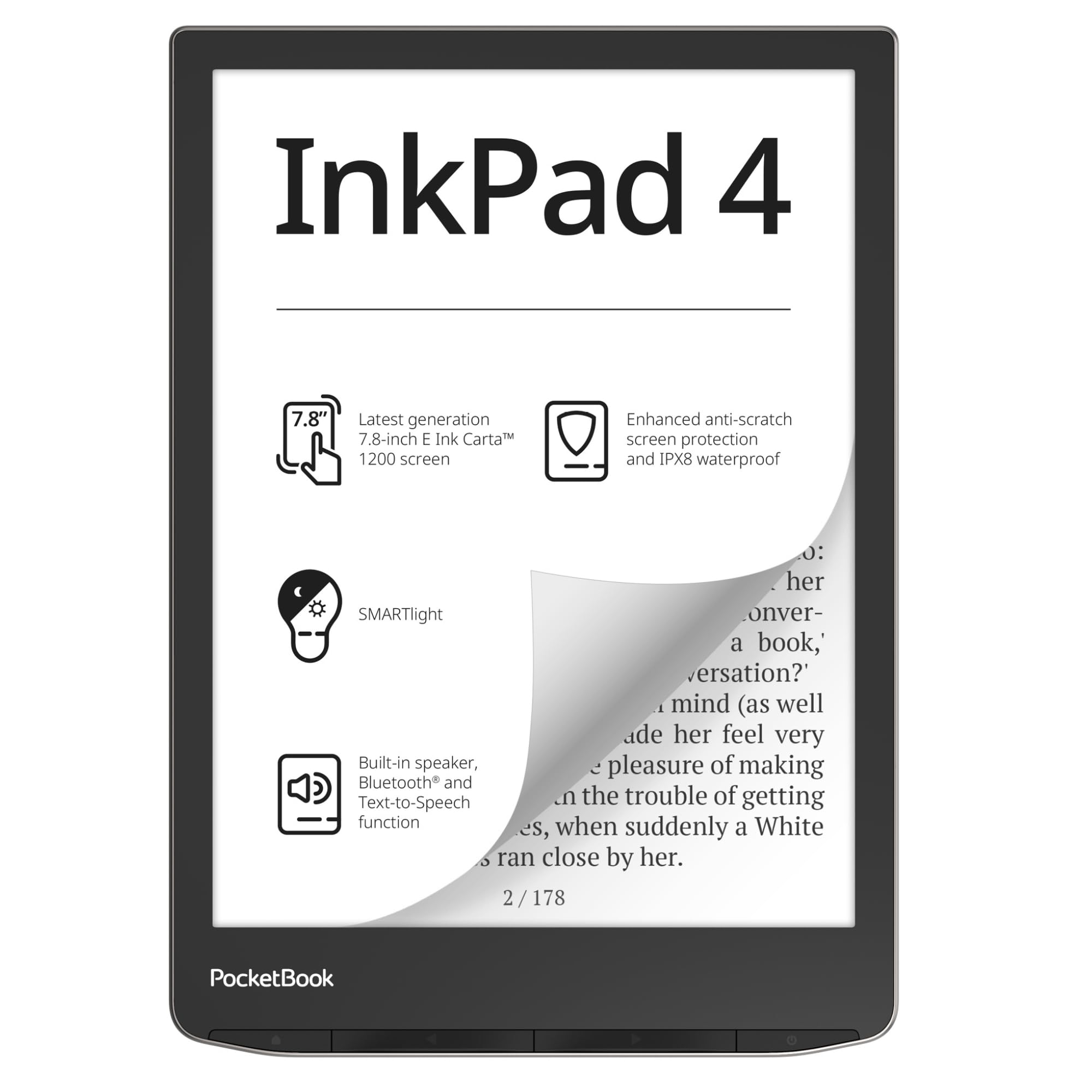
This open-format reader supports 25 file types, bypassing the Kindle ecosystem.
It supports 25 file formats without conversion, freeing you from any single bookstore. The InkPad 4 reads 25 file formats without conversion — EPUB, PDF, FB2, DOC, and even comic formats like CBR and CBZ — so you can load books from anywhere. Its 7.8-inch E Ink Carta 1200 screen delivers a crisp display at 300 DPI (dots per inch), which makes text look as sharp as a printed page. The SMARTlight feature lets you shift the frontlight from a warm orange to a cool white, so reading at night is genuinely comfortable.
Buyers report this reader offers excellent DropBox sync and works flawlessly with Calibre, KOReader, and ADE for managing your library. They also praise the physical page-turn buttons and adjustable backlight. The device is IPX8 waterproof, meaning it can survive submersion in 2 meters of water for 60 minutes — a full 33% deeper water resistance than the IPX7-rated NOOK GlowLight Plus. The 32 GB of storage gives you four times the capacity of the NOOK’s 8 GB. However, the interface can feel slightly sluggish compared to a phone, and the bottom button placement takes some getting used to.
The built-in speaker and Bluetooth 5.0 support mean you can listen to audiobooks or use the Text-to-Speech function to have any document read aloud. It combines open-format support, IPX8 waterproofing, and a 300 DPI display for serious readers.
Freedom first: Supports 25 formats without conversion, works with Calibre and KOReader, and requires no account to start reading — a real advantage over locked-in brands.
One caveat: The UI is not the snappiest; owners mention it is slightly slow and lacks WPA3 Wi-Fi support, but page-turn speed is fine for reading.
Ideal for: The reader who wants to break free of a single store, load books from any source, and still get a top-tier IPX8 waterproof and 300 DPI screen.
Consider something else if: You want a color display or require a faster, phone-like interface — this is a focused reading tool, not a mini-tablet.
2. PocketBook InkPad Color 3
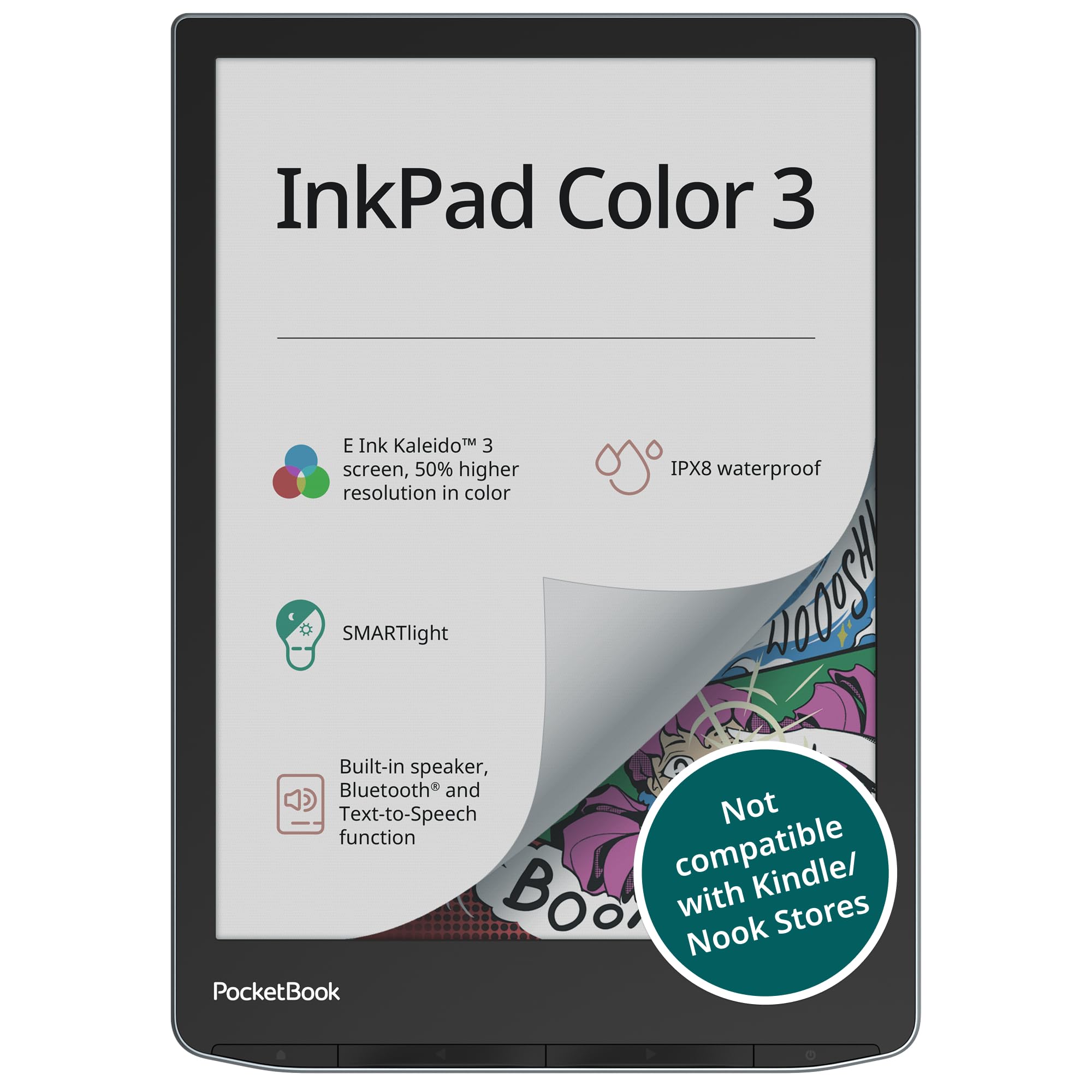
Its Kaleido 3 display delivers the best color E Ink for comics and magazines at 7.8 inches.
If your reading includes graphic novels, cookbooks, or magazines, the InkPad Color 3 gives you a 7.8-inch Kaleido 3 display that shows covers and panels in muted, paper-like colors without the glare of a phone or tablet. One reviewer noted that “battery >75% after 500+ pages at 50% light,” which suggests you can comfortably read for days before charging. The color layer does add a very slight texture, but customers note this Kaleido 3 screen is “sharper, whiter background, more vibrant colors than competitors.”
In terms of durability, this reader matches the IPX8 waterproof standard of the InkPad 4 while weighing slightly less at 0.42 kilograms (compared to 0.46 kg for the black-and-white version). It supports the same wide range of formats and includes a built-in speaker, Bluetooth, and Text-to-Speech. Unlike some color readers, it keeps the physical page-turn buttons alongside the touchscreen.
Some reviewers point out occasional quality control issues, such as the front bezel pulling away from the body. The screen is also described as too large for a pocket but too small for full-page comics without occasional zooming. Overall, it delivers the most impressive color E Ink experience in a 7.8-inch package.
Color clarity leader: According to buyers, this is the best Kaleido 3 screen available, with a whiter background and more vivid colors than older color E Ink tech.
The trade-off: The 7.8-inch size is awkward for comics (some zooming required) and the software is Linux-based, not Android, so apps are limited.
Best suited for: The comic and magazine reader who wants color without a tablet’s glare, and who values the highest quality E Ink color screen and IPX8 waterproofing.
Not for you if: You read only text novels — the black-and-white InkPad 4 has a sharper, brighter page. Also, some buyers experienced cosmetic defects, so check the return policy carefully.
3. Barnes & Noble NOOK GlowLight Plus (Renewed)

It offers a 7.8-inch IPX7 waterproof E Ink screen at the lowest price.
It provides an affordable entry into 7.8-inch E Ink reading with IPX7 waterproofing. The NOOK GlowLight Plus has a 7.8-inch E Ink display that one buyer mentioned is “good like iPad” in terms of screen and size, but without the glare. It is IPX7 waterproof, meaning it can handle a 30-minute accidental dip in 3 feet of water — good enough for poolside reading, though not as deep as the IPX8-rated PocketBooks. The 8 GB of storage contains four times less capacity than the 32 GB in the PocketBooks, but for a library of plain-text novels, 8 GB still holds thousands of books.
The device has physical page-turn buttons, a soft-touch grip, and a Night Mode for comfortable reading in the dark. Because this is a Renewed (refurbished) model, the price is budget-friendly, but there are trade-offs. One owner reported that the “battery only lasts ~24 hours (not 3-4 days).” Another reviewer warned that the device felt “clunky and slow” with stiff buttons and a less polished software experience compared to older NOOKs. It also lacks Bluetooth support, so you cannot listen to audiobooks wirelessly.
This reader still supports EPUB and PDF directly, and it uses the Barnes & Noble ecosystem. If your priority is a larger waterproof screen at the lowest cost, this is the only choice that fits. But be prepared for slower performance and potential battery variability on a Renewed unit.
Wallet-friendly waterproofing: Gets you a 7.8-inch E Ink screen with IPX7 protection at the lowest price point — a solid choice if a full ecosystem is fine.
Honest limitations: The 8 GB storage is a quarter of the premium options, and several shoppers say the battery and software feel less refined than the competition.
Reach for this if: You are on a strict budget but still need a large, waterproof E Ink screen and you are okay with the Barnes & Noble ecosystem and a renewed device.
Look elsewhere if: You want strong battery life, Bluetooth for audiobooks, faster performance, or open-format flexibility — the InkPad 4 is a much better experience for the extra spend.
Understanding the Specs
E Ink Carta 1200 vs. Kaleido 3
E Ink Carta 1200 is the standard black-and-white display used in most modern e-readers. It provides the sharpest text (300 PPI) and the highest contrast, making it the best choice for novels. Kaleido 3 is a color E Ink technology that places a color filter array over a black-and-white layer, allowing you to see up to 4,096 colors. It is excellent for comics and magazines, but the white background is slightly less white than a Carta 1200 screen. The InkPad 4 uses Carta 1200; the InkPad Color 3 uses Kaleido 3.
IPX8 vs. IPX7 Waterproof Ratings
Waterproofing keeps your reader safe if you drop it in the bath or get caught in the rain. An IPX7 rating (a standard that means the device survives 30 minutes in 1 meter or 3 feet of water) is enough for that. An IPX8 rating (survives 60 minutes in 2 meters or 6.5 feet of water) gives you extra protection if you read near deeper water or for longer. The PocketBook InkPad 4 and Color 3 carry IPX8, while the Barnes & Noble NOOK GlowLight Plus carries IPX7.
Physical Page-Turn Buttons
Physical buttons let you turn pages without moving your finger off the side of the device, and they work when your screen is wet or when you are wearing gloves. All three products reviewed here have physical page-turn buttons. The InkPad 4 and Color 3 have their buttons on the bottom, which some buyers find takes adjustment. The NOOK GlowLight Plus has its buttons on the side. This is a personal preference, but if you one-hand read, button placement matters.
Open Format Support vs. Ecosystem Lock-in
The PocketBook readers (both InkPad 4 and Color 3) support 25 file formats directly, including EPUB, PDF, FB2, and DOCX. They do not require you to create an account to start reading, and you can transfer books via USB, email, or cloud services like DropBox. The Barnes & Noble NOOK GlowLight Plus works best within the Barnes & Noble ecosystem, though it does support EPUB and PDF. If you have a library of books from various sources, an open-format reader gives you more freedom to manage your collection without conversion.
FAQ
Is a 7.8-inch screen the same as an 8-inch e-reader?
Can I read library books on a PocketBook e-reader?
Will a 7.8-inch e-reader fit in my pocket?
Which is better for reading in direct sunlight: color or black and white?
Does the NOOK GlowLight Plus support audiobooks?
How many books can 32 GB of storage hold?
Can I use a 7.8-inch e-reader to read PDFs?
Is a color E Ink screen worth the extra cost?
How long does the battery last on an 8-inch e-reader?
Which e-reader is best for someone who wants to avoid Amazon?
Final Thoughts: The Verdict
If you want one dependable pick, the 8 inch ereader winner is the PocketBook InkPad 4 because it combines a sharp 300 DPI display (dots per inch — the standard for crisp text), IPX8 waterproofing (survives 60 minutes in 2 meters of water), 32 GB of storage, and the freedom to read books from any source without ecosystem lock-in. If you want a color screen for comics and magazines, grab the PocketBook InkPad Color 3. And for a budget-friendly entry point into a large waterproof screen, the Barnes & Noble NOOK GlowLight Plus gives you IPX7 protection and a 300 DPI display at a lower price.
How We Picked
We do not accept paid placement. Every pick is matched to a real buyer and a real use-case; we do not hands-on test units.
Sources & Methodology
Specifications: manufacturer listings and product documentation. Review insights: verified customer reviews, as of July 2026. Pricing: not shown on this page (it changes often); check the current price via the retailer link.
As an Amazon Associate, Gadgets Feed earns from qualifying purchases. This does not affect which products we feature.