
Our readers keep the lights on and my morning glass full of iced black tea. As an Amazon Associate, I earn from qualifying purchases.
Specs are compiled from manufacturer listings and verified buyer reviews and can change over time — please confirm the key details on the product page before buying.
If your mixes sound full in your room and thin everywhere else, the problem is usually the woofer size, not your ears. An 8-inch studio monitor moves enough air to let you hear real bass without guessing, so what you mix is what everyone else hears on their car stereo and their phone. This guide walks through the eleven 8-inch monitors worth your money and tells you plainly which one fits your desk, your room, and the way you actually work.
I’m Min — the founder and writer behind Gadgets Feed. This guide is built by comparing the manufacturers’ published specifications and the patterns across verified customer reviews, so you get each pick’s real strengths and trade-offs instead of marketing spin.
You’ll see which models run two-way versus three-way, which ones hiss at idle, and which ones need an audio interface before they sound right. By the end you’ll know exactly how to choose among the 8 inch studio monitors that actually fit a home studio without breaking your setup.
Our Picks at a Glance


How To Choose The Best 8 Inch Studio Monitors
Buying an 8-inch monitor is really about matching a big woofer to a room that can handle it. Get that part right and everything else — inputs, tuning controls, software bundles — becomes a detail you can sort out afterward.
Room size decides more than the speaker does
An 8-inch driver pushes a lot of air, so it wants space behind it. If you sit close to the wall in a small bedroom, expect the bass to build up and sound tubby. The fix is either moving the speaker away from the corner or using the rear dip switches to trim the low frequencies down. A 12-by-18 foot room is a comfortable size for a monitor this big, and a treated 12-by-20 foot room gives you even cleaner low end. In a genuinely small room, a buyer who wants the 8-inch sound but a tighter footprint is often happier with a smaller sibling in the same line.
Two-way or three-way, in plain terms
A two-way monitor splits the work between one woofer and one tweeter. A three-way adds a separate midrange driver that handles the middle frequencies on its own, which usually means more detail in vocals and guitars and less strain at high volume. Inputs matter just as much: balanced XLR and TRS connections reject the electrical noise your computer makes, while RCA or 3.5mm inputs are convenient for phones and game consoles. Most serious setups route everything through an audio interface first.
The controls that fix your room without moving furniture
Look for acoustic tuning adjustments — a low-frequency trim, a high-frequency trim, and a boundary or acoustic-space switch. These let you dial the speaker to the wall behind it instead of fighting what the wall does. Dip switches on the back panel do the same job on models that skip front knobs. If you mix for long stretches, this is the feature that keeps a boomy room from wrecking every decision you make.
Quick Comparison
| Model | Best For | Driver Size | Power | Inputs | Amazon |
|---|---|---|---|---|---|
| Yamaha HS8 Studio Monitor, Black, 8 Inch★ Best Overall | Home studios and mixing | 8 inches | 120W total (75W LF + 45W HF) | XLR and TRS | Amazon |
| KRK Kreate 8 Powered Studio MonitorBest Value | Wireless-friendly bedrooms | 8 inches | — | Bluetooth and RCA | Amazon |
| JBL Professional 308P MkII 8-InchTop Performer | Near-field production | 8 inches | — | XLR and ¼” TRS | Amazon |
| PreSonus Eris E8 XT 8″ | Beginners who want tuning | 8 inches | 140W Class AB bi-amp | XLR, TRS, and RCA | Amazon |
| KALI AUDIO LP-8V2 8” | Long mixing sessions | 8 inches | 100W (60W woofer + 40W tweeter) | RCA, XLR, and TRS | Amazon |
| Mackie MR824 8″ | Wide sweet-spot listening | 8 inches | 65W bi-amplified Class A/B | TRS | Amazon |
| Mackie CR8BT 8″ | Gaming and casual listening | 8 inches | — | Bluetooth, RCA, TRS, 3.5mm | Amazon |
| Pioneer DJ VM-80 8-inch | DJ booths and club sound | 8 inches | — | — | Amazon |
| ADAM Audio T8V Studio Monitor | Bass-heavy music production | 8 inches | — | XLR, ¼” TRS, RCA | Amazon |
| PreSonus R80 V2 Studio Monitor, 8″ | High-resolution audio work | 8 inches | 140W RMS bi-amped (75W LF, 65W HF) | XLR, ¼” TRS, and RCA | Amazon |
| Kali Audio IN-8 V2 8-Inch | Three-way mastering detail | 8 inches | 140W tri-amplified | XLR, TRS, and RCA | Amazon |
In‑Depth Reviews
1. Yamaha HS8 Studio Monitor, Black, 8 Inch
Our pick — over 4.5★ from 2,000+ verified ratings; the strongest balance of quality and price.
The know-it-all of the near field, and the safest first real monitor you can buy.
If you want the model that half the home studios on the internet already own, this is it — 4.7 stars across 2,300+ ratings makes it the crowd favorite of the whole category. What earns that standing is the accuracy: the cone and dome pairing produces low distortion and a well-defined bottom end at any output level, and the 38Hz to 30kHz frequency response means you hear the sub-bass region where kick drums live, not just a guess at it. You get a 75W low-frequency amp and a 45W high-frequency amp for 120W total, with the crossover set at 2kHz so the woofer and tweeter hand off cleanly. What wins people over most is the sound itself — the sheer accuracy is the thing owners talk about above everything else.
Room tuning is where this earns its keep. A high trim switch moves the treble by 2dB, and a room control switch cuts 2dB or 4dB below 500Hz — that is the exact range a wall or desk corner exaggerates, so you can flatten the boom without dragging a couch across the room. Inputs run XLR and TRS phone jacks, both balanced, so a proper audio interface keeps computer hum out of your signal. A buyer running a UMC1820 interface and a computer uses theirs as music listening speakers rather than studio monitors, and reports the stronger highs and mids pushed them here over a JBL alternative.
Here is the honest part. The noise aspect of this speaker is a genuine mixed bag — most units sit silent, but a few arrive with a crackle that is not intended. The sonic flipside of all that accuracy is that these do not flatter a bad mix, and one long-term verdict on the family notes the treble sounds bright for the first stretch of use before it settles in, and that the low end thins out when you listen quietly. Yamaha also lists this model as not waterproof, so keep drinks off the desk. That trade-off is exactly why it suits a home studio and not a party speaker.
What Lands On The Desk
- 38Hz to 30kHz response puts real kick-drum weight in front of you
- 120W bi-amp split (75W LF, 45W HF) holds definition when you push volume
- Room control trims 2dB or 4dB under 500Hz to tame wall and desk boom
- Balanced XLR and TRS inputs keep computer noise out of the chain
Before You Commit
- Treble reads bright at first and needs run-in before it calms down
- Low end feels lean at quiet listening levels
- Not waterproof, so no drinks on the desk beside it
Reach for this if: you want the most proven 8-inch monitor for a small home studio and you route everything through an interface.
Look elsewhere if: you need deep bass at very low listening volume, where this one thins out.
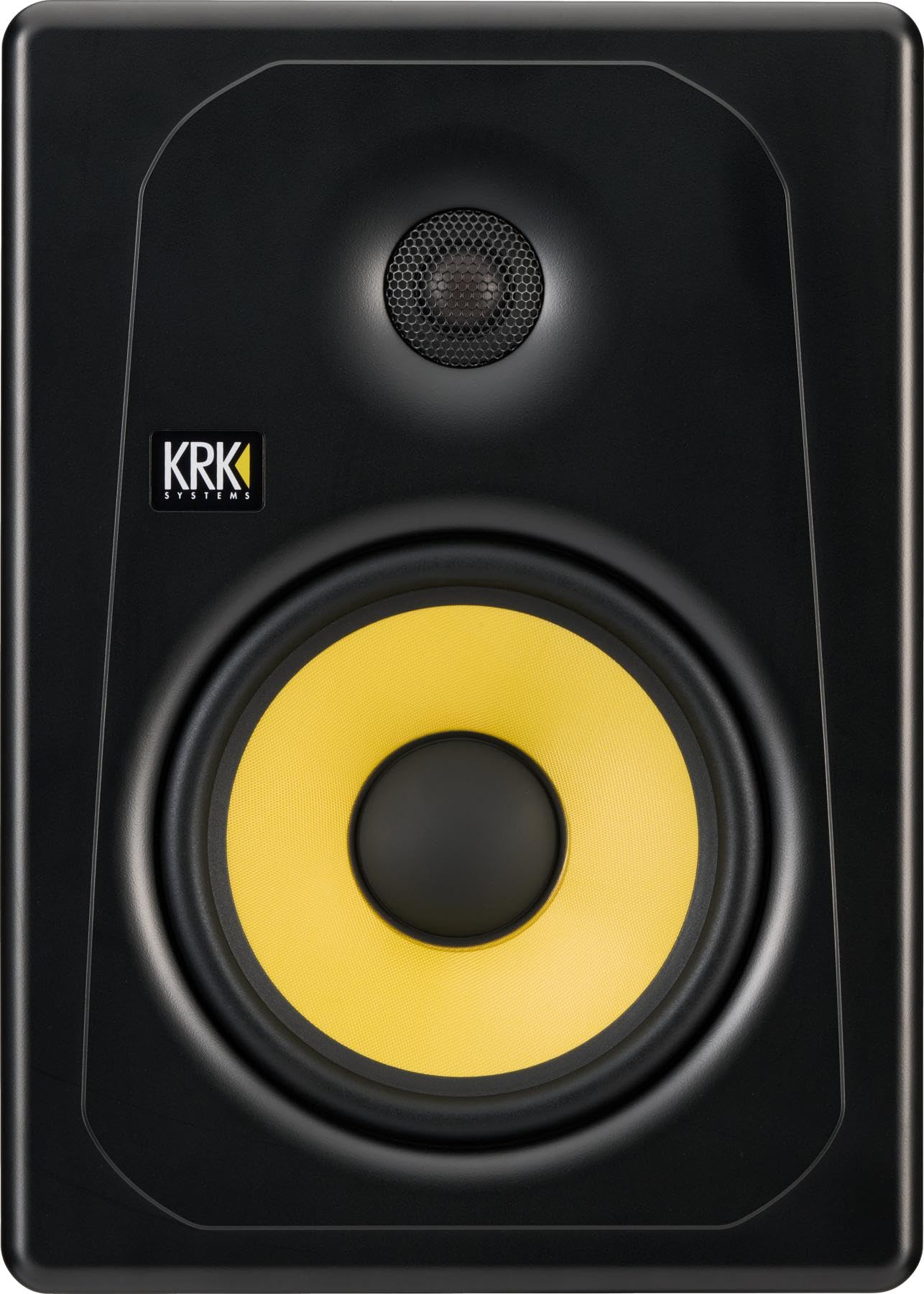
2. KRK Kreate 8 Powered Studio Monitor
A studio monitor that also happens to be the easiest speaker here to just play music through.
What separates the Kreate 8 from everything else on this list is the Bluetooth input. You stream straight from a phone with no interface, no cables, no setup ritual, and you can also wire in through the RCA connector when you want a fixed path. Under the hood it pairs an 8-inch Glass Aramid woofer with a 1-inch textile dome tweeter for clear midrange and tight bass. It weighs 24.5 pounds, which is light enough to reposition on a desk by yourself.
The sound holds up beyond the convenience. Owners describe it as clear and loud with real monitoring chops, and the volume ceiling is high enough that one buyer warns against running it full-tilt in an apartment with a noise-sensitive neighbor. A long-time KRK user bought a single unit and paired it with an older KRK Classic 8-inch, which tells you the family voicing carries across generations. Setup is genuinely friendly: one buyer reports the Kreate 8 sounds perfectly and was, as they put it, “easy to pair through Bluetooth or connect with the RCA cable.”
The catch is the size of the review base — this is a newer model with far fewer ratings than the veterans on this list, so the long-term picture is still being written. It is also a single monitor, not a pair, so budget for two if you want stereo. And if your work depends on immaculate high-frequency detail for serious mastering, the Bluetooth path and the consumer-friendly voicing make it a looser instrument than the three-way options later in this list.
The honest trade-off: you are buying convenience and a lower entry point against the maturity of the Yamaha above — the Kreate 8 skips balanced XLR entirely, so buyers who fight computer noise will want a different path.
The verdict: a genuinely fun monitor for a bedroom producer who also plays music off a phone — cable-free, loud, and easy on the desk.
3. JBL Professional 308P MkII 8-Inch, 2-Way, Powered, Active Monitor Speaker for Near Field Music Production, Studio Monitor, Desktop Computer, Hi-Fi Audio. Sold individually, Black
The refined near-field that makes everyday laptops sound like they cost three times as much.
JBL backs this one with a 100-hour full-power test before it leaves the factory, which is the kind of claim you want when the speaker sits on for eight hours a day. The 8-inch woofer and 1-inch tweeter come from the company’s Master Reference Monitors, and the updates improve damping for a faster transient response — that is why bass notes stop and start precisely instead of smearing into each other. A patented Slip Stream low-frequency port pushes the bass out cleanly at every playback level.
Two details matter for a real desk. The boundary EQ restores neutral low-frequency response when you sit the speaker on a work surface or next to a wall — the exact placement most people have. And the flexibility is real: balanced XLR and ¼-inch TRS inputs, a +4dBu / -10dBV input-sensitivity switch, and an adjustable volume control. In practice that means the same speaker works with a pro interface or a consumer source as long as you flip the switch. Audio post mixers build full surround rooms around the 308 family and report crisp highs and a low end strong enough that the 8-inch model needs no bass management in a small room.
Two things to know before you click. First, this is sold as a single speaker, so a stereo setup means buying two. Second, it is fussy about the source: one buyer found a simple audio jack-to-XLR adapter did not work and the speaker stayed quiet at max volume until a proper USB audio interface with balanced cables was added. The power amps also draw mixed opinions from owners. Go in expecting to pair it with an interface and it delivers.
Why Pros Reach For It
- 100-hour full-power factory test backs the reliability story
- Boundary EQ corrects the bass lift you get from desk and wall placement
- +4dBu / -10dBV sensitivity switch matches pro and consumer gear
- Slip Stream port keeps low end tight at any playback level
The Friction Points
- Sold singly, so a stereo pair doubles the outlay
- Wants a real audio interface and balanced cables, not a cheap adapter
- Power handling draws divided owner opinions
Best matched to: a near-field producer who already owns an interface and balanced cables and wants a flat, dependable reference.
Pass it by if: you planned to run an unbalanced cable from a laptop headphone jack and expect full output.
4. PreSonus Eris E8 XT 8″ Near Field Studio Monitor with EBM Waveguide
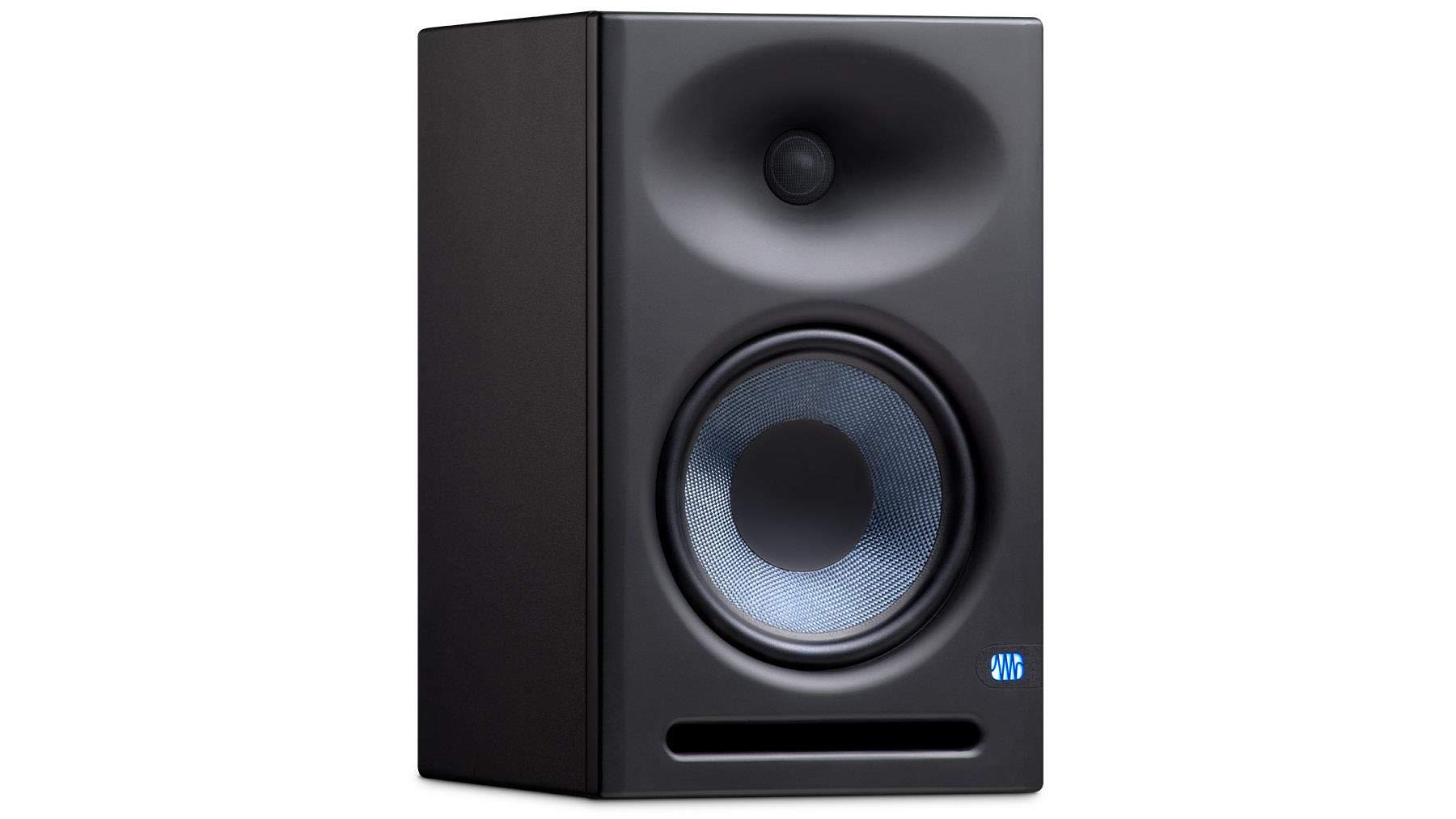
A wide-sweet-spot monitor that forgives a beginner’s room and throws in the software to start recording.
PreSonus engineers the EBM waveguide horn — a molded flare around the tweeter — to spread the highs across 100 degrees horizontally and 60 degrees vertically. Translation: you can move your head a foot to either side and the mix stays put, which matters enormously when you are still learning where to sit. The 8-inch woven composite woofer handles the lows, and a 1.25-inch silk-dome tweeter covers the top end smoothly.
It also comes with Studio One Prime and the Studio Magic plug-in suite, which is a meaningful starting package if this is your first serious setup. The front-ported enclosure pushes bass out the front, so you can place it closer to a wall without chuffing. Connections cover XLR, TRS, and RCA, and protection circuits guard against RF interference, over-current, over-temperature, and subsonic content. Across the family, sound quality is the clear standout — it is what owners bring up most, and for good reason: one church sound tech running one through a Roland VS-2480EX describes crisp highs and tight deep lows across 50 to 90dB.
The honest friction here is control feel and low-end discipline. The knobs on the back are not detented, so matching left and right by ear is fiddly, and the low end gets muddy if you do not cut it below 80Hz or so where the port reinforcement crowds the mix. One reviewer preferred the JBL 308P as the more refined instrument and suggested buying this one on sale. At 140W of Class AB bi-amplification driving up to 105dB of sound, it still punches well above its tier when set up correctly.
For the price tier: the bundled software and the forgiving waveguide make this one of the easiest first 8-inch monitors to grow into, and the acoustic tuning controls let you flat-response it as your ears improve.
Good fit for: a first-time buyer who wants software included and a forgiving listening window while they learn what a mix should sound like.
Not the pick if: you want to set levels by eye with matching detented knobs or you plan to mix bass-heavy music without trimming the low end.
5. KALI AUDIO LP-8V2 8” Powered Studio Monitor – 100W Speaker System with Boundary Compensation EQ Settings – for Mixing, Recording, Audio Production – XLR, TRS, RCA Input Ports – Single, Black

The mixing tool built for the person who sits at the desk for hours on end.
Kali’s LP-8V2 splits its 100 watts between a 1-inch 40W soft dome tweeter and an 8-inch 60W woofer, with a DSP — a digital processor that shapes the signal — applying a flatter top end than a purely analog design would hold. It hits a maximum SPL of 117dB and can play non-stop at 85dB while maintaining 20dB of dynamic headroom, so a loud passage never clips into mush. A port tube lets air leave at a consistent velocity, keeping the low end deep without the chuffing noise that plagues poorly ported cabinets.
The controls are the differentiator. A set of rear dip switches tunes boundary compensation EQ, LF trim, HF trim, and RCA power — meaning you can fix the bass buildup from a desk corner in seconds rather than weeks. Owners consistently describe the tonal balance as accurate and comfortable for long sessions, and one 18-month pro reviewer found their mixes translated perfectly to other systems with deep, tight low end and pleasing highs. A live player used a pair as rehearsal monitors on stands five to six feet away and reported clean, punchy sound down below 60Hz with no port chuffing and dead silence at idle.
Here is what to plan around. The LP-8V2 is more midfield than near field — the honest gripe across its reviews is a noticeable self-noise hiss that is louder than most class competitors, so keeping it four or more feet away keeps that out of your ears. A slight tubby character can also appear when the placement is poor, which is exactly what the dip switches are for. And like most monitors in this tier, it is sold singly.
Why Mixers Keep It
- 117dB max SPL with 20dB of headroom holds up at loud monitoring levels
- Rear dip switches tune boundary EQ, LF trim, HF trim, and RCA power
- Consistent-velocity port keeps bass deep without chuffing noise
- Comfortable over long sessions and needs no subwoofer in most rooms
Worth Planning Around
- Self-noise hiss is noticeable — keep four feet or more of distance
- Ported cabinet can turn tubby if placed badly
- Single speaker only, so two are needed for stereo
Where it wins: a mixing-first buyer willing to spend an afternoon tuning dip switches in exchange for accuracy that carries across genres.
Where it stumbles: a closet-sized desk where you sit close enough to hear the hiss.
6. Mackie MR824 8″ Powered Studio Monitor (Single), Black
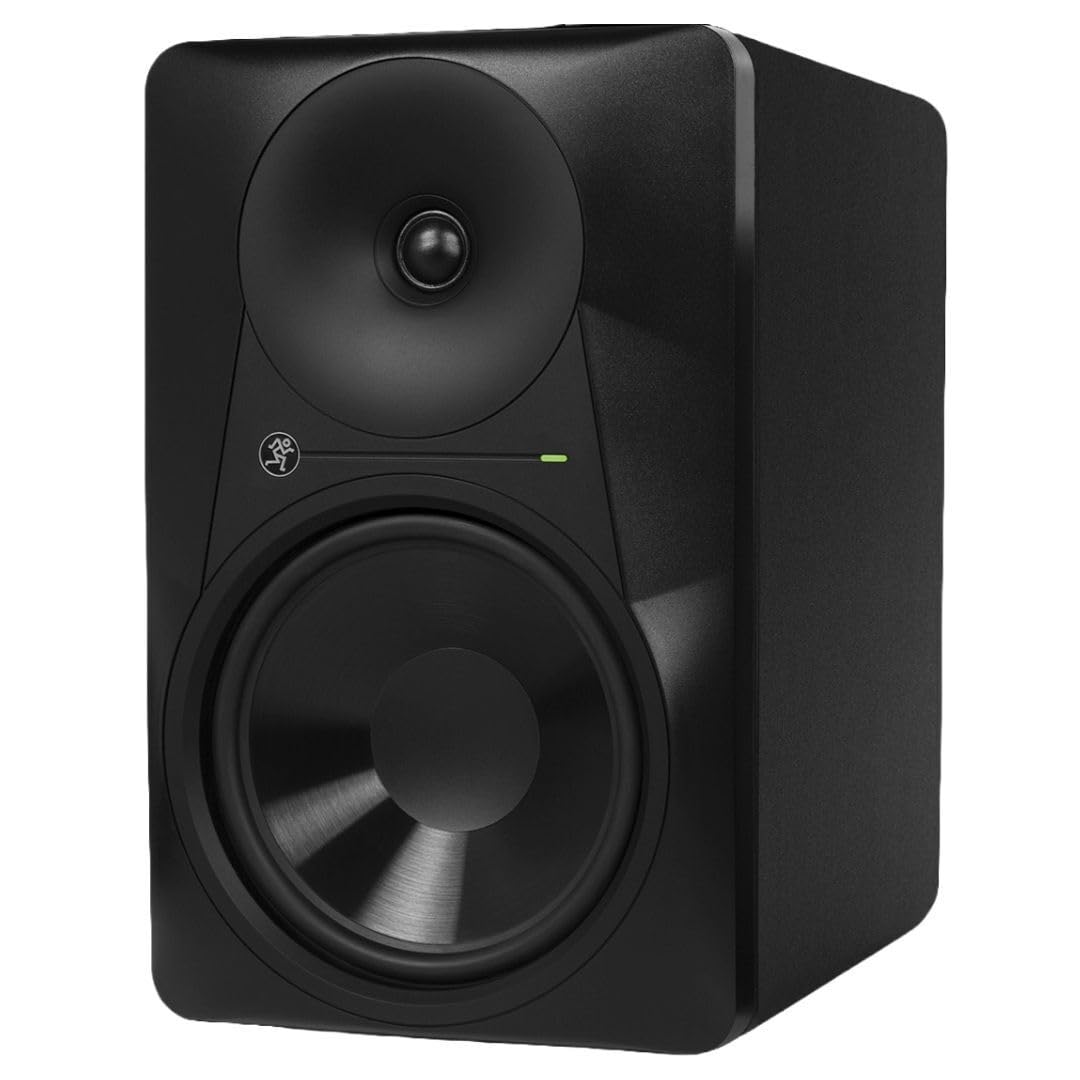
A monitor with a balance so wide you can mix from a swivel chair and never leave it.
Mackie’s logarithmic waveguide is the headliner here — it spreads the sound ultra-wide so the stereo image holds up and the listening position stops being a single precise dot. Underneath sit an 8-inch polypropylene woofer and a 1-inch silk dome tweeter that delivers fast transient response for detailed high end and vocal clarity, powered by 65 watts of bi-amplified Class A/B amplification split between the two drivers.
The customizability is what separates it from the pack. Back-panel tweeter and woofer gain controls let you shape each end of the spectrum independently, so you can tame a bright room or add weight to a thin one without external gear. Compared to the KRK Rokit 8, one buyer who owned both reports the MR824 wins on balanced sound, imaging, and controlled bass. Another upgraded from an 18-year-old set of Event monitors and found better bass, treble, clarity, and separation — clear enough even at a three-foot spread.
The trade-offs are honest and small. The treble can read slightly bright before you dial the gain back, and the deep cabinets look bulky on a compact desk. The power switch lives on the back panel, which is annoying if your desk sits against a wall, and one owner noticed the front plate creaks as room temperature swings. The noise floor, though, is a genuine strength here — the Class A/B amplifier runs very quiet, and significantly less noisy than a Kali at the same distance.
The standout: silk dome tweeters with fast transient response keep long listening sessions fatigue-free, which is why one three-speaker owner runs a full six-channel setup and never gets ear-ache.
Suits you when: you want independent tweeter and woofer gain control plus a very quiet amplifier in a mid-sized room.
Think twice if: you have a shallow desk against the wall — you will be reaching behind it to hit the power switch.
7. Mackie CR8BT 8″ Creative Reference Powered Studio Monitors with Bluetooth
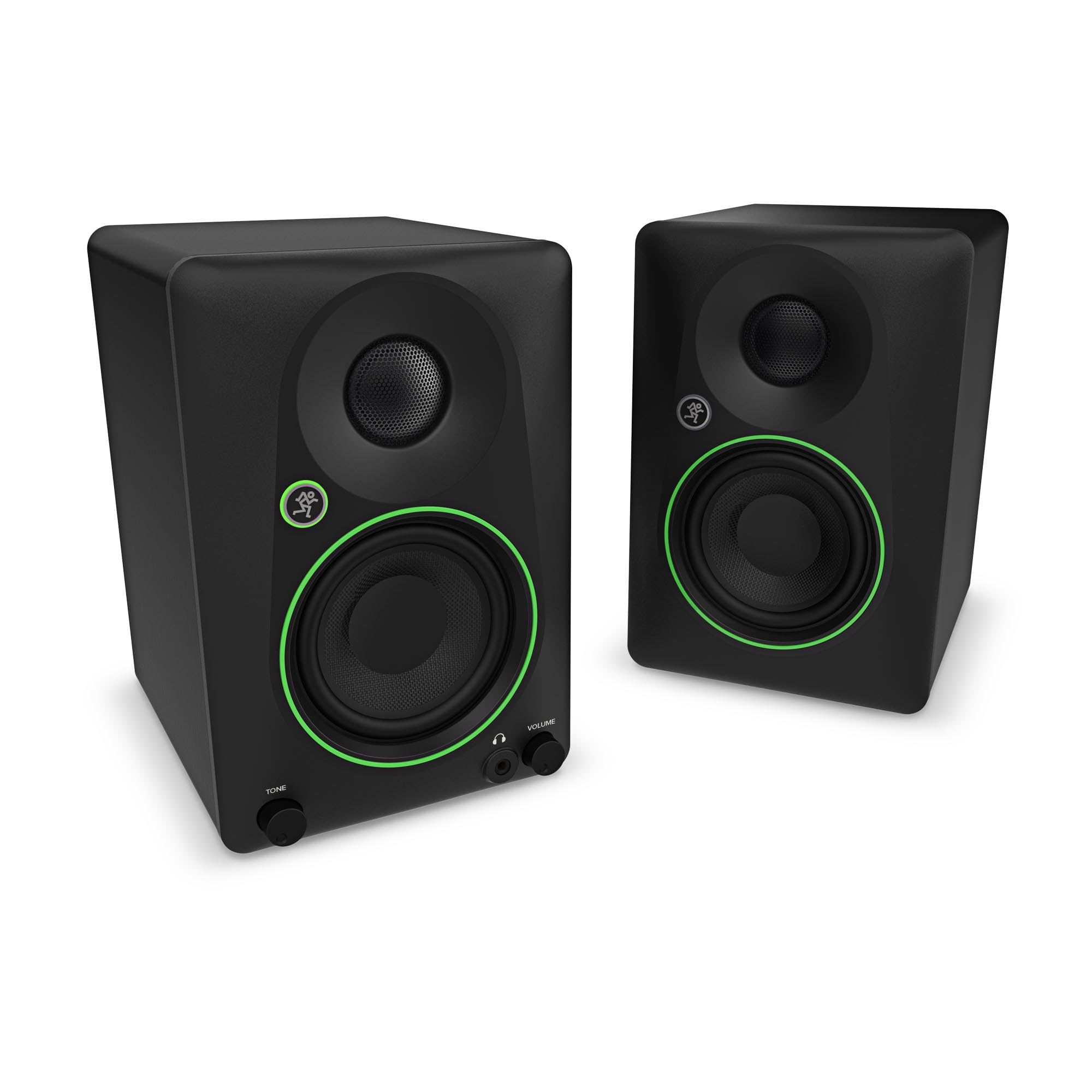
The monitor that moonlights as a party speaker without apologizing for either job.
Mackie built the CR8BT to flip between two lives. The tone knob starts at the transparent response you expect from a studio monitor and, as you turn it, gradually boosts the bass and adds high-end sparkle — that setting is what turns it from a working tool into a speaker for games and casual listening. A location switch then tune the speaker for desktop mode up close or bookshelf mode at a distance, so it works whether you sit three feet away or across the room.
Connectivity is where this beats everything else here. You get TRS and RCA connectors for interfaces, a 3.5mm input for game consoles and PCs, Bluetooth for phone pairing, and a built-in headphone output for checking a mix privately. A silk dome tweeter and an 8-inch woven woofer deliver the sound, and a matching CR8SBT subwoofer can be added later for deeper bass. Reviewers consistently describe the sound as big, crisp, and rich, and the low end is a standout: the 8-inch woofer is the thing that separates it at its tier, with one buyer calling the bass class-leading for the money and noting it stays loud without losing quality.
The honest caveat is volume and depth. Volume capabilities draw divided opinions — some buyers want even more headroom than the CR8BT offers — and because the cabinet is deeper than the older monitors it replaced, it wants roughly six inches more wall clearance than you may be used to. It is also, by design, a creative reference monitor rather than a mastering instrument; buyers focused on serious mastering and mixing are pointed toward the Yamaha HS8s instead.
Best use case: a dual-purpose desk that has to serve music production by day and gaming or movie night by evening — the tone knob and location switch handle both without hauling in a second system.
Pick it if: you need one speaker pair to do studio work, console gaming, and streaming from a phone.
skip it if: your work is dedicated mastering, where you want a flat reference monitor and nothing else.
8. Pioneer DJ VM-80 8-inch Active Studio Monitor Speaker, Class D, Black

A club-voiced monitor you can also flatten out when it is time to produce.
The VM-80 does something most monitors here cannot: it tunes its own voicing to the job. Set it for club sound and you get fast-attacking, punchy bass that recreates the energy a DJ hears on a big system. Switch it to a flat frequency response and it becomes a home or professional studio monitor for production work. That two-in-one character is rare and it is why this sits where it does in this list. The cabinet measures 12.8 by 10.51 by 15.75 inches and weighs 21.41 pounds, and the Class D amplification is efficient and runs cool.
Owners put it to work in ways that test the range. One buyer runs a pair for live-streamed DJ sets and considers them good enough to double as booth speakers for gigs, replacing a set of IK Multimedia monitors and calling the VM-80 far superior. Another simply says the low end gets handled exceptionally well and that this is a speaker for creating and recording mixes. The recurring praise lands on sound quality and build quality — what buyers notice is that the cabinet feels solid and the DSP delivers.
Two things to weigh. The review base is relatively small compared to the veterans at the top of this list, so you are buying partly on the strength of a shorter track record. And this is sold as a single speaker, so a DJ setup means buying a pair. If you want a dedicated flat-truth mixing monitor exclusively, the Yamaha above is the more single-minded tool — the VM-80 wins on versatility instead.
For the DJ who also produces: the ability to flip between club voicing and flat response in one box is the reason to choose this.
Not for the purist: a dedicated mixing-only buyer gets more proven accuracy elsewhere in this list.
9. ADAM Audio T8V Studio Monitor
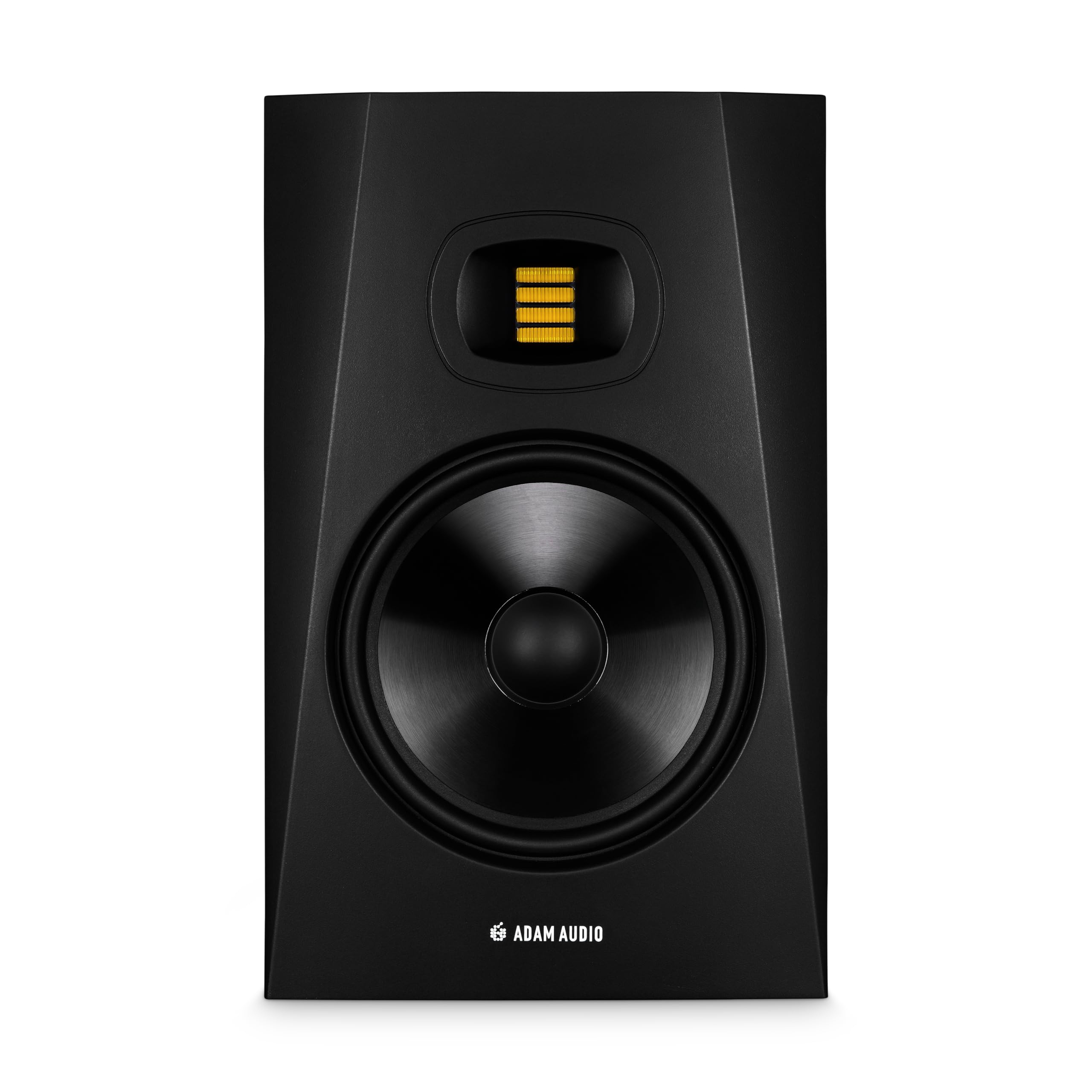
Thirty-three hertz of bottom end for producers who live in the bass. That’s the headline, and the rest of the speaker keeps up with it.
If you make EDM, hip hop, or film scores, low end is not a detail — it is the product. The T8V reaches down to 33Hz, and that depth is exactly what separates it from the warm-voiced two-ways above. The iconic ADAM tweeter design carries up to 25kHz, which limits high-frequency distortion so you can work longer without ear fatigue. An HPS waveguide shapes the highs into a controlled, larger balance so you have real freedom to move in your workspace.
Owners who came from bigger-name gear keep confirming the value. A Genelec and Klipsch veteran rates the Adam monitors for exceptional timbre, nuance, and instrument localization, with bass that rivals far larger speakers. A ten-month owner describes full, balanced bass with mids and highs that stay even at low volume — a meaningful detail, because most monitors thin out quietly and this one does not. Another buyer who had owned a Yamaha HS8 says this one sounds better for less money, with less tinny highs thanks to the tweeter design.
The one real limitation is connectivity. Buyers report a single RCA input on the back, which is limiting if you want balanced TRS or Bluetooth — surprising at this tier and worth checking against your interface before you commit. There is also one account of a unit arriving with an internal plug unconnected, so inspect yours during the return window. The rear-only controls also ask for some space behind the speaker to reach them.
Where It Delivers
- 33Hz bass extension is the deepest reach on this list
- 25kHz top end and the ADAM tweeter limit high-frequency distortion and ear fatigue
- HPS waveguide creates a larger, more controlled balance
- Full, even balance at low volume — rare in this class
Know Before You Buy
- Single RCA input on the back — no balanced XLR or TRS
- Rear-only controls want clearance behind the speaker
- Occasional faulty unit reported at delivery; keep the box handy for a while
Built for: a bass-forward producer — electronic, hip hop, or scoring work — who wants the deepest low end in this lineup and does not need balanced inputs.
Consider something else if: your interface only offers XLR or TRS output and you want a fully balanced chain.
10. PreSonus R80 V2 Studio Monitor, 8″

The one with the exotic tweeter you cannot get at this price anywhere else in this list.
Most tweeters here are dome designs, but the R80 V2 runs a 6.8-inch Air Motion Transformer — a ribbon-style driver that moves air with a folded diaphragm instead of a dome pushing outward. The result is articulate high-frequency response, wide stereo imaging, and a narrow vertical spread that keeps the balance on your ears and off the ceiling. Paired with an 8-inch woven composite low-frequency driver, the speaker is aimed squarely at broadcast, post production, and high-resolution audio work. It also ships with Studio One Prime and the Studio Magic plug-in suite.
Power comes from a bi-amped 140W RMS Class A/B amplifier split between the low-frequency side at 75W and the high-frequency side at 65W, with a switching power supply. A toroidal power transformer eliminates hum and buzz at the source, and protection covers RF interference, output current limiting, over-temperature, on/off transients, and subsonic content. Acoustic tuning controls for low cut, mid, high, and acoustic space tailors the response to your room. Inputs cover balanced XLR, ¼-inch TRS, and unbalanced RCA so it slots into most setups without a converter.
Two honest caveats. The review base is thin — one buyer who has run the family extensively reports a solid experience with no hiss or hum and a fuller, more natural sound than a competing Eris 4.5, but there simply is not the depth of long-term feedback that the veterans at the top of this list carry. And the AMT tweeter is a particular flavor of bright; if you want the warm, soft-dome character of the Mackie above, this is a different animal.
The differentiator: an AMT tweeter at this price point is unusual, and it is what makes the high-frequency imaging feel wider and more precise than dome-tweeter rivals.
A great choice for: a producer or broadcast editor working with high-resolution audio who wants a ribbon-style top end and does not mind a shorter review history.
Not the one if: you prefer the familiar soft-dome character and a longer track record.
11. Kali Audio IN-8 V2 8-Inch Studio Monitor – 3-Way Coaxial Active Powered Studio Monitors, 140W Tri-Amplified, XLR/TRS/RCA Input, Flat Response, Low Distortion, Deep Bass, Wall Mountable – Single, Black

Three drivers, one point source — this is the monitor that reveals what two-way designs simply miss.
A three-way design uses a separate driver for the midrange, so the critical vocal and guitar range never has to share a cone with the bass. The IN-8 V2 mounts a 1-inch tweeter and a 4-inch midrange coaxially above the 8-inch woofer, giving point-source accuracy where the sound appears to come from one spot. That layout buys precise imaging and phase coherence — two technical terms that translate to “the mix holds together when you move your head.” The 140W tri-amplified system powers each driver on its own for high headroom and low distortion, and the low-noiseport tube keeps the bottom end extended and punchy while staying clear.
Owners who came from two-way designs notice the difference immediately. A buyer upgrading from 15-year-old Event Project 8s reported being glad they did not spend more on other three-way models, with great detail across all frequencies. Another describes the midrange and high-frequency separation as something two-way monitors cannot match, and rates the build quality as excellent for the tier. A digital piano player who wanted better sound than built-in speakers found the response almost too perfect and simply boosted the high end to taste.
The caveat here is genuine and worth knowing. The most-discussed recurring issue on this model is reliability — a minority of units have been reported to develop a loud hissing sound or stop working within a couple of months, and unlike every other pick on this list, that is enough to hold the rating below 4.5. That is a real signal at this tier, and it is why this pick rounds out the list rather than leading it. If the sound profile is what you want, buy from a source with a straightforward return path and test both units thoroughly in the first month. Owners mention the 8-inch cabinet is larger in person than the listing photos suggest, so measure your desk before you commit.
Where it stands out: a purpose-built three-way with coaxial point-source accuracy that reveals layers hidden on a two-way, wall-mountable, and with room-correction DSP built in for flexible placement.
A specialist choice for: a producer or mastering engineer who specifically wants three-way detail and is willing to test the unit thoroughly and return it if anything is off.
Consider a safer bet if: a longer, more consistent track record matters more to you than the three-way sound — the Yamaha at the top of this list has it in spades.
Understanding the Specs
Woofer Size and Frequency Response
The woofer size is the number next to “8 inches” in every listing here — it is the diameter of the cone that produces bass, and it is literally the qualification for this entire category. A larger cone moves more air, so a bigger woofer reaches lower frequencies. The frequency response spec tells you the exact range: the low number (like 38Hz on the Yamaha HS8, or 33Hz on the ADAM T8V) is how deep the bass goes, and the high number (like 30kHz or 25kHz) is the top of the treble range. A lower bottom number means deeper bass, but in a small untreated room you may never hear that last octave because the room itself eats it.
Amplification and Driver Count
Bi-amplified means the speaker has two separate amplifiers — one dedicated to the woofer and one to the tweeter — so each driver gets the exact power it needs without the crossover wasting energy. Tri-amplified, like the Kali IN-8 V2’s 140W system, splits it three ways for the woofer, midrange, and tweeter. Wattage figures are not a loudness contest; they describe how much clean power the speaker can deliver before distortion sets in. Look for the split instead of just the total — a 120W bi-amp system might be 75W to the low side and 45W to the high, which tells you where the designer put the emphasis.
Inputs and Balanced Connections
Balanced inputs use XLR or TRS connectors and carry the audio signal twice with opposite polarity, which cancels the electrical noise that long cable runs and computer power supplies pick up. That is why reviewers repeatedly note a balanced cable eliminates computer hum. Unbalanced inputs like RCA and 3.5mm are convenient and work fine for short cable runs from a phone or game console, but they offer no such noise rejection. The input-sensitivity switch (often marked +4dBu / -10dBV) matches the speaker’s expectations to the output level of your gear — set it wrong and the speaker either sounds quiet or overloads.
Room Tuning Controls
Every speaker on this list interacts with the walls, desk, and corners in your room. Acoustic tuning controls — boundary EQ, low-frequency trim, high-frequency trim, and acoustic space switches — let you correct for that interaction at the speaker instead of with software. A low-frequency trim cuts the boosted bass a desk corner creates; a high-frequency trim tames a bright, hard room. On models with rear dip switches like the Kali LP-8V2, you set the switches once and forget them. On models with front knobs like the PreSonus Eris E8 XT, they are adjustable on the fly.
FAQ
Do I really need an 8-inch studio monitor instead of a 5-inch or 6.5-inch?
Will an 8-inch monitor work in a small bedroom studio?
Do I need an audio interface to use these monitors?
What is the difference between XLR, TRS, and RCA inputs on a monitor?
Should I buy a two-way or a three-way 8-inch monitor?
Why do some of these monitors hiss at idle?
Can I use a studio monitor for watching movies or gaming?
Are 8-inch monitors sold individually or as pairs?
How much space do I need behind an 8-inch monitor?
Do I need a subwoofer with 8-inch monitors?
Final Thoughts: The Verdict
The 8 inch studio monitors winner is the Yamaha HS8 because it pairs the broadest proven track record in the category with a 38Hz to 30kHz frequency response and the room-tuning switches you need to tame a home studio. If deep bass is the whole point of your work, reach for the ADAM Audio T8V and its 33Hz bottom end. For a cable-free desk that doubles as a gaming setup, the Mackie CR8BT is the one to grab. If you are on the fence, the Yamaha HS8’s 2,300+ ratings and 4.7-star record make it the safer long-term buy than a cheaper monitor with a shorter track record.
How We Picked
We do not accept paid placement. Every pick is matched to a real buyer and a real use-case; we do not hands-on test units.
Sources & Methodology
Specifications: manufacturer listings and product documentation. Review insights: verified customer reviews, as of September 2026. Pricing: not shown on this page (it changes often); check the current price via the retailer link.
As an Amazon Associate, Gadgets Feed earns from qualifying purchases. This does not affect which products we feature.