
Our readers keep the lights on and my morning glass full of iced black tea. As an Amazon Associate, I earn from qualifying purchases.
Specs are compiled from manufacturer listings and verified buyer reviews and can change over time — please confirm the key details on the product page before buying.
If your video calls stutter in the back bedroom or your smart speaker keeps losing the connection in the garage, you are not stuck with a dead zone. An 802.11ac WiFi extender grabs your router’s signal and rebroadcasts it, filling those far corners with usable internet — no new wiring needed. This guide breaks down the top picks by real-world range, device capacity, and setup ease so you can match the right booster to your home’s layout and your budget.
I’m Min — the founder and writer behind Gadgets Feed. This guide is built by comparing the manufacturers’ published specifications and the patterns across verified customer reviews, so you get each pick’s real strengths and trade-offs instead of marketing spin.
if you need to cover a sprawling ranch or just one stubborn back room, the right 802.11ac wifi extender can bridge that gap without a monthly fee or a complicated installation.
Our Picks at a Glance

How To Choose The Best 802.11ac WiFi Extender
Don’t just pick the extender with the highest AC rating on the box. Match the extender’s coverage, device capacity, and speed loss to your home’s layout and device count.
Coverage: Square Feet vs. Real Walls
A unit that claims 12,000 square feet is built for a very large, open house or for bridging across a yard. For a typical 1,500-square-foot home where the router sits at one end, a 1,000- to 2,000-square-foot extender placed halfway between the router and the dead zone is often the wiser, more stable choice. Drywall, concrete floors, and large appliances all cut range — be more conservative with the coverage number than the box suggests.
Speed Rating: The AC Number Explained
The “AC1200” or “AC1900” on the label is the combined theoretical maximum of both bands (2.4 GHz and 5 GHz) added together. In real life, you will see about half that on a good day because of interference and the half-duplex nature of repeating. Do not expect an extender to deliver the same speed you get sitting right next to your router — its job is to make unusable signal usable, not to make it faster.
Modes That Matter: Repeater, AP, and Mesh
Most budget extenders work in Repeater Mode (wireless in, wireless out). Access Point (AP) Mode lets you plug it into a wired Ethernet port and broadcast a fresh signal — better speed but requires a cable. Mesh-compatible extenders, like those with EasyMesh or OneMesh, can create a single network name that hands your device off smoothly as you move, which is the closest experience to a whole-home system without buying a new router.
Quick Comparison
| Model | Best For | Coverage | Top Speed | Device Limit | Amazon |
|---|---|---|---|---|---|
| Venrk Z04★ Best Overall | Massive Homes | 12,888 sq.ft. | 1200 Mbps | 105 | Amazon |
| TP-Link RE550Top Performer | Best All-Around | 2100 sq.ft. | 1900 Mbps | 32 | Amazon |
| Frontier Secure Air 4920Smart Mesh | Smart Mesh | Whole Home | 1600 Mbps | — | Amazon |
| NETGEAR EX6120 | Budget | 1500 sq.ft. | 1200 Mbps | 25 | Amazon |
| Zelnkovitz B0H9L3DB72 | Multi-Floor | 10,200 sq.ft. | 1200 Mbps | 36 | Amazon |
| TP-Link RE300 | OneMesh | 1500 sq.ft. | 1200 Mbps | 25 | Amazon |
| NETGEAR EX5000 | Small Spaces | 1000 sq.ft. | 1200 Mbps | 15 | Amazon |
| BrosTrend AC1200 Outdoor | Yard & Camper | 656 ft. | 1200 Mbps | — | Amazon |
| WAVLINK AC1200 Outdoor | Outdoor Tough | 300 m | 1200 Mbps | — | Amazon |
In‑Depth Reviews
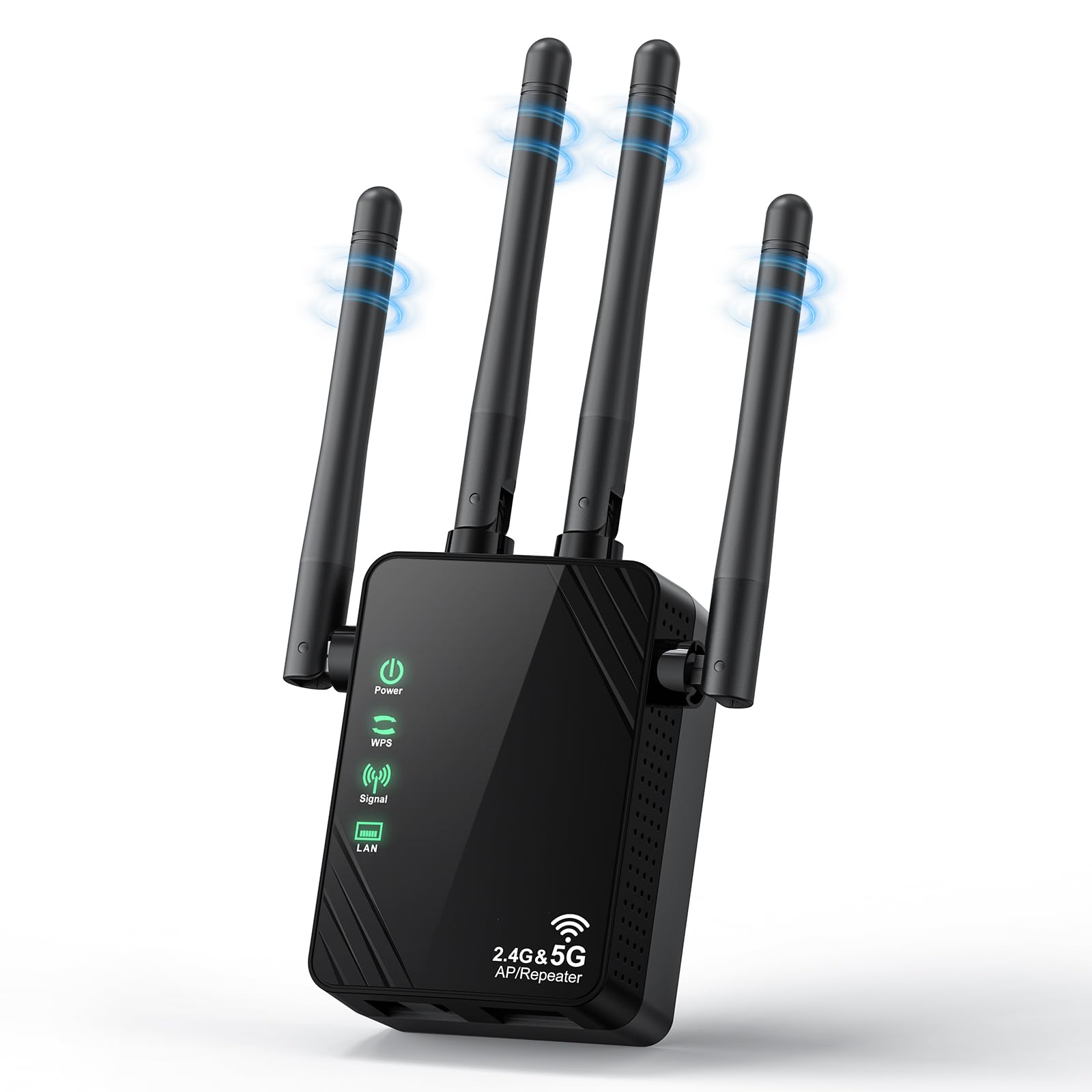
1. Venrk Z04
Our pick — over 4.5★ from 60+ verified ratings; the strongest balance of quality and price.
Massive coverage that penetrates concrete floors.
This is the extender you grab when a single floor is not the problem — the problem is the whole house. The Venrk Z04 claims a staggering 12,888 square feet of coverage, compared to the NETGEAR EX5000 at 1,000 sq.ft.. It juggles up to 105 gadgets at once, from smart bulbs to game consoles, and its four external antennas are built to blast through multiple load-bearing walls and floors.
Setup is about as painless as it gets: plug it in, push the WPS button, and you are done in under three minutes. Buyers report that it works exactly as described — one owner says they “put it on my basement and received signal very well on my second floor.” The dual-band performance clocks in at a total of 1,200 Mbps (300 Mbps on 2.4 GHz plus 867 Mbps on 5 GHz), which is plenty for 4K streaming and video calls. The crowd favorite — a 4.6-star average across 64 ratings — backs up the bold claims.
The biggest trade-off is physical size: at 15.2 ounces it is heavier than the NETGEAR EX5000 (5.44 ounces), so it is not the most discreet plug-in for a hallway. The Ethernet port (100 Mbps) and AP Mode add flexibility, but this is a unit that wants to sit in a central spot and flex its antennae.
What Owners Love
- Astounding range reaches basements, garages, and back gardens through multiple walls
- easy WPS setup that takes minutes, not an afternoon
- Handles a huge smart-home load without dropping connections
The Catch
- Bulky wall-wart design sticks out farther than slim competitors
- Does not include mesh hand-off — you get a second network name (SSID)
Grab it for: a large multi-story home or workshop where no other extender can touch the farthest corner.
Pass on it if: you need smooth roaming with a single network name across a massive property — look for a mesh system instead.
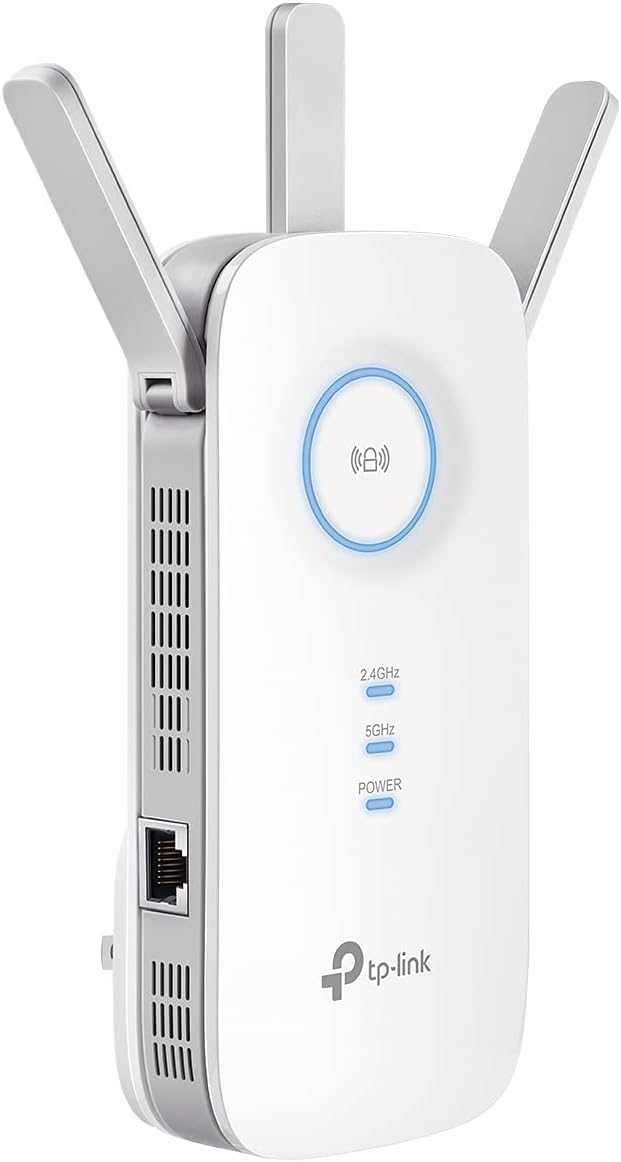
2. TP-Link AC1900 WiFi Range Extender RE550
Top speed with a gigabit port and smooth mesh roaming.
If your household runs on high-bandwidth tasks — 4K streaming, PC gaming, large file downloads — the RE550 is the fast-lane choice. It delivers the highest data rate in this roundup at 1,900 Mbps total (1,300 Mbps on 5 GHz), and it couples that speed with a true gigabit Ethernet port. That port means you can hardwire a gaming console or smart TV directly into the extender for a rock-solid link, not a wireless hop.
Coverage is rated at up to 2,100 square feet for up to 32 devices, and the three adjustable external antennas let you aim the signal. What really separates it is EasyMesh compatibility: pair it with an EasyMesh router and your phone jumps between the router and this extender without losing a beat. The Tether app makes setup and signal-finding simple, and the built-in signal indicator lights guide you to the balance.
The honest limit is that extenders generally cut speed by about half; TP-Link states you can expect 50% or less of your router’s speed. Setup requires a bit more effort than a pure WPS button — some owners needed a YouTube guide to get it dialed in. Once running, though, the performance is hard to fault, earning a strong 4.3-star average from 20,000+ ratings.
Real-world payoff: Owners mention boosting a dead zone from 1-2 Mbps to 12-15 Mbps as an extender, and hitting 300-400 Mbps when using the Gigabit port in Access Point Mode.
Room for improvement: The “ext” suffix on the extended network can confuse devices that expect a single SSID, though EasyMesh fixes that if you have a compatible router.
Best for: gamers and streamers who need the fastest possible pipe to a far room and appreciate the mesh upgrade path.
Think twice if: you want the absolute simplest plug-and-play experience — the app-driven setup has a learning curve.
3. Smart Mesh WiFi Extender – Frontier Secure Air 4920
smooth handoff as you walk between rooms.
Unlike a standard extender that creates a second network, this Frontier unit uses Smart Mesh technology. That means your phone, laptop, or tablet automatically roams to the strongest signal — the router’s or the extender’s — under a single network name. No manual switching, no buffering as you move from the living room to the upstairs office. It is the closest you get to a whole-home mesh system without replacing your router.
It also packs two Ethernet ports, which is rare for a unit at this level. You can plug in a smart TV and a gaming PC for wired backhaul speeds. The data rate hits 1,600 Mbps, and customers note consistent speeds over 1 Gbps in distant rooms like the garage and back porch. Setup is a true 3-minute job via WPS — one owner called it “the perfect companion for a home >1,800 sq ft.” At 15.2 ounces, it is heavier than the NETGEAR EX5000 (5.44 ounces), but that is the price of the extra ports and mesh logic.
The catch is compatibility. A few buyers found that certain IP cameras (like Reolink) would not connect through the mesh. If you lean heavily on a specific brand of security cam, verify it plays nice before you commit. This extender also does not include a Gigabit Ethernet port — the two ports are standard 10/100, which is fine for streaming but not for a high-speed wired workstation.
Standout feature: smooth roaming under one network name is a genuine quality-of-life upgrade.
Honest caveat: Some IoT cameras struggle with the mesh; check device compatibility if your smart home is diverse.
Reach for this if: you hate switching between network names and want a mesh-like experience without buying a whole new router.
Look elsewhere if: you need a gigabit wired port for a desktop or game console — the Ethernet ports here top out at 100 Mbps.
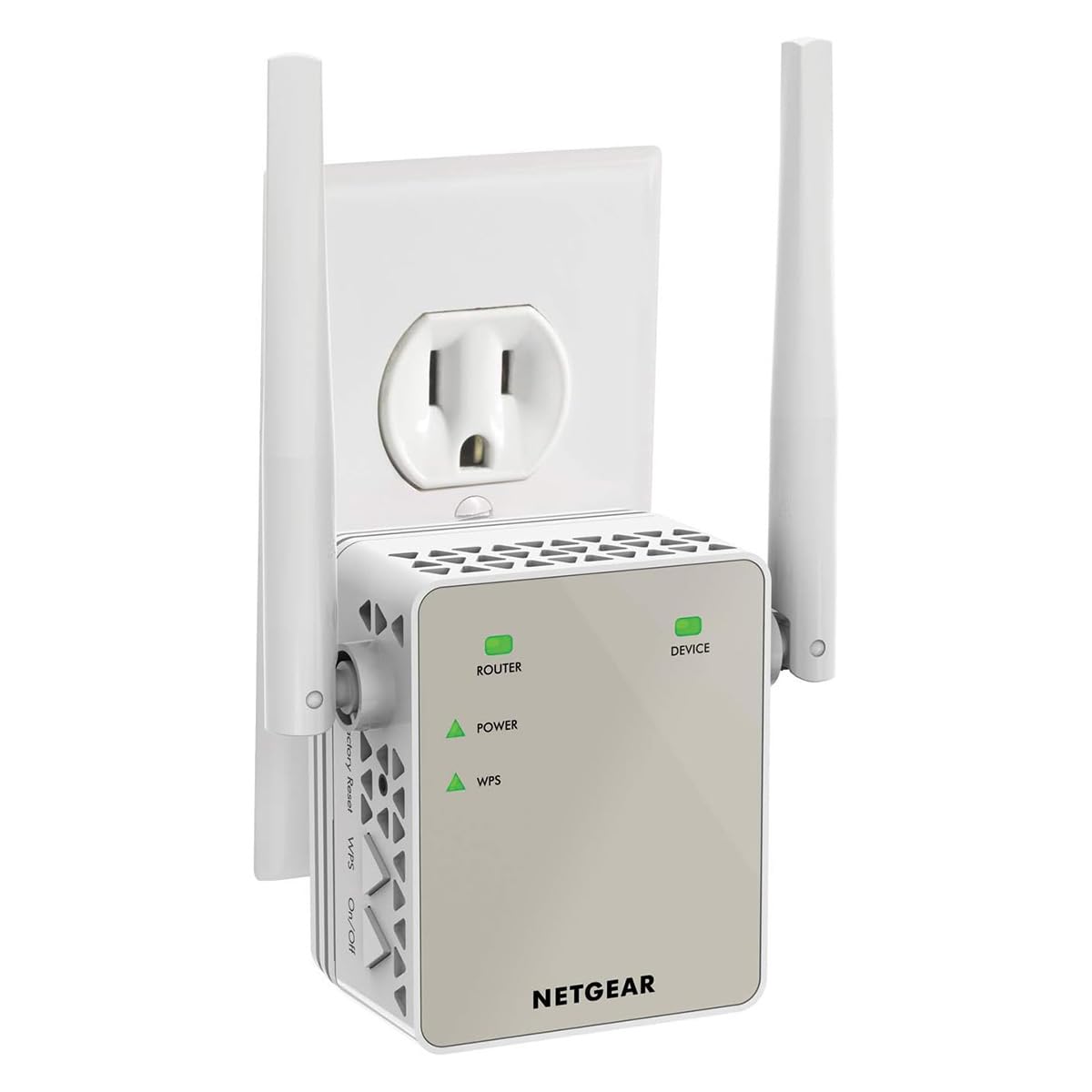
4. NETGEAR WiFi Range Extender EX6120
Affordable workhorse that eliminates buffering in distant rooms.
This NETGEAR EX6120 is the most-tested extender in the roundup by a wide margin — tens of thousands of owners have weighed in. It covers up to 1,500 square feet and 25 devices with AC1200 speeds (300 Mbps on 2.4 GHz, 867 Mbps on 5 GHz). For a typical 2,000-square-foot home where the router is at one end, placing this midway often turns a 1-bar dead zone into a usable 3-bar connection.
Setup is split: the WPS button works instantly for many, while others hit frustration with the web-based setup. The unit includes one Ethernet port (10/100, not Gigabit), so you can plug in a TV or console for a more stable wired link. Reviewers point out it “eliminated buffering in far bedrooms” and call it a “very affordable bargain.” The main trade-off is the port speed — 100 Mbps is fine for streaming a single 4K video, but it chokes if you try to game and stream simultaneously over the wire.
Functionality is genuinely mixed across the huge owner base. Some units work perfectly from the start; a smaller number lose connection or require a periodic power cycle. The good news is that NETGEAR is a major brand with solid support, and the sheer volume of positive setup and quality feedback (1,700 and 1,100 mentions respectively) confirms it hits its price point hard.
Why It Wins
- Proven track record with over 43,000 ratings and a low entry cost
- Compact wall-plug design fits flush in tight spaces
- Reliable for HD streaming and web browsing in small-to-medium homes
Where It Falls Short
- Ethernet port is 10/100, not Gigabit — do not expect a wired speed boost
- A minority of owners find the signal strength inconsistent after setup
Best if: you need a low-risk, low-cost fix for one or two weak-signal rooms and are comfortable with basic WPS setup.
skip it if: your home has thick concrete walls or you rely on a wired Gigabit connection for a gaming PC.
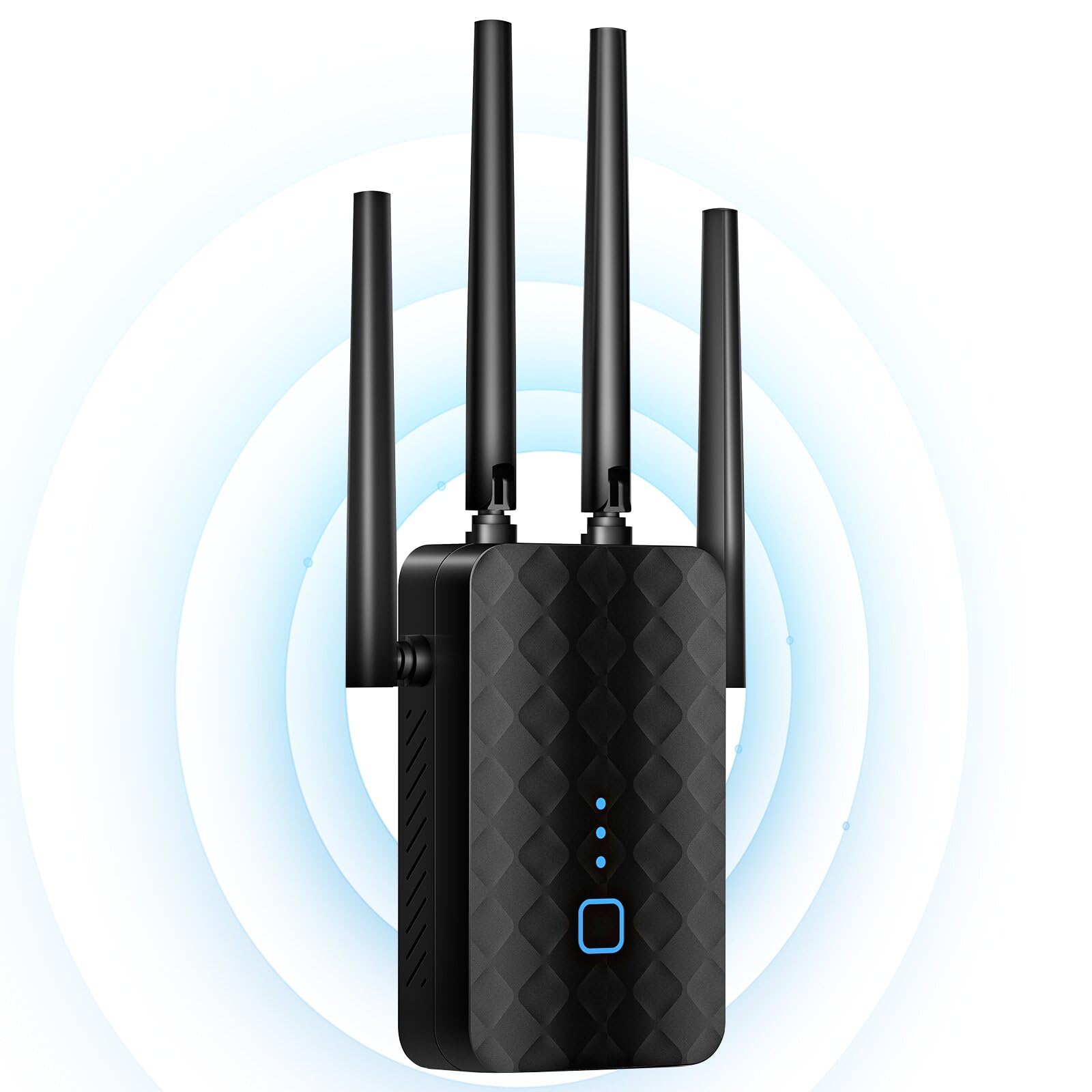
5. Zelnkovitz Dual Band WiFi Extender
The 5.8 GHz band avoids congestion better than standard 5 GHz.
Most dual-band extenders use 2.4 GHz and 5 GHz bands. This Zelnkovitz steps up to 5.8 GHz, a less congested slice of spectrum that often yields cleaner, more stable connections in dense neighborhoods. It covers up to 10,200 square feet and supports 36 devices simultaneously — a smart fit for a multi-room home where walls and appliances eat away at standard WiFi.
The dual-core processor drives speeds up to 1,200 Mbps, and the 3-step WPS setup could not be simpler. No app required, just plug, press, and connect. Owners consistently describe it as reliable and effective — “it delivers what it promises,” one says. The unit also works in Repeater Mode or AP Mode (using the 100 Mbps Ethernet port) to give a wired device a stable link. At 5.0 stars across dozens of ratings, it has a perfect early score.
The 5.8 GHz band is the hero here, but it is not magic — physical obstacles still degrade the signal. And while the 3-year warranty is generous, the brand is less established than NETGEAR or TP-Link, so long-term support is unproven.
The edge: Less crowded 5.8 GHz band means fewer neighbor-network hiccups.
The caveat: The Ethernet port is 100 Mbps, not Gigabit — fine for one device, not for a whole wired network.
Use it for: a congested apartment complex where 5 GHz is too noisy, or a multi-floor home with standard drywall.
Not for: tech enthusiasts who need Gigabit wired backhaul and a mature brand ecosystem.
6. TP-Link AC1200 WiFi Extender RE300

Compact plug-in that integrates with TP-Link’s OneMesh family.
If you already have a TP-Link Archer A7 router (or other OneMesh-compatible model), the RE300 disappears into your network. Your phone stays on a single network name as you move from room to room. That smooth roaming is the reason to pick this over a generic extender — it behaves like a mesh node, not a separate hotspot. Coverage is rated at 1,500 square feet for up to 25 devices at AC1200 speeds.
Setup uses the Tether app or WPS, and a smart indicator light tells you exactly where to plug it in for the best signal. It pulled a 0% packet loss and a 24ms ping on an Xbox from a far room in one owner’s test, which is excellent for gaming. At 6.4 ounces it is light enough to stay flush in the outlet.
The missing piece is an Ethernet port — there is none. If you want to wire a smart TV or console directly, this is the wrong pick. Mixed feedback on long-term reliability (the most-discussed category at 1,000 mentions) suggests that some units require an occasional power cycle to stay stable. If you can live with a purely wireless connection and a TP-Link router, this is a clean, effective add-on.
The upside: True one-network roaming with a OneMesh router eliminates the dreaded “ext” network name.
The downside: No Ethernet port means every connected device relies on the wireless hop.
Pick this if: you own a TP-Link OneMesh router and want a no-fuss, wireless-only extension.
Look past it if: you need a wired backhaul or Gigabit port for a stationary device.
7. NETGEAR WiFi Mesh Range Extender EX5000

A tiny, proven booster for a single-room dead zone.
At 5.44 ounces, the EX5000 is one of the lightest extenders here. It is designed for a focused job: covering an additional 1,000 square feet and connecting up to 15 devices. Think of it as the fix for the back bedroom or the home office that the router cannot quite reach. The AC1200 dual-band speeds (up to 1,200 Mbps) are standard for the class, and the compact wall-plug shape means it does not hog the outlet.
Setup is famously simple — press WPS on the extender and then on your router. A huge number of owners (605 positive mentions for ease of setup) confirm it works quickly. The most-discussed category is functionality, though the feedback there is genuinely mixed; about as many owners praise it as those who find it finicky. As one buyer honestly put it: “For the price, it works okay. It improved the wifi reception enough for a small house.”
The signal quality is the trade-off. The EX5000 does not include Gigabit Ethernet (no port at all), and some owners find the connection drops in obstructed spaces. It is a solid, affordable fix for a modest need. If your problem area is a single room and you keep expectations realistic, this gets the job done without clutter.
The strength: Ridiculously easy WPS setup and a footprint smaller than a deck of cards.
The weakness: Signal consistency is hit-or-miss, especially with thick walls or large metal appliances in the path.
Use it for: a small apartment or a single room where you need a quick, cheap signal lift.
Pass on it if: your home has concrete or brick interior walls, or you need to cover multiple floors.
8. BrosTrend AC1200 Outdoor WiFi Extender
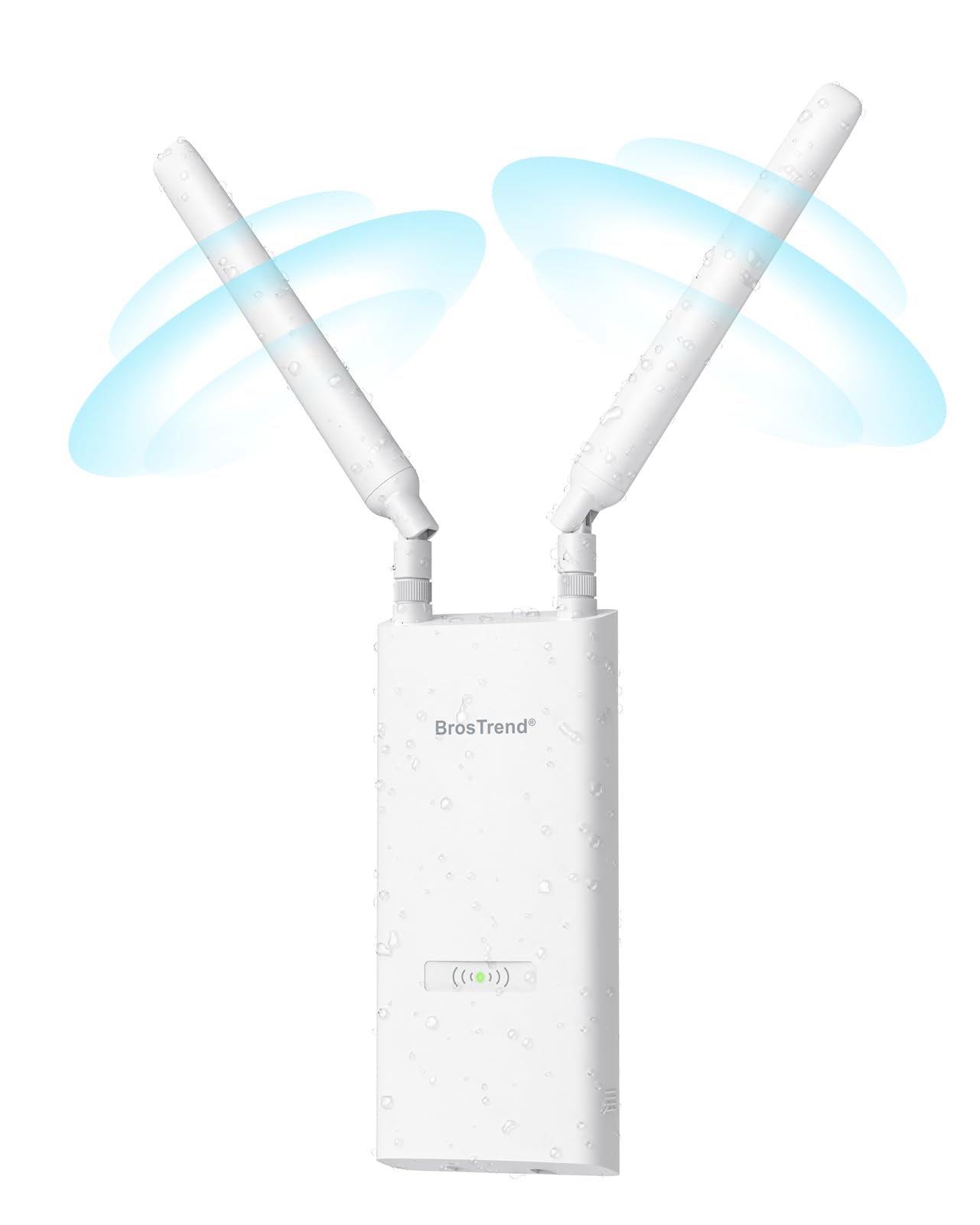
Weatherproof WiFi that reaches 656 feet into the yard.
Standard extenders live inside. This BrosTrend lives under the eaves. It carries an IP65 rating (meaning it is sealed against dust and low-pressure water jets), plus 6kV lightning protection and 8kV ESD protection — legit outdoor toughness. Power comes over a single Ethernet cable via the included Passive PoE injector, so you do not need an outlet near the unit.
With two adjustable 5 dBi omnidirectional antennas and beamforming technology, the signal focuses toward your devices. Shoppers say huge improvements — one says it turned a camper’s two weak WiFi spots into full-strength coverage everywhere. It supports up to 1,200 Mbps (867 Mbps on 5 GHz, 300 Mbps on 2.4 GHz) and its Gigabit LAN port can handle up to 1,000 Mbps when wired.
Setup is tricky for non-tech users — one experienced owner took 1.5 hours because the configuration defaults to creating a new network rather than extending an existing one. The antenna rubber boots can twist out of position during installation, and the Ethernet jack cover feels a bit plasticky. Once mounted and configured, though, the reliability is strong, with 13 owners calling it reliable and 11 praising signal strength.
Built For
- IP65 weatherproof housing stands up to rain, snow, and dust
- PoE power means no outdoor outlet needed — just one Ethernet cable
- Gigabit port supports wired speeds up to 1,000 Mbps
Watch Out For
- Initial configuration can frustrate anyone who is not network-savvy
- Antenna boots and Ethernet cover feel less durable than the rest of the unit
Grab this for: extending WiFi to a camper, detached garage, pool area, or garden where an indoor unit would fail.
pass on it if: you want a plug-and-play setup — this one demands a careful read of the installation guide.
9. WAVLINK AC1200 Outdoor WiFi Extender
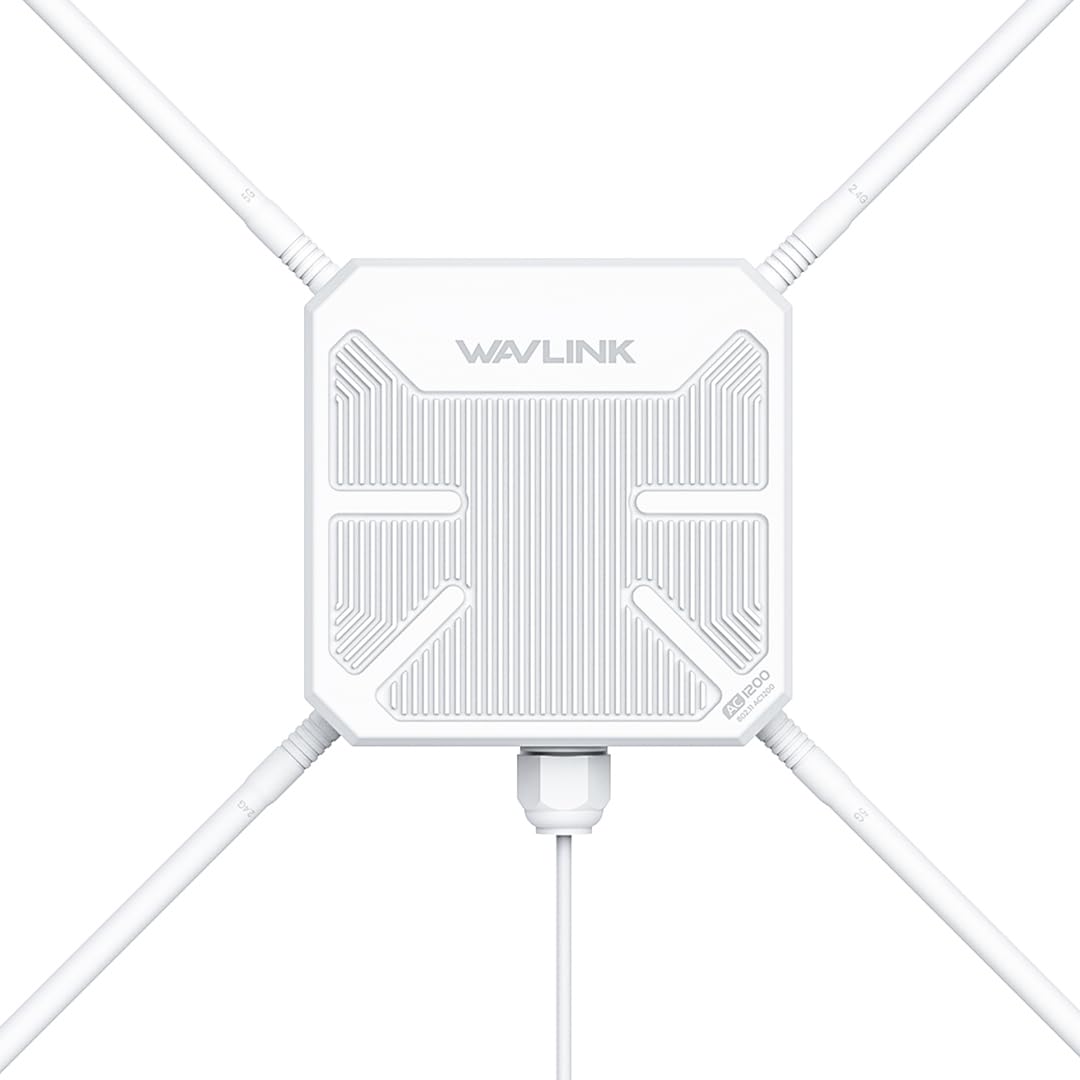
Rugged antennas and lightning protection for farms and large estates.
When your property is measured in acres, not square feet, the WAVLINK steps in. It is an IP65-rated outdoor unit with four detachable 7 dBi omnidirectional antennas — the most antennas in the roundup — providing a full 360-degree signal pattern. It covers up to 300 meters on 5 GHz and 100 meters on 2.4 GHz, making it ideal for farms, large gardens, and industrial yards.
Power comes via PoE (802.3AT/AR Active PoE and Passive PoE), so you run a single Ethernet cable to a convenient indoor spot. It supports AP, Repeater, and Router modes, and it works with Starlink — a note for rural users. The crowd consensus across 115 ratings is positive, with 5 owners praising connectivity and 5 praising setup. One owner reports a strong signal 250 feet away at an RSSI of -64, which is very usable.
The mixed feedback is on signal strength itself — 5 owners found it hit-or-miss depending on obstacles. The physical unit is also substantial, so mounting it securely requires a proper bracket (included). The PoE injector is not waterproof, so it must stay inside. If you need to blanket a large open area, this is the heavy lifter; for a small yard, the BrosTrend above is simpler and cheaper.
Standout spec: Four 7 dBi antennas deliver 360-degree coverage that reaches hundreds of feet.
Important note: Signal quality degrades noticeably with line-of-sight obstructions — mount it as high and clear as possible.
Best for: rural properties, farmland, or anyone needing long-range outdoor coverage with PoE convenience.
Not for: tight suburban backyards where a smaller, less expensive outdoor unit would suffice.
Understanding the Specs
AC Rating (AC1200 vs. AC1900)
The “AC” number is the combined top speed of the 2.4 GHz and 5 GHz bands added together. AC1200 typically means 300 Mbps (2.4 GHz) + 867 Mbps (5 GHz), while AC1900 means 600 Mbps + 1,300 Mbps. That number only matters in ideal conditions with no walls, no neighbor interference, and a strong router signal. In a real home, you get about half. Focus less on the total number and more on whether the 5 GHz speed is high enough for your streaming or gaming needs.
WPS (WiFi Protected Setup)
WPS is the button on the extender and your router that you press together to pair them automatically. It is the fastest way to set up most extenders — press, wait for the lights to sync, and you are online. If your router does not have a WPS button (older models or some ISP-provided gateways), you will need the web-based setup method, which is slower and sometimes more temperamental.
Ethernet Port (Gigabit vs. 10/100)
An Ethernet port on an extender lets you plug in a device like a TV, game console, or PC for a wired connection instead of relying on WiFi. A Gigabit port (1,000 Mbps) gives you full-speed wired performance. A 10/100 port (100 Mbps) is fine for streaming one 4K video but will bottleneck a gaming download or a large file transfer. If you plan to wire anything, pick an extender with a Gigabit port.
Mesh Compatibility (EasyMesh / OneMesh)
A mesh-compatible extender can create a single network name with your router, so your phone smoothly switches between the two as you walk around — no manual network changes. Standard extenders always create a separate network (usually with “_EXT” in the name), which means you have to switch manually. Mesh compatibility requires a router that supports the same standard (EasyMesh or OneMesh).
FAQ
Will an 802.11ac extender work with my WiFi 6 or WiFi 6E router?
Does an extender slow down my internet speed?
Where should I place my WiFi extender for the best result?
What is the difference between a range extender and a mesh system?
Can I use an outdoor extender inside my home?
Do I need an app to set up a WiFi extender?
How many devices can an 802.11ac extender handle?
Will an extender work with my Starlink or satellite internet?
What is covered by a typical manufacturer warranty?
Why does my extender show a strong signal but slow internet?
Final Thoughts: The Verdict
For the majority of shoppers, the best 802.11ac wifi extender is the TP-Link AC1900 RE550 because it blends the highest data rate (1,900 Mbps), a true Gigabit Ethernet port, and EasyMesh expandability into one strong package. If you need to annihilate a massive dead zone, the Venrk Z04 covers 12,888 square feet for a remarkable price and still delivers 4.6-star satisfaction. And for the backyard, workshop, or camper, the BrosTrend AC1200 Outdoor brings weatherproof reliability and PoE convenience that no indoor extender can match.
How We Picked
We do not accept paid placement. Every pick is matched to a real buyer and a real use-case; we do not hands-on test units.
Sources & Methodology
Specifications: manufacturer listings and product documentation. Review insights: verified customer reviews, as of July 2026. Pricing: not shown on this page (it changes often); check the current price via the retailer link.
As an Amazon Associate, Gadgets Feed earns from qualifying purchases. This does not affect which products we feature.