
Our readers keep the lights on and my morning glass full of iced black tea. As an Amazon Associate, I earn from qualifying purchases.
Specs are compiled from manufacturer listings and verified buyer reviews and can change over time — please confirm the key details on the product page before buying.
You know the spot — the far end of the yard, the detached garage, the poolside chair — where your Wi-Fi just gives up. An 802.11ac wireless access point (a device that plugs into your router via Ethernet and broadcasts a fresh Wi-Fi signal to a specific area) fixes that directly, because it doesn’t rely on the router’s weaker internal antennas. Focus on real-world range, IP weather rating, and setup simplicity.
I’m Min — the founder and writer behind Gadgets Feed. This guide is built by comparing the manufacturers’ published specifications and the patterns across verified customer reviews, so you get each pick’s real strengths and trade-offs instead of marketing spin.
From outdoor units that shrug off rain to sleek in-wall models for homes, here’s how to pick the right 802.11ac wireless access point for your property.
Our Picks at a Glance


How To Choose The Best 802.11ac Wireless Access Point
Before you click buy, decide where the unit will live and how it will get power. That single choice narrows the field faster than comparing speed specs. A wired access point beats a repeater because it broadcasts a fresh, strong signal instead of halving a weak one.
Match the unit to the environment
If the device is going on a fence, a pole, or a roof eave, it needs a genuine weatherproof enclosure. Look for an IP67 or IP65 rating — this two-digit code tells you how well the case blocks dust (first digit) and water (second digit). An indoor ceiling unit has no need for this, and you shouldn’t pay for it. Similarly, a wall-mounted unit fits a completely different wall structure than a ceiling tile.
Count your clients and your square footage
Every unit has a limit to how many devices it can handle at once. A small home with 10 gadgets needs far less than a workshop with 60 smart tools and cameras. Match the spec to your reality. For range, manufacturers give a “maximum coverage” number, but brick, metal siding, and concrete all shrink that number in real life. Buy for the walls you have, not the marketing claim.
Decide how it gets power
Power over Ethernet (PoE) sends both data and electricity down a single network cable, so you can mount the AP high on a wall or ceiling without an outlet nearby. PoE lets you mount the AP on a fence or eave without a nearby outlet. Just confirm the PoE standard your unit expects — some need a passive injector (usually included), while others are happy with a standard 802.3af/at PoE switch.
Quick Comparison
| Model | Best For | Data Rate | Weather Rating | Key Feature | Amazon |
|---|---|---|---|---|---|
| Ubiquiti UniFi AC Mesh★ Best Overall | Expanding outdoor range | 1167 Mbps | Weatherproof | Mesh multi-hop | Amazon |
| Grandstream GWN7615Client Champion | High-density client loads | 1750 Mbps | Indoor | 200+ clients | Amazon |
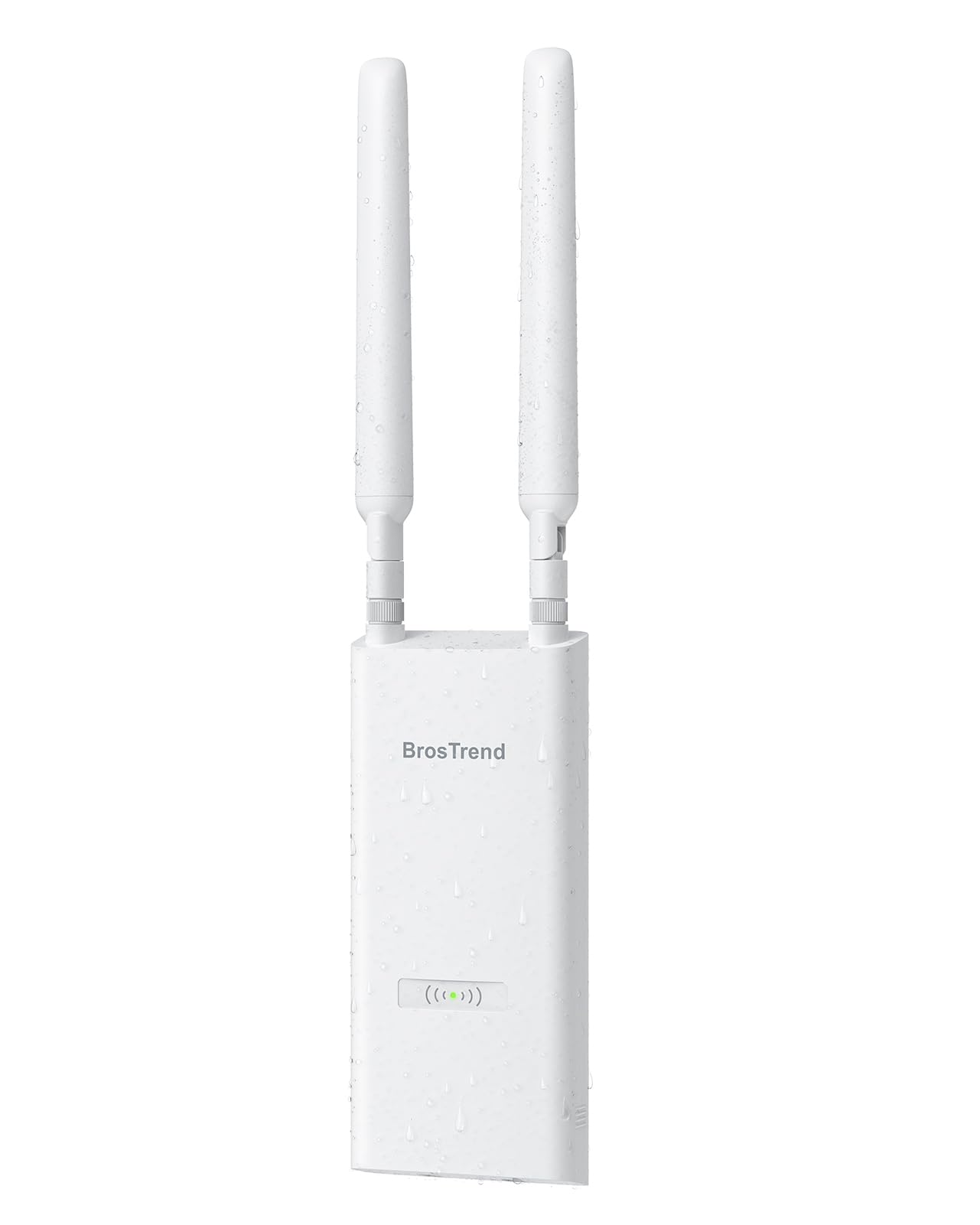
| BrosTrend AC1200Budget Champion | Budget outdoor coverage | 1200 Mbps | IP65 | 656 ft range | Amazon |
| Cudy AP1300 Outdoor | Custom firmware tinkering | 1200 Mbps | IP65 | OpenWRT support | Amazon |
| WAVLINK WN570HA2 | Multi-mode flexibility | 1167 Mbps | IP67 | AP/Router/Repeater | Amazon |
| TP-Link EAP245 | Whole-home indoor coverage | 1750 Mbps | Indoor | Band Steering | Amazon |
| EnGenius ENH1350EXT | Harsh outdoor climates | 1000 Mbps | IP67 | Military-grade housing | Amazon |
| Ubiquiti UniFi In-Wall HD | Replacing wall outlets | 1990 Mbps | Indoor | 4-Port Switch | Amazon |
| Cisco Business 240AC | Multi-unit business setups | — | Indoor | 3-Pack Mesh | Amazon |
In‑Depth Reviews
1. Ubiquiti Networks UniFi AC Mesh
Our pick — over 4.5★ from 450+ verified ratings; the strongest balance of quality and price.
The outdoor workhorse that pushes a clear signal a full 100 yards into the yard.
What wins people over here is pure functionality — this is the crowd favorite among owners for good reason, holding a 4.7-star rating across hundreds of buyers. The secret is its mesh multi-hop ability: you can cover a large outdoor area with minimal wiring, using just a few of these units that talk to each other. It’s the answer for a brick house where the router’s signal dies at the wall, turning the entire property from a dead zone into full bars.
Setup is refreshingly simple through the free UniFi Controller app, which most owners find painless. The hardware itself is well-built and weatherproof, rated for outdoor life. It combines 867 Mbps on the 5 GHz band with 300 Mbps on the 2.4 GHz band using MU-MIMO (a technology that lets the antenna talk to several devices at once instead of one at a time). It runs on standard 802.3af PoE (power over Ethernet) or the included Gigabit PoE adapter, so placement is flexible.
The only honest caveat from long-term owners is cosmetic: the plastic housing can discolor after years in strong sun, and the antennas can chip. Neither affects performance — the signal stays strong and water-resistant. Buyers report the real-world result plainly: “With this I get a great signal up to 100 yards away.” For anyone with a big yard and a weak router, this is the fix.
Why it wins outdoors
- Mesh multi-hop covers large areas with minimal cabling
- Weatherproof build made for year-round outdoor life
- Reliable 802.3af PoE plus included Gigabit adapter
Things to know
- Plastic can discolor in intense sun over the years
- Antennas are the most fragile part
Reach for this if: you need dependable Wi-Fi across a large outdoor space and want a system that grows with you — just add more mesh units as you expand.
Think twice if: you want a unit for a single small room and don’t need outdoor range at all.
2. Grandstream GWN7615
A dense-traffic specialist built for dozens of devices without breaking a sweat.
If your space is crowded with phones, laptops, and IoT gadgets all fighting for bandwidth, this Grandstream is engineered specifically for that pressure. It delivers 1.75Gbps of aggregate wireless throughput (the combined speed across all its bands) and uses dual-band 3×3:3 MU-MIMO, letting it juggle multiple streams at once. Most impressively, it supports over 200 concurrent Wi-Fi client devices — far beyond what most homes need, but exactly what a busy office or classroom demands.
The unit auto-detects whether it’s plugged into a standard PoE or a PoE+ switch and adapts its power draw accordingly, so you don’t have to think about power standards. Two gigabit Ethernet ports give you a wired fallback. It also includes advanced QoS, which is a feature that prioritizes time-sensitive traffic like voice calls and video so they don’t stutter when the network is busy.
The honest warning here is about quality control on individual units. Some owners mention receiving a dead-on-arrival device with MAC addresses that didn’t match the box. This isn’t a design flaw — when working, owners who tried multiple units report solid results — but it’s worth testing the unit immediately on arrival and starting a return right away if it doesn’t power on. For a mid-range price, you get business-grade client capacity.
Built for density: 200+ concurrent clients and 2 gigabit ports make this a serious small-business contender.
Check on arrival: a minority of units arrive dead, so verify power and MAC details right away.
3. BrosTrend AC1200 Outdoor
The budget pick that floods a 656-foot property line with reliable signal.
This is the value king for the backyard, and the thing everyone raves about is the performance-to-price ratio. It’s built to handle rain, dust, and surges with an IP65-rated housing (fully dust-tight and protected against water jets), plus 6kV lightning protection and 8kV ESD shielding (protection against static electricity discharge). For a home garden or pool area, this is serious weather insurance at an entry-level price.
You get dependable coverage up to 656 feet, thanks to two adjustable 5 dBi omni-directional antennas (antennas that broadcast in all directions, measured in decibels of gain) and Beamforming — a feature that focuses the signal directly at your device rather than spraying it everywhere. Speed-wise, it delivers 867 Mbps on the 5 GHz band and 300 Mbps on the 2.4 GHz band, with support for up to 60 devices. Owners confirm the real-world result: “I have no more dead zones outside within 500 feet… Full bars the whole way.”
Setup is straightforward via a web interface, and it runs over Passive PoE with an injector included in the box, plus you can use a standard 802.3af/at/bt PoE switch. The recurring complaint is about the pole mount, which buyers describe as awkward but functional — a small annoyance, not a dealbreaker. For pure outdoor reach on a budget, this is the one to beat.
Why it’s a bargain
- IP65 weatherproofing plus lightning and ESD protection
- Up to 656 feet of outdoor range
- Supports up to 60 devices
Minor gripes
- Pole mount is awkward to get perfectly aligned
- Signal struggles to penetrate heavy metal structures
The confident verdict: the best dollar-for-yard ratio in this list, as long as your property is mostly open air rather than steel buildings.
4. Cudy AP1300 Outdoor

A flexible outdoor unit that opens the door to custom firmware and advanced VPN control.
This Cudy is the choice for the hobbyist who likes having options. Functionality and easy setup are what owners praise most, and the standout feature is its OpenWRT support — a fully customizable open-source operating system that lets you install custom packages and take advanced control of the network. For power users, that’s a level of freedom few outdoor units offer at this level.
Hardware-wise, it’s AC1200 dual-band with 867 Mbps on 5 GHz and 300 Mbps on 2.4 GHz, using MU-MIMO and Beamforming to focus signal toward each device. It’s rated IP65 weatherproof, built to handle rain, dust, and snow, and it manages a wide operating range from -40 to 65°C (-40 to 149°F), making it genuinely cold-climate friendly. It also includes a full VPN server and client suite with WireGuard, OpenVPN, and IPsec, letting you securely tunnel into your home network from anywhere.
You get one smooth network across your property with the mesh feature, using wireless or wired backhaul, supporting over 100 concurrent clients. Customers note smooth performance and an easy setup wizard, though some note it lacks advanced extras like WPA3 security or a guest VLAN (a separate, isolated network segment for visitors). It runs on 802.3at/af PoE or the included DC adapter. A solid, feature-dense outdoor pick.
Built for control: OpenWRT, WireGuard VPN, and a Cudy mesh that handles 100+ clients.
One gap: no WPA3 or guest VLAN despite the deep feature list.
5. WAVLINK WN570HA2
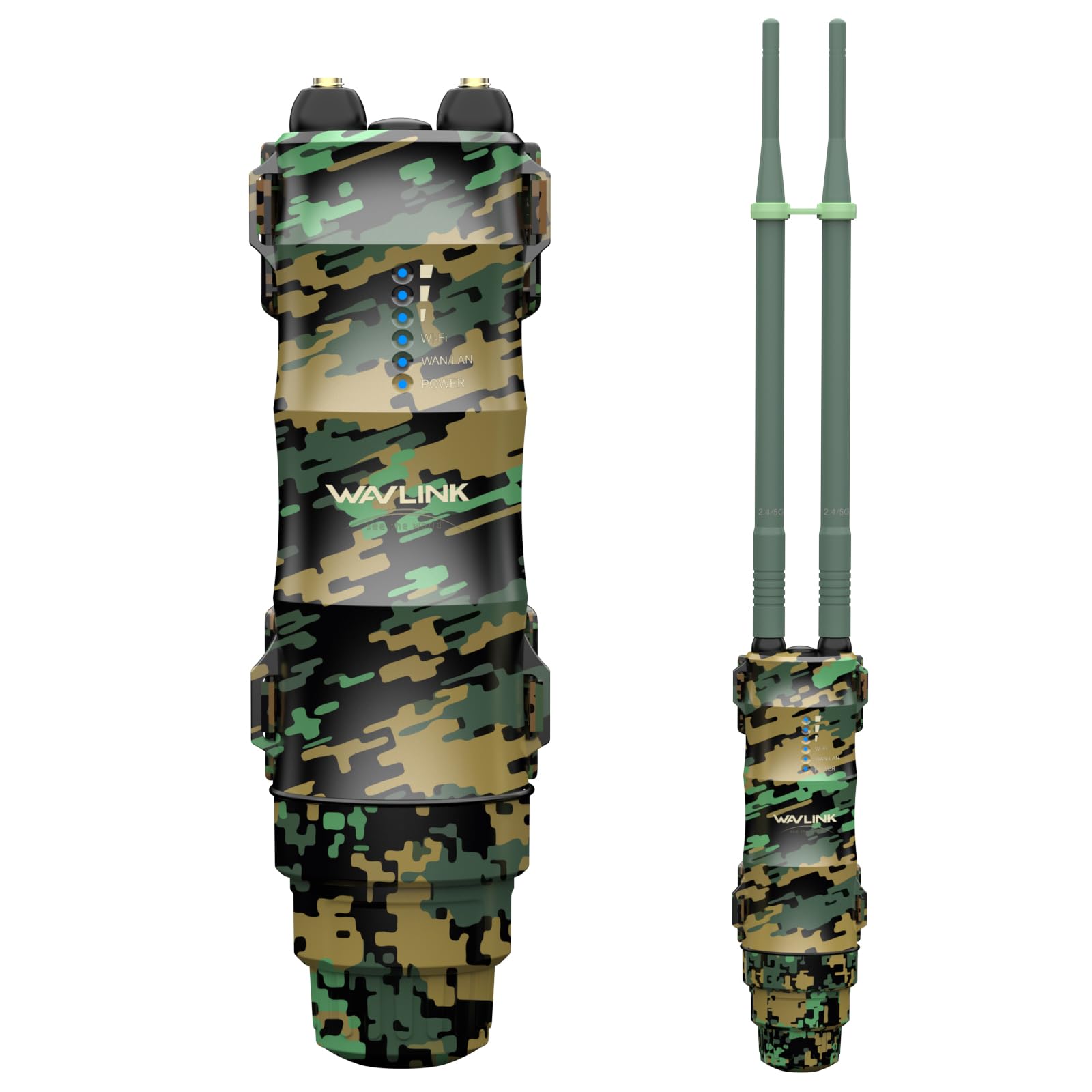
A weatherproof all-rounder that switches between AP, router, repeater, and combo modes.
Owners consistently praise the coverage, with one satisfied buyer reporting full signal across a pond at 100 yards. The headline feature is its flexibility: it supports four working modes — repeater mode to extend an existing network, router mode to create a new private network, AP mode to turn a wired connection wireless, and AP+Repeater mode to boost an access point’s range. That’s rare versatility for a single outdoor box.
It’s rated IP67, meaning it’s fully dust-tight and can survive immersion in water up to a meter — the highest rating in this list. It operates across a wide temperature span from -10°C to 50°C (14°F to 122°F) and includes 15KV ESD and 6KV lightning protection. On speed, it pushes 867 Mbps on the 5 GHz band and 300 Mbps on 2.4 GHz, with a maximum range of 200 meters and support for up to 32 devices.
The honest trade-off is in the setup experience, which gets mixed feedback. Some find it relatively simple, while others describe it as complicated, and the manual is weak. A few owners also report needing a firmware update to get things running smoothly, which took multiple attempts. Once dialed in, it’s a fantastic outdoor performer for the price. Note the WAN port supports only 100Mbps, which matters if you’re using router mode.
What shines
- IP67 waterproofing with 15KV ESD protection
- Four flexible working modes in one device
- Up to 200 meters of range
What to expect
- Setup is more involved; the manual is not helpful
- Firmware updates may take several tries
Reach for this if: you want one outdoor unit that can act as an AP or a repeater and can shrug off a downpour.
Look elsewhere if: you want a true plug-and-play experience with zero configuration fuss.
6. TP-Link EAP245

The indoor ceiling unit that blankets an entire house with strong, reliable signal.
For whole-home indoor coverage, this is the unit that consistently impresses. Setup is what owners praise most — a simple web interface that has you up and running in about five minutes, with decades of TP-Link support behind it. It’s AC1750 with 3×3 MIMO technology, meaning it uses three spatial streams to move more data at once, and it features six internal omni-directional antennas at 4 dBi each, so there are no external antennas to break or adjust.
The standout feature is Band Steering, which automatically moves dual-band devices onto the wider 5GHz channel for faster connections. Reviewers point out excellent range that covers entire houses without gaps, with one noting they saw over 800 Mbps line-of-sight speeds. It’s powered by 802.3at PoE+ (a higher-power version of Power over Ethernet, delivering 36-57V at 0.4A) or an external 12V/1.5A adapter, and it supports up to 99 clients. The free controller software can manage hundreds of units from one screen if you expand later.
The honest caveats are minor: the wall screws included are too short with weak anchors, and there’s no Ethernet cable in the box, so you’ll need to buy one. A small number of shoppers say guest portal login issues on some phones. But this is one of the few units in this list that can genuinely outperform the pricier competition on raw range, making it a superb value for a large home.
Why it’s a home favorite
- 5-minute setup via simple web interface
- Band Steering pushes devices to faster 5GHz
- Supports up to 99 clients with no reboots
Before you buy
- No Ethernet cable included in the box
- Mounting screws are too short for some walls
The one-liner: the go-to indoor AP for a large home that wants low-maintenance, gap-free coverage while staying affordable.
7. EnGenius ENH1350EXT

A military-grade outdoor unit that keeps broadcasting through rain, snow, and dust.
Performance is the thing owners praise most here, and the build quality backs it up. This EnGenius carries an IP67 military-grade rating, meaning it’s completely protected against dust and can survive temporary immersion in water — built to withstand extreme conditions including rain, snow, and temperature swings. For harsh climates, this is the unit that keeps working when others falter.
It delivers AC1300 dual-band Wave 2 speeds: up to 867 Mbps on 5GHz and 400 Mbps on 2.4GHz, with MU-MIMO for expanded user capacity. The advanced antenna system uses four external 5dBi high-gain SMA antennas with 360° coverage and beamforming, optimizing signal strength and extending range significantly. Buyers report reliable 24/7 operation in all weather with a strong signal at 200 yards.
The honest catch is that this is business-grade gear — there’s no hand-holding setup wizard, so it requires some networking knowledge to configure. The flexibility is there with Access Point, Client Bridge, or WDS modes (different ways the unit can connect and relay traffic), plus the PoE injector and mounting kit are all in the box. One owner sums up the mixed reliability: “I replaced the unit with another brand in 20 minutes” after hitting setup trouble, while others report flawless years of service. Buy this if you have the skills or the patience to configure it properly.
Built to survive: IP67 military-grade housing and 360° antenna coverage for the harshest outdoor spots.
Honest fit: no setup wizard here — this rewards buyers with networking expertise.
8. Ubiquiti UniFi In-Wall HD

A wall outlet that moonlights as an ultra-fast access point and a 4-port switch.
If you have a spot where you need both Wi-Fi and wired connections, this is the cleverest solution on the list. It replaces a standard wall outlet with a unit that combines an 802.11ac Wave 2 access point with a 4-port gigabit switch, so you can hardwire a TV, a game console, or a work computer while also broadcasting strong Wi-Fi. Owners praise the wireless connectivity and functionality, and one notes it remained operational during a power outage when run on a UPS (a battery backup unit).
It delivers up to 1.99 Gbit/s wireless transmission speed, which is nearly double the speed of standard AC1200 units, and it’s powered via PoE so there’s no need for new electrical wiring. The installation is straightforward: it mounts on a standard single-gang wall box and blends into the room discreetly. In a UniFi setup, one owner reports full coverage of a 3,600-square-foot home including a detached garage when paired with a nano-HD unit, hitting over 500 Mbps download speeds in the living room.
The honest notes: this is indoor-only, not weatherproof, and it’s managed through an app rather than a direct IP address. Corner placement can hurt performance significantly — owners mention a drop from 300 Mbps down to 50 Mbps at house corners, so central wall placement matters. It also uses a proprietary 48V injector. But for media centers, home offices, and workshops, the built-in switch makes it uniquely valuable.
Why it’s unique
- 4-port gigabit switch built right into a wall AP
- 1.99 Gbit/s wireless speed — among the fastest here
- Powers PoE cameras via passthrough
How to use it well
- Indoor only — not for outdoor mounting
- Needs central wall placement for best coverage
- Requires a proprietary 48V injector
Reach for this if: you want to eliminate a tangle of cables behind your TV or desk while boosting Wi-Fi in that same room.
Think twice if: you need a single unit to cover a whole large house — it pairs best with other UniFi APs.
9. Cisco Business 240AC (3-Pack)

A three-unit enterprise bundle that blankets up to 9,000 square feet with 4×4 MU-MIMO power.
This is the big-picture purchase for a growing business or a very large property. It’s a 3-pack of high-end access points, each supporting up to 200 wireless devices with superior 4×4 MU-MIMO — a configuration that allows four simultaneous streams to multiple devices, so a busy office with dozens of phones and laptops stays fast. Each unit covers up to 3,000 square feet, and together with mesh support up to 25 extenders, the system can scale impressively.
Deployment is flexible: each unit mounts on a wall or ceiling with brackets included, and runs over Power over Ethernet so you avoid extra electrical wiring. Management happens through the Cisco Business Mobile app or a web browser, and the system includes enterprise-class security via Cisco Umbrella integration to help block malware and phishing. You also get a one-year technical support and a limited lifetime warranty — rare confidence for network gear.
The honest reality is that the setup is not for beginners. Some customers note an arduous initial setup where the 240ACs don’t auto-join and require manual conversion to mesh extenders via a specific firmware version. There are also reports that changing the Wi-Fi channel can break the mesh, forcing a reset to the default channel. One owner, who upgraded from a slower router, noted their speed improved from 250 Mbps to 400 Mbps after the setup, so the payoff is real — but only if you’re willing to climb the learning curve.
Built for scale: 200 devices, 9,000 sq ft of coverage, and 4×4 MU-MIMO across three units.
Honest caveat: setup is complex and can be fragile — it rewards patient, experienced admins.
Understanding the Specs
Data Rate & Wi-Fi Bands
The “AC1200” or “AC1750” label tells you the combined theoretical speed across both bands, and the Mbps number is the headline speed you’ll see in product names. In practice, real-world speeds are lower, but the label still helps you compare tiers at a glance. Dual-band means the unit broadcasts on both 2.4 GHz — the long-range, wall-penetrating band — and 5 GHz — the faster but shorter-range band. This pairing is what lets you put everyday devices on the reliable band and bandwidth-heavy devices on the fast one.
MU-MIMO & Beamforming
MU-MIMO (Multi-User, Multiple-Input, Multiple-Output) allows the access point to talk to several devices at once, rather than serving them one by one, which keeps a busy network from slowing down. Beamforming is a clever trick where the AP focuses its signal directly at your device instead of broadcasting in all directions equally. Together, these two features are the biggest reason a modern AP feels faster than an old router in a crowded home.
FAQ
What is the difference between an access point and a range extender?
Will an 802.11ac access point work with my older router?
What does the IP rating mean for outdoor access points?
Do I need a PoE switch or just the included injector?
How many devices can an access point handle at once?
Can I use a mesh access point with any brand of router?
What is MU-MIMO and do I really need it?
How do I choose between a ceiling mount and a wall mount?
Can I mix access points from different brands in one network?
How long will an outdoor access point last in harsh weather?
Final Thoughts: The Verdict
If you want one dependable pick, the 802.11ac wireless access point winner is the Ubiquiti UniFi AC Mesh because it delivers the strongest balance of outdoor range, mesh expandability, and easy app-based setup — plus it’s the crowd favorite with a 4.7-star rating. If you want whole-home indoor coverage with zero antenna fuss, grab the TP-Link EAP245. And for getting the most coverage per dollar in your backyard, the BrosTrend AC1200 is the one to reach for.
How We Picked
We do not accept paid placement. Every pick is matched to a real buyer and a real use-case; we do not hands-on test units.
Sources & Methodology
Specifications: manufacturer listings and product documentation. Review insights: verified customer reviews, as of August 2026. Pricing: not shown on this page (it changes often); check the current price via the retailer link.
As an Amazon Associate, Gadgets Feed earns from qualifying purchases. This does not affect which products we feature.