
The shift from Wi-Fi 5 to 802.11ax (Wi-Fi 6) isn’t just a speed bump — it’s a complete re-engineering of how your network handles dozens of devices simultaneously. The real pain isn’t slow downloads; it’s the video call that stutters when your smart lights ping the network, or the game lag spike the moment someone starts a 4K stream. An 802.11ax router solves that contention at the protocol level, not just with a faster radio.
I’m Min — the co-founder and writer behind Gadgets Feed. My process for this guide involved cross-referencing real-world throughput data, port configurations, and wireless chipset capabilities across the current Wi-Fi 6 and 7 landscape to isolate the models that actually deliver on their labeled speeds in a dense-home environment.
After hours of spec analysis and crowd-sourced performance data review, I’ve assembled the definitive shortlist to help you find the best 802.11ax router that matches your home size, device count, and internet plan.
How To Choose The Best 802.11ax Router
The 802.11ax standard reshapes network efficiency, but the right choice hinges on your specific home layout, device count, and internet pipe. A router that excels in a 1,200 sq. ft. apartment may bottleneck in a multi-story house with 80+ connected gadgets.
Band Configuration & Spatial Streams
A dual-band 802.11ax router (2.4GHz + 5GHz) suffices for homes under 2,000 sq. ft. with fewer than 30 devices. Tri-band adds a dedicated 5GHz or 6GHz backhaul channel, crucial for mesh systems and environments where every band competes for airtime. Quad-band routers (like the ASUS GT-BE98 PRO) are for extreme use cases — think competitive gaming with VR headsets and simultaneous 8K streaming across multiple rooms.
Wired Backhaul & Multi-Gig Ports
Your router is only as fast as its WAN port. If your ISP plan exceeds 1 Gbps, a 2.5 GbE WAN port is mandatory to avoid bottlenecking. For true future-proofing, look for a 10 GbE port (copper or SFP+) if you anticipate 2 Gbps+ fiber or plan to run a local NAS with multi-gig connectivity. The number of LAN ports also matters — a gaming setup may demand dedicated 2.5 GbE ports for the PC, console, and media server simultaneously.
Coverage vs. Mesh Expandability
A single high-power router (like the TP-Link Archer AX80 with eight antennas) can cover a 2,500 sq. ft. home with proper placement. Beyond that, a mesh system (e.g., TP-Link Deco BE95) with dedicated wireless backhaul or wired Ethernet backhaul eliminates dead zones without sacrificing throughput. Look for systems that support AI-driven roaming (like ASUS AiMesh or TP-Link AI-Roaming) to hand off devices between nodes without perceptible lag.
Security & VPN Capabilities
WPA3 encryption is now standard on 802.11ax routers, but advanced features like SPI firewall, IDS/IPS, and automatic firmware updates separate consumer-grade from enthusiast-tier. For remote workers or privacy-focused users, native WireGuard and OpenVPN server/client support (at speeds exceeding 300 Mbps) is a non-negotiable — the GL.iNet Flint 3 and Spitz AX excel here, while many closed-source routers cap VPN throughput below 200 Mbps.
Quick Comparison
On smaller screens, swipe sideways to see the full table.
| Model | Category | Best For | Key Spec | Amazon |
|---|---|---|---|---|
| TP-Link Archer AX80 | Mid-Range | Value & Coverage | 8x High-Gain Antennas | Amazon |
| NETGEAR Nighthawk RS180 | Mid-Range | Wi-Fi 7 Upgrade | 5.5 Gbps Wi-Fi 7 Speed | Amazon |
| Amazon eero 7 | Mid-Range | Simplicity & Mesh | 2x 2.5 GbE Ports | Amazon |
| NETGEAR Nighthawk RS200 | Mid-Range | Raw Speed per Dollar | 6.5 Gbps Wi-Fi 7 Speed | Amazon |
| GL.iNet Flint 3 BE9300 | Mid-Range | VPN & Open Source | 680 Mbps WireGuard Speed | Amazon |
| ASUS ROG Strix BE12000 | Premium | Gaming & Multi-Gig LAN | 9x 2.5G LAN Ports | Amazon |
| GL.iNet Spitz AX X3000 | Premium | Rural & RV 5G | Dual-SIM 5G Cellular | Amazon |
| TP-Link Deco 7 BE95 | Premium | Ultimate Mesh System | 2x 10G + 2x 2.5G Ports | Amazon |
| ASUS ROG Rapture GT-BE98 PRO | Premium | Enthusiast Gaming | Quad-Band + Dual 10G | Amazon |
In‑Depth Reviews
1. TP-Link AX6000 Wi-Fi 6 Router (Archer AX80)

The Archer AX80 is the rare router that balances raw throughput with real-world range. Its eight high-gain fixed antennas and beamforming deliver consistent 4804 Mbps on the 5GHz band, while the 2.5G Multi-Gigabit WAN/LAN port ensures you aren’t throttling a gigabit-plus fiber connection. The 2.4GHz radio caps at 1148 Mbps, which is plenty for IoT and legacy devices that don’t need multi-gig speeds.
In practice, users report covering 3+ bedroom houses without needing a mesh extender — a feat usually reserved for tri-band systems costing twice as much. The VPN client support and TP-Link HomeShield (free tier includes security scans and basic parental controls) add genuine utility for home networks with mixed device types. The USB 3.0 port supports a powered hub for shared storage, though hot-swapping requires a system reboot.
Where the AX80 stumbles slightly is in its QoS implementation — some users report that turning it on can cause random dropouts, so you may need to rely on the raw bandwidth capacity instead. It also lacks a dedicated 6GHz band (it’s Wi-Fi 6, not 6E), so it’s not the best choice for bleeding-edge Wi-Fi 7 clients. But for 99% of homes with a 1 Gbps or slower ISP plan, it’s the most balanced 802.11ax router available at this tier.
Why it’s great
- Eight high-gain antennas deliver exceptional range for a mid-range router
- 2.5G Multi-Gig WAN/LAN port future-proofs for faster ISP tiers
- OneMesh support allows simple whole-home expansion without replacing the router
Good to know
- QoS can cause network dropouts when enabled in some firmware versions
- USB hot-swapping requires a router reboot to recognize new drives
- No 6GHz band — limited to dual-band Wi-Fi 6, not Wi-Fi 6E or 7
2. NETGEAR Nighthawk Dual-Band WiFi 7 Router (RS180)

The Nighthawk RS180 is Netgear’s entry point into Wi-Fi 7, offering BE5500 speeds (up to 5.5 Gbps) in a chassis that’s noticeably smaller than previous Nighthawk designs. The hidden internal antennas keep the footprint compact while still providing up to 2,500 sq. ft. of coverage — a notable engineering feat. It supports 2.5 Gig internet via its WAN port, making it a natural fit for cable or fiber plans in the 1-2 Gbps range.
User reports confirm that the RS180 solves buffering issues that plagued older routers, particularly with Roku streaming and other 2.4GHz-dependent devices. The setup process is straightforward via the Nighthawk app or browser interface, and the lack of an app requirement is a plus for users who prefer manual configuration. The 2.5G Ethernet port also prevents the wired bottleneck that plagues older Gigabit-only routers when serving high-bandwidth local transfers.
The trade-off is coverage: while the RS180 covers most of a 2,500 sq. ft. home, some users note that the range doesn’t quite match the advertised figures, especially through thick masonry walls. It also lacks a multi-gig LAN port beyond the 2.5G WAN, so if you need wired 5 Gbps or 10 Gbps to a desktop, you’ll need a separate switch. For a first-gen Wi-Fi 7 router at this price, however, it delivers a meaningful speed uplift over Wi-Fi 6 without the premium of higher-tier models.
Why it’s great
- Wi-Fi 7 delivers 1.2x faster speeds than Wi-Fi 6 for existing clients
- Small footprint with hidden antennas fits easily into any entertainment center
- 2.5G WAN port prevents bottlenecking 1-2 Gbps internet plans
Good to know
- Real-world coverage may fall short of advertised 2,500 sq. ft. in some homes
- Single 2.5G port limits wired multi-gig to one device without a switch
- No built-in modem — requires a separate cable or fiber modem
3. Amazon eero 7 Dual-Band Mesh Wi-Fi 7 Router

The eero 7 is Amazon’s most affordable Wi-Fi 7 router, and it makes a compelling case for users who value simplicity above all else. The setup process takes minutes via the eero app, and the TrueMesh software (TrueRoam and TrueChannel) proactively manages channel selection and client handoffs to minimize interference. It supports internet plans up to 2.5 Gbps with two auto-sensing 2.5 GbE ports, and can handle 120+ connected devices across 2,000 sq. ft.
What sets the eero 7 apart is its reliability in real-world conditions. Users report consistent speeds without the latency spikes that plague some competing mesh systems. The power draw is notably low — under 15 watts compared to over 40 watts for some tri-band gaming routers — making it a more energy-efficient choice for always-on operation. The three-year warranty is also industry-leading for this price tier.
The limitation is in configurability. There’s no web-based admin panel for advanced settings like VLAN tagging, static routing, or custom DNS. The eero Plus subscription adds ad blocking and VPN, but device-level VPN configuration is limited. For users who just want a router that works out of the box and never needs tweaking, the eero 7 is ideal — but power users and networking enthusiasts will find the lack of control frustrating.
Why it’s great
- Setup takes minutes via the app — truly plug-and-play for non-technical users
- TrueMesh software delivers stable, low-latency performance without manual tuning
- Three-year warranty provides peace of mind for a long-term investment
Good to know
- No web interface for advanced configuration (port forwarding, VLANs, custom DNS)
- VPN support requires a paid eero Plus subscription with limited device-level control
- Single-node coverage limited to 2,000 sq. ft. — larger homes need additional units
4. NETGEAR Nighthawk Dual-Band WiFi 7 Router (RS200)

The Nighthawk RS200 steps up from the RS180 with BE6500 speeds (up to 6.5 Gbps), representing a 2.4x improvement over Wi-Fi 6 according to Netgear’s internal benchmarks. The design retains the same compact chassis with high-performance internal antennas, maintaining the 2,500 sq. ft. coverage footprint. The 2.5 Gig internet port is standard, but the RS200 also includes a USB 3.0 port for shared storage — a feature omitted from the entry-level RS180.
Users report speed increases of roughly 50% compared to ISP gateway units, with seamless 1 Gbit up/down throughput and excellent coverage extending into basements, garages, and backyards. The Nighthawk app simplifies guest network creation and device monitoring, though some advanced features like auto-recovery after internet outages are missing — users have reported needing to hard-reset the router during ISP downtime.
The RS200’s main drawback is the lack of automatic recovery features. If your ISP goes down and comes back, the router may fail to reconnect without manual intervention. This is a notable omission for a router at this tier. Additionally, while the 2.5G port is sufficient for most homes, the lack of a 5 Gbps or 10 Gbps port limits future expansion for users with fiber plans exceeding 2 Gbps.
Why it’s great
- BE6500 speeds deliver a substantial 2.4x speed improvement over Wi-Fi 6
- Excellent real-world coverage extending to garages and basements
- USB 3.0 port enables basic network-attached storage without a separate NAS
Good to know
- Lacks automatic reconnect after ISP outages — may require a hard reset
- No 5 Gbps or 10 Gbps port for multi-gig LAN connections
- Reconnecting all IoT devices after setup (thermostats, cameras, Rokus) can be tedious
5. GL.iNet GL-BE9300 (Flint 3) Tri-Band WiFi 7 Router

The GL.iNet Flint 3 is the most feature-dense router in this list for users who prioritize control and security. It’s a tri-band Wi-Fi 7 router (6GHz + 5GHz + 2.4GHz) with five 2.5 GbE ports, making it uniquely capable of serving multi-gig wired and wireless traffic simultaneously. The real headline, however, is the VPN performance: WireGuard speeds of up to 680 Mbps and OpenVPN at the same rate — enough to saturate a gigabit connection with encrypted traffic, which is rare even among premium routers.
The OpenWrt-based firmware gives you access to over 5,000 plug-ins, including built-in AdGuard Home for DNS-level ad blocking, VPN cascading, and advanced traffic shaping. The 1GB DDR4 RAM and 8GB eMMC storage provide headroom for running multiple services without bogging down. The 6GHz band with Multi-Link Operation (MLO) ensures low latency for gaming and VR, while the 4K QAM encoding boosts throughput in clean RF environments.
Two trade-offs exist: the Wi-Fi range, while adequate for a 2,000 sq. ft. home, is not industry-leading — some users report it covers about half the distance of the ISP’s stock router. The USB 3.0 NAS performance also drops to around 30 MB/s, which is disappointing for a router with this much CPU power. For users whose priority is VPN throughput, customizability, and wired multi-gig connectivity rather than raw wireless range, the Flint 3 is unmatched.
Why it’s great
- Industry-leading WireGuard VPN speeds of 680 Mbps — enough for full gigabit encrypted traffic
- OpenWrt firmware with 5,000+ plug-ins for complete network customization
- Five 2.5 GbE ports allow multi-gig wired networking without an external switch
Good to know
- Wi-Fi range is noticeably shorter than competing routers at this price point
- USB 3.0 NAS throughput caps around 30 MB/s, limiting shared storage use cases
- Requires firmware update on initial setup to unlock full performance and stability
6. ASUS ROG Strix GS-BE12000 WiFi 7 Tri-Band Router

The ASUS ROG Strix GS-BE12000 is built for gamers who demand both wired and wireless throughput. Its defining feature is the port layout: one 2.5G WAN port plus seven 2.5G LAN ports, providing an aggregate wired capacity of 20 Gbps. The 2.0GHz quad-core CPU with 2GB RAM handles 3,000 sq. ft. of coverage via eight internal antennas, and the tri-band Wi-Fi 7 (6GHz + 5GHz + 2.4GHz) supports 320 MHz channels and MLO for sub-millisecond latency.
The ROG-exclusive Triple-Level Game Acceleration optimizes traffic from the PC gaming port through the router and all the way to the game server, reducing ping by roughly 2ms in practice. The Smart Home Master feature lets you create up to three separate SSIDs for IoT devices, each with its own VPN policy — a rare capability that enhances both security and network management. AiMesh compatibility means you can add older ASUS routers as mesh nodes without replacing your entire network.
Setup can be challenging. Multiple users report spending 2-3 days resolving configuration issues, often stemming from IP conflicts or HTTP/HTTPS handshake problems with mobile admin panels. The lack of a 10 Gbps LAN port is also surprising for a router at this level — all nine ports are 2.5G, so if you have a 10 GbE NAS or desktop, you’ll need an external switch. Once configured, however, the stability and feature set are best-in-class for serious home networks.
Why it’s great
- Seven 2.5G LAN ports enable multi-gig wired connections for every device in a gaming setup
- Triple-Level Game Acceleration reduces ping and prioritizes gaming traffic end-to-end
- AiMesh compatibility allows seamless expansion with existing ASUS routers
Good to know
- Initial setup can be extremely finicky — backup settings immediately after configuration
- Lacks any 10 Gbps port despite the premium price point
- Internal antennas may limit real-world coverage compared to external-antenna designs
7. GL.iNet GL-X3000 (Spitz AX) 5G Cellular Router

The GL.iNet Spitz AX is not a typical home router — it’s a 5G cellular gateway designed for locations where wired broadband isn’t an option. It supports dual-SIM with automatic failover, operates on 5G NR (both NSA and SA), and is certified by AT&T and T-Mobile for IoT use. The Wi-Fi 6 radio delivers up to 2402 Mbps on 5GHz and 574 Mbps on 2.4GHz, with six detachable antennas for optimized cellular reception.
The real power lies in the network management: multi-WAN allows simultaneous cellular, Ethernet, repeater, and tethering connections with load balancing and failover priority. The OpenWrt-based firmware gives you full control over modem settings, DNS (DoT and DoH), VPN (WireGuard up to 300 Mbps), and even Tor networking. Users in rural areas report achieving 230 Mbps down and 70 Mbps up with proper APN configuration on T-Mobile Home Internet.
Two significant caveats: the router-side performance is weaker than the modem side. The LAN/WAN setup can also cut speeds in half if not configured correctly. Additionally, the lack of a built-in battery means you’ll need a power bank for portable use. For RV travelers, remote workers, and rural residents without fiber access, the Spitz AX is the most capable cellular gateway available — but it’s paired with a merely adequate home router.
Why it’s great
- Dual-SIM 5G with failover ensures connectivity in areas with unreliable cellular coverage
- OpenWrt firmware provides modem-level control, VPN, and advanced routing features
- Detachable antennas allow mounting for optimal signal reception in RVs or rural homes
Good to know
- Router performance degrades noticeably with more than 10-15 active devices
- No internal battery — requires a power bank for portable off-grid use
- LAN/WAN speed can be halved if the multi-WAN configuration isn’t perfectly tuned
8. TP-Link Deco 7 Elite BE95 Quad-Band WiFi 7 Mesh (1-Pack)
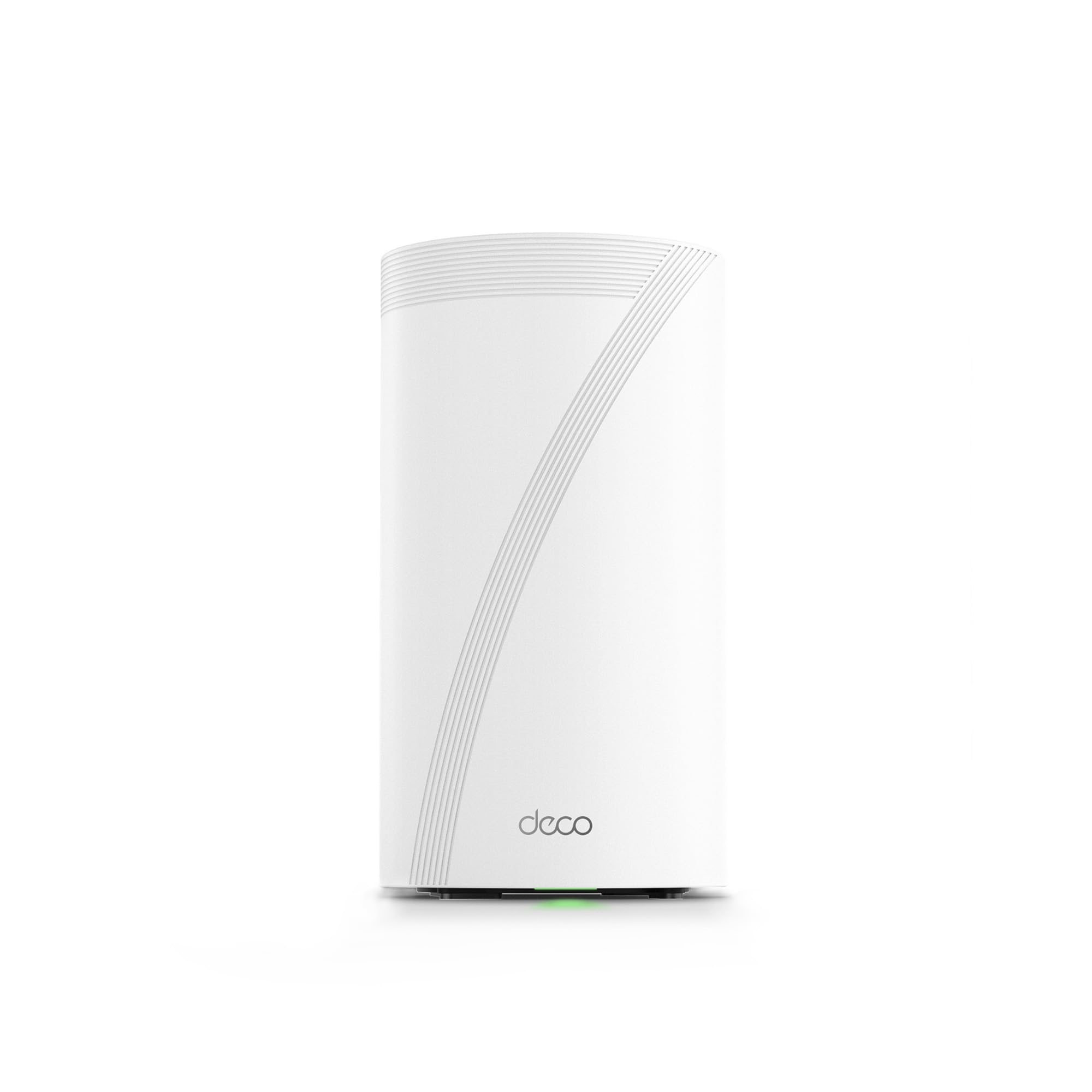
The Deco BE95 is TP-Link’s flagship quad-band Wi-Fi 7 mesh node, delivering BE33000 aggregate speeds across 6GHz band 1, 6GHz band 2, 5GHz, and 2.4GHz. The hardware is pro-grade: two 10G WAN/LAN ports (one RJ45, one SFP+ combo) plus two 2.5G ports and a USB 3.0 port. The 16-stream design with 12 high-gain internal antennas can handle over 200 devices without degrading per-device throughput, with AI-Roaming that learns your movement patterns over time.
A single BE95 unit covers 5,000 sq. ft, which means two nodes can typically cover most 4,000-6,000 sq. ft. homes with zero dead spots. The simultaneous wireless-plus-wired backhaul capability is unique — it combines both connections to maximize throughput between nodes. Users report that three units cover a 4-story home with full bars throughout, outperforming previous Netgear Orbi and ASUS systems they replaced.
The critical drawback is software: TP-Link forces cloud-based management. There is no full web UI parity with the app, and the router phones home with network reporting that cannot be fully disabled. Advanced users who want VLAN control, static routing, or custom firewall rules will find the Deco app insufficient. The hardware is best-in-class for mesh, but the software lock-in may push power users toward ASUS or GL.iNet alternatives.
Why it’s great
- Quad-band Wi-Fi 7 with dual 10G ports provides unrivaled wired and wireless throughput
- AI-Roaming and simultaneous wireless-plus-wired backhaul eliminate dead zones seamlessly
- 12 internal antennas and 16-stream design support 200+ connected devices
Good to know
- Full web admin UI is not available — all advanced settings require the app and cloud account
- Forces network reporting to TP-Link’s cloud, which may concern privacy-focused users
- Runs warm at ~120°F — ensure adequate ventilation for long-term reliability
9. ASUS ROG Rapture GT-BE98 PRO Quad-Band WiFi 7 Gaming Router

The ASUS ROG Rapture GT-BE98 PRO is the most technologically dense consumer router on the market. It’s a quad-band Wi-Fi 7 design (6GHz-1, 6GHz-2, 5GHz, 2.4GHz) with 320 MHz channel support, 4096-QAM, and a theoretical aggregate throughput of 30 Gbps. The wired connectivity is equally formidable: dual 10G ports (one copper, one SFP+) plus four 2.5G LAN ports, providing a total wired capacity that can serve a multi-gigabit home office, gaming rig, and NAS simultaneously without a switch.
The real-world performance is stunning: at 3 feet, Wi-Fi 7 clients connect at roughly 2 Gbps; at 15 feet, that drops to 1.7 Gbps. 5GHz throughput holds at 1.1 Gbps at 25 feet, and the 2.4GHz band delivers 129 Mbps at 3 meters — suitable for IoT without sacrificing the fast bands. The external dual-feed antennas improve signal efficiency by roughly 30% compared to standard internal antennas, and the 2.6GHz quad-core CPU with robust cooling stays at 42°C under load.
The GT-BE98 PRO has had a rocky firmware history. Early hardware revisions (HW 1.0, early 2024) suffered from stability issues and poor 6GHz performance. As of the HW 3.0 (v1.2a) and firmware 39262, the router has matured into a 5-star product, but there remain unresolved 2.4GHz IoT compatibility bugs with certain devices (Shelly, motion sensors) that disconnect every ~30 seconds. The setup process also requires a mandatory internet connection. For enthusiasts willing to navigate the learning curve and occasional firmware quirks, the GT-BE98 PRO is the ultimate Wi-Fi 7 router. For most users, the smaller and cheaper ASUS ROG Strix BE12000 is a more practical buy.
Why it’s great
- Quad-band Wi-Fi 7 with dual 10G ports delivers the highest throughput of any consumer router
- Triple-Level Game Acceleration optimizes traffic from the PC to the game server
- Guestnet Pro provides isolated IoT subnets with separate SSID and security policies
Good to know
- Unresolved 2.4GHz IoT compatibility bug on latest firmware (v3.0.0.6.102_39262)
- Setup requires an internet connection and can take hours for advanced configuration
- Early hardware revisions had significant stability issues — ensure you receive HW 3.0 or later
FAQ
Do I need an 802.11ax router if I don’t have Wi-Fi 6 devices?
What’s the minimum WAN port speed I should look for with a gigabit ISP plan?
How does a mesh network differ from a single powerful router in a large home?
Why does my 802.11ax router show lower speeds than advertised on the box?
Is it worth upgrading to Wi-Fi 7 now or should I stick with Wi-Fi 6?
Final Thoughts: The Verdict
For most users, the best 802.11ax router winner is the TP-Link Archer AX80 because it delivers exceptional range and 4804 Mbps throughput with a 2.5G WAN port at a price that undercuts most competitors. If you want absolute maximum wired connectivity with seven multi-gig LAN ports, grab the ASUS ROG Strix BE12000. And for a dead-simple mesh system that works out of the box and scales to any home size, nothing beats the Amazon eero 7.