
Our readers keep the lights on and my morning glass full of iced black tea. As an Amazon Associate, I earn from qualifying purchases.
Specs are compiled from manufacturer listings and verified buyer reviews and can change over time — please confirm the key details on the product page before buying.
Mounting an 85-inch TV is a two-person job with zero room for error. A mount that sags, wobbles, or misses your studs turns a home theater upgrade into a costly headache. This guide cuts through the specs to show you which full-motion brackets actually hold big, heavy screens securely and which flex where it counts.
I’m Min — the founder and writer behind Gadgets Feed. This guide is built by comparing the manufacturers’ published specifications and the patterns across verified customer reviews, so you get each pick’s real strengths and trade-offs instead of marketing spin.
You will learn to match VESA patterns, weight limits, and extension reach to your wall so your 85 Inch TV Mount feels rock-solid for years.
Our Picks at a Glance

How To Choose The Best 85 Inch TV Mount
Big TVs are heavy, and the mount is the only thing between your screen and the floor. Before you buy, check three numbers on your TV and your wall: the VESA pattern (the hole spacing on the back), the screen’s weight, and the distance between your wall studs. Get these right and almost any quality mount will serve you well.
Match the VESA pattern and weight limit first
Before you buy, check your TV’s manual or measure the four mounting holes on the back. An 85-inch TV often uses a 600x400mm or 800x400mm pattern (the distance between holes in millimeters), and the mount must match that pattern and support your screen’s weight. The mounts here range from a 132 lb limit up to 275 lb, so confirm your TV’s weight first. A mount rated well above your TV’s weight gives you extra safety margin and confidence.
Stud spacing decides your installation options
Most walls in North America have studs 16 inches apart, but newer homes and some commercial walls run 24 inches. Some mounts only fit 16-inch centers, while others accept 12, 16, 24, or even 32-inch spacing. Measure your wall first, because a mount that does not reach your studs cannot be safely installed on drywall alone. Concrete and brick need special anchors, which several brands provide on request.
Extension and swivel define your viewing flexibility
A full-motion mount lets you pull the TV away from the wall, angle it toward different seats, and push it flush when not in use. Extension ranges here run from about 18 inches to a long 40.1 inches—the longer arms suit corner mounting or pulling the screen around furniture. Swivel angles range from ±45° up to ±90°, so think about where you actually sit before choosing.
Quick Comparison
| Model | Best For | Max Weight | Max VESA | Extension | Amazon |
|---|---|---|---|---|---|
| Mounting Dream Full Motion★ Best Overall | Best Overall | 132 lbs | 600 x 400mm | 18.3 inches | Amazon |
| USX STAR Heavy DutyGiant Screens | Giant Screens | 170 lbs | 800 x 600mm | 23.19 inches | Amazon |
| Perlegear Long Arm PGXLF02Corner Mounting | Corner Mounting | 150 lbs | 800 x 400mm | 40.1 inches | Amazon |
| SANUS Premium OLF22 | Slim Profile | 125 lbs | — | 22 inches | Amazon |
| MOUNTUP 250 lbs | Heavy OLEDs | 250 lbs | 800 x 600mm | 19.9 inches | Amazon |
| Perlegear with Power Strip | Cable Management | 255 lbs | 900 x 600mm | 22 inches | Amazon |
| Kanto FMX3C | Build Quality | 150 lb (68 kg) | 700 x 500mm | 28 inches | Amazon |
| Mount-It! The Beast | Ultra-Large Screens | 275 lbs | 800 x 600mm | 39 inches | Amazon |
In‑Depth Reviews
1. Mounting Dream Full Motion TV Wall Mount
Our pick — over 4.5★ from 75,500+ verified ratings; the strongest balance of quality and price.
The crowd-proven full-motion bracket that balances reach, strength, and easy install.
This is the mount people buy after reading a thousand reviews, and the reason is simple: it just works. Rated for 42 to 90-inch TVs up to 132 lbs, it covers an 85-inch screen with room to spare, and its 600 x 400mm max VESA pattern fits the vast majority of large flat panels. The dual arms extend from 2.6 inches flush to 18.3 inches out, so you can pull the screen toward the couch for movie night and push it flat against the wall afterward.
What wins people over is the installation experience. The kit ships with a bubble level, a drilling template, and all the hardware, and the instructions are clear enough that the summary of thousands of owners keeps landing on “easiest mount I’ve used.” The tilt adjusts +5°/-15° to kill glare, the swivel reaches ±45°, and there is a built-in level so you can fine-tune alignment. It fits 16-inch stud spacing, and the brand’s customer service will send concrete anchors on request.
The construction is heavy-duty steel with no wobble at full extension, which is the thing owners mention most by a wide margin. The honest trade-off: this specific model is designed for 16-inch stud centers, so if your wall runs 24-inch spacing you would need the brand’s alternate model. It also weighs 16 pounds, so plan for a second person during the lift.
What Owners Rave About
- Installation is the top praise—thousands of owners call it the easiest mount they have used
- Range of motion gets constant love, with smooth tilt, swivel, and extension
- Built-in level and full hardware kit make alignment simple to use
Before You Buy
- Hardware may not fit every TV or wall type, so check your bolt sizes
- Only fits 16-inch stud spacing on this model
- At 16 pounds, the mount itself is heavy to hold while installing
The Verdict: Reach for this if you want a proven, zero-drama full-motion mount for an 85-inch TV on standard 16-inch studs.
Look elsewhere if: your wall has 24-inch stud spacing, since this model does not reach that far.
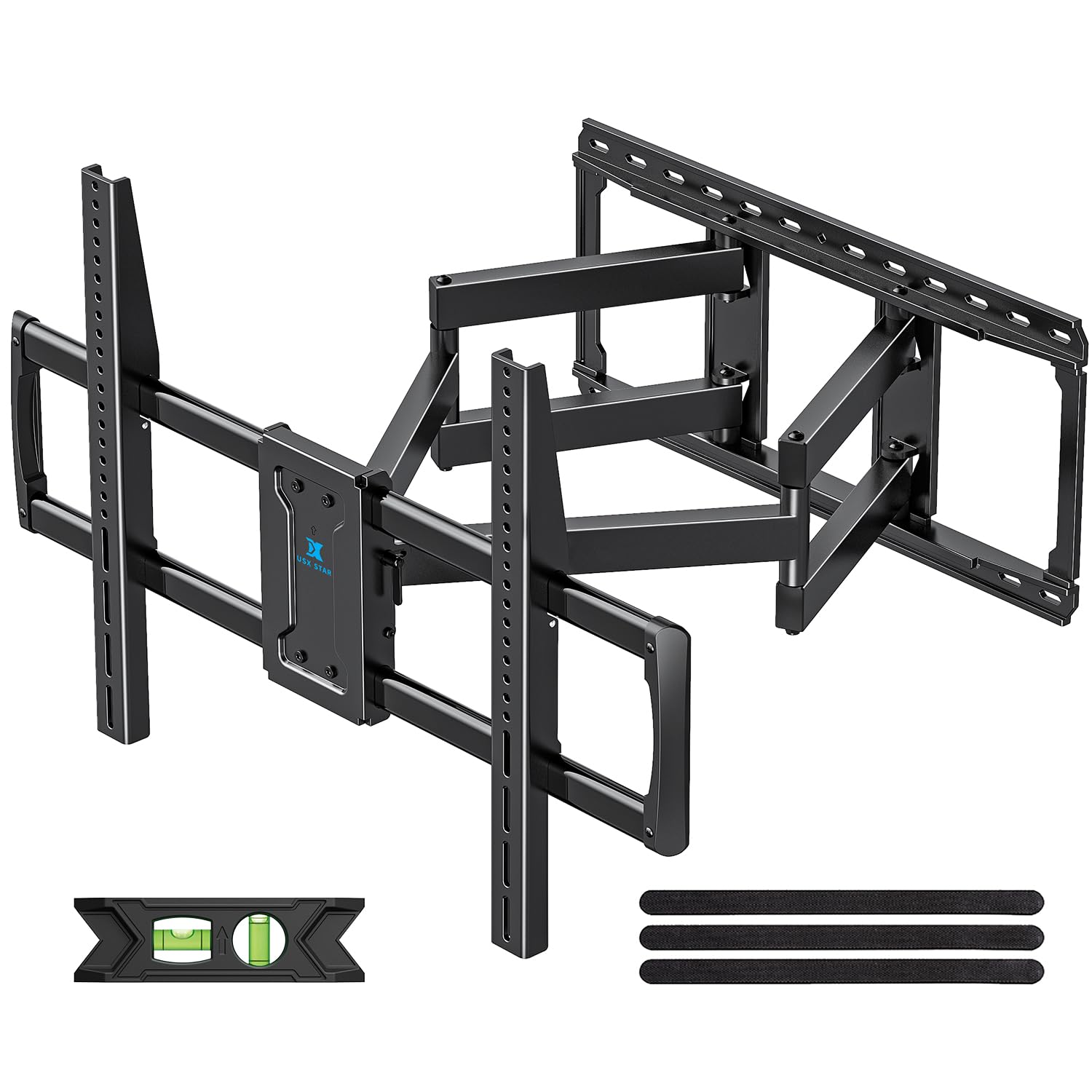
2. USX STAR Heavy Duty TV Wall Mount
Pre-assembled muscle for screens up to 110 inches, with a tool-free tilt you can adjust by hand.
If your TV is a true giant, this is the mount that carries it. It supports 37 to 110-inch screens up to 170 lbs, and buyers report hanging 160 lb, 100-inch Hisense sets on it without drama—some even note it holds up to 200 lbs in practice, though 170 lbs is the stated rating. The max VESA of 800 x 600mm covers the biggest mounting patterns on the market, so it beats the Mounting Dream above on both size reach and weight capacity (170 lbs vs 132 lbs).
The standout feature is the tool-free tilt, adjusting from -15° to +5° with no wrench required, which makes glare fixes a one-hand job. The arms extend to 23.19 inches and retract to a slim 2.68-inch profile, with a generous ±60° swivel for open-plan rooms. It installs on 8 to 24-inch wood studs without anchors, and concrete or brick just need anchors the brand sends on request.
Quality and sturdiness dominate the owner feedback, and the pre-assembled design with a bubble level and paper template gets you mounted in under 30 minutes. The catch is the sheer weight of the thing—buyers consistently say you need two or even three adults to lift the TV onto it. The included level is also a weak point; several owners swapped in their own.
Why It Stands Out
- Tool-free tilt makes glare adjustment easy
- Holds up to 170 lbs, verified by owners with 100-inch TVs
- Wide 8-24 inch stud compatibility
The Honest Trade-Off
- Extremely heavy—expect to need 2-3 people for the TV lift
- Included bubble level is substandard; keep your own handy
- Not for drywall alone, so studs or anchors are mandatory
Best If: you are mounting a 98 or 100-inch screen that would overwhelm standard brackets and want tool-free tilt control.
Think Twice If: you will be installing solo, since the mount and TV together demand extra hands.
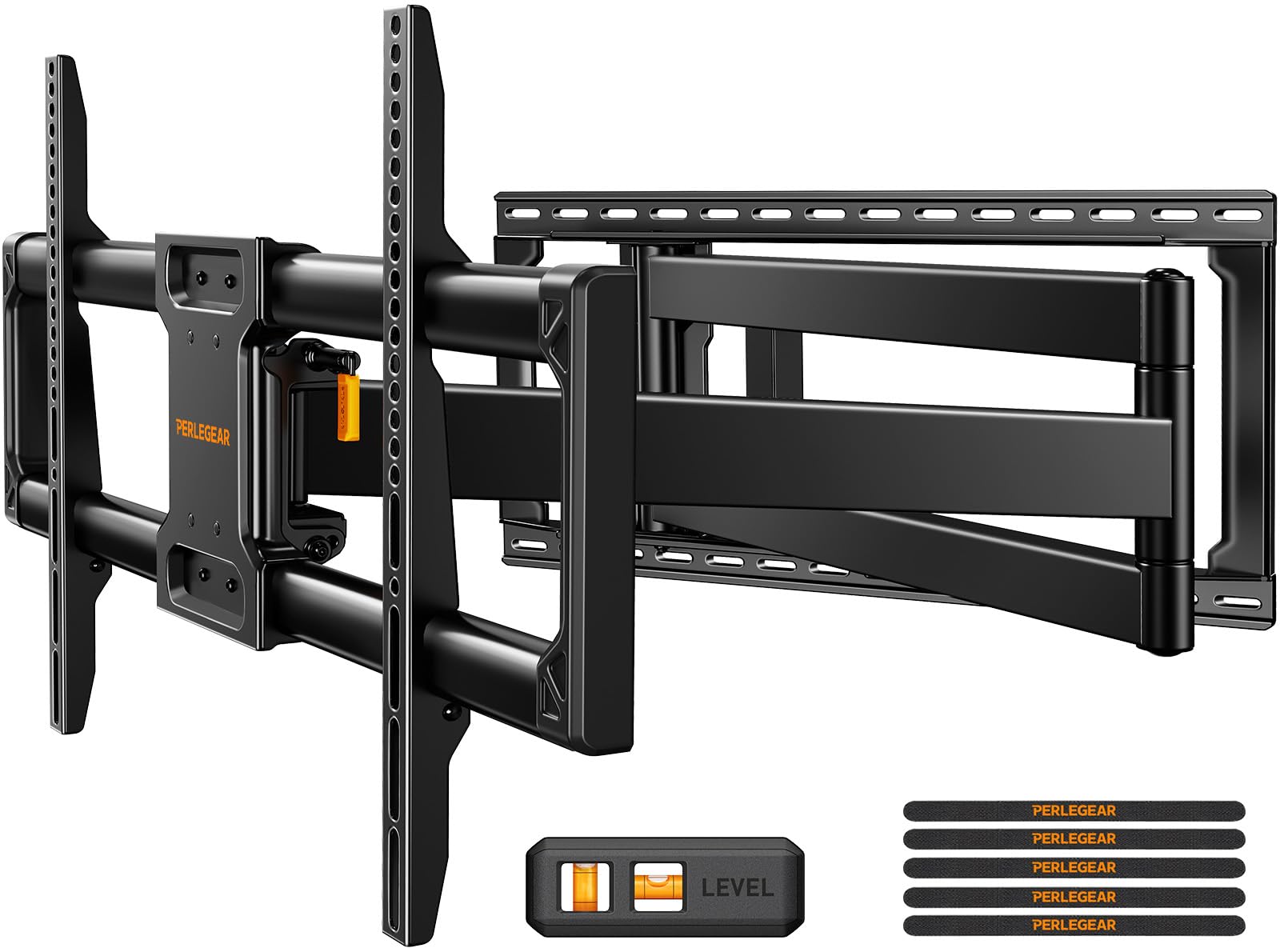
3. Perlegear Long Arm Full Motion TV Wall Mount
The long-reach specialist that swings an 85-inch screen 90 degrees around a corner.
Most mounts extend a foot or two, but this Perlegear rockets out to a 40.1-inch reach—more than double the Mounting Dream’s 18.3 inches. That is the number that matters for corner installations or built-in cabinets, where the TV must clear furniture and angle toward the seating area. It handles 42 to 97-inch TVs up to 150 lbs with a 800 x 400mm max VESA, so an 85-inch panel sits comfortably within its range.
The ±90° swivel is the other headline feature. Buyers describe turning a 55-inch TV 90 degrees to the wall on a porch, and the same freedom applies to an 85-inch screen in a corner. The tilt adjusts +5°/-15° for glare, and there is ±4° of post-install leveling so you can correct a slightly crooked wall without redrilling. Cold-rolled steel plus a wide wall plate keep it rigid even at full extension, backed by a 4x load test and a 6,000-cycle durability test.
Installation is a tidy three-step process with a drilling template and bubble level included, and owners note it retracts to just 3.7 inches when you want it flush. The real-world note: lifting a large TV onto long arms is awkward, and reviewers advise a second person. On thin concrete walls you will need Tapcon screws, which the brand’s support can help source.
The Long-Arm Edge: no other pick here reaches 40.1 inches, which makes it the obvious choice for corner setups and awkward alcoves.
The Real Catch: that long reach means more leverage, so hitting wood studs is non-negotiable—drywall alone will not hold it.
4. SANUS Premium Full Motion TV Mount
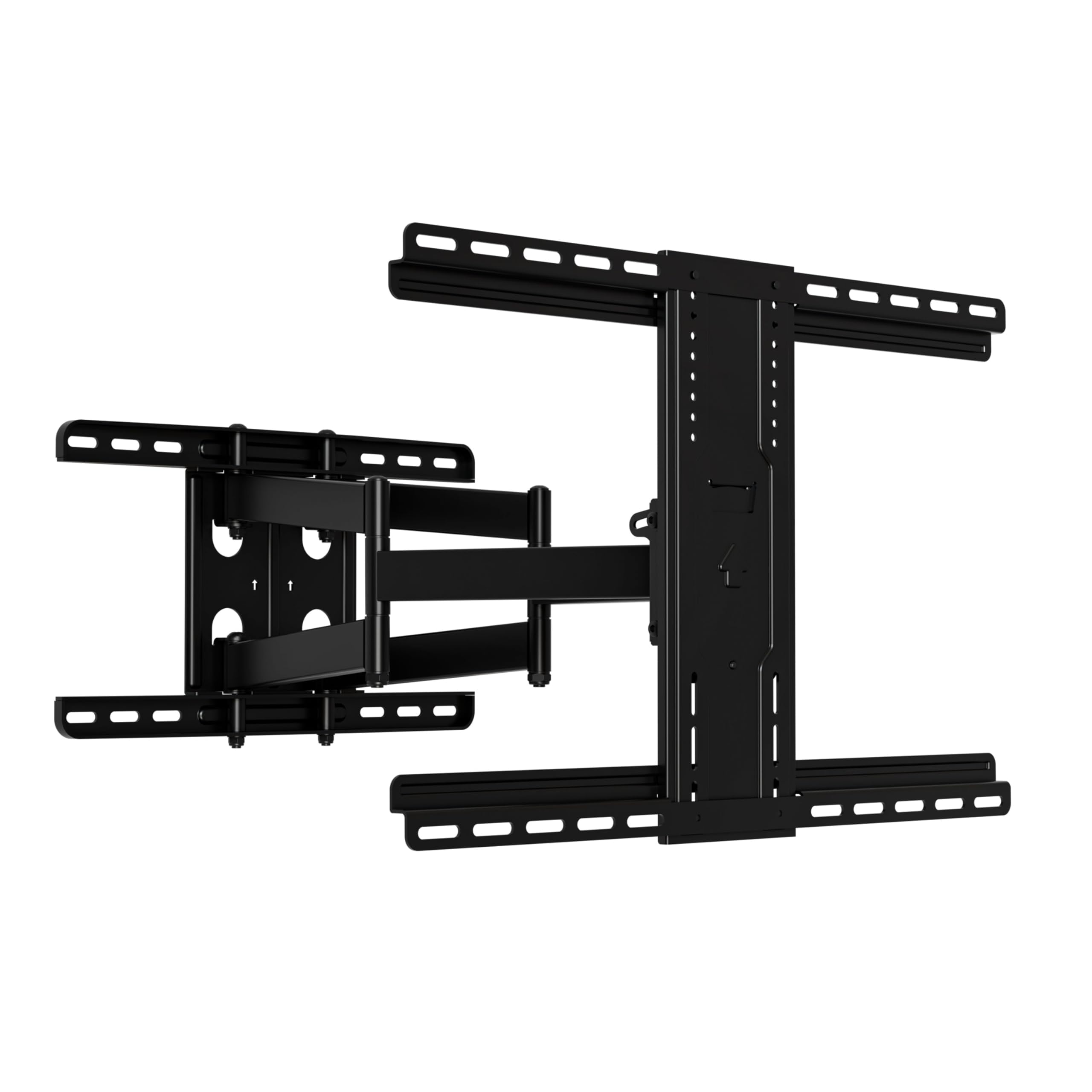
A touch-to-adjust mount that tucks an 85-inch screen to just 2.5 inches off the wall.
This SANUS is for the buyer who wants a clean, flush look without giving up motion. It holds 42 to 90-inch TVs up to 125 lbs, which covers an 85-inch screen in most cases, and retracts to a very slim 2.5 inches from the wall—thin enough that it reads as a floating screen. The stainless steel build has space behind it for small streaming devices, so you can hide a stick or box out of sight.
The headline spec is the tilt range, reaching up to 35 degrees, which is the most flexible of any pick here for cutting ceiling-light glare from a high mount. It extends 22 inches out, and owners praise how smoothly it moves and tilts in all directions with zero sag or wobble, even on curved TVs. The kit is all-inclusive with a hardware bag, drilling template, and pre-assembled parts, aiming for a 20-minute install on 16-inch studs or concrete.
Build quality and sturdiness dominate the feedback, and it is UL listed and safety tested. The mixed feedback depends on installation alignment—some found it very easy, others needed extra patience getting the TV level. It also officially supports 16-inch stud spacing, so measure your wall before committing.
The Strengths
- 35° tilt is the best in this list for glare control
- Slim 2.5-inch retracted profile for a flush look
- UL listed with premium stainless steel construction
The Fit Notes
- Installation alignment gets mixed feedback from owners
- 125 lb limit is the lowest here, so check your TV’s weight
- Designed for 16-inch stud spacing
Pick This If: you want a sleek, low-profile mount with the widest tilt range and do not need giant TV headroom.
Pass If: your 85-inch OLED pushes past 125 lbs or your studs run wider than 16 inches.
5. MOUNTUP Heavy Duty Full Motion TV Mount
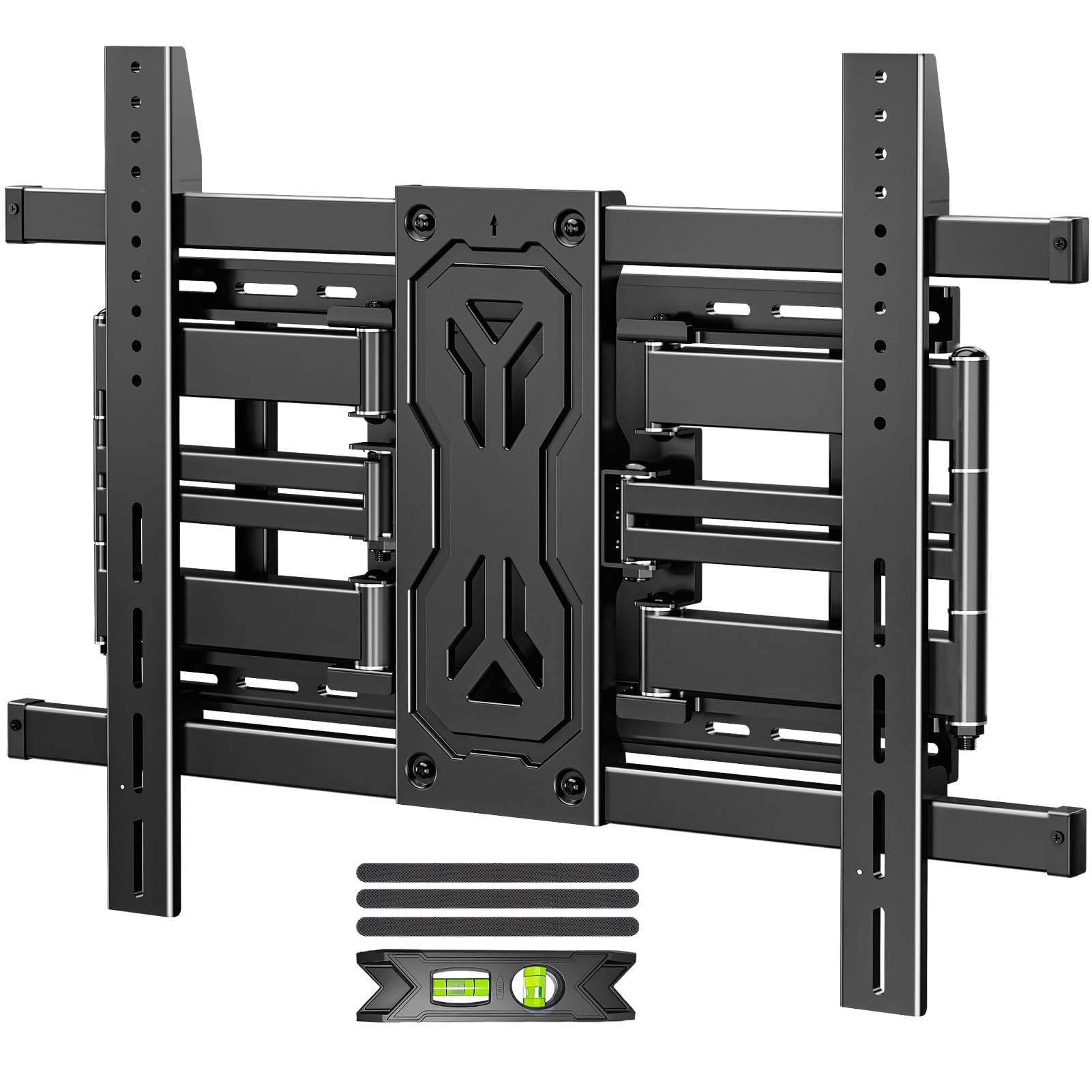
Reinforced six-arm strength rated for 250 lbs lets an 85-inch OLED sit rock-steady.
If your TV is heavy and you want serious margin, this MOUNTUP is the value-overkill pick. It carries 50 to 110-inch screens up to 250 lbs—the second-highest rating here—with a 800 x 600mm max VESA, and its six-arm reinforced alloy steel design is built for screens like 85, 90, and 100 inches. Owners mention it handled a 250 lb test and supports a 120 lb, 86-inch TV without breaking a sweat.
The design returns to a slim 1.65 inches from the wall when retracted, so you get both muscle and a sleek profile. The tilt runs +15°/-15° to fight glare, the swivel reaches ±45°, and the arms extend 19.9 inches for open-plan seating. It fits 12, 16, 18, and 24-inch studs—a wider range than most—and can mount on wood, concrete, or brick, though drywall alone is off the table.
Quality and installation speed are what owners praise, with a pre-assembled bracket, labeled hardware, a bubble level, and cable ties all in the box. The honest gripes: a four-point grip and tilt-adjusted via six nuts means setup is more involved than tool-free designs, and some units arrive with damaged boxes. As one buyer put it, this is “much better and easier to rotate” than cheaper brackets while holding the same weight.
The Value Angle: you get near-flagship 250 lb capacity at a mid-range price, making it the smart pick for heavy OLEDs and 85-90 inch screens.
The Practical Catch: the six-nut tilt adjustment is less convenient than tool-free alternatives, and you will want a partner for the TV lift.
6. Perlegear Full Motion TV Mount with Power Strip
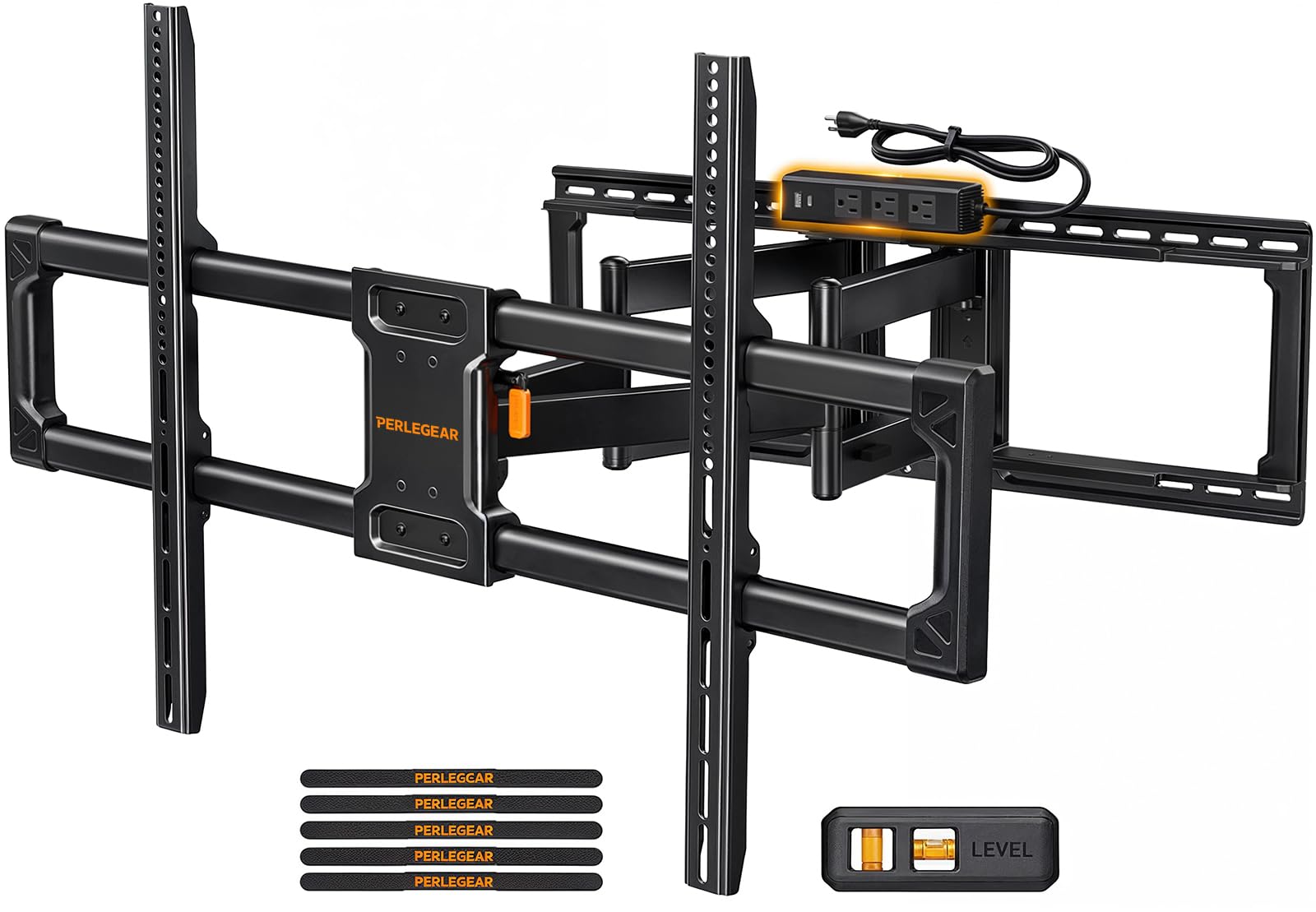
A 255 lb-capable mount with a built-in power strip that hides every cable behind the screen.
This is the mount for the buyer obsessed with a clean, cable-free wall. Perlegear builds a power strip directly into the bracket—3 AC outlets and 2 USB ports on a 7.87-foot cord—so your TV, game console, and streaming stick all plug in right behind the panel. No separate power strip, no dangling wires, just a tidy install that also frees up your wall outlets.
It is also the strongest pick in this list by rated weight, holding up to 255 lbs on screens from 55 to 120 inches, with a 900 x 600mm max VESA that covers virtually every large TV. The 20% thicker steel and reinforced wall plate keep it stable even fully extended, tested with a 4x load test and 6,000-cycle test. Owners have mounted 107 lb and 85-inch TVs on it and report zero wobble or sag.
The flexibility is first-rate: extend 22 inches, swivel ±65° to face any seat, tilt +5°/-15° for glare, and retract to just 3 inches. It installs on 16, 24, or 32-inch studs, which is the widest stud compatibility here. Quality and ease of installation dominate the feedback, with a pre-assembled design and hinged straps that make the TV hang straightforward—though it still needs two people. The one repeated note: the swivel can feel tight at first.
Why It Wins
- Only pick with an integrated 3-outlet, 2-USB power strip
- Highest weight rating here at 255 lbs
- Fits 16, 24, or 32-inch stud spacing
The Trade-Off
- Premium price for the integrated power feature
- Swivel can feel stiff from the start
- Two people required for installation
Choose This If: you want the ultimate clean install with hidden power and cables behind an 85-inch or larger screen.
Skip If: you already have a wall outlet right behind the TV and do not need the built-in strip.
7. Kanto FMX3C Full Motion Articulating TV Mount

A tank-like steel mount with a 28-inch reach and a swivel that rotates up to 88 degrees.
The Kanto FMX3C is built like the engineers over-engineered it on purpose. It holds 37 to 90-inch TVs up to 150 lb (68 kg) with a 700 x 500mm max VESA, and the solid steel construction with heavy-duty lag bolts is the reason owners describe it as “built like a tank.” It extends a generous 28 inches from the wall and swivels 45° to 88° left or right depending on screen size, so an 85-inch panel can face almost any seat in the room.
The tilt runs +5°/-15° to cut glare, and the cable management tucks cords out of sight for a clean look. It fits 16 or 24-inch studs, which broadens your wall options, and the install is straightforward with a wall template and an organized bolt pack. Owners have mounted a 98 lb, 70-inch Sony and even a 102 lb plasma on it with zero sag at full extension, and a 28-inch extension gives you real flexibility for awkward layouts.
Quality and sturdiness are the overwhelming consensus, and the 5-year warranty plus US-based support add confidence. The weight (11.58 kg) is the recurring note—this is a heavy mount, so solo install is possible but a second person makes the TV hang far safer. There is no vertical adjustment, so measure your placement height carefully before you drill.
The Highlights
- 28-inch extension with up to 88° swivel
- 5-year warranty and US-based support
- Fits both 16 and 24-inch stud spacing
Keep In Mind
- Heavy at 11.58 kg, so plan for help
- No vertical adjustment after install
- Max VESA of 700 x 500mm is smaller than some rivals
Reach For This If: you value rugged steel construction, a long 28-inch reach, and a brand that backs it with a 5-year warranty.
Look Elsewhere If: your TV uses an 800x600mm VESA pattern, which this mount does not accept.
8. Mount-It! The Beast Heavy Duty TV Wall Mount

The heaviest-duty pick here, rated for 275 lbs with a 39-inch reach and 360° rotation.
This is the mount for the buyer going all-in on a massive home theater. The Beast handles 60 to 110-inch TVs up to 275 lbs—the highest weight rating and the second-longest extension (39 inches) in this entire list—with a 800 x 600mm max VESA. Owners have hung 100-inch TVs on it and, in one memorable test, a 260 lb person hung from the fully extended arm to prove it was solid.
The dual articulating arms give full tilt, swivel, and 360° rotation, so an 85-inch screen can eliminate glare, reduce neck strain, and face any seat from the couch to a conference table. It is 4x safety tested, rated to hold four times its 275 lb limit at 1,100 lbs, with reinforced coated steel and stainless steel hardware. A sliding wall plate lets you center the TV even when studs are not perfectly aligned, and integrated cable management hides every cord.
Quality, adjustability, and holding strength are what owners rave about, with brass bushings delivering smooth articulation. The trade-offs are real: at 43.7 pounds, this is a beast to handle, and owners say you need 2-3 people for the install. Plastic anchors fail in brick or concrete, so use sleeve anchors there, and the stiff movement takes some muscle on first use.
The Beast Mode
- 275 lb rating with 39-inch extension for the biggest screens
- 360° rotation and brass bushings for smooth movement
- 4x safety tested to 1,100 lbs
The Heavy Cost
- 43.7 pounds—expect a 2-3 person install
- Plastic anchors fail on brick or concrete; use sleeve anchors
- Movement is stiff until it breaks in
The Final Call: if you are mounting a 98 or 100-inch screen and want the strongest, longest-reach bracket money can buy here, this is it.
The Only Downside: the sheer size and weight make it a genuinely heavy install, so recruit help before you start.
Understanding the Specs
VESA Pattern and Weight Capacity
VESA is the distance in millimeters between the four mounting holes on the back of your TV—for example, 600x400mm means 600mm across and 400mm down. Your mount must match this pattern exactly, or the bracket arms will not reach the holes. Weight capacity is separate: it tells you the maximum TV weight the mount can safely hold. Always confirm your TV’s weight is under the mount’s rating, and prefer some headroom for confidence.
Extension, Swivel, and Tilt
Extension is how far the mount pulls the TV off the wall, measured in inches—short mounts sit flush, while long-arm mounts reach 28 to 40 inches for corner setups. Swivel is the left-right rotation angle, useful for angling the screen toward different seats. Tilt is the up-down angle, measured in degrees, which reduces glare from windows or ceiling lights. A mount with a wide tilt range is easier to fine-tune after installation.
FAQ
Will any of these mounts fit my 85-inch TV?
What VESA pattern do I need for an 85-inch TV?
Is a full-motion mount worth it for an 85-inch TV?
Can I install an 85-inch TV mount on drywall alone?
How many studs do I need for a heavy TV mount?
What is the difference between 16-inch and 24-inch stud spacing?
How long does installation take?
Should I get a mount with a built-in power strip?
Final Thoughts: The Verdict
For most owners, the best 85 inch tv mount is the Mounting Dream Full Motion because it pairs a proven easy install with smooth full-motion flexibility at a 132 lb capacity. If you are mounting a true giant up to 100 or 110 inches, the Mount-It! The Beast leads with its 275 lb rating and 39-inch reach. And for the cleanest look with hidden cables, the Perlegear with Power Strip is the one to reach for.
How We Picked
We do not accept paid placement. Every pick is matched to a real buyer and a real use-case; we do not hands-on test units.
Sources & Methodology
Specifications: manufacturer listings and product documentation. Review insights: verified customer reviews, as of August 2026. Pricing: not shown on this page (it changes often); check the current price via the retailer link.
As an Amazon Associate, Gadgets Feed earns from qualifying purchases. This does not affect which products we feature.