
Adding a single 8GB RAM stick is the fastest way to resurrect an aging laptop or give a budget desktop a second wind, but the difference between a seamless plug-and-play experience and frustrating system instability often comes down to matching the right speed, latency, and form factor to your specific motherboard. One wrong pin count and the module simply won’t fit, while mismatched voltages can silently throttle your processor’s memory controller.
I’m Min — the co-founder and writer behind Gadgets Feed. I’ve spent hundreds of hours combing through customer benchmarks, JEDEC specifications, and compatibility reports to separate the modules that deliver rock-solid stability from those that cause random crashes under load.
This guide examines seven of the most reliable single-module options available right now, breaking down which best 8gb ram stick works for your specific upgrade scenario, whether you are reviving a compact laptop or squeezing more speed from a desktop workhorse.
How To Choose The Best 8GB RAM Stick
A single 8GB module is the most common entry-level upgrade, but the wrong choice can leave your system unable to boot or stuck at a painfully slow JEDEC baseline. You need to focus on three core dimensions: physical compatibility, the speed-to-latency trade-off, and the voltage your memory controller expects.
Form Factor First — SODIMM vs. DIMM
The most common mistake is buying a 288-pin desktop DIMM for a laptop that requires a 260-pin SODIMM, or vice versa. Laptop SODIMM sticks are physically shorter and have a different pin layout — they will not fit into a desktop motherboard’s DIMM slot, and forcing them can damage the connector. Always check your device’s service manual or open the memory compartment to visually confirm the slot type before ordering.
Speed and Latency Balance
An 8GB DDR4 stick running at 3200MHz with CL22 timings will deliver higher bandwidth than a 2666MHz stick with CL19, but only if your motherboard supports that speed. If your CPU’s memory controller caps out at 2666MHz, a 3200MHz module simply downclocks — you paid extra for speed you cannot use. For legacy systems, a 2666MHz CL19 module often offers the sweet spot of guaranteed compatibility without wasted potential.
Voltage and Single- vs. Dual-Rank
JEDEC-standard DDR4 runs at 1.2V, but some high-frequency kits push to 1.35V. While most modern boards tolerate the higher voltage, older chipsets may not, causing random shutdowns or failure to POST. Similarly, dual-rank (2Rx8) sticks can offer slightly better performance in certain workloads than single-rank (1Rx8) modules, but the difference is marginal for a single 8GB stick — the priority should be stable JEDEC compliance.
Quick Comparison
On smaller screens, swipe sideways to see the full table.
| Model | Category | Best For | Key Spec | Amazon |
|---|---|---|---|---|
| Timetec 8GB DDR4 2666MHz | SODIMM | Laptop / Mini PC Upgrade | 260-pin, CL19, 1.2V | Amazon |
| Patriot Signature 8GB DDR4 3200MHz | DIMM | Desktop Budget Build | 288-pin, CL22, 1.2V | Amazon |
| G.SKILL Ripjaws V 8GB DDR4 2666MHz | DIMM | Gaming / Performance Desktop | 288-pin, CL19, 1.2V | Amazon |
| Samsung 8GB DDR4 2666MHz | DIMM | OEM / Branded Desktop | 288-pin, CL19, 1.2V | Amazon |
| Crucial 8GB DDR4 3200MHz | SODIMM | Laptop Compatibility | 260-pin, CL22, 1.2V | Amazon |
| A-Tech 8GB DDR4 2666MHz | DIMM | Desktop Workstation | 288-pin, CL19, 1.2V | Amazon |
| KingSpec 8GB DDR4 3200MHz | DIMM | Home / Office Desktop | 288-pin, CL18, 1.35V | Amazon |
In‑Depth Reviews
1. Timetec 8GB DDR4 2666MHz SODIMM
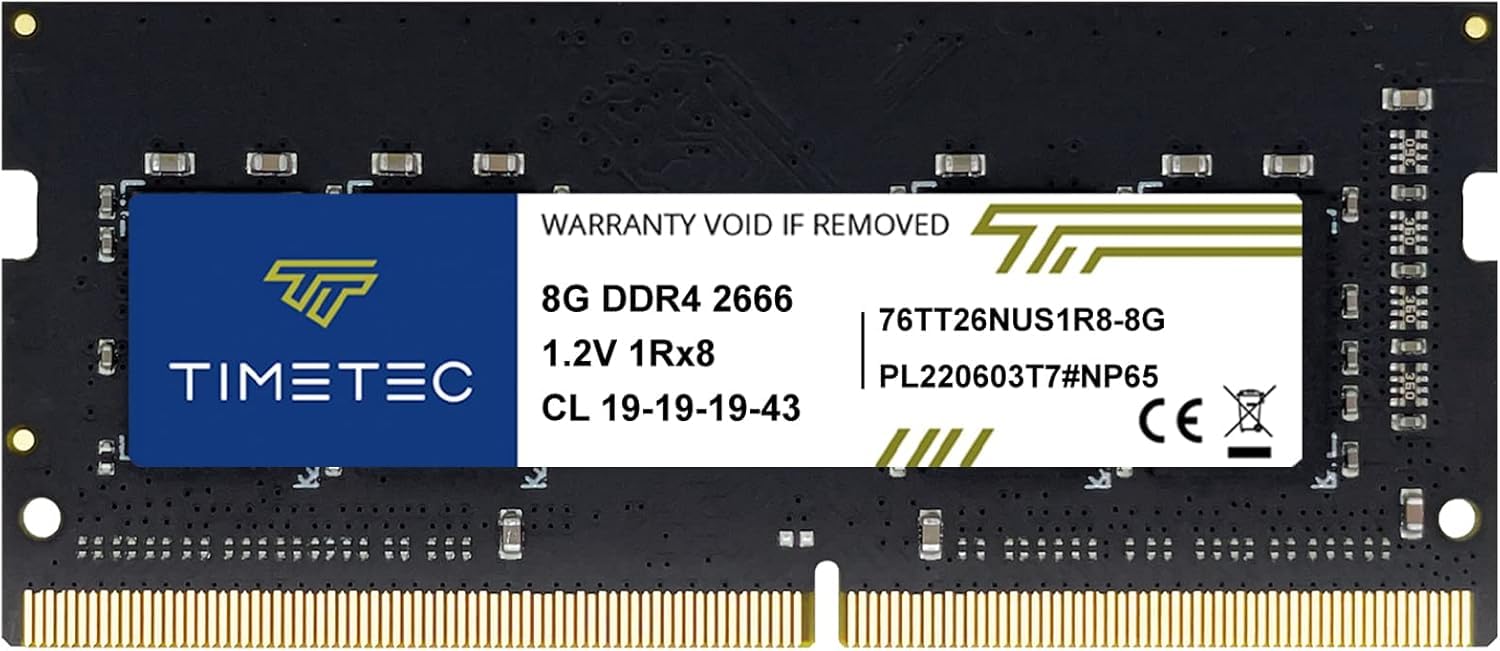
The Timetec 8GB DDR4 2666MHz SODIMM delivers exactly what a laptop or mini PC upgrade needs — a 260-pin module running at JEDEC-standard 1.2V with CL19 timings that is detected by BIOS and Windows immediately, as confirmed by buyers using HP EliteDesk 800 G4 Mini and Lenovo ThinkPad systems. The single-module 8GB capacity keeps the price accessible while providing a tangible bump in boot speed and multitasking responsiveness over a 4GB baseline.
One pair of details sets this stick apart for general use: the plug-and-play installation that requires no BIOS tweaking, and the limited lifetime warranty backed by US-based support. Buyers report pairing this stick with a different brand in the second slot to reach 16GB without stability issues, which is a strong sign that the module adheres closely to JEDEC specifications rather than relying on aggressive vendor-locked XMP profiles.
While the PCB color and rank (1Rx8, 2Rx8, or 1Rx16) may vary between production batches, performance reviewers consistently note that the speed, stability, and boot time improvements are easily noticeable for everyday productivity. If you are upgrading a single-slot laptop or a thin mini PC, this stick offers the most reliable path to a faster, smoother system without overpaying for frequencies your platform cannot use.
Why it’s great
- True plug-and-play with immediate BIOS detection across multiple laptop brands
- Limited lifetime warranty and responsive US-based technical support
- Stable operation when paired with a different-brand module for a 16GB setup
Good to know
- PCB color and rank configuration vary by batch, so dual-stick matching may not be cosmetic
- Speed is locked at 2666MHz — not ideal for boards that support 3200MHz overclocking
2. Patriot Signature 8GB DDR4 3200MHz

The Patriot Signature Line DDR4 8GB stick operates at 3200MHz with CL22-22-22-52 timings on a standard 1.2V JEDEC profile, making it a strong fit for modern AMD and Intel desktop builds that can natively support higher memory speeds without needing XMP. At the 288-pin DIMM form factor, it drops into any standard desktop motherboard and has proven reliable in long-term use — reviewers note zero error codes or instability even after months of daily driving.
The key advantage here is the 3200MHz frequency at a voltage that stays inside the safe 1.2V envelope, meaning the memory controller runs cool and the stick downclocks gracefully if your board tops out at 2666MHz. With an item weight of only 18 grams, the module is physically light but built on quality PCB that does not flex during installation. One customer specifically calls out that it “made a world of difference” when paired with a solid-state drive upgrade.
Keep in mind the CL22 latency is looser than the CL18 or CL19 found on some competing 3200MHz sticks, so peak theoretical bandwidth is slightly lower in latency-sensitive tasks like competitive gaming. Still, for the majority of desktop users upgrading a home office or light gaming rig, this stick delivers a dependable speed increase without the complexity of manual timing configuration.
Why it’s great
- Full 3200MHz speed at conservative 1.2V for broad motherboard compatibility
- Reliable long-term performance with zero error codes reported across multiple systems
- Limited lifetime warranty adds peace of mind for a desktop workhorse
Good to know
- CL22 timings are not ideal for latency-sensitive gaming or high-frequency trading workloads
- No heatsink — bare PCB design means less thermal overhead for passive cooling
3. G.SKILL Ripjaws V 8GB DDR4 2666MHz

The G.SKILL Ripjaws V 8GB DDR4 2666MHz stick (model F4-2666C19S-8GVR) brings a red aluminum heatsink to the single-module desktop category, which helps dissipate heat during extended gaming sessions while maintaining JEDEC-standard 1.2V and tight CL19-19-19-43 timings. The heatsink adds a modest 69 grams of weight, giving the module a robust feel that resists PCB flex during insertion into tight ITX or microATX builds.
This stick is rated for 2666 MT/s out of the box with no XMP configuration required, making it a perfect match for Intel’s 10th/11th-gen and AMD’s Ryzen 3000/5000 series memory controllers that natively support that speed. Reviewers highlight immediate system recognition and a noticeable speed increase even when adding just a single 8GB stick to a system that previously ran on slower or lower-capacity memory. G.SKILL’s reputation for quality control means the module runs stable at its rated timings without needing RMA replacements.
The one catch is that G.SKILL strongly warns against mixing memory kits, so if you plan to add a second stick later, you should buy a matched pair or an identical model number. The red color scheme also stands out in windowed cases — a plus if aesthetics matter, but a mismatch if your build follows a neutral or blacked-out theme.
Why it’s great
- Low CL19 latency at 2666MHz for snappy desktop and gaming performance
- Red aluminum heatsink improves thermal dissipation and structural rigidity
- Immediate plug-and-play at JEDEC default without BIOS tweaking
Good to know
- G.SKILL warns not to mix with other kits — future expansion may require replacing the stick
- Red heatsink may not match every PC build’s aesthetic scheme
4. Samsung 8GB DDR4 2666MHz

Samsung’s M378A1K43CB2-CTD is an OEM-grade 8GB DDR4 2666MHz DIMM that targets compatibility above all else, and it delivers exactly that — a 288-pin module running at 1.2V with CL19 timings that pairs perfectly with Acer desktops, HP Pavilion systems, and Ryzen-based gaming builds. Weighing only 18 grams, this stick is among the lightest on the list, and its single-sided PCB design helps with airflow in compact tower cases.
What makes this stick stand out for brand-conscious buyers is Samsung’s vertically integrated DRAM fabrication, meaning the ICs are produced, tested, and binned in-house. Customers report successful cross-compatibility with Micron modules when upgrading existing 16GB systems, and one reviewer specifically paired it with a Ryzen 5 HP gaming desktop to boost Photoshop layering and video encoding performance. The stick ran at full 2666MHz speed without any manual configuration.
On the downside, there is no heatsink and no RGB — this is a bare green PCB design that prioritizes function over flash. Some buyers noted that their stick shipped with Micron-branded dies instead of Samsung, and while performance remained identical, the inconsistency may bother those who specifically want Samsung-labeled memory. For a reliable, universally compatible drop-in upgrade for name-brand desktop PCs, this stick is hard to beat.
Why it’s great
- OEM-grade Samsung DRAM fabrication ensures strict JEDEC compliance and broad compatibility
- Ultra-light 18-gram single-sided PCB aids case airflow
- Immediate detection across Acer, HP, and Ryzen desktop platforms
Good to know
- No heatsink or thermal spreader — bare PCB may run slightly warmer in poorly ventilated cases
- Some units ship with Micron dies instead of Samsung; performance is identical but branding varies
5. Crucial 8GB DDR4 3200MHz SODIMM

Crucial’s CT8G4SFRA32A is a 260-pin SODIMM designed specifically for laptop upgrades, operating at 3200MHz with the ability to downclock to 2933MHz or 2666MHz for compatibility with older platforms. This flexibility is crucial for users upgrading a Dell Vostro, HP ProBook, or an older Lenovo ThinkPad — the stick automatically negotiates the highest supported speed with the memory controller, ensuring a painless plug-and-play experience.
Backed by 42 years of Micron’s component-level testing, this module comes in 1Rx16, 1Rx8, or 2Rx8 configurations depending on the production batch, and reviewers have confirmed receiving dual-rank Micron dies that run stably at full 3200 MT/s in compatible systems. Customers upgrading from 8GB to 24GB in an older Dell reported immediate boot and noticeably faster app switching without a single crash.
The main trade-off is CL22 latency, which is looser than desktop-focused modules, but for a laptop upgrade, the bandwidth gain from 3200MHz far outweighs the slight latency penalty in most multitasking and productivity scenarios. If you are unsure about your laptop’s maximum supported speed, Crucial offers a System Scanner tool that checks compatibility automatically before you buy.
Why it’s great
- Auto-downclocks from 3200MHz to 2933/2666MHz for backward compatibility with older laptops
- Micron’s rigorous component-level testing ensures high reliability and low failure rates
- Compatibility scanner tool removes guesswork for laptop upgrades
Good to know
- CL22 timings are looser than desktop-focused alternatives
- Rank configuration varies by batch — 1Rx16 sticks may perform slightly below 2Rx8 in multi-threaded loads
6. A-Tech 8GB DDR4 2666MHz DIMM

A-Tech’s 8GB DDR4 2666MHz UDIMM is a no-frills desktop stick built on a 288-pin DIMM platform with 1.2V operation and CL19 latency. It is designed for compatible DDR4 desktop and workstation motherboards, and customers report successful use cases ranging from reviving a Dell Inspiron 3880 that was thrashing under Windows 11 to upgrading an older office PC for 45+ browser tabs without slowdowns.
The stick uses 1Rx8 or 2Rx8 configurations depending on the batch, and it ships with a limited lifetime warranty plus friendly tech support based in the United States. One reviewer specifically noted a 40% speed improvement after going from 12GB mismatched memory to a clean 16GB dual-channel setup using two of these modules, which highlights the stick’s consistent JEDEC compliance when paired with an identical unit.
The primary limitation is the 2666MHz ceiling — if your motherboard supports 3200MHz, you are leaving potential bandwidth on the table. Additionally, the lightweight design uses a green PCB without a heatsink, so sustained heavy workloads may push temperatures higher than a heatsinked stick, though reviewers report that the module “doesn’t get that hot” under normal use.
Why it’s great
- Zero-configuration plug-and-play installation compatible with most DDR4 desktop boards
- Limited lifetime warranty with US-based tech support for peace of mind
- Stable operation in dual-channel setups with identical A-Tech sticks
Good to know
- Locked at 2666MHz — not suitable for systems that benefit from 3200MHz+ bandwidth
- Green PCB with no heatsink may not appeal to builders who prefer a uniform aesthetic
7. KingSpec 8GB DDR4 3200MHz
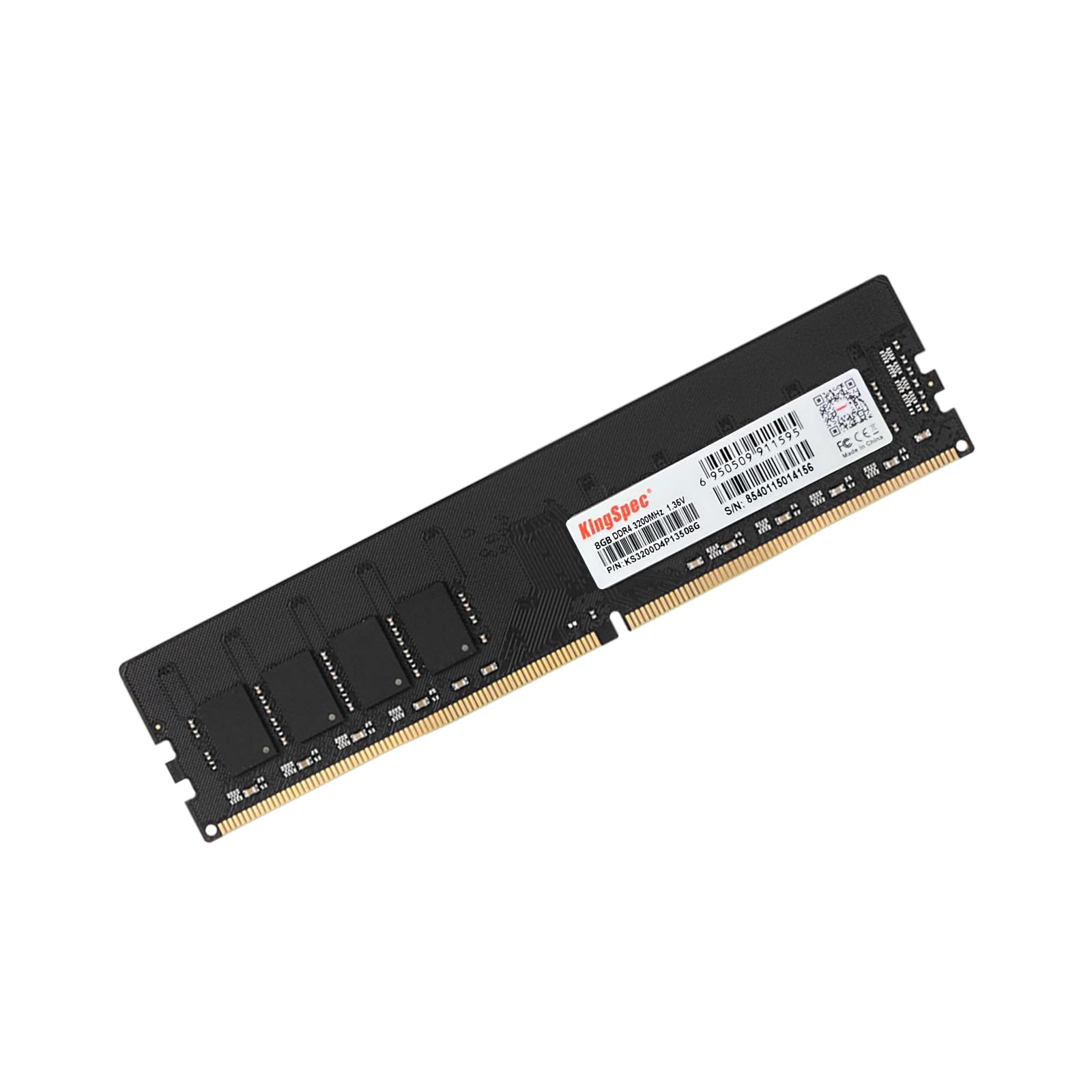
The KingSpec 8GB DDR4 3200MHz desktop stick offers a compelling entry-level option for home and office PCs, running at 3200 MT/s with relatively tight CL18 timings. The module operates at 1.35V — slightly higher than the JEDEC 1.2V baseline — which allows it to reach that 3200MHz frequency without aggressive overclocking while staying cool enough for all-day computing.
Buyers report that the stick runs stable at stock settings and provides a “great value” for office tasks like video calls, spreadsheets, and browser multitasking. The 288-pin DIMM form factor fits standard desktop motherboards, and the bare PCB design keeps cost down. KingSpec backs the unit with a 3-year warranty and lifetime technical help, and customer service has been responsive in replacing defective units — one reviewer received a replacement after the first stick failed memtest5, and the new module passed every test.
The higher 1.35V voltage is the main point of caution: while most modern motherboards handle it fine, older Intel 6th/7th-gen or budget H310 chipset boards may not be validated for the extra voltage, potentially leading to long-term degradation of the memory controller. If you are building on a recent platform (AMD Ryzen 3000+ or Intel 12th-gen+), the voltage is not a concern, but for legacy upgrades, a 1.2V 2666MHz stick is a safer bet.
Why it’s great
- 3200MHz with CL18 timings offer strong bandwidth for daily productivity and light multitasking
- Responsive customer support with replacement RMA for defective units
- 3-year warranty provides decent coverage for a budget-priced module
Good to know
- 1.35V voltage exceeds JEDEC baseline — may not be compatible with older or budget chipset boards
- No heatsink or ECC support; bare PCB design limits sustained thermal performance
FAQ
Can I use a desktop DIMM in a laptop SODIMM slot?
What does it mean if my 8GB RAM stick runs at a lower speed than advertised?
Is it safe to mix two different brands of 8GB RAM sticks in dual-channel mode?
Final Thoughts: The Verdict
For most users, the best 8gb ram stick winner is the Timetec 8GB DDR4 2666MHz SODIMM because it combines rock-solid JEDEC compliance, a limited lifetime warranty, and proven compatibility across a wide range of laptop and mini PC platforms at an accessible price point. If you want faster 3200MHz bandwidth for a modern desktop build, grab the Patriot Signature 8GB DDR4 3200MHz. And for a premium desktop upgrade with a heatsink and tight CL19 latency, nothing beats the G.SKILL Ripjaws V 8GB DDR4 2666MHz.