
An 8GB USB drive occupies a specific niche in the storage world — it’s too small for full system backups, but ideally suited for distributing firmware, sharing presentation files, booting into diagnostics, or handing out quick data sets at conferences. The real challenge is finding the right balance of build quality, read/write consistency, and sheer unit count without wasting money on flashy branding or oversized capacity you don’t need.
I’m Min — the co-founder and writer behind Gadgets Feed. I’ve spent many hours analyzing read-speed benchmarks, casing materials, connector types, and real-world customer reliability data to separate the durable, trustworthy 8GB drives from those that will fail after a few write cycles.
Whether you need a handful of color-coded sticks for a family digitization project or a bulk pack for a corporate training session, this guide highlights the most dependable picks for any scenario. This is your complete resource for the best 8gb usb drive.
How To Choose The Best 8GB USB Drive
When shopping for an 8GB USB drive, the capacity is already locked in, so your decision comes down to connector type, physical build, read/write speed, and the number of units you need per pack. The most common mistake is buying a drive with a detachable cap for daily carry — those caps always get lost. Swivel or retractable designs are far more practical for on-the-go use.
Connector Type: USB-A vs USB-C
If you only need to move files between older laptops and desktop PCs, a standard USB-A drive is perfectly fine. But if you also want to plug directly into a modern Android phone, iPad Pro, or ultra-thin laptop without an adapter, choose a dual-connector drive with both USB-A and USB-C ends. That flexibility justifies a slightly higher per-unit cost.
Read Speed and Write Speed Expectations
Most 8GB drives still use USB 2.0, with typical read speeds of 15–20 MB/s and write speeds around 5–10 MB/s. That’s slow by today’s standards, but completely acceptable for transferring PDF files, MP3s, or small firmware updates. If you need to move hundreds of megabytes of data regularly, stepping up to a USB 3.0 model (like the Centon DataStick Pro) will save you noticeable time — just be aware that 8GB USB 3.0 options are rare and typically sold in smaller packs.
Quick Comparison
On smaller screens, swipe sideways to see the full table.
| Model | Category | Best For | Key Spec | Amazon |
|---|---|---|---|---|
| AreTop 8GB USB-C Thumb Drive | Dual Connector | Phone + computer file transfers | Read speed 20 MB/s | Amazon |
| Centon DataStick Pro 8GB | USB 3.2 Gen1 | Fast file transfers | USB 3.2 Gen1 interface | Amazon |
| WesData 5-Pack + USB-C Adapters | Value Kit | Color-coded organization | Read speed 18 MB/s | Amazon |
| ABLAZE 10-Pack Metal 8GB | Bulk Metal | Rugged, waterproof storage | Waterproof metal casing | Amazon |
| EASTBULL 20-Pack 8GB | Budget Bulk | Mass distribution (school, business) | Read speed 15 MB/s | Amazon |
| MAKACTUA 20-Pack 8GB Swivel | Budget Swivel | High-quantity giveaways | Write speed 10 MB/s | Amazon |
In‑Depth Reviews
1. AreTop 8GB USB C Thumb Drive Dual USB 2.0 Flash Drive Swivel Design 2-in-1 Portable Type-C Memory Stick Compatible with iPhone 16/15, Android Smartphone, Computers, MacBook, Tablets, PC, 5 Pack
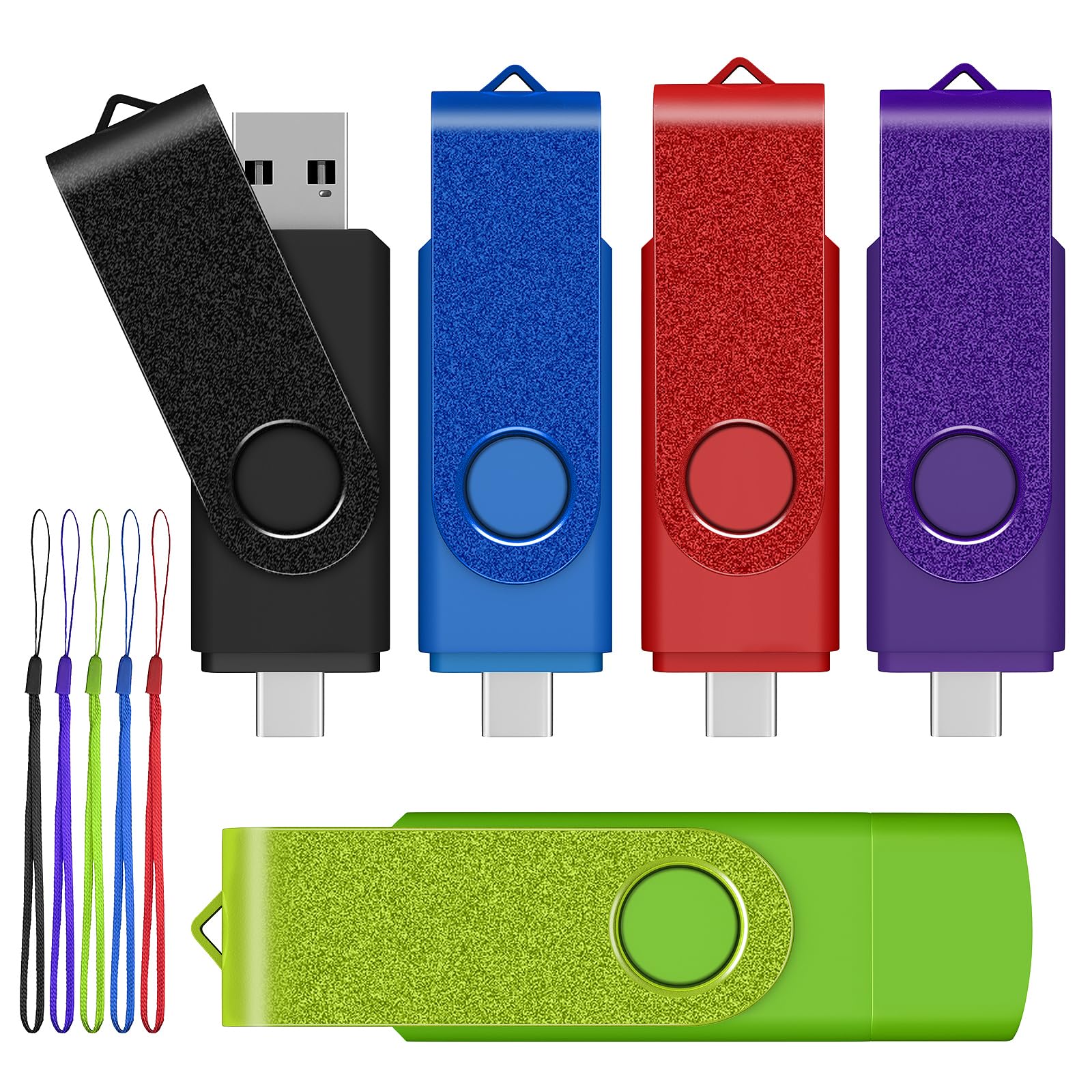
The AreTop 8GB drive earns the top spot because it solves the fundamental connector problem of the modern era — it has a USB-A plug on one end and a USB-C plug on the other, fully integrated into a single swivel body. This means you can pull a video off your iPhone 15 or Android phone and then plug directly into a laptop without hunting for an adapter. The five-pack gives you one drive in each color, making it easy to label for different projects or departments.
With a rated read speed of 20 MB/s, this drive is at the upper end of USB 2.0 performance. Real-world tests from buyers confirm that transferring standard office documents and MP3 files happens in seconds rather than minutes. The swivel design protects both connectors inside the metal-and-ABS casing, and a small lanyard loop means you can attach it to a keychain without bulk.
One nuance to be aware of: the USB-C cap has no hinge — it’s a separate cap that fits over the Type-C end. A few reviews mention the cap is small and easy to misplace if you’re not careful. But for the combination of dual connectivity, build quality, and a five-drive count, this pack is the most versatile option for any mixed-device workflow.
Why it’s great
- True dual connector (USB-A + USB-C) in one unit
- Swivel metal casing protects both ends
- Five distinct colors for easy organization
Good to know
- USB-C cap is separate and easily lost
- USB 2.0 speeds only (20 MB/s read)
2. Centon Electronics MP Valuepack USB 3.2 Gen1 DataStick Pro Flash Drive, 8 GB, 5 USB Flash Drives, 5 Pack, Black
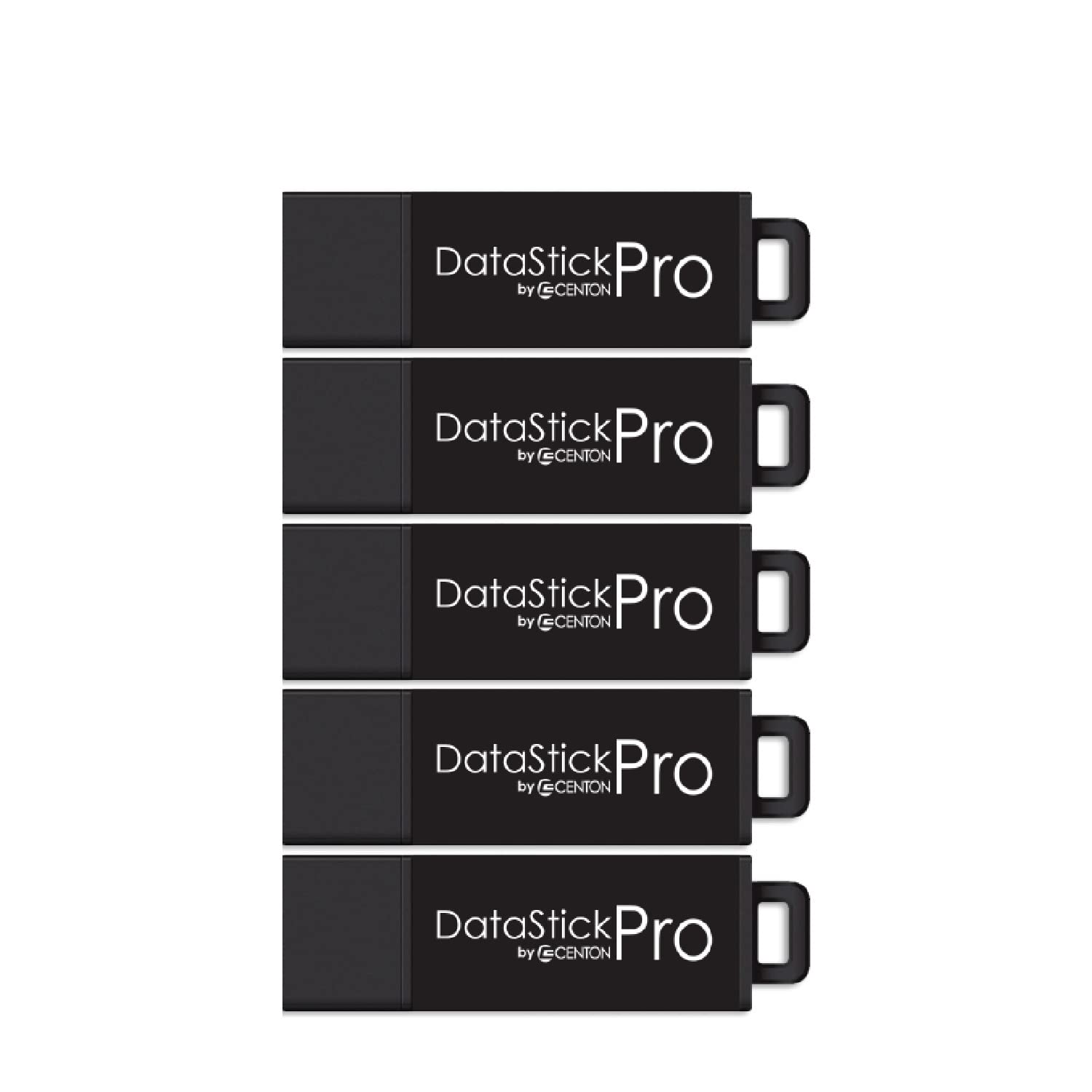
If transfer speed is your priority even at the 8GB capacity tier, the Centon DataStick Pro is the only drive on this list that uses a USB 3.2 Gen1 interface (backward-compatible with USB 2.0 ports). This means you’ll see significantly faster read and write times when plugging into modern USB 3.0 ports, cutting large-file transfers from minutes to seconds. The five-pack is ideal for IT professionals who need reliable boot drives or diagnostic tools.
The aluminum housing is more than just a design flourish — it acts as a heatsink during sustained write operations, which helps maintain consistent performance and extends the life of the NAND flash. The cap design cleverly snaps onto the rear of the drive when in use, so you never set it down on a desk and lose it. Centon has been a steady player in OEM flash storage for years, and this DataStick Pro line reflects that manufacturing maturity.
On the downside, these drives are USB-A only — no USB-C option here. Also, the 8GB capacity in this pack is the smallest offering from Centon, so if you ever need larger drives for other projects, you’ll have to buy a separate SKU. But within the 8GB niche, these are the fastest and most durable sticks you can buy in a five-pack.
Why it’s great
- USB 3.2 Gen1 for much faster transfers
- Aluminum casing acts as heatsink
- Cap attaches to the drive body during use
Good to know
- USB-A only — no USB-C support
- Higher price per drive than USB 2.0 packs
3. 5 Pack 8GB USB Flash Drive and 2 Pack USB C Adapters in a Case, WesData Thumb Drives Memory Stick Storage and Backup for Smart Phones with Type C Port, Laptops, PC(5 Colors)

The WesData kit is a clever hybrid approach to the USB-A vs USB-C problem — instead of dual-connector drives, it gives you five standard USB-A 2.0 sticks plus two separate USB-C adapters. You plug a drive into the adapter when you need to connect to a modern phone or tablet. The whole set comes in a soft zippered case with sticker labels, which keeps everything organized in a bag or desk drawer.
The drives themselves use a swivel clip design that protects the USB connector without a separate cap. Read speed is rated at 18 MB/s, and real-world reports from buyers using these for VHS-to-USB conversion projects confirm the capacity is sufficient for video files of reasonable length. The five different colors make it easy to assign each drive to a specific task (music, documents, photos, etc.).
One trade-off with the adapter approach is that the USB-C adapters themselves are small and could be lost if you’re not disciplined about returning them to the case after each use. Also, since the adapters are separate pieces, the connection between drive and adapter adds a tiny bit of mechanical slop. Still, for the price and the included case, this is the most complete starter kit for someone who needs both USB-A and USB-C accessibility.
Why it’s great
- Comes with USB-C adapters for phone/tablet use
- Zippered carrying case and sticker labels included
- Five color-coded drives for easy organization
Good to know
- USB-C adapters are separate parts — easy to lose
- USB 2.0 speeds only (18 MB/s read)
4. ABLAZE 8GB Flash Drive 10 Pack, Metal USB 2.0 Thumb Drives with Keychains USB Sticks Pendrives (Sliver)

The ABLAZE 10-pack is built for environments where durability matters more than raw speed. Each drive is encased in a metal housing with no removable cap — the USB connector is a rigid, fixed male plug that’s vacuum-sealed into the body, making the entire unit waterproof and highly impact-resistant. If you’re an electrician loading firmware onto equipment, or a field technician working outdoors, these drives will survive drops, spills, and dust that would kill a plastic drive.
With a read speed of 15 MB/s, this is one of the slower drives on the list, but slow and reliable beats fast and fragile when you’re working in harsh conditions. Each drive ships with a keychain ring, so you can clip one to a tool belt or lanyard without worrying about losing a cap. The 10-pack quantity is a sweet spot — high enough for team distribution, but not so many that you waste money on drives you don’t need.
One limitation is that the fixed connector makes these drives slightly bulkier than swivel or retractable designs. They also lack any LED activity indicator, so you can’t tell at a glance if data is still writing. But for sheer physical toughness at the 8GB capacity, the ABLAZE metal drives are the clear choice.
Why it’s great
- Waterproof, vacuum-sealed metal casing
- No cap to lose — fixed connector design
- Comes with keychain rings for easy carry
Good to know
- Slow USB 2.0 speed (15 MB/s read)
- No LED activity indicator
5. EASTBULL 8GB USB Flash Drive Bulk Thumb Drives 20 Pack with Lanyards USB 2.0 8GB Memory Sticks Zip Drive Pen Drive for Storage and Backup Black 20PCS

When you need to hand out twenty 8GB drives at a seminar, conference, or school event, the EASTBULL 20-pack delivers the lowest per-drive cost while still including a lanyard for each stick. The drives use a rotating metal cover that protects the USB-A connector — no separate cap to lose. The matte finish resists fingerprints, and the drives feel more substantial than the absolute cheapest generics.
Read speed is a modest 15 MB/s with a write speed of just 5 MB/s, which is fine for handing out PDF presentations or small software installers. Buyers who have used these for distributing 7GB seminar files report that all twenty drives worked without issues. EASTBULL backs the pack with a 3-year warranty, which provides more peace of mind than most budget bulk packs offer.
The main gotcha is that these drives ship pre-formatted as FAT32, which means they cannot store any single file larger than 4GB. If you need to distribute a large video file, you’ll have to reformat the entire batch to exFAT or NTFS first. Also, write speed is slow enough that copying the same large file to all twenty drives will take some patience.
Why it’s great
- Twenty drives included — lowest per-drive cost
- Rotating metal cover, no separate cap
- 3-year warranty for added security
Good to know
- Pre-formatted FAT32 — files over 4GB require reformatting
- Slow write speed (5 MB/s)
6. 8GB 20 Pack, MAKACTUA USB 2.0 Flash Drives Swivel Thumb Drive Swivel Memory Stick Jump Drive Pen Drive Zip Drive
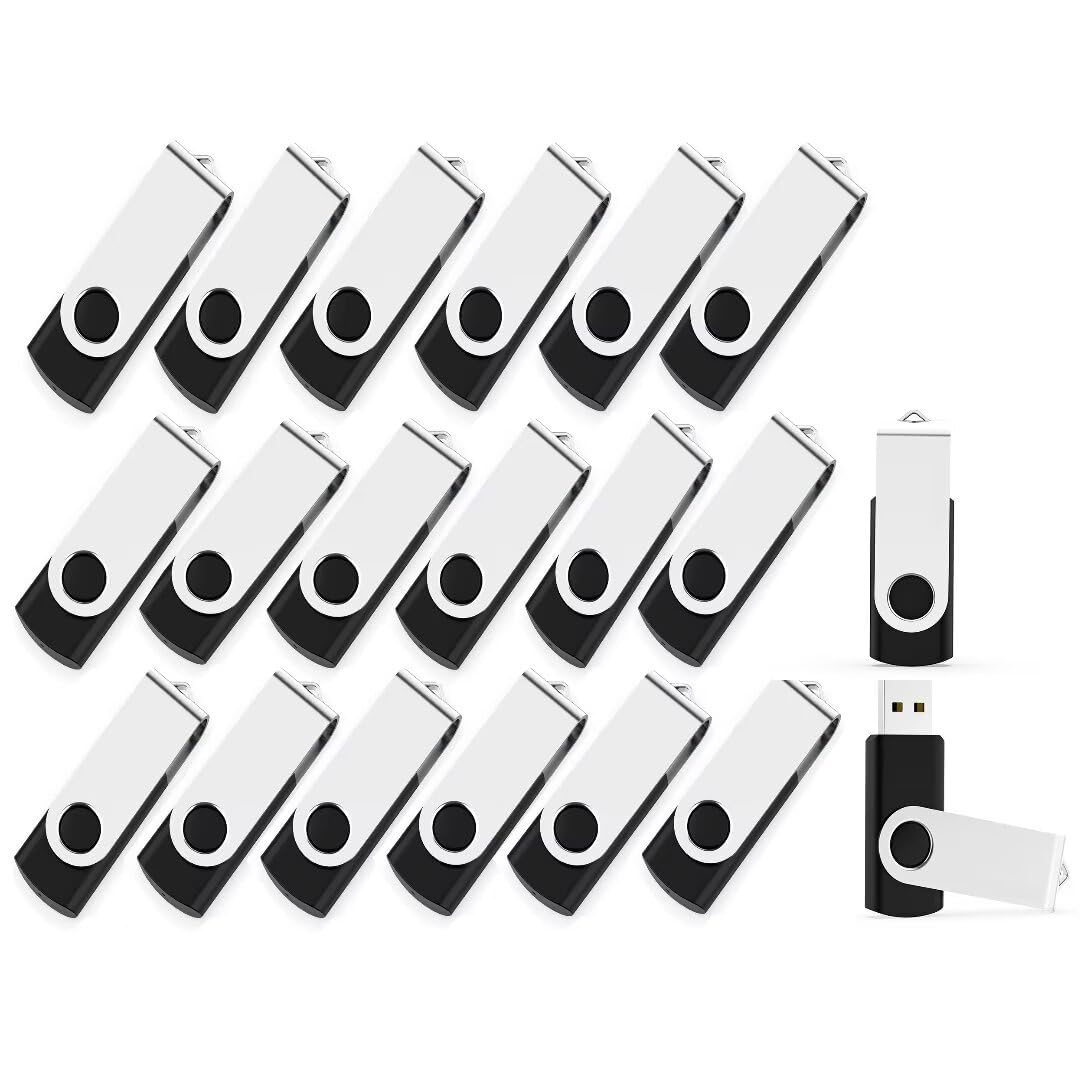
The MAKACTUA 20-pack is a strong contender for the cheapest reliable swivel-drive bulk pack. Each drive features a metal swivel cap that rotates 180 degrees to cover the USB-A connector when not in use — a design that eliminates cap loss entirely. A red LED indicator on the base of the drive flashes during read/write operations, giving you clear visual feedback on data activity, which is rare at this price point.
With a read speed of 20 MB/s and a write speed of 10 MB/s, these are actually on par with more expensive USB 2.0 drives from smaller packs. Buyers report that the drives work with car audio systems, smart TVs, and older embroidery machines without compatibility issues. The 20-pack is ideal for homelab enthusiasts who need multiple bootable USB drives for different OS images.
A few users noted that roughly half the drives in their pack needed to be manually formatted before first use — they didn’t mount immediately. This suggests some quality inconsistency in manufacturing, though once formatted, the drives functioned normally. The drives also feel slightly lighter and more plasticky than the metal-body alternatives, but for casual giveaways and bulk storage, the value proposition is hard to beat.
Why it’s great
- Swivel metal cap prevents cap loss
- Red LED activity indicator for write verification
- 20 MB/s read speed — fast for USB 2.0
Good to know
- Some units may require formatting before first use
- Plastic body feels less premium than metal drives
FAQ
Why is my 8GB USB drive showing less than 8GB of usable space?
Can I use an 8GB USB drive to boot my computer?
Final Thoughts: The Verdict
For most users, the best 8gb usb drive winner is the AreTop 8GB USB-C Thumb Drive 5-Pack because it combines dual USB-A/USB-C connectivity with a durable swivel metal body at a fair price per drive. If you need the fastest possible transfer speeds, grab the Centon DataStick Pro 5-Pack with its USB 3.2 Gen1 interface. And for the toughest physical durability in harsh environments, nothing beats the ABLAZE 10-Pack Metal Drives.