
Our readers keep the lights on and my morning glass full of iced black tea. As an Amazon Associate, I earn from qualifying purchases.
Specs are compiled from manufacturer listings and verified buyer reviews and can change over time — please confirm the key details on the product page before buying.
That box of 8mm reels in your closet holds birthday parties, first steps, and holidays long gone, but the projector to watch them likely gathered dust years ago. The smart move is to bring those memories into the digital age with a dedicated device that converts old film into modern video files you can watch, share, and back up. This guide focuses on the hardware that does the job at home, helping you sort through frame-by-frame capture quality, reel size support, and ease of use.
I’m Min — the founder and writer behind Gadgets Feed. This guide is built by comparing the manufacturers’ published specifications and the patterns across verified customer reviews, so you get each pick’s real strengths and trade-offs instead of marketing spin.
We have broken down the top models to help you find the best 8mm Film To Digital Converter for your specific reels and your patience level.
Our Picks at a Glance


How To Choose The Best 8mm Film To Digital Converter
Your main trade-off is speed versus quality, and how much hands-on time you can spare. Most home converters scan film frame by frame, which protects the original but takes time—expect around 30 minutes for a short reel. If you have dozens of reels, that means hours of watching the machine, so your patience matters more than any spec.
Reel Size and Film Type Compatibility
Not every machine accepts every reel. Some handle smaller 3″ and 5″ reels, while others stretch to 7″ or even 9″ for longer films. Check your collection for the largest reel you own, then make sure the converter supports that size—especially if you have large 7″ or 9″ reels that hold the most footage.
Capture Resolution and Output Format
Look for a converter that outputs 1080p MP4 files, the standard for home video that plays on any modern device. For stills from slides and negatives, megapixel ratings matter, but for motion film, the sensor and software quality drive the result. A good rule: don’t expect theater-quality results from a 60-year-old reel—the output is only as good as the film itself.
Quick Comparison
| Model | Best For | Capture Resolution | Max Reel Size | Screen Size | Amazon |
|---|---|---|---|---|---|
| KODAK SCANZA★ Best Overall | Slides & negatives | 14MP / 7200 dpi | — | 3.5″ | Amazon |
| KODAK REELSTop Performer | Large film libraries | 1080p MP4 | 9″ | 5″ | Amazon |
| Magnasonic FS81Proven Pick | Reliable, proven performance | 1080p | 7″ | 2.3″ | Amazon |
| eyesen 8mm Scanner | Budget reel conversion | 1080p MP4 | 9″ | 2.4″ | Amazon |
| Magnasonic FS70 | Fast still-image scanning | 25MP | — | 5″ | Amazon |
| DigitPro C190 | Beginner slide digitizing | 1080P | — | 5″ | Amazon |
| eyesen MovieMaker Pro | Similar budget reel needs | 1080p MP4 | 9″ | 2.4″ | Amazon |
| ClearScan P5 | Small still-image jobs | 24MP | — | 5″ | Amazon |
In‑Depth Reviews
1. KODAK SCANZA Film & Slide Scanner
Our pick — over 4★ from 11,500+ verified ratings; the strongest balance of quality and price.
The fastest way to digitize thousands of slides and negatives with a single-button workflow.
If your attic holds slides and negatives rather than reels, this is the converter to grab. It handles 35mm, 126, 110, Super 8, and 8mm negatives and slides, converting them to JPEG digital files in seconds—owners mention scanning hundreds of slides quickly. The 3.5″ tiltable TFT LCD has adjustable brightness for easy viewing, and the interface includes a directory to help you pick the right insert for each film type.
Quality is the standout: owners consistently praise the JPEG output and color retention for well-preserved film, with a 14MP effective capture (the 22MP figure is interpolation). It includes an HDMI cable, video cable, AC adapter, and a free film cleaning brush. The main limitations are that it requires an SD card (supports up to 128GB, not included) and degraded or color-shifted slides won’t magically improve—clean your film first.
What Shines
- Fast scanning—owners process hundreds of slides in a sitting
- Includes guides and inserts for multiple film formats including 8mm
- Standalone operation via HDMI and RCA, no computer needed
What to Know
- Requires an SD card, not included
- Quality drops on damaged or color-shifted slides
- 14MP is the real capture; 22MP is upsampled
Best for: casual archiving of family slides and negatives where speed and ease matter more than exhibition-grade prints.
Not for: professional print quality—this is for sharing and 4×6 prints.
2. KODAK REELS 8mm & Super 8 Film Digitizer
The big-screen digitizer that converts your entire film library into watchable 1080p MP4 files.
Pick this converter when you have a big stack of reels and need to see what you are capturing. The 5-inch LCD screen (a built-in display) shows touch buttons right on the screen, so you can zoom, align frames, and adjust exposure, sharpness, and tint without plugging in a monitor or editing software—you see the result live as you scan.
It accepts 3″, 4″, 5″, 7″, and 9″ reels, which covers nearly every standard home movie reel ever made for both 8mm and Super 8 film. An 8MP sensor does the capture, and output is saved as 1080p HD MP4 files to an SD card (not included). The trade-off is time: expect roughly 30 minutes for a 3-minute reel, and owners note that thick splices can cause jams on older, fragile film—light cleaning and patience are part of the workflow.
Why It Leads
- Large 5″ touchscreen for precise frame alignment and live adjustments
- 9″ reel support handles the biggest home movies
- Owners praise the quality as clearly better than DIY projector setups
The Real Cost
- Slow capture—about 30 minutes for every 3 minutes of film
- No audio is recorded; output is video only
- Film must be clean and splices tight to avoid jams
Best for: families digitizing a full library of reels who want live control and don’t mind hands-on babysitting.
Reality check: budget for hours per project—this is a labor of love, not a quick batch job.
3. Magnasonic Super 8/8mm Film Scanner (FS81)
The dependable workhorse that quietly converts your 8mm reels with quality that keeps owners coming back.
This scanner earns its place on reputation: owners consistently report it works right from the start, delivering quality results across 3″, 5″, and 7″ reels of both Super 8 and 8mm film. The push-button operation converts reels to digital MP4 files stored on an SD card (up to 32GB, not included), and you can preview on the built-in 2.3″ LCD or plug into a TV via the included RCA cable.
What wins people over is the balance of quality and cost—many owners note it is cheaper than paying a professional digitization service, especially when scanning dozens of reels. The honest drawbacks are speed and rewinding: a 3″ reel takes about 30 minutes, a 5″ reel around 90 minutes, and manual rewinding with a pen or rod is faster than the built-in motor. Frame alignment can be finicky on very old film, so patience is required.
Reliable choice: this is the crowd favorite for good reason—it performs on every standard reel size, and the quality-to-price balance is why owners recommend it for large projects.
Reach for this if: you have 3″–7″ reels and want a proven, no-frills converter that won’t fight you.
Look elsewhere if: you need to capture the largest 9″ reels or want touch-screen control.
4. eyesen 8mm & Super 8 Film to Digital Converter

The entry-level reel converter that gets the job done—if you bring patience and tight splices.
This is the budget-friendly way to tackle 8mm and Super 8 reels up to 9″ in diameter, converting them frame-by-frame into 1080p MP4 files. It comes with a 32GB SD card included, so you can start scanning immediately, and it works with Windows, Mac, and Linux—no computer or software required for the basic conversion.
Owners find it cost-effective, noting it pays for itself after roughly two dozen conversions versus paying a service. The trade-offs are significant: capture takes about 30 minutes per 50-foot reel, there is no sound recording, and some buyers report durability concerns and SD card corruption after repeated use. Film jams on splices and slow rewinding are common complaints, so clean your film and be prepared to babysit the machine.
Value verdict: the cheapest route to digitized reels, but the slow speed and mixed reliability mean it’s best for small, well-preserved collections.
Best if: you have a handful of reels in good condition and a tight budget.
Think twice if: you have dozens of reels or want a machine that runs unattended.
5. Magnasonic All-in-One 25MP Film Scanner (FS70)

The rapid-fire slide scanner that digitizes in under 5 seconds per image with a bright 5″ preview.
This scanner is built for speed and convenience, converting 35mm/110/126/Super 8/8mm film and slides into JPEG digital files in under 5 seconds per image. The 5″ TFT LCD makes previewing clear, and you can adjust brightness, RGB color correction, flip, and mirror directly on the scanner—no software or driver installation needed. It has 64MB of internal memory plus an SD card slot supporting up to 128GB (card not included).
Owners rate it as great value, with one completing about 450 scans in 2 hours. The quality is good enough for web and social sharing, though some owners note that dark slides can scan as a pink blob and zoomed images lose sharpness. It ships with trays for 35mm, 110, 8mm, and Super 8 film, plus a cleaning kit and manual.
Speed champion: if your goal is to burn through hundreds of slides fast without software fuss, this delivers—just manage expectations on enlargement quality.
Reach for this if: speed and ease of use are your top priorities for a large slide collection.
Manage expectations: for high-quality enlargements, a professional flatbed scanner is still the better tool.
6. DigitPro 22MP Film & Slide Scanner (C190)
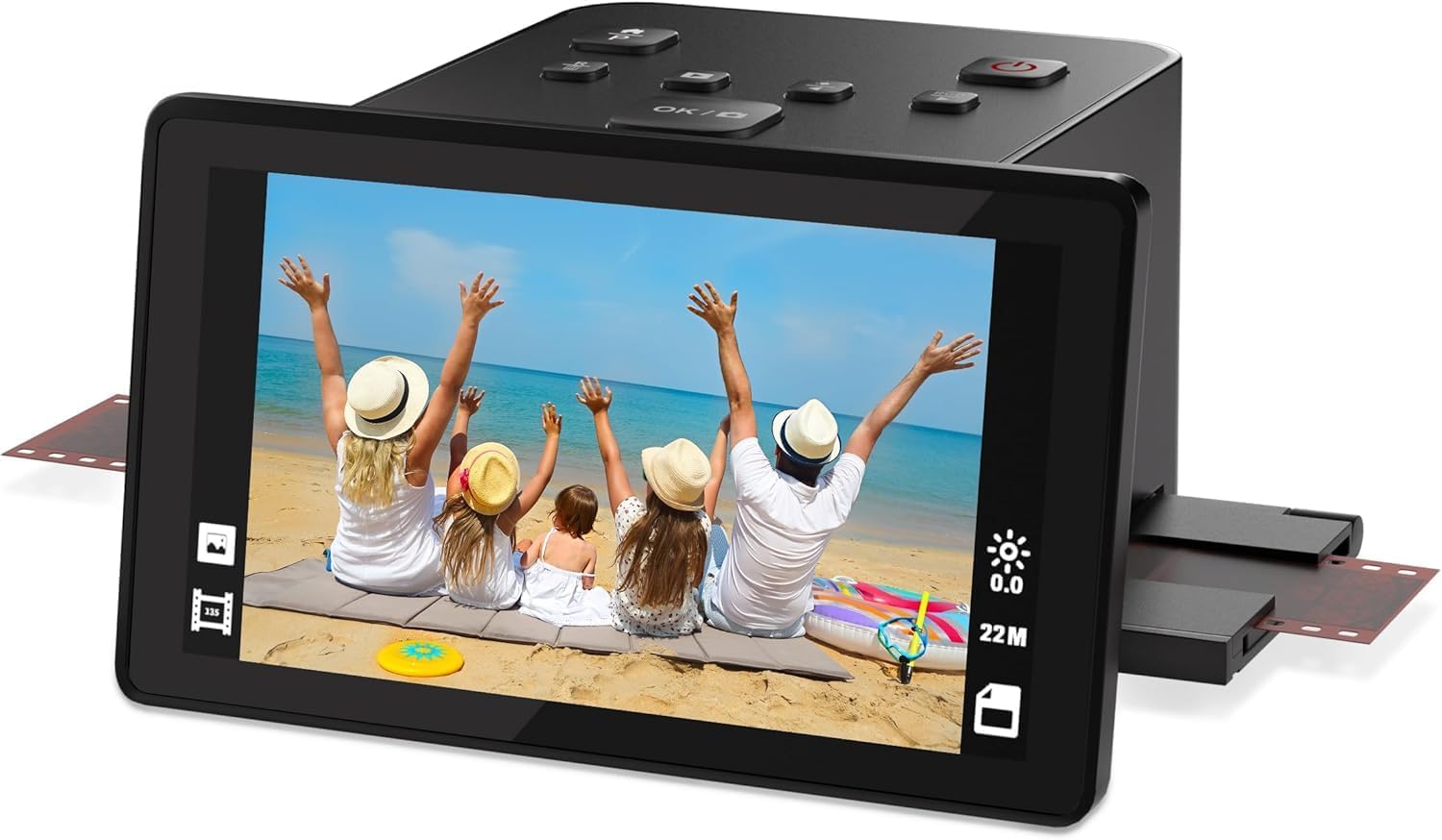
A friendly starter scanner with a big 5″ screen that makes slide digitizing approachable for beginners.
This all-in-one scanner is designed for people who want a simple path from old slides to digital. It supports color and B&W 35mm/135, 110, 126 negatives, 50mm slides, and Super 8 film, saving directly to the built-in 128MB memory or an external SD card (up to 64GB, not included). The 5″ high-resolution LCD offers a wide viewing angle, clear enough for previews, and doubles as a digital picture frame.
Owners find it works well from the start, with easy setup and sharp, detailed scans on old negatives. The controls are simple—load, press scan, and save—and HDMI/USB output lets you view on a TV or transfer to a PC. The main caveats: the film sled fit isn’t tight, so alignment can slip, and some owners found the resolution lower than expected for large enlargements—one estimated about 75 DPI at 4″x6″.
Beginner friendly: the large screen and one-touch scanning remove the intimidation factor, but handle the sled gently to keep alignment true.
Best for: casual users digitizing a modest collection of slides and negatives for viewing and sharing.
Consider otherwise if: you plan to make large prints or need precise frame alignment every time.
7. eyesen 8mm & Super 8 Reels to Digital MovieMaker Pro

A close cousin to the budget champion, sharing the same reel support and frame-by-frame workflow.
This model essentially matches the entry-level eyesen converter, supporting 3″, 5″, and 9″ reels of 8mm and Super 8 film and converting them to 1080p MP4 files at 20 fps. It includes a 32GB SD card so you can start right away, and the built-in 2.4″ LCD lets you preview scans or view on a TV via the included cable. No computer or software is required for the conversion.
Owners who succeeded found it easy to operate, with one digitizing 60-year-old film successfully, and it is considered cost-effective versus professional services. The recurring issues are real: the 8mm/Super 8 switch can be finicky, film feed isn’t always smooth, and some customers note the machine stopping after limited use. It’s a budget tool that works best for clean film and short projects.
Same value, same caveats: this is a functional budget digitizer, but its reliability record means you should test all functions immediately and keep expectations realistic.
Best if: you want the lowest-cost route to reel digitization and are willing to monitor the process.
Choose the Magnasonic instead if: reliability and a proven track record matter more than the lowest price.
8. BEONEGLOBAL ClearScan P5 Film Scanner
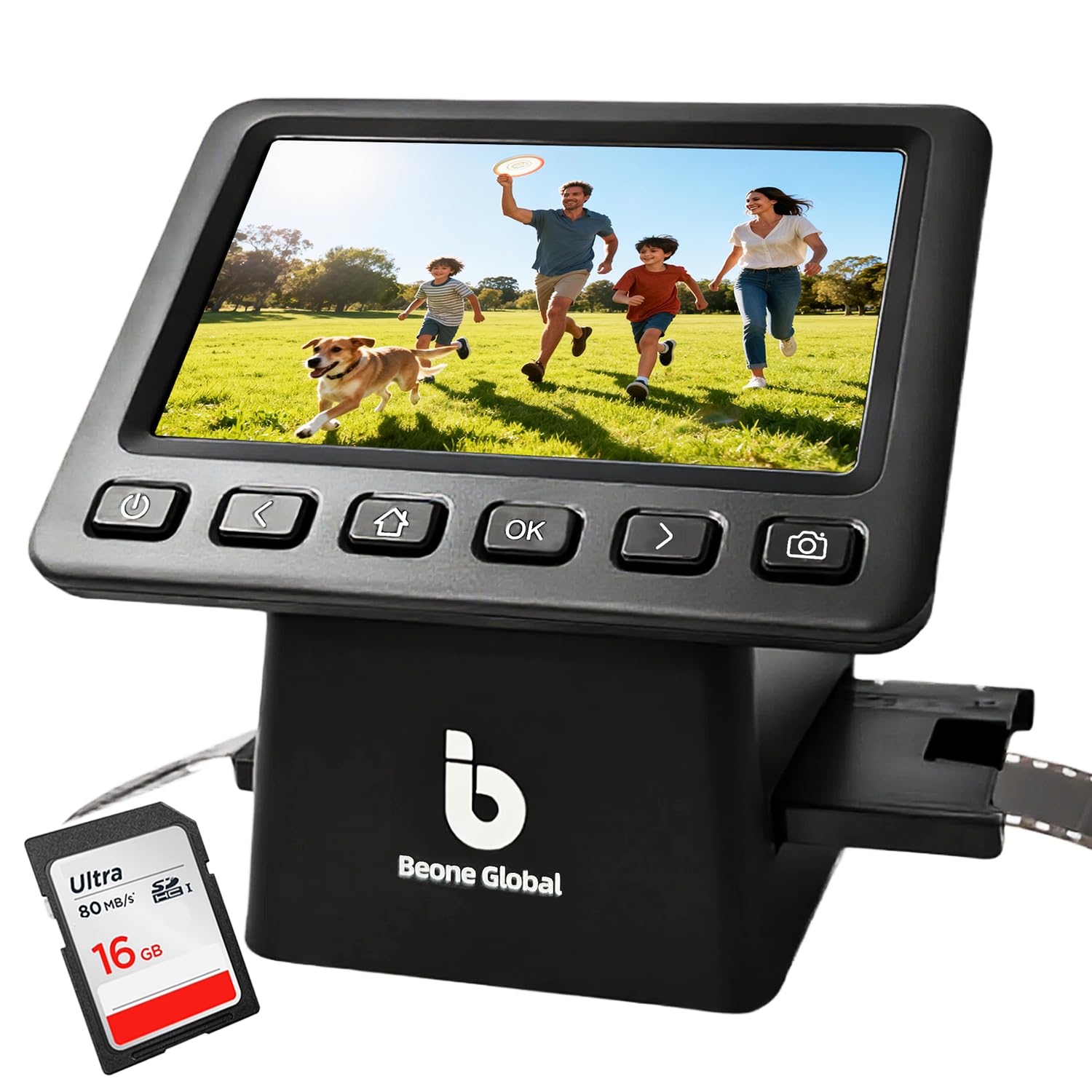
A compact still-image scanner that brings old negatives and slides back to life with a 24MP CMOS sensor.
This little scanner is built for negatives and slides, not motion reels, offering up to 24MP captures with a premium 1/2.3″ CMOS sensor for clear, true-to-life images. The 5″ LCD screen gives you a bright preview, and an adjustable image-size function lets you customize the frame for each scan. It supports 35mm/135, 126, 110, and Super 8 film and slides, and it includes a branded SD card so you can scan right from the start.
The standout feature is the included SD card—no extra purchase needed—and the ergonomic button layout below the screen for comfortable operation. Owners who digitized old slides from the 60s and 70s praise how it brought life back to negatives that seemed useless. The honest trade-off: it’s better for small jobs, as owners note it can become tedious with large collections, and reflection on some images can require adjustment.
Small-job specialist: the included card and tidy interface make this a low-friction choice for digitizing a shoebox of memories, not a warehouse.
Reach for this if: you have a manageable number of negatives and slides and want a ready-to-go kit.
Look elsewhere if: you have hundreds of strips—the per-image adjustment will wear you down.
Understanding the Specs
Capture Resolution
For motion film, “1080p” means the output video is 1920×1080 pixels, which is the standard for modern HD viewing and plays smoothly on any TV or computer. For still images from slides and negatives, megapixel ratings (like 14MP or 25MP) tell you how much detail the sensor captures, but note that some manufacturers list an “interpolated” number that is software-upscaled from a lower true resolution. Always check if the megapixel figure is native capture or upsampled—the difference matters if you plan to make prints.
Reel Size and Film Type
Home movie reels come in standard diameters—3″, 5″, 7″, and 9″—and larger reels hold more footage, so your converter must physically accommodate the biggest reel you own. Film type also matters: Super 8 has a larger frame and sprocket holes in a different position than Standard 8mm, so verify the machine explicitly supports both before buying. Some converters list specific reel sizes, and ignoring that limit can damage your irreplaceable film.
FAQ
Will a slide scanner also convert my 8mm film reels?
How long does it take to convert a single 8mm reel?
Do these converters record sound from the film?
What is the difference between 8mm and Super 8 film?
Can I convert reels larger than 7 inches?
Is it cheaper to convert film at home or use a professional service?
Why does the output look different from the original film?
Do I need a computer or software to use these converters?
Final Thoughts: The Verdict
Across the board, the 8mm film to digital converter winner is the KODAK REELS because its 5″ touchscreen and 9″ reel support handle the widest range of home movies with live control. If you want a proven, community-favorite performer for up to 7″ reels, grab the Magnasonic FS81. And for digitizing slides and negatives instead of reels, the KODAK SCANZA is the one to reach for.
How We Picked
We do not accept paid placement. Every pick is matched to a real buyer and a real use-case; we do not hands-on test units.
Sources & Methodology
Specifications: manufacturer listings and product documentation. Review insights: verified customer reviews, as of August 2026. Pricing: not shown on this page (it changes often); check the current price via the retailer link.
As an Amazon Associate, Gadgets Feed earns from qualifying purchases. This does not affect which products we feature.