
That shoebox of dusty 8mm, Hi8, or Video8 tapes in your closet holds irreplaceable footage: first steps, a family reunion, a wedding that happened before smartphones existed. But the camcorder that plays them is either broken, buried in the garage, or uses a cable that went extinct with dial-up internet. The fear isn’t just losing the tapes—it’s that the magnetic signal inside them decays every year, and most solutions feel like you need an engineering degree to decode.
I’m Min — the co-founder and writer behind Gadgets Feed. I’ve spent countless hours dissecting the technical specifications of video converters, combing through user workflows, and comparing how each device handles dropout compensation, frame rate processing, and signal integrity so you don’t have to guess which box actually preserves your memories.
After weeks of research, I found the devices that balance capture quality, ease of use, and reliability. Whether you have a handful of tapes or a lifetime collection, this guide to the best 8mm tape converter will help you choose the right tool for the job.
How To Choose The Best 8mm Tape Converter
Not all converters are built the same. A cheap USB capture dongle might work for a single 30-minute tape, but if you’re converting a box of 20-plus cassettes, you need a device that doesn’t overheat, drop frames, or force you to babysit every minute. Here are the specs and features that separate a one-and-done solution from a frustrating paperweight.
Standalone vs. Computer-Dependent
The single biggest workflow decision is whether the converter requires a PC. Standalone units (like the DigitPro or ClearClick) record directly to a USB drive or SD card—no software install, no driver conflicts, no laptop hogging your desk for hours. Computer-based solutions are cheaper upfront but tie you to a single machine and often introduce latency or codec issues. For 8mm tape conversion, a standalone unit is almost always the less stressful route.
Capture Resolution and Frame Rate Reality
Don’t fall for inflated marketing claims. Standard 8mm and Hi8 tape has a native resolution far below 1080p—usually around 250-400 lines of horizontal resolution. A converter advertising “4K” is upscaling, not capturing extra detail. What matters more is whether the device records at a stable frame rate (60fps or 50fps for NTSC/PAL) and doesn’t compress the video into a blocky mess. Look for options that let you adjust the bitrate or choose between 720p and 1080p.
Signal Handling and Dropout Compensation
Old tapes degrade. Mold, dust, or simply age can cause signal dropouts that manifest as white flashes, frozen frames, or audio sync loss. The best converters (like the DigitPro and Portta VD22P) handle these interruptions gracefully—either pausing the recording or inserting a black frame without breaking the file. Cheaper units may corrupt the entire MP4 when they encounter a dropout, forcing you to restart a 2-hour transfer.
Preview Screen Size and Playback Options
A built-in screen lets you monitor the transfer without needing a TV. A 3.5-inch screen is functional but cramped; a 5-inch screen is far more comfortable for checking focus and alignment. If the converter has an HDMI output, you can pipe the live feed to a larger monitor, which is invaluable when tweaking brightness, contrast, or saturation settings before committing to the recording.
Quick Comparison
On smaller screens, swipe sideways to see the full table.
| Model | Category | Best For | Key Spec | Amazon |
|---|---|---|---|---|
| Portta VD22P | Standalone Converter | Hi8 & Mini DV tapes | 1080p @ 60fps capture | Amazon |
| DigitPro 5″ Screen | Standalone Converter | VHS & 8mm batch work | 4K upscaling chip | Amazon |
| ClearClick Video2Digital 3.0 | Standalone Converter | Heavy 8mm archiving | Auto-stop timer | Amazon |
| RVT Digitizer 3.0 | Standalone Kit | iPhone sharing | 1080p @ 30Hz + USB-C adapter | Amazon |
| PowerPlay DVR | Portable DVR | FPV & camcorder overlays | 60fps at 720×480 (NTSC) | Amazon |
| Portta DX20R | Capture Card | 4K passthrough gaming | 4K @ 60Hz capture | Amazon |
| Magnasonic FS81 | Film Scanner | Super 8 & 8mm film reels | 2 fps frame-by-frame scan | Amazon |
| KODAK REELS | Film Digitizer | 8mm & Super 8 reels up to 9″ | 8.08MP sensor at 1080p | Amazon |
| Ultima Industries Digitizer | Truck Screen | Vehicle touchscreen repair | DJ080PA-01A LCD replacement | Amazon |
In‑Depth Reviews
1. Portta VD22P VHS to Digital Converter
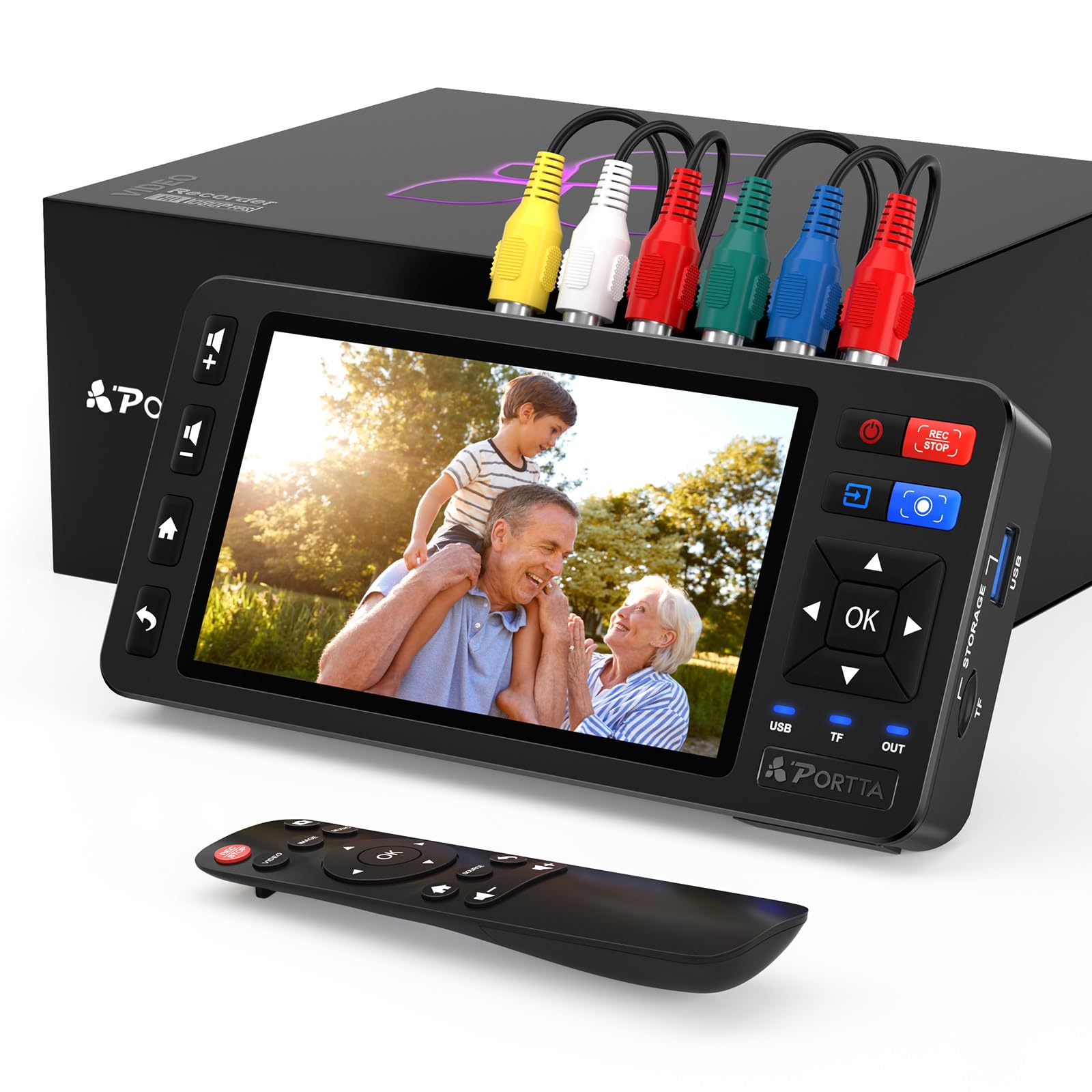
The Portta VD22P sets the standard for what a standalone 8mm tape converter should be: a dedicated box that does not need a computer, has a large preview screen, and records at a full 1080p at 60 frames per second. That 60fps capture rate is critical for minimizing judder on NTSC Hi8 footage, and the 5-inch HD LCD lets you verify focus and exposure before you start recording. You can save directly to a USB flash drive, TF card, portable HDD, or SSD, meaning you are not limited by the capacity of a single microSD card when running through a stack of tapes.
Video input is handled through composite (CVBS) and component (YPbPr) connections, which covers virtually any 8mm, Hi8, or Mini DV camcorder that uses RCA cables. The device also supports PAL, NTSC, and SECAM formats, so it works with tapes from different regions without a separate frame-rate converter. Customer reviews highlight how the VD22P handles a batch of over 30 two-hour Video8 and MiniDV tapes without a single corrupted file, as long as the camcorder heads are cleaned every 4 or 5 tapes.
One smart design choice is the customizable image settings—brightness, contrast, and saturation can be adjusted on the fly, which helps compensate for faded or overexposed footage. The inclusion of an HDMI output allows you to connect a larger monitor for real-time quality checks. For most households that have a mix of 8mm and VHS tapes, this is the most well-rounded, future-proof converter available today.
Why it’s great
- Full 1080p at 60fps capture with no frame drops
- Accepts composite and component video inputs
- Flexible storage: USB drive, TF card, HDD, SSD
- Adjustable brightness, contrast, and saturation
Good to know
- No built-in battery — requires wall power
- Does not upscale; output quality depends on source tape
- No RGB audio output for simultaneous monitoring
2. DigitPro 5″ Screen Video to Digital Converter
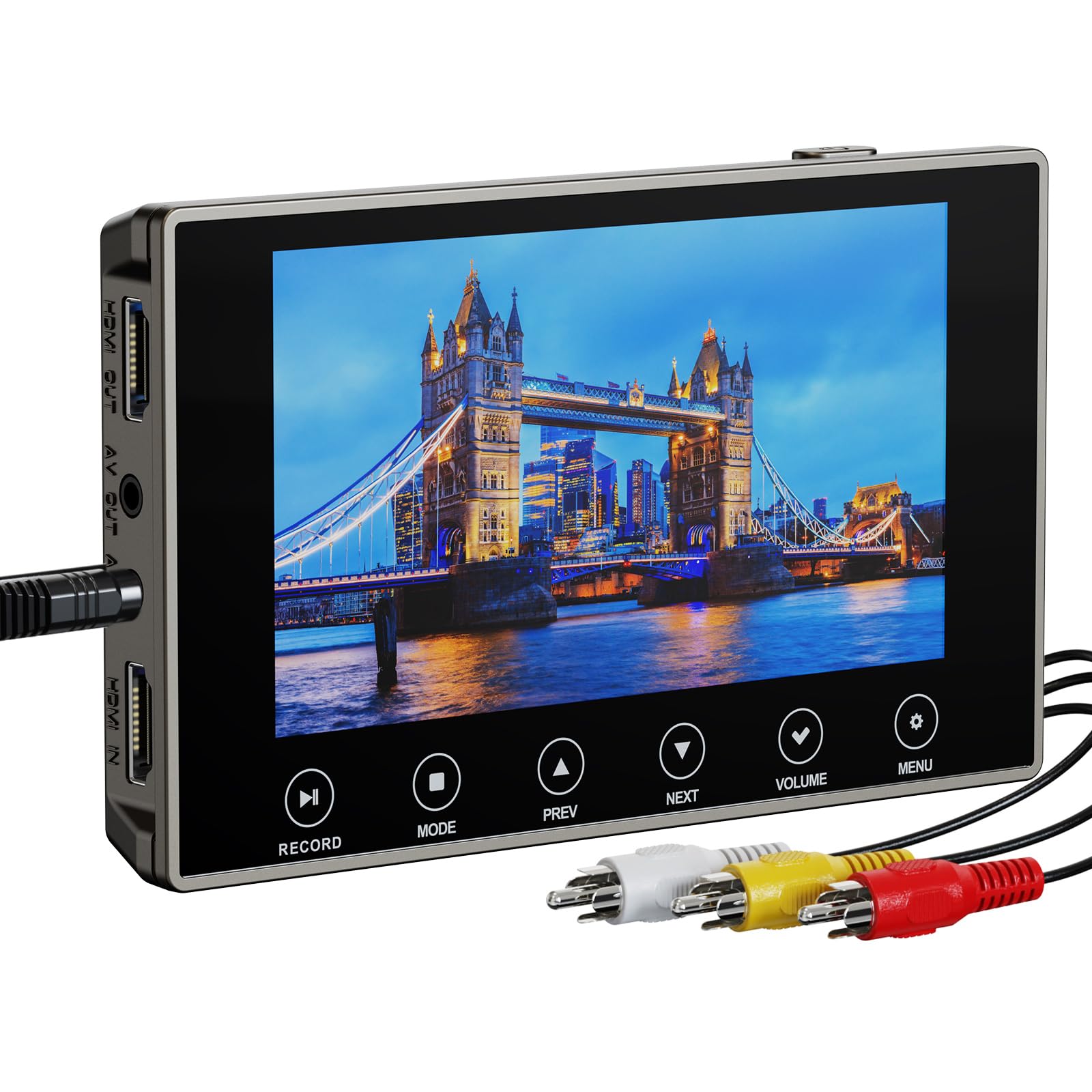
The DigitPro VHS to Digital Converter 3.0 is one of the most user-friendly standalone converters on the market, specifically designed for people who want to digitize Hi8, 8mm, VHS, and Mini DV tapes without touching a PC. The 5-inch built-in screen and stereo speakers let you preview and play recordings immediately, and the 2000mAh rechargeable battery provides up to 3 hours of playback time after a full charge—enough to handle a handful of standard-length tapes without being tethered to a wall outlet.
It records at three resolution settings: 720p, 1080p, and a 4K upscaling mode. The 4K mode does not add real detail from an analog source, but the next-gen digitization chip does a competent job of smoothing out the artifacts common in lower-quality tapes. More importantly, the DigitPro handles signal dropouts gracefully: instead of crashing or corrupting the MP4 file, it pauses briefly and resumes recording—a critical feature when your tapes are 20+ years old and may have minor mold or timing issues.
The unit includes a 3.5mm mic jack for adding live commentary during the transfer, a separate headphone jack for private monitoring, and an HDMI output for connecting to a TV. The included SD card slot supports cards up to 256GB, and early adopters suggest copying files off every 2-3 tapes and reformatting the card to avoid file system errors. For a mid-range price, the DigitPro delivers the best balance of convenience and reliability for batch conversion.
Why it’s great
- Built-in 2000mAh battery for portable use
- Dropout handling prevents file corruption
- Three resolution options: 720p, 1080p, 4K upscaling
- Includes mic jack for live narration
Good to know
- No signal loss detection — must babysit for dropouts
- SD card not always included in box
- Upscaling to 4K does not improve source detail
3. ClearClick Video2Digital 3.0 Bundle Edition

The ClearClick Video2Digital 3.0 is the third-generation refinement of a proven formula: a compact standalone converter that records video and audio from any source with RCA, S-Video, or component output. What sets it apart for 8mm tape conversion is the custom auto-stop feature, where you set the exact number of minutes for the recording to end. This is incredibly useful for unattended transfers of multiple tapes—start it, walk away, and come back to a perfectly split file without endless silence at the end.
It records at 720×480 or 640×480 pixels. This is not an upscaling unit; it captures the native resolution of the original 8mm tape. Many users who transferred 50-plus tapes confirm that the quality matches the original source faithfully, with no dropped frames or audio sync drift over 2-hour sessions. The built-in 5-inch preview screen is large enough to monitor focus and alignment, and the included 128GB USB drive means you can start converting immediately without a separate purchase.
The Bundle Edition also includes VideoPad video editing software—a value—which gives you basic tools to trim, combine, and color-correct your digitized clips. The unit supports both PAL and NTSC, and users have successfully connected it to turntables and cassette decks in addition to camcorders. For someone with a large archive of 8mm tapes who wants a set-it-and-forget-it workflow, the ClearClick delivers excellent value considering the included accessories and reliable recording.
Why it’s great
- Custom auto-stop timer for unattended capture
- Includes 128GB USB drive and editing software
- Native resolution capture preserves original quality
- Works with audio sources like cassette tapes
Good to know
- Does not upscale to HD — 480p native output
- Requires working VCR or camcorder as source
- No HDMI input for modern sources
4. RVT Digitizer 3.0
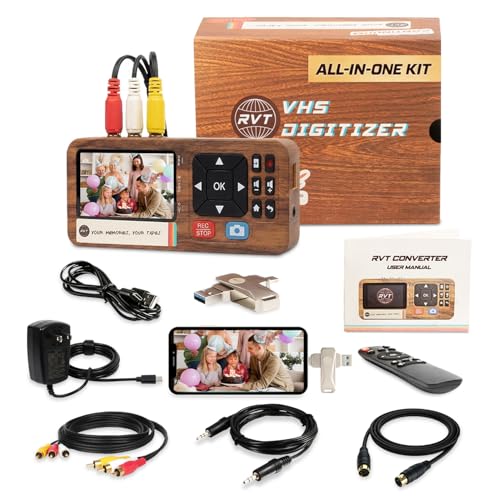
The RVT Digitizer 3.0 is a standalone converter kit that includes nearly everything you need: the digitizer unit with a 3.5-inch LCD screen, a 32GB pre-formatted USB drive, RCA cables, an audio cable, a power adapter, and a USB-C to USB adapter. That last item is the secret weapon: it lets you connect the USB drive directly to an iPhone 15 or Android device for immediate sharing. For families who want to send converted video clips to relatives without a computer, this workflow is a game-changer.
It records at 1080p at 30Hz, which is sufficient for 8mm and Hi8 footage that was originally shot at 18-30 frames per second. The unit supports AV (RCA), S-Video, and AUX inputs, and the wall-powered design ensures a stable power supply—no USB bus power dropouts mid-recording, a common issue with cheaper dongles. Users have successfully converted over 30 VHS-C and Hi8 tapes in a single weekend, noting that the included RCA cables are well-shielded and reduce signal interference compared to generic cables.
The wood-grain finish and included remote control make it a surprisingly attractive addition to a media setup, and the 2-year warranty with USA-based support provides peace of mind. One minor workflow consideration: the Digitizer pauses the recording if it encounters a blank section of tape, which can clip the first few seconds of the next segment if there is a gap. Overall, it is a polished kit for users who want to digitize and share 8mm footage quickly without a learning curve.
Why it’s great
- USB-C adapter enables direct iPhone/Android sharing
- Wall-powered for stable, interruption-free recording
- Includes remote control and pre-formatted 32GB USB
- 2-year warranty with responsive USA support
Good to know
- No HDMI input for modern sources
- Pauses recording on blank tape sections
- 3.5-inch screen is smaller than competing models
5. PowerPlay DVR Video Recorder
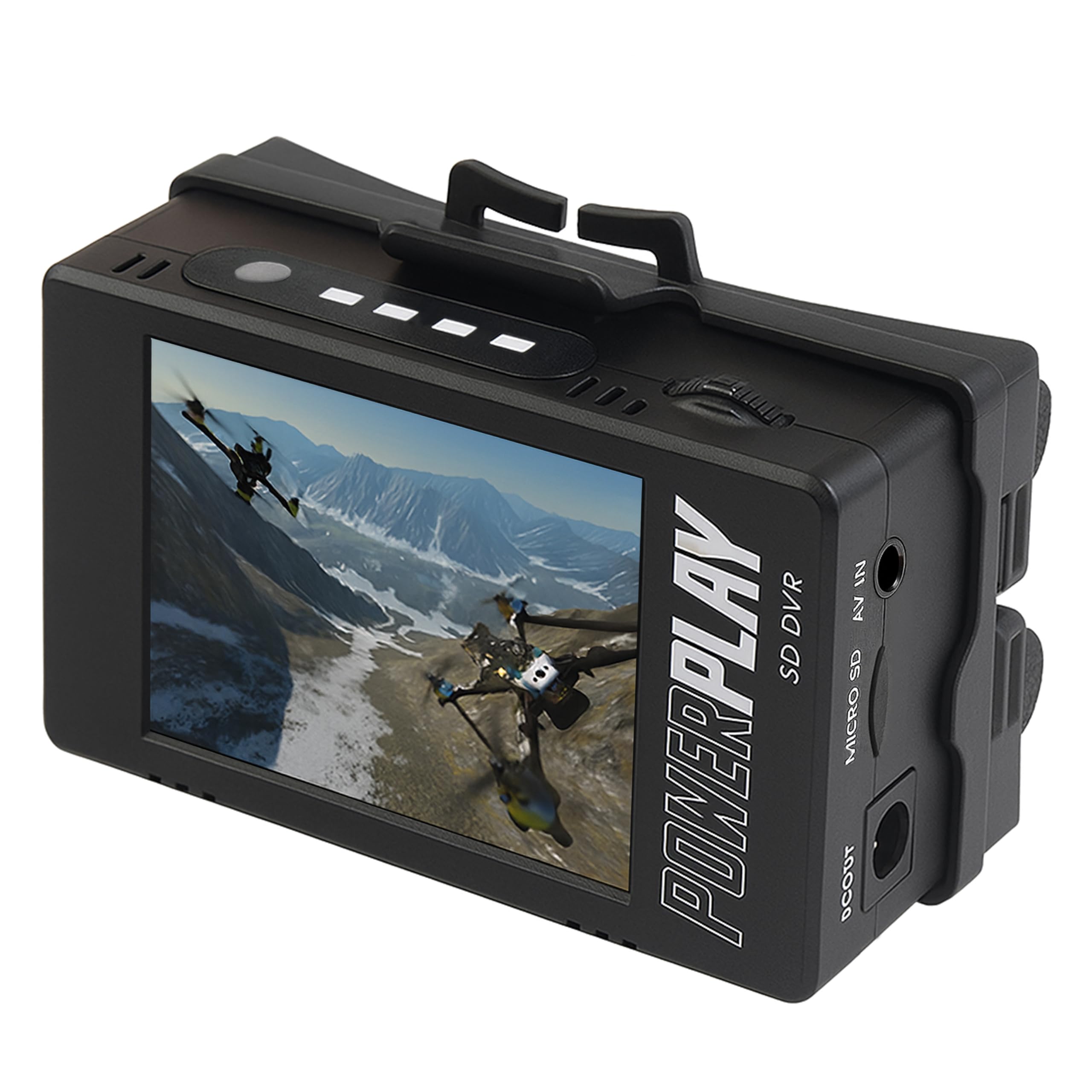
The PowerPlay DVR is a specialized recorder originally designed for FPV drone pilots, but it works exceptionally well as a portable 8mm tape converter when paired with a camcorder. Its key advantage is the 60fps frame rate at 720×480 (NTSC) resolution, which ensures smooth capture of analog video with no stutter. The unit records directly to a microSD card (up to 512GB, Class 10 required) and uses advanced compression to keep file sizes manageable for longer recordings.
It features a compact 2.4-inch LCD screen (640×480 RGB) and a clip mount for hands-free attachment to a tripod or bag strap. The device accepts AV input through a 3.5mm TRRS cable, so you will need the correct adapter for your specific camcorder—the wrong pinout is a common source of frustration. Users who have used it with Canon GL2 mini-DV camcorders report excellent tapeless recording, and FPV enthusiasts praise its DVR quality compared to built-in goggles.
Batteries are not included; the DVR requires two 18500 Li-Ion cells for portable operation, or you can power it via the included USB cable. This is not a beginner-friendly plug-and-play device—it demands some technical know-how regarding cables and power—but for users who want a pocket-sized recorder that can also serve as an FPV flight recorder, it offers unique versatility.
Why it’s great
- 60fps smooth capture at native NTSC resolution
- Ultra-compact with clip mount for portability
- Works with FPV drones and camcorders
- Supports microSD up to 512GB
Good to know
- Requires 18500 batteries (not included)
- Needs correct 3.5mm pinout cable for camcorder
- Small 2.4-inch screen is hard to read
6. Portta DX20R HDMI Capture Card
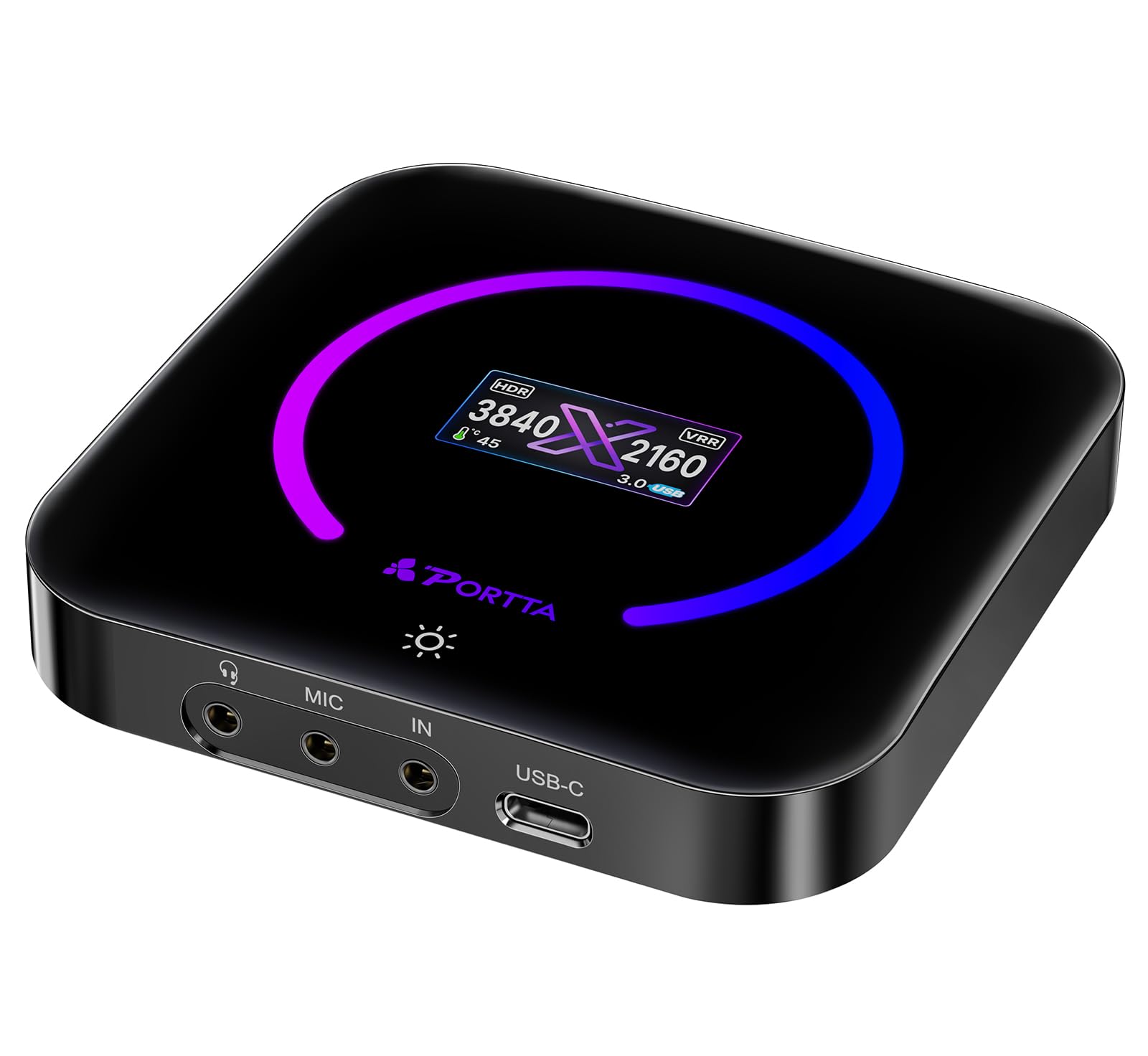
The Portta DX20R is an HDMI capture card, not a traditional 8mm tape converter. It earns a spot in this guide because it solves a specific problem: if your camcorder has an HDMI output, the DX20R can capture 4K at 60Hz with ultra-low latency and passthrough for 1080p at 240Hz. This is relevant for newer Digital8 or HDV camcorders that output over HDMI, and for users who want to record both gameplay and home movie transfers through the same device.
It supports YUY2, NV12, and RGB24 color formats, Variable Refresh Rate (VRR), and HDR passthrough—features that ensure the capture matches the source quality without compression artifacts. The built-in display shows real-time parameters like resolution, signal status, and internal temperature, which helps diagnose connection issues quickly. The USB 3.0 Type-C interface provides sufficient bandwidth for 4K capture, though users note that 4K files can grow large and require fast storage.
Plug-and-play compatibility with Windows, macOS, and Linux via UVC/UAC means no driver installation is needed. The optional PORTTA CapHub utility allows fine-tuning of EDID modes, audio mixing, and firmware updates. For its price tier, the DX20R delivers professional-tier capture specs that can handle both modern HDMI sources and—with the right adapter—legacy video outputs.
Why it’s great
- 4K @ 60Hz capture with ultra-low latency
- Supports HDR and VRR passthrough
- Compatible with OBS, Xbox, PS5
- Built-in display shows signal and temperature
Good to know
- Requires HDMI output from source (not RCA)
- 4K capture generates very large files
- No built-in software for basic editing
7. Magnasonic Super 8/8mm Film Scanner FS81

The Magnasonic FS81 is a dedicated film scanner for Super 8 and standard 8mm film reels. It uses a frame-by-frame capture process that digitizes each film frame at 1080p and compiles them into an MP4 file. This is fundamentally different from a tape converter—it is the right tool for actual film reels, not magnetic tape. It accepts 3-inch, 5-inch, and 7-inch reels and scans them automatically at roughly 2 frames per second.
The built-in 2.3-inch LCD screen is small but sufficient for verifying frame alignment and brightness. The scanner includes brightness, sharpness, and framing controls, allowing you to adjust for overexposed or faded film. Users report that a 3-inch reel takes about 20-25 seconds to rewind and 20-30 minutes to scan, while a 400-foot reel can take up to 4 hours. The unit saves to an SD card up to 32GB (not included) and outputs through RCA video out to a TV for larger previews.
There is no sound capture—this scanner digitizes video only. Original film reels from the 1950s through 1970s typically lacked soundtracks, so this is not a limitation for most home movies. The LED light source is gentle on film, and users who scanned over 100 reels confirm that the device did not damage their original film stock. For converting 8mm film reels to digital, the Magnasonic FS81 is the most reliable option in its price range.
Why it’s great
- Automated frame-by-frame scanning at 1080p
- Accepts 3″, 5″, and 7″ film reels
- Adjustable brightness, sharpness, framing
- Gentle LED light source protects film
Good to know
- No audio capture — video only
- Slow scanning speed (2 fps); requires patience
- SD card not included; max 32GB
8. KODAK REELS 8mm & Super 8 Films Digitizer

The KODAK REELS Digitizer is the premium option for converting 8mm and Super 8 film reels. Its standout feature is an 8.08-megapixel sensor that captures each film frame with exceptional clarity, contrast, and color accuracy—significantly better than the 3-5MP sensors found in budget scanners. The output is 1080p MP4 files that genuinely look better than what most hardware can extract from 50-year-old film stock.
The large 5-inch LCD touch screen with oversized buttons makes navigation easy, even for less tech-savvy users. It accepts reels from 3 inches up to 9 inches, and the universal supply reel handles odd sizes without adapters. The scanner runs at roughly 2 frames per second, meaning a 7-inch reel can take about 5 hours. The auto-exposure and white balance systems work well, though some users report minor color shifts on highly contrasting footage that requires external editing to fix.
The REELS unit ships with a 7-inch empty film reel, gray and red reel adapters, an AC/DC power cord, and a micro USB cable for transferring files to a computer. The build is lightweight and compact at 12.4 x 8.4 inches, making it easy to store between scanning sessions. While it demands patience for large collections, the image quality output is the best available at this tier for home use.
Why it’s great
- 8.08MP sensor delivers best-in-class image quality
- Large 5″ touch screen with easy controls
- Accepts reels from 3″ to 9″
- Compact and portable design
Good to know
- No audio capture — video only
- Slow 2 fps scanning (5 hours for a 7″ reel)
- Auto white balance can cause color shifting
- Some users report flickering on defective units
9. Ultima Industries MyLink/IntelliLink Digitizer
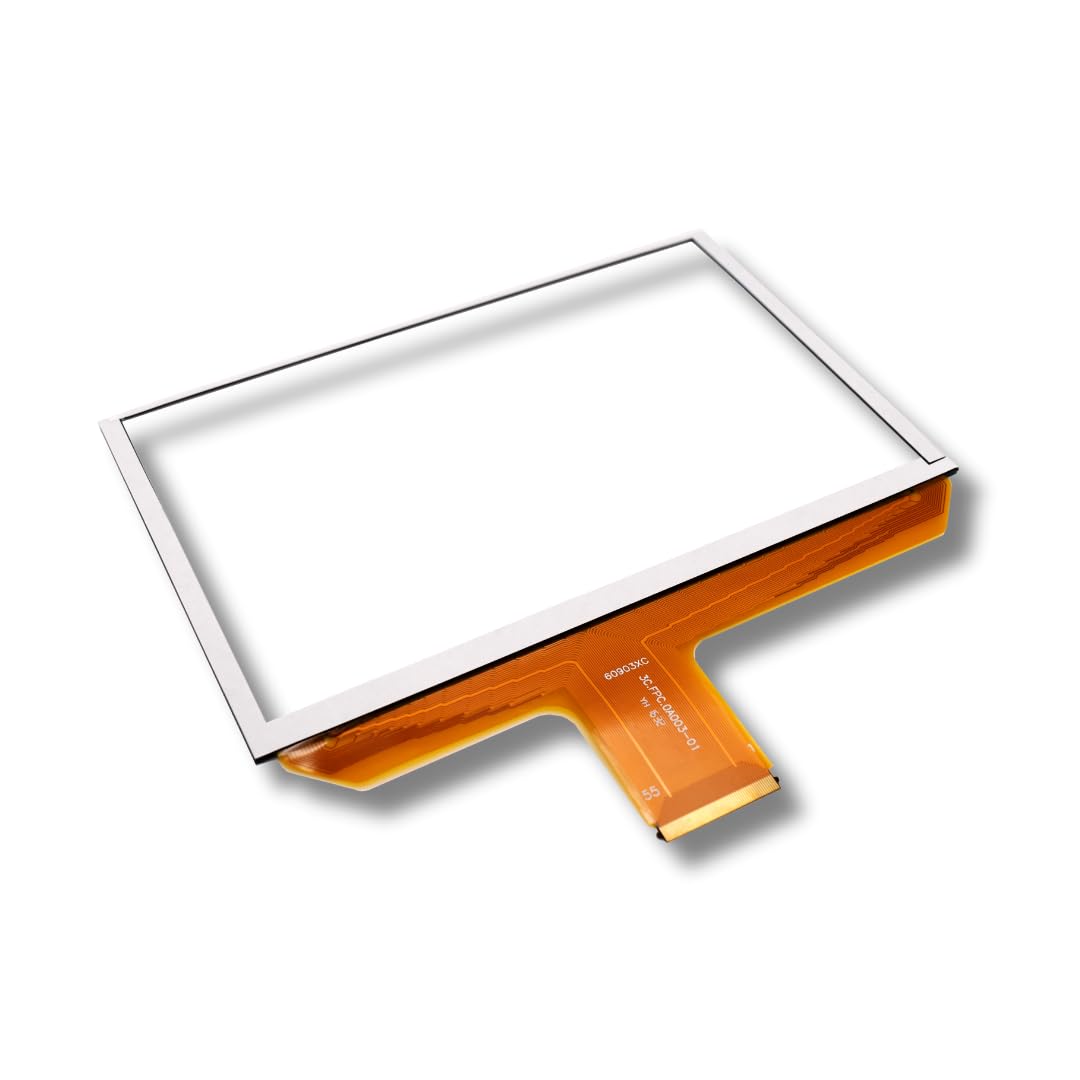
This product is included because it shares the keyword “digitizer,” but it is not an 8mm tape converter. The Ultima Industries replacement digitizer is an 8-inch touchscreen digitizer designed for Chevy and GMC trucks with MyLink or IntelliLink systems. It fixes ghost touch, dead spots, and random screen behavior—common failures in factory screens from 2014-2019 model years.
The unit uses the OEM-compatible DJ080PA-01A panel and includes anti-glare glass with stronger adhesive than stock, addressing the typical peeling issue. It requires a DIY installation (using heat gun, mineral spirits, and patience) that takes most users 1-2 hours. The included step-by-step video guide is highly praised for making the process accessible. A lifetime warranty and Florida-based support add confidence for a repair that would cost + at a dealership.
If you are looking for an 8mm tape converter, skip this product. It is included here as a reminder to verify that the product you are researching actually matches your conversion goal: a truck touchscreen digitizer has nothing to do with video capture. Its presence in this list is a data anomaly, not a recommendation.
Why it’s great
- Fixes ghost touch and unresponsive screens
- Anti-glare glass with strong adhesive
- Lifetime warranty with USA support
Good to know
- Not an 8mm tape converter — vehicle digitizer only
- Requires DIY installation (1-2 hours)
- Compatible only with specific Chevy/GMC models
FAQ
Can an 8mm tape converter also digitize VHS tapes?
Why does my 8mm tape keep white-flashing during transfer?
Final Thoughts: The Verdict
For most users, the best 8mm tape converter winner is the Portta VD22P because its 1080p @ 60fps capture, 5-inch screen, and flexible storage options make batch conversion of Hi8 and MiniDV tapes painless and reliable. If you want a portable unit with a built-in battery for on-the-go transfers, grab the DigitPro. And for turning physical Super 8 film reels into digital files, nothing beats the KODAK REELS for image quality.