
That box of dusty 8mm tapes in your closet holds irreplaceable family memories, fading one magnetic particle at a time. Without the right playback or digitization hardware, those camcorder reels remain trapped in an analog past, vulnerable to degradation, stuck in a format your modern TV and laptop simply cannot read. The right device extracts, preserves, and future-proofs those moments in crystal-clear digital files.
I’m Min — the co-founder and writer behind Gadgets Feed. For this guide, I spent dozens of hours dissecting technical specifications, comparing capture resolutions, format compatibility, and frame rates across the entire spectrum of 8mm tape conversion hardware, from standalone digitizers to full camcorder solutions.
Whether you need a direct converter or a dedicated film scanner, every option here was evaluated on its ability to reliably play back and transfer 8mm tape without damaging your originals. This is your definitive resource for finding the best 8mm tape player to preserve your analog memories in high-quality digital form.
How To Choose The Best 8mm Tape Player
Selecting the right gear for your 8mm tapes comes down to understanding your source format. Are you converting magnetic videotapes (8mm, Hi8, Digital8) that require a working camcorder, or do you have reels of developed Super 8 film? The hardware for each is completely different.
Identify Your Tape Format First
This is the single most common mistake. Magnetic 8mm videotapes (the small cassettes used in camcorders) need a device that reads the tape mechanically — either the original camcorder or a dedicated converter that accepts AV input from that camcorder. Super 8 and Regular 8mm film reels are a transparent strip with sprocket holes and require an optical film scanner that digitizes each frame individually. Buying the wrong type will leave you with an unusable brick.
Capture Resolution and Frame Rate
For magnetic tape converters, standard definition capture at 720×480 (NTSC) or 720×576 (PAL) is the native resolution of the source — upscaling to “1080p” is often just interpolation and doesn’t add real detail. Look for converters that offer 60fps capture to avoid jittery motion. For film scanners, 1080p at 20fps is the norm, and you may need to slow playback in editing software to match the original 16-18fps projection speed.
Built-In Screen and Storage
A preview LCD screen is a game-changer. It lets you confirm your tape is playing and the capture is working without needing a separate TV or monitor. Also pay attention to whether the device includes a USB drive or SD card — some budget options leave you to supply your own, which is an easy oversight that stops you from using the device immediately.
Quick Comparison
On smaller screens, swipe sideways to see the full table.
| Model | Category | Best For | Key Spec | Amazon |
|---|---|---|---|---|
| ClearClick Video2Digital 2.0 | Converter | Reliable offline digitization | 720×480 capture, 3.5″ screen | Amazon |
| Portta CHR101U3 | Converter | Value with included storage | 1080p 30Hz capture, 128GB USB drive | Amazon |
| PowerPlay DVR (Upgraded) | Converter | 60fps portable recording | 720×480 60fps, 2.4″ screen, battery powered | Amazon |
| Kodak SCANZA | Film Scanner | Niche 8mm film strip scanning | 14/22MP for 8mm film strips, 3.5″ LCD | Amazon |
| RVT Digitizer 3.0 | Converter | Phone-compatible transfers | 1080p 30Hz, 3.5″ screen, USB-C adapter | Amazon |
| Eysen 8mm Film Scanner | Film Scanner | Full 8mm reel digitization | 1080p 20fps, supports 3″-9″ reels | Amazon |
| Magnasonic FS81 | Film Scanner | Reliable Super 8 film capture | 1080p, 2.3″ screen, up to 7″ reels | Amazon |
| KODAK REELS Digitizer | Film Scanner | Large 5″ screen for easy monitoring | 1080p, 5″ LCD, supports 3″-9″ reels | Amazon |
| Sony Camcorder (Renewed) | Camcorder | Playback 8mm/Hi8/Digital8 tapes | Plays all 8mm formats, FireWire/USB out | Amazon |
In‑Depth Reviews
1. ClearClick Video to Digital Converter 2.0

The ClearClick Video2Digital Converter 2.0 stands out because it was designed specifically to solve the reliability issues that plague computer-based capture cards. It records directly to a USB flash drive or SD card without any computer, software, or drivers required — just plug in your working 8mm camcorder via RCA or S-Video, and press record. The extra-large 3.5-inch preview screen lets you confirm the video signal is stable before committing to a capture session, which is critical when digitizing irreplaceable family footage from aging 8mm tapes.
This second-generation model brings meaningful improvements: better audio/video sync protection, a pause/resume function, and a mobile-friendly MP4 recording format that works seamlessly on modern devices. The auto-stop timer offers 60, 90, 120, and 150-minute settings, matching the length of most standard 8mm tapes. Real user reports confirm it captures sources like Mini-DV and VHS without dropped frames or audio sync issues, even when dealing with degraded 8mm footage that confuses more expensive capture hardware.
One important limitation: the ClearClick records at SD resolution (640×480 or 720×480 pixels) and does not upscale to HD. This is actually the correct approach for 8mm tape sources, since any fake upscaling adds no real detail. However, you must supply your own USB drive or SD card, and the device requires a working camcorder or VCR with AV output — it does not play tapes by itself.
Why it’s great
- True plug-and-play operation — no computer or software needed
- Excellent audio/video sync on degraded tape sources
- Large 3.5″ screen for reliable monitoring during capture
Good to know
- Records at SD resolution only (720×480 max)
- Requires your own USB drive or SD card (not included)
- Auto-stop timer may not match exact tape length
2. Portta VHS to Digital Converter with 128GB USB3.0 Flash Drive
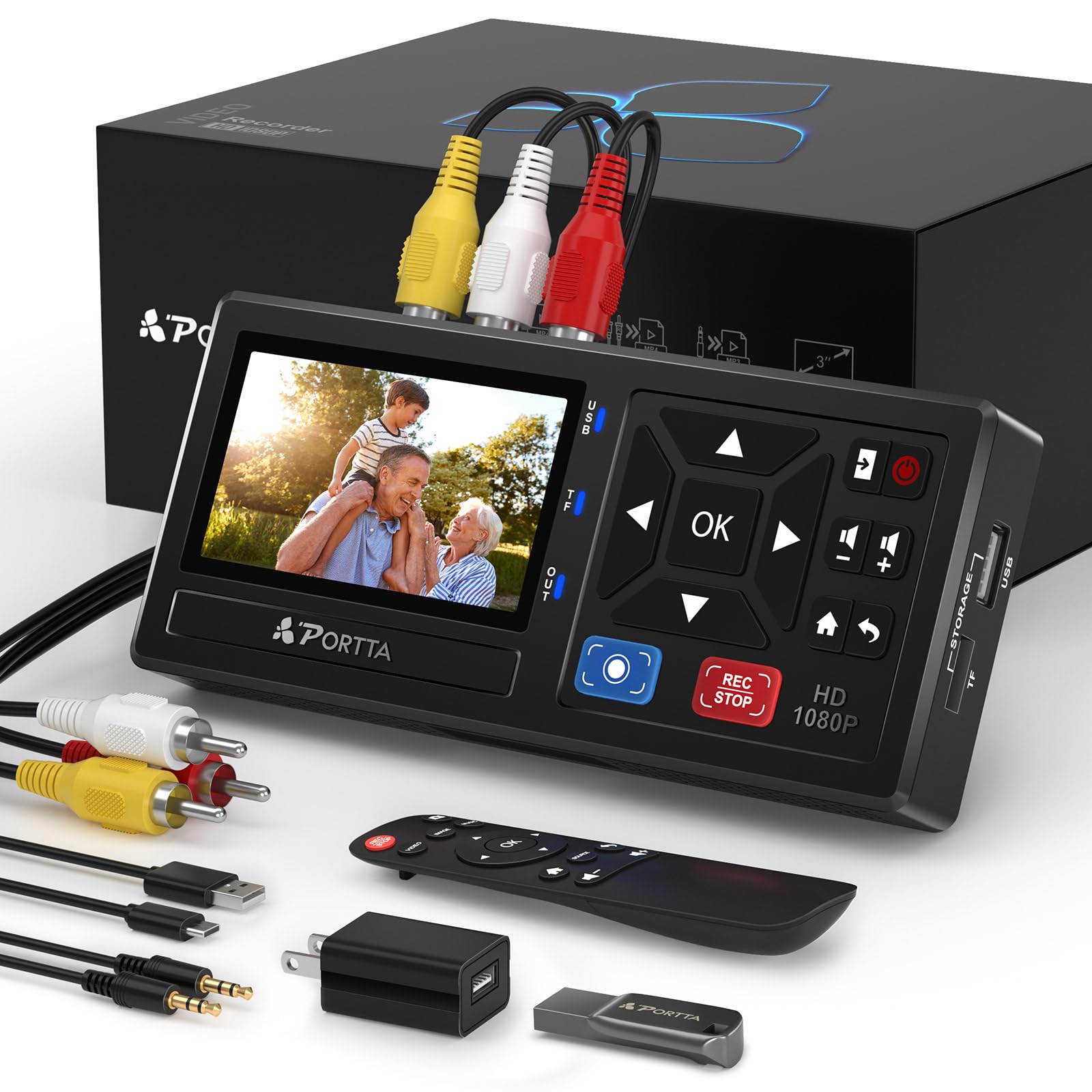
The Portta CHR101U3 eliminates the most frustrating part of tape digitization: forgetting to buy storage. It ships with a 128GB USB 3.0 flash drive, so you can start converting your 8mm tapes the moment you unbox it. The device captures at a smooth 1080p 30Hz, offering a slight resolution bump over standard SD converters — although keep in mind the source material from 8mm tapes is inherently standard definition.
The 3-inch preview LCD and built-in speaker let you monitor both video and audio without a TV. The interface is genuinely plug-and-play: connect your working 8mm camcorder via the included RCA cable or S-Video, insert the included USB drive, and press record. Real buyers confirm it handles VHS, Hi8, and MiniDV transfers with ease, and the video output is recorded as MPEG-4/H.264 files that play on any modern device. The remote control adds convenience when you need to start or stop recording from across the room.
A potential catch: the device may auto-stop recording if the incoming video signal becomes too degraded or snowy, which can interrupt transfers of very old or damaged 8mm tapes. Some users also note that the video is internally processed at 720×480 and upscaled to 1080p, so don’t expect true high-definition detail from standard-def sources.
Why it’s great
- Includes a 128GB USB 3.0 flash drive out of the box
- Records at up to 1080p 30Hz with MP4 output
- Remote control included for convenient operation
Good to know
- May auto-stop on poor quality or snowy tape sections
- 1080p capture is upscaled from standard definition source
- Requires working camcorder or VCR with AV output
3. PowerPlay DVR Video Recorder (Upgraded)
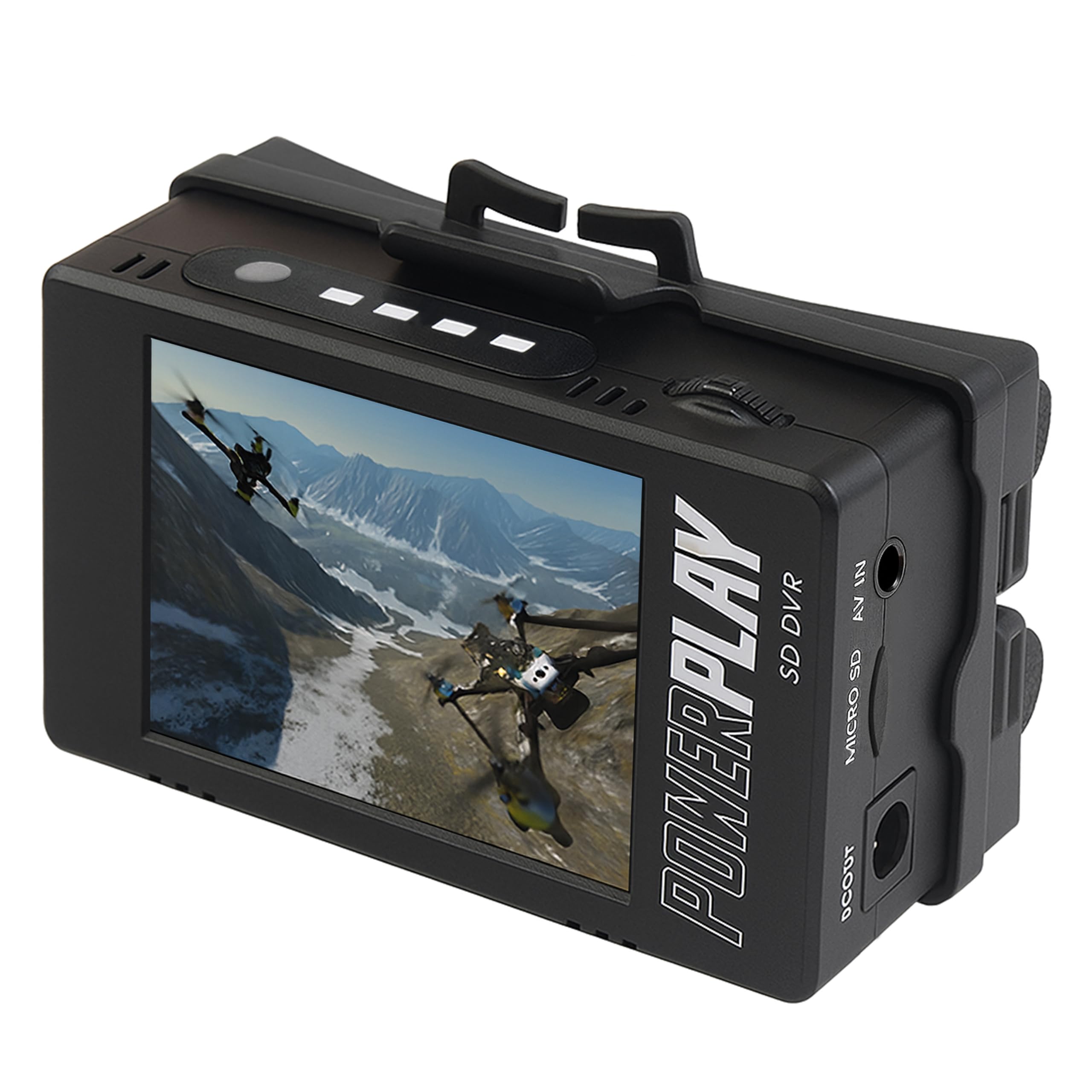
The PowerPlay DVR takes a radically different approach — it is a compact, battery-powered recorder designed for field use but equally effective at capturing 8mm tape footage. It records at a smooth 60fps (720×480 NTSC), which means motion from your 8mm camcorder playback will look fluid and natural without the stutter you sometimes see with 30fps converters. The 2.4-inch RGB LCD screen is small but sufficient for confirming video levels and signal stability.
This unit uses a clip mount for hands-free portability and runs on two 18500 lithium-ion cells (not included, but available at any battery retailer). The real advantage here is the 60fps frame rate: when digitizing action sequences or moving subjects from 8mm tapes, the higher frame rate preserves temporal detail that lower-fps converters miss. It accepts analog AV input from any camcorder with RCA or 3.5mm AV output, and saves files directly to a micro SD card (up to 512GB Class 10).
There are trade-offs for this portability. The small screen makes fine adjustments to framing difficult, and the device relies on a somewhat obscure battery format. Some buyers have reported cable compatibility issues — you may need to purchase a specific pinout cable for certain camcorder models. Additionally, the build quality is more utilitarian than premium, which is expected given the lower price point.
Why it’s great
- Records at 60fps for smooth motion capture from 8mm tapes
- Compact, portable design with clip mount for field use
- Supports micro SD cards up to 512GB
Good to know
- Requires two 18500 lithium-ion batteries (not included)
- Cable compatibility varies by camcorder model
- Small 2.4″ screen limits preview detail
4. Kodak SCANZA Digital Film & Slide Scanner

The Kodak SCANZA occupies a very specific niche: it is for 8mm film strips (the developed plastic film with sprocket holes), not for 8mm magnetic videotapes. Many buyers confuse the two formats and purchase this thinking it will play their camcorder tapes — it will not. However, if you have old 8mm or Super 8 film reels that have been cut into strips, this scanner converts them to JPEG images at an impressive 14MP native resolution (22MP interpolated).
The large 3.5-inch tilt LCD screen makes it comfortable to preview each frame before scanning, and the included adapters support 35mm, 126, 110, Super 8, and 8mm film formats. The process is fast — under 20 seconds per slide — and the one-touch scan-and-save buttons make it accessible even for non-technical users. The unit can be powered via USB or the included AC adapter, and HDMI output allows viewing scans on a TV in real time.
The critical limitation for this guide is that it only scans individual film frames to JPEG still images, not continuous video to MP4. If your goal is to watch motion pictures from 8mm tape cassettes, this is the wrong tool. The effective resolution is also closer to 4MP per frame in real-world use, not the advertised 22MP, making it more suited for social media sharing than high-quality archival prints.
Why it’s great
- Fast scanning — under 20 seconds per film strip frame
- Multiple adapters included for 8mm and Super 8 film
- Tiltable 3.5″ LCD for comfortable preview
Good to know
- Scans still frames to JPEG, not continuous video to MP4
- Does not accept 8mm magnetic videotapes — film strips only
- Effective resolution is lower than advertised 22MP
5. RVT Digitizer 3.0 with 32GB USB
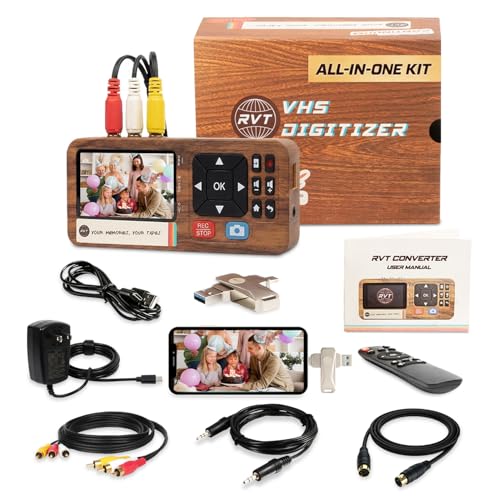
The RVT Digitizer 3.0 directly addresses a modern pain point: once you digitize your 8mm tapes, how do you share them? This unit includes a USB-C adapter that connects directly to iPhone 15 and Android phones, allowing you to transfer converted MP4 files to your phone for instant family sharing. The 3.5-inch built-in LCD screen and the included remote control make basic operation straightforward: plug in your working 8mm camcorder, select record, and capture directly to the included 32GB USB drive.
It captures at 1080p 30Hz via wall power, which is a significant advantage over cheap USB-powered converters that can drop out mid-transfer. The kit includes premium RCA and S-Video cables to maximize signal quality from your vintage camcorder equipment. Real user reports confirm it handled over 30 VHS and VHS-C tapes without issues, and the attractive design and USA-based customer support add confidence for a purchase in this niche.
The main drawback is the USB-C adapter only works with iPhone 15 and USB-C Android devices — older iPhones with Lightning ports will need a separate adapter. Some users have reported that the device does not include the specific cable needed for certain vintage camcorder models, and the image quality can appear grainy if the source tape is in poor condition. The 32GB drive fills up fast at 1080p, so you may need to buy a larger drive for big projects.
Why it’s great
- USB-C adapter allows direct transfer to modern phones
- Wall-powered for stable, uninterrupted recording sessions
- Includes pre-formatted 32GB USB drive and remote control
Good to know
- USB-C adapter not compatible with Lightning-port iPhones
- 32GB storage fills quickly at 1080p capture
- May need specific cables for some vintage camcorder models
6. eyesen 8mm & Super 8 Film to Digital Converter

The eyesen 8mm Film Scanner is a fully automated digitizer designed specifically for 8mm and Super 8 film reels — the transparent film with sprocket holes, not magnetic tape cassettes. It accepts reels from 3 inches up to 9 inches in diameter and converts them frame by frame into 1080p MP4 video files at 20 frames per second. The unit includes a 32GB SD card, so you can start scanning immediately, and the built-in 2.4-inch LCD screen lets you monitor the capture process without a separate monitor.
The key advantage here is automation: load your film reel onto the supply spindle, use the included adapter for smaller reels, and the scanner advances the film frame by frame, capturing each one as a high-resolution image before assembling them into an MP4 file. The output is saved directly to the SD card as a ready-to-watch video file. No computer, software, or technical skills are needed — this is the closest thing to a “press and walk away” solution for 8mm film digitization.
The main pain point is speed. A 3-minute reel of film takes approximately 30 minutes to scan, and you must babysit the machine to handle splices and film jams — the mechanism can stop if it encounters broken sprocket holes or tape splices. Some units have reported power supply failures, and the SD card can occasionally corrupt after repeated use. The 20fps output also plays back slightly faster than the native 16-18fps projection speed of most vintage 8mm film, requiring a slight slowdown in editing software for accurate playback.
Why it’s great
- Accepts 3″ to 9″ reels — covers most 8mm film sizes
- Fully automated frame-by-frame digitization to 1080p MP4
- Includes 32GB SD card for immediate use
Good to know
- Scan is slow: 30 minutes per 3-minute reel
- Requires babysitting for film splices and jams
- 20fps output is slightly faster than native 16-18fps playback
7. Magnasonic Super 8/8mm Film Scanner (FS81)

The Magnasonic FS81 earns its premium positioning through build quality and consistent results. It automatically converts 3-inch, 5-inch, and 7-inch Super 8 and 8mm film reels into digital MP4 files at 1080p resolution, with a straightforward push-button interface that reduces the learning curve. The 2.3-inch LCD screen allows for live preview, and you can adjust brightness, sharpness, and framing directly on the device without needing external software.
The standout feature is the reliable film transport mechanism. Real users report successfully scanning over 100 Super 8 reels with minimal glitches, and the machine handles splices and older film better than most competitors. The included RCA video output lets you view scans on a larger TV in real time, which is helpful for confirming frame alignment and focus before committing to the full scan. The default scan settings produce good results for most film conditions, and users consistently note the end result is much better than their previous conversion method.
The limitations are typical for this category: no sound capture (film has no audio track), and the scan is slow — expect 35-40 minutes for a 3-inch reel. The rewind function can be finicky, and manually cranking the original reel is often the safer approach. The SD card is not included, so factor that into your purchase. The unit also scans at 2 frames per second and assembles into a 20fps video, which slightly speeds up motion compared to the native 16fps projection speed.
Why it’s great
- Reliable film transport tested on 100+ reels by real users
- Adjustable brightness, sharpness, and framing on-device
- RCA output for real-time preview on a TV screen
Good to know
- Slow scan speed: ~35 minutes for a 3-inch reel
- No sound capture (film reels have no audio track)
- SD card not included — purchase separately
8. KODAK REELS 8mm & Super 8 Films Digitizer

The KODAK REELS Digitizer is defined by its large 5-inch LCD interface, which makes real-time monitoring and menu navigation dramatically easier than the 2-inch screens found on most competitors. The oversized touch buttons are genuinely easy to use, even less dexterous hands. It accepts film reels from 3 inches all the way up to 9 inches, covering everything from small home movies to larger professional reels, and uses an 8.08-megapixel sensor to capture 1080p digital video files.
The on-screen prompts guide you through film loading, frame alignment, and scanning settings, including exposure, sharpness, and tint adjustments. These settings eliminate the need for external editing for many users. The unit is also relatively compact for its capabilities — 12.4 x 8.4 inches — and includes a 7-inch empty film reel, gray and red reel adapters, a power cord, and a micro USB cable for file transfer. The included dusting cloth is a minor but thoughtful addition for cleaning the sensor area.
The biggest complaint from real users relates to video quality issues. Some units produce a flickering image, particularly in scenes with high contrast (e.g., dark shadows against bright sky). The default bitrate is also quite low, causing blocky compression artifacts, and adjusting it requires a firmware modification that risks destroying the device. The scan speed remains slow — around 30 minutes for a 3-minute reel — and the output video plays at 20fps, which is faster than the original 16-18fps film speed.
Why it’s great
- 5-inch LCD is the largest screen in this category — easy to use
- Accepts 3″ to 9″ reels for maximum compatibility
- On-screen adjustments for exposure, sharpness, and tint
Good to know
- Some units exhibit flickering in high-contrast scenes
- Default bitrate is low — firmware mod needed for improvement
- Slow scan speed and 20fps playback (film is 16-18fps)
9. Sony Camcorder for 8mm Digital8 Hi8 Tape Transfer (Renewed)

This is the most direct solution for anyone who needs to play back 8mm, Video8, Hi8, or Digital8 magnetic videotapes. It is a renewed Sony camcorder specifically configured for tape playback and transfer — not for recording new video. It includes a USB capture device that converts the analog or digital signal from the camcorder into files that your computer can read, making it a complete playback-to-digital pipeline in one purchase.
The critical advantage here is format compatibility. This Sony unit plays all brands of 8mm, Hi8, and Digital8 tapes, which means your entire collection of small-form-factor camcorder cassettes is covered. It outputs via FireWire, USB, and S-Video, giving you options for connection. For Digital8 tapes, the FireWire connection provides a pure digital transfer path with zero generation loss. The included AV and S-Video cables get you started immediately, and the camcorder’s built-in controls allow for rewinding, fast-forwarding, and frame-by-frame searching.
The major risk is that this is a renewed product based on technology from the late 1990s and early 2000s. Rubber belts and internal mechanisms degrade over time, and some units arrive non-functional or with issues like batteries that no longer hold a charge. Real user reviews are sharply divided — some report successful transfer of over 50 tapes, while others received a dead unit with no support contact information. This is best treated as a calculated gamble that pays off spectacularly if you get a functioning unit.
Why it’s great
- Plays all 8mm, Video8, Hi8, and Digital8 tape formats
- FireWire output provides pure digital transfer for Digital8 tapes
- Includes USB capture device and cables for computer connection
Good to know
- Renewed product with variable mechanical reliability
- Some units arrive non-functional or with missing cables
- No PAL support — NTSC only
FAQ
Can I use an 8mm tape converter without a working camcorder or VCR?
What is the difference between 8mm tape and Super 8 film?
Why does my digitized 8mm tape look sped up after conversion?
Do any 8mm tape converters preserve audio from the original tape?
Final Thoughts: The Verdict
For most users, the best 8mm tape player winner is the ClearClick Video to Digital Converter 2.0 because it offers the most reliable, no-computer-needed capture with excellent audio/video sync, making it the safest choice for digitizing irreplaceable family memories. If you want a premium film scanner for Super 8 reels with a large screen for easy monitoring, grab the KODAK REELS Digitizer. And for the most portable solution that captures 8mm tape footage at smooth 60fps, nothing beats the PowerPlay DVR Upgraded Recorder.