
An 8TB SATA hard drive is the storage backbone for gamers, creative pros, and home server builders who need massive capacity without the per-gigabyte premium of an SSD. Whether you’re populating a NAS, archiving media libraries, or dumping Steam libraries, picking the right spindle speed, cache size, and intended workload defines whether your storage solution feels snappy or sluggish.
I’m Min — the co-founder and writer behind Gadgets Feed. I’ve spent hundreds of hours analyzing endurance ratings, RPM classes, and real-world failure rates to separate which 8TB drives actually deliver on their promises for different workloads.
The right choice depends entirely on your use case: enterprise reburbished drives offer unbeatable value for RAID arrays, while purpose-built NAS drives with vibration sensors keep your data safe in multi-bay enclosures. This guide breaks down the best options across every price tier so you can confidently choose the best 8tb sata hard drive for your setup.
How To Choose The Best 8TB SATA Hard Drive
The 8TB SATA hard drive market splits cleanly into consumer desktop drives, NAS-optimized drives, and enterprise-class spinners. Your workload determines which category belongs in your bay. A media server needing 24/7 uptime has different requirements than a gaming PC that spins up once a day.
RPM: Speed vs. Noise and Heat
7200 RPM drives deliver roughly 30% faster sequential reads than their 5400 RPM counterparts, translating to quicker game loads and faster file transfers. The trade-off is higher operating temperature and audible seek noise. For RAID arrays or NAS enclosures with active cooling, 7200 RPM is the standard. For a quiet HTPC or backup drive, 5400 RPM runs cooler and nearly silently.
Recording Technology: CMR vs. SMR
Conventional Magnetic Recording (CMR) writes data directly without overlapping tracks, preserving consistent write speeds even as the drive fills up. Shingled Magnetic Recording (SMR) overlaps tracks to cram more data per platter but suffers severe write slowdowns under sustained or random writes. For RAID, video editing, or any write-heavy workload, demand CMR. SMR drives are acceptable only for cold storage or write-once-read-many archives.
Workload Rating and Warranty
Enterprise and NAS drives specify a workload rate limit in TB per year — typically 180 to 550 TB/year. Consumer drives often lack this specification entirely. A higher workload rating indicates stronger actuators and more robust heads. Pair this with warranty length: five years from Seagate IronWolf or WD Black versus two years from WD Blue tells you which drive the manufacturer trusts to survive longer.
Quick Comparison
On smaller screens, swipe sideways to see the full table.
| Model | Category | Best For | Key Spec | Amazon |
|---|---|---|---|---|
| HGST Ultrastar He8 | Enterprise (Renewed) | High-value RAID arrays | 7200 RPM / 128MB Cache | Amazon |
| Seagate IronWolf | NAS | Multi-bay NAS enclosures | 7200 RPM / 256MB Cache | Amazon |
| WD Black | Performance | Gaming and creative work | 7200 RPM / 256MB Cache | Amazon |
| Samsung 870 QVO | SSD | Silent, low-latency storage | 560/530 MB/s Sequential | Amazon |
| Seagate BarraCuda | Desktop | Everyday desktop storage | 5400 RPM / 256MB Cache | Amazon |
| MaxDigitalData NAS | NAS | Budget NAS builds | 7200 RPM / 256MB Cache | Amazon |
| WD Blue | Desktop | General-purpose PC storage | 5640 RPM / 256MB Cache | Amazon |
| Seagate Enterprise | Enterprise | Data center bulk storage | 7200 RPM / 256MB Cache | Amazon |
| LaCie Rugged RAID Shuttle | External | Field transport and backups | RAID 0/1 / USB-C | Amazon |
In‑Depth Reviews
1. HGST Ultrastar He8 8TB (Renewed)

The HGST Ultrastar He8 uses helium-sealed internals to reduce turbulence and power consumption, running about 20% cooler than air-filled enterprise drives at the same workload. At 7200 RPM with a 128MB cache, it delivers consistent sequential throughput that matches or beats newer SMR-based consumer models, especially when the drive is over 75% full.
Backblaze’s published failure rate data consistently ranks HGST/Hitachi helium drives as among the most reliable in service. This renewed unit passes a full sector-by-sector scan with zero bad sectors and carries a 3-year warranty. The trade-off is audible seek noise typical of enterprise-class spindles — not ideal for a quiet desktop but perfectly acceptable in a NAS or server closet.
Some units may show 50,000+ power-on hours, so inspect SMART attributes on arrival. For the price, you get near-data-center reliability without the $/TB premium of new enterprise drives. It is an excellent choice for RAID arrays, CCTV DVR builds, or bulk media storage where uptime matters more than silence.
Why it’s great
- Helium technology reduces power and heat
- Backblaze-proven reliability record
- Excellent value per terabyte for 8TB
Good to know
- Noisy seek operations under load
- Refurbished units may have high cumulative power-on hours
- Bottom mounting holes may not fit all cases
2. Seagate IronWolf 8TB NAS
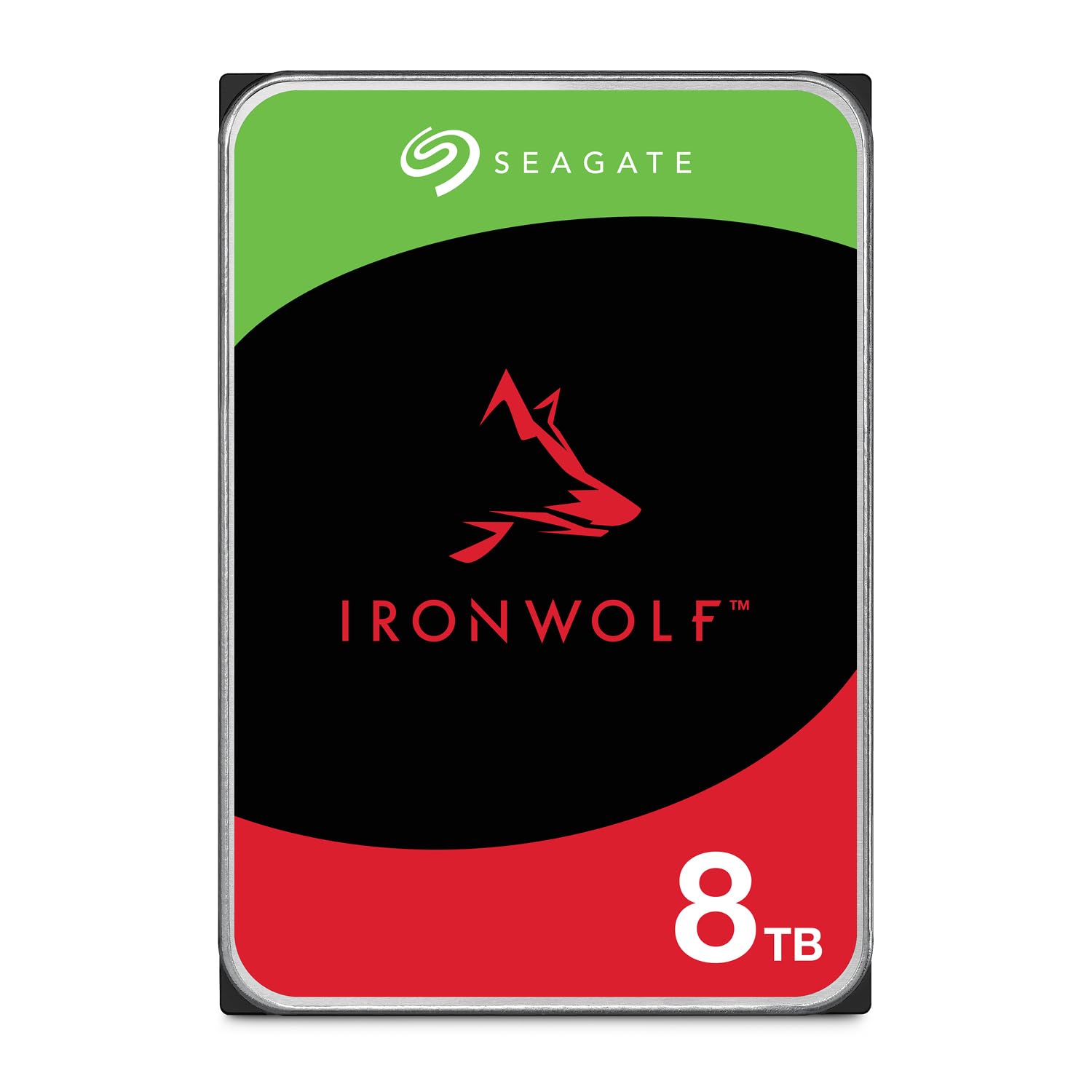
The Seagate IronWolf is purpose-built for NAS environments with RV (Rotational Vibration) sensors that maintain performance in multi-drive enclosures. This 8TB model runs at 7200 RPM with a 256MB cache and uses CMR technology, so write speeds stay consistent during RAID rebuilds — a critical advantage over SMR drives that can time out in parity calculations.
IronWolf Health Management (IHM) provides predictive drive monitoring directly within compatible NAS operating systems, alerting you to potential failures before data loss occurs. The 1 million hour MTBF and 180 TB/year workload rating confirm it can handle sustained multi-user access in up to 8-bay enclosures. Seagate backs it with a 5-year warranty and includes 3 years of Rescue Data Recovery Services.
Noise is noticeable during active seeks — the drive emits a distinct chatter when files are being written or rebuilt. At idle it drops to near-silent. For a home or small office NAS, this is the most balanced 8TB choice combining speed, reliability, and manufacturer support.
Why it’s great
- CMR recording ensures stable RAID rebuilds
- IHM predictive health monitoring included
- 5-year warranty with data recovery service
Good to know
- Audible seeking noise under load
- Packaging is minimal anti-static bag only
- Higher price per TB than desktop-class drives
3. WD Black 8TB Performance
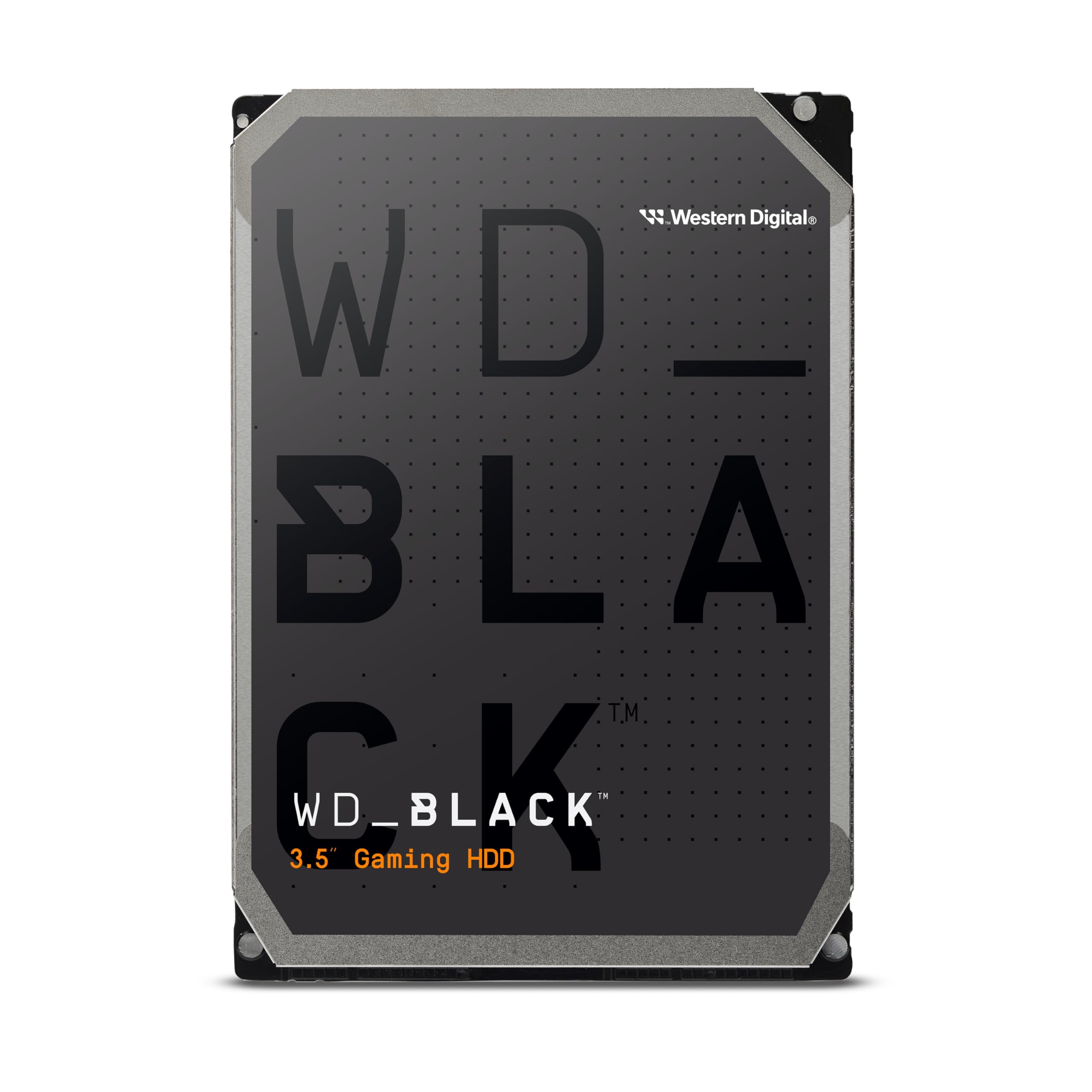
The WD Black 8TB is the fastest pure HDD in this roundup, hitting sequential transfer rates up to 267 MB/s thanks to its 7200 RPM spindle and Dynamic Cache algorithm that prioritizes frequently accessed data. StableTrac technology secures the motor shaft at both ends to reduce vibration-induced track misalignment, directly improving read accuracy during sustained operation.
Designed for gamers and creative professionals, this drive handles 4K video editing timelines and large Steam library transfers without the latency penalty of slower consumer drives. The 5-year warranty reflects Western Digital’s confidence — user reports document identical WD Black models running continuously for over 9 years. It comes with Acronis cloning software for easy migration.
The downside is noise: a high-pitched whine from the spinning platters is audible in quiet builds, and seek clicks are more pronounced than NAS-optimized drives. It also runs warmer than 5400 RPM alternatives, so ensure your case has direct airflow over the drive bay. If raw throughput is your priority, this is the HDD to beat.
Why it’s great
- Fastest sequential speeds among 8TB HDDs
- StableTrac reduces vibration errors
- 5-year warranty with proven longevity record
Good to know
- Audible high-pitched whine during operation
- Runs hot without adequate case airflow
- Premium price over desktop-class drives
4. Samsung 870 QVO 8TB SSD

The Samsung 870 QVO is the only solid-state drive on this list, using QLC NAND to deliver 8TB of capacity in a standard 2.5-inch SATA form factor. Sequential read speeds hit 560 MB/s and writes 530 MB/s — over double the raw throughput of even the fastest 7200 RPM HDD — with near-zero access latency that eliminates the brief pauses Windows Explorer sometimes shows when browsing HDD-based media libraries.
Samsung rates this drive for 2,880 TBW (terabytes written), which is sufficient for years of daily creative workloads or gaming. The included Samsung Magician software handles firmware updates, performance optimization, and drive health monitoring. AES 256-bit encryption is built in for data security. It operates silently and produces negligible heat compared to any mechanical drive.
The primary barrier is cost — this is the most expensive drive per gigabyte in the list. It also uses Samsung’s 4-bit MLC (QLC) technology, which can slow to HDD-like write speeds when the SLC cache fills during large continuous writes. For OS boot drives, active project files, or applications that benefit from instant access, this SSD transforms system responsiveness despite the premium.
Why it’s great
- Over 2x faster than any 7200 RPM HDD
- Completely silent operation
- 2,880 TBW endurance for long service life
Good to know
- Highest cost per gigabyte in this roundup
- QLC slows after SLC cache fills
- No cables included in package
5. Seagate BarraCuda 8TB

The Seagate BarraCuda 8TB is the straightforward desktop storage workhorse: 5400 RPM, 256MB cache, and SATA 6Gb/s interface. Sustained transfer rates hover around 190 MB/s for sequential reads, which is perfectly adequate for media playback, game storage, and file archives. AcuTrac servo technology helps maintain accurate head positioning despite the lower spindle speed.
Write performance is more variable, ranging from 20 MB/s during fragmented random writes to about 250 MB/s on clean sequential transfers. The drive uses SMR recording, so sustained writes at high capacity can drop significantly — this makes it less suitable for RAID arrays or backup software performing regular full-sector rewrites. Read speeds remain consistent regardless of fill level.
At idle the drive is very quiet, and seek noise is minimal compared to 7200 RPM alternatives. It ships in frustration-free packaging — essentially an anti-static bag with no cables or screws. For the average desktop user who needs bulk storage for photos, videos, and documents, the BarraCuda delivers reliable capacity at a compelling price per terabyte.
Why it’s great
- Very quiet operation at idle
- Adequate 190 MB/s sequential reads
- Competitive price per terabyte
Good to know
- SMR recording slows sustained writes
- No cables or mounting screws included
- Not recommended for RAID or write-heavy use
6. MaxDigitalData 8TB NAS

The MaxDigitalData 8TB NAS drive targets budget-conscious NAS builders with a 7200 RPM spindle and 256MB cache at a price point below first-tier brands. These drives are reported by users to be relabeled Seagate Exos enterprise units with zero power-on hours fresh out of the box, offering enterprise-grade internals at a discount.
Performance mirrors the Exos lineage: consistent 200+ MB/s sequential throughput, good random read/write for a mechanical drive, and support for up to 8-bay NAS enclosures. The 3-year warranty provides some peace of mind, and the drives work with Linux, ext4, and hardware RAID controllers without compatibility quirks.
The consistency concern shows in user reports: while many receive flawless drives, a notable minority report DOA units or failures within weeks. Some units labeled as 7200 RPM have been measured at 5400 RPM, indicating possible binning variations. Approach this drive as a value play where you maintain backups and have redundancy — in RAID 5 or RAID 6, the savings can justify the extra due diligence on arrival testing.
Why it’s great
- Low cost for enterprise-class 7200 RPM hardware
- Often ships with zero power-on hours
- 3-year warranty covers defects
Good to know
- Inconsistent quality control between units
- Some drives run hotter than comparable models
- Occasional spec mismatch (labeled 7200, actual 5400)
7. WD Blue 8TB

The WD Blue 8TB spins at a unique 5640 RPM, positioned between traditional 5400 RPM drives and full 7200 RPM models. It delivers sequential read speeds around 185 MB/s, marginally faster than the BarraCuda 5400 RPM, while keeping noise and power consumption closer to the low-speed end of the spectrum. The 256MB cache helps buffer smaller file writes.
WD backs this drive with a 2-year limited warranty and includes Acronis True Image WD Edition cloning software free of charge, making it easy to migrate an existing OS or data volume. The drive uses CMR recording technology, which means write performance stays consistent regardless of capacity fill — a significant advantage over SMR-based competitors in the same price tier for anyone writing data regularly.
Operating noise is minimal, with only faint seek activity during writes. It runs noticeably cooler than 7200 RPM drives, making it suitable for small form factor cases with limited airflow. The WD Blue line is best for general-purpose desktop storage, media libraries, and daily backup targets where quiet operation and reliable CMR performance matter more than peak throughput.
Why it’s great
- CMR recording maintains write consistency
- Runs cool and quiet
- Includes Acronis cloning software
Good to know
- Only 2-year warranty
- Slower than 7200 RPM alternatives
- Price per TB is higher than entry-level 5400 RPM drives
8. LaCie Rugged RAID Shuttle 8TB

The LaCie Rugged RAID Shuttle packs two 4TB drives into a flat, bus-powered enclosure with user-selectable RAID 0 (striped for speed) or RAID 1 (mirrored for redundancy). It connects via USB-C with a 250 MB/s sustained transfer rate in RAID 0, and includes both USB-C to C and USB-C to A cables for cross-platform compatibility. The IP54 rating provides dust and water resistance for field use.
Built-in hardware encryption with password protection keeps data secure if the drive is lost or stolen. The flat form factor fits into padded gear bags and shipping envelopes — a deliberate design choice for location photographers, videographers, and DJs who need to transport large media libraries. LaCie includes a 1-month Adobe Creative Cloud subscription to sweeten the deal.
Some users report the drive occasionally disconnects from Macs and requires a reboot to remount, though this seems to affect a minority of units. The RAID controller cannot be reconfigured without reformatting, so choose RAID 1 for safety or RAID 0 for capacity and speed before loading data. For professionals who work in the field and need ruggedized 8TB on the go, this is the most purpose-built portable solution available.
Why it’s great
- RAID 0/1 onboard switch for speed or redundancy
- IP54 dust/water resistant and drop rated
- USB-C connectivity with bus power
Good to know
- Higher cost than internal 8TB solutions
- Occasional Mac connectivity issues reported
- RAID mode change requires full reformat
9. Seagate Enterprise 8TB

The Seagate Enterprise 8TB (model ST8000NM0075) is built for data center bulk storage with a 7200 RPM spindle, 256MB cache, and SED (Self-Encrypting Drive) capability for compliance environments. It is rated for 24/7 operation with a 550 TB/year workload limit — over three times the rating of NAS-class drives, reflecting reinforced actuators and advanced error recovery controls.
Firmware revision matters significantly with this drive. The SS02 firmware is known to produce excessive seek noise; users report that upgrading to SS04 firmware via Seagate’s tools resolves the issue and brings operation in line with typical enterprise acoustic levels. The drive supports full SATA 6Gb/s throughput and works in true enterprise RAID arrays with TLER (Time-Limited Error Recovery) enabled.
Quality on arrival is a gamble — some users receive brand-new units with zero power-on hours, while others report DOA drives or failures within weeks. Seagate’s RMA process is generally responsive, but the inconsistency suggests these may be surplus or system-pull inventory in some cases. For homelab enthusiasts who want enterprise endurance at a discount and are comfortable verifying firmware and testing SMART on arrival, this drive delivers excellent raw specs.
Why it’s great
- 550 TB/year workload rating for heavy use
- Self-encrypting drive for data security
- 64 TB/year workload rating
Good to know
- Inconsistent new vs. used condition on arrival
- SS02 firmware is noisy and may need upgrade
- DOA risk is higher than first-party retail
FAQ
Can I use a desktop 8TB HDD in a NAS?
How many power-on hours is too many for a refurbished 8TB drive?
What is the real formatted capacity of an 8TB SATA hard drive?
Final Thoughts: The Verdict
For most users, the 8tb sata hard drive winner is the Seagate IronWolf 8TB because it combines CMR reliability, 7200 RPM speed, and NAS-optimized firmware with a 5-year warranty and data recovery service — covering every base for home servers, RAID arrays, and media storage. If you want the fastest throughput for gaming and creative work, grab the WD Black 8TB. And for the absolute best value per terabyte with data-center-grade helium reliability, nothing beats the HGST Ultrastar He8 (Renewed) — just verify SMART data on arrival.