
Finding a genuinely useful 9-inch screen means choosing between a rugged vehicle backup monitor, a portable TV for the camper, or a precise touch display for a Raspberry Pi server rack. The wrong pick leaves you with washed-out colors, useless touch response, or an input that doesn’t match your gear. This guide dissects the six best options currently available, sorted by build quality, panel resolution, and connector compatibility so you land the exact screen your setup demands.
I’m Min — the co-founder and writer behind Gadgets Feed. I’ve spent dozens of hours analyzing the technical specifications, customer feedback, and real-world performance data across the entire 9-inch monitor category to separate true workhorses from overpriced disappointment.
After matching panel resolution, input versatility, and mounting options against actual buyer experiences, I’ve assembled a clear, no-nonsense ranking of the best 9 inch monitor models for every practical use case from truck cabs to desktop server cabinets.
How To Choose The Best 9 Inch Monitor
Selecting a 9-inch monitor involves more than just screen size. You need to match the panel’s resolution, input ports, and mounting hardware to your specific device — a CCTV system, a Raspberry Pi, a truck cab, or a portable entertainment setup. Three critical factors separate a usable screen from a frustrating one.
Resolution and Panel Quality
The majority of 9-inch monitors offer either 800×480 or 1280×720 pixel resolution. The 1280×720 panels deliver noticeably sharper text and finer image detail, essential for reading system menus or viewing high-definition camera feeds. IPS technology provides wider viewing angles compared to standard TFT LCD, which matters when the screen is mounted off-axis in a vehicle or server rack.
Input Connectivity
Check your source device’s output port before buying. HDMI is the most versatile standard for computers, gaming consoles, and streaming sticks. RCA/AV composite inputs are the standard for automotive backup cameras and older CCTV equipment. Some monitors also include USB-C, VGA, or BNC connectors. A monitor with multiple input types offers the most future-proof flexibility, but you pay a premium for that versatility.
Mounting and Power Requirements
Vehicle monitors typically run on 12-24V DC and include dashboard or headrest mounts. Desktop monitors expect a 12V or 5V DC adapter and may offer VESA 75mm mounting holes for arm or rack installation. Portable models with built-in rechargeable batteries add convenience for travel but often have shorter operational lifespans. Always verify power input voltage and connector type matches your intended environment.
Quick Comparison
On smaller screens, swipe sideways to see the full table.
| Model | Category | Best For | Key Spec | Amazon |
|---|---|---|---|---|
| GeeekPi 9 inch Touch | Premium | Server rack / Pi desktop | 1280×720, 10-point touch | Amazon |
| Magedok 9 inch Touch | Premium | DIY Pi / embedded projects | 1280×720, 600 cd/m² | Amazon |
| OSCY 9 Inch Small Monitor | Mid-Range | Retro computing / HDMI devices | 1024×600, HDMI+VGA+AV | Amazon |
| Hikity 9 Inch Backup Monitor | Mid-Range | Vehicle multi-camera view | 800×480, quad-split RCA | Amazon |
| Padarsey 9″ Quad Split | Budget | Truck/RV rearview system | 800×480, 4-channel RCA | Amazon |
| Tyler 9″ Portable TV | Budget | Portable battery TV | Built-in battery, ATSC tuner | Amazon |
In‑Depth Reviews
1. GeeekPi 9 inch 1280×720 LCD Touch Screen
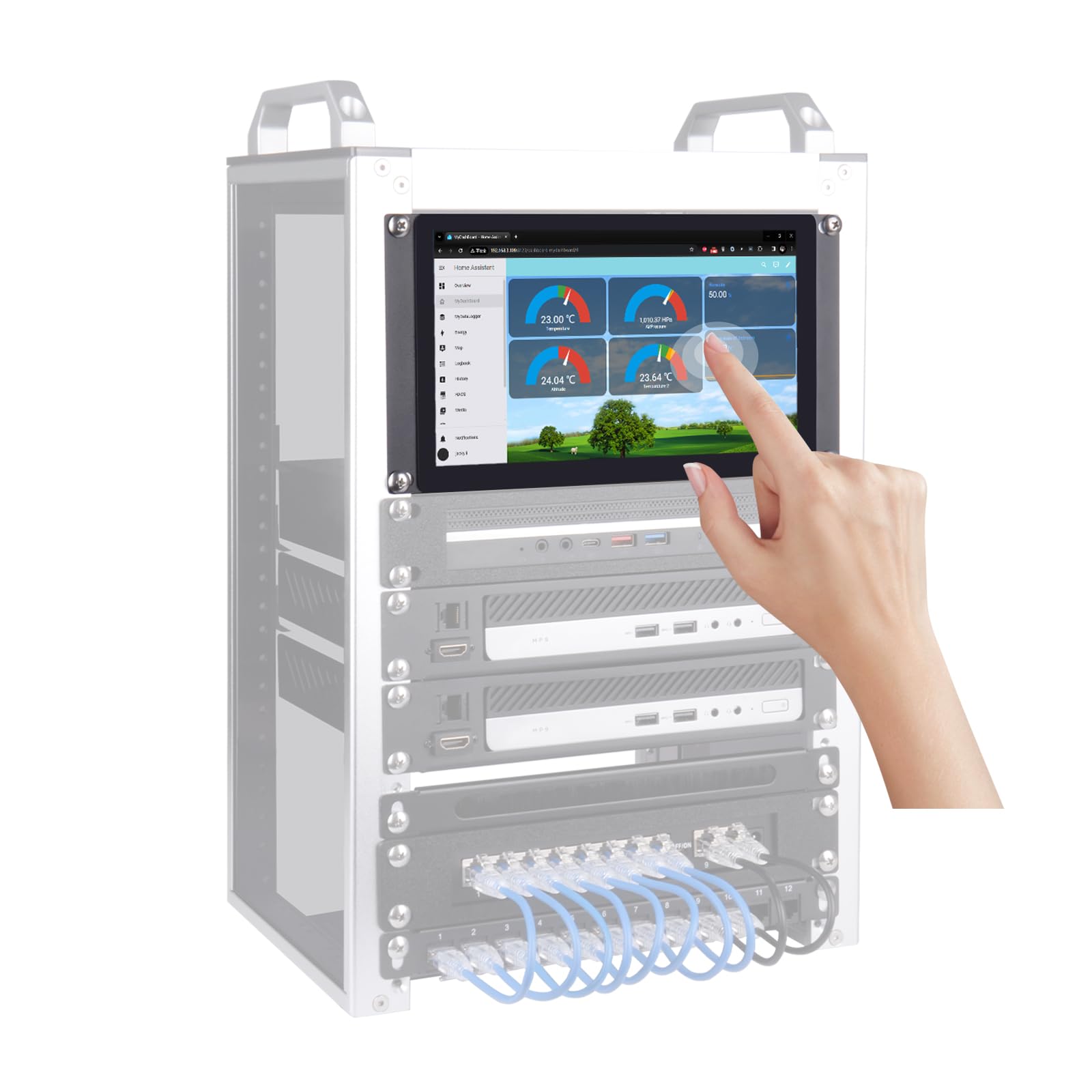
The GeeekPi 9-inch delivers 1280×720 resolution on a TFT LCD panel with 500 cd/m² brightness and an 800:1 contrast ratio, producing sharp text and vivid imagery for a screen this size. The capacitive 10-point touch surface with ≥6H hardness feels responsive and durable, ideal for server rack GUI control or Raspberry Pi desktop interaction.
Connectivity includes HDMI input, dual USB Type-C ports (one for touch + 5V power, one for power only), and a 3.5mm audio output. The power draw stays under 10W with DC 5V/2A input, and the auto power-on feature eliminates manual switching when connected to a constantly powered Pi. The metal chassis and modular mounting brackets support wall, desktop, and embedded installations.
Some users find the physical controls on the back inconvenient for frequent brightness adjustments, and the 60Hz refresh rate is adequate for monitoring but not gaming. The protective film on the screen must be removed before use — a small but important detail. For a rack-mount or under-monitor secondary display, the build quality and touch accuracy justify the extra investment over cheaper plastic alternatives.
Why it’s great
- Sharp 1280×720 resolution with excellent contrast
- Responsive 10-point capacitive touch
- Low power consumption under 10W
Good to know
- Back-mounted controls are hard to reach
- No USB-C video input, only HDMI
- Limited to 60Hz refresh rate
2. Magedok 9 Inch Touch Screen Display for Raspberry Pi

The Magedok 9-inch uses an industrial-grade A+ IPS panel with 1280×720 resolution, 600 cd/m² brightness, and a 1000:1 dynamic contrast ratio. The optical bonding technique laminates the capacitive touch layer directly to the LCD, reducing internal glare, improving outdoor readability, and protecting against dust and liquid ingress. This makes it the toughest touchscreen in the 9-inch class for workshop or vehicle environments.
Input is handled via a full-size HDMI port, and touch data runs through a separate USB-C connection — no driver installation required for Windows 7/8/10, Raspberry Pi OS, or most Linux distros. The 12V 2A power adapter included can also deliver 5V 2A output to power a Raspberry Pi directly, reducing cable clutter. The operating temperature range of -30°C to 85°C confirms its suitability for harsh conditions.
Several customers report that the touchscreen does not work out of the box with some Raspberry Pi OS builds or Linux kernels, requiring manual driver configuration or returning a defective unit. The HDMI audio output also failed to function for a few users, likely a Pi-side software issue. For buyers needing a rugged, high-brightness touchscreen for embedded projects, the panel quality is top-tier, but verify touch compatibility with your exact OS version before purchase.
Why it’s great
- Very high 600 cd/m² brightness for outdoor use
- Optical bonding eliminates air gap glare
- Wide -30°C to 85°C operating range
Good to know
- Touch may not work with all Linux distros
- HDMI audio may require configuration
- Some units arrive with defective touch layer
3. OSCY 9 Inch Small Monitor
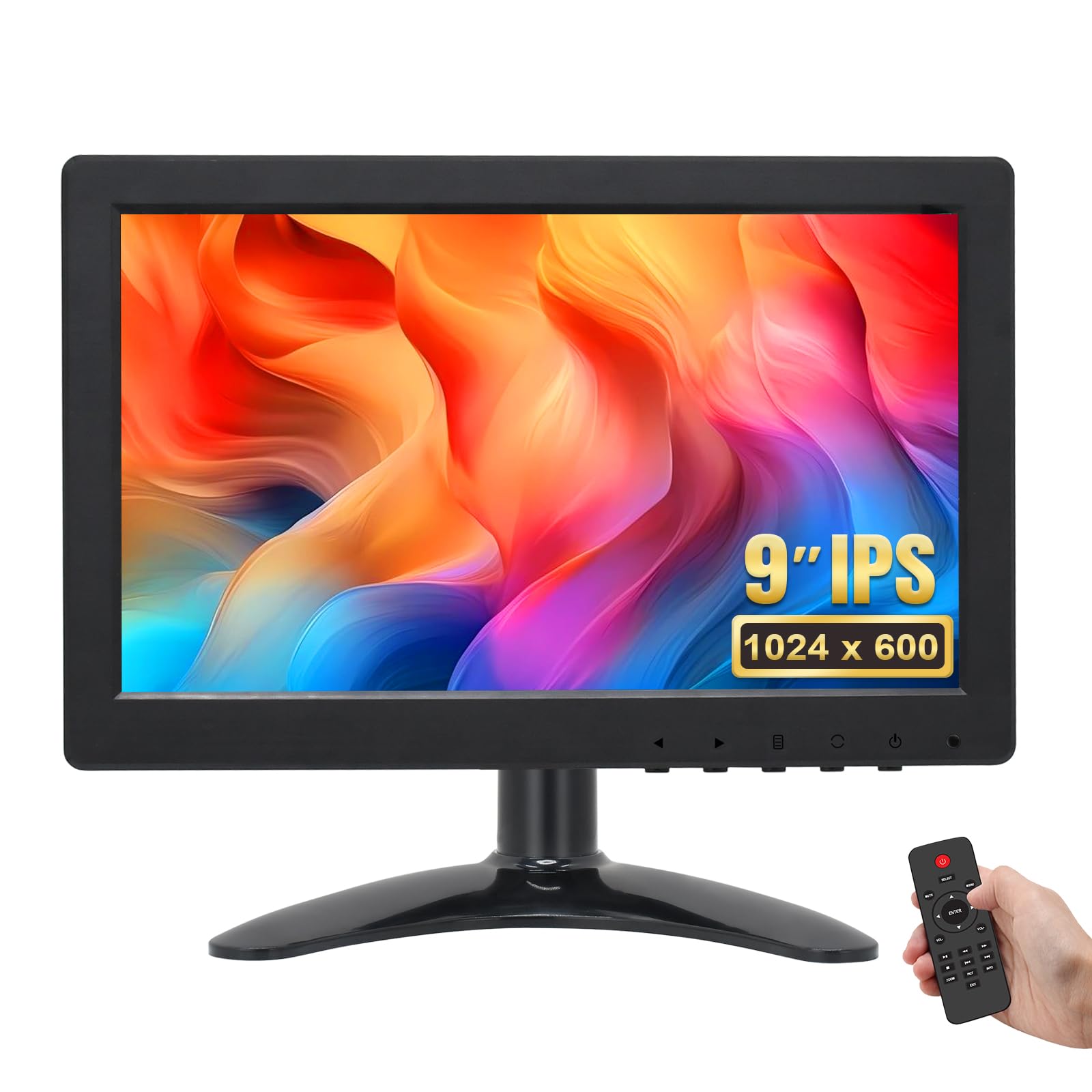
The OSCY 9-inch monitor packs a 1024×600 resolution panel with 600 cd/m² brightness, 800:1 contrast, and 170° wide viewing angles. The intermediate resolution sits between budget 800×480 screens and premium 1280×720 panels, offering noticeably sharper text for system menus without the premium price. The 16:9 aspect ratio and VESA 75mm mounting holes make it adaptable for desktop, wall, or vehicle installation.
Input selection is the best in its class: HDMI, VGA, USB, BNC, and AV composite ports cover nearly every source an enthusiast might throw at it. The included IR remote and front-panel buttons allow quick switching between inputs and adjustment of volume and brightness. Two built-in speakers deliver passable audio for casual use, though sound quality is mono and limited in dynamic range.
A few buyers reported the monitor failing completely after 14 months, suggesting the power supply or internal driver board may have a finite lifespan. The speakers are serviceable for alerts but inadequate for music or dialogue-heavy content. For retro computing (classic Macs, Amigas) or as a multi-input shop monitor, the OSCY earns its place through sheer connector diversity and decent panel clarity.
Why it’s great
- Exceptional range of HDMI/VGA/AV/BNC inputs
- Sharp 1024×600 resolution for the price
- Includes IR remote and VESA mount compatibility
Good to know
- Some units fail after about a year
- Audio output is mono only
- Poor 6-bit color accuracy per channel
4. Hikity 9 Inch Backup Camera Monitor

The Hikity 9-inch TFT LCD monitor supports up to four simultaneous camera inputs with six selectable viewing modes — single full view, split dual, split tri, and quad four-way. Each of the four RCA channels includes a backup or turn-signal trigger wire, allowing automatic switching when the vehicle shifts into reverse or the turn signal is activated. The 800×480 resolution is adequate for situational awareness but not for reading fine detail.
The package includes a headrest shroud, dashboard mount, power cable with four video inputs, and an IR remote. Power input accepts 9-36V DC, which covers virtually all automotive electrical systems from passenger cars to heavy-duty trucks. The anti-glare sunshade helps with daytime visibility, though the 800×480 resolution limits clarity compared to 720p alternatives.
Several customers note the instructions are nearly illegible due to tiny print and vague diagrams. The buttons require firm pressure to register input, and the unit lacks an auto-dimming wire for night driving. For truck and RV owners who need a real-time quad-camera view of blind spots, this monitor delivers the functionality — just budget extra time for wiring and mounting.
Why it’s great
- Quad-split display with six viewing modes
- 9-36V wide voltage input for most vehicles
- Includes headrest and dashboard mounts
Good to know
- Poor image quality in split-screen mode
- Buttons require very firm pressure
- Included manual is extremely small and vague
5. Padarsey 9″ TFT LCD Car Rearview Quad Split Monitor

The Padarsey 9-inch TFT LCD monitor offers the core functionality of a quad-split rearview system at an entry-level price point. It accepts four 4-pin shockproof RCA camera inputs and includes backup/turn trigger wires for automatic channel switching. The 800×480 resolution and included sunshade help with daytime clarity, but the panel is limited to analog CVBS signal input — it will not work with modern AHD digital cameras.
The IR remote allows control of brightness, contrast, and color, and the screen supports rotation and mirroring. Power input covers 12-24V DC, making it compatible with cars, trucks, RVs, and vans. The single/dual/quad split viewing modes mirror the functionality of more expensive models, but the lower resolution becomes apparent when viewing four feeds simultaneously.
Customer feedback reveals significant variability: some users praise the picture quality for the price, while others report the quad-split mode only displays two channels despite the product description. Color accuracy is described as “okay but not great” by multiple buyers. For budget-conscious truck or motorhome owners who need basic rearview awareness and don’t require high-definition clarity, the Padarsey gets the job done at a low entry cost.
Why it’s great
- Low entry price for quad-split vehicle monitoring
- 12-24V wide voltage compatibility
- Includes sunshade and IR remote control
Good to know
- Not compatible with AHD digital cameras
- Quad mode may only show two channels
- Mediocre color reproduction
6. Tyler 9″ Portable TV LCD Monitor

The Tyler 9-inch portable TV distinguishes itself with a built-in rechargeable battery rated for 4+ hours of playtime, a full ATSC digital TV tuner, and USB/SD media playback. The LED-backlit 16:9 widescreen panel delivers 1000:1 contrast ratio and includes dual AV inputs for connecting DVD players, gaming consoles, or security cameras. The package includes a remote control, built-in stand, car charger, and AC adapter — everything needed for truly off-grid viewing.
Media format support is extensive: AVI, MOV, MPEG1-4, XVID, H.264, H.265, FLV, MKV, MP3, JPEG, and more. The USB and SD card slots allow playback without any external source. Connectivity extends to Apple TV, Amazon Firestick, Roku, Chromecast, and gaming consoles via HDMI or AV, making it a flexible secondary display for camping, dorm rooms, or the kitchen.
The battery life is the most contentious aspect: official claims of 4+ hours are generous, with many users reporting only 2.5 hours of actual runtime, and the recharge cycle can take several hours. The antenna connection is poorly designed, with a loose connector that can degrade over-the-air reception. For short-duration portable TV use where a power outlet is accessible, the Tyler works well, but don’t rely on it for long off-grid viewing sessions.
Why it’s great
- Built-in rechargeable battery for portable use
- Full ATSC digital TV tuner included
- Plays media from USB and SD cards
Good to know
- Real battery life closer to 2.5 hours
- Poor antenna connector design
- Recharge cycle takes much longer than runtime
FAQ
Can a 9-inch monitor work as a secondary computer display?
What does quad-split display mean for vehicle monitors?
Why does my 9-inch monitor not work with a modern digital camera?
Final Thoughts: The Verdict
For most users, the best 9 inch monitor winner is the GeeekPi 9 inch Touch Screen because its 1280×720 panel, responsive capacitive touch, and low-power design make it perfect for server racks, Raspberry Pi desktops, and embedded projects. If you need the toughest outdoor-rated touchscreen, grab the Magedok 9 Inch Touch Screen. And for vehicle multi-camera monitoring without breaking the bank, nothing beats the Hikity 9 Inch Backup Camera Monitor.