
Our readers keep the lights on and my morning glass full of iced black tea. As an Amazon Associate, I earn from qualifying purchases.
Specs are compiled from manufacturer listings and verified buyer reviews and can change over time — please confirm the key details on the product page before buying.
A dead or missing power adapter turns your laptop into a paperweight. You need a replacement that matches your original wattage (the power your laptop draws to charge and run) without the original price tag. A 90W adapter is the balance for most ultrabooks (thin, light laptops) and thin-and-light workstations (powerful portable computers), delivering enough power for full-speed charging without the bulk of a heavier brick. The question is which cheap replacement actually holds up over daily use without fried ports or false promises.
I’m Min — the founder and writer behind Gadgets Feed. This guide is built by comparing the manufacturers’ published specifications and the patterns across verified customer reviews, so you get each pick’s real strengths and trade-offs instead of marketing spin.
We sorted through hundreds of owners’ experiences to bring you the 90w power adapter options that actually work as advertised.
Our Picks at a Glance

How To Choose The Best 90W Power Adapter
A 90W power adapter needs to match your laptop’s voltage, connector type, and amperage requirements. The wrong adapter can either not charge at all or damage sensitive charging circuits. Here’s what to check before you click “add to cart”.
Match the Connector Type First
Most modern laptops use a USB-C port for charging, which means you need a USB-C power delivery (PD) adapter. Older models and some business laptops still use a barrel connector — those come in different sizes like 4.5mm x 3.0mm. If your laptop uses a barrel plug, a universal adapter with interchangeable tips is your best bet. If it uses USB-C, grab a dedicated 90W PD charger for the cleanest fit and fastest negotiation between charger and device.
Voltage and Amperage Must Match
A 90W adapter is rated at 90 watts total, but that wattage splits into voltage (V) and amperage (A). Your laptop expects a specific voltage — for example, 19V or 19.5V for most Dell and HP models. USB-C adapters handle this automatically because PD negotiates the voltage. Barrel-style adapters do not negotiate, so you must buy the exact voltage your laptop needs. Amperage matters too — a Dell XPS that draws 4.5A will not charge from a 3.34A supply. Most 90W USB-C adapters output 20V at 4.5A or 20V at 5A. Those numbers need to equal or exceed your laptop’s stock charger output.
Build Quality and Safety Certifications
Low-cost chargers sometimes skip safety components. Look for markings like CE, FCC, and RoHS on the label. These certifications mean the adapter passed tests for electrical safety, interference, and material restrictions. A charger with overvoltage, short circuit, and over-temperature protection adds a layer of safety if the power grid in your area is inconsistent or if you travel frequently. A cooling system or aluminum housing also helps the brick stay cooler during heavy use — a plastic brick that runs hot is a sign of poor design.
Quick Comparison
| Model | Best For | Connector Type | Amperage (A) | Voltage Range | Amazon |
|---|---|---|---|---|---|
| Replacement for Dell (P1)★ Best Overall | Best Overall Dell USB-C | USB-C | 4.74 Amps | 20V (fixed) | Amazon |
| Nobsound 19V 4.74ABest for Audio Gear | Audio gear / Fixed voltage | Barrel 2.1-2.5mm | 4.74 Amps | 19V fixed | Amazon |
| TUXIFPKU 100W USB-CBest Value | Multi-brand USB-C laptops | USB-C | 5 Amps | 5V-20V PD | Amazon |
| AYKLCZUU Slim HP Adapter | HP Spectre / EliteBook | USB-C | 4.5 Amps | 5V-20V PD | Amazon |
| WENYAA Dell USB-C | Dell Latitude / XPS backup | USB-C | 4.5 Amps | 9V-20V PD | Amazon |
| DTDR 19.5V 4.62A | Older Dell Inspiron (Barrel) | Barrel 4.5×3.0mm | 4.62 Amps | 19.5V fixed | Amazon |
| ZOZO Universal 90W | Universal / multi-brand | Barrel (19 tips) | 5 Amps | 15V-20V switchable | Amazon |
| Belker Universal 90W | Universal + USB-A phone charging | Barrel (19 tips) | 4.5 Amps | 18.5V-20V switchable | Amazon |
| Dell OEM 90W (P9) | Genuine Dell compatibility | USB-C | 4.5 Amps | 5V-20V PD | Amazon |
In‑Depth Reviews
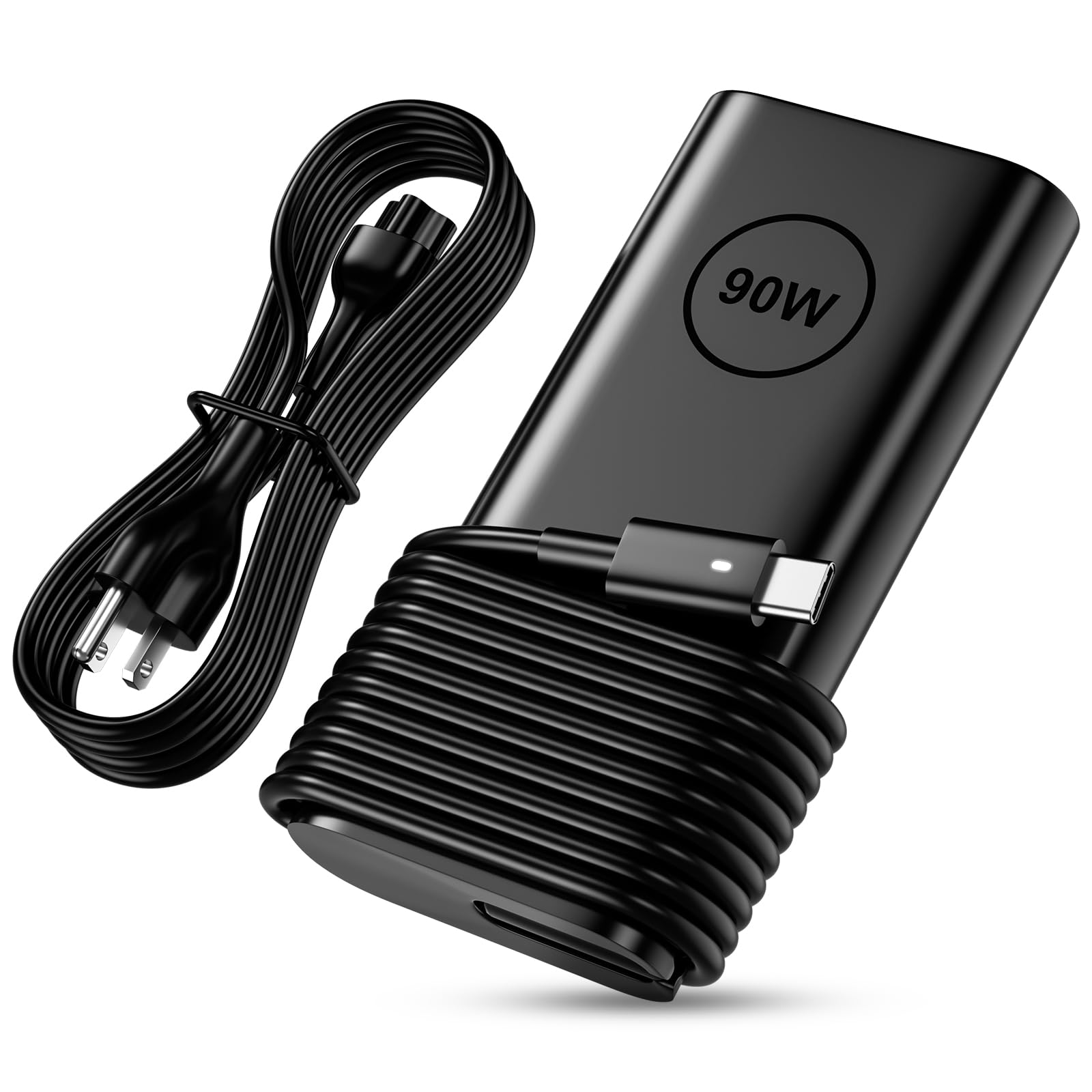
1. Replacement for Dell 90W USB C Charger
Our pick — over 4.5★ from 850+ verified ratings; the strongest balance of quality and price.
A near-universal Dell USB-C brick that owners call a “perfect fit” for XPS and Latitude lines.
This Easy Style adapter delivers 90W through a USB-C connection and doubles as a backup for 45W and 65W Dell laptops. The brick itself carries CE, FCC, and RoHS safety marks, and owners describe it as “very good” at charging fast and “works perfectly” across generations.
One buyer who runs a Dell XPS-17 confirmed it “worked properly” right from the start, and the crowd agrees — functionality gets the most praise across the board. The fit itself is a mixed bag though. Some owners with older laptops (a Toshiba Satellite, for instance) found the plug a bit loose at the jack, and the cord is on the shorter side, which makes it less ideal if your outlet sits far from your desk. It is a replacement that acts like a charger on most modern Dells.
Dell replacement reliability
- Delivers a reliable 90W charge to XPS and Latitude models — “works as expected” sums up the consensus
- Safety-certified (CE, FCC, RoHS) with overvoltage, short circuit, and overheat protection
- Compact enough to toss in a carry-on with global 100-240V input support
limited to 90W
- Plug fit is not universal — some older non-Dell laptops report a loose connection
- AC cord is short, which makes routing around a power strip a bit tight
Reach for this if they own any modern Dell USB-C laptop: This is the crowd favorite — a 4.6-star rating across a huge number of owners who call it a “perfect replacement” for the original OEM brick at a fraction of the price.
Look elsewhere if you need a long cord or a barrel connector: The short power cable and loose-fit reports on non-Dell hardware make it a worse choice for an older Toshiba or Acer that still uses a round plug.
2. Nobsound DC 19V 4.74A 90W Power Supply Adapter
A fixed-voltage supply built for Hi-Fi amplifiers that owners call “surprisingly really good”.
Nobsound’s 90W adapter outputs a steady 19V at 4.74A, which is the exact voltage most Class D amplifier boards and mini Hi-Fi systems need. The aluminum casing helps with heat dissipation, and the power cord uses pure copper wiring. Nobsound claims other brands use aluminum or copper-plated wire, though. The adapter powers Nobsound’s own TPA3116 amp and was reported to drive a Polk center channel speaker “without any hisses no interference at all”, which is exactly what an audio enthusiast wants to hear.
The big caveat is reliability: a real number of owners reported the supply died after just an hour of use. Sound quality is also a mixed bag — some got clean output, others heard a throbbing sound from their speakers. The universal 2.1-2.5mm plug socket means you might need an adapter to fit your specific amp, adding a small extra cost. It is a niche tool best for a single audio setup that matches exactly 19V and does not need a variable voltage or a laptop-style connection.
Class D amp stable: If you run a Nobsound NS-10P preamp or a TPA3116 power amp, this adapter delivers the clean 19V rail those boards are tuned for. Owners call it “plug and play” and note it produces “good sound, low heat” — but the early-failure reports make it a risky daily driver for a workstation laptop.
Reach for this if you have a 19V Class D amplifier: The pure copper cord, aluminum housing, and clean output at 19V/4.74A make it a solid match for dedicated audio gear.
Look elsewhere if you need a charger for a laptop that moves around: The fixed plug with 2.1-2.5mm compatibility and the reliability concerns make it a worse fit for portable use.
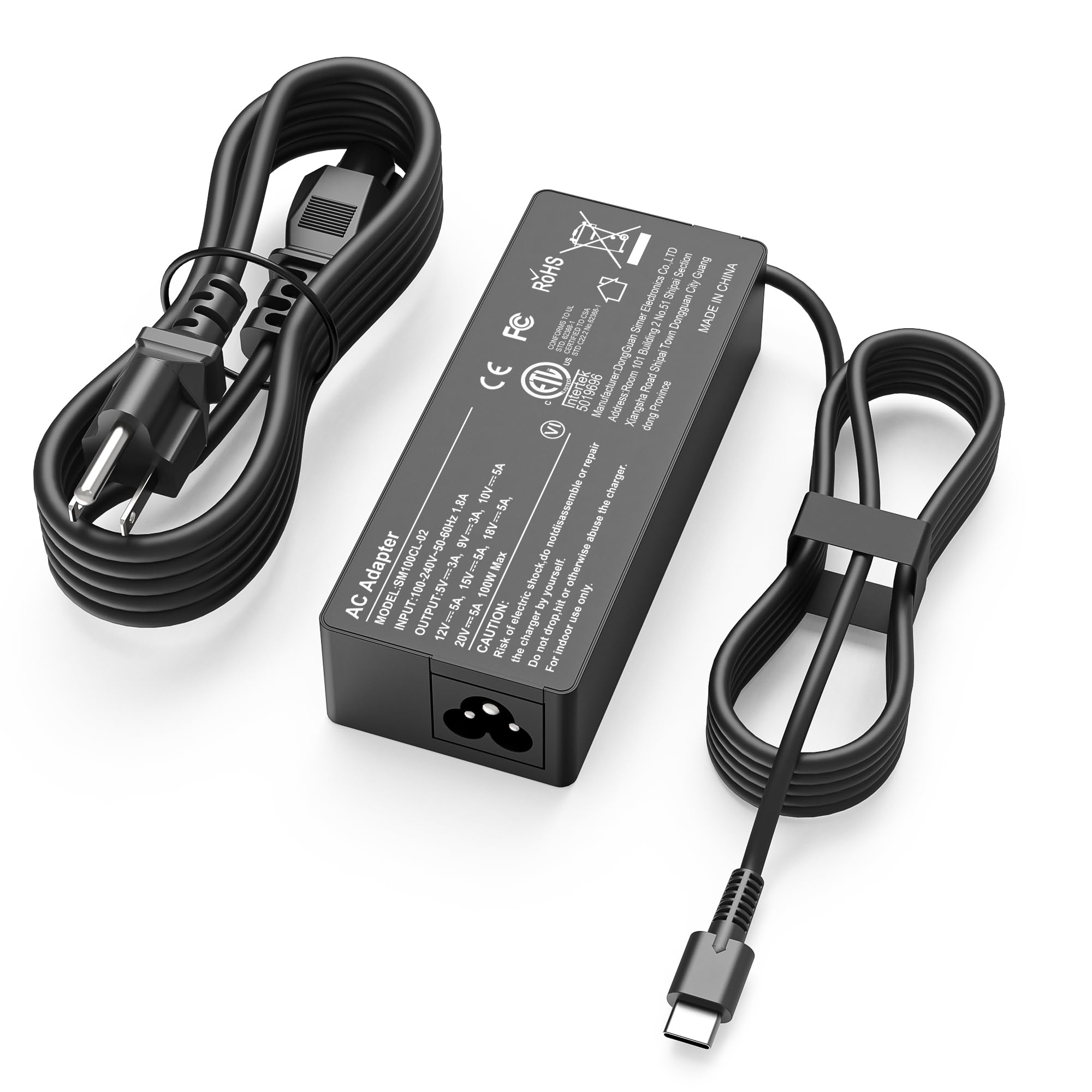
3. TUXIFPKU 100W USB C Laptop Charger
100W of PD 3.0 power that auto-negotiates down to 90W laptops without a hiccup.
This TUXIFPKU adapter puts out a maximum of 100W at 20V and 5A, but its real trick is the smart voltage scaling: it automatically steps down to 90W, 65W, and even 45W depending on what your laptop asks for. That means it works just as well charging an ROG Ally X at full tilt as it does topping off a MacBook Air overnight. Owners confirm it “stays warm but not hot” under load and consider it a “solid backup charger” for their daily drivers.
Compatibility spans Lenovo, HP, Dell, Acer, Asus, and Macs, plus game handhelds like the Steam Deck and ROG Ally. The 5.9-foot USB-C to C cable is longer than the standard 3-foot cord many replacements ship with, which is a big help for desk setups where the power outlet sits far from the laptop. The only downside is that it has a single USB-C port — no extra USB-A port for charging a phone. Some ROG laptops need a barrel connector for full performance, so check if your MSI or ROG uses USB-C or the old round plug.
100W overhead: At 5 amps vs 4.74 amps, this gives you 11% more amperage and 100W peak vs 90W on the Dell-focused pick. That extra headroom means a ROG Ally X or a 100W laptop gets full speed charging without the brick maxing out.
Reach for this if you own laptops from multiple brands: PD 3.0, 100W max output, and broad compatibility make it a single-cable solution for a mixed-tech household.
Look elsewhere if you need a second USB-A port: The single USB-C output limits simultaneous charging for a laptop and a phone — you will need a separate phone brick.
4. New Slim 90W USB C Laptop Charger for HP Spectre x360

A slim-profile replacement that owners call “as good as the original charger” for HP Spectre laptops.
This AYKLCZUU 90W adapter is built for HP’s USB-C laptops — specifically the Spectre x360 and EliteBook x360 1040 G4/G5 lines. It supports a wide range of output voltages from 5V to 20V and maxes out at 90W. Buyers report it “works flawlessly” with an HP x360 15-bk193ms, with the brick staying cool even after six hours of use. It also works as an affordable spare for school-issued HP Chromebooks, which gives it a practical edge for families.
The durability is a genuine weak point: multiple owners mention the charger stopped working within two months of purchase. That drops it below the Dell replacement’s track record in terms of longevity. The cord length also gets mixed feedback — some find it too short for comfortable desktop routing. This is a great backup to keep in a backpack for your HP laptop, but it might not survive as a daily driver on a desk where the brick is constantly being plugged and unplugged.
HP slim fit: What owners praise most is how well it works — “perfectly” and “completely satisfied” are the most common phrases in the reviews. It is a decent value for the price and a perfect fit for the HP Spectre series, but the fragility reports mean you should treat the cable gently.
Reach for this if you need a reliable backup for a school HP laptop: The slim brick fits a backpack easily and owners say it “works perfectly” as a spare for the HP models it lists.
Look elsewhere if the cable will get yanked or twisted daily: The mixed durability reviews suggest this adapter is better as a travel or second charger than your main desk plug.
5. WENYAA 90W USB C Laptop Charger for Dell

A lightweight Dell-compatible brick that owners say “works great and way less expensive than the one Microsoft sells”.
This WENYAA charger weighs 12.3 ounces and outputs 90W at 20V and 4.5A, covering Latitude and Inspiron models from the 3000 series up to the 9000 series. It works with both Dell and Microsoft Surface devices, which makes it a versatile choice for a household with mixed-brand laptops. The quality is well-regarded by owners, with over 40 buyers singling it out positively. It includes a power cord and a 12-month warranty, which is more than most budget-level replacements offer.
The charging speed divides opinion — some call it “very fast”, others say it “doesn’t work half the time”. The durability is the bigger concern, with 15 negative mentions from owners who had the adapter fail early. That makes it a solid budget pick for occasional use or as a backup to keep in a drawer, but not the best bet for a heavy-user’s daily plug. Compared to the Dell replacement (product 1), this one is slightly more expensive and has a higher failure rate in reviews, but the dual Dell + Surface compatibility is a real advantage if you own both.
owner tested
- Good build quality with a metal-and-plastic enclosure that feels solid in hand
- Compatible with both Dell USB-C laptops and Microsoft Surface models — one charger for two brands
- 12-month warranty from WENYAA adds confidence over generic no-name adapters
cable stiff
- Charging speed is inconsistent — some customers note it “doesn’t work half the time”
- Durability is a concern, with some adapters failing within weeks of purchase
Reach for this if you need a single backup charger for a Dell AND a Surface laptop: The dual compatibility is a rare advantage — one 90W brick to charge both your Latitude and your Surface Pro.
Look elsewhere if you need a heavy-duty daily charger: The charging speed and durability complaints make this better for occasional use than for a full-time desk setup.
6. DTDR 19.5V 4.62A 90W AC Charger for Dell Inspiron
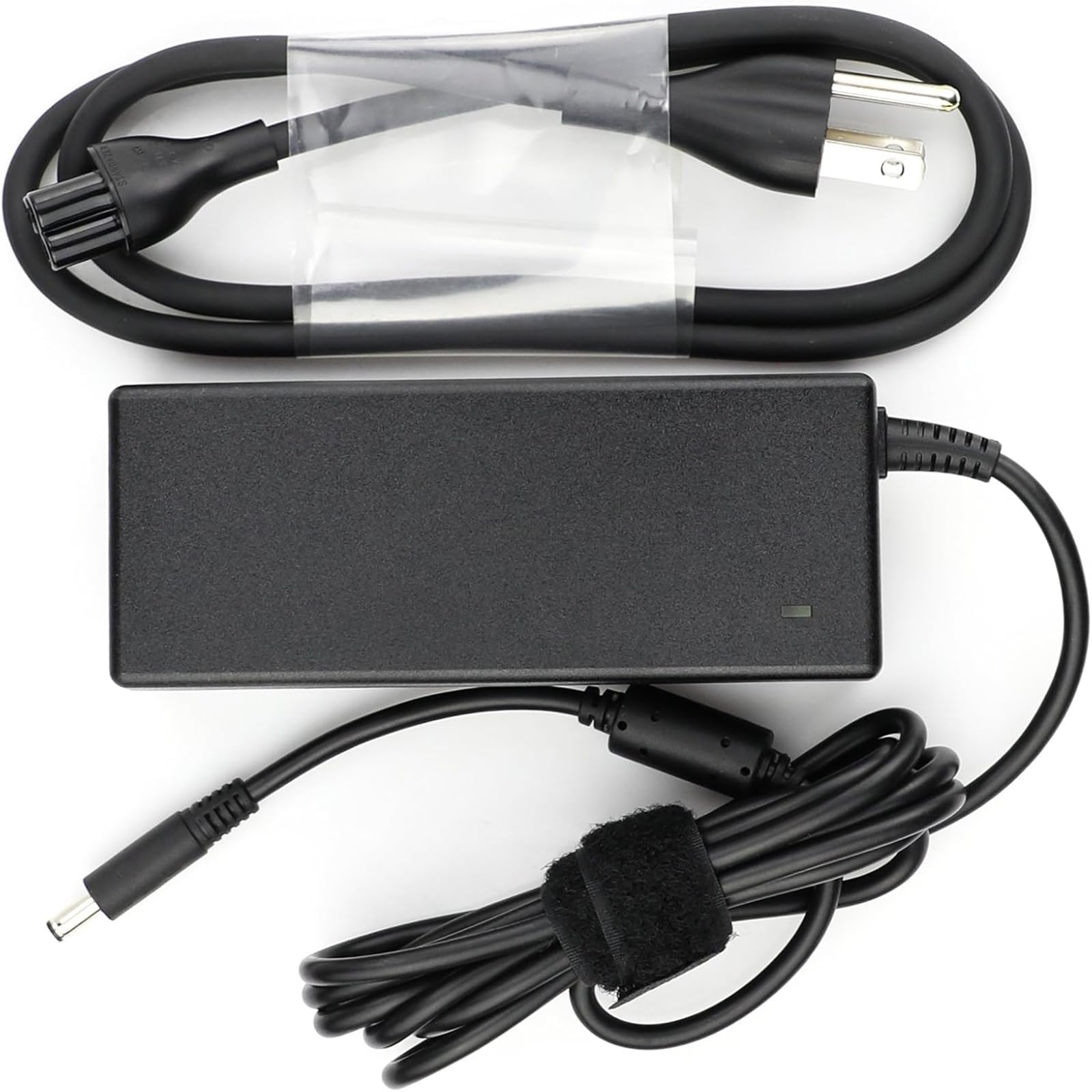
A fixed 19.5V barrel charger that “perfectly fits two different Dell notebooks” according to owners.
This DTDR adapter uses a standard 4.5mm x 3.0mm barrel connector and outputs a steady 19.5V at 4.62A. That voltage is the exact spec for many Dell Inspiron 3000, 5000, and 7000 series laptops from the 2015-2020 era. It is also backward compatible with 65W and 45W Dell chargers, so a lighter Inspiron 3000 can use it without issue. Owners confirm it “works great” with an Inspiron 15 and note the brick has a cooling system that monitors temperature and protects against overcharging and short circuits.
The one owner who reported it “only worked two months” before the brick lit up but stopped charging is indicative of the small sample size — this adapter only has a modest number of ratings. For a about, it is a clean replacement if your Inspiron still uses the old barrel connector, but the low review count means you are betting on the brand’s promise rather than crowd-sourced proof. The compact design makes it easy to slip into a laptop sleeve alongside your Inspiron.
Dell Inspiron fit: Best for Dell Inspiron owners who still use the barrel connector: The 19.5V fixed output and 4.62A current match the original Dell spec perfectly, and owners who own two different Dell notebooks confirm it works on both without compatibility issues. Just be aware of the limited review history.
Reach for this if your Dell Inspiron still uses a 4.5mm barrel jack: It delivers the exact 19.5V/4.62A your older Inspiron expects in a compact shell.
Look elsewhere if you expect a USB-C connection or need a charger with thousands of verified reviews: With only a modest number of ratings, this one is a less proven option than the Dell or WENYAA USB-C adapters.
7. ZOZO 90W Universal Laptop Charger

A universal adapter with 19 interchangeable tips that the crowd calls “best value and works” for up to 10 different laptop brands.
This ZOZO 90W adapter comes with a generous set of 19 DC tips and supports six switchable voltages from 15V to 20V, covering HP, Dell, Gateway, Toshiba, Lenovo, Acer, Asus, Samsung, Sony, and Fujitsu. The brick itself draws from 100-240V input, so it works in most countries with just a plug adapter. Owners consistently call it a “great value” and note it “did exactly the trick” for a 14-year-old Acer Aspire. The reliability is the strongest point — over 550 owners praise it.
The sheer number of tips can be a chore to sort through at first. The DC cord is also on the short side at about 45 inches, which makes routing on a messy desk a bit annoying. It also cannot charge laptops over 90W, so a 130W workstation is off the table. For a home that has an HP, an Acer, and a Sony all on different voltages, this one adapter replaces three separate bricks in one box.
wide voltage range
- 19 interchangeable tips cover virtually every barrel-connector laptop from the major brands
- Switchable voltage (15V-20V) means one brick adapts to different laptops without a separate adapter
- Over 550 owners praise the reliability — the highest count of any feature across all products here
tip confusion
- Finding the right tip among 19 takes a minute — not something you want to do in a hurry
- DC cord is short at about 45 inches, limiting desk and bed placement options
Reach for this if you have three or more different-brand laptops in your household: One brick with 19 tips can replace a drawer full of old OEM chargers for HP, Dell, Lenovo, Acer, Asus, Toshiba, and more.
universal The tip-selection hassle and short cord make a single-brand replacement like the Dell or HP adapter a cleaner choice for a single-device household.
8. Belker 90W Universal Laptop Charger with USB Port

The rare universal 90W brick that adds a 5V 2.4A USB port for charging a phone at the same time.
This Belker adapter outputs 90W through a barrel connection and includes a dedicated 5V 2.4A USB-A port for smartphones. The kit comes with 19 interchangeable tips covering HP, Dell, Lenovo, Acer, Asus, Toshiba, Samsung, Sony, and Gateway laptops. The compact size — 4.75 inches by 2.5 inches by 0.625 inches — makes it one of the slimmest 90W adapters you can buy, and owners describe it as “extremely compact and well priced” for the wattage. The build quality is praised by many buyers for its solid feel.
The catch is that the tips kit does not include a USB-C tip, which means modern Lenovo ThinkPads and MacBooks that charge only via USB-C are left out. Some users also report that it does not support the Lenovo tip shape well. The charging speed of the USB port is not “fast charging” by modern standards — 5V at 2.4A is about 12W, so it will top off a phone slowly. If you need a universal adapter for older barrel laptops plus a phone charge, this Belker is a clean single-plug solution.
extra USB port: What owners love is the compatibility — over 40 mention it works with most devices. The USB port is a genuine bonus in a 90W adapter, but the lack of a USB-C tip means it is not a true one-charger-to-rule-them-all deal.
Reach for this if you travel with a barrel-connector laptop and want to skip the phone brick: The slim profile and built-in USB-A port let you charge both devices from a single outlet at the hotel.
Look elsewhere if your laptop uses USB-C or you need true fast charging for your phone: No USB-C tip and the 12W USB port make it a poor fit for a modern ThinkPad or an iPhone 15 Pro Max user.
9. Dell OEM 90W USB Type C AC Adapter

A genuine Dell adapter that owners say “significantly reduces charging time” versus a 65W brick.
This is a new genuine Dell AC adapter in non-retail packaging. It outputs 90W at 20V and 4.5A through USB-C and is backward-compatible with 65W and 45W Dell laptops. The specific compatible models are listed: Precision 3470, 3570, 3571, 5770, XPS 15 9520, Latitude 9330, 9430, 7430, 5530, 5531, 7330, 5431, 5531, 5330, 7330, 7530, and Inspiron 7420. It includes a 3-foot power cord and a 6-foot USB cable, giving a combined reach of 9 feet from the outlet — a major plus for any desk or dorm setup.
Because it is Dell OEM, it will not trigger any “unauthorized charger” warnings that some Dell laptops throw with third-party bricks. The build quality is Dell’s own — metal or aluminum casing, proper FCC/CE testing, and a fast-charging feature. The downside is the price tag, which is roughly double that of the Easy Style replacement (product 1). For a business laptop that you rely on for work and cannot afford charging errors, the genuine Dell adapter is the safest choice. The small review count (just over 50 ratings) reflects the fact that most people buy the cheap replacement, but those who bought this one confirm it works “perfectly” and is a “nice product”.
authentic Dell: The big advantage over the third-party Dell replacement: Genuine Dell parts mean zero compatibility warnings, a metal casing that dissipates heat better, and a longer 9-foot total reach from the wall to your laptop. The trade-off is the higher price — roughly double the Easy Style adapter — for the same wattage.
Reach for this if your Dell laptop throws “unauthorized charger” warnings with third-party adapters: The genuine Dell part guarantees compatibility and safe charging at 90W for Latitude, XPS, and Precision models.
Look elsewhere if budget is the main concern: The third-party Dell replacement (product 1) costs half as much and works on most models, so if your Dell does not reject non-OEM chargers, you can save the money.
Understanding the Specs
Voltage (V) and Amperage (A)
Voltage and amperage together determine the wattage — 90W equals 20V times 4.5A. A 90W adapter can also be 19V at 4.74A or 19.5V at 4.62A. The laptop decides which voltage it needs. USB-C PD adapters negotiate the voltage automatically. Barrel-style adapters output a fixed voltage — you must buy the exact voltage your laptop’s original charger uses. If you plug a 19V adapter into a laptop that expects 19.5V, it may not charge at full speed or may not charge at all. Check the label on your original charger before buying.
USB-C Power Delivery vs Barrel Connector
Most laptops made after 2020 charge through USB-C using the Power Delivery (PD) standard. This means a single USB-C cable carries both data and up to 100W of power. Older laptops use a barrel connector (a round plug) that comes in different sizes — 4.5mm x 3.0mm is common for Dell, 5.5mm x 2.5mm for HP. Universal adapters like the ZOZO and Belker include multiple tips to fit different barrel sizes. If your laptop uses USB-C, pick a PD adapter. If it uses a barrel plug, a universal kit is more practical.
FAQ
Can I use a 90W charger on a laptop that originally came with a 65W charger?
Will a 90W USB-C charger work on a MacBook Pro?
What happens if I use a 90W adapter on a laptop that requires 130W?
How do I know if my Dell laptop uses a barrel connector or USB-C?
Can I charge a laptop with a 90W adapter that outputs 19V when my laptop uses 19.5V?
How long does a 90W power adapter typically last?
Is it safe to leave a 90W charger plugged in all the time?
What does PD 3.0 mean in a 90W adapter?
Can a 90W universal charger with interchangeable tips damage my laptop?
Does a 90W charger charge a phone faster than a standard 20W phone charger?
Final Thoughts: The Verdict
For the majority of shoppers, the 90w power adapter winner is the Replacement for Dell 90W USB C Charger because it delivers a reliable 90W charge at 4.74 amps through USB-C, carries CE/FCC safety marks, and has thousands of owners calling it a perfect replacement for the original Dell brick at a fraction of the price. If you need a versatile charger that works across multiple laptop brands, grab the TUXIFPKU 100W USB-C Charger for its PD 3.0 negotiation and 5.9-foot cable. And for an older Dell Inspiron that uses a barrel connector, the DTDR 19.5V 4.62A Charger is the one to reach for — it matches the original voltage and amps perfectly in a compact shell.
How We Picked
We do not accept paid placement. Every pick is matched to a real buyer and a real use-case; we do not hands-on test units.
Sources & Methodology
Specifications: manufacturer listings and product documentation. Review insights: verified customer reviews, as of July 2026. Pricing: not shown on this page (it changes often); check the current price via the retailer link.
As an Amazon Associate, Gadgets Feed earns from qualifying purchases. This does not affect which products we feature.