
An A3 inkjet printer is the bridge between a standard office document and a true professional layout. Whether you are printing architectural floor plans, poster-sized marketing materials, or detailed sewing patterns, the ability to handle paper up to 13″ x 19″ unlocks a world of print applications that a standard letter-size machine simply cannot touch. The choice, however, is rarely about just the print size — the real decision hinges on ink technology, total cost per page, and the machine’s ability to handle the specific media you need.
I’m Min — the co-founder and writer behind Gadgets Feed. I spend my days analyzing hundreds of customer reviews and technical datasheets across the consumer tech landscape to separate marketing claims from real-world performance, particularly in the printer category where hidden costs often dwarf the initial purchase price.
After digging through hours of real owner feedback and spec sheets, I have identified the models that deliver genuine value for wide-format printing. This guide is built around the best a3 inkjet printer for every kind of user, from the budget-conscious home office to the demanding design studio.
How To Choose The Best A3 Inkjet Printer
Selecting an A3 inkjet printer requires more than just checking the maximum paper size. You need to evaluate the total cost of ownership, the speed at which it processes large documents, and whether the ink system is suited to your monthly page volume. A cheap printer that uses expensive cartridges can cost you more in the long run than a premium model with a refillable tank.
Ink Delivery System: Cartridge vs. Supertank
The most critical decision is between a traditional cartridge-based system and a refillable ink tank (Supertank or MegaTank). Cartridge printers like the Epson WorkForce Pro or Brother INKvestment have a lower upfront cost but require you to purchase ink cartridges, which can have a very high cost per page for color printing. Supertank models like the Canon MegaTank or Epson EcoTank have a higher initial price but come with bottles of ink that last for thousands of pages, slashing the cost per page to nearly a penny. If you print more than a few hundred color pages a month, a Supertank pays for itself quickly.
Print Speed and Media Handling
When printing A3 documents, speed is measured in pages per minute (ppm). Look for models with auto-duplexing (2-sided printing) to save on paper, and check the maximum paper weight the printer can handle. If you plan to print on cardstock, canvas, or photo paper, you need a rear or front specialty feed that accommodates thicker media. An automatic document feeder (ADF) is also crucial for scanning multi-page A3 documents without manual page flipping.
Quick Comparison
On smaller screens, swipe sideways to see the full table.
| Model | Category | Best For | Key Spec | Amazon |
|---|---|---|---|---|
| Epson EcoTank Pro ET-5800 | Supertank | High-volume offices | 7,500-page black ink yield | Amazon |
| HP DesignJet T210 | Plotter | CAD & poster printing | 24-inch wide media support | Amazon |
| Canon MegaTank GX6120 | Supertank | Low-running-cost color | Up to 2 years of ink included | Amazon |
| Brother INKvestment MFC-J6560DW | Cartridge | Fast everyday printing | 31 ppm black speed | Amazon |
| HP OfficeJet Pro 9730 | Cartridge | Small office workflow | P3 wide color gamut | Amazon |
| Epson WorkForce Pro WF-7840 | Cartridge | Value A3 printing | 500-sheet paper capacity | Amazon |
| Canon MegaTank MAXIFY GX2020 | MegaTank | Compact Supertank | 3,000-page color yield | Amazon |
| Epson Stylus Photo R2000 | Photo | Fine art & photo prints | 8-color UltraChrome pigment ink | Amazon |
| Epson Artisan 1430 | Photo | Scrapbook & 12×12″ cardstock | 6-color Claria dye ink | Amazon |
In‑Depth Reviews
1. Epson EcoTank Pro ET-5800

The Epson EcoTank Pro ET-5800 is the master of the Supertank category for an A3-capable office machine. Powered by the PrecisionCore Heat-Free printhead, it delivers 23 ppm in black and 12 ppm in color, with zero warm-up time for the first page out. The pigment-based DURABrite ink ensures that prints are instant-dry, water-resistant, and highlighter-safe, making it ideal for documents that need to look professional immediately.
At the heart of its value is the ink bottle system. The ET-5800 ships with bottles that yield up to 7,500 black pages and 6,000 color pages, dropping the cost per page to about two cents for a color sheet. The 500-sheet paper capacity split across two front trays and a rear feed is perfectly suited for a small-to-medium-sized office that juggles letter, legal, and A3 media. Owners consistently praise its fast, reliable output and the massive reduction in consumable waste.
The built-in Ethernet, Wi-Fi, and a large tilting LCD screen make network management straightforward. While it is not a photo-lab-grade printer, the pigment inks produce crisp text and decent photo-quality color. One minor caveat is that the printer’s software stack on Mac and Windows can occasionally produce confusing “printer busy” error messages, though this seems to be a network configuration issue rather than a hardware flaw for most users.
Why it’s great
- Extremely low cost per page with massive ink bottle yields
- Fast, heat-free printing with no warmup delays
- Robust 500-sheet capacity for high-volume A3 workflows
Good to know
- Photo quality is good but not up to dedicated photo-printer standards
- Occasional network error messages may require tweaking
- Higher upfront cost than cartridge-based alternatives
2. HP DesignJet T210 Large Format 24-inch Plotter

The HP DesignJet T210 is a dedicated large-format plotter that handles media up to 24 inches wide on rolls, making it the clear choice for architects, engineers, and serious poster makers. It prints technical line drawings, CAD files, and renders with the precise line accuracy and crisp text that technical professionals require. The print speed of up to 45 seconds per A1/D-size page keeps projects moving, even in a busy office environment.
Connectivity is robust with Gigabit Ethernet, USB 2.0, and Wi-Fi 802.11 b/g/n, plus the HP Click software that allows auto-nesting and PDF error checking to reduce wasted media and ink. The HP Smart app lets you manage the printer remotely from a smartphone or tablet. Reviewers note that setup is straightforward and the print quality on large house plans and posters is exceptional for the price point.
The primary concern with this unit is ink availability. The HP 712 and 713 cartridges are genuine HP parts and can be difficult to source locally, sometimes taking over a week for delivery. There is no override for third-party ink, so you are locked into the HP supply chain. For users committed to a steady volume of large-format printing, this is a fantastic tool; for those who need emergency ink refills, it can be a logistical headache.
Why it’s great
- Prints on 24-inch wide rolls for large posters and blueprints
- Fast and accurate output for technical CAD drawings
- Easy setup and reliable network printing
Good to know
- Genuine HP ink cartridges are expensive and hard to find locally
- No duplex printing capability
- Not designed for general office document printing
3. Canon MegaTank GX6120
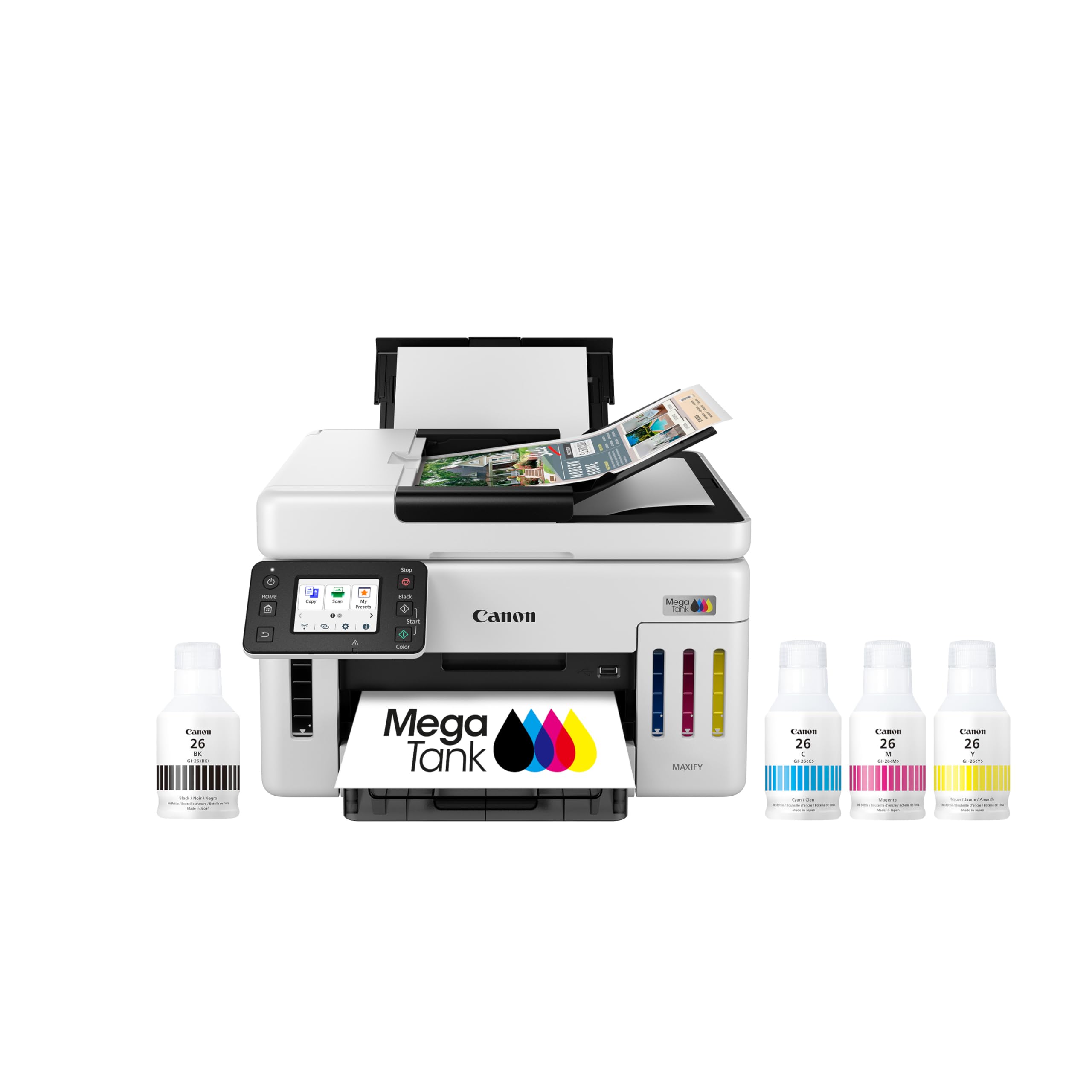
The Canon MegaTank GX6120 is a strong contender for anyone who wants the lowest possible running cost for color A3 printing. It comes with enough ink in the box to print up to 6,000 color pages, which Canon claims covers up to two years of printing for a small office. The integrated 2.7-inch LCD touchscreen makes navigation simple, and the auto-document feeder (ADF) allows for multi-page scanning and copying without constant manual intervention.
Print quality is a highlight here. Document text is crisp and black, while color pages and photos are vibrant and well-saturated. The GX6120 also supports duplex printing, cutting paper usage in half when creating multi-page booklets. Users report that setup is extremely fast — often under ten minutes from box to first print — and that Wi-Fi connectivity is stable once established.
The main drawback is that some units can be temperamental with network connectivity. A few owners report that the printer loses its Wi-Fi connection randomly, requiring a reboot or reconnection. A firmware update released recently seems to have fixed this issue for most, but it is worth being aware of. The rear-sheet feeder also adds depth to the footprint, so it requires a bit more desk space than the measurements suggest.
Why it’s great
- Excellent color print quality for documents and photos
- Ink-in-box drastically reduces ongoing supply costs
- Fast 24 ppm black speed with auto-duplexing
Good to know
- Some users experience intermittent Wi-Fi dropouts
- Rear paper tray adds significant depth to the desk footprint
- Base paper tray is only 250 sheets
4. Brother INKvestment MFC-J6560DW

The Brother INKvestment MFC-J6560DW is the speed king of this list, with a rated black speed of 31 ppm and color speed of 30 ppm. This makes it an incredible choice for small businesses where time is money and every second spent waiting for a print job is a second lost. The MAXIDRIVE technology ensures that this speed does not come at the cost of quality — text is sharp, and color scans reproduce detail accurately.
This machine prints, copies, scans, and faxes, with a 250-sheet paper tray and a 50-page single-sided ADF. It handles media up to 11″x17″ (A3), making it versatile for marketing materials, reports, and large spreadsheets. The 2.7-inch color touchscreen and the Brother Mobile Connect app make it easy to manage jobs from anywhere on the network. The Wi-Fi Direct feature also allows printing without a network infrastructure.
A recurring comment from users is that while the printer is fast, the LC506 ink is somewhat expensive compared to Supertank alternatives, and the yield of the included cartridges is conservative. Also, there is an important nuance: some units do not have automatic duplex printing for A3 despite the description, meaning you may need to manually flip pages. Double-check the specific model’s duplex capabilities before purchase if this is critical to your workflow.
Why it’s great
- Extremely fast print speeds for high-volume office work
- Sharp and crisp text output
- Versatile connectivity with Wi-Fi Direct and mobile app
Good to know
- Ink cartridge replacement costs add up over time
- Auto duplex for A3 may not be available on all units
- Some users report unsupportive customer service
5. HP OfficeJet Pro 9730

The HP OfficeJet Pro 9730 is a wide-format all-in-one that focuses on color accuracy and office reliability. It is the world’s first wide-format printer with P3 color gamut support, which means it can reproduce a wider range of vivid colors than the typical sRGB standard. This makes it an excellent match for printing floorplans, mood boards, and marketing graphics that need to closely match on-screen designs.
The printer includes features designed for business use, such as dual-band Wi-Fi that automatically detects and resolves connection issues, and HP Wolf Pro Security for protecting your network. The 4.3-inch touchscreen interface is phone-like and intuitive. It also includes a 3-month trial of HP Instant Ink, a subscription service that can save up to 50% on ink, though you must provide credit card details upfront.
A notable hardware advantage is the two 250-sheet input trays, allowing you to keep letter and A3 paper loaded simultaneously without swapping. Some users report that the initial Wi-Fi setup can be finicky and requires a wired USB connection to finalize, and the printer’s sheer size means it demands a dedicated desk space. The output quality, however, is consistently praised once the initial setup is completed.
Why it’s great
- Wide P3 color gamut for screen-accurate prints
- Two 250-sheet trays for separate media types
- HP Wolf Pro Security for data protection
Good to know
- Wi-Fi setup may require a wired connection initially
- Large footprint requires dedicated space
- Instant Ink trial requires credit card sign-up
6. Epson WorkForce Pro WF-7840

The Epson WorkForce Pro WF-7840 is the entry-level champion for anyone needing A3 capability on a tight budget. It prints, copies, scans, and faxes, handling media up to 13″ x 19″. The PrecisionCore Heat-Free technology allows for fast output at 25 ppm black and 12 ppm color, and the 500-sheet paper capacity means it can handle larger jobs without constant refilling.
One of its standout features is the DURABrite Ultra pigment ink, which dries instantly and is smear-resistant when highlighted. This is a huge plus for offices that print reports that will be marked up. The printer also supports a wide range of connectivity including AirPrint, Mopria, and the Epson Smart Panel app, making it easy to print from any device. The four-year longevity reported by one owner who printed 12,000 pages speaks to its build quality.
The main issue reported by owners is Epson’s aggressive firmware update policy. These updates are designed to block third-party ink cartridges, which can be a significant recurring cost if you prefer generic brand ink. Some users also report false “paper mismatch” and “paper jam” errors that require troubleshooting. For those willing to stick with Epson genuine cartridges and manage firmware updates carefully, this is a fantastic value A3 printer.
Why it’s great
- Lowest entry price for full A3 all-in-one functionality
- High 500-sheet paper capacity and fast print speeds
- Smear-resistant DURABrite Ultra pigment ink
Good to know
- Firmware updates intentionally block third-party ink
- Some users experience persistent paper error messages
- Device is large and heavy for a home office
7. Canon MegaTank MAXIFY GX2020

The Canon MegaTank MAXIFY GX2020 is the compact Supertank solution for the budget-minded home office or small business that needs A3 printing without the cartridge cost. It comes with a full set of GI-25 pigment ink bottles that yield an impressive 3,000 black and 3,000 color pages, eliminating the need for replacement cartridges for a long time. The integrated 2.7-inch color touchscreen makes navigating menus and changing settings efficient.
Setting up the GX2020 is straightforward, with Wi-Fi connectivity that works well with both Mac and iPhone devices. The 250-sheet paper tray and automatic document feeder (ADF) allow for reasonable multi-page job handling. The print quality on plain office paper is excellent, with sharp text and solid color blocks that look professional. Owners frequently praise it as a “zero cartridge hassle” machine that just works.
However, some owners report that the initial prints are amazing, but the color printhead can be finicky, requiring deep cleaning cycles that waste expensive ink. There are also reports of the printer struggling with cardstock, causing significant curl and smudging on high-quality settings. If your primary use is high-volume plain-paper A3 documents, this is a top pick. If you need to print on cardstock or photo paper regularly, look at the dedicated photo models.
Why it’s great
- Refillable MegaTank system drastically cuts ink costs
- Sharp, quality prints on plain office paper
- Easy setup with reliable Wi-Fi connectivity
Good to know
- Color printhead may require deep cleaning to fix banding
- Cardstock printing causes curl and smudging
- Some units seem to use ink quickly for the first few prints
8. Epson Stylus Photo R2000

The Epson Stylus Photo R2000 is a dedicated A3 photo printer designed for serious photographers and fine artists. It uses an 8-color Epson UltraChrome Hi-Gloss 2 pigment ink set that delivers a wider color gamut, beautiful skin tones, and a smooth, glossy finish that mimics a traditional darkroom print. It can handle cut-sheet and roll media up to 13 inches wide, including fine art paper, canvas, and even printable CDs and DVDs.
One of its key features is the auto-selecting black ink, which switches between Matte Black and Photo Black depending on the media type. This ensures optimal density and contrast on both glossy and matte surfaces. The individual ink cartridges are larger than standard photo cartridges, reducing the frequency of replacements. The wireless 802.11n and Ethernet connectivity are fast and reliable for sending large image files.
The R2000 is not without its quirks. The driver software is complex and offers many settings, which can be overwhelming for casual users. The Gloss Optimizer cartridge is used heavily and drains quickly, and if any cartridge runs empty, the printer halts completely until it is replaced. There are also reports of printhead clogging if the printer sits idle for a week, requiring a cleaning cycle that wastes ink. For dedicated photographers who need the best possible A3 pigment print, the results are unmatched.
Why it’s great
- 8-color pigment ink for exceptional color accuracy and vibrancy
- Auto-switching black ink for matte and glossy media
- Handles cut-sheet, roll paper, and even printable discs
Good to know
- Driver is complex and not beginner-friendly
- Gloss Optimizer cartridge drains fast
- Printhead can clog if left unused for a week
9. Epson Artisan 1430

The Epson Artisan 1430 is a specialized wide-format photo printer that excels at one very specific task: printing on 12″ x 12″ cardstock for scrapbooking and invitations. It uses a 6-color Claria Hi-Definition dye ink set that produces bright, vibrant colors with exceptional saturation. It prints borderless up to 13″ x 19″, and supports CD/DVD printing, making it a versatile tool for creative studios and scrapbooking enthusiasts.
Setting up the Artisan 1430 is straightforward, though you need a USB cable for the initial setup. Once connected to Wi-Fi, you can print from smartphones, tablets, and PCs. Users who have used this printer for years report that the colors remain accurate and consistent, especially when letting Photoshop handle color management instead of the Epson driver. The printer also works well with Continuous Ink Supply Systems (CISS), which drastically reduces ink costs.
The major drawbacks are its reliance on expensive Epson-branded ink cartridges, which cost around for a full set. Many users turn to cheaper third-party alternatives or a CISS to get running costs down. The printer also lacks automatic duplex printing and can be temperamental with paper feeds, occasionally pulling multiple sheets. For the dedicated scrapbooker or party invitation maker who wants the best color on heavy cardstock, this remains a beloved classic.
Why it’s great
- Best-in-class color and printing on 12×12 cardstock
- Borderless printing up to 13×19 inches
- Supports CD/DVD and a wide range of specialty media
Good to know
- Proprietary Epson ink cartridges are very expensive
- No automatic duplex printing
- Can have occasional paper feed issues
FAQ
Can I print borderless on A3 paper with these printers?
What is the difference between an A3 inkjet printer and a plotter?
How often do I need to clean the printhead on an A3 inkjet printer?
What is a CISS and can I use it with any A3 printer?
Final Thoughts: The Verdict
For most users, the best a3 inkjet printer winner is the Epson EcoTank Pro ET-5800 because it combines the lowest long-term running cost with professional-grade speed and text quality, all in a reliable A3 package. If you want the highest possible speed for a busy office, grab the Brother INKvestment MFC-J6560DW. And for dedicated photographic or fine art prints on A3, nothing beats the Epson Stylus Photo R2000.