
Your small business relies on crisp architectural plans, vibrant marketing collateral, or detailed graphics that demand wide-format output. Finding a machine that balances upfront cost, per-page running costs, and daily reliability without breaking the workflow is the real challenge — one wrong choice can turn every print job into a loss.
I’m Rikta — the co-founder and writer behind Gadgets Feed. I’ve spent years dissecting printer specifications, comparing toner yields and ink costs, and analyzing build quality across hundreds of models to separate true business tools from consumer toys. (And Homer 🐱 supervised every per-page cost calculation from his warm laptop perch).
This deep-dive guide compares 11 models capable of handling A3 output, from budget-conscious inkjets to premium color lasers, helping you match the right machine to your actual print volume. Whether you need to print one full-bleed 13×19 poster per week or run daily production of double-sided tabloid reports, a3 printer for small business decisions come down to understanding cost structures, not just sticker price.
How To Choose The Best A3 Printer For Small Business
Selecting a wide-format printer for a small business is not about picking the cheapest box — it is about understanding the total cost over the printer’s life and matching its strengths to your most frequent output. A3 machines fall into two broad camps: laser printers, which use powdered toner, and inkjet printers, which use liquid ink. Your choice depends on whether you prioritize low per-page cost for high-volume black text, or superior color and photo output for marketing materials and presentations.
Print Technology: Laser vs. Inkjet
Color laser printers like the Brother MFC-L8730CDW or HP Color LaserJet Pro series deliver fast, crisp text and graphics on plain paper. They excel in office environments where speed and sharp black lines are critical. Inkjet printers, particularly the Epson EcoTank Pro ET-16650 with its pigment-based DURABrite ink, offer a far lower per-page cost than laser toner and produce vivid color on a wider range of media, including glossy paper for sales sheets and posters. The trade-off is that inkjet prints are generally slower per page, and the machines can require more maintenance if left idle.
Paper Handling and Media Size
True A3 capability means supporting paper up to 11×17 inches (tabloid) or 13×19 inches (A3+). Check the input tray capacity: a 250-sheet tray is fine for light use, but a business printing 500+ pages per week will appreciate a 500-sheet capacity or the option to add a second cassette. Automatic duplexing (double-sided printing) is essential for saving paper and postage. For printers like the Canon PIXMA PRO-200S, which lacks duplex, factor in the extra manual work if you plan to print two-sided documents.
Connectivity and Network Security
In a multi-user office, built-in Ethernet and dual-band Wi-Fi are non-negotiable. Models like the Brother MFC-L3720CDW and HP LaserJet Pro MFP 3101fdw offer robust wired and wireless connections. For handling sensitive client data, security features such as HP Wolf Pro Security or device-level authentication found on the Brother MFC-L8730CDW (NFC card reader) provide critical protection against network threats.
Quick Comparison
On smaller screens, swipe sideways to see the full table.
| Model | Category | Best For | Key Spec | Amazon |
|---|---|---|---|---|
| Epson ET-16650 | Supertank Inkjet | High-volume A3 color | ~0.02 cents per color page | Amazon |
| HP Color LaserJet Pro 4301fdw | Color Laser | Fast office color printing | 35 ppm color print speed | Amazon |
| Brother MFC-L8730CDW | Color Laser | Secure high-volume office | 33 ppm, 80-page ADF | Amazon |
| Canon imageCLASS MF753Cdw | Color Laser | Top speed color A4/A3 | 35 ppm black/color duplex | Amazon |
| Canon PIXMA PRO-200S | Photo Inkjet | Fine-art photo prints | 8-color dye ink system | Amazon |
| Epson XP-15000 | Wide-Format Inkjet | Budget A3 photo printing | 6-color Claria HD ink | Amazon |
| Epson XP-980 | Wide-Format Inkjet | Compact photo all-in-one | 6-color Claria ink, 4.3″ screen | Amazon |
| Brother MFC-L3720CDW | Color Laser | Reliable color A4 office | 19 ppm, 3.5″ touchscreen | Amazon |
| HP Color LaserJet Pro 3301cdw | Refurbished Laser | Certified color laser value | 26 ppm, duplex ADF scan | Amazon |
| HP LaserJet Pro MFP 3101fdw | Mono Laser | High-speed B&W office | 35 ppm, fax, 50-page ADF | Amazon |
| HP LaserJet Pro MFP 3101sdw | Mono Laser | Entry-level B&W A4 office | 35 ppm, auto duplex | Amazon |
In‑Depth Reviews
1. Epson EcoTank Pro ET-16650
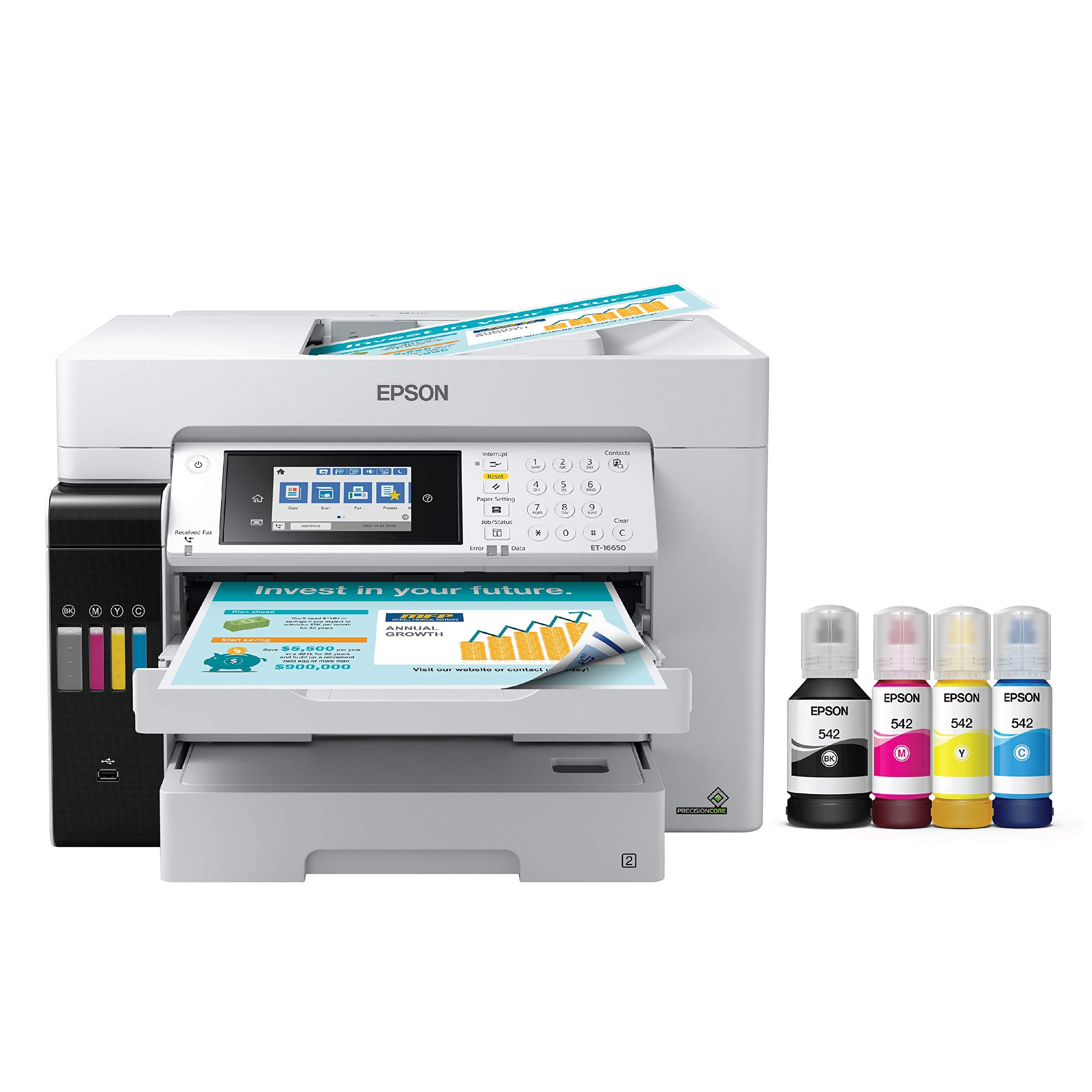
The Epson ET-16650 redefines the cost argument for A3 printing in a small business. Its built-in ink tank system delivers an ultra-low per-page cost — roughly 2 cents per color ISO page — compared to 14 cents or more for laser toner. The included ink bottles yield up to 7,500 black pages and 6,000 color pages, drastically reducing supply interruptions. Running on Epson’s PrecisionCore Heat-Free technology, it prints up to 25 ISO ppm in both black and color, and handles paper up to 13×19 inches with borderless support up to 11×17 inches.
The all-in-one package includes automatic duplex printing, a high-resolution flatbed scanner that can copy and scan up to 11×17 inches, and a 500-sheet paper capacity split across two front trays plus a rear specialty feed. Connectivity options cover Ethernet, dual-band Wi-Fi, and USB connectivity for easy integration into any office network. The pigment-based DURABrite inks produce instant-dry, water-resistant prints suitable for client-facing materials.
Customer feedback confirms excellent out-of-box print quality and seamless network setup, with the free two-year ink promotion providing substantial initial value. However, there are reports of printhead failures in some units, and the printer is large and heavy, requiring dedicated desk space. The warranty is limited unless timely registration is completed.
Why it’s great
- Ultra-low per-page running cost slashes print budget
- Excellent pigment-based print quality for business documents and graphics
- Massive ink capacity reduces replenishment frequency
Good to know
- Prone to printhead issues after heavy use; extended warranty is wise
- Large and heavy unit requires significant desk space
- Warranty registration period is strict; missing it causes issues
2. HP Color LaserJet Pro MFP 4301fdw

The HP Color LaserJet Pro 4301fdw is built for speed and reliability in a multi-user office environment. It prints up to 35 color pages per minute with sharp detail and uses HP’s TerraJet toner technology for vivid color on plain paper. The automatic duplex printing and single-pass duplex scanner (capable of scanning both sides of a document in one pass) dramatically improve workflow efficiency for a small business pulling in A3-sized contracts and reports.
Network connectivity is comprehensive: dual-band Wi-Fi with self-reset, Ethernet, Bluetooth, and support for Apple AirPrint, Android, and Microsoft ecosystems. HP Wolf Pro Security adds enterprise-grade protection against malware and network threats, making this a strong choice for handling sensitive business data. Paper handling includes a 250-sheet input tray with an option to add a second 550-sheet tray, plus a 50-sheet automatic document feeder.
Real-world feedback consistently praises the print quality and quiet operation, though users caution that the introductory toner yields are relatively low (1200 pages black, 1000 pages color) and replacement high-yield cartridges are expensive. A critical concern is recurring hardware issues — some units develop false paper jam errors or connectivity problems within the first year. The requirement to use only HP-chipped cartridges and regular firmware updates to maintain security also limits third-party toner options.
Why it’s great
- Blazing 35 ppm color speed keeps workflow moving
- Built-in HP Wolf Pro Security protects sensitive data
- Excellent color output quality for professional documents
Good to know
- Premium purchase price and costly toner cartridges
- Potential long-term reliability issues with paper jam errors
- Firmware locks out third-party toner cartridges
3. Brother MFC-L8730CDW

The Brother MFC-L8730CDW is a heavy-duty color laser that prioritizes total cost of ownership and advanced security. With print speeds of 33 ppm in black and color, an 80-page automatic document feeder capable of duplex scanning at up to 104 ipm, and a 250-sheet paper tray expandable to 850 sheets, it handles demanding workloads without breaking stride. The included starter toner (3000 pages black, 1800 pages color) offers immediate value, with high-yield replacements that lower the cost per page further.
Security is a standout feature: triple-layer protection includes secure print release, encrypted data transmission, and an integrated NFC card reader for user authentication. This makes the L8730CDW suitable for business environments with strict data handling requirements. Connectivity covers dual-band Wi-Fi, Gigabit Ethernet, USB 2.0, and Wi-Fi Direct for direct mobile printing. The 3.5-inch color touchscreen provides customizable shortcuts for frequently used tasks.
Buyers report excellent build quality and easy wireless setup, with many noting it as a worthwhile replacement for older HP and Epson units. The main drawback is the high cost of Brother-brand toner cartridges, and a recent firmware change that removes the “continue printing on low toner” option, leading to sudden print stops. Additionally, the printer is large (21 inches deep) and heavy, requiring a dedicated workstation.
Why it’s great
- High print speed with robust paper handling for busy offices
- Excellent security features for sensitive business documents
- Long-term durability and support with available high-yield toners
Good to know
- Expensive genuine Brother toner cartridges increase operating costs
- Large and heavy footprint requires significant space
- No option to bypass low-toner stop for continued printing
4. Canon imageCLASS MF753Cdw

The Canon imageCLASS MF753Cdw is one of the fastest color laser all-in-one units in its class, delivering 35 ppm in both black and color. It includes a 50-sheet automatic document feeder with one-pass duplex scanning (scanning both sides of a document simultaneously), and an expandable paper capacity of up to 850 sheets with the optional cassette. It also supports borderless A4 printing and can handle media sizes up to 13×19 inches via the rear feed.
Connectivity is comprehensive with dual-band Wi-Fi, Ethernet, and support for Apple AirPrint and Canon PRINT Business. The 3-year limited warranty provides peace of mind for a business-critical purchase. The 069-series toner cartridges include standard yield options (2100 pages black) and high-capacity options that exceed 7500 pages black, helping to reduce replacement frequency.
Customer impressions are polarized: the print speed and quality are widely praised, with users describing sharp, clean output for both text and graphics. However, several users report that the unit is a gray-market import that cannot be registered for the US warranty, leaving them without support if something goes wrong. The printer also blocks third-party toner and the cost of genuine Canon cartridges is high, with an expensive per-page cost. Additionally, Wi-Fi connectivity issues have been reported by some.
Why it’s great
- Extremely fast 35 ppm color printing and scanning
- One-pass duplex scanning saves time on multi-page documents
- 3-year warranty provides long-term peace of mind
Good to know
- Gray-market units void US warranty; verify from authorized sellers
- Expensive toner cartridges with no third-party option
- Setup process described as tedious with poor documentation
5. Canon PIXMA PRO-200S

For businesses specializing in fine-art photography, gallery prints, or high-margin marketing materials, the Canon PIXMA PRO-200S is a dedicated print-only machine that delivers gallery-grade color. Its 8-color dye-based ink system (cyan, magenta, yellow, black, photo cyan, photo magenta, red, and gray) produces a wider color gamut than typical office lasers. It supports borderless prints from 3.5×3.5 inches up to 13×19 inches, making it ideal for portfolios and poster-sized sell sheets.
The print speed is adequate for its purpose: a bordered A3+ print in about 90 seconds and a bordered 8×10 in 53 seconds. The 3.0-inch color LCD monitor allows easy ink level checking and printer status monitoring. Connectivity includes Ethernet, USB, and Wi-Fi, and it works with Canon’s Professional Print & Layout software for fine color management.
Users consistently praise the print quality as stunning, with vibrant colors and sharp detail, especially on quality photo paper. However, the ink cartridges are expensive and deplete quickly — one user reported half a black cartridge after only 30 8.5×11 prints. The printer is also large and heavy (32 pounds, 27 inches deep), and it lacks automatic duplex printing, requiring manual flipping for two-sided work. Some users found the setup process confusing, especially the phone-based initial configuration.
Why it’s great
- Professional 8-color ink system produces exceptional photo and fine art prints
- Supports true 13×19 borderless prints for large-format marketing
- Quiet operation and reasonable speed for high-quality output
Good to know
- Very high per-page ink cost; cartridges drain quickly
- No automatic duplex printing — manual flipping required
- Large and heavy footprint; requires dedicated workspace
6. Epson Expression Photo HD XP-15000
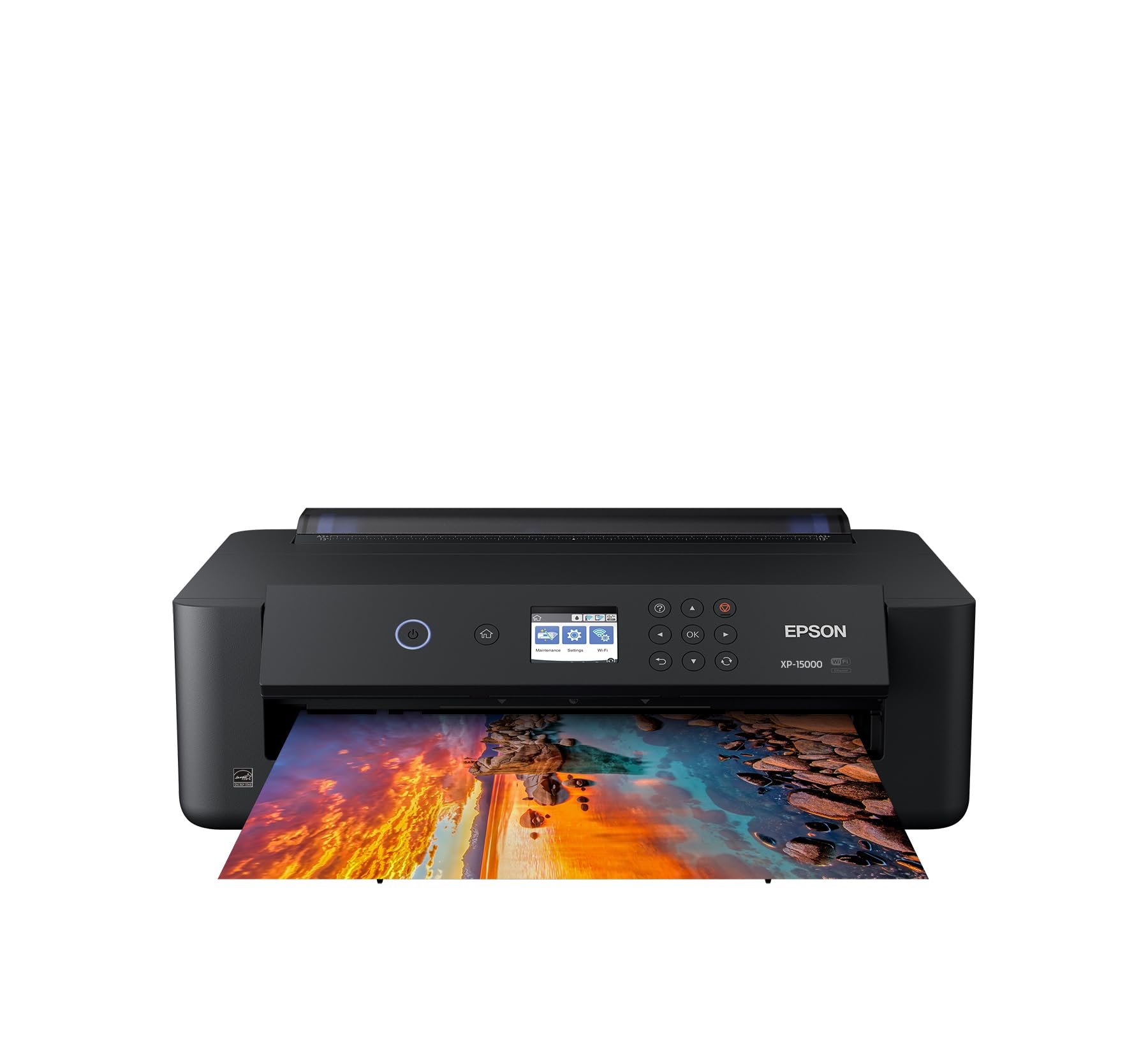
The Epson XP-15000 is a compact, print-only wide-format inkjet that punches above its class for photo and graphic output. Its 6-color Claria Photo HD ink system includes red and gray inks alongside standard cyan, magenta, yellow, and black, giving it an ultra-wide color gamut and impressive black-and-white prints. It supports borderless printing from 4×6 inches up to 13×19 inches, and the 50-sheet rear tray handles cardstock and specialty media with ease.
The printer is 30% smaller than its predecessor, making it a more realistic desktop fit for tight office spaces. It includes automatic duplex printing for documents, a 200-sheet front tray, and Amazon Dash Replenishment for automatic ink ordering. Print speeds are up to 20 ISO ppm in both black and color, though real-world photo output is slower. The included six ink cartridges allow immediate use out of the box.
Buyers praise the color quality and the ability to produce large 13×19 prints at a budget-friendly price point. However, the per-page ink cost is high, and the printer stops printing entirely when any single cartridge runs out, even if black ink remains. The paper path can cause curling issues with cheap glossy paper, and some users report persistent Wi-Fi connectivity problems. A few units have been reported with hardware failures soon after purchase, and Epson’s customer service has been described as difficult to work with.
Why it’s great
- Exceptional photo color quality with red and gray inks
- Compact footprint for a 13×19 capable printer
- Affordable initial purchase price for wide-format capability
Good to know
- High ink cost and rapid cartridge depletion per print
- Printer stops when any single color runs out, causing workflow stops
- Wi-Fi connectivity can be unreliable; paper path struggles with glossy stock
7. Epson Expression Photo XP-980

The Epson XP-980 is a versatile all-in-one (print, scan, copy) that offers A3 borderless printing up to 11×17 inches in a relatively compact package. Its 6-color Claria Photo HD ink system (cmyk + light cyan + light magenta) delivers smooth gradients and accurate color reproduction, ideal for client proofs, presentations, and marketing flyers. The 4.3-inch color touchscreen provides intuitive command over print, scan, and copy functions, with simplified menus for quick adjustments.
Paper handling includes separate trays for plain and photo paper, plus a rear feed for specialty media like card stock and envelopes. Fast 4×6-inch photo printing operates in as fast as 11 seconds. The printer also supports Wi-Fi Direct for router-free printing, and Epson’s Smart Panel app for mobile control. The scanner provides 48-bit color input for detailed archiving of documents and artwork.
Positive user feedback highlights excellent glossy photo output and easy smartphone printing. However, reviews also show several pain points: ink dries out quickly on uncapped print heads, requiring frequent cleaning cycles that waste ink. Paper handling for 11×17 requires manual single-sheet rear loading, and the photo tray is somewhat finicky. Some users report crooked feeding of 4×6 labels. Overall, it is best for low-to-moderate photo print volume where A3 is occasional rather than daily.
Why it’s great
- Compact all-in-one with scanner, copier, and 11×17 output
- 6-color ink system produces excellent photo and graphic quality
- 4.3″ color touchscreen for easy set-up and navigation
Good to know
- Ink dries quickly on print heads; frequent cleaning cycles waste ink
- Manual single-sheet loading required for 11×17 output
- Photo tray can be tricky; some users report paper feed issues
8. Brother MFC-L3720CDW

The Brother MFC-L3720CDW offers a strong balance of features and performance for a small office that needs reliable color output without breaking the budget. Its 19 ppm print speed in both black and color is adequate for moderate-volume tasks (under 3,000 pages per month). It includes a 50-sheet automatic document feeder, automatic duplex printing, and a 250-sheet adjustable paper tray. The 3.5-inch color touchscreen allows up to 48 customizable one-touch shortcuts for common tasks.
Wireless connectivity is robust with dual-band (2.4 GHz/5 GHz) Wi-Fi, Wi-Fi Direct, and USB 2.0. It integrates directly with cloud services like Google Drive, Dropbox, and OneNote for seamless document scanning and storage. The TN229 toner series includes standard and high-yield options, and the device supports Brother’s Refresh Subscription trial for automated toner delivery.
Customer feedback is overwhelmingly positive regarding the straightforward set-up, quiet operation, and sharp print quality for everyday business documents (letters, forms, reports). The main complaints revolve around toner counter: the printer counts pages rather than actual toner level, and it may stop printing with a “toner empty” error even when visible toner remains. A few users reported false “non-genuine toner” errors on original Brother cartridges shortly after purchase.
Why it’s great
- Reliable wireless connectivity and easy network set up
- Excellent print quality for color text and business graphics
- Customizable touchscreen for efficient workflows
Good to know
- Page-counting toner logic can stop printing prematurely on visible toner
- Paper feed can cause curling and double-feeds after extended use
- Toner cartridges are proprietary (Brother-only) and mid-range price
9. HP Color LaserJet Pro MFP 3301cdw (Renewed)

The HP Color LaserJet Pro MFP 3301cdw, sold as an officially certified refurbished unit, offers a reliable entry into professional color laser printing at a significant discount. It prints at 26 ppm in both black and color with HP’s TerraJet toner for vivid, saturated colors. This model includes a large 50-sheet automatic document feeder with automatic duplex scanning (single-pass), automatic duplex printing, and a 250-sheet standard input tray.
The device supports dual-band Wi-Fi with self-reset to automatically detect and resolve connection issues, plus Ethernet and USB connectivity. It is protected by HP Wolf Pro Security for device and data protection. As part of the official refurbished program, it comes with a 1-year warranty and uses genuine HP parts. The build quality is aimed at small teams and busy office environments.
User opinions are mixed. Several buyers report receiving units that look and perform like new, with excellent color quality, quiet operation, and easy set-up via the HP app. However, others have reported cosmetic stains or damage (scratches, sticky residue). One customer reported very poor print quality that HP customer service failed to resolve satisfactorily. The refurbished nature of the product means there is inherent variability in unit condition.
Why it’s great
- Professional color laser performance at a reduced price point
- Fast 26 ppm color print speed with automatic duplex scanning
- Includes a 1-year warranty and genuine HP parts
Good to know
- Refurbished quality varies; some units have cosmetic and performance issues
- HP customer service has been described as unresponsive for some problems
- Firmware blocks third-party toner cartridges, increasing long-term cost
10. HP LaserJet Pro MFP 3101fdw

The HP LaserJet Pro MFP 3101fdw is a dedicated black-and-white laser designed for teams that need fast, sharp document printing without color. It prints at up to 35 ppm, includes automatic duplex printing, a 50-sheet automatic document feeder with duplex scanning, and built-in fax capability. The 250-sheet input tray handles up to legal-size paper, and the device includes HP Wolf Pro Security for device and data protection. Intelligent Wi-Fi looks for the best connection to stay online.
It supports a wide range of wireless and wired options: Wi-Fi, Bluetooth, Ethernet, and direct connections via USB. It is compatible with Apple AirPrint, Android, Microsoft, and Chromebook ecosystems. The control method includes a user-friendly touch panel and the HP Smart app for mobile printing and monitoring.
Real-world feedback is generally very positive for its performance. Users describe it as reliable, fast, and easy to set up, with crisp prints. The Wi-Fi has been reported to reconnect after power outages without user intervention. However, a few significant issues appear: some users note that the starter cartridge yields are low (around 1000 pages) and that genuine HP replacement toner is expensive. Additionally, one user reported a failure of the control panel and Wi-Fi after only three weeks. The printer is also designed to block cartridges without HP chips or circuitry, limiting third-party options.
Why it’s great
- Fast 35 ppm monochrome output for high-efficiency document printing
- Reliable wireless connectivity with easy set-up and network recovery
- Built-in fax and HP Wolf Pro Security for sensitive document handling
Good to know
- Proprietary cartridge chips block third-party toner, driving up costs
- Some units experience early hardware failure (panel, Wi-Fi)
- Low-yield starter cartridge requires quick replacement
11. HP LaserJet Pro MFP 3101sdw

The HP LaserJet Pro MFP 3101sdw is the budget-minded sibling in the same LaserJet Pro family, designed for small teams printing professional black-and-white documents. It shares the same 35 ppm engine as the 3101fdw but omits the fax module, reducing the initial cost. It includes automatic duplex printing, a 250-sheet input tray, and a 50-sheet automatic document feeder for scan-and-copy tasks. The LED display and simple control panel provide a straightforward user experience.
It supports wireless printing with HP’s intelligent Wi-Fi, which seeks the best connection, plus Ethernet and USB connectivity for wired environments. The device is compatible with the HP Smart app for mobile printing, scanning, and monitoring. The starter toner cartridge yields approximately 1,000 pages, sufficient to get started.
Customer reviews are generally positive, with many praising the rapid set-up, crisp print quality, and reliable performance over months of use. Some users have purchased multiple units for their offices, reporting good results. The primary complaint is about the forced use of HP-chipped cartridges — firmware updates block non-official toner — and the relatively high cost of replacement cartridges. There are also scattered reports of slow delivery and damaged packaging from Amazon.
Why it’s great
- Excellent value entry-level printer for monochrome document printing
- Fast 35 ppm speed with automatic duplex saves time and paper
- Reliable Wi-Fi connectivity that reconnects after power loss
Good to know
- HP-chipped cartridges prevent use of cheaper third-party toner
- Starter toner is low-yield (1000 pages); high-yield is expensive
- ADF can jam when fully loaded (25+ sheets) in some units
FAQ
What is the difference between A3 and A3+ printing?
Can I use third-party ink or toner in my business A3 printer?
How often should I service my A3 printer in a small business?
Final Thoughts: The Verdict
For most small businesses, the a3 printer for small business winner is the Epson EcoTank Pro ET-16650 because its ultra-low per-page cost (2 cents per color page) and massive ink supply make it the most economical option over the printer’s lifespan — especially for high-volume color output. If you prioritize print speed and enterprise-grade security, grab the HP Color LaserJet Pro 4301fdw for its 35 ppm color speed and Wolf Pro Security. And for professional-grade photo prints up to 13×19 inches, nothing beats the Canon PIXMA PRO-200S with its 8-color dye ink system.