
Standard ebook readers cap their displays around six to seven inches, forcing you to zoom, scroll, or squint through PDFs, academic papers, sheet music, and manga. An A4 ebook reader changes that entirely, offering a screen large enough to display a full letter-sized page without reflowing the text or losing the original formatting. This size advantage makes them indispensable for students, researchers, musicians, and anyone who works with fixed-layout documents daily.
I’m Min — the co-founder and writer behind Gadgets Feed. I’ve spent hundreds of hours analyzing display quality, note-taking latency, storage capacity, and battery life across large-format e-ink devices to separate the capable from the compromised.
The best large-screen e-reader must balance a paper-like reading experience with annotation tools and portability. With that in mind, I’ve curated this guide to help you find the perfect a4 ebook reader for your specific workflow.
How To Choose The Best A4 Ebook Reader
Selecting an A4-sized ebook reader involves more than just picking the biggest screen. You need to weigh display technology, note-taking capabilities, file format support, and battery life against your specific reading and writing habits. A device that excels for PDF annotation may feel bloated for pure novel reading, and vice versa.
Display Size, Resolution, and Front Light
The defining feature of an A4 ebook reader is a screen between 10.3 and 11.8 inches. Resolution should be at least 227 PPI, but 300 PPI is the gold standard for sharp text and clear diagrams. A front light with adjustable warmth is critical because these larger devices are often used in varied lighting — bright offices, dim study rooms, and outdoor patios. Glare-free E Ink Carta displays remain the benchmark.
Stylus Support and Note-Taking Latency
If you plan to annotate PDFs or take handwritten notes, look for a device with a dedicated stylus and low latency (under 30ms feels natural). Pressure sensitivity of 4096 levels or higher allows for nuanced handwriting and sketching. Some devices require a powered stylus, while others use electromagnetic resonance (EMR) technology that never needs charging — a major convenience for daily use.
Storage Capacity and File Format Compatibility
PDFs, EPUBs, and CBZ files vary widely in size, especially with embedded images. 32GB is a comfortable baseline for a large library, but power users storing textbooks, reference manuals, or sheet music archives should consider 64GB or 128GB. Native support for PDF, EPUB, MOBI, and DOCX eliminates conversion headaches. Open Android-based devices offer the most flexibility, while proprietary ecosystems like Kindle and Kobo provide seamless syncing but restrict third-party app access.
Quick Comparison
On smaller screens, swipe sideways to see the full table.
| Model | Category | Best For | Key Spec | Amazon |
|---|---|---|---|---|
| Amazon Kindle Scribe (64GB) | Premium | Reading & writing with AI tools | 11″, 300 PPI, 400g | Amazon |
| reMarkable Paper Pro | Premium | Distraction-free writing in color | 11.8″, Color display, 64GB | Amazon |
| Kobo Elipsa 2E | Premium | Open ebook ecosystem & PDFs | 10.3″, 300 PPI, 32GB | Amazon |
| Penstar eNote 2 | Premium | Pen-only writing & text conversion | 10.3″, 300 PPI, 128GB | Amazon |
| Like-New Kindle Scribe (32GB) | Mid-Range | Budget-friendly note-taking & reading | 10.2″, 300 PPI, 32GB | Amazon |
| iFLYTEK AINOTE Air 2 | Mid-Range | Voice-to-text & meeting notes | 8.2″, E Ink, 1440×1920 | Amazon |
| TCL NXTPAPER 14 | Mid-Range | Multimedia & sheet music display | 14.3″, 2400×1600, 10000mAh | Amazon |
| Like-New Kindle Scribe (16GB) | Mid-Range | Entry-level large-screen reading | 10.2″, 300 PPI, 16GB | Amazon |
| Amazon Kindle Colorsoft Kids | Budget | Color reading for young readers | Color E Ink, Waterproof | Amazon |
In‑Depth Reviews
1. Amazon Kindle Scribe 64GB (newest model)
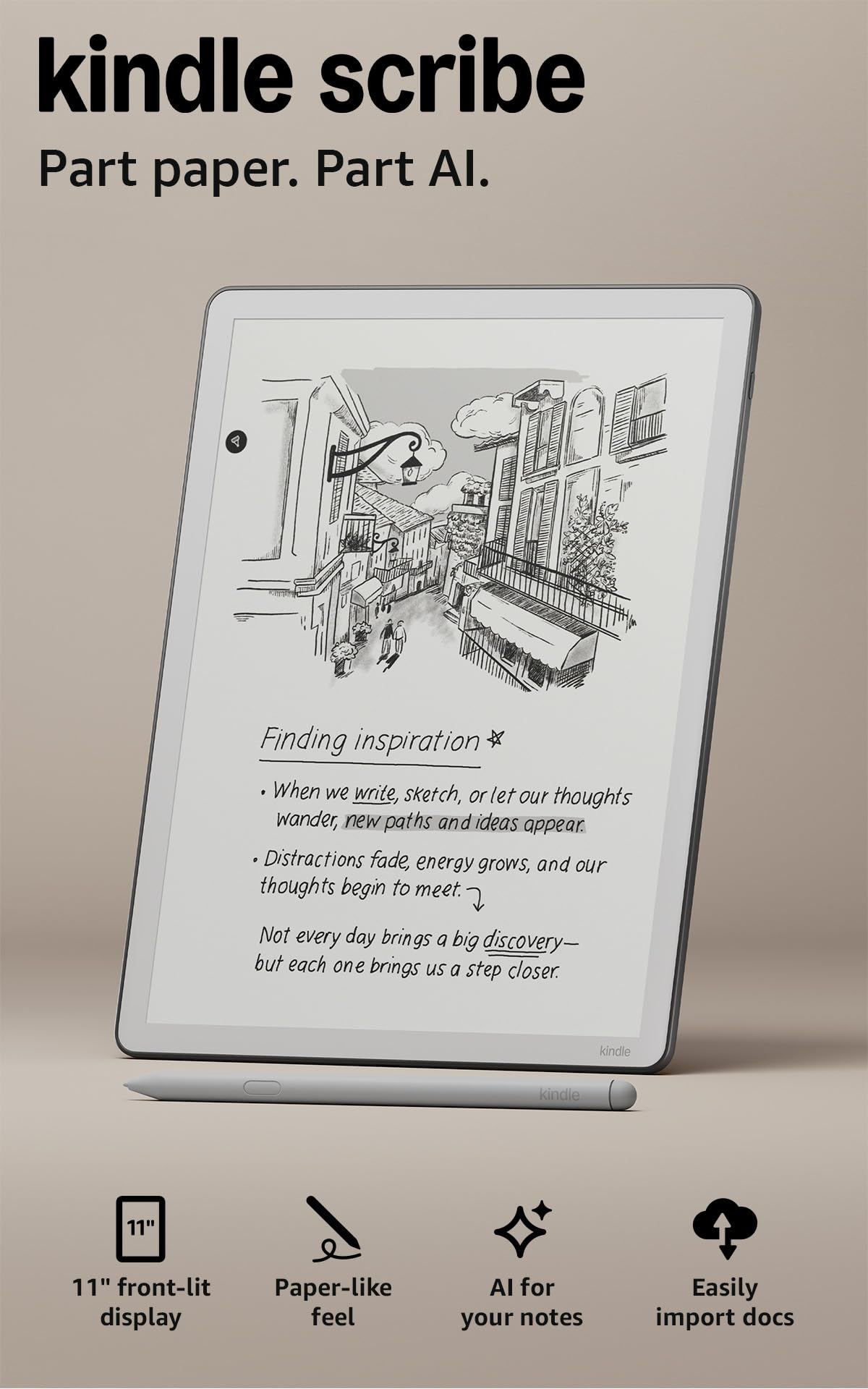
The all-new Kindle Scribe represents the most refined balance between reading and writing on a large e-ink display. Its 11-inch, 300 PPI glare-free screen offers a textured surface that feels remarkably like paper, and the included Premium Pen requires no charging — it uses EMR technology that is always ready. At just 5.4mm thin and 400 grams, it is lighter than most hardcover books, making one-handed reading feasible despite the large screen.
Performance is a clear step up from the previous generation. Page turns and writing latency are 40% faster, and the front light automatically adapts to ambient conditions, with adjustable warmth for comfortable nighttime use. The AI-powered notebook tools let you convert handwriting to text, generate summaries, and even query your notes for specific information. Integration with Google Drive and Microsoft OneDrive for document import and export eliminates the friction of manual file transfers.
Battery life is measured in weeks for reading and days for active writing, which is standard for the category but still a relief compared to LCD tablets. The main compromise is the lack of waterproofing and the high cost of official accessories. For anyone who wants a single device to replace both their book library and paper notebook, this is the most complete package available today.
Why it’s great
- Lighter and thinner than the previous Scribe, improving comfort
- Uncharged Premium Pen with excellent paper-like friction
- AI summarization, handwriting conversion, and note querying
Good to know
- Not waterproof, so avoid poolside or bath reading
- Official cases are expensive for what they offer
2. reMarkable Paper Pro Bundle
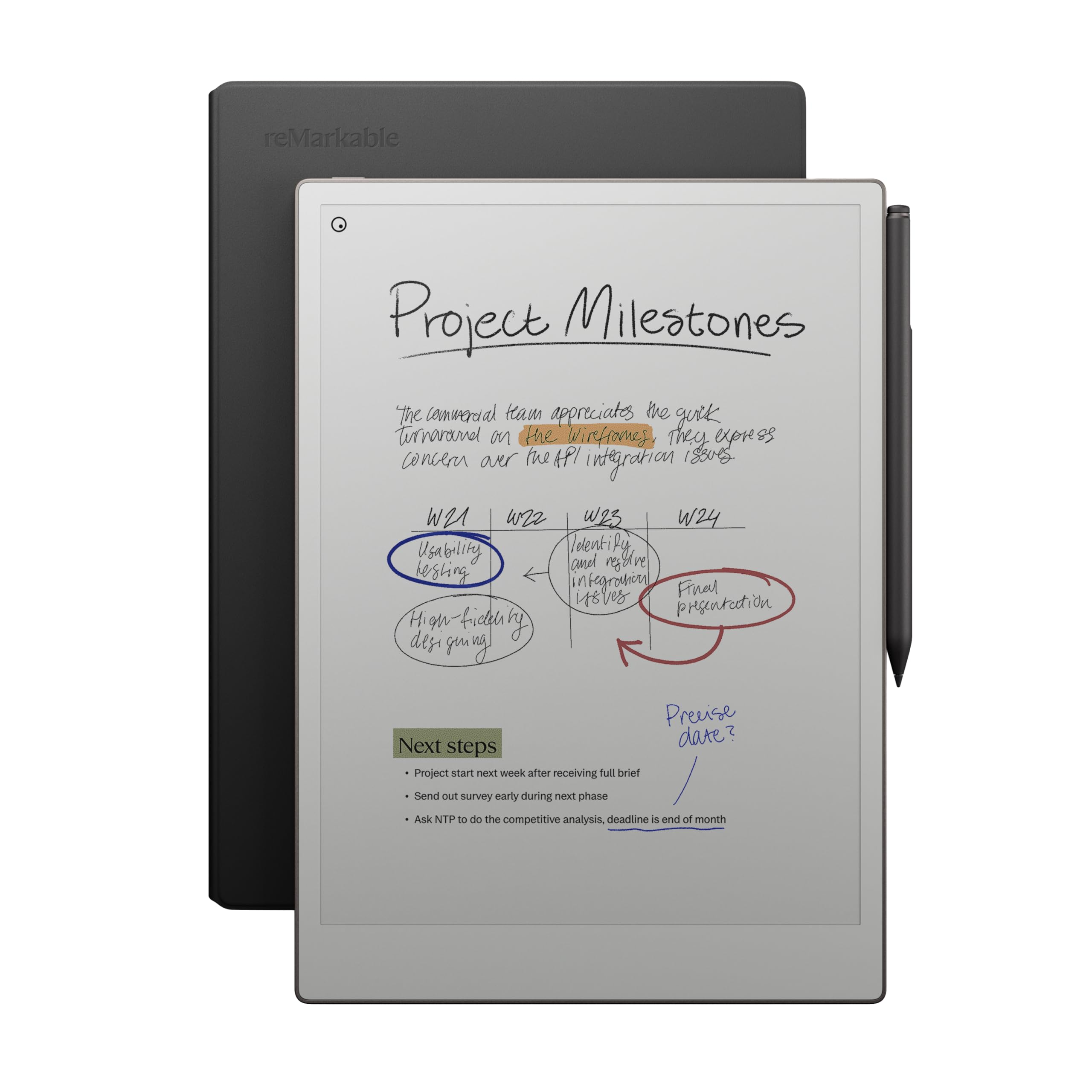
reMarkable has long defined the premium paper-tablet category, and the Paper Pro takes it further with an 11.8-inch Canvas Color display. This is not a full-color e-ink screen like Kaleido, but a specialized panel that renders highlights, annotations, and sketches in muted color while keeping text sharp and dark. The Marker Plus pen offers built-in eraser functionality and delivers precise, low-latency writing with a satisfying paper-like friction.
The device is intentionally minimalist — there are no apps, no web browser, no notifications. It is built for focused reading and writing, and it excels at that mission. You can organize documents with folders and tags, annotate PDFs directly, and convert handwriting to typed text. The low-glare display reflects natural light and includes an adjustable reading light, so you can use it comfortably in any environment without eye strain.
Battery life reaches about two weeks under typical use. The main drawbacks are the high entry price and the fact that the color gamut is limited — it is not suitable for vibrant comic books or image-heavy magazines. Additionally, some users have reported inconsistent customer service experiences. If your priority is a distraction-free, paper-like workspace for professional note-taking and document review, the reMarkable Paper Pro sets the benchmark.
Why it’s great
- Largest color e-ink display in this guide at 11.8 inches
- Marker Plus with built-in eraser feels natural and responsive
- Completely distraction-free interface with no apps or notifications
Good to know
- Color gamut is muted compared to LCD or Kaleido screens
- No direct ebook store integration
3. Kobo Elipsa 2E

The Kobo Elipsa 2E competes directly with the Kindle Scribe but offers a distinctly different ecosystem advantage. Its 10.3-inch E Ink Carta 1200 touchscreen delivers 300 PPI clarity with ComfortLight PRO, which adjusts both brightness and color temperature to reduce blue light exposure. The included Kobo Stylus 2 is rechargeable and supports comfortable, low-latency writing and markup directly on eBooks and PDFs.
What sets the Elipsa 2E apart is Kobo’s open approach to file formats — it natively supports EPUB, PDF, DOCX, and many others without conversion. The integration with OverDrive means you can borrow library books directly from the device. The 32GB of storage holds up to 24,000 eBooks, and the battery lasts several weeks per charge. The device is also made with recycled and ocean-bound plastics, appealing to eco-conscious buyers.
The main criticism revolves around the Kobo mobile app, which some users find less polished than the Kindle app for cross-device syncing. The official sleep cover is expensive and does not include a built-in stand. However, for readers who prioritize library borrowing, EPUB-native support, and a clean, ad-free reading experience, the Elipsa 2E is a compelling choice.
Why it’s great
- Native EPUB support without conversion hassles
- OverDrive integration for direct library book borrowing
- ComfortLight PRO for adjustable brightness and warmth
Good to know
- Mobile app syncing could be more seamless
- Official sleep cover is pricey and lacks a stand
4. Penstar eNote 2

The Penstar eNote 2 positions itself as the purest writing-focused device in this lineup. Its 10.3-inch PureView display is pen-only — there is no touch layer, which eliminates palm rejection issues entirely and delivers a crisp, high-contrast 300 PPI reading surface. The device includes two B5 pens, each with four spare nibs, plus an extra ten-nib kit, totaling 18 spare nibs right out of the box. This generous accessory bundle is unmatched in the category.
Powered by MyScript technology, handwriting-to-text conversion is accurate and supports real-time voice-to-text in 52 languages over a network connection. The nine physical shortcut keys are reprogrammable, allowing quick access to your most-used tools without navigating menus. Storage is a generous 128GB, and the device supports over 30 document formats including PDF, EPUB, and MOBI. Cloud sync works with Google Drive, OneDrive, and Dropbox, yet the device also functions fully offline without requiring any sign-in — a key feature for privacy-sensitive professionals.
Battery life is rated at two weeks, and the build quality feels solid despite the slim 0.22-inch profile. The main downsides are the lack of a built-in front light (it relies on external lighting) and the fragile-looking screen that some users feel needs a padded case. For serious note-takers who want a massive storage capacity and a privacy-friendly offline experience, the eNote 2 delivers extraordinary value.
Why it’s great
- Pen-only screen eliminates palm rejection and keeps text crisp
- 128GB storage with support for 30+ file formats
- Fully offline mode with no mandatory account sign-in
Good to know
- No front light — requires ambient or external lighting
- Thin design may feel fragile without a padded case
5. Like-New Amazon Kindle Scribe (32GB)

The Like-New certified Kindle Scribe offers the same core experience as the brand-new model at a reduced cost. This 32GB refurbished unit features the same 10.2-inch, 300 PPI Paperwhite display and includes a Premium Pen that requires no charging. It passes Amazon’s certification process to look and work like new, backed by the same limited warranty as a new device.
Functionally, it is identical to the new version released in 2022. You get Active Canvas for writing directly inside books, notebook templates for journaling and planning, and AI-powered note summarization and handwriting-to-text conversion. The ability to import and mark up PDFs and documents via Send to Kindle remains intact. Battery life delivers months of reading and weeks of writing on a single charge.
The trade-offs are that it uses the older, slightly heavier chassis and does not include the 40% faster processor or ambient-light sensor found in the latest Scribe. Some users report minor cosmetic wear, though functionality is fully guaranteed. For buyers who prioritize value over the absolute latest hardware, this refurbished Scribe is the smartest entry point into large-screen e-reading.
Why it’s great
- Certified refurbished with same warranty as new devices
- Full Active Canvas and AI note tools at a lower cost
- Long battery life measured in months for reading
Good to know
- Uses the older, heavier 2022 chassis design
- May show minor cosmetic scuffs or wear
6. iFLYTEK AINOTE Air 2 Bundle

The iFLYTEK AINOTE Air 2 is a specialized tool for professionals who need real-time voice transcription alongside handwritten notes. Its 8.2-inch E Ink display is smaller than the A4-focused devices above, but it supports 4096 levels of pressure sensitivity, delivering a natural paper-like writing feel. The device can transcribe speech in 17 languages and convert handwritten notes to text in 83 languages, making it uniquely useful for multilingual meetings and study sessions.
The AI note-taker automatically recognizes star, triangle, and circle symbols drawn with the stylus and converts them into to-do items or attention markers. You can also generate meeting summaries and manage your schedule directly on the device. The dual-color front light offers 24 levels of brightness for comfortable reading in any lighting condition.
The primary concerns are software-related. Some users report that the device is heavily locked down — Developer Mode is blocked, Google Play certification is inconsistent, and ADB access is restricted. This means you cannot run standard Android apps, and the firmware has encountered instability after updates. If you need an open Android tablet, look elsewhere. But if your core need is accurate, real-time voice-to-text transcription combined with handwritten note-taking in a portable form factor, the AINOTE Air 2 is unmatched.
Why it’s great
- Real-time voice transcription in 17 languages
- 4096 pressure levels for nuanced handwriting
- AI-powered meeting summary generation
Good to know
- Software is heavily locked down with limited app support
- Firmware updates have caused instability for some users
7. TCL NXTPAPER 14

The TCL NXTPAPER 14 is not a pure e-ink device, but its paper-like LCD technology makes it a strong contender for certain A4-centric use cases. The 14.3-inch 2.4K display uses NXTPAPER 3.0 technology with anti-glare coating, blue light reduction, and DC dimming, closely mimicking the reading comfort of e-ink while retaining vibrant color. It includes a 4096-pressure-level T-PEN stylus and a flip case right in the box.
This tablet excels for musicians displaying sheet music — the large screen can show two full pages side by side, and the dedicated NXTPAPER Key lets you switch to Ink Paper Mode for a grayscale e-paper look that reduces eye strain during long rehearsals. The MediaTek Helio G99 processor, 8GB RAM (expandable by 8GB), and 256GB of storage handle demanding PDFs and multi-window productivity without lag. The 10,000mAh battery lasts about 10 hours and supports 33W fast charging, with reverse charging to power your phone or earbuds.
The obvious caveat is that this is an LCD tablet, not a true e-ink device, so battery life is measured in hours rather than weeks, and the display is backlit rather than reflective. It is also heavier at 1.67 lbs. For musicians, artists, and students who need a large, comfortable screen for color documents, sheet music, and note-taking but cannot justify a second device, the NXTPAPER 14 is a versatile workaround that sacrifices true e-ink battery life for screen size and functionality.
Why it’s great
- 14.3-inch screen shows two pages of sheet music side by side
- Ink Paper Mode closely simulates e-ink reading comfort
- 10000mAh battery with 33W fast and reverse charging
Good to know
- LCD battery life is measured in hours, not weeks
- Heavier than dedicated e-ink readers at 1.67 lbs
8. Like-New Amazon Kindle Scribe (16GB)

The 16GB Like-New Kindle Scribe is the most affordable way to experience Amazon’s large-screen ecosystem. It features the same 10.2-inch, 300 PPI Paperwhite display and the same Premium Pen as its higher-capacity siblings. The pen uses EMR technology, so it never needs charging and always responds instantly. Reading PDFs and reflowable Kindle books on this size screen eliminates the need for constant zooming.
As a refurbished unit, it undergoes Amazon’s certification process and comes with the same limited warranty as a new device. It runs the same software with Active Canvas for in-book note-taking, AI notebook tools, and Send to Kindle document import. Battery life is class-leading, with months of reading and weeks of active writing on a single charge.
The 16GB capacity is the primary limitation — if you plan to store large PDF textbooks, comics, or extensive notebooks, you may run out of space. The device also uses the older, slightly heavier chassis and does not have the ambient light sensor of the newest model. For pure reading and occasional note-taking on a budget, this is the most cost-effective large-screen option in the guide.
Why it’s great
- Lowest-cost entry point for the 10.2-inch Kindle Scribe experience
- Premium Pen with EMR technology — no charging needed
- Full access to Active Canvas and Send to Kindle features
Good to know
- 16GB storage fills quickly with large PDFs and notebooks
- Uses the heavier 2022 chassis without ambient light sensor
9. Amazon Kindle Colorsoft Kids 16 GB
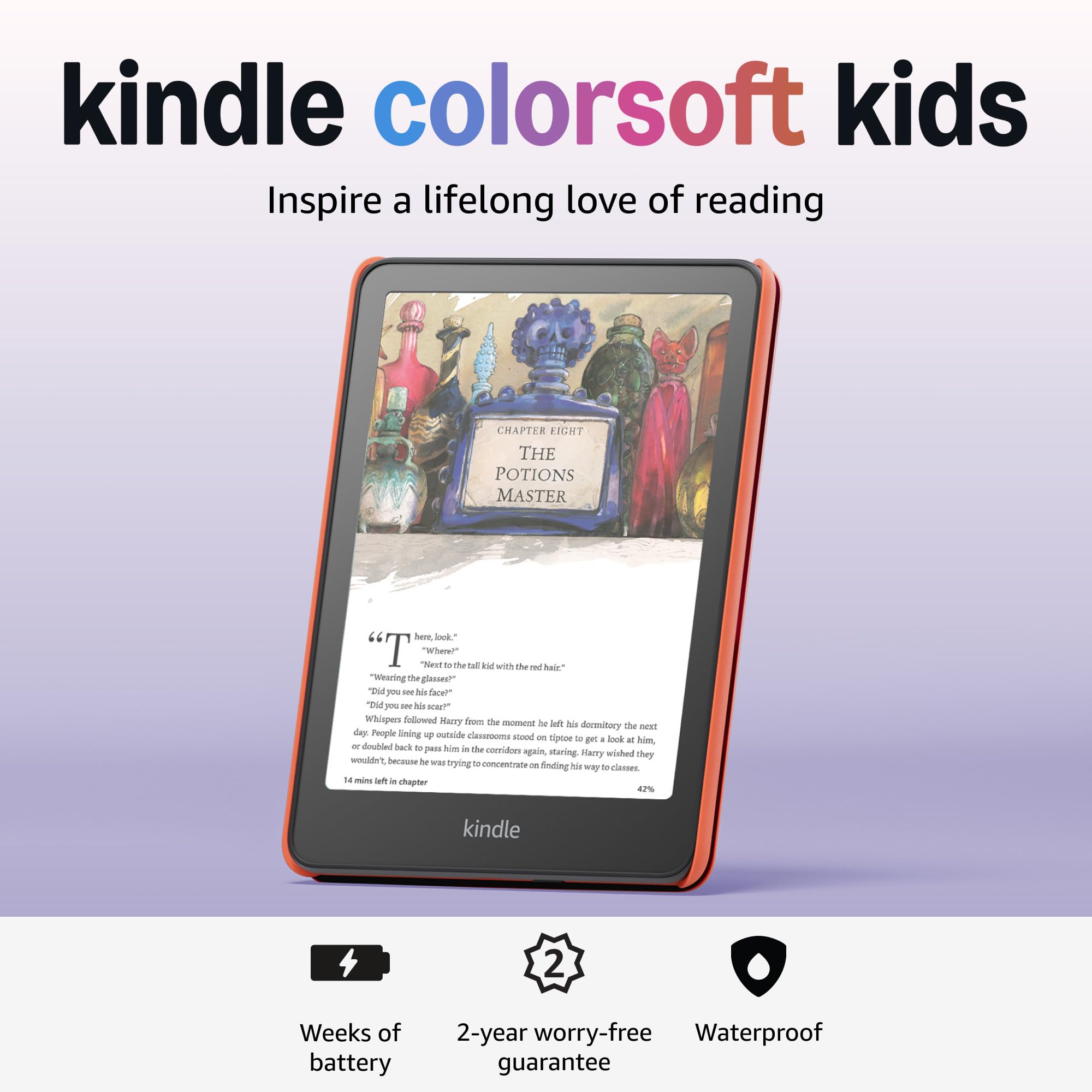
The Kindle Colorsoft Kids is Amazon’s first color e-reader for children, and it brings a surprising set of features for the price. The Colorsoft display renders book covers, illustrations, graphic novels, and comics in paper-like color that remains easy on the eyes, without the backlight glare of a tablet. It is waterproof, so accidental splashes at the pool or beach are not a concern, and the adjustable warm light allows comfortable reading indoors and out.
The bundle includes a 12-month subscription to Amazon Kids+, offering unlimited access to thousands of age-appropriate books. The kid-friendly cover provides drop protection, and the 2-year worry-free guarantee means Amazon replaces the device if it breaks — no questions asked. Parental controls via the Parent Dashboard allow you to set age filters, manage content, and even set a device bedtime.
At 16GB, the storage is sufficient for a child’s growing library, and the battery lasts for days to weeks depending on usage. The key limitation for this guide is the screen size — at roughly 6.8 inches, it is not an A4-sized reader. It cannot display a full letter-sized PDF without heavy zooming or reflow. For a dedicated A4 reader for professional documents, you need one of the larger devices above. However, for a family looking to introduce their child to color e-reading with a durable, distraction-free device, the Colorsoft Kids is an excellent budget-friendly choice.
Why it’s great
- First color Kindle with paper-like color display for comics and illustrations
- Waterproof design with 2-year worry-free guarantee
- Includes 12 months of Amazon Kids+ and a protective cover
Good to know
- Screen is not A4-sized — requires zooming for fixed-format PDFs
- 16GB storage may limit large comic collections
FAQ
Can I read standard Kindle books on an A4 ebook reader?
What is the difference between a Kindle Scribe and a reMarkable Paper Pro?
Do I need a stylus for an A4 ebook reader?
How long does the battery last on a large-screen e-reader?
Final Thoughts: The Verdict
For most users, the a4 ebook reader winner is the Amazon Kindle Scribe 64GB because it combines the largest, most refined paper-like display with powerful AI note tools, seamless cloud integration, and the deepest ebook ecosystem available. If you want a distraction-free writing experience with color markup, grab the reMarkable Paper Pro. And for maximum storage capacity and privacy-focused offline note-taking, nothing beats the Penstar eNote 2.