
Our readers keep the lights on and my morning glass full of iced black tea. As an Amazon Associate, I earn from qualifying purchases.
Specs are compiled from manufacturer listings and verified buyer reviews and can change over time — please confirm the key details on the product page before buying.
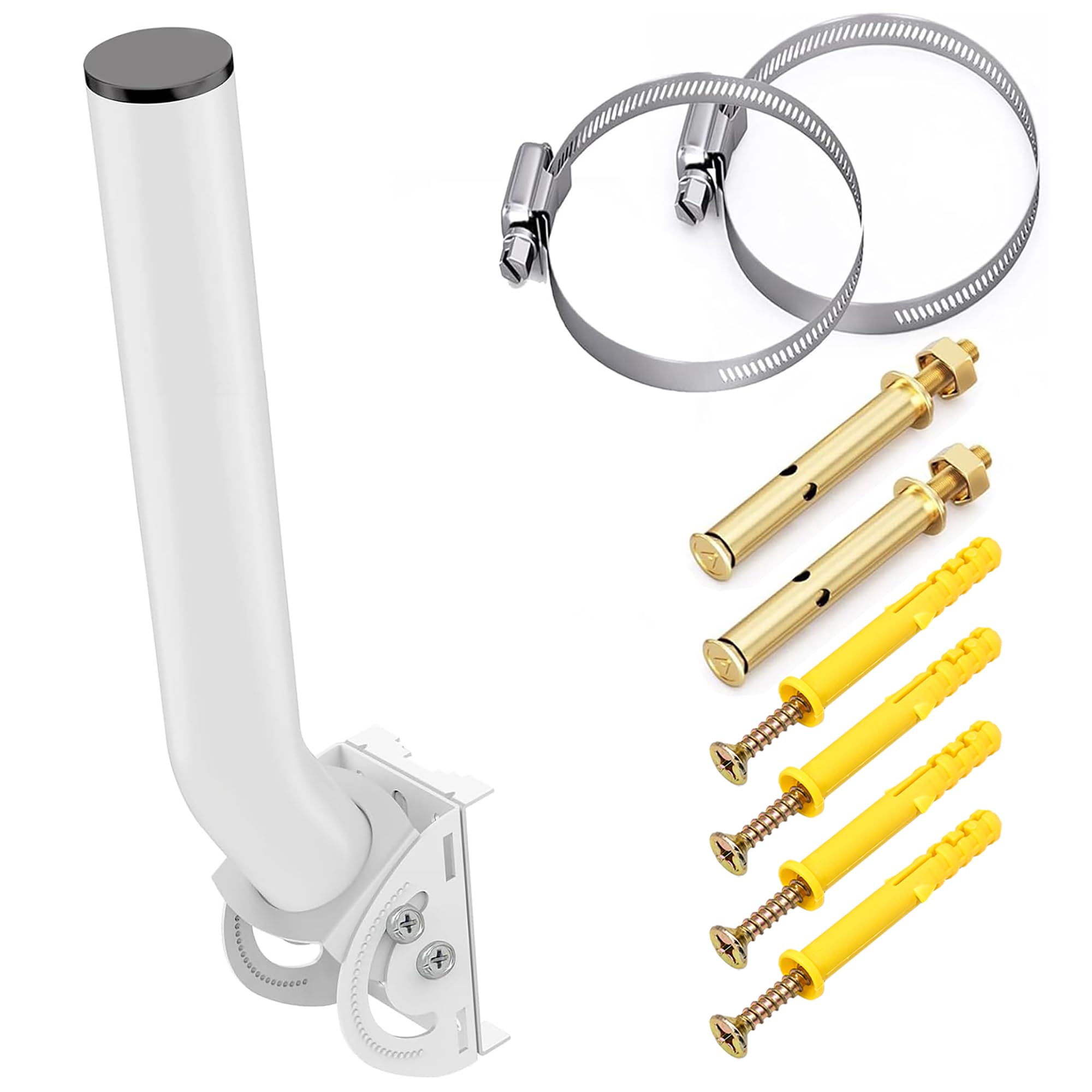
You need a bracket that keeps your access point steady in a storm and your signal aimed exactly where you want it. The picks here fall into two groups: indoor metal backplates for tidy wall and ceiling mounts, and outdoor J-poles with adjustable aiming for point-to-point links. Each one solves a specific mounting problem without making you redo your whole setup.
I’m Min — the founder and writer behind Gadgets Feed. This guide is built by comparing the manufacturers’ published specifications and the patterns across verified customer reviews, so you get each pick’s real strengths and trade-offs instead of marketing spin.
From rust-resistant steel for outdoor gear to labeled holes for ceiling tiles, the right access point bracket makes installation faster and keeps your network reliable for years. This guide matches each bracket to its intended surface and aiming needs, from indoor junction boxes to outdoor point-to-point links.
Our Picks at a Glance

How To Choose The Best Access Point Bracket
Pick the bracket that matches your Access Point’s mounting pattern and your surface. An indoor AP like a UniFi UAP-AC-PRO needs a flat metal plate that lines up with its screw holes, while an outdoor radio needs a J-pole with hose clamps and a locking joint.
Match the bracket to your AP model
Some brackets are built for one brand’s mounting pattern, with labeled holes that line up with specific screw positions. Others are universal and use straps or clamps to grip whatever device you attach. Check the bracket’s compatibility list against your exact AP model before ordering.
Think about the aiming angle
If you are mounting a point-to-point bridge, you need to aim the antenna at another station. Brackets with a vertical tilt range — often 150° — let you dial in the angle and lock it with a gear or wing nut so wind does not knock it loose.
Match the material to the environment
Indoor brackets can use basic painted steel. Outdoor mounts need rust-resistant finishes, and the hardware matters too — stainless steel clamps and screws last far longer than plain steel ones in rain and snow.
Quick Comparison
| Model | Best For | Mount Style | Adjustability | Material | Amazon |
|---|---|---|---|---|---|
| Ubiquiti U-PRO-MP★ Best Overall | Indoor UniFi APs | Wall Mount | Fixed | Metal | Amazon |
| eoqo Antenna MountBest Aiming | Outdoor single-device aiming | Wall or Pole | 160° | Spray-coated Iron | Amazon |
| ULNA 2-Pack | Lightweight outdoor gear | Wall or Pole | 150° | Painted Steel | Amazon |
| slinkdsco 2-Pack | Sturdy point-to-point links | Wall or Pole | 150° | Cold Rolled Steel | Amazon |
| OWOKISO 2-Pack | Windy outdoor installs | Wall or Pole | 150° | Iron | Amazon |
| UeeVii 2-Pack | Heavy long-range bridges | Pole Mount | 150° | Metal, Stainless Steel | Amazon |
In‑Depth Reviews
1. Ubiquiti U-PRO-MP Mounting Bracket
Our pick — over 4.5★ from 400+ verified ratings; the strongest balance of quality and price.
The labeled-hole metal plate that turns a messy UniFi install into a 15-minute job
Own a Ubiquiti UniFi access point? The U-PRO-MP hides your cabling and looks like part of the wall. It is a brushed metal wall mount with labeled holes that match the mounting pattern on UAP-AC-PRO, HD, and SHD units, so you can line it up over an existing wall outlet and tuck your wires behind the AP. At just 200 g it is light, but the metal build feels far more permanent than the flimsy plastic mount Ubiquiti ships in the box.
Owners consistently say this bracket should come standard with the AP. The install stories all follow the same arc: you screw the plate to low-voltage boxes or drywall, snap the AP on, and the labeled holes mean zero guesswork. Functionality is what wins people over — the bracket simply works, every time, and the multiple mounting options mean you can adapt it to a T-bar drop ceiling, a wall, or a junction box.
It only suits wall and ceiling surfaces, and removal requires a hex key rather than the stock plastic mount’s tool. A few owners also found the included screws hard to start on certain surfaces. But for indoor UniFi installs, the versatility is the whole story — you can mount over an existing outlet without drilling a single extra hole.
Why it is the crown jewel
- Labeled holes for simple to use alignment with UAP-AC-PRO/HD/SHD
- Brushed metal build that feels more solid than the stock plastic mount
- Huge versatility — fits T-bars, walls, and junction boxes
The honest caveats
- Not designed for pole mounting
- Removal needs a different tool than the included plastic mount
- Included screws can be stubborn to start on hard surfaces
Reach for this if: you are mounting a UniFi AP indoors and want a clean, professional-looking install over a wall outlet or ceiling tile.
Look elsewhere if: you need to attach an antenna to a pole outside — this is strictly an indoor wall-and-ceiling plate.
2. eoqo Antenna Mount, 1-Pack 11 in Dual Screw Locking J Pole
The dual-screw J-pole that lets you dial in near-perfect alignment and trust it to hold
For outdoor point-to-point links, fine alignment is everything, and this eoqo mount gives you a level of precision the others do not. A dual-screw locking system replaces the weaker single-lock design, and the detent mechanism pairs 3 raised locking tabs with 32 recessed slots so each click rotates the bracket by about 6°. That means you can aim a bridge, CPE, or even a Starlink Mini and have it stay put through strong winds.
Owners consistently praise the rust-resistant spray-coated iron construction. It is made from spray-coated iron with a rust-resistant finish, and a waterproof top cap keeps rain and dust out of the joint. You can bolt it to brick or wood with the included expansion screws, or strap it to an existing pole with the hose clamps. One owner used it to mount a UniFi outdoor access point on the side of a carport and found it perfect for the job, while another watched it survive intense weather without losing aim.
The honest gripe is the included straps — several owners found them too flimsy and swapped in better hose clamps. The 11-inch reach and 160° of vertical travel make it far more capable than a fixed indoor plate, though, and at 0.55 kg it is light enough for a single-device install on most surfaces.
Pinpoint aiming: the 32-slot detent system (about 6° per step) makes this the easiest mount to micro-adjust for line-of-sight links.
Know the weak spot: plan to replace the included straps with sturdier clamps for a permanent outdoor install.
3. ULNA Universal Wireless Bridge Mount Bracket, 2-Pack

The light-duty J-bracket that is perfect for small WiFi extenders under an eave
This ULNA 2-pack is built for lightweight gear, and it knows its limits. Each bracket supports up to 2.5 lb, which is plenty for a small WiFi extender, a compact antenna, or a light outdoor camera, but it is not meant for heavy radios. The selling point is the 150° vertical tilt range, which lets you aim a point-to-point connection precisely, then lock it with wing nuts so vibration and wind cannot rotate it out of place.
You get 2 brackets, 4 metal hoops, 8 screws, and 8 wall anchors, so you can mount two devices or keep a spare. Owners often mount these under eaves for outdoor mesh networks and report much better around-the-corner coverage. The painted surface and top waterproof cap resist weather, with one owner noting no rust or wear after months outside.
The catch is that the steel is thin and light, which is exactly why it is only for light duty. A few owners found the soft mount screws strip easily, and the fit can be snug depending on your device. For a small extender on a roof eave, though, it is a tidy, inexpensive solution.
The wins
- 2-pack with all hardware included — hoops, screws, and anchors
- 150° tilt range with wing-nut locking for steady aiming
- Painted surface and waterproof cap resist splashes and rain
The limits
- 2.5 lb max per bracket — not for heavy radios or bridges
- Thin steel means soft screws that can strip
Best if: you need two cheap, compact mounts for small WiFi extenders or cameras tucked under an eave.
Skip it for: anything heavy — the 2.5 lb limit is a hard ceiling, not a suggestion.
4. slinkdsco Adjustable Universal Wireless Bridge Bracket Mount Kit, 2-Pack

The cold-rolled steel bracket that still holds alignment after 100 mph wind storms
If your alignment must survive harsh weather, this slinkdsco 2-pack is the mount. It is made from cold rolled steel with a glossy white finish, waterproof and corrosion-resistant, built for strong winds and rain. The 150° up-and-down adjustability lets you dial in the best signal strength, and the locking joint stays put after installation — one owner confirmed the mount held its alignment through hurricane-force wind and 2 feet of snow.
Reviewers highlight the cold-rolled steel’s durability and weatherproof finish. The kit comes with everything you need to install, and owners love that it pairs perfectly with TP-LINK CPE510 units for point-to-point internet extenders. One clever owner even repurposed the bracket to wall-mount a pedestal fan — proof of how broadly the universal design applies to any lightweight device.
The only mixed feedback is on fit, which varies with different antenna shapes. But the sturdiness is the headline: this is a bracket you can install once and forget about, trusting it to hold your wireless bridge steady for months with zero maintenance.
Built like a tank: cold rolled steel with a waterproof finish holds alignment through extreme wind and snow.
Fit varies: check your device’s mounting pattern — the universal design works best with standard CPE shapes.
5. OWOKISO Universal Wireless Bridge Bracket Mount, 2-Pack
The powder-coated J-pole with a gear lock that refuses to slip out of aim
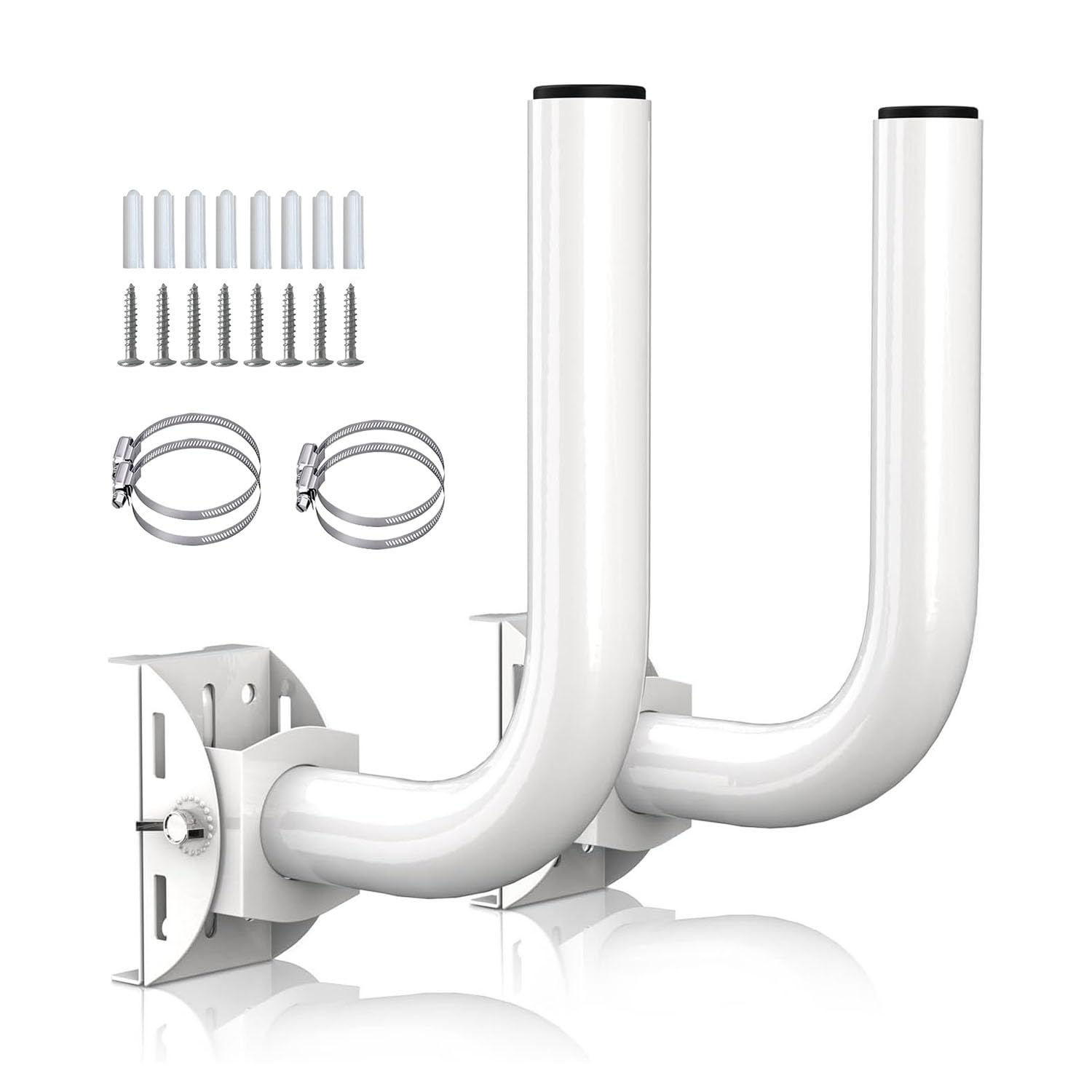
For outdoor mounts that need to survive the weather and stay locked, this OWOKISO 2-pack brings a non-slip gear design. Once you twist the rod to your preferred 150° vertical angle, the gear locks it firmly in place — no drift from wind pressure or vibration. The heavy powder coating resists the elements, and the waterproof cap keeps rain out of the joint, so buyers report these lasting for years on outdoor point-to-point links.
Compatibility is a big draw here. Owners have used these to mount Nanobeam 5AC radios, Starlink Mini dishes, and standard WiFi repeaters, on both flat walls and poles up to 3 inches wide. The 4 included hoops give an extra-secure fit around a pole, and the design resists bending or snapping under normal use. The gear lock holds firm, and the included instructions simplify installation.
The one real criticism is the hardware: the wing nuts are cad-plated steel rather than stainless, and the hose clamps need crimping to tighten fully. For the price of a 2-pack, though, the build quality is impressive — just know you may swap in stainless hardware if you want maximum corrosion resistance.
What stands out
- Non-slip gear design locks the 150° angle firmly
- 4 hoops for a secure pole fit on poles up to 3 inches
- Heavy powder coating resists bending, wind, and rain
The fine print
- Wing nuts are cad-plated steel, not stainless
- Hose clamps need crimping for a tight fit
Go for it if: you want a weatherproof 2-pack that locks its angle and supports a Nanobeam or Starlink Mini outdoors.
Think twice if: you need fully stainless hardware from the start — plan to upgrade the clamps.
6. UeeVii 2-Pack Universal Wireless Bridge Bracket Mount

The steel-poled mount rated for 10 lbs that keeps long-range bridges locked on target
When your point-to-point link needs to reach a quarter mile away, this UeeVii 2-pack is the serious option. Two hoops per mount secure it to a pole, and the painted surface with a waterproof cap is engineered for rain, snow, and sun.
Its high capacity and firmness make it a favorite. Owners mention successful wireless bridge connections across long distances, with the mount preventing movement and vibration that would wreck alignment. The included 2-year warranty adds confidence for a permanent outdoor installation, and the sturdy metal construction earns consistent praise.
The honest mixed reviews center on sturdiness and durability — a few owners found the wing nuts do not tighten quite enough, and one reported rust starting within two days of installation. The clamping design is the most common complaint, so treat the hardware gently and consider a touch of sealant for coastal or wet climates. For a heavy bridge that must hold its aim, the capacity is the differentiator.
Heavy-duty grip: the 10 lb per-bracket rating beats every other mount here for big radios.
Mind the hardware: the wing nuts and clamps are the weak link — tighten carefully and plan for extra corrosion protection.
Understanding the Specs
Mounting Style: Wall vs Pole
Wall mounts bolt flat against a surface and suit indoor APs or the side of a building. Pole mounts wrap around a mast or pipe with hoops or clamps, which is ideal for raising an antenna above obstructions. Many outdoor brackets here do both — a detachable base plate lets you switch between brick, wood, or an existing pole.
Adjustability: The Tilt Angle
The vertical adjustment range, often 150° or 160°, tells you how far you can aim the rod up or down after install. More range means more flexibility for point-to-point links that need precise line-of-sight. Look for a locking mechanism — detent slots or non-slip gears — so the angle stays put in wind instead of drifting.
FAQ
Will the Ubiquiti U-PRO-MP fit my UniFi access point model?
What is the difference between a wall mount and a pole mount bracket?
How much weight can an outdoor antenna J-bracket hold?
Why does the aiming angle matter for a point-to-point bridge?
What does a waterproof cap on the bracket do?
Are the included screws and clamps good enough for outdoor use?
Can I use a wireless bridge bracket to mount a security camera?
How do I keep the bracket from rusting in a coastal or wet climate?
Final Thoughts: The Verdict
For most buyers, the access point bracket winner is the Ubiquiti U-PRO-MP because labeled holes and a durable metal build make indoor UniFi installs genuinely easy. If you are aiming an outdoor point-to-point bridge, grab the eoqo Antenna Mount for its precise 160° detent aiming. And for a heavy long-range bridge that must hold alignment, the UeeVii 2-Pack is the one to reach for with its 10 lb capacity.
How We Picked
We do not accept paid placement. Every pick is matched to a real buyer and a real use-case; we do not hands-on test units.
Sources & Methodology
Specifications: manufacturer listings and product documentation. Review insights: verified customer reviews, as of August 2026. Pricing: not shown on this page (it changes often); check the current price via the retailer link.
As an Amazon Associate, Gadgets Feed earns from qualifying purchases. This does not affect which products we feature.