
Our readers keep the lights on and my morning glass full of iced black tea. As an Amazon Associate, I earn from qualifying purchases.
Specs are compiled from manufacturer listings and verified buyer reviews and can change over time — please confirm the key details on the product page before buying.
An access point stand only earns its place by surviving the elements and holding your gear rock-steady through wind and weather. The real battle isn’t finding a bracket that fits — it’s finding one that won’t rust, slip, or strip its screws when you need it most. This guide breaks down six pole and wall mounts, focused on the specs that decide whether your outdoor network stays aimed and online.
I’m Min — the founder and writer behind Gadgets Feed. This guide is built by comparing the manufacturers’ published specifications and the patterns across verified customer reviews, so you get each pick’s real strengths and trade-offs instead of marketing spin.
Signal stability depends on a mount that locks tight and resists corrosion, so we focused on adjustable brackets with honest load ratings for the best access point stand.
Our Picks at a Glance

How To Choose The Best Access Point Stand
An access point stand is a small part that carries a big job — keeping your wireless bridge or AP pointed exactly where it needs to be, season after season. Before you pick one, weigh the device you’re mounting, the surface you’re attaching to, and the weather it will face.
Match the load rating to your device
Every bracket has a maximum recommended load, and this is the first number to check. A light-duty J bracket rated for a couple of pounds is perfect for a small Wi-Fi extender or compact CPE, but it will fail under a heavy dual-radio access point. Weigh your gear first, then choose a stand that leaves clear headroom.
Look at the locking mechanism
Aiming is only half the job — holding that aim is the other half. Non-slip gears or detent slots with raised locking tabs keep the rod from sagging or rotating after you tighten it. If the angle can slip in a gust, your signal degrades and you’ll be climbing back up to re-aim it.
Check the mounting options against your site
Pole mounts suit a mast or existing pipe, while wall mounts work on brick, wood, or eaves. Some brackets offer both, with metal hoops for poles and screws for walls. Think about where your install actually is — under an eave, on a rooftop, or strapped to a vertical pipe — and pick a stand that matches.
Quick Comparison
| Model | Best For | Max Load | Adjustment | Material | Amazon |
|---|---|---|---|---|---|
| UeeVii 2-Pack Universal Wireless Bridge Bracket Mount★ Best Overall | Heavy outdoor bridges | 10 lbs per bracket | 150° | Metal, Stainless Steel | Amazon |
| eoqo 2-Pack Dual Screw Locking J PolePrecision Pick | Precision angle locking | — | 160° | Iron | Amazon |
| Slinkdsco Adjustable Sturdy Universal Bracket Kit | Windstorm resilience | — | 150° | Alloy Steel | Amazon |
| kdraco J-Pole Mount (2 Pack) | TP-Link bridge setups | — | 150° | Alloy Steel | Amazon |
| ULNA 2-Packs Antenna Pole Mount | Lightweight DIY projects | 2.5 lb per bracket | 150° | — | Amazon |
| AMOILS 2 Pack Adjustable Bracket Mount | Budget multi-device use | 2.2 lbs per bracket | 150° | Alloy Steel | Amazon |
In-Depth Reviews
1. UeeVii 2-Pack Universal Wireless Bridge Bracket Mount
Our pick — 4.5★ from 650+ verified ratings; the strongest balance of quality and price.
The heavyweight champion that carries more than double the load of any other pick here
When your access point is big and heavy, this is the bracket that can actually hold it. Its maximum recommended load of 10 lbs per bracket towers over the rest of this list — the AMOILS pair tops out at just 2.2 lbs per bracket, so the UeeVii gives you roughly four and a half times the carrying capacity for serious outdoor radios.
That strength comes from metal and stainless steel construction, with a painted surface and a waterproof cap on top for rain, snow, and sun. The rod swings through a 150° range up and down, then locks with non-slip gears — a light twist holds the angle firm. Two hoops cinch it to the pole so it doesn’t rotate on you.
Buyers report it survives a full winter outdoors without rusting., and call it easy to mount with clear instructions. The trade-off to know: it’s a lighter-duty tool than its price suggests for double-device jobs — over-tightening a screw can strip it, so stick to one device per bracket and don’t force the hardware.
What gives it the crown
- 10 lbs max load per bracket — the only pick here sized for heavy gear
- Stainless steel build that survives a winter without a speck of rust
- 150° rod adjustment with non-slip gears that stay put
Where to be careful
- Sturdiness draws mixed reactions — some owners find it solid, others flimsy
- Screws can strip if you over-tighten for a second device
Grab it for: anyone mounting a full-size outdoor bridge or AP that needs real carrying capacity and proven winter survival.
Think twice if: you only have a tiny extender — you’d be paying for load headroom you don’t need.
2. eoqo 2-Pack Dual Screw Locking J Pole Mounting Bracket
Thirty-two detent slots turn aim into an exact science, not a guess
If your signal falls out of alignment whenever the wind blows, this mount was built for you. It goes beyond the common single-lock design with a dual-screw system, and its precision detent structure uses 3 raised locking tabs engaging 32 recessed slots — each step adjusts by about 6°, so you can fine-tune to within a few degrees of perfect.
The adjustment span is the widest here at 160° up and down, edging past the 150° range on the other picks. It mounts to brick or wood walls with included expansion screws, or straps to an existing pole with hose clamps, making it a true wall-or-pole hybrid. The spray-coated iron finish resists rust for long outdoor duty, with a waterproof cap sealing the top.
Owners find it easy to install and well-designed., with one happy to level a weather station precisely. The honest caveat: the included hose clamps and straps draw complaints as too weak for serious duty — owners mention needing to swap in better straps for heavier gear, so budget for that upgrade on a big install.
Why it wins on aim: the 6° detent steps let you lock an angle with real precision — a standout feature when every degree counts for a point-to-point link.
The one gripe: the supplied straps are the weak link, so plan to replace them for anything beyond a light antenna.
Reach for it if: you need fine angle control that stays locked, especially for weather stations or matched bridge pairs.
Look elsewhere if: you want everything in the box to be heavy-duty — the straps disappoint.
3. Slinkdsco Adjustable Sturdy Universal Wireless Bridge Bracket Mount Kit

The pair that held alignment through 100 mph windstorms and two feet of snow
Some brackets talk about weather resistance; this one has owners who lived it. Customers note these mounts survived 100 mph wind storms and 2 feet of snow with zero maintenance, still holding perfect alignment for months on end. That’s the real-world proof the alloy steel build and polished finish deliver on their promise to withstand strong winds and rain.
It installs on a pole or a wall with equal ease, and the rod swings through a full 150° range so you can dial in the strongest signal. Once tightened, it won’t drift in a gust — which is exactly what keeps a building-to-building link stable. The kit arrives with all the hardware you need, so no extra trips to the store.
Owners praise it as well-made, sturdy, and easy to set up., with some getting creative — one even adapted it to mount pedestal fans as wall fans. The trade-off is that there is no published max load rating, so you’re trusting the build quality rather than a specific pound figure when sizing it for heavier gear.
The storm-chaser appeal
- Proven to hold alignment through 100 mph winds and heavy snow.
- Complete hardware included for wall or pole installs
- Alloy steel build that owners call sturdy and stable
What’s not spelled out
- No max load figure published, so you size by feel not by spec
Who it’s for: anyone in a severe-weather zone who needs a mount that holds alignment through the worst storms.
Who should pass: buyers who want a documented load rating before they trust it with heavy gear.
4. kdraco J-Pole Mount for Wireless Bridge Point to Point (2 Pack)

A J-pole built on a one-year guarantee for point-to-point pairs
When your install is a matched pair — two brackets, same height, same angle — this two-pack delivers. It’s engineered for point-to-point wireless bridges with a 150° up-and-down adjustment range, letting you fine-tune each rod to capture diverse signal strengths before locking it with non-slip gears.
The alloy steel J-pole resists bending, breaking, and snapping under normal use, backed by a one-year guarantee that covers your first full weather cycle. A painted surface and a purpose-built waterproof cap at the top round out a weatherproofing package aimed at gales and downpours. It installs on a pole or a wall depending on your site.
Reviewers point out it works as described and holds tight with no issues., particularly happy attaching wireless network bridge equipment. The review count is modest, so the long-term picture is less proven than some busier listings. If you’re shopping for a larger job, the maker points to a 4-pack under a different listing as the more cost-effective route.
Solid pair for bridge links: the one-year guarantee and alloy steel build give it a confident starting point for a matched outdoor pair.
Less battle-tested: it simply hasn’t been through as many owner winters as the busier listings above.
Best for: TP-Link bridge users who want a matched two-pack with a warranty behind it.
Not for: owners with heavy access points — there’s no load rating published here either.
5. ULNA 2-Packs Antenna Pole Mount

The featherweight DIY favorite that disappears under an eave and gets the job done
This light-duty J bracket holds up to 2.5 lb per bracket, making it a natural fit for small Wi-Fi extenders, compact antennas, cameras, and weather stations. It’s the most versatile kit here in terms of what it can attach to — owners have mounted it to eaves, poles, PVC pipe, and flat walls, with one using it to improve around-the-corner coverage for a Deco mesh network.
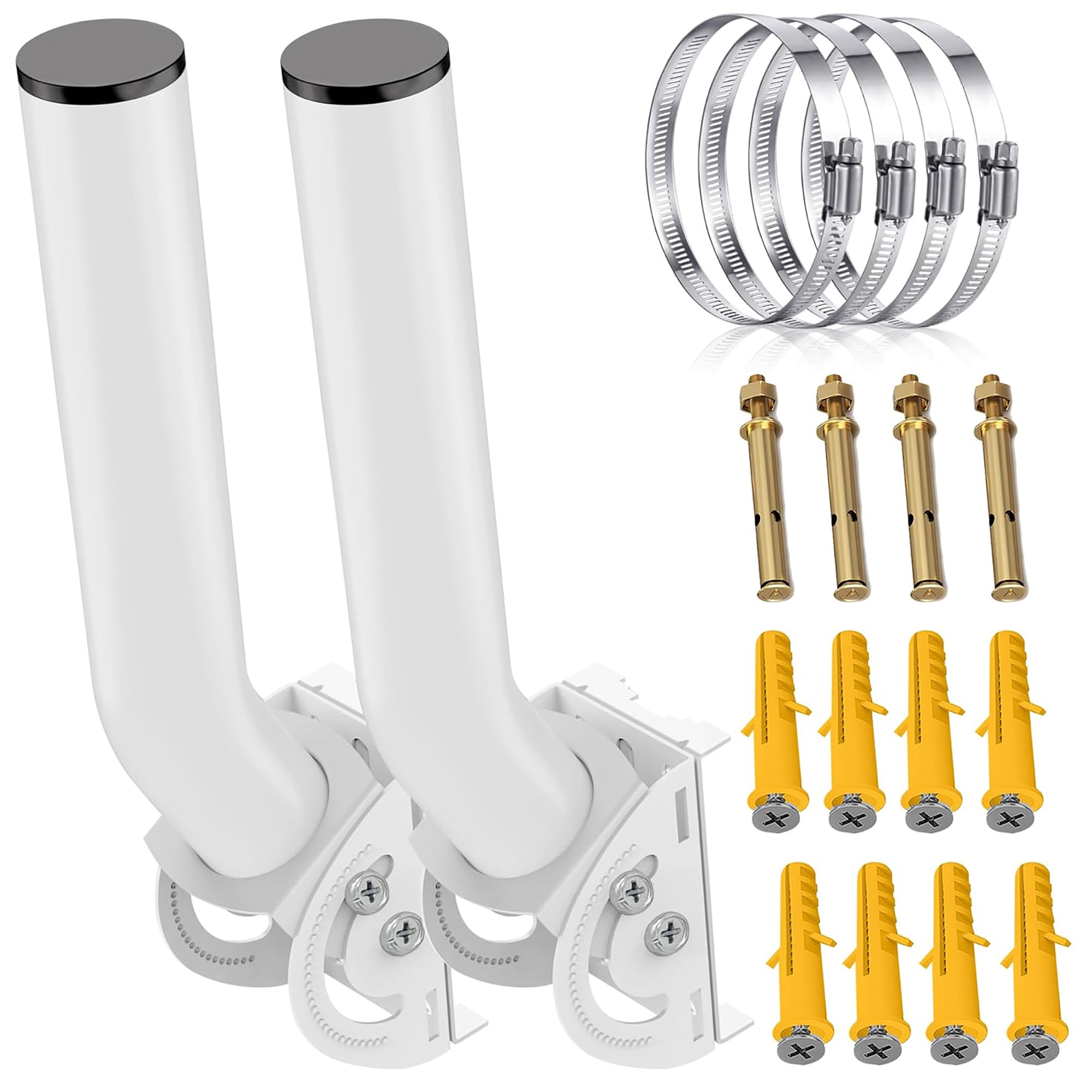
The 150° vertical tilt gives you the same aiming range as pricier options, and the wing-nut locking mechanism lets you hand-tighten the angle to resist wind and vibration. A painted surface and waterproof top cap handle daily outdoor exposure. The 2-pack ships with a complete hardware kit: 2 brackets, 4 metal hoops, 8 screws, and 8 wall anchors.
Owners call it good quality at a great price, with no rust or wear after outdoor use.. The honest warning from the experience of buyers: it’s thin. “Super light weight and thin. If you need it to support anything heavy it wont work,” as one puts it — so keep it to light gear and don’t overtighten the soft screws.
The DIY appeal
- Full hardware kit — mounts to pole, wall, or eave with nothing extra
- Wing-nut lock keeps the angle from slipping in the wind
- Owner-proven for mesh network coverage around corners
Know the limits
- Thin steel won’t support anything heavy
- Soft screws strip easily if you over-tighten
Grab it for: quick, cheap installs of lightweight gear under eaves or on poles, especially mesh nodes.
skip it if: you’re mounting anything with real weight or in a harsh marine environment — the thin steel isn’t built for that.
6. AMOILS 2 Pack Adjustable Wireless Bridge Bracket Mount
Cold-rolled steel with sawtooth grips that hold firm on a barn wall
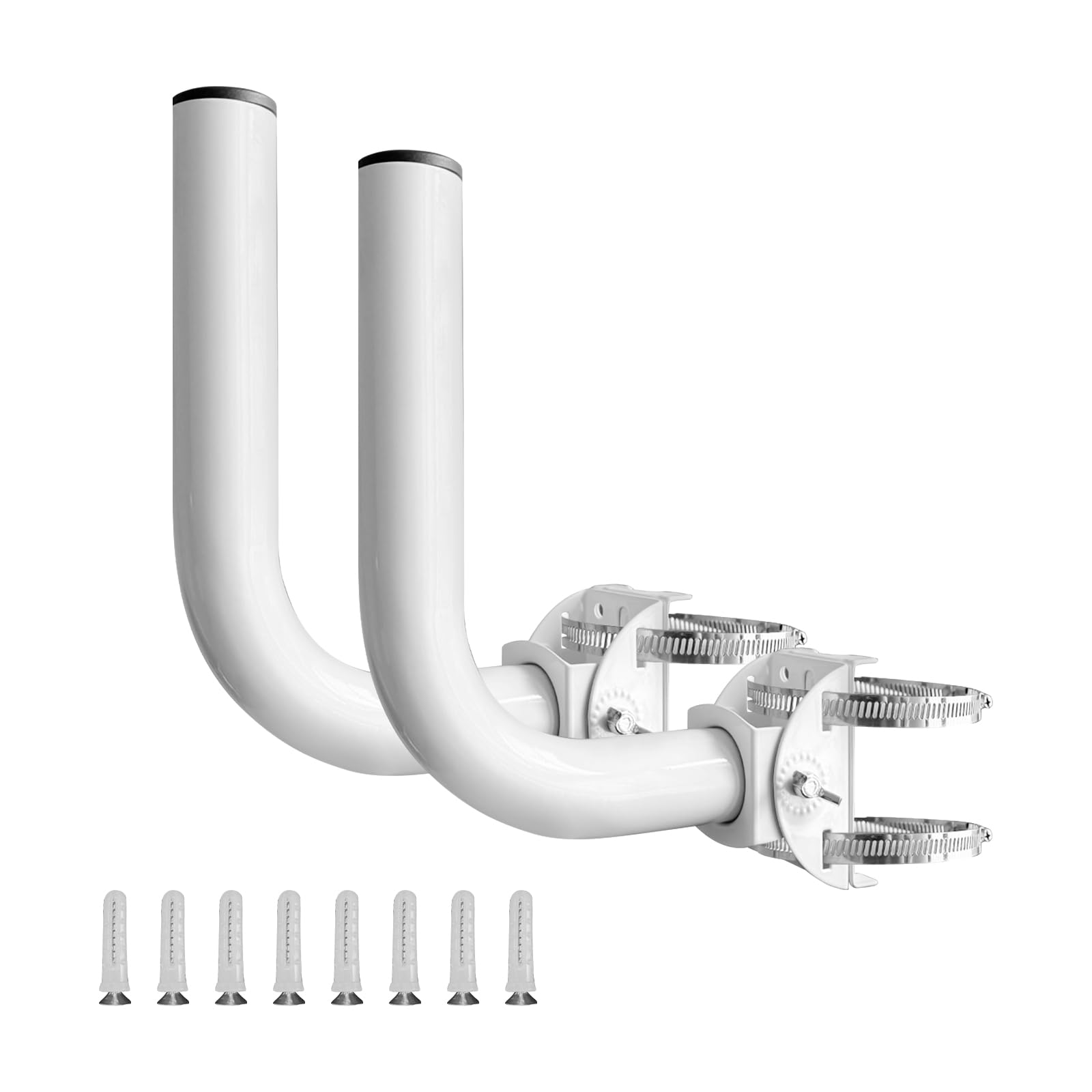
For a budget two-pack that still feels substantial, this mount brings cold-rolled steel with a glossy white finish and anti-slip sawtooth grips plus concave grooves to stop pole sway. It’s rated for loads under 2.2 lbs per bracket — so think small antennas, compact CPE, and lightweight security cameras, not heavy radios.
The 150° vertical adjustment covers the same aiming range as the premium picks, and the package includes 2 brackets, 4 hoops, and 8 screws for a pole or wall install. The painted surface and waterproof cap, with rust-resistant galvanized or stainless steel, suit outdoor use through rain and corrosion.
Owners call it extremely durable with a good adjustment range. — one mounted a bridge on a barn and reports it doesn’t slip. The catch from a careful owner: the steps holding the angled position aren’t great and it can slip if not very tightly secured, so give the hardware a solid crank. And the white finish stands out starkly against dark surfaces.
The budget strengths
- Sawtooth grips and concave grooves resist pole sway
- Cold-rolled steel that owners call extremely durable
- Same 150° range as far pricier brackets
Where it cuts corners
- Angle can slip if not very tightly secured
- White only — stands out against dark surfaces
Reach for this if: you need a cheap, durable pair for light outdoor gear and don’t mind a shiny white finish.
Look elsewhere if: you want a bracket that locks its angle without needing to be cinched down hard.
Understanding the Specs
Load Rating (lbs)
The maximum recommended weight a single bracket can safely hold, stated in pounds. This is the first spec to check — a light-duty bracket rated at 2.5 lb is perfect for a small extender but collapses under a heavy dual-radio access point. Always weigh your device and leave headroom.
Adjustment Range (degrees)
The total angle the mounting rod can swing up and down, measured in degrees. A 150° range is the standard across most brackets here, letting you aim at a distant bridge or AP. The eoqo stand stretches to 160° with finer 6° detent steps for precision locking.
FAQ
How much weight can an access point stand hold?
Will these mounts work on a wall or only a pole?
What does a 150-degree adjustment range mean for aiming?
How do I keep the bracket from rusting outdoors?
Can I use an access point stand for a small Wi-Fi extender?
Why does my bracket lose its angle in the wind?
Is a two-pack worth it for a single access point?
What’s the difference between a CPE mount and an access point stand?
Final Thoughts: The Verdict
For the majority of shoppers, the access point stand winner is the UeeVii 2-Pack because its 10 lbs per bracket load rating alone outclasses everything else here for carrying real outdoor gear. If you want the finest angle control with dual-screw locking, grab the eoqo 2-Pack. And for a field-proven storm survivor, the Slinkdsco kit has owners who rode out 100 mph winds without losing alignment..
How We Picked
We do not accept paid placement. Every pick is matched to a real buyer and a real use-case; we do not hands-on test units.
Sources & Methodology
Specifications: manufacturer listings and product documentation. Review insights: verified customer reviews, as of August 2026. Pricing: not shown on this page (it changes often); check the current price via the retailer link.
As an Amazon Associate, Gadgets Feed earns from qualifying purchases. This does not affect which products we feature.