
Connecting a legacy VGA-equipped computer or laptop to a modern HDMI monitor, TV, or projector requires an active conversion chip that handles the analog-to-digital translation. Passive cables will not work — the active electronics inside an Active VGA To HDMI Converter are essential for that signal to appear on screen.
I’m Min — the co-founder and writer behind Gadgets Feed. I analyze the internal chipset designs, power draw, and resolution stability of these adapters to determine which ones actually deliver a flicker-free 1080p image without introducing lag or compatibility issues.
This guide pinpoints the best performing units for connecting older PCs, retro consoles, and legacy equipment to modern displays, helping you find the right active vga to hdmi converter for a stable signal every time.
How To Choose The Best Active VGA To HDMI Converter
Selecting the right converter goes beyond just matching connectors. The active chipset, power delivery method, and audio support are the three factors that determine whether your setup works reliably or produces a blank screen.
Active Chipset vs. Passive Cable
VGA carries an analog signal while HDMI requires digital input. A passive cable with no internal processing cannot convert between these formats. An active converter uses a dedicated IC chip to read the analog waveform and encode it into a digital HDMI stream. Always look for explicit mentions of an “active chip” or “built-in IC” — without it, the cable will not function.
Power Source Requirements
Active conversion consumes power — typically 0.5 to 1 Amp at 5V DC. Most adapters draw this via a USB-A cable that must be plugged into your computer or a wall adapter. Some premium units include a separate power brick. If the converter lacks any power input, it is either HDMI-to-VGA (the reverse direction) or likely a passive cable that will fail for VGA sources.
Audio Support
VGA carries no audio. To transmit sound through HDMI, the converter must include a 3.5mm audio input jack. This is essential for setups involving DVD playback, gaming, or video conferencing. Video-only adapters output a pure signal but leave you without sound — plan for a separate audio cable or external speakers if you choose one.
Quick Comparison
On smaller screens, swipe sideways to see the full table.
| Model | Category | Best For | Key Spec | Amazon |
|---|---|---|---|---|
| FOINNEX VGA to HDMI | Active Cable | Audio & Video Sync | 1080p@60Hz w/ 3.5mm & RCA | Amazon |
| JideTech Converter | Active Box | Industrial & Retro Gaming | 1080p, DC 5V, 3.5mm Audio | Amazon |
| StarTech.com HD2VGAE3 | Active Adapter | HDMI Source to VGA Display | 1920×1200, No Power Needed | Amazon |
| Conable 15 FT Cable | Active Cable | Long Run VGA to HDMI | 15ft, USB Power, 1080p | Amazon |
| Kirzi VGA to HDMI | Active Cable | Budget Audio Support | 6ft, 1080p, 3.5mm Jack | Amazon |
| Syba SD-ADA31040 | Active Box | Travel & Presentations | 1080p, USB Powered, Compact | Amazon |
| Moread 10-Pack | Bulk Adapter | Multi-Workstation HDMI to VGA | 1080p, Gold-Plated, 5yr Warranty | Amazon |
In‑Depth Reviews
1. FOINNEX VGA to HDMI with Audio (6FT)

The FOINNEX VGA to HDMI cable integrates a 3.5mm AUX jack and bonus RCA-to-3.5mm adapter, allowing simultaneous video and audio transmission over a single HDMI cable. The built-in active IC chip supports 1920×1080 at 60Hz with 24-bit color depth, and the USB power cord ensures the conversion chip has a stable 5V supply to prevent screen flicker.
This unit handles the full signal path from an older PC or laptop to a modern HDMI TV or monitor. The bonus RCA adapter is especially useful for DVD players or set-top boxes with analog stereo outputs, making it one of the most versatile cables for mixed-signal environments. The 6-foot length provides enough slack for desk setups without excessive coil.
User reviews consistently highlight the seamless plug-and-play operation and solid picture quality once the USB power is connected. A small number of units have reported audio dropout after extended use, but customer service responsiveness has been rated highly for replacements.
Why it’s great
- Integrated 3.5mm and RCA audio input for complete AV sync
- Stable 1080p@60Hz video with 24-bit color depth
- Bonus RCA adapter increases device compatibility
Good to know
- USB power cord is required — will not work without it
- Direction is strictly VGA to HDMI only, not reversible
2. JideTech VGA to HDMI Converter
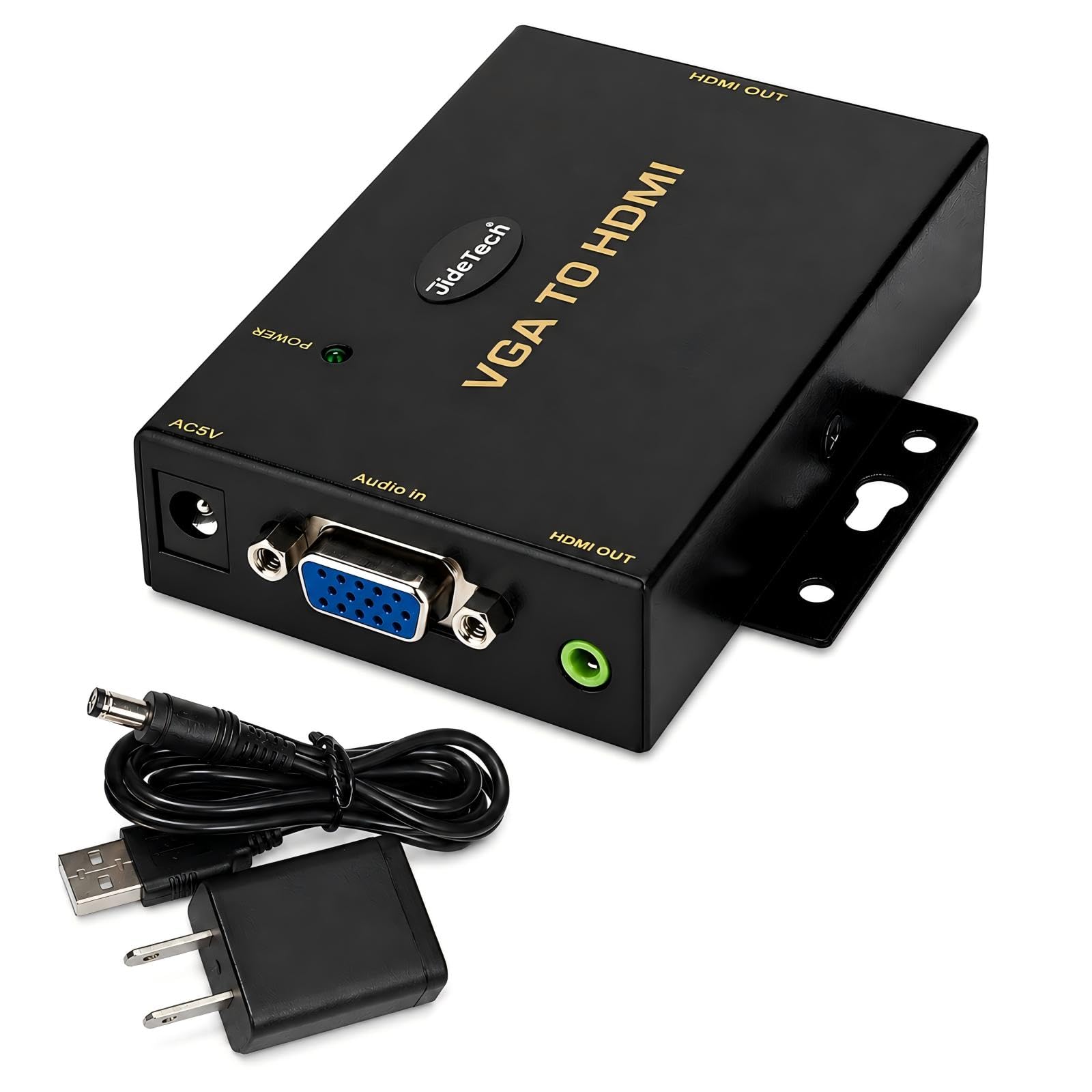
The JideTech converter is a standalone active box designed for industrial, commercial, and retro-gaming environments. It accepts VGA input from legacy PCs, DVRs, POS terminals, or retro consoles and outputs 1080p Full HD via HDMI. A dedicated 3.5mm audio input merges stereo sound into the HDMI stream, eliminating the need for a separate audio cable.
Unlike many cable-style adapters, this unit uses a separate DC 5V power supply that provides cleaner, more consistent power delivery — crucial for installations where USB power from the source device may be unstable or underpowered. The enclosure is robust and built for rack or wall-mount installations in conference rooms and classrooms.
Gamers have reported excellent results with retro consoles like the Dreamcast via a VGA box, praising the low-lag conversion and lack of scaling artifacts. However, a notable limitation is its failure to display DOS or BIOS text modes — a known issue with many active converters that expect standard graphics resolutions.
Why it’s great
- Dedicated DC power supply ensures stable conversion
- Excellent for retro gaming with low-lag output
- Rugged metal enclosure for commercial installations
Good to know
- Does not display DOS or BIOS text screens
- Premium pricing reflects industrial-grade build
3. StarTech.com HDMI to VGA (HD2VGAE3)
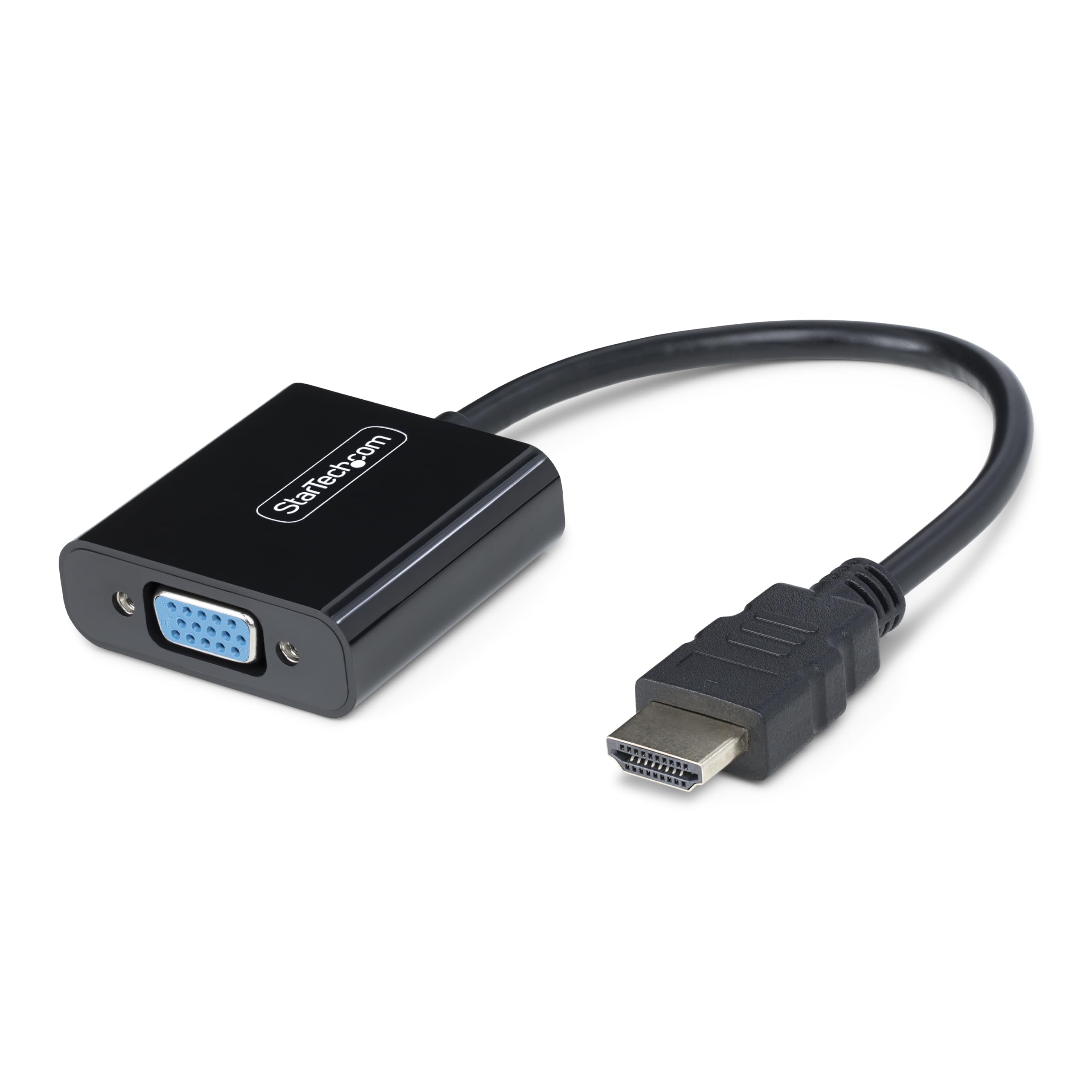
Note direction: The StarTech HD2VGAE3 converts from an HDMI source to a VGA display, not the reverse. It is an active adapter that draws power from the HDMI port itself, eliminating the need for a separate USB cable or wall power. This makes it ideal for connecting a laptop or tablet to an older VGA monitor or projector without extra clutter.
Resolutions go up to 1920×1200 and 1920×1080 at 60Hz, with support for the integrated or dedicated GPU to minimize CPU load. The compact form factor is just 0.6 inches thick and weighs 1.12 ounces, fitting easily into a laptop bag. The VGA side includes screw-lock posts to prevent accidental disconnection.
Multiple user reviews confirm flawless operation with monitors ranging from 30-year-old NEC CRTs to modern Dell business displays at 1680×1050 wide resolution. The main complaint is the price point compared to budget alternatives, but build quality and reliability justify the investment for professional use.
Why it’s great
- No external power adapter or USB cable needed
- Supports resolutions up to 1920×1200
- Compact and lightweight for travel
Good to know
- Unidirectional — HDMI source to VGA display only
- Cable length is only 5.8 inches, requiring proximity
4. Conable VGA to HDMI Cable (15 FT)
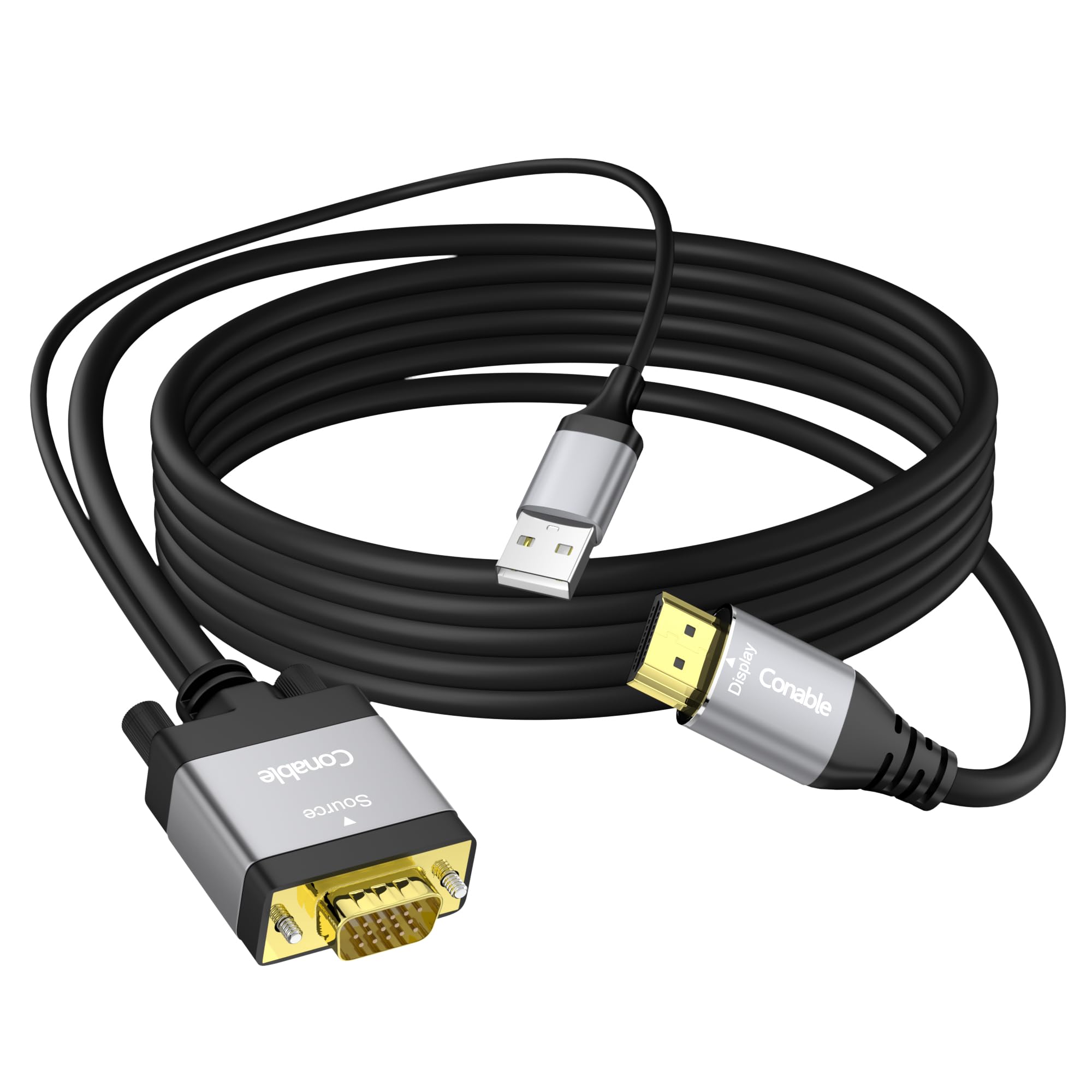
The Conable VGA to HDMI cable offers a generous 15-foot run, making it the best option for connecting a VGA-equipped PC across a room to an HDMI TV or projector. It is a unidirectional active cable that requires the built-in 1-foot USB power cord to be plugged into a USB port on the source device for the conversion chip to function.
Resolution support reaches 1920×1080 at 60Hz, with the advanced IC chip reducing screen flicker and blackouts. The construction features OFC pure copper wire, gold-plated connectors, and aluminum shells for heat dissipation, plus multiple shielding layers to protect against EMI and RFI interference over the long cable length.
User feedback indicates solid performance for reviving old PCs. One notable limitation: the cable does not work through an HDMI switch, as the active chipset seems to conflict with switching circuitry. Also, audio is not transmitted — this is a video-only cable.
Why it’s great
- 15-foot length for long-distance connections
- OFC copper wire and aluminum shielding for signal integrity
- Gold-plated connectors resist corrosion
Good to know
- Does not support audio transmission
- May not function through an HDMI switch
5. Kirzi VGA to HDMI Cable (6FT)

The Kirzi VGA to HDMI cable is a budget-friendly active cable that includes a 3.5mm audio input for merging sound into the HDMI output. It supports resolutions up to 1920×1080 at 60Hz and uses a male-to-male connector design for direct connections between a VGA computer and an HDMI display without extra adapters.
The cable length is 6 feet, typical for desk setups, and the black/gold color scheme with gold-plated connectors gives it a slightly upscale appearance. The active chipset is powered via a USB connection that must be plugged in for the conversion to work — a common requirement for this category.
While many users report fast, reliable video and audio performance, there is a small percentage of units that have experienced audio failure or connection issues after several weeks. The manufacturer offers a one-year warranty, and customer service responsiveness has been described as adequate. For the price, it delivers the core functionality of an active converter with audio support.
Why it’s great
- Includes 3.5mm audio input for video sync
- Affordable price point for active conversion
- Gold-plated connectors for signal reliability
Good to know
- Some units report audio sync failure over time
- USB power required for active chipset
6. Syba VGA to HDMI Converter (SD-ADA31040)
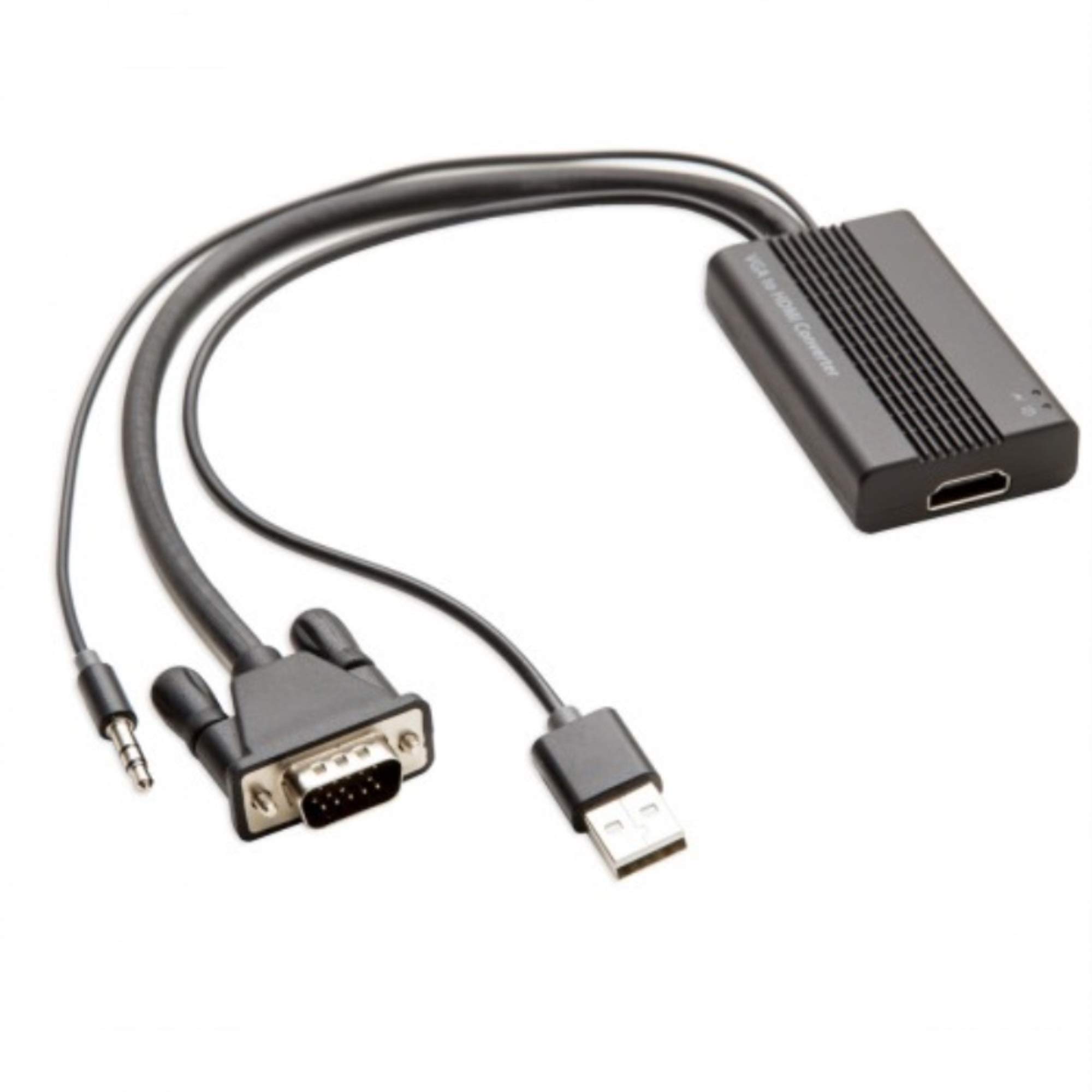
The Syba SD-ADA31040 is a compact active converter box that takes VGA input and a separate 3.5mm stereo audio source, then outputs both video and sound through a single HDMI cable. It is powered via a USB port, and the mini size makes it ideal for travelers and business professionals who need to present from older laptops.
Resolution support is 1920×1080 at 60Hz with 24-bit color depth and HDCP compliance. The unit includes LED indicators for power and activity, giving visual confirmation that the conversion is running. The chassis is small enough to fit in a jacket pocket, and no driver installation is required — true plug-and-play on Windows and Linux.
User reviews praise its reliability for connecting older laptops to hotel projectors and TVs. The main complaints involve the short 3.5mm cable length — if your laptop has ports on the opposite side, you may need a male-to-male extension. There are also sporadic reports of the unit failing after several sessions, though most users experience consistent performance.
Why it’s great
- Ultra-compact design for portable use
- LED indicators for power and signal activity
- Combines VGA and 3.5mm audio into single HDMI
Good to know
- Short 3.5mm input cable may require extender
- Some units reported failure after limited use
7. Moread HDMI to VGA 10-Pack

Note direction: The Moread adapter converts from an HDMI source to a VGA display. It is an active, unidirectional adapter with a male HDMI end and a female VGA port, requiring a separate VGA cable (not included). This 10-pack is designed for IT departments, schools, or multi-workstation setups where multiple monitors connect to modern laptops.
Each adapter supports resolutions up to 1920×1080 at 60Hz and features a gold-plated HDMI connector with molded strain relief for durability. The built-in IC chip handles the HDMI-to-analog conversion, drawing power from the HDMI port itself — no separate USB power cable is needed. The compact design allows it to be left plugged in without adding bulk.
Compatibility spans most laptops, Chromebooks, Raspberry Pi, Intel NUC, XBox One, and Wii U. However, it is explicitly incompatible with Roku, Blu-ray players, and low-power HDMI ports like those on the PS4 Retina MacBook Pro. The standout feature is the unconditional 5-year warranty, which provides long-term peace of mind for bulk purchases.
Why it’s great
- 10-pack provides cost-effective multi-workstation solution
- 5-year unconditional warranty for long-term reliability
- No external power needed — draws from HDMI port
Good to know
- Incompatible with PS4, Apple TV, and low-power HDMI ports
- Requires a separate VGA cable (not included)
FAQ
Can I use a passive VGA to HDMI cable without power?
Why does my converter need USB power to work?
Will an active converter add lag during gaming?
Final Thoughts: The Verdict
For most users, the active vga to hdmi converter winner is the FOINNEX VGA to HDMI because it combines 1080p video, integrated 3.5mm and RCA audio input, and a USB-powered active chipset in a single 6-foot cable. If you need a premium industrial-grade box for retro gaming or commercial AV, grab the JideTech Converter. And for multi-workstation HDMI-to-VGA setups, nothing beats the Moread 10-Pack with its 5-year warranty.