
Your motherboard’s single 5V ARGB header is a bottleneck. It limits how many fans, strips, and AIO coolers you can control, often forcing you to choose between daisy-chaining too many devices or leaving half your lighting unplugged. A dedicated controller solves this by giving you 9, 12, or even 16 independent ports, plus its own SATA power supply so your RGB doesn’t flicker under load.
I’m Min — the co-founder and writer behind Gadgets Feed. I’ve spent countless hours analyzing ARGB controller specifications, comparing channel limits, software compatibility, and power delivery to separate the hubs that truly unify multi-brand builds from the ones that introduce more problems than they solve.
Whether you are syncing a full tower of Corsair fans or building a custom rig with mixed brands, choosing the right best addressable rgb controller depends on understanding port counts, software ecosystems, and power headroom before you buy.
How To Choose The Best Addressable RGB Controller
An ARGB controller isn’t just a splitter. The wrong choice can introduce flicker, limit your fan count, or lock you into software that doesn’t support your other components. Focus on three things: port quantity, power source, and software compatibility.
Port Count and Power Delivery
Every ARGB device draws current from the controller. Most controllers cap at around 4A total across all ports. A 9-port hub may handle only 4-5 fans with high LED counts (24 LEDs per fan) before flickering. Controllers with SATA power, like the Thermaltake and Corsair units, bypass the motherboard’s 5V header limit entirely. Count your total LED beads first: a fan with 24 LEDs plus a strip with 60 draws about 84 LEDs — a 16-port hub supporting 256 LEDs per channel gives you real headroom.
Software Ecosystem Lock-In
Branded controllers (Corsair iCUE, NZXT CAM) offer polished interfaces but only work with their own ecosystem. Third-party controllers with SignalRGB or OpenRGB support let you mix fans from different manufacturers in one unified control app. If you plan to use a mix of brands, prioritize controllers explicitly designed for open software like the Airgoo AG-DRGB16.
Physical Mounting and Cable Management
Magnetic bases are common but vary in strength. Some hubs (Thermaltake TT Sync) lack magnets entirely and rely on velcro. If your case has thick painted steel, magnets may fail — look for 2.5-inch drive bay screw holes or adhesive strips. Also check connector orientation: female-to-female adapters are often required for the Airgoo controller, so budget for those.
Quick Comparison
On smaller screens, swipe sideways to see the full table.
| Model | Category | Best For | Key Spec | Amazon |
|---|---|---|---|---|
| Airgoo AG-DRGB16 | Premium | Multi-brand builds | 16 ports, 256 LEDs/channel | Amazon |
| Corsair Commander Duo | Premium | iCUE ecosystem builds | 2 channels, 12 daisy-chained fans | Amazon |
| NZXT Control Hub | Premium | NZXT single-frame fans | 5 PWM, 8-pin combo headers | Amazon |
| ASUS TUF Gaming Hub | Mid-Range | Armoury Crate users | 6 fans, dual SATA power | Amazon |
| AsiaHorse ASH-S1 | Mid-Range | Budget multi-brand builds | 9 ports, 400+ LED capacity | Amazon |
| Thermaltake TT Sync | Mid-Range | Thermaltake PLUS ecosystem | 9 ports, SATA powered | Amazon |
| NZXT RGB & Fan Controller | Mid-Range | NZXT fan & RGB expansion | 6 RGB channels, 9 PWM fans | Amazon |
In‑Depth Reviews
1. Airgoo Magnetic 16-Port Signal RGB Controller AG-DRGB16
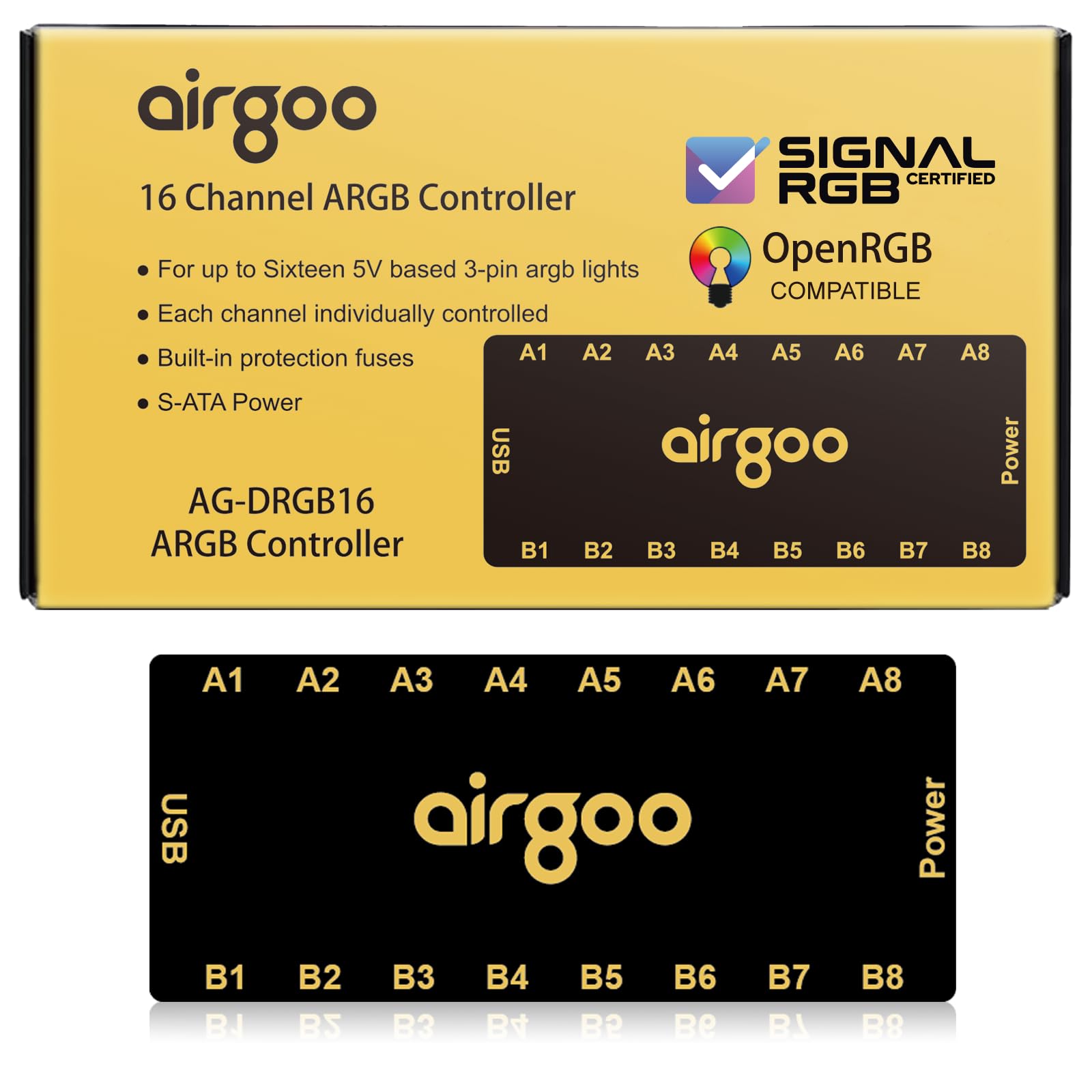
The Airgoo AG-DRGB16 is the most versatile ARGB controller for builders mixing brands. Its 16 independent ports each support up to 256 LEDs, giving you room for nine fans, three strips, and an AIO block without daisy-chaining. The metal chassis and strong magnets feel premium, but the real advantage is USB control via SignalRGB or OpenRGB — you get granular per-device lighting patterns that motherboard software simply cannot match.
Power comes from a SATA connector, so even under a full 16-device load there is zero flicker. The auto-resetting fuse protects against shorts, which is critical when plugging in high-LED-count strips. On Windows, setup is truly plug-and-play: download SignalRGB, connect the USB 2.0 cable to your motherboard’s internal 9-pin header, and the software detects every port instantly. Linux users need to configure udev rules and permissions for OpenRGB, but the community Python driver gets basic effects running quickly.
The only drawback is that the controller uses female ARGB ports, so you will need female-to-female extension cables to connect most standard male-ended fan cables — the unit ships without adapters. The magnetic mounting is strong on bare steel but weaker on painted surfaces; a strip of included velcro solves that. If you want individual control over every LED device in a mixed-brand build without being locked into iCUE or CAM, this is the hub to buy.
Why it’s great
- 16 independent ports with 256-LED-per-channel limit
- SignalRGB and OpenRGB support for cross-brand syncing
- Metal build with auto-resetting fuse protection
Good to know
- Female ports require extra adapters for most fans
- Magnetic hold weakens on painted steel surfaces
- Linux setup requires manual udev configuration
2. Corsair Commander Duo iCUE Link RGB and PWM Controller
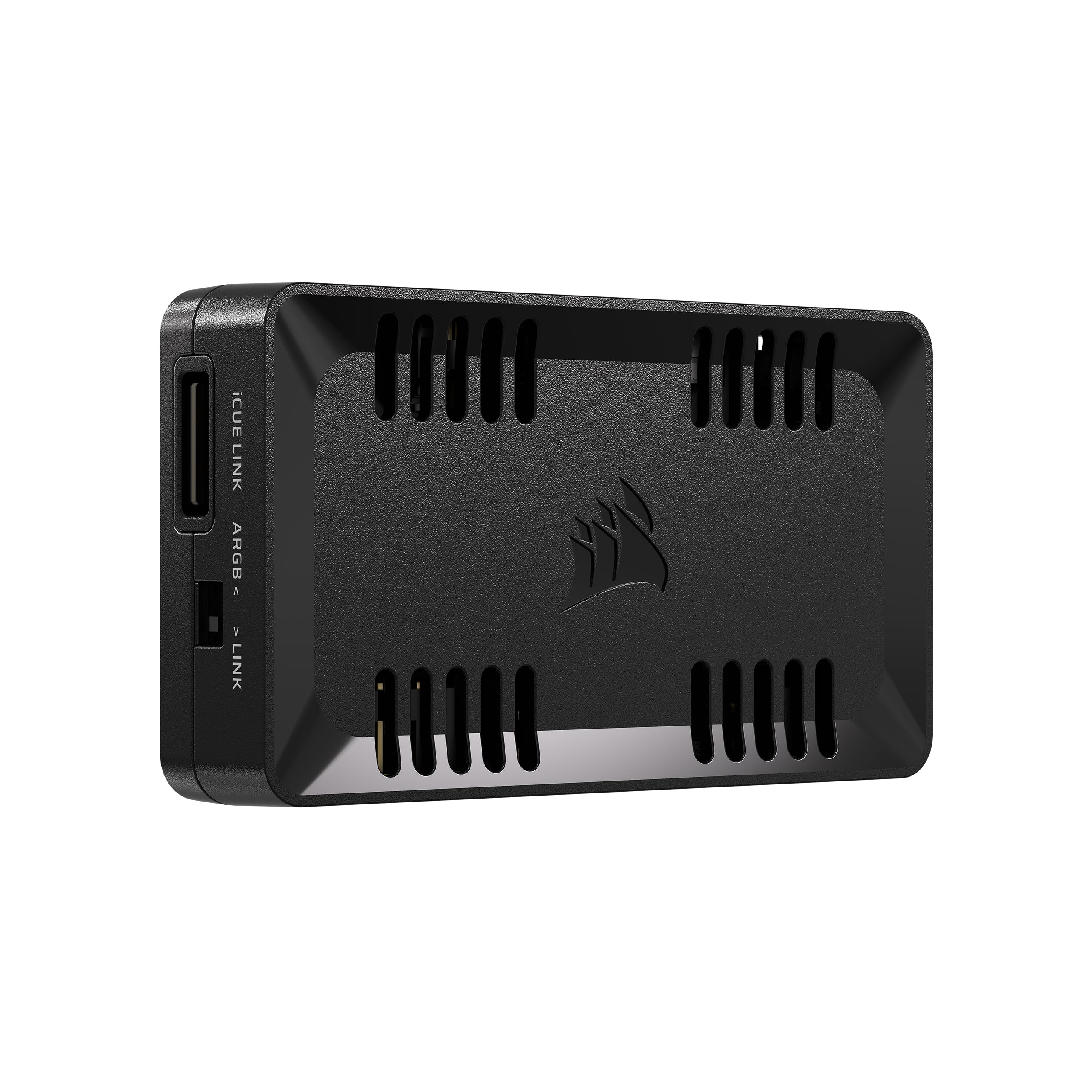
The Corsair Commander Duo bridges two worlds: it works with standard ARGB PWM fans through two channels (six daisy-chained fans per channel) and also connects to the iCUE Link ecosystem for Corsair’s newer daisy-chain components. Each ARGB channel supports up to 50 LEDs, which is sufficient for most fan setups but limits very long strips. The included two flexible temperature sensors let you set fan curves based on GPU or liquid temperature rather than CPU alone.
Installation is straightforward: a single USB 2.0 connection to the motherboard and SATA power. The controller is small (3.62 x 2.08 x 0.74 inches) and fits behind motherboard trays easily. iCUE software automatically detects connected fans and offers intelligent fan detection, so you do not need to manually assign each port. The biggest advantage is that it can control both iCUE Link daisy-chained fans and standard 4-pin PWM fans from the same interface, making it ideal for upgrades where you retain older Corsair fans while adding new ones.
The catch is that first-time iCUE Link users may struggle to get the controller recognized if they connect it to a Link Hub before installing the software — the sequence matters. Also, the controller supports only two channels, so if you need truly independent control of more than two groups of fans (each group synced together), you will need a second unit. For a fully Corsair build with up to 12 fans, this is the cleanest hardware solution available.
Why it’s great
- Controls both iCUE Link and standard PWM fans
- Two daisy-chain channels support up to 12 fans total
- Includes two flexible temperature sensors for smart fan curves
Good to know
- Software installation order matters for iCUE Link detection
- Only two independent lighting channels available
- 50-LED limit per channel limits long strips
3. NZXT Control Hub

The NZXT Control Hub is purpose-built for NZXT’s Single-Frame Fans and other NZXT RGB components. It uses proprietary 8-pin PWM and RGB combo headers that combine both power and lighting in one cable, which simplifies wiring considerably. You can control up to five PWM fans with Zero RPM mode for silent operation at low loads, and NZXT CAM software auto-detects every connected device for instant custom profile creation.
Installation is effortless thanks to a strong magnetic base and included 3M Dual Lock fasteners. The hub is compact and fits in 2.5-inch drive bays or behind the motherboard tray. CAM provides granular control over fan curves, lighting effects, and even offers game-integrated lighting reactions. Users report that the software runs smoothly and reliably, a notable advantage over more bloated ecosystem apps.
The major constraint is that the NZXT Control Hub uses proprietary connections exclusively. You cannot plug standard 3-pin ARGB fans or standard 4-pin PWM fans directly into it without adapter cables. If your build is not 100% NZXT, you will need to mix with motherboard headers or buy adapters. For a full NZXT build, this hub is the simplest, cleanest path to unified control, but it offers zero flexibility for mixed-brand setups.
Why it’s great
- Proprietary 8-pin combo headers reduce cable clutter
- Zero RPM mode for silent low-load operation
- Strong magnetic base and compact footprint
Good to know
- Proprietary connections lock out non-NZXT components
- Only 5 PWM fan ports limits very large builds
- Does not support SignalRGB or OpenRGB
4. ASUS TUF Gaming ARGB PWM Fan Hub

The ASUS TUF Gaming Hub focuses on stability and simplicity. It supports six case fans with both PWM and ARGB connections on each port, and it draws power from dual SATA connectors — an overbuilt power solution that virtually eliminates flicker even when all six fans run at full speed with high-LED strips. The board has clear power and operation indicators, so you can visually confirm the hub is working without opening software.
Armoury Crate integration is seamless. Once connected via the bundled USB 2.0 cable, the software detects the hub and lets you sync lighting with other ASUS components. The hub’s plastic chassis feels solid, and the magnetic base is strong enough for most steel cases. ASUS rates each port at up to 3.6W, meaning you can safely run six fans with 24 LEDs each without hitting the power ceiling.
The weak point is the magnet — it is strong enough to hold the hub alone but drops immediately when you plug in cables. There are no SSD screw holes for secure mounting, so you will rely entirely on the adhesive strip or a third-party mounting solution. Additionally, ASUS recommends using both SATA connectors for full-load stability, which consumes two SATA power cables that may be scarce in smaller builds. For a clean all-ASUS build with up to six fans, this is a reliable, cost-effective hub.
Why it’s great
- Dual SATA power prevents flicker at full load
- Visual status indicators for quick troubleshooting
- Armoury Crate integration for ASUS ecosystem
Good to know
- Magnet is too weak to hold with cables attached
- No SSD mounting screw holes
- Requires both SATA connectors for full stability
5. AsiaHorse ASH-S1 ARGB Fan Hub
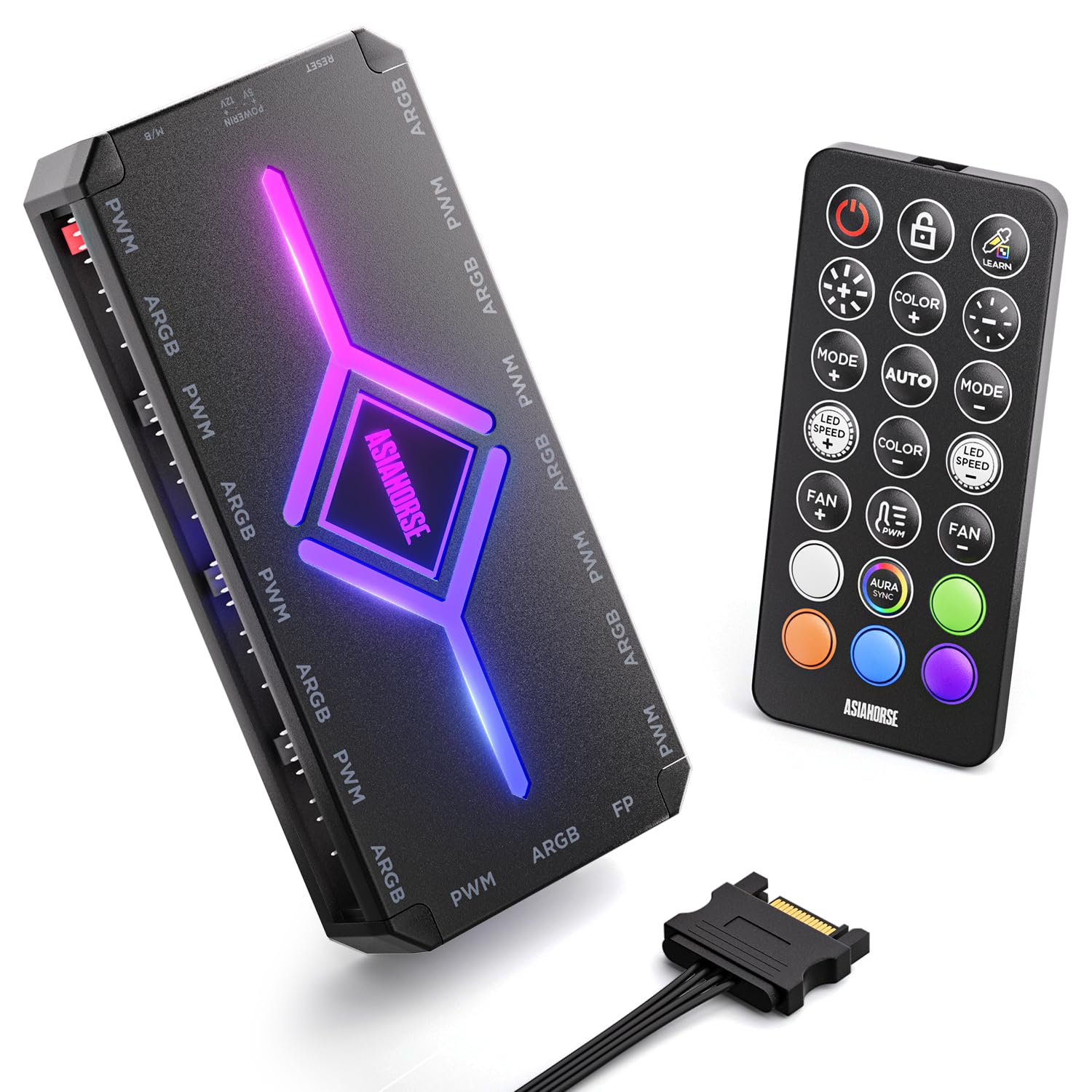
The AsiaHorse ASH-S1 stands out for its 20 built-in preset lighting effects controlled via a dedicated remote, making it one of the few hubs that work independently of PC software. It also features a unique Color-Learning Technology that reads colors from your motherboard’s lighting software and applies them to its own patterns. The hub supports over 400 LED beads across 9 ARGB ports — enough for nine fans with 24 LEDs each plus a strip.
PWM fan control is included, with the remote offering 10 brightness levels, 10 speed settings, and 10 PWM speed levels. An Aura Sync mode lets the hub defer to motherboard software when you want system-wide synchronization. The magnetic base plate holds well on steel surfaces, though some users note the magnet is slightly weak for heavy cable loads.
A critical caveat: the hub includes a VDG cable for Gigabyte motherboards, but plugging the 3-pin VDG connector into a 5V ARGB header can damage the motherboard. AsiaHorse documentation warns against this, but the cable is included without clear labeling. Also, when fully populating all 9 ports with high-LED devices, some users report flicker — the hub has a power limit and may need load balancing. For a mid-range build with a moderate number of fans, the remote control and preset effects make it very convenient.
Why it’s great
- 20 built-in lighting effects with remote control
- Color-Learning Technology for software-matched colors
- 9 ARGB and 9 PWM ports in one unit
Good to know
- VDG cable can damage motherboard if plugged incorrectly
- Magnetic hold is weak under heavy cable load
- Flickering possible when all 9 ports are fully populated
6. Thermaltake TT Sync SATA Powered 9 Port Controller

The Thermaltake TT Sync is a 9-port ARGB hub that connects directly to your motherboard’s 5V ARGB header for software control via ASUS Aura Sync, Gigabyte RGB Fusion, or MSI Mystic Light Sync, eliminating the need for extra lighting software. It draws power from a SATA connector rated at 5A maximum, providing stable current for up to four Riing Trio fans with other PLUS series products, or five Riing Trio fans alone. The controller syncs all connected Thermaltake PLUS products (AIOs, pumps, strips, fans) as a single lighting zone.
Installation is simple: connect SATA power, plug the 3-pin ARGB cable into your motherboard header, and attach up to nine Thermaltake PLUS devices. The hub includes PWM fan control through a separate cable, letting you manage fan speeds alongside lighting. Users report that the integration with Aura Sync works flawlessly when your motherboard has a dedicated 5V ARGB header — without one, the controller cannot communicate with the software.
The most common complaints involve the velcro mounting pad, which has poor adhesion and fails over time — there are no screw holes or magnets. Some units also cause flickering in non-Thermaltake ARGB devices connected to other motherboard headers, and the instructions are outdated. If you are building with Thermaltake Riing Plus fans and want motherboard sync without extra apps, this controller delivers, but the cable management and mounting options feel cheap compared to similarly priced hubs.
Why it’s great
- Motherboard RGB sync without extra software
- SATA power for stable current to 9 devices
- Integrated PWM fan control
Good to know
- Velcro mount fails over time; no magnet or screw holes
- May cause flickering in other ARGB devices on the system
- Requires motherboard with 5V header — no standalone mode
7. NZXT RGB & Fan Controller

The NZXT RGB & Fan Controller is a step down in compatibility from the Control Hub but offers more general-purpose connectivity. It delivers six RGB lighting channels and three PWM fan channels (supporting up to nine PWM fans through splitters). All control goes through NZXT CAM software, which provides precise fan speed profiles and customizable RGB effects. The controller uses standard 4-pin PWM headers and standard 3-pin ARGB headers, making it compatible with any standard fan — not just NZXT’s proprietary line.
The magnetic base is strong and the unit is compact enough to fit in a 2.5-inch drive bay using the included screw holes. Users report that CAM recognizes the controller immediately and works with third-party software like Argus Monitor for fan control, though it does not work with Fan Control. The included adhesive strips provide a backup mounting option for non-metal surfaces.
The limitation is channel count: six RGB channels may not be enough for a full tower with nine fans plus strips. Each RGB channel supports a daisy-chain of devices, but the total LED current is limited — loading all six channels with high-LED-count devices can cause inconsistent brightness. Also, this controller does not support iCUE Link or SignalRGB, locking you into CAM. For a mid-sized NZXT build with standard ARGB fans, it is an excellent secondary hub to supplement a motherboard header.
Why it’s great
- Six RGB channels for standard 3-pin ARGB devices
- Three PWM channels support up to nine fans
- Magnetic base with 2.5-inch drive bay mounting
Good to know
- Only six RGB channels may limit large builds
- Locked into NZXT CAM; no SignalRGB support
- LED current limits may cause brightness inconsistencies
FAQ
Can I use a non-NZXT fan with the NZXT Control Hub?
How many total LED beads can the AsiaHorse ASH-S1 support before flickering?
Does the Corsair Commander Duo work with standard non-Corsair ARGB fans?
Why does my ARGB controller need a SATA power cable instead of using the motherboard header?
Final Thoughts: The Verdict
For most users, the best addressable rgb controller winner is the Airgoo AG-DRGB16 because its 16 independent ports and SignalRGB support give you unmatched per-device control across mixed brands. If you want deep ecosystem integration with flawless software, grab the Corsair Commander Duo for your iCUE build. And for a full tower of NZXT fans with zero cable clutter, nothing beats the NZXT Control Hub.