
Our readers keep the lights on and my morning glass full of iced black tea. As an Amazon Associate, I earn from qualifying purchases.
Specs are compiled from manufacturer listings and verified buyer reviews and can change over time — please confirm the key details on the product page before buying.
If your neck aches by lunchtime and your desk is buried in cables, an adjustable monitor stand fixes both. An adjustable computer monitor stand lifts your screen to eye level so you stop tilting your head down all day. It also hands you free storage space underneath for your keyboard, notebooks, and the clutter that never had a home. This guide breaks down nine real options — risers, free-standing mounts, and dual-screen platforms — so you can match one to your desk, your monitor’s weight, and how often you actually want to change the height.
I’m Min — the founder and writer behind Gadgets Feed. This guide is built by comparing the manufacturers’ published specifications and the patterns across verified customer reviews, so you get each pick’s real strengths and trade-offs instead of marketing spin.
If your neck aches by mid-afternoon, a stand that raises your screen to eye level is the usual fix. The right adjustable computer monitor stand depends on matching height range and weight capacity to your actual screen. Read on for the nine stands that get it right, from budget risers to heavy-duty mounts.
Our Picks at a Glance


How To Choose The Best Adjustable Computer Monitor Stand
Before you buy, get three things straight: how much your monitor weighs, how high your eyes sit when you’re comfortable, and how much desk real estate you’re willing to give up. Get those right and every other spec falls into place.
Height range and adjustability type
A fixed-height riser gives you a few preset lifts — some offer three or four levels you pick before you set the monitor down. A free-standing VESA mount uses a vertical column so you can slide the screen up and down along a pole. The column type is better if you share the desk or like to stand sometimes, but it usually needs a monitor with standard VESA mounting holes (the four screw holes on the back, typically spaced 75mm or 100mm apart). If your monitor only has its original plastic foot, a riser is the safer route.
Weight capacity and monitor size
Check the load rating against your screen’s actual weight before anything else. A stand rated up to 44 lbs will happily hold a heavier 32-inch display, while a 19.8-lb mount is built for lighter single screens. Oversized monitors tip forward more easily if the base is light, so pair a big panel with a stand that has a weighted or glass base. Always confirm your monitor’s VESA pattern and weight against the listing.
Storage, posture, and cable routing
The space under a riser is half the reason to buy one. Look for depth that fits a keyboard or notebook, and check whether the deck has vented holes or a solid surface depending on whether you’re resting a laptop on top. Cable clips or a management channel keep power and display cables from sprawling across the desk. Finally, think about how often you’ll change the height — a knob or tool-free slider is easier for daily tweaks than a bracket you have to unbolt.
Quick Comparison
| Model | Best For | Height Range | Weight Capacity | Mount Type | Amazon |
|---|---|---|---|---|---|
| WALI Dual Monitor Stand★ Best Overall | Dual monitors or laptop plus screen | 3.9″ / 4.7″ / 5.5″ | 44 lbs | Shelf riser (2-pack) | Amazon |
| MOUNT PRO Single Monitor StandPremium Pick | Screens up to 32″ with no drilling | 17.3″ pole (fully adjustable) | 17.6 lbs | Free-standing VESA mount | Amazon |
| Bostitch Konnect Monitor RiserMost Organized | Drawer storage and phone holder | 2 1/8″ to 6 1/2″ (4 levels) | 25 lbs | Shelf riser | Amazon |
| ECOLOVI Wood Monitor Stand | Wood-finish desks and printers | 4.00″ to 6.10″ (4 levels) | 44 lbs | Shelf riser (2-pack) | Amazon |
| AX WABER Dual Monitor Stand | Wide dual-monitor and printer setups | 3.7″ to 5.2″ | 100 lbs | Shelf riser | Amazon |
| MOUNTUP Monitor Stand | Single screens 13″–32″ needing tilt and swivel | Up to 6.89″ | 19.8 lbs | Free-standing VESA mount | Amazon |
| HUANUO Monitor Stand | Large 34″ displays, portrait or landscape | 9.27″ to 15.26″ (5 options) | 44 lbs | Free-standing VESA mount | Amazon |
| BoYata Monitor Stand | Small desks and simple knob-adjusted height | Knob-adjusted (1 level) | 33.1 lbs | Shelf riser | Amazon |
| VIVO Adjustable Riser | Monitors and laptops needing fine height | 4.5″ to 6.5″ | 33 lbs | Shelf riser | Amazon |
In‑Depth Reviews
1. WALI Dual Monitor Stand for Desk, Adjustable Laptop Riser, up to 44 lbs
Our pick — over 4.5★ from 17,500+ verified ratings; the strongest balance of quality and price.
Two metal risers that lift your screen to eye level and swallow the desk clutter underneath.
If you spend all day at a screen and hate craning forward, this two-pack is the balance. You choose one of three lift heights — 3.9 inches, 4.7 inches, or 5.5 inches — so your monitor sits level with your eyes instead of below them. The deck is a 14.6 x 9.3 inch metal shelf that holds up to 44 lbs, which covers almost any standard monitor, a laptop, or even a printer. It arrives as a two-pack, so a single order handles two screens or one screen plus a laptop on the side.
The build is where this one earns its place. Powder-coated metal, anti-skid rubber pads that stop it sliding on a height-adjustable desk, and vented holes in the platform that keep a laptop or monitor running cooler. Assembly needs no tools at all, and the sturdy frame stays rock-solid once the monitor is set down. What wins most people over is the quality of the materials for an entry-level price — one repeatable note in the review pages is that it beats similar stands costing substantially more.
Two things to know before you buy. The risers only offer three fixed heights, so if you need a very specific lift you may have to compromise. And the thin drawer is genuinely thin — it takes pens and sticky notes, not much else. As one buyer put it plainly, it is “sturdy once monitor placed.”
Where it shines
- 44-lb capacity handles monitors, laptops, and a printer with room to spare
- No-tool assembly; anti-skid pads grip even on a standing desk
- Two risers in one order for dual setups or screen-plus-laptop
Worth weighing
- Only three fixed heights — no fine adjustment
- The drawer is thin, made for small items only
Best for: anyone wanting two sturdy risers that raise monitors to eye level and clear the desk underneath.
Look elsewhere if: you need a specific, finely tuned height rather than three presets.
2. MOUNT PRO Single Monitor Stand Fits Max 32 inch Screen, Free-Standing Computer Desk Stand
A glass-based column mount for anyone who refuses to drill into a nice desk.
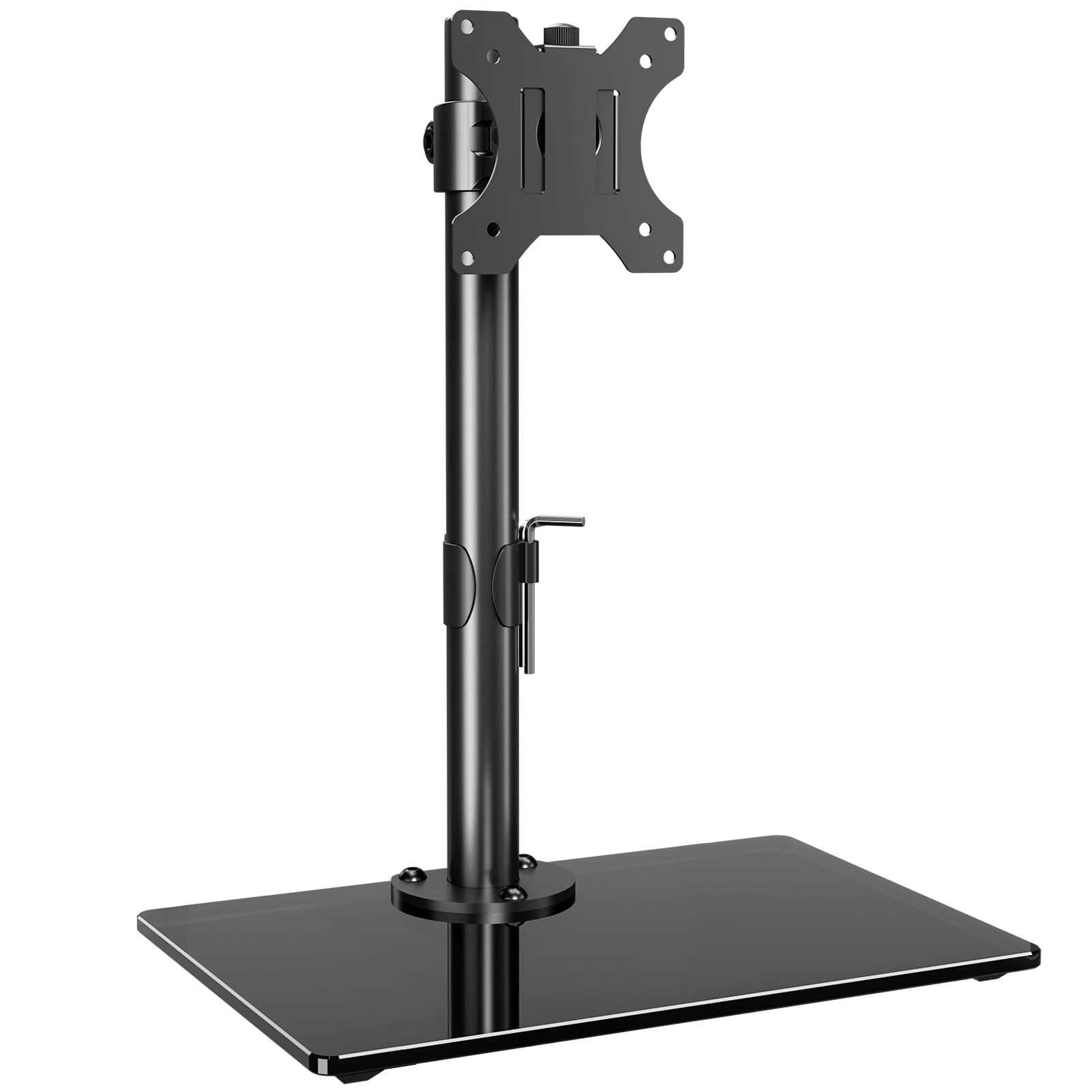
If your desk is expensive and you are not about to put holes in it, this is the design to look at. It is a free-standing mount that sits on a tempered glass base — no clamp, no grommet, nothing bolted to the tabletop. A tall 17.3-inch pole lets you set the height exactly where you want it, and the arm gives you -30° to +30° tilt, -45° to +45° swivel, and a full 360° rotation. It fits 13 to 32 inch flat or curved screens up to 17.6 lbs, using VESA 75x75mm or 100x100mm mounting holes — just note it is not compatible with tight 1000R/1500R/1800R curved panels.
Setup takes five minutes and the foundation is genuinely solid. among the most consistent things buyers report is how much weight the tempered glass base carries and how little it tips, even holding a 27-inch screen firmly in place. Assembly is largely tool-free for the swivel, though the tilt hinge needs a firm hand on the included screw. Owners mention it “Holds 27″ Acer K272HUL (~15 lbs) securely” with only the tilt bolt needing a good tightening.
The catch is the height. It adjusts by moving the VESA bracket to a different slot on the pole, so changing height is a deliberate job rather than a quick nudge — the same horizontal adjustability the summary flags as a mixed feature. Fine if you set it once and forget it; less ideal if you switch between sitting and standing daily. The instruction leaflet is a bit clunky too, though all the hardware is there.
Foundation of steel and glass: the tempered base and 17.6-lb rating mean a sizable monitor stays put without tipping, and the 360° rotation makes portrait mode a quick flip.
Set-and-forget height: since lift is fixed by bracket position on the pole, it rewards buyers who pick a height once rather than tinker daily.
Reach for this if: you want a no-drill mount with tilt, swivel, and portrait rotation for a desk you do not want to damage.
Think twice if: you need to change screen height often — the bracket-and-pole adjustment is slow for daily tweaks.
3. Bostitch Konnect Adjustable Monitor Riser with Drawer & Cell Phone Holder
The riser with a secret: a pull-out drawer and a phone dock built right into the deck.
If your desk needs to be tidy as much as tall, this one packs a drawer and a dedicated cell phone holder into a single riser. It gives you four height settings — 2 1/8 inches, 3 5/8 inches, 5 inches, and 6 1/2 inches — so you can raise a single monitor up to 30 inches or a laptop to a comfortable viewing line. It holds up to 25 lbs and works for either purpose, which makes it a flexible pick for a telework desk.
The details are what set it apart from a plain slab. There’s a built-in cable management channel to tame the cord spaghetti, non-slip rubber feet to keep it planted, and slot dividers in the drawer so you can section off pens, sticky notes, or earbuds. Buyers repeatedly point to the drawer and the phone holder as the reasons it works for them — one notes it fits regular-size paper underneath and keeps the desk visibly neater. Assembly is quick and painless.
The honest limitation is drawer depth. It takes small items well, but anything bulky won’t fit — a review from a taller-bottle owner mentions the drawer was too shallow for what they had in mind. The phone holder is also fixed rather than flexible, which suits some phones better than others. Neither is a dealbreaker for a desk-tidying riser, but it’s the trade-off to know going in.
Multiplies your surface: the drawer, slot dividers, and phone dock turn one deck into three organiser zones without adding footprint.
Know before you buy: the pull-out tray is shallow — great for pens and notes, not for bulkier items, and the phone holder does not flex.
Pick this one if: you want height, a drawer, and a phone dock in one compact riser for a single monitor or laptop.
Move on if: you need deep storage or flexible phone placements — this tray is built for the small stuff.
4. ECOLOVI Adjustable Wood Computer Monitor Stand Riser, Brown 2-Pack
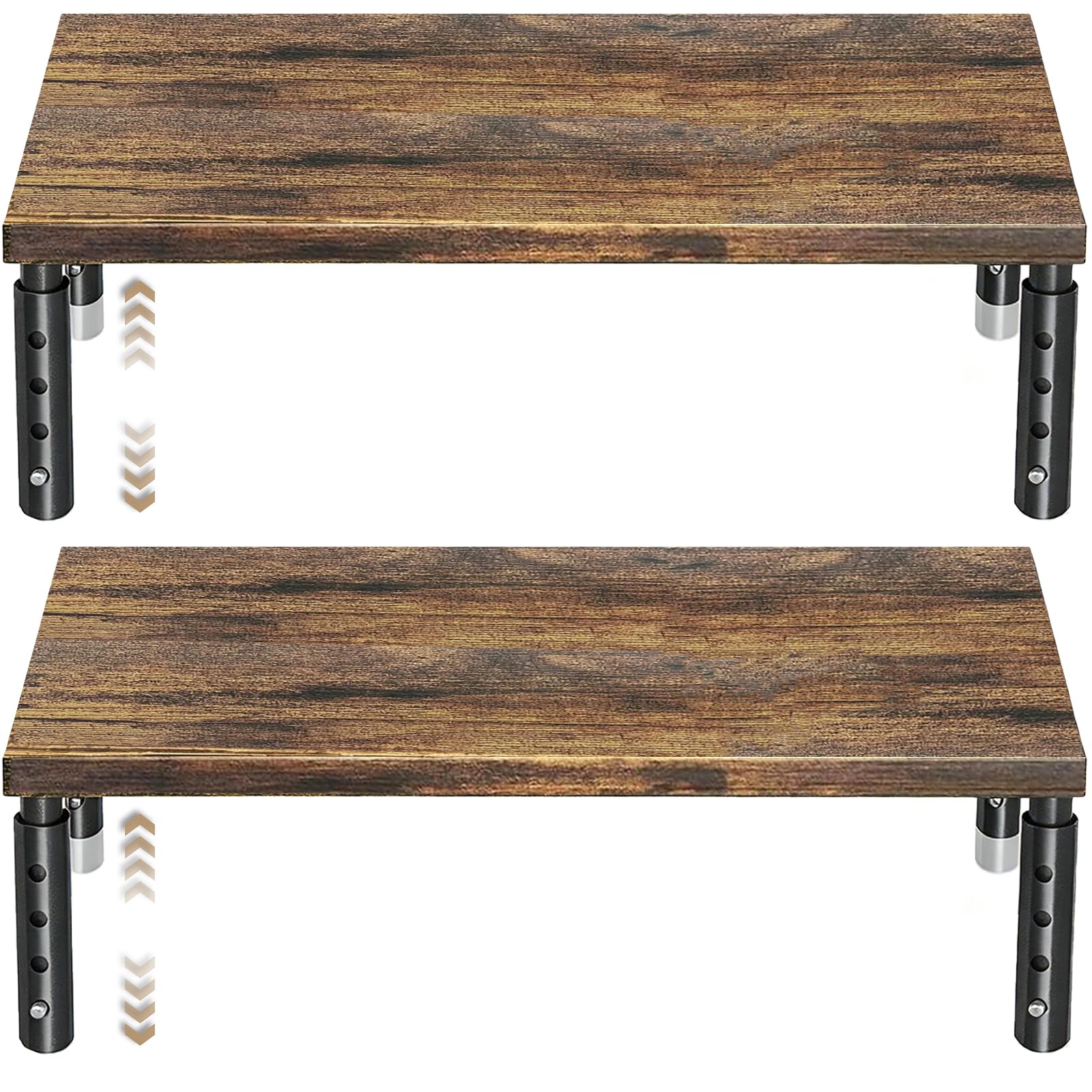
Warm wood where most risers bring cold metal — and two of them in the box.
If your desk setup leans warm and natural over industrial gray, you’ll like this pair. Each stand has a wooden top in a natural finish that lifts your screen with your fingertip — press the leg buttons and it settles into one of four heights: 4.00 inches, 4.80 inches, 5.50 inches, and 6.10 inches. The frame carries up to 44 lbs, so it handles monitors, laptops, printers, and game consoles equally well. Non-slip rubber pads protect the desk and stop things sliding.
The under-deck storage is the sleeper feature: a 12.50 by 7.00 inch area underneath gives a keyboard, notebook, or office odds and ends a home. Buyers tend to be practical about it — the stand matches their desk surface, holds a printer or 22-inch monitor without complaint, and frees up the space that clutter used to own. Assembly is described as lightweight but sturdy, and it packs two stands, so a dual setup or monitor-plus-printer arrangement is covered in one purchase.
The honest trade-offs are minor. The four height steps are preset and not stepless, so if your perfect eye line falls between two of them you’ll settle for the nearest. The wooden surface is also prone to the odd chip in transit, and the storage area is shallow, so it’s about tidy organization rather than holding a full-size keyboard plus a lot of extras at once.
Why it earns its spot
- Warm wood finish that matches natural-toned desks
- 44-lb capacity across monitors, laptops, and printers
- Two stands included for dual screens or screen plus device
- Press-button height changes in seconds
The fine print
- Four fixed heights, no in-between settings
- Shallow storage deck and occasional transit chips
Suits you well if: you want a matching wood set of two risers that lift a monitor or printer and tidy the desk underneath.
Not the one if: you need stepless height or a deep under-deck shelf for bulky gear.
5. AX WABER Dual Monitor Stand Riser with Adjustable Height Steel Leg and Storage Space

A wide steel-legged platform that swallows two monitors, a PC, and your keyboard space.
If you run two screens and want them raised on one continuous surface, this is the heavyweight option. The wooden top extends from 29.2 inches to 42.5 inches wide, so it stretches to sit under most dual-monitor arrangements, and it will take a printer or laptop too. Height adjusts from 3.7 inches to 5.2 inches on the stainless steel legs, and the whole thing tilts forward 0 to 15 degrees if you like a slight angle. Steel feet with non-slip rubber pads keep the desk scratch-free.
The load rating is where this one pulls away — up to 100 lbs, far beyond what most risers promise. Three storage zones underneath hold a keyboard, notebooks, and files so the surface reclaims the mess. Setup is genuinely quick; buyers describe having it assembled in minutes once they match the right legs to the right sections. The wood-and-steel finish gets steady praise for making a workspace look cleaner and more put-together.
The one recurring gripe is that the extending pieces can slide apart if you bump the desk, since the sections join without a locking pin — some buyers suggest a connector would help. Set the width once and it’s stable, but the fit is worth checking against your desk’s footprint before committing. The tilt is also modest at 15 degrees, so it’s not meant for dramatic angle changes.
Built for a real load: a 100-lb capacity plus four steel legs mean dual monitors, a PC, and supplies can all sit on one stitched-together platform.
The sliding join: because the extending sections aren’t pinned, a hard bump can nudge them apart — match the width to your desk and leave it set.
Worth grabbing if: you want one wide wooden platform holding dual monitors or a monitor-and-PC combo with three storage bays underneath.
skip it if: you want a locking, fixed-width top — the extendable sections can shift if knocked.
6. MOUNTUP Monitor Stand for Desk, Freestanding Mount Fits 13-32 inch Screen up to 19.8 lbs
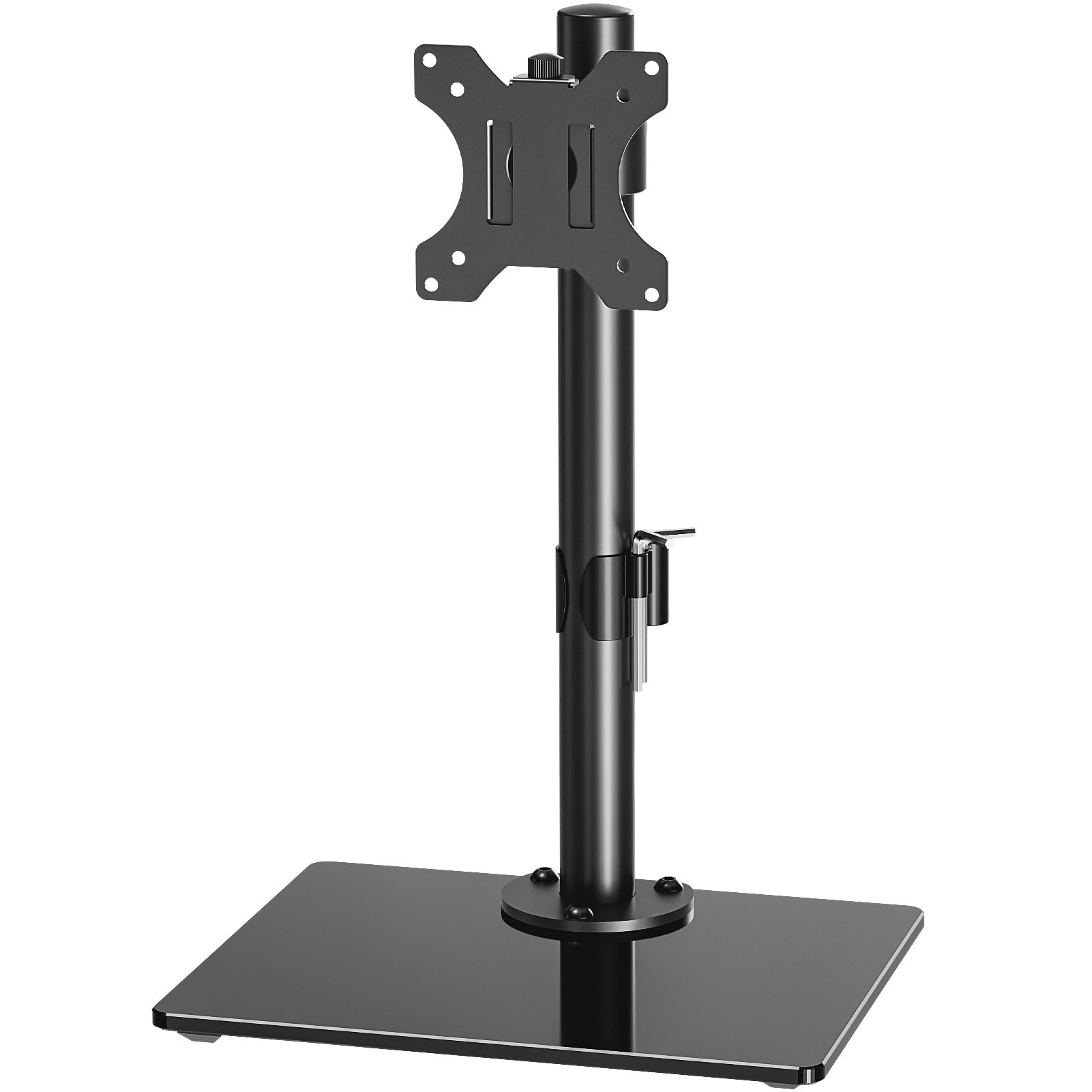
A single-screen mount that climbs nearly seven inches and never touches your desk surface.
Here’s the pick for a single screen you want raised almost to the clouds — or at least to a comfortable, level height. It’s a free-standing VESA mount (the arm bolts to the four screw holes on the back of your monitor, in a 75x75mm or 100x100mm pattern), and it lifts the screen up to 6.89 inches via a knob and column. It fits 13 to 32 inch flat or curved displays up to 19.8 lbs. No clamp, no grommet, no drilling into the desk.
What you get on top of the height is genuine freedom of movement: tilt runs +30° to -30°, swivel +45° to -45°, and a full 360° rotation for portrait mode. That last part is a favorite for anyone who reads long documents or does vertical-side monitor work. The black tempered glass base gives it a clean look that customers note blends in nicely, and there’s a cable management channel to keep cords tidy. It’s built with metal and tempered glass and carries a 3-year manufacturer’s backing.
The one thing to plan for is the tilt hinge. Several owners found it needs a stronger tightening than the small wrench easily gives — one used a screwdriver bit to get it fully firm. Once locked, it holds. Assembly is a five-minute job, though the base instructions could be clearer. If you want to occasionally tilt your screen up and down, budget a minute to set the hinge tension properly the first time.
Movement for days: 6.89 inches of height plus tilt, swivel, and full 360° rotation make this the most flexible single-screen mount here — great for flipping to portrait.
Set the hinge once: the tilt bolt needs a firm tightening to stop droop; after that it stays put.
Choose this if: you want a no-drill mount that lifts a 13–32 inch screen high and swings it to portrait with ease.
Look past it if: you’d rather not fiddle with hinge tension to stop the screen tipping forward.
7. HUANUO Monitor Stand, Freestanding VESA Mount for 13 to 34 Inch Screens, Holds up to 44lbs
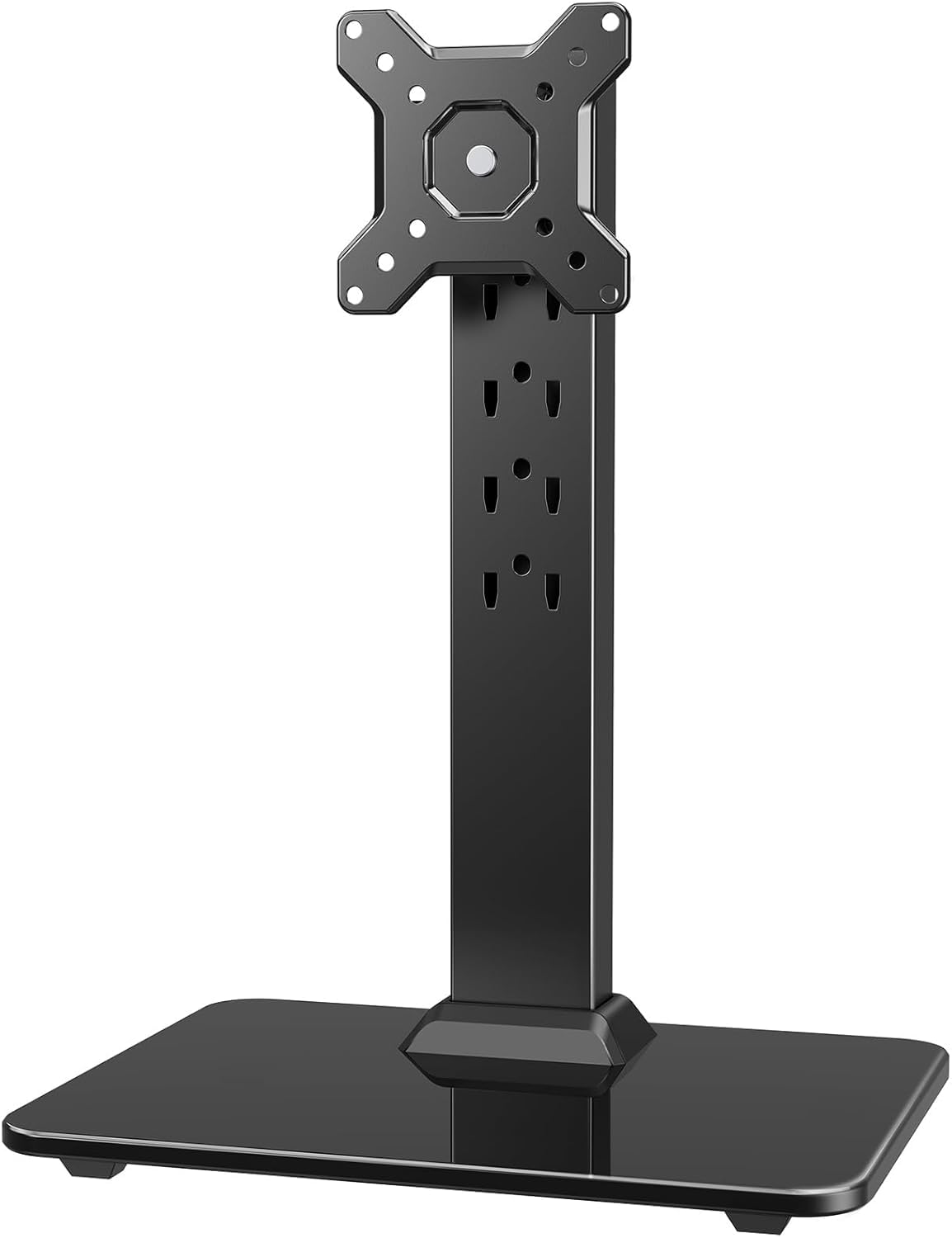
A tall steel column that holds a big 34-inch display steady, portrait or landscape.
The buyers who love this one are running large panels — 32 and 34 inch screens — and want them held firm without a wall mount. It supports 13 to 34 inch monitors up to 44 lbs, mounted through VESA 75x75mm or 100x100mm holes. Five height settings run from 9.27 inches to 15.26 inches, which is a big range compared with the shelf risers here. The steel column and tempered-glass base keep a hefty display planted, and anti-slip pads stop it wandering or scratching the desk.
The viewing flexibility is the headliner: swivel the arm +/-50° to share your screen across the desk, tilt +10°/-15° for glare control, and rotate a full 360° to jump between landscape and portrait. It saves serious desk space because, unlike the wide dual platforms, its footprint is just the base. Buyers describe it as solid and wobble-free, quick to assemble, and easy on the eyes with its glass-and-steel look — one notes it holds a 32-inch curved screen with ease, and it saves nearly half the desk it used to eat.
Two honest caveats. Height changes mean sliding the arm off and re-seating it in a different slot, so it’s a set-and-leave design rather than a quick nudge — the adjustability is the mixed point in the feedback. And a very heavy monitor can tip if you push the balance too far forward; keep the glass base weighted and centered. A few buyers also found the smallest washer tight against the 100×100 bracket.
Room for the big screen: 34-inch, 44-lb support with 9.27–15.26 inch height and +/-50° swivel makes this the pick for oversize displays.
Balance matters: with a heavy monitor, weight the glass base well — push too far forward and a top-heavy screen can tip.
Made for you if: you run a 32–34 inch monitor and need a free-standing mount with high lift and portrait rotation.
Look elsewhere if: you frequently change height — the slot-based adjustment is not a sliding rail.
8. BoYata Monitor Stand, Adjustable Height Metal Desktop Riser, Black

A metal riser you raise or lower with a twist knob instead of preset steps.
The standout here is the twist knob. Where most risers force you into fixed steps, this one lets you dial in the height continuously — turn the adjustment knob until the screen sits right, then stop. It’s built from metal with a load capacity of 33.1 lbs, so a standard monitor or a laptop rests on it without bending or denting. The skid-proof pad underneath keeps it from creeping across the desk, and there’s open storage space between the plates for keyboards or notebooks.
Assembly is about as simple as it gets: two base plates and a support rod, four screws, and the screwdriver is included — so you really can be done in minutes. Buyers describe it as well-constructed and stable, holding a monitor with no wobble and not tipping over. It’s a regular on small desks and home-office setups because the footprint stays compact while still freeing up the space underneath, and the matte finish keeps branding understated so it doesn’t shout from the desk.
The honest note is that it holds a single monitor comfortably but isn’t a dual-screen platform — it’s built for one screen or one laptop. A couple of assembly notes mention that lining up the screws can be easier with a second pair of hands the first time. Neither is a real problem for a sturdily built, dial-it-yourself riser.
The strong points
- Twist-knob height adjustment, not locked to preset steps
- 33.1-lb metal build with skid-proof base
- Four-screw assembly with the driver included
- Compact footprint with open storage underneath
Points to note
- Single-monitor size, not a dual-screen platform
- First assembly is easiest with a second pair of hands
Best for: a single monitor or laptop on a small desk, where you want continuous height adjustment via a knob.
Not for: dual-screen setups or very large panels — this one is sized for one device.
9. VIVO Universal Height Adjustable Ergonomic Computer Monitor and Laptop Riser, STAND-V000SB

An aluminum-and-steel riser that climbs 4.5 to 6.5 inches and holds monitors or laptops.
This is the pick for a mixed desk — a monitor today, a laptop tomorrow — where height needs to be precise. It’s a universal tabletop riser built from aluminum and steel, supporting up to 33 lbs, and it adjusts between 4.5 inches and 6.5 inches. The top platform is covered with an anti-slip silicone pad that grabs whatever device you set on it, and the base has padding to stop sliding and scratches. Assembly tools and hardware are all included.
The center support pillar is built to keep a small footprint while holding the load steady, and buyers like how the stand lets them set the height exactly where they want it rather than picking from preset steps. It’s a common choice for laptop users who want the screen lifted to a comfortable line — just pair it with an external keyboard, since typing directly on a laptop raised this high isn’t practical. The two-monitor crowd also uses pairs of these to align screens at matching heights.
The honest caveat, and it’s the main one, is alignment consistency. Some units arrive with the top plate not perfectly parallel to the base, so the screen leans slightly and needs a shim to sit level. It’s the most-flagged issue in the feedback, and it’s why this one sits a step lower on the list than the smoother risers. The silicone pad can also fade with prolonged sun exposure over a long stretch of time.
Precise height, small footprint: 4.5–6.5 inch continuous adjustment on a compact center pillar, ideal for laptops or monitors that need exact alignment.
Check the level: a handful of units arrive with the top plate slightly off-parallel, so the screen can lean until you shim it.
Pick it if: you swap between a monitor and a laptop and want an exact, continuous height with a small footprint.
Weigh the risk if: perfect factory alignment is a must — a few units need a shim to sit level.
Understanding the Specs
Height adjustment type
Risers change height in one of two ways: fixed steps you choose before setting the device down, or a continuous knob or column you fine-tune. Steps are fast and repeatable — good if you rarely change them. A knob or sliding column lets you match your exact eye line, and it’s the better choice when a desk is shared or you alternate between sitting and standing. Just remember that some column mounts change height by re-seating a bracket rather than sliding, which is slower for daily tweaks.
Weight capacity and VESA pattern
Match the stand’s load rating to your monitor’s actual weight with a little headroom. A riser is measured by how much it can carry; a VESA mount is measured the same way but also needs your screen’s four mounting holes — usually 75x75mm or 100x100mm — to line up. Free-standing mounts typically handle lighter single screens, while shelf risers cover a wider range including laptops and printers. A weighted or glass base keeps a big screen from tipping forward.
FAQ
Will a VESA monitor stand fit my monitor?
How much weight can an adjustable monitor stand hold?
Do I need to drill holes or use a clamp for these stands?
Is a riser or a free-standing mount better for dual monitors?
How high should I raise my monitor for good posture?
Can I put a laptop or printer on a monitor stand?
Do these stands leave storage space underneath?
Is a glass or metal base more stable on a desk?
Can I switch my monitor to portrait on these stands?
Will a monitor stand work on a standing desk?
Final Thoughts: The Verdict
For most desks, the adjustable computer monitor stand winner is the WALI Dual Monitor Stand — two sturdy 44-lb risers, no-tool assembly, and enough quality to feel like a much pricier pick. If you want a screen raised to portrait with swivel and tilt on a no-drill mount, the MOUNTUP Monitor Stand is the one to reach for. And if you’re running a big 32-inch screen that needs a tall, steady column, the HUANUO Monitor Stand earns its place. Whichever you pick, your screen rises to eye level and the space underneath it becomes usable storage.
How We Picked
We do not accept paid placement. Every pick is matched to a real buyer and a real use-case; we do not hands-on test units.
Sources & Methodology
Specifications: manufacturer listings and product documentation. Review insights: verified customer reviews, as of September 2026. Pricing: not shown on this page (it changes often); check the current price via the retailer link.
As an Amazon Associate, Gadgets Feed earns from qualifying purchases. This does not affect which products we feature.