
Our readers keep the lights on and my morning glass full of iced black tea. As an Amazon Associate, I earn from qualifying purchases.
Specs are compiled from manufacturer listings and verified buyer reviews and can change over time — please confirm the key details on the product page before buying.
Your neck is not supposed to bend at a 45-degree angle toward a screen that sits three inches too low. That ache you feel after a long day is the direct result of a monitor base that does not budge. The real value of an adjustable computer monitor is not a spec sheet line — it is the simple daily relief of tilting, swiveling, or raising the screen until your spine is straight and your eyes are level with the top bezel. That one change reduces strain more than any blue-light filter ever will, which is why height adjustment is the single non-negotiable feature for anyone sitting at a desk more than four hours a day.
I’m Min — the founder and writer behind Gadgets Feed. This guide is built by comparing the manufacturers’ published specifications and the patterns across verified customer reviews, so you get each pick’s real strengths and trade-offs instead of marketing spin.
Whether you are coding late into the night, editing color-critical photographs, or grinding through ranked matches, the right stand lets you work without fighting your hardware, and this breakdown of the best adjustable computer monitor options will show you exactly which model fits your daily reality and why.
Our Picks at a Glance


How To Choose The Best Adjustable Computer Monitor
An adjustable stand is the foundation, but it is not the whole picture. The panel type, resolution, and connectivity options determine whether that stand actually holds a screen you enjoy using every single day. Focus on these three factors first.
Panel Type: IPS vs VA vs TN
IPS (In-Plane Switching) panels give you consistent color and brightness from almost any angle — a vital trait for sharing your screen with a colleague or moving your chair slightly without losing visibility. VA (Vertical Alignment) panels trade a narrower viewing angle for a much deeper black level, which is why the Samsung Odyssey G5 reaches a 3000:1 contrast ratio compared to a typical IPS at 1000:1. For creative work, IPS is the standard. For single-player games with dark scenes, VA delivers more shadow detail without crushing blacks.
Resolution and Pixel Density
QHD (2560 x 1440) on a 27-inch screen offers a visible jump in sharpness over 1080p without the heavy graphics card cost needed to drive 4K at high frame rates. 4K (3840 x 2160) is ideal for video editing or spreadsheet-heavy workflows where you want tiny text to remain readable, but it demands more GPU power and is wasted below 27 inches because your eyes cannot resolve the extra pixels at normal viewing distance.
Connectivity and Power Delivery
USB-C with power delivery eliminates a separate charging brick for your laptop — models like the ASUS ProArt PA278CV deliver 65W straight through a single cable, while also passing video signal. If you switch between a work laptop and a desktop, look for monitors with multiple HDMI and DisplayPort inputs so you do not have to crawl behind the desk to swap cables.
Quick Comparison
| Model | Best For | Resolution | Refresh Rate | Panel Type | Amazon |
|---|---|---|---|---|---|
| ASUS ProArt PA278CV★ Best Overall | Color-Critical Work | 2560 x 1440 | 75 Hz | IPS | $276.17Amazon |
| AOC Q27G4XNBest Value | High-FPS Gaming | 2560 x 1440 | 180 Hz | LCD | $149.99$159.99Amazon |
| Samsung Odyssey G5 27″Deep Contrast | Deep Black Levels | 2560 x 1440 | 180 Hz | VA | $221.99$249.99Amazon |
| LG 27UP650K-W | 4K Productivity | 3840 x 2160 | 60 Hz | IPS | $239.99$279.99Amazon |
| Dell S2725QS | All-Day Comfort | 3840 x 2160 | 120 Hz | IPS | $279.99$299.99Amazon |
| Samsung Odyssey G5 32″ | Spacious Gaming View | 2560 x 1440 | 180 Hz | IPS | $278.99$349.99Amazon |
| LG 34WR55QK-B | Multi-Window Workflows | 3440 x 1440 | 100 Hz | VA | $329.99$399.99Amazon |
| Alienware AW3425DWM | rich Curved Gaming | 3440 x 1440 | 180 Hz | LED | $349.99Amazon |
| Dell S3425DW | Curved Productivity Plus | 3440 x 1440 | 120 Hz | VA | $419.99Amazon |
In‑Depth Reviews
1. ASUS ProArt Display 27″ Monitor PA278CV
Our pick — over 4★ from 850+ verified ratings; the strongest balance of quality and price.
The workstation screen that treats color accuracy like a rule, not a suggestion.
This monitor is built for people who need red to be red, not reddish. It is Calman Verified with a Delta E of less than 2 (a color-accuracy certification that guarantees the difference between what you see and the intended color is too small for the human eye to spot) and covers 100% sRGB and 100% Rec. 709 — so photo edits and video grades look correct on screen and match when you export. The ProArt delivers full color gamut coverage (1.0), while the Samsung Odyssey G5 has a color gamut of 0.72. This means there is zero guessing about whether your work will look washed out on another device.
The ergonomic stand rotates a full 90 degrees into portrait mode — a serious advantage for coding or reading long documents without scrolling endlessly. The USB-C port pushes 65W of power delivery (enough to charge most laptops over a single cable) while simultaneously carrying video signal, which clears cable clutter significantly. The resolution is QHD (2560 x 1440), which is 50% more pixels than standard Full HD — sharp enough for detailed video editing without forcing your graphics card to drive 4K at low frame rates.
Buyers report that the 75 Hz refresh rate feels smooth for office work but noticeably less fluid than a dedicated gaming panel. The 1000:1 contrast ratio is standard IPS behavior — blacks are gray in a dark room, so if deep shadow detail matters more than color precision, the Samsung VA monitors with 3000:1 ratio will fit you better.
Color Authority
- Delta E < 2 factory-calibrated accuracy — no tweaking from the start.
- 90-degree pivot for portrait coding or document reading.
- 5-year warranty (3 years plus 2 with online registration).
Room for Improvement
- 75 Hz refresh rate — fine for office tasks but not for competitive gaming.
- 1000:1 contrast ratio — blacks look dark gray in a dim room.
Reach for it if: you do color-critical work (photo, video, print) and want a screen that matches your output without calibration guesswork.
Look elsewhere if: you value high-frame-rate gaming or cinematic black levels over color precision — the IPS panel prioritizes accuracy over contrast.
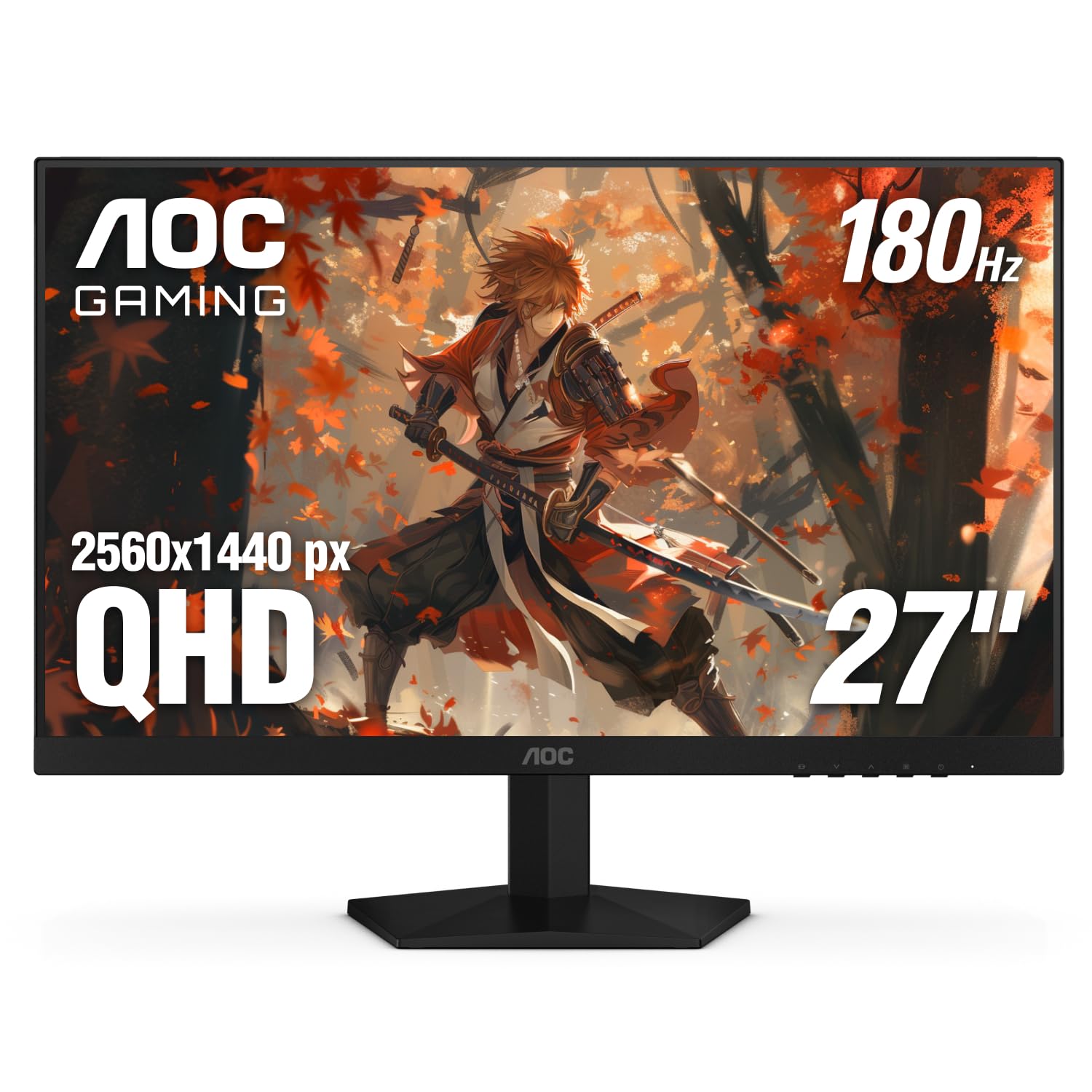
2. AOC Q27G4XN 27 Inch Gaming Monitor
The budget contender that refuses to compromise on motion clarity.
At 180 Hz and a 1ms GtG (gray-to-gray) response time, this monitor eliminates the blur and ghosting that make fast-moving objects look smeared. The 2K QHD (2560×1440) resolution delivers a pixel density sharp enough for detailed game worlds without the GPU burden of 4K. what separates it from other monitors near this tier is the 127.8% sRGB color gamut — a number that means colors look punchier and more saturated even before calibration.
The three-sided frameless bezel makes multi-monitor setups feel nearly smooth — a practical advantage if you plan to run two side by side for productivity or sim racing. Adaptive-Sync (a technology that matches the monitor’s refresh rate to your graphics card’s output) prevents screen tearing during fast-paced scenes, and the 400 nits peak brightness keeps highlights visible even in a sunlit room.
Owners mention that the stand offers tilt and height adjustment but no pivot to portrait mode — a limitation if you code or read vertical documents. The 1000:1 contrast ratio is standard for an LCD panel and will not produce the deep blacks of a VA display like the Samsung Odyssey G5 at 3000:1.
Speed Demon
- 180 Hz refresh rate — silky smooth motion for competitive shooters.
- 127.8% sRGB gamut — vibrant, oversaturated color that pops.
- 3-sided frameless design — near-invisible bezels for multi-screen setups.
Trade-Offs
- No pivot rotation — you cannot flip it vertical for coding or reading.
- 1000:1 contrast — blacks look gray in a dark room.
Grab it for: high-frame-rate gaming where every millisecond of response clarity matters, without spending premium-tier money.
skip it if: you need portrait mode for documents or want the inky black levels of a VA panel.
3. Samsung 27″ Odyssey G5 (G51F) Gaming Monitor
The VA-panel champion that buries IPS monitors in shadow detail.
This is the display to pick if you play horror games, watch movies in a dark room, or work with content that relies on deep blacks. The Samsung has a 3000:1 contrast ratio, while the ASUS ProArt and AOC Q27G4XN each have 1000:1, which means black areas stay truly black instead of lifting to gray. The VA (Vertical Alignment) panel technology makes that possible by blocking more light in dark pixels, while the 180 Hz refresh rate and 1ms response time keep motion smooth.
QHD resolution (2560 x 1440) gives you 1.7 times the pixel density of Full HD, so text and textures appear crisp without pushing your graphics card as hard as 4K. The ergonomic stand supports tilt, pivot, and height adjustments — the same full range as the ASUS ProArt — and the Black Equalizer (a dedicated tool that brightens only the darkest parts of the image) lets you spot enemies hiding in shadows without washing out the entire picture.
The color gamut of 0.72 is noticeably narrower than the AOC Q27G4XN’s 127.8% — colors will not look as saturated, which is a trade-off for the deeper contrast. Customers note that the VA panel’s viewing angles shift contrast when you view from the side, so this monitor is best for a single straight-on viewing position.
Shadow Mastery
- 3000:1 contrast ratio — three times deeper blacks than typical IPS monitors.
- 180 Hz + 1ms — fast enough for competitive play with no visible smearing.
- Full ergonomic stand (tilt, pivot, height) included.
The Catch
- 0.72 color gamut — colors appear less vibrant vs high-gamut competitors.
- VA panel narrows contrast at side angles — sit straight-on for best results.
Ideal for: anyone who prioritizes deep blacks for rich gaming or movies and sits directly in front of the screen.
Not ideal for: color-accurate photo editing (the gamut is narrow) or sharing your screen with someone beside you.
4. LG 27UP650K-W 27-inch Ultrafine 4K Monitor

True 4K resolution at a price that redefines mid-range expectations.
At 3840 x 2160 on a 27-inch IPS panel, this monitor delivers the pixel density that makes small text razor-sharp for spreadsheets, code, and 4K video playback. The 95% DCI-P3 color gamut (a wide color space used in digital cinema) covers a broader spectrum than standard sRGB, so reds and greens in movies look more lifelike. VESA DisplayHDR 400 certification (a standard that guarantees at least 400 nits peak brightness and local dimming support) means HDR content shows brighter highlights than a standard monitor can produce.
The ergonomic stand adjusts for height, tilt, and pivot — you can flip the screen into portrait mode for long documents or code files. Black Stabilizer (a feature that brightens dark areas of the image without overexposing the rest) gives you an advantage in dim game scenes, and Dynamic Action Sync reduces input lag for a snappier feel despite the 60 Hz refresh rate. Buyers point out that 60 Hz feels fine for productivity and strategy games but not for fast-paced shooters where higher frame rates matter.
Unlike the Dell S2725QS which reaches 120 Hz, the LG locks at 60 Hz, so competitive gamers will feel the limitation. However, the color space and 4K clarity match displays costing significantly more, making this a strong choice for creative professionals on a budget.
Sharpest Budget 4K
- 3840 x 2160 IPS panel — crisp text and wide viewing angles.
- 95% DCI-P3 — rich, cinematic color that exceeds standard sRGB.
- Full pivot, height, and tilt adjustment included.
Limit to Note
- 60 Hz refresh rate — not suited for competitive shooters.
- 5ms response time — slightly slower than 1ms gaming panels.
Pick it for: 4K productivity, photo editing, and media consumption where sharpness and color trump high frame rates.
Skip it for: fast-paced gaming — the 60 Hz cap and 5ms response will feel sluggish compared to 180 Hz alternatives.
5. Dell 27 Plus 4K Monitor S2725QS

The rare monitor that refuses to make you choose between sharpness and smoothness.
This Dell delivers 4K (3840 x 2160) resolution at a 120 Hz refresh rate — a combination that is genuinely unusual at this level, because most 4K monitors cap at 60 Hz and most 120 Hz monitors are QHD. AMD FreeSync Premium (an adaptive sync technology that prevents screen tearing across a wider refresh range than standard FreeSync) keeps motion smooth without stutter. The IPS panel covers 99% sRGB and achieves a 1500:1 contrast ratio — 50% deeper than the typical 1000:1 IPS — giving dark scenes better depth without switching to VA.
ComfortView Plus reduces blue light emissions to 35% or less, which the ASUS ProArt does not claim, while integrated speakers mean you skip external desktop speakers for casual use. The stand adjusts for height, pivot, swivel, and tilt — the full range of movement you would expect from a premium ergonomic monitor. Buyers mention that the ultra-thin ash-white bezel looks clean on a desk but may not suit everyone’s color preference.
Unlike the LG 27UP650K-W which is capped at 60 Hz, the Dell lets you run 4K at a fluid 120 Hz — a real advantage for both general desktop feel and lighter gaming. If you need a single monitor for both 8-hour workdays with sharp text and evening gaming that does not stutter, this is the most versatile pick.
Do-It-All Display
- 4K at 120 Hz — best of both worlds for productivity and play.
- 1500:1 contrast ratio — deeper blacks than typical IPS.
- ComfortView Plus (≤35% blue light) for all-day comfort.
Minor Considerations
- 350 nits brightness — adequate but not as bright as 400-nit panels.
- Ash-white finish — may not match dark desk setups.
Verdict: The best one-monitor solution for someone who wants 4K text clarity and 120 Hz motion smoothness in a single package.
Caveat: If you need the highest peak brightness (400 nits or more) for HDR content, the Alienware or LG with DisplayHDR 400 will outperform it in highlights.
6. Samsung 32″ Odyssey G5 G50F QHD Gaming Monitor

Take the diagonal, not the compromise — 32 inches of QHD space with a fast IPS core.
This is the larger sibling of the 27-inch Odyssey G5, swapping the VA panel for an IPS panel (so you get consistent color at wide viewing angles) and stretching the screen to 32 inches. QHD (2560 x 1440) on a 32-inch screen is less dense than on a 27-inch, but the extra real estate is worth it for open-world games and split-screen multitasking. The 180 Hz refresh rate and 1ms GtG response time keep motion sharp, while NVIDIA G-Sync compatibility (an adaptive sync standard that works with Nvidia graphics cards) ensures you get the same tear-free experience as FreeSync users.
The ergonomic stand pivots, tilts, and swivels — a step up from the AOC Q27G4XN which lacks pivot. Auto Source Switch+ (a feature that detects which device you turned on and switches inputs automatically) saves you from fiddling with the on-screen menu when you move from console to PC. The 300 cd/m² brightness is moderate; if you sit near a window, the 400-nit panels like the AOC Q27G4XN will look punchier in daylight.
Reviewers point out that the 1000:1 contrast ratio is standard IPS — blacks are not as deep as Samsung’s own 27-inch VA model (3000:1). You are trading cinematic contrast for faster response and wider viewing angles, which suits competitive and social gaming better than solo dark-room sessions.
Room to Spare
- 32-inch screen with 180 Hz — rich without sacrificing speed.
- G-Sync compatible + FreeSync — works with Nvidia and AMD GPUs.
- Full swivel, tilt, and pivot stand.
The Trade-Off
- 1000:1 contrast — blacks appear gray next to VA competitors.
- 300 cd/m² — less bright than 400-nit rivals in sunny rooms.
Get it for: a large, fast gaming canvas where you want consistent color from any seat and G-Sync compatibility.
Pass if: you prioritize deep black levels for cinematic single-player titles — the 27-inch VA Samsung is stronger in contrast.
7. LG 34WR55QK-B 34-inch UltraWide WQHD Curved Monitor

Replace two monitors with one smooth curve and keep the whole desk clean.
The 21:9 aspect ratio (3440 x 1440) fits three full-width application windows side by side without overlapping, which is why this LG appeals to stock traders, video editors with long timelines, and anyone who hates alt-tabbing. The VA panel delivers a 3000:1 contrast ratio — the same deep black level as the Samsung 27-inch Odyssey G5 — so dark scenes in movies or games have real depth. The 100 Hz refresh rate is smoother than the standard 60 Hz of most office ultrawides but not designed for competitive esports.
USB-C with 65W power delivery charges your laptop and carries video over a single cable — a major convenience if you dock a work laptop daily. OnScreen Control (a software tool that splits the display into custom layouts with mouse clicks) replaces the need for third-party window managers, and Picture-by-Picture (PbP) shows two input sources at once, letting you watch console gameplay next to a desktop workspace. The stand adjusts for height and tilt but does not pivot, which is standard for a curved ultrawide.
Shoppers say that at 300 nits brightness, HDR10 content looks improved over standard SDR but lacks the punch of a 400-nit DisplayHDR-certified panel like the LG 27UP650K-W. The VA panel also narrows viewing angles — colors shift if you sit off-center.
Multi-Tasking Power
- 21:9 ultrawide at 3440 x 1440 — room for multiple full-size windows.
- 3000:1 VA contrast — deep blacks for cinematic content.
- USB-C with 65W PD — clean single-cable laptop connection.
Fine Print
- 100 Hz — not fast enough for competitive shooters.
- 300 nits — HDR highlights are mild compared to 400-nit monitors.
Best fit: professionals who want a single wide canvas for multiple apps and appreciate the convenience of USB-C charging.
Not ideal: competitive gamers who need 144 Hz or higher — the 100 Hz cap will feel restrictive.
8. Alienware 34 Curved Gaming Monitor AW3425DWM

The ultrawide that finally matches curved immersion with a 180 Hz backbone.
This 34-inch WQHD (3440 x 1440) panel wraps around your field of view with a 1500R curve (a gentle radius that mimics the natural shape of human vision), and it pushes 180 Hz with a 1ms GtG response time — a combination that was rare in ultrawides until recently. AMD FreeSync Premium and VESA AdaptiveSync (dual certification that ensures tear-free motion on both AMD and Nvidia hardware) make the high refresh rate consistent regardless of your GPU brand. The DCI-P3 95% color coverage and VESA DisplayHDR 400 certification (meaning 400 nits peak brightness with local dimming) give games and movies vivid highlights and rich color, beating the LG 34WR55QK-B which lacks DisplayHDR certification.
Hardware-based low blue light reduces eye strain without the yellow tint that software blue-light filters cause, which is a practical detail for long sessions. The built-in stand offers height and tilt adjustment, though the 1500R curve means the screen cannot pivot flat. Buyers report that the inclusion of a single HDMI cable in the box feels minimal — you will likely need to buy a DisplayPort cable to hit the full 180 Hz on PC.
At a 3000:1 contrast ratio, blacks are deep, and the fast VA-like LED technology keeps motion clean. If you want a curved ultrawide that does not force you to choose between rich width and competitive refresh rates, this is the one.
rich Speed
- 180 Hz at 3440 x 1440 — butter-smooth motion on a wide canvas.
- DisplayHDR 400 — genuine HDR with 400-nit highlights.
- 1500R curve — wraps around your peripheral vision.
Small Gripes
- Only one HDMI cable included — you may need to buy a DisplayPort cable.
- No pivot rotation due to the curved form factor.
Perfect for: the gamer who wants an ultrawide field of view without dropping down to 60 Hz or 100 Hz — this panel keeps up with fast play.
Consider alternatives if: you need a flat monitor for portrait-mode coding, because the curve prevents vertical use.
9. Dell 34 Plus USB-C Curved Monitor S3425DW

The productivity ultrawide that keeps your desk down to one cable.
A single USB-C cable delivering up to 65W power to your laptop, video signal, and data all at once — that is the headline here, and it makes this 34-inch VA ultrawide a strong candidate for a clean work setup. The 3440 x 1440 resolution with a 3000:1 contrast ratio (the same deep VA blacks as the LG 34WR55QK-B and Samsung 27-inch G5) gives documents and movies solid depth, while 99% sRGB and 95% DCI-P3 color coverage ensures content looks accurate across both common and wide color spaces.
The 120 Hz refresh rate (powered by AMD FreeSync Premium) is noticeably smoother than the 60 Hz of most office monitors and matches the Dell S2725QS 4K for motion fluidity. The integrated speakers are improved over Dell’s previous generation with greater output power and deeper frequency response, so you can skip desktop speakers for conference calls and casual YouTube without regret. ComfortView Plus cuts blue light to 35% or less while keeping color accuracy intact.
Owners mention that the VA panel’s off-angle contrast shift is present but less severe than cheaper ultrawides, and the lack of pivot is expected for a curved screen. If you prioritize single-cable laptop docking and deep blacks over gaming speed, this Dell is a thoughtful choice.
Cable Minimalism
- USB-C with 65W PD — one cable for power, data, and video.
- 120 Hz + FreeSync Premium — smooth desktop and casual gaming.
- 3000:1 VA contrast — rich blacks for movies and deep UI elements.
Limitations
- 120 Hz is good, but 180 Hz ultrawides like the Alienway AW3425DWM are smoother for competitive play.
- Curved VA panel — viewing angles narrow if you share the screen.
Ideal for: the professional who wants a spacious curved workspace with single-cable laptop charging and deep contrast.
Look elsewhere if: you need the highest refresh rates for fast-ranked gaming — the Alienware AW3425DWM serves that purpose better.
Understanding the Specs
Color Gamut: sRGB vs DCI-P3
Color gamut measures how wide a range of colors the monitor can display. sRGB is the standard for web content and most office applications. DCI-P3 is a wider space used in digital cinema and HDR video. A monitor that covers 100% sRGB will show web images accurately, while 95% DCI-P3 gives you richer reds and greens for HDR movies and modern games. If you work in print or video, look for high coverage of both.
Refresh Rate and Response Time
Refresh rate (measured in Hz) is how many times per second the image updates. 60 Hz is fine for office work. 120 Hz feels visibly smoother when scrolling or moving windows. 180 Hz and above matter mostly for fast-paced competitive gaming. Response time (in milliseconds GtG) is how fast a pixel changes from one shade of gray to another. 1ms GtG eliminates visible ghosting on fast-moving objects, while 5ms is acceptable for general use but may show a faint trail in motion.
FAQ
What does height adjustable stand actually mean?
Is a curved monitor better for productivity?
Can I use a 120 Hz monitor for office work without a gaming PC?
Will a 32-inch QHD monitor look pixelated for reading text?
Is USB-C power delivery enough to charge a gaming laptop?
What is the difference between IPS and VA for photography editing?
Does a 180 Hz monitor need a special cable?
How important is VESA mount compatibility?
What does DisplayHDR 400 mean in real use?
Can a VA panel be used for color-critical photo editing?
Final Thoughts: The Verdict
Across the board, the best adjustable computer monitor winner is the Dell S2725QS because it blends 4K sharpness with a smooth 120 Hz refresh rate, plus a full range of ergonomic adjustments and reduced blue light — a rare combination that serves both work and play equally well. If you want factory-calibrated color accuracy for creative work, grab the ASUS ProArt PA278CV. And for competitive gaming at high frame rates, the standout is the AOC Q27G4XN at its price.
How We Picked
We do not accept paid placement. Every pick is matched to a real buyer and a real use-case; we do not hands-on test units.
Sources & Methodology
Specifications: manufacturer listings and product documentation. Review insights: verified customer reviews, as of July 2026. Pricing: not shown on this page (it changes often); check the current price via the retailer link.
As an Amazon Associate, Gadgets Feed earns from qualifying purchases. This does not affect which products we feature.
Related Guides
Product prices and availability are accurate as of the date/time indicated and are subject to change. Any price and availability information displayed on Amazon at the time of purchase will apply to the purchase of this product. As an Amazon Associate I earn from qualifying purchases.
CERTAIN CONTENT THAT APPEARS ON THIS SITE COMES FROM AMAZON. THIS CONTENT IS PROVIDED "AS IS" AND IS SUBJECT TO CHANGE OR REMOVAL AT ANY TIME.
Amazon and the Amazon logo are trademarks of Amazon.com, Inc. or its affiliates.