
Our readers keep the lights on and my morning glass full of iced black tea. As an Amazon Associate, I earn from qualifying purchases.
Specs are compiled from manufacturer listings and verified buyer reviews and can change over time — please confirm the key details on the product page before buying.
If your neck aches by 3 p.m. and your desk has vanished under two monitor bases, the fix is one clamp and a pair of arms. A good dual monitor stand clamps to the desk edge, lifts both screens to eye level, and swings them where you actually look. The catch is that these mounts are not all built the same. Some glide; some sag. Some clamp to any desk; others need solid wood and open space behind the screen. This guide sorts the eight worth considering by what they hold, how they move, and who they genuinely suit.
I’m Min — the founder and writer behind Gadgets Feed. This guide is built by comparing the manufacturers’ published specifications and the patterns across verified customer reviews, so you get each pick’s real strengths and trade-offs instead of marketing spin.
Weight ratings and VESA patterns decide everything here, so check both before you buy. The right adjustable dual monitor stand clamps to the desk edge, holds both screens at eye level, and clears the desktop underneath.
Our Picks at a Glance
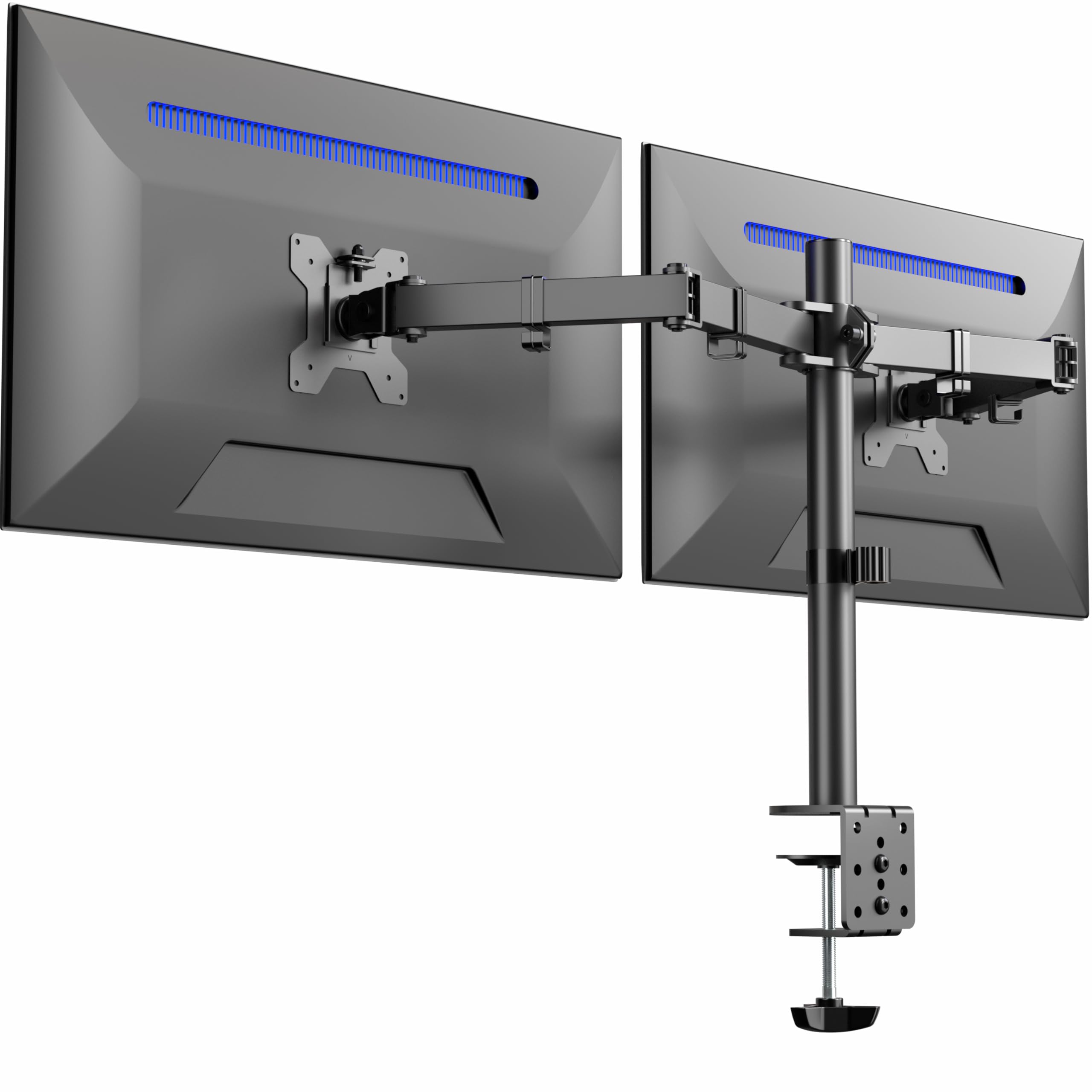


How To Choose The Best Adjustable Dual Monitor Stand
Buying a dual monitor stand is really three checks: will it hold your screens, will it fit your desk, and will it move the way you work. Get those three right and the mount holds your screens steady for years. Get one wrong — usually the weight rating or the desk thickness — and you will spend your evenings re-leveling a drooping screen.
Match the arm rating to your monitor weight
Every arm carries a weight window, and staying inside it matters more than any brand name. A mount rated for 4.4 to 19.8 lbs per arm, for example, is comfortable with a typical 24 to 27 inch panel but will fight a featherlight 15 inch screen that sits under the minimum. Gas-spring arms are the most sensitive here, because the spring is preset for a heavier load and will launch a light monitor upward until you dial the tension screw back. If one of your screens is much lighter than the other, check the minimum weight as carefully as the maximum.
Check your desk before anything else
A C-clamp needs a flat edge with clear space underneath it — no drawer frame, no support beam, no cross panel. Depth matters too: a clamp jaw of roughly 1.5 inches will not fit around a thick desk lip or a metal support bar, and glass or plastic desks are out for most of these mounts. If your desk is solid wood with a clear underside, a grommet mount through an existing cable hole gives the most stable footing of all. Measure the desktop thickness and the clearance behind your screens before you order, because arms need room to swing backward.
Tension screws are the whole ballgame
Nearly every complaint about drifting monitors traces back to tension, not build quality. Joints arrive stiff on purpose so the box survives shipping, and you are expected to loosen or tighten them to match your screens. Set tension with the monitors already mounted, turn the screw a little at a time, and test the arm after each quarter turn. Once balanced, a properly tensioned arm holds its position and moves with one hand.
Quick Comparison
| Model | Best For | Screen Range | Weight Per Arm | Mounting | Amazon |
|---|---|---|---|---|---|
| VIVO STAND-V032★ Best Overall | Set-and-forget dual setups | 13″–32″ | Up to 22 lbs | C-clamp or grommet | Amazon |
| Amazon Basics Adjustable Dual Monitor Desk MountBest Value | Big screens on a tight budget | 13″–32″ | Up to 22 lbs | C-clamp or grommet | Amazon |
| Amazon Basics Gas Spring Dual Monitor ArmCompact Pick | Lighter monitors and easy reach | 15″–27″ | 4.4–15.4 lbs | C-clamp or grommet | Amazon |
| MOUNTUP MU0024 | Heavy screens and long-term use | 17″–32″ | 4.4–19.8 lbs | C-clamp or grommet | Amazon |
| Acer AMS002 | Tall monitors and stand-up desks | 17″–32″ | 4.4–19.8 lbs | C-clamp or grommet | Amazon |
| HUANUO FlowLift HNDS6 | Mixed-size dual setups | 13″–32″ | 4.4–19.8 lbs | Dual C-clamp or grommet | Amazon |
| Pixio PS1D Wave | White and color-matched desks | 17″–32″ | Up to 19.8 lbs | Tabletop clamp | Amazon |
| QUARX FLYTE QX-700 | Very large and heavy panels | 17″–35″ | Up to 26.4 lbs | C-clamp or grommet | Amazon |
In‑Depth Reviews
1. VIVO Dual Monitor Desk Mount, Heavy Duty Fully Adjustable Stand, STAND-V032
Our pick — over 4.5★ from 60,500+ verified ratings; the strongest balance of quality and price.
The heavyweight workhorse that holds two screens steady and shrugs off years of typing.
Start with the numbers that decide whether this stand is even an option for you. It fits screens from 13 to 32 inches and carries up to 22 lbs on each arm, which covers everything from a compact 24 inch panel to a 32 inch display. VESA 75x75mm and 100x100mm mounting holes (the four-screw square on the back of your monitor) are both supported, so it works with nearly any modern screen.
Articulation is where it earns its keep. Each bracket tilts a generous +90° to -90°, swivels a full 180°, rotates 360° into portrait, and slides up and down the center pole. Detachable VESA plates mean you screw the plate to the monitor, then hang the whole thing on the arm. The clamp grips desks up to 3.25 inches thick, or you can run the grommet mount through a cable hole instead.
You get two 27 inch screens up with no leveling fuss, because this mount ships with clear instructions and holds them steady — buyers report: “Holds 24″ and 27″ monitors with no leveling issues.” Assembly and sturdiness are what owners talk about most. The honest trade-off is tension drift: heavier monitors can creep downward over time, and a few owners note the rotation joint spins freely until you tighten it. Plan a short dial-in session at every joint, then leave it in one set-and-forget position and it behaves. It is not as stiff under repeated repositioning as a gas-spring arm that weighs 7 pounds, but it is built to be dialed once and trusted after that.
What earns the top slot
- 32 inch maximum screen size and 22 lbs per arm cover the widest range here
- Full motion on every axis — +90°/-90° tilt, 180° swivel, 360° rotation, pole-height slide
- Detachable VESA plates make monitor swaps quick and tool-light
- Clamp fits up to 3.25″ of desk thickness, with a grommet option included
Where it asks for patience
- Joints migrate under load — a heavier screen can tilt down until you re-tighten
- Alignment takes fiddling; small adjustments nudge screens out of level
- Set-and-forget is its balance rather than constant repositioning
Landing spot: The right call if you want two big screens up and locked in, with the widest compatibility of anything here.
Look elsewhere for: One-hand daily repositioning — the stiffer gas-spring arms below suit a desk where screens move every day.
2. Amazon Basics Adjustable Dual Monitor Desk Mount, 32 inch, DS-MA-E02
A no-frills steel mount that takes two 24-inch screens and knows exactly what it is.
This one keeps a lower profile while still reaching the same 32 inch ceiling as the VIVO above. It fits 13 to 32 inch monitors and holds up to 22 lbs per arm, with the same 75x75mm and 100x100mm VESA support (the four-hole bolt pattern on the back of your monitor). At 7.8 pounds it is the heaviest mount in this group — 11% more heft than the Amazon Basics gas spring arm two spots down — and that steel mass is exactly why it stays planted when you lean on the desk.
What wins people over is how solid it feels once assembled. Owners consistently describe it as sturdy and, as one puts it, having “zero sag or wobble,” and it works fine with two 24 inch panels side by side. Setup needs a second pair of hands, and it uses the same independent tension adjustment on each arm as the rest of the field: set the tension to your monitor weight or the arms will drift.
Here is the honest catch, and it is worth reading twice. The arm movement is the most-limited of the group — several owners find that with the desk pushed against a wall, the arms simply cannot reach the positions a roomier mount would allow. Treat this as a mount for a desk you can pull a few inches off the wall, with screens you mostly leave alone. Adjustability is also the most-discussed topic in feedback, and it is genuinely mixed: the range is there, but the brackets take more fiddling to tighten than shinier alternatives. For two 24 inch screens in a fixed layout, none of that will trouble you.
Space saver: Lifting both screens off the desktop clears room for a keyboard and notebook, and the heavy steel clamp plate keeps the whole thing planted.
Desk fit note: Needs wall clearance behind the screens — arms cannot swing into positions that bring them close to a wall-backed desk.
Reach for it if: You want two 24 to 27 inch screens held solidly at a fixed height and want to spend as little as possible doing it.
Think twice if: Your desk sits flush against a wall and you like to swing screens toward you — the arm travel will frustrate you.
3. Amazon Basics Gas Spring Dual Monitor Arm Desk Mount, DS-MADDBE
The light-lift gas arm that glides screens into reach and asks you to dial it in first.
Gas springs change how a mount feels, and this one shows the trade-off clearly. It fits 15 to 27 inch screens at 4.4 to 15.4 lbs per arm, so it is aimed squarely at everyday 24 and 27 inch panels rather than the monster 32 inch displays the VIVO above handles. The 15 inch minimum is the tightest floor here — it sits a full 15% higher than the 13 inch floor on the VIVO, which means featherweight screens are simply out of its range.
Where it shines is movement. The gas-assisted arms let you pull a screen closer for spreadsheet work and push it back for video without wrestling a stiff pole mount. It supports 75x75mm and 100x100mm VESA, clamps or grommets onto desks from 0.39 to 4 inches thick, and covers tilt, swivel, and 360° rotation. Monitor mounting is the part owners praise most — getting screens onto the plates is quick, and the arms sweep cleanly once balanced.
The honest part: gas arms ship preset for heavier screens, so if you are mounting anything light the arms may drift up or down until you match the spring to your monitor. One report of a sagging tilt hinge and a missing screw exists, but it sits against a body of otherwise satisfied owners, so treat it as the rare miss rather than the rule. If your monitors sit near the bottom of the weight range, work the tension screw slowly.
Best suited to: Desks where screens get nudged and repositioned often, and monitors sit comfortably inside that 4.4 to 15.4 lb window.
Rule it out if: You own sub-15-inch displays — they fall below the supported size, and the spring will overpower them.
4. MOUNTUP Dual Monitor Desk Mount, Die-Cast Aluminum, MU0024
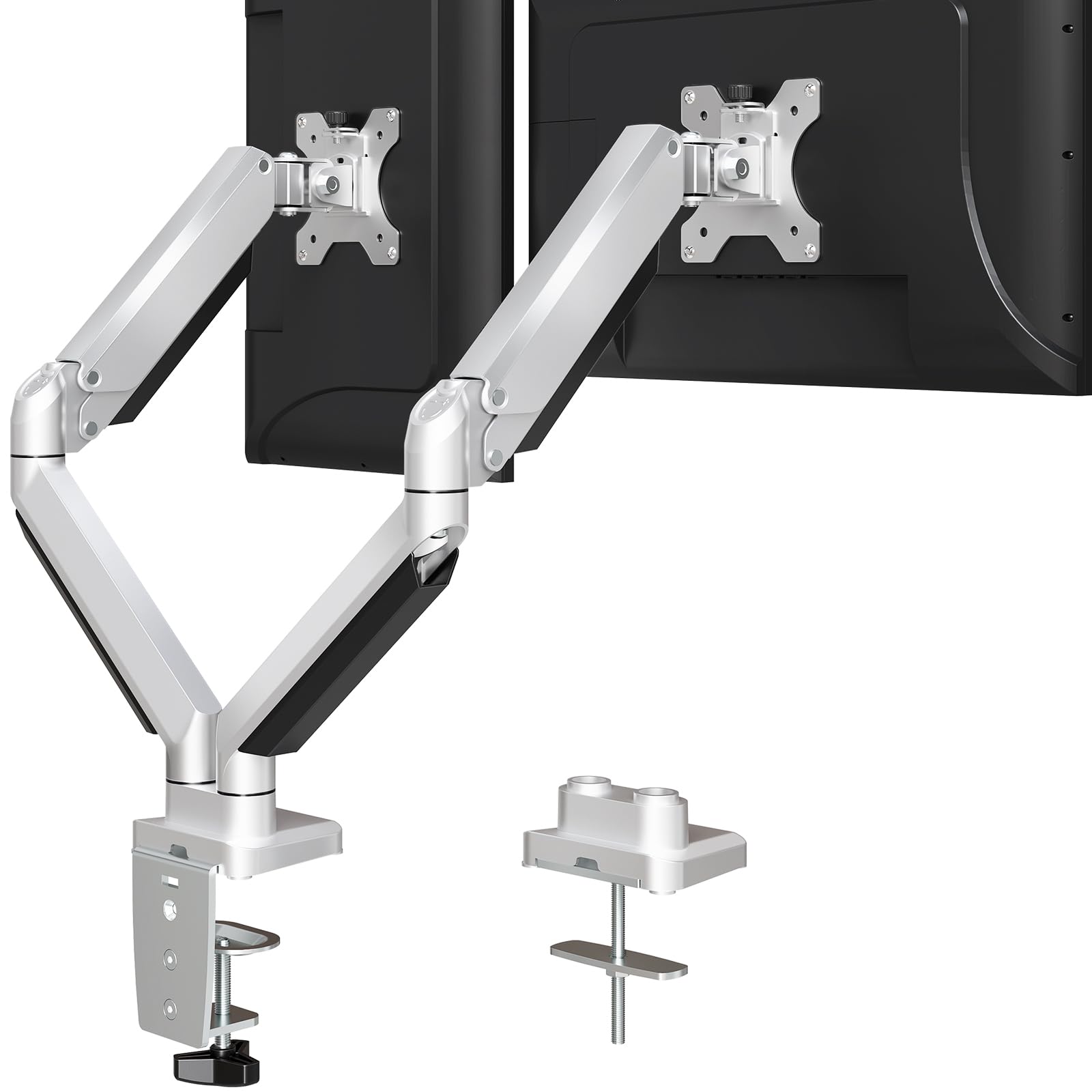
Aluminum arms that swallow anything from a 17-inch panel to a 19.8 lb curved beast.
Heavy screens are the whole point here. Each arm takes 4.4 to 19.8 lbs, and the wide 17 to 32 inch range covers nearly every panel you would realistically pair up. The construction is die-cast aluminum rather than stamped steel, which is why this mount tips the scale at 9.8 pounds — the heaviest in this group and noticeably denser than the 7.8 lb Amazon Basics steel mount above. That mass shows up as stability: owners mount a 17 lb curved display on one arm with no trouble at all.
Movement is full and forgiving. Tilt runs +90° to -45°, swivel hits 180°, and rotation goes a full 360° for portrait mode. Cable covers sit under both arms so wires vanish, and the mount clamps or grommets onto desks from 0.39 to 3.35 inches thick. Assembly is mostly done before the box arrives — roughly 90% comes pre-assembled, so you are attaching the clamp and hanging the VESA plates rather than building the whole arm from scratch. The mount quality is what buyers call out most, and it lives up to it.
The one thing to plan around is desk clearance. Owners find the C-clamp jaw shallow, which makes it awkward on desks with a thick lip or a support bar underneath — the grommet option sidesteps that entirely. A handful of people note the included M4x30 screws can bottom out on some monitors, so keeping a shorter M4x25 set handy is cheap insurance. It is also worth flagging: one owner had trouble holding a Thunderbolt Display upright and needed a workaround, and that unit sits near the bottom of the weight range where tension needs extra tuning.
Built for heavy panels: Die-cast aluminum arms and a 4.4–19.8 lb range handle the weight that lighter gas arms struggle with.
Clearance caveat: The shallow clamp wants a flat desk edge — grommet mounting avoids the lip problem on thicker desks.
Pick it for: Two substantial screens — curved, wide, or just plain heavy — on a wood or metal desk with a clean edge.
Pass if: Your desk surface is glass or plastic, or you cannot get a clamp around the lip.
5. Acer Dual Monitor Arm, Gas Spring VESA Mount Stand, AMS002
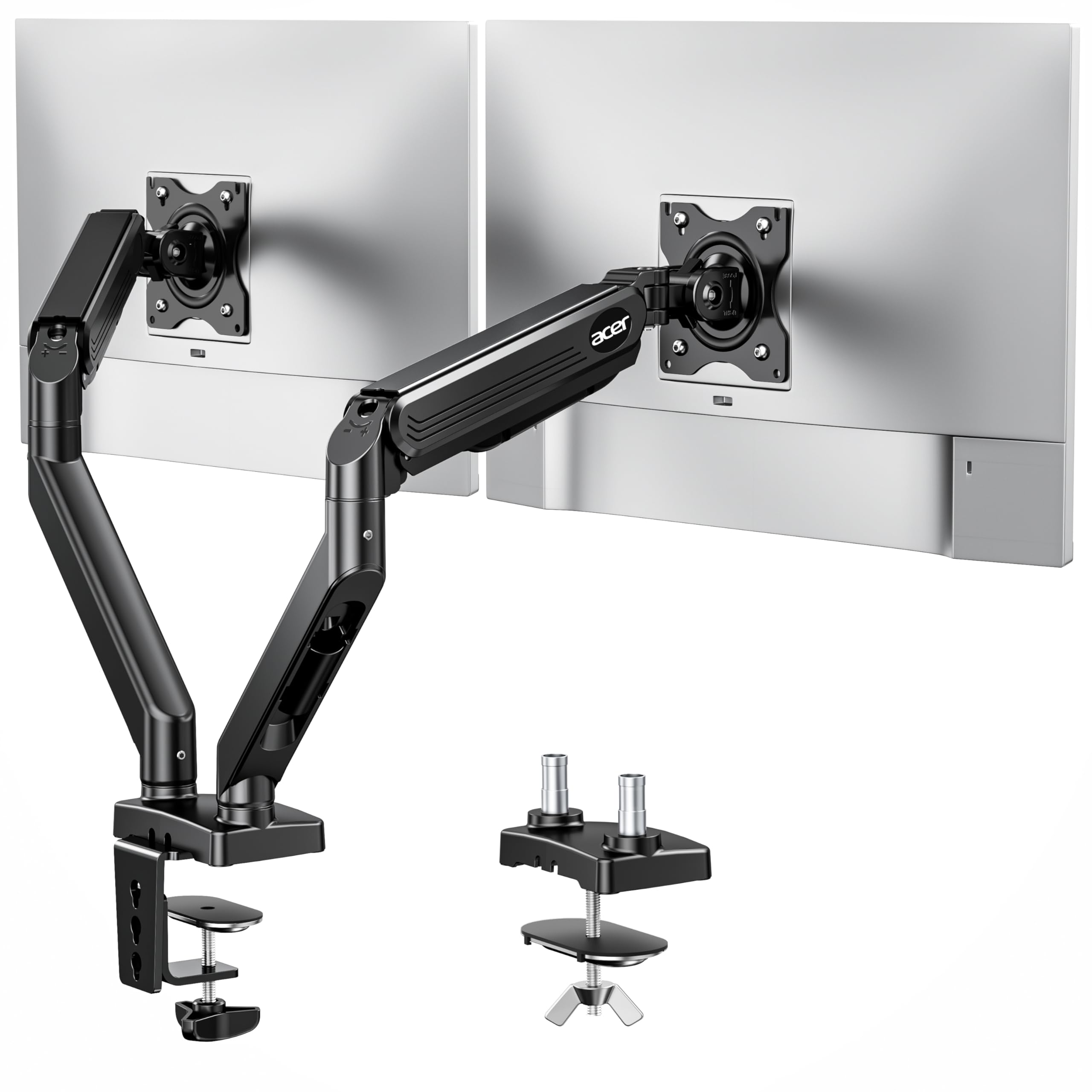
A tall-reach gas arm that climbs and extends so you can work standing without losing your screens.
You can push your monitors back for video calls and pull them close for detailed work, because the gas spring lifts each screen up to 18.1 inches and extends it out to 21.25 inches from the desk — that generous extension is the widest travel in this lineup. It fits 17 to 32 inch screens at 4.4 to 19.8 lbs per arm, with 75x75mm and 100x100mm VESA support (the four-hole bolt pattern on the back of your monitor), so it covers the middle-to-large range without fuss.
The motion package is broad. Tilt runs +90° to -60°, swivel is ±90°, and rotation is a full 360° for switching into portrait. It mounts by C-clamp or grommet (a hole above 10mm) onto desks from 0.59 to 3.15 inches thick, and it hands you four usable layouts — dual horizontal, horizontal-and-vertical, dual vertical, or cross horizontal. Quality is the headline in owner feedback, and the durability story supports it: the gas spring is rated through over 20,000 test cycles. Stand-up desk users in particular get the reach they need; one pair who share a desk found it worked beautifully for two separate computers side by side.
The trade-off worth knowing: this arm’s height comes from its gas strut (a pressurized cylinder that holds the arm up), not a sliding pole, and some owners find that once it is mounted they cannot push a screen further down than it currently sits — a reach limitation rather than a wobble. A few also note the plastic desk pucks that grip the desk edge do not hold as firmly as the metal clamp itself. Neither is a dealbreaker for a stand-up or tall-desk setup; they simply steer you toward mounting the clamp on solid wood.
Best for height and reach: Up to 18.1″ of lift and 21.25″ of extension give this the most travel of the group, ideal for tall desks and standing setups.
One firmness note: The supplied plastic desk pucks grip less tenaciously than the metal C-clamp — wood desks fare best.
Choose this when: You need screens that rise high and reach far, especially from a standing desk or a tall monitor hole pattern.
Skip over it when: You only want two screens parked at a fixed sitting height — a fixed-pole mount does that just as well.
6. HUANUO FlowLift Dual Monitor Stand, HNDS6

The wide-fitting gas arm that handles a mixed pair of screens from 13 to 32 inches.
Mismatched monitors are no problem here: it runs the full 13 to 32 inch range and 4.4 to 19.8 lbs per arm, so a compact 23 inch screen and a 27 inch panel can live on the same stand — a combination several standalone mounts cannot match, which is why one owner reports it holding a 23 inch and a 27 inch side by side with room to spare. The dual C-clamp base uses a larger platform than a single clamp for extra grip.
The build is cast metal with set screws at every joint and built-in cable clips along the arms, and the arms rise up to 15.75 inches with +85°/-50° tilt, ±90° swivel, and 360° rotation. Full-motion movement is smooth enough to reposition screens with one hand at the end of the arms. Setup is quick, and quality is the most-praised trait in owner feedback — the arms feel solid and the VESA plates lock screens in place firmly. Grommet mounting is available as an alternative if a hole through the desk suits you better.
Two things to check before you commit. First, the tension bolts ship extremely tight and can be hard to turn — budget a few minutes to loosen them, and know that very light screens below the 4.4 lb minimum will cause the gas arms to spring upward without a heavy monitor to counterbalance. Second, the included M4x30 screws run long for many monitors and can bottom out; a set of shorter M4x25 screws solves it. Neither issue is common enough to sink the mount, which is why owners buy it in repeat sets, but knowing it up front saves a second delivery.
Why it earns its place
- Full 13″–32″ range at 4.4–19.8 lbs handles mismatched monitor pairs
- Dual C-clamp base grips firmly with no shaking or sliding
- Up to 15.75″ of height with 360° rotation for landscape or portrait
Worth knowing first
- Tension bolts arrive very tight and take real effort to loosen
- Included M4x30 screws run long for many monitors; M4x25 fits better
- Light screens below the weight minimum will not balance
Suits you if: Your two screens differ in size and weight, or you game on one panel and work on the other.
Not your match if: Both monitors sit near the featherweight end — the gas arms need a heavier screen to settle.
7. Pixio PS1D Wave Dual Monitor Arm Stand, PSW1DWH

A white metal arm built to disappear against a light desk, for screens up to 32 inches.
You get a white metal build with a range of color options, which is unusual in a category dominated by black steel — owners talk about the color and looks more than almost anything else, and it slips into an IKEA Alex desk cable gap or a pale desktop without announcing itself. Underneath the styling it is fully specified: two monitors up to 32 inches each, up to 19.8 lbs per arm, with 75x75mm and 100x100mm VESA plates (the four-hole bolt pattern on the back of your monitor).
The design touches are genuinely useful. Cable management pieces slide in and out of position without any screws, the VESA plate has a quick-release design that makes hanging and removing monitors easy, and per-monitor tension adjustment lets you tune each arm independently. Height, tilt, swivel, and pivot all adjust, so landscape or portrait both work as long as you do not overtighten the joints. Setup is the easiest part — owners consistently call the install simple and often manage it single-handed because the arms are lighter than the heavy-duty mounts above.
One structural note to understand before buying: the bottom half of the arm stops at 90°, which limits how far you can pull the screens toward your face. Owners who want monitors that push back toward the wall (or away from it) find the travel constrained, and the tilt mechanism itself draws some mixed reviews. For a desk you can move away from the wall, with screens set once, that 90° stop is a non-issue. For anyone chasing maximum reach, a gas arm with freer travel is the better fit.
Best for: Anyone building a light, coordinated desk setup who values the white finish and simple installation over maximum swing.
Consider carefully if: You want screens that pull toward you in a big range of positions — the 90° lower-arm stop gets in the way.
8. QUARX FLYTE Heavy-Duty Dual Monitor Arm Desk Mount, QX-700

The all-metal arm rated for 26.4 lbs a side — the strongest hold on this list.
Heavy screens stay put here: each arm carries up to 26.4 lbs — the highest capacity here, well above the 22 lb limit on the VIVO and Amazon Basics mounts — and the monitor range stretches to 35 inches, past the 32 inch ceiling on everything else. Twin 32 inch curved monitors are no problem, as owners mention: “Even twin 32″ curved monitors are no match for the strength of the arms.” The whole thing is premium-grade metal with a 6 inch secure base, rubber pads to protect the desktop, and a clamp that can grip desks up to 3 inches thick.
What owners love is the machining. Build quality is the top-praised trait, and the arms feel almost fully put together from the start — roughly 90% pre-assembled with pre-lubed joints, snap-in VESA plates, and both hex wrenches included. Setup is genuinely quick, with the VESA plate screwing to the monitor and then clicking onto the arm bracket. Cable management comes as Velcro straps rather than rigid channels, and the matte-black finish keeps the whole thing looking like equipment rather than a bracket.
The honest caveat: tension from the start can be too soft for the heaviest panels, and a small number of owners found their first unit could not hold the screens upright — the seller did replace it and the replacements worked well, so it is worth checking your setup within the return window. There is also the usual desk-space reality: the arms swing behind the monitors, so you need a few inches of clearance at the back of the desk. For most buyers neither point matters, and the FLYTE earns its keep as the strongest, best-finished arm in the group.
Capacity headline: 26.4 lbs per arm and up to 35-inch screens make this the only mount here built for the biggest panels.
Check on arrival: Verify arm tension holds your monitor weight within the return window — a replacement is available if a unit runs soft.
Reach for it if: You run very large or heavy monitors and want premium all-metal construction that will not flinch.
Not necessary if: Your screens are standard 24 to 27 inch panels — the higher capacity is money you would not use.
Understanding the Specs
Weight rating per arm
Every arm is built for a weight window, and the widest one here runs 4.4 to 19.8 lbs — enough for a typical 27 inch panel and its heavier curved cousins. Stay inside the window or the mount misbehaves: too heavy and the arm sags or drifts down, too light and a gas spring launches the screen upward. Check the maximum alongside the minimum, because a mount rated for 22 lbs still needs a screen heavy enough to hold itself down.
VESA pattern
VESA is the square of four screw holes on the back of your monitor, and two sizes cover almost everything: 75x75mm on smaller screens and 100x100mm on 24-inch-and-up panels. Most mounts support both, so the check is simple — measure the hole spacing on the back of each screen. If your monitor uses one of those two patterns, it will bolt straight onto any stand on this list with the included hardware.
C-clamp versus grommet
A C-clamp squeezes the desktop edge from above and below, so it needs a clear underside and enough jaw depth to clear your desk lip — around 1.5 inches on some mounts. A grommet mount feeds through an existing cable hole for the most secure footing, especially on solid wood. Glass and plastic desks are generally unsuitable for clamps at all, so confirm your desk material before ordering.
Tilt, swivel, and rotation
Tilt angles the screen up and down to match your eyes, swivel swings it left and right, and 360° rotation flips a monitor into portrait for coding or long documents. A pole-based mount adds a fourth axis by sliding up and down the center column, while a gas-spring arm replaces that with a lift range. The axis you will use most depends on whether you reposition often or set the screens once.
FAQ
Will an adjustable dual monitor stand hold a 32 inch monitor on each arm?
Do I need to mount through my desk or can I just clamp the edge?
My desk is glass — can I use one of these stands?
Why does my monitor screen drift downward after a while?
What size monitors will a dual stand from 13 to 32 inches actually fit?
Can I put one monitor in portrait mode and one in landscape?
How much desk space do these arms need behind the monitors?
Are the included mounting screws the right length for my monitor?
How long does a dual monitor arm last before it wears out?
Is a gas spring arm better than a fixed-pole stand?
Final Thoughts: The Verdict
For most people, the adjustable dual monitor stand to buy is the VIVO STAND-V032. It reaches 32 inches and 22 lbs per arm, offers full tilt, swivel, and 360° rotation, and sits at 4.6 stars backed by well over 60,000 ratings — steady proof it holds up in real workspaces. If you want the strongest hold for very large panels, the QUARX FLYTE lifts 26.4 lbs per arm and stretches to 35 inches. And for a standing desk that needs screens to climb, reach for the Acer AMS02 with its 18.1 inches of height and 21.25 inches of extension.
How We Picked
We do not accept paid placement. Every pick is matched to a real buyer and a real use-case; we do not hands-on test units.
Sources & Methodology
Specifications: manufacturer listings and product documentation. Review insights: verified customer reviews, as of September 2026. Pricing: not shown on this page (it changes often); check the current price via the retailer link.
As an Amazon Associate, Gadgets Feed earns from qualifying purchases. This does not affect which products we feature.