
Our readers keep the lights on and my morning glass full of iced black tea. As an Amazon Associate, I earn from qualifying purchases.
Specs are compiled from manufacturer listings and verified buyer reviews and can change over time — please confirm the key details on the product page before buying.
An adjustable monitor stand solves a problem you feel by 3 p.m. every workday: that dull ache between your shoulder blades from staring down at a screen that sits too low. The right stand lifts your display to eye level, frees desk space, and lets you tilt, swivel, or rotate your screen to match your posture. This guide cuts through the specs to help you pick the one that fits your monitor’s size and weight, your desk type, and your budget — without overpaying for features you will never use.
I’m Min — the founder and writer behind Gadgets Feed. This guide is built by comparing the manufacturers’ published specifications and the patterns across verified customer reviews, so you get each pick’s real strengths and trade-offs instead of marketing spin.
You want an adjustable monitor stand that frees up desk space and holds your screen steady, but you don’t want to gamble on a flimsy mount. This roundup pairs real owner feedback with verified specs so you can pick the right one for your desk setup, if you need a single arm or a heavy-duty dual mount.
Our Picks at a Glance


How To Choose The Best Adjustable Monitor Stand
Before you scroll through options, know that the perfect stand for you is decided by three numbers: your screen’s size, its weight, and your desk’s thickness. Get those right, and almost any quality stand will serve you well. Get them wrong, and you will fight a wobbly mount or a monitor that slowly sinks every time you look away.
Check Your Monitor’s VESA Pattern and Weight
Most modern monitors have four screw holes on the back spaced 75x75mm or 100x100mm apart — that’s the VESA pattern. Every stand on this list supports both, but you must verify your screen falls within the stand’s weight range. A stand rated for 22 lbs will hold a typical 27-inch monitor easily, but a heavy ultrawide or an older LCD may exceed that limit, causing the arm to sag over time.
Know Your Desk’s Thickness and Material
C-clamp mounts grip the edge of your desk, so the thickness matters — most clamps handle desks between roughly 0.4 and 3 inches thick. Grommet mounts bolt through a hole you drill, which is sturdier for heavy dual setups. If you rent or cannot drill, a freestanding base with a heavy foot works on any surface. Note that many mounts, like the ErGear and HUANUO models, only recommend wooden desks.
Decide Between Full-Motion Arms and Fixed Risers
A full-motion arm lets you pull the screen closer, push it back, and rotate it to portrait for coding — the most versatile option for desks that change tasks. A fixed riser simply lifts the monitor a few inches and adds storage underneath, which is a cheaper, cleaner solution if you rarely move your screen. Think about whether you adjust your monitor daily or set it once and leave it.
Quick Comparison
| Model | Best For | Screen Size | Weight Capacity | Max Tilt | Amazon |
|---|---|---|---|---|---|
| VIVO Dual Monitor Desk Mount★ Best Overall | Best Overall Dual Setup | 13″ – 30″ | 22 lbs per arm | 90° | Amazon |
| HUANUO FlowLift ProTool-Free Pick | Tool-Free Single Arm | 13″ – 32″ | 19.8 lbs | 85° | Amazon |
| WALI Freestanding SingleNo-Clamp Pick | No-Clamp Desks | 13″ – 32″ | 22 lbs | 45° | Amazon |
| ErGear Dual Monitor Stand | Large Dual Displays | 13″ – 32″ | 17.6 lbs per arm | 45° | Amazon |
| Amazon Basics Single Stand | Budget Single Arm | 13″ – 30″ | 22 lbs | 15° | Amazon |
| WALI Dual Monitor Arm | Dual 32″ Screens | 13″ – 32″ | 22 lbs per arm | 70° | Amazon |
| Kensington SmartFit | Storage + Eye Level | Up to 27″ | Up to 18 kg | Fixed | Amazon |
| HUANUO FlowLift Dual | Stable Dual C-Clamp | 13″ – 32″ | 19.8 lbs per arm | 85° | Amazon |
| QUARX FLYTE Heavy-Duty | Ultrawide & Heavy Screens | Up to 35″ | 26.4 lbs per arm | — | Amazon |
In-Depth Reviews
1. VIVO Dual Monitor Desk Mount
Our pick — over 4.5★ from 60,500+ verified ratings; the strongest balance of quality and price.
The dual-arm champion that out-tilts every rival with a 90° range and rock-solid steel build.
If you run two screens side by side and want them to share one footprint, this VIVO mount is the crowd favorite for a reason. It holds two monitors from 13″ to 30″ at up to 22 lbs each, and its articulation is the widest in this lineup — you get 90° of tilt, 180° of swivel, and 360° of rotation to flip a screen into portrait for coding. The heavy-duty C-clamp grips desks up to 3.25″ thick, and a grommet option is there if you prefer bolting through a hole.
Assembly wins people over — the detachable VESA bracket plates and included hardware make it a straightforward job, and the steel construction feels like it will outlast your desk. Buyers report it holds two 27-inch curved monitors without a hint of shaking. The honest trade-off is vertical fine-tuning: height adjustment is limited to roughly a quarter-inch per bracket, so it is not built for monitors that sit at very different heights. One owner notes the arms angle back, which means your desk needs to sit 3–4 inches from the wall.
At this price, the value is tough to beat, and the included cable-management clips along the arms and center pole keep the setup tidy. The adjustment joints can migrate under load over time, so this is best treated as a set-and-forget static mount rather than something you reposition hourly.
What wins people over
- Superior 90° tilt beats the HUANUO Pro’s 85° reach
- Holds up to 30″ screens — 7% more than the VIVO’s rival
- Easy assembly with detachable VESA plates and clear instructions
- 3-year manufacturer warranty backs the steel design
Where it bends
- Individual height adjustment is limited to ~1/4″ per bracket
- Arms angle back, so your desk needs 3–4″ of wall clearance
- Joints can migrate under load, causing slight tilt drift
Best if you want: a sturdy dual setup that handles two 27-inch curved monitors without wobble, at a price that undercuts most rivals.
Reach for elsewhere if: your two screens sit at very different heights — this mount cannot fix more than a half-inch mismatch.
2. HUANUO FlowLift™ Pro Monitor Arm
The quickest install in the category — a snap-in VESA plate that clicks your screen on in seconds.
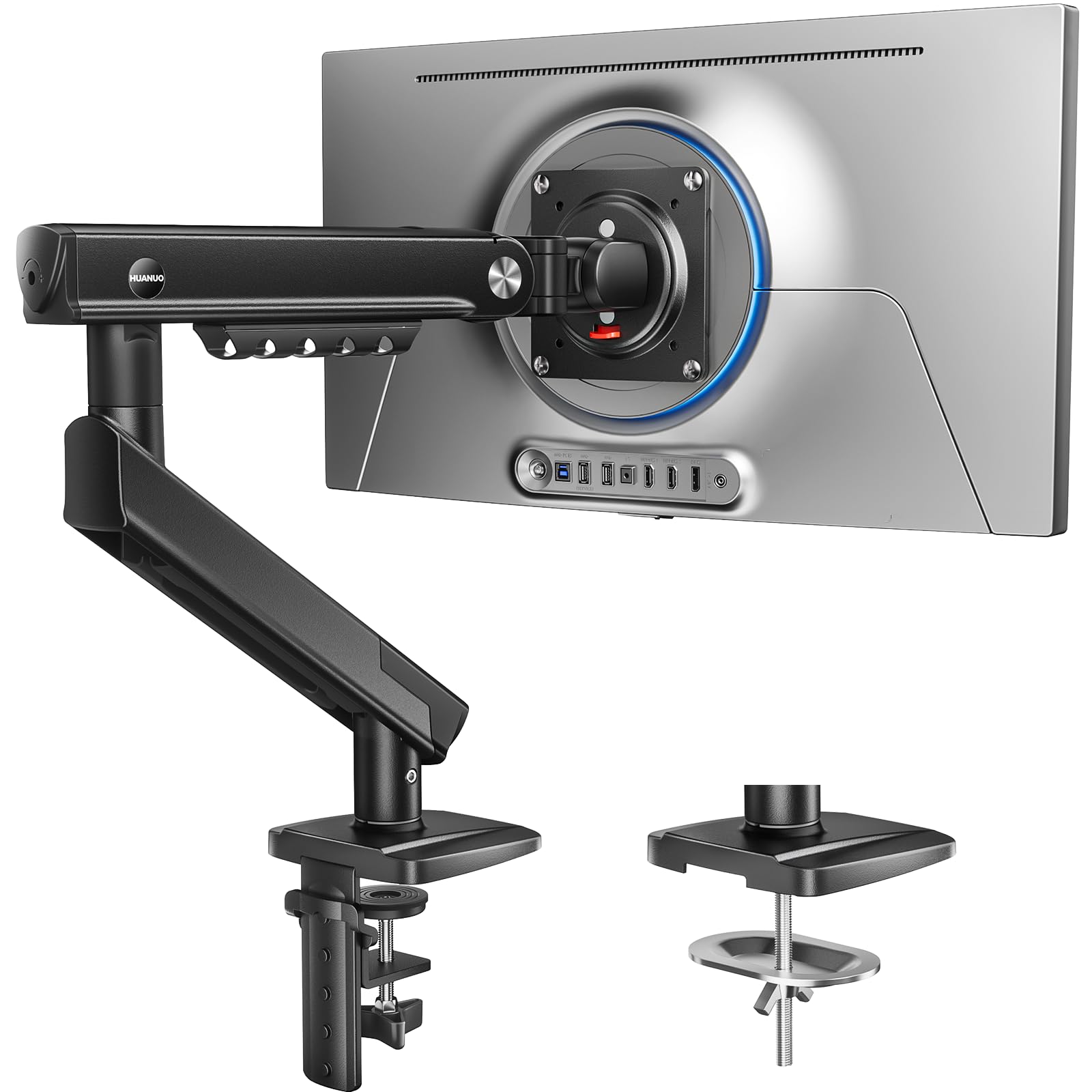
This single-arm stand is for anyone who dreads the classic struggle of holding a heavy monitor while aligning screws. The tool-free InstaMount VESA plate snaps your screen into place with a secure click, and the kit simplifies down to one base and one screw. It supports flat screens from 13″ to 32″ weighing 4.4 to 19.8 lbs, or curved screens up to 15.4 lbs — both with standard 75x75mm or 100x100mm VESA holes.
The MechaSpring arm is designed to outlast conventional gas-spring mounts, with 90% metal construction and a claim of up to 2x the service life. A visible PrecisionView window shows a yellow indicator so you can see exactly when the tension matches your monitor’s weight — no more guessing by feel. It is TÜV Rheinland certified and tested at 3x its load, so the safety margin is real.
Owners praise the smooth one-finger adjustments and the fact that the arm holds position without sagging. The catch is desk compatibility: HUANUO only recommends mounting this on wood desks 0.59″ to 3.54″ thick, and irregular desk edges are a warning sign. A few owners mention wobble on lighter desks, so a solid work surface matters more here than with a clamp-on dual mount.
Snap-in satisfaction: the tool-free VESA plate is the fastest way to mount a single monitor in this entire list.
Watch the desk: only wood desks 0.59″–3.54″ thick are recommended — glass or plastic surfaces are off the table.
Grab it if: you value a 5-minute install and want visible tension feedback you can trust at a glance.
Think twice if: your desk is not solid wood — the stability complaints cluster around weaker surfaces.
3. WALI Freestanding VESA Monitor Stand
The heavy-footed freestander that lifts a 22 lb screen to eye level without touching your desk edge.
Renters and glass-desk owners, this one is for you. The WALI MF001 skips the clamp entirely, using a wide VBase — 15.4 x 11 x 0.8 inches — to stand on its own while supporting screens up to 32″ and 22 lbs. Height adjustment runs up to 18″, which is more lift than most clamp arms offer, and the full-motion head gives you 360° rotation, 45° tilt, and 90° swivel.
The freestanding design makes it the natural pick when you cannot drill or clamp, and assembly is genuinely simple — customers note under 20 minutes with the included hex tools, just add a #2 Phillips screwdriver. The base is heavy enough to hold a 22 lb screen steady, though a couple of reviewers point out the soft bottom pad can rub off over time.
The bulkier base is the honest trade-off for its stability, and multi-joint adjustments take a little patience to lock into place — gravity affects the joints, so expect to tighten them after setup. What consistently impresses is the sturdiness-to-price ratio, making it a reliable entry point if you are new to monitor arms and want zero installation risk.
Why it stands out
- Freestanding base works on any desk — no clamp or drill needed
- 18″ height adjustment is among the tallest in this lineup
- 360° rotation for quick portrait-to-landscape flips
Note this
- The base is bulky and eats more desktop footprint than a clamp
- Gravity-affected joints need tightening after initial setup
Perfect for: anyone who cannot clamp or drill and needs a tall, stable single-screen lift on any desk surface.
Look past it if: you want a minimal footprint — this base takes up real estate.
4. ErGear Dual Monitor Stand
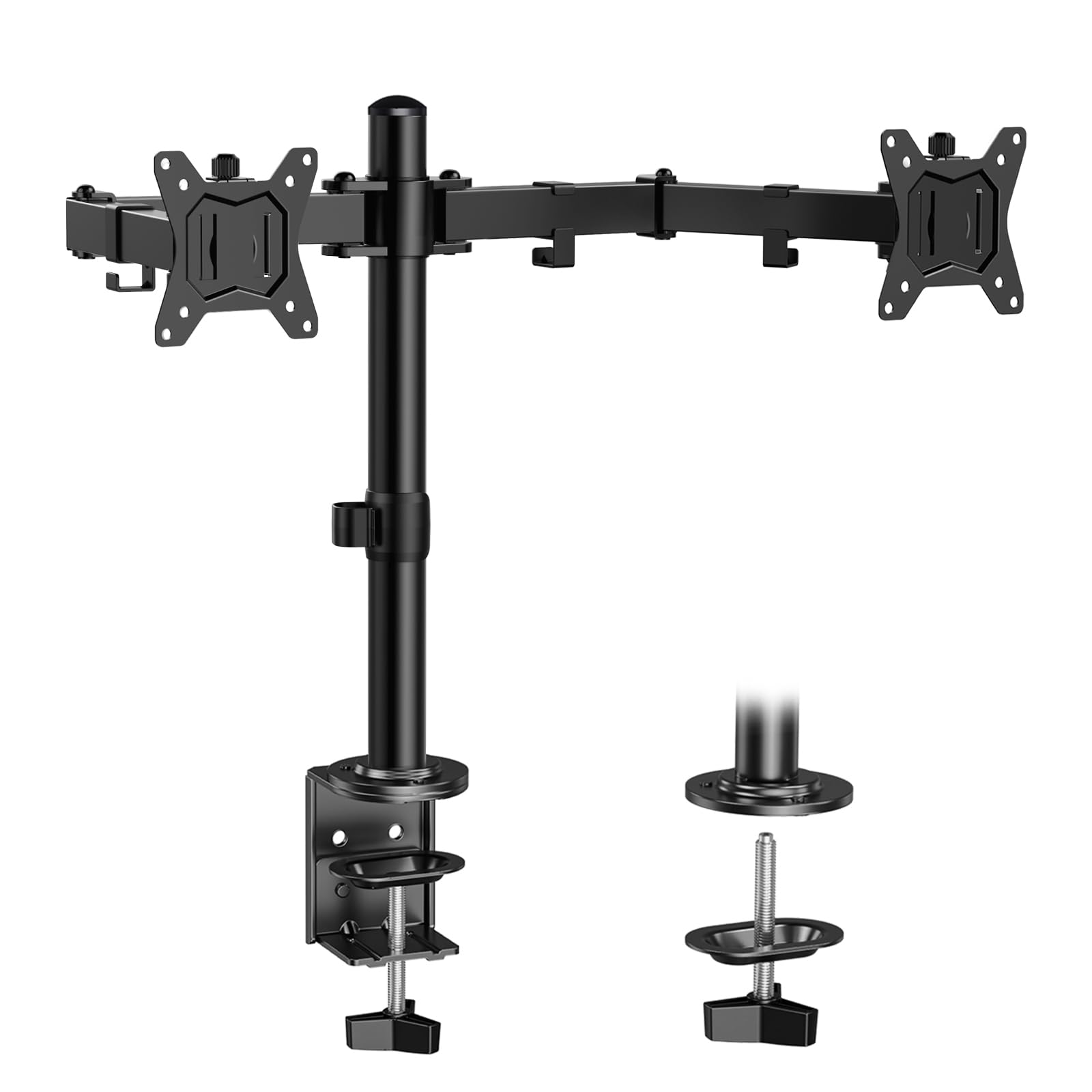
A 31.22-inch arm span that spreads two 32-inch monitors wide without crowding your desk.
For dual-screen users with big displays, the ErGear’s defining feature is its reach — a 31.22″ wide arm span paired with a 16″ high bar that comfortably accommodates two 32″ monitors. Each arm holds up to 17.6 lbs, and the full range of motion includes ±90° swivel, ±45° tilt, and 360° rotation, so you can angle each screen toward your natural line of sight.
Installation is a documented breeze, with labeled hardware and an instruction manual, and owners consistently call the build quality premium — one IT professional notes it handles dual monitors without swallowing desk space and keeps cables tidy with integrated clips. The C-clamp fits desks 0.39″ to 3″, while the grommet mount works on 0.39″ to 2.36″ — but only wooden tables are recommended.
The caveat is fine-tuning: leveling and tension adjustments take trial and error, and if you do not tighten the joints fully, you may see slight drift. It is a great value if you enjoy tinkering with a mount until it is dialed in, but less ideal if you want perfect alignment straight from the start.
Reach advantage: the 31.22″ span beats every single-arm option here for spreading large displays wide.
Tinkerer’s mount: expect trial-and-error leveling; the tension needs a few passes to hold perfectly.
Choose it for: two 32-inch monitors on a wooden desk where wide horizontal spread matters more than anything else.
skip it if: you want zero-post-install tuning — this one rewards patience.
5. Amazon Basics Single Monitor Stand

A steel tank of a single arm that holds a 22 lb screen steady for about the price of a dinner out.
If your budget is tight but you refuse to trust your monitor to a flimsy mount, the Amazon Basics single stand is the dependable middle ground. It fits screens from 13″ to 30″ weighing up to 22 lbs, and the durable alloy-steel construction is why owners describe it as “built like a tank.” The height-adjustable horizontal arm moves from 7.9″ to 14.2″ high, and the 360° rotation lets you flip between landscape and portrait.
Tilt is the notable limit here — a modest -15° to +85° range that covers everyday viewing but lacks the dramatic angle of full-motion arms. Assembly is straightforward with the detachable VESA plate and included hardware, and the cable-management system routes cords up through the pole for a clean look. It clamps to desks 0.8″ to 3.9″ thick, which covers most standard work surfaces.
Owners love the rock-solid hold and easy lever-based height adjustment, with one noting it is compact and cheaper than the alternatives. The recurring limitation is range: an off-center VESA mount on some monitors means the arm cannot reach far enough to center the screen, and tall setups may wish for more than 14.2 inches of lift.
The strengths
- Alloy-steel build holds Samsung 27″ screens without droop
- Cable management routes wires internally for a clean desk
- 1-year Amazon Basics limited warranty included
The limits
- 15° tilt range is the smallest in this lineup
- Height tops out at 14.2″, which may sit below eye level for tall users
Reach for this if: you want a no-nonsense single arm for a 27-inch screen and you value rock-solid stability over fancy articulation.
Look elsewhere if: you need serious tilt or a very tall raise — this one stays basic by design.
6. WALI Adjustable Dual Monitor Arm
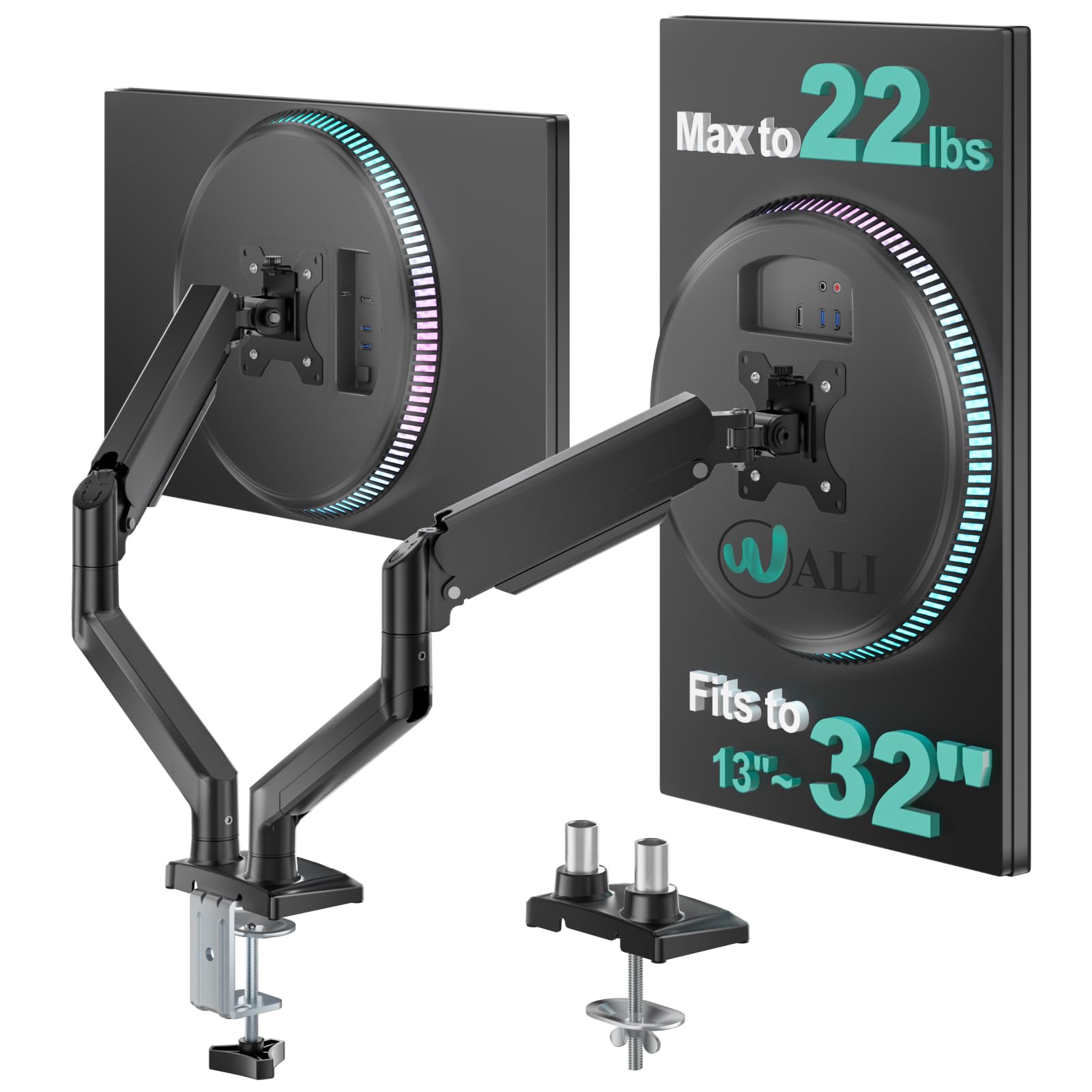
The extended-reach dual arm that stretches 19.3 inches out and lifts screens 17.3 inches high.
This WALI dual arm is built for desks where you need to pull monitors closer for deep work and push them back to watch videos. It extends each screen out 19.3″ and raises them up to 17.3″ above the desktop, with a swivel of +90°/-90°, a tilt of +70°/-45°, and full 360° rotation. Each of the two arms carries up to 22 lbs, making it strong enough for most flat or curved LCD/LED screens up to 32″.
The engineering story is durability: the high-performance core is tested through 20,000+ cycles, so the smooth adjustments are meant to last for years of daily use. A wider VESA head and tighter-fitting panel add stability, and owners confirm heavy 34″ and 38″ ultrawides hold without droop. Install is a 20-minute job with two options — a C-clamp for desks 0.39″–2.76″ thick or a grommet base for the same range.
The honest catch is that clamp design varies by batch, with some buyers receiving a newer multi-part clamp that is more complex to assemble. A couple of owners mention slight wiggle on adjustment until you find the balance with a hex key. But the consensus is clear: this is excellent value for a dual-arm mount that handles big screens without sagging.
Durability proof: 20,000+ tested cycles means the smooth motion should hold up to daily use.
Batch variance: the clamp design changes between shipments, so installation effort can vary.
Best for: dual 32-inch or ultrawide setups on wooden desks where long reach and tall lift are the priorities.
Be patient with: the clamp if you get a newer multi-part version — it takes a few extra minutes.
7. Kensington SmartFit Extra Wide Monitor Stand
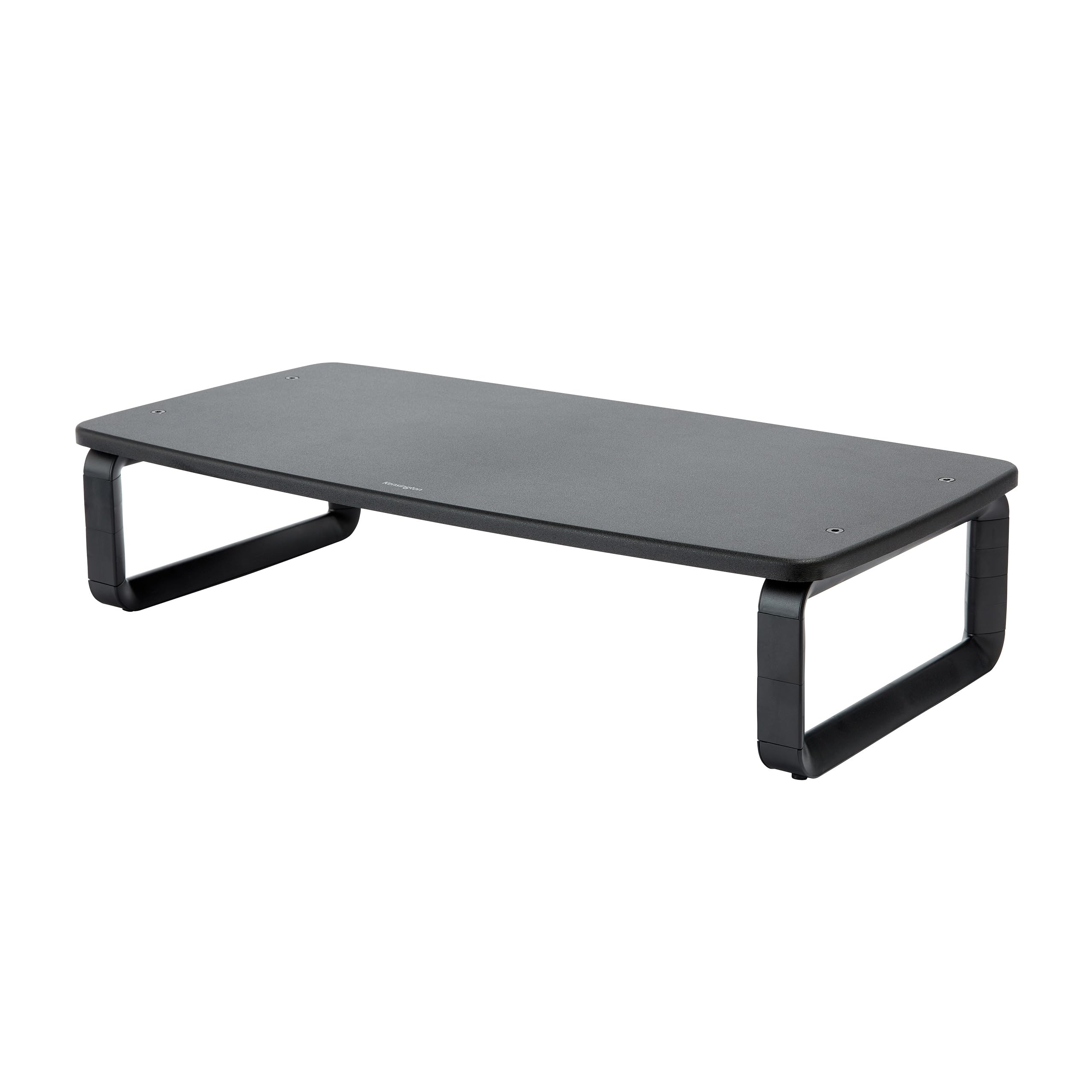
The ergonomic riser that raises your screen and hides a full-size keyboard underneath.
Not everyone needs a mechanical arm — sometimes you just want your monitor higher and a tidy place to store your keyboard. This Kensington riser uses a data-driven SmartFit system with a color-coded chart so you can dial in the correct eye-level height quickly, without guesswork. The base supports screens up to 27 inches and up to 18 kg, which is plenty for most standard office displays.
The extra-wide platform is the star here — the roughly 20.5″ of space underneath is enough for a full-size keyboard, accessories, or papers, effectively giving you a second level of desk real estate. It assembled easily and shoppers say it is sturdy enough for heavier televisions, with one buyer noting it fits perfectly over a cash drawer for a business setup.
The trade-off is that this is a fixed-height riser, not a full-motion arm — you can adjust the height in steps, but you cannot tilt, swivel, or pull the screen toward you. A couple of owners mention the legs feel like they could use bracing on very heavy loads, so stick within the stated 18 kg capacity. If your goal is ergonomic height plus storage, this is the cleaner, cheaper answer than an arm.
What it does well
- 20.5″ of clearance stores a full-size keyboard underneath
- Color-coded SmartFit chart makes height setting intuitive
- Holds up to 18 kg, enough for most widescreen monitors
What it cannot do
- No tilt, swivel, or rotation — it is a fixed-height riser
- Legs could use bracing for loads near the 18 kg max
Pick this if: you want eye-level height plus a keyboard hideaway, and you never move your screen once it is placed.
Pass if: you need to tilt or rotate your display — this is a riser, not an arm.
8. HUANUO FlowLift Dual Monitor Stand

The dual C-clamp base that locks two 19.8 lb screens rock-solid to your desk edge.
If you have ever watched a dual mount wobble while you type, this HUANUO is the direct answer. Its upgraded base uses a larger platform plus a dual C-clamp structure that grips the desk firmly, and each arm holds between 4.4 and 19.8 lbs for screens from 13″ to 32″. Owners confirm it is rock solid on an Ikea desk, with the clamp gripping without damaging the surface.
Full-motion articulation is the daily benefit: +85°/-50° tilt, ±90° swivel, and 360° rotation let you pull a screen close for spreadsheets or flip it to portrait for coding with one hand. The gas arms hold position without drift or sag, and you can raise monitors up to 15.75″ to support a healthy sitting posture. Cable management runs along the arms, keeping wires out of sight.
The setup is genuinely easy — a simple clamp install with a drill option — and the alloy-steel construction at 11 lbs gives it a heavy, premium feel. The recurring note is that cable rails require detaching the arms to route cords, which is a minor hassle if you rearrange often. Also, on a non-L-shaped desk with the clamp at the back, the arms can hit the wall and limit range of motion.
Stability first: the dual C-clamp is the reason this holds steady where single-clamp mounts wobble.
Plan your desk: walls behind the desk can limit arm range — corner setups work best here.
Best if: you want a rock-steady dual mount on a wooden desk and value one-hand adjustments that hold position perfectly.
Think twice if: your desk sits flush against a wall — the arms need room to swing.
9. QUARX FLYTE Heavy-Duty Dual Monitor Arm

The all-metal heavyweight that muscles 26.4 lb ultrawides into any position without droop.
This is the mount you reach for when your screens are too big or too heavy for standard arms. The QUARX FLYTE handles monitors up to 35″ with a 26.4 lb capacity per arm — comfortably the strongest in this lineup — and the all-metal construction with a uniquely designed 6″ base keeps everything sturdy. Owners have mounted dual 34″ ultrawides with minimal wobble and a 25 lb 43″ monitor after a simple tension-spring adjustment.
The ArmAdjust technology lets each ultrawide mount move to any position while staying put, with a VESA plate that will not wobble, tilt, or fall. Installation is a genuine 10-minute job thanks to a clip-on clamp feature — you screw the monitor to the VESA plate, then click it onto the arm bracket. The included step-by-step guide and all-metal hardware mean no cheap-feeling parts.
It fits a wide range of desks — wood, plastic, metal, even glass — as long as the surface is not thicker than 2.2″ for the mount base, and the C-clamp works on desks up to 3″ thick. The catch is the same as any dual mount with arms: if your desk sits right against a wall, the monitors get forced apart or sit too close. For a modern desk setup like a Secretlab Magnus, owners note it fits easily at half the price of the brand’s own mount.
The heavy-duty wins
- 26.4 lbs per arm holds 34″ ultrawides and even a 43″ monitor
- All-metal build with a 6″ base for rock-solid stability
- Clip-on VESA plate makes install a true 10-minute job
The heavy-duty trade-offs
- Needs 1–2″ of wall clearance for full arm range
- Cable-management plastic piece can be hard to reattach
Reach for it if: you run ultrawide or oversized monitors and want all-metal confidence that nothing will sag.
pass on it if: your desk is pinned to a wall — this arm needs breathing room to spread screens.
Understanding the Specs
VESA Pattern and Weight Capacity
VESA refers to the four screw holes on the back of your monitor. The two standard patterns are 75x75mm and 100x100mm, and every stand on this list supports both. The weight capacity tells you the heaviest screen each arm can safely hold — always check your monitor’s weight against this number. A 22 lb capacity comfortably covers most 27-inch displays, while ultrawide or heavier screens need something like the QUARX at 26.4 lbs per arm.
Height Adjustment and Desk Mount Type
Height adjustment is the core feature of an adjustable stand — it is what lifts your screen to eye level to prevent neck strain. C-clamp mounts grip the desk edge and suit desks roughly 0.4 to 3 inches thick. Grommet mounts bolt through a drilled hole for extra stability on heavy dual setups. Freestanding bases like the WALI MF001 need no clamp at all, making them the choice for glass desks or rental furniture where you cannot drill.
FAQ
Will an adjustable monitor stand fit my specific monitor?
What is the difference between a C-clamp and a grommet mount?
How much weight can an adjustable monitor stand hold?
Can I use an adjustable monitor stand on a glass desk?
What does VESA 75×75 or 100×100 mean?
How do I stop my monitor arm from sagging or drooping?
Is a dual monitor stand better than two separate arms?
How much desk space do I need for an adjustable monitor stand?
Final Thoughts: The Verdict
If you want one dependable pick, the best adjustable monitor stand is the VIVO Dual Monitor Desk Mount because it pairs the widest 90° tilt range with a sturdy steel build and a 3-year warranty at a price that undercuts most rivals. If you want the fastest tool-free install for a single screen, grab the HUANUO FlowLift Pro with its snap-in VESA plate. And for ultrawide or oversized monitors that would overwhelm standard arms, the QUARX FLYTE is the one to reach for. The crowd favorite — 4.6 stars across a massive owner base — makes the VIVO the safest bet for most dual-screen desks.
How We Picked
We do not accept paid placement. Every pick is matched to a real buyer and a real use-case; we do not hands-on test units.
Sources & Methodology
Specifications: manufacturer listings and product documentation. Review insights: verified customer reviews, as of August 2026. Pricing: not shown on this page (it changes often); check the current price via the retailer link.
As an Amazon Associate, Gadgets Feed earns from qualifying purchases. This does not affect which products we feature.