
Our readers keep the lights on and my morning glass full of iced black tea. As an Amazon Associate, I earn from qualifying purchases.
Specs are compiled from manufacturer listings and verified buyer reviews and can change over time — please confirm the key details on the product page before buying.
If your internet keeps dropping and your provider keeps charging you month after month for a box you will never own, the fix is simple: buy your own ADSL modem. The catch is that these boxes are not interchangeable. Some are bare modems that need a separate router, some bundle Wi-Fi into the same box, and the one that fits your line depends on whether you run ADSL2+, VDSL, or a specific provider’s network. This guide sorts that out fast.
I’m Min — the founder and writer behind Gadgets Feed. This guide is built by comparing the manufacturers’ published specifications and the patterns across verified customer reviews, so you get each pick’s real strengths and trade-offs instead of marketing spin.
You need a modem that actually matches your line type and provider before anything else. That one compatibility check matters more than any speed badge on the box, and it decides whether the best adsl modem for you is a bare bridge unit or a full modem-router combo.
Our Picks at a Glance

How To Choose The Best ADSL Modem
Buying your own modem instead of renting one from your internet provider saves the monthly fee, but only if the box you pick speaks your line’s language. Get that wrong and no amount of speed on the label will help you. Here is what actually decides the purchase.
Match the modem to your line type first
ADSL, ADSL2+, VDSL, and bonded lines are not the same connection, and a modem built for one may refuse to sync on another. Check your provider’s stated service type before you buy. A modem that lists fallback support for older ADSL standards — like the DrayTek’s documented fallback to ADSL2 and 2+ — is the safer bet if your line might change.
Decide between modem-only and a modem-router combo
A modem-only unit does one job: it turns your phone line into a usable internet connection. It has no Wi-Fi. If you already own a good router, that is often the cleaner, more controllable setup. A modem-router combo folds Wi-Fi, Ethernet switching, and often USB sharing into one box, which suits a simple single-box home but ties your wireless quality to the same unit.
Check the ports and wireless bands you actually need
A single Ethernet LAN port on a modem-only box is fine when a router sits behind it, but it limits you if you want to plug a PC straight in. On combo units, a dual-band radio (separate 2.4 GHz and 5 GHz signals) spreads your devices across two lanes so older gadgets and newer phones do not fight for the same air. Gigabit LAN ports keep wired speeds from becoming the bottleneck.
Quick Comparison
| Model | Best For | Type | Max Data Rate | Wi-Fi | Amazon |
|---|---|---|---|---|---|
| DrayTek Vigor 167★ Best Overall | Own-router DSL users | Modem only | 300 Mbps | None | Amazon |
| D-Link DSL-520BBest Value | Low-latency basic DSL | Modem only | 24 Mbps | None | Amazon |
| Netgear DGN2200 | Budget all-in-one | Modem-router | 300 Mbps | Single-band N | Amazon |
| TP-Link Archer VR400 | Fast combined box | Modem-router | 1167 Mbps | Dual-band AC | Amazon |
| CenturyLink C2100T | CenturyLink subscribers | Modem-router | 300 Mbps | Dual-band AC | Amazon |
| Netgear DGND3700 | Heavy wired traffic | Modem-router | 600 Mbps | Dual-band N | Amazon |
| CenturyLink C4000BG | Whole-home wireless | Modem-router | 2400 Mbps | Dual-band Wi-Fi 6 | Amazon |
In‑Depth Reviews
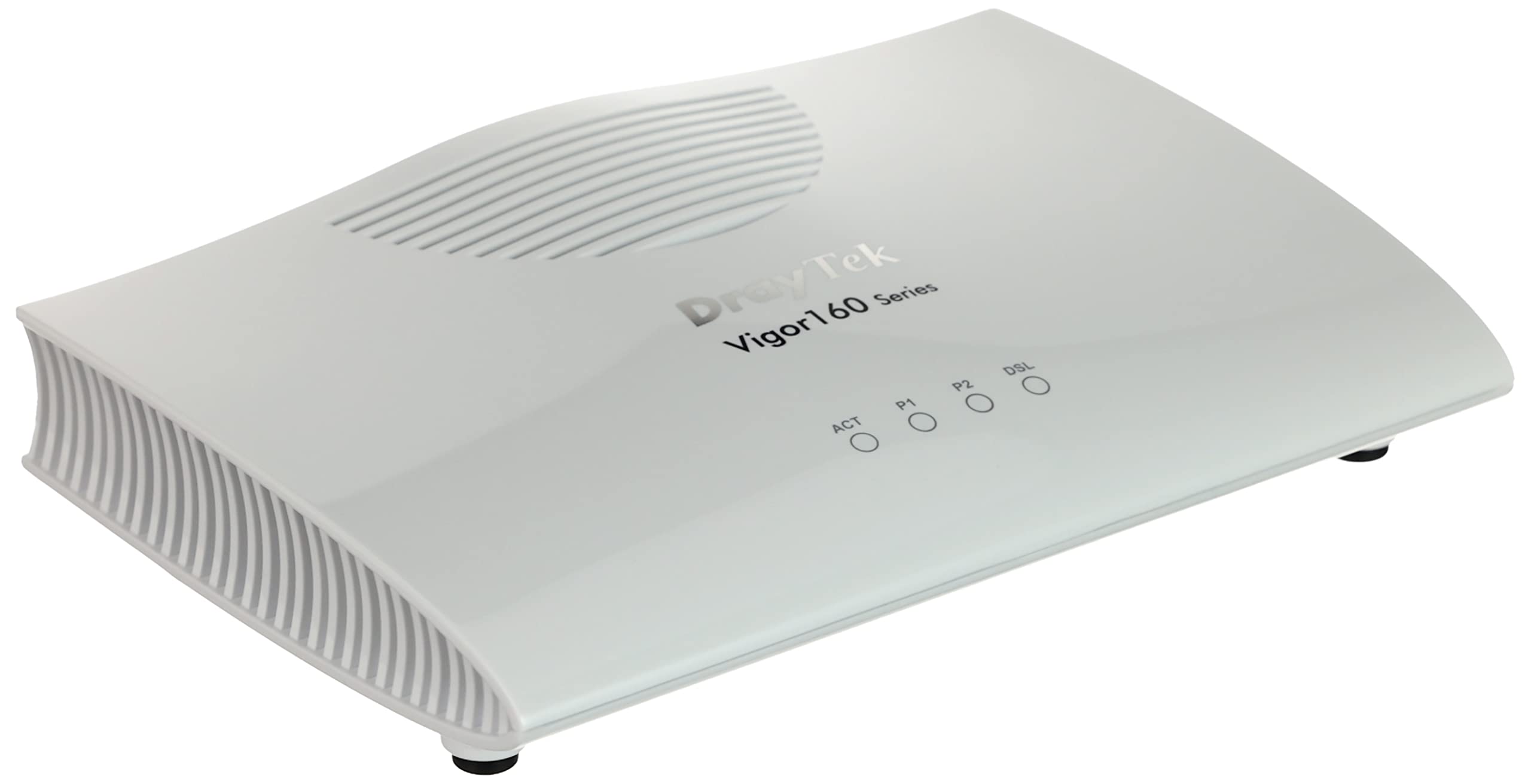
1. DrayTek Vigor 167 Supervectoring/VDSL2/ADSL2+ Modem
Our pick — 4.5★ from 400+ verified ratings; the strongest balance of quality and price.
The bare modem that lets your own router do the thinking, on nearly any DSL line.
If you already own a good router and just want the phone line handled properly, this modem-only unit is for you. It connects to the phone line while your router runs Wi-Fi and the network. It supports the full ladder of DSL standards — ITU-T G.992.1 ADSL, G.992.3 ADSL2, G.992.5 ADSL2+, VDSL, and G.993.2 VDSL2 (these are the different speeds and line types your internet provider might use) — plus vectoring profiles (a way to reduce interference on the line), and it falls back to the older ADSL2 and 2+ standard if your line does not support the newer ones. Its maximum upstream rate is 30 megabits per second (how fast you can send data), and its top transfer rate is 300 megabits per second (how fast you can receive data), which is a wide margin over the D-Link DSL-520B’s 2 megabits per second upstream.
The default setup catches people out, so know it before you plug in. from the start it is preconfigured as modem only with VLAN tag 7 already set. That means your Netgear router behind it has to be set for PPPoE dial-up, and you must leave VLAN tagging turned off on the router, otherwise you double-tag the line. Do that right and it just runs. As owners put it, it works well in bridge mode, holds a slightly higher throughput than the provider box, and stays reliable where ISP-supplied modems tend to fail.
What wins people over is the swap-in reliability for anyone running their own gear. It replaces a provider modem and hands you full control of Wi-Fi and network settings through your own router. The trade-off is honest: this is not a plug-and-play box for a beginner. It has no Wi-Fi of its own, so if you do not already own a router, you will need one. Think twice if you want a single box that does everything out of the carton.
What earns it the top spot
- Broadest line support here: ADSL through VDSL2 with vectoring, plus fallback to ADSL2/2+.
- 30 megabits per second upstream tops the D-Link DSL-520B’s 2 megabits per second.
- Bridge mode and full network control through your own router.
- Runs in bridge mode for years where ISP-supplied modems fail.
Where it asks a little of you
- Modem only — no Wi-Fi, so a router is required.
- Ships preconfigured with VLAN tag 7; your router must match or the line breaks.
- Not a beginner plug-and-play unit.
The right buyer: someone who already owns a router and wants a dependable DSL bridge with the widest line compatibility on this list.
Walk past it if: you want Wi-Fi out of the same box or you are not comfortable setting PPPoE and VLAN on a router.
2. D-Link ADSL2+ Ethernet Modem (DSL-520B)
A stripped-down black box that does fast ADSL and asks for nothing fancy in return.
For a plain ADSL line and a router already on the shelf, this earns its keep on price and simplicity. It has one RJ-11 ADSL port and one RJ-45 10/100 Ethernet LAN port with auto MDI/MDIX, which means the port figures out the cable direction for you. Its maximum downstream rate is 24 megabits per second and its maximum upstream is 2 megabits per second, so it is a deliberate step down from the DrayTek Vigor 167’s 30 megabits per second upstream. What it gives back is low latency — a reported 18ms against the 30ms-plus of common ZTE and Zyxel boxes.
The thing everyone raves about is the value, and the speed claim holds up: it reaches the connection speeds your provider advertises. It is also open and diagnosable if you like to tinker. The web interface is text-only but exposes full statistics and diagnostics, with the key screens living under Device Info, Statistics, and Advanced Setup. It runs a Broadcom BCM96345 chip and supports firewall and QoS, plus RIP and RIPv2 routing and NAT.
The honest catch is compatibility and setup, and this is a fit note rather than a flaw. The list of providers is broad — AT&T, Verizon, CenturyLink, Frontier and others — but the bundled install CD only helps US providers; elsewhere you configure it by hand. It works for ADSL, not VDSL. Bridge mode defeats some owners, and there is no DynDNS or NO-IP support. The interface is spartan and the build is basic. On a standard ADSL2+ line, it is a great budget modem.
Why the price wins: one LAN port and no wireless keeps the unit small and basic — cheap to replace if a line ever shorts, and simple to diagnose from a text UI.
What to plan around: setup can be fiddly outside US providers, and 24 megabits per second downstream caps it to a standard ADSL line — not a VDSL unit.
Suits you if: you run a standard ADSL2+ line, own a router, and want low latency and low cost.
Skip it for: VDSL lines, dependent setup experiences, or anyone needing DynDNS-style services.
3. Netgear N300 Wireless ADSL2+ Modem Router (DGN2200)

One small box that folds a DSL modem, wireless router, and USB sharing into a single unit.
This is the sensible all-in-one for a modest home that wants the modem and the Wi-Fi in one place. It combines an ADSL2+ modem and router at a 300 megabits per second rate, matching the DrayTek Vigor 167’s transfer figure but bundling wireless into the deal. It weighs 1.5 pounds, heavier than the D-Link DSL-520B at 1.1 pounds. The wireless covers a stated 100 to 150 square meters, roughly 1076 to 1615 square feet indoors, on the 2.4 GHz band.
What earns it praise is the value and the built-in sharing. The ReadySHARE USB port turns an external drive into shared storage across the network, and the box handles downloads, streaming, and gaming at the same time on a single-band N radio. Setup uses a Smart Wizard CD, and live parental controls and guest network access are built in. Users who persist find it reliable — one ran it a year with DSL and a USB network drive, and it boosted speed over a ten-year-old provider connection.
The recurring gripe is setup, and the numbers back that up. The package sometimes ships without the install disk or manual, and the manual itself needs web access, so first-time configuration can stall. A couple of owners hit overheating and reboot loops, though many suspect the bad ratings trace back to user error. It is also single-band, so there is no separate 5 GHz lane. Setup can stall without the install disk, and the single 2.4 GHz radio covers a medium house, not a whole home.
Why it fits a simple home
- Modem, router, and USB sharing in one compact unit.
- 300 megabits per second rate with 2.4 GHz coverage stated at 100 to 150 square meters.
- ReadySHARE turns an external drive into network storage.
What to budget for
- Setup frustrated plenty of buyers — missing disk or manual in some packages.
- Single-band only; no dedicated 5 GHz signal.
- Some units hit heat and reboot trouble.
Best matched to: a one-box home that wants DSL, Wi-Fi, and drive sharing without adding a separate router.
Heads up if: you want an easy first setup or several wireless bands — the wizard and single radio will test your patience.
4. TP-Link AC1200 Wireless VDSL/ADSL Modem Router (Archer VR400)
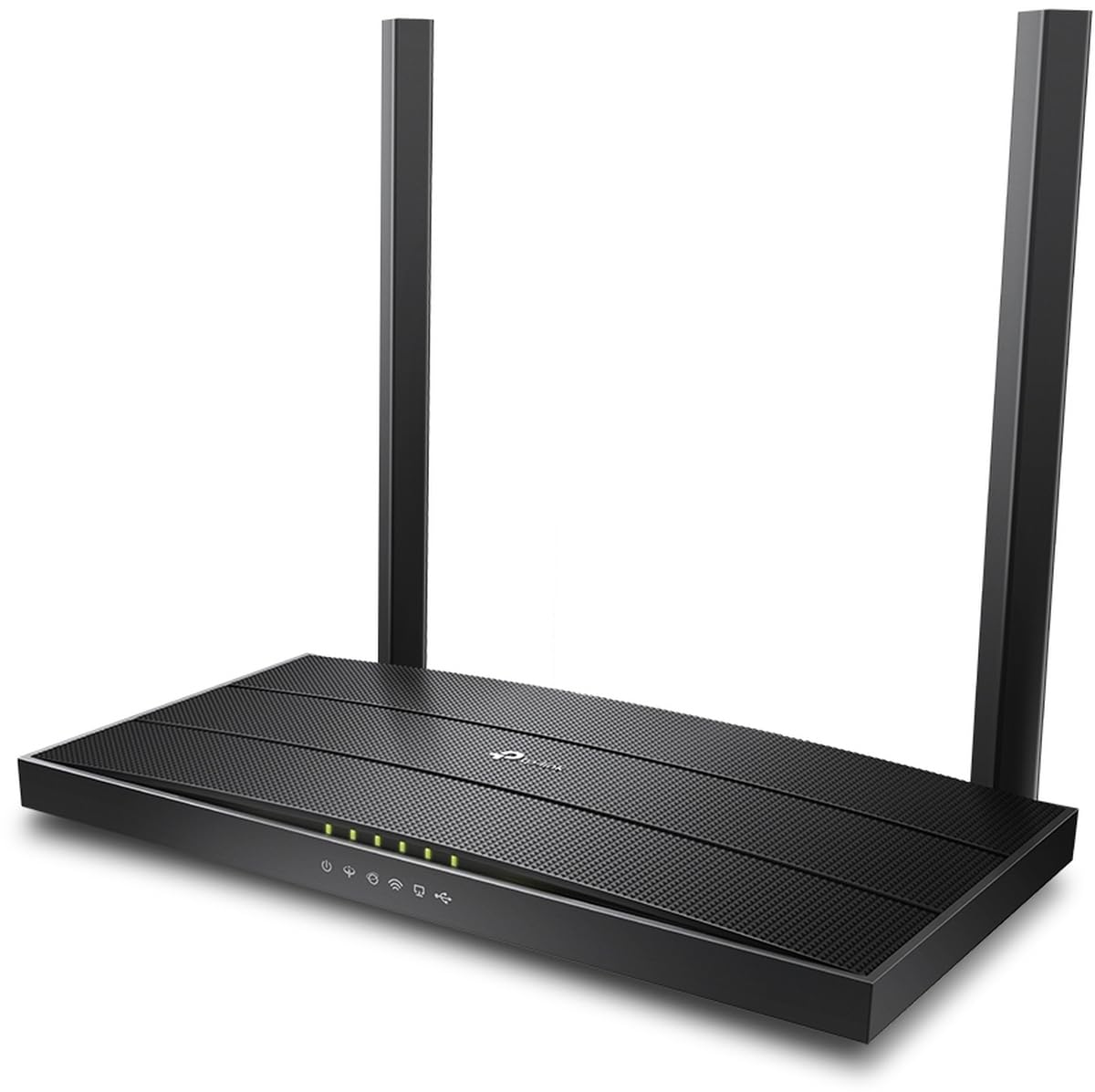
The fastest combined box here, with dual-band wireless and five ports in one shell.
If you want one device that handles both VDSL and ADSL while pushing serious speed, this is the performance pick. Its data transfer rate is 1167 megabits per second, the top figure on this list and a big jump over the D-Link DSL-520B’s 24 megabits per second, and over the 300 megabits per second shared by the DrayTek Vigor 167 and the DGN2200. It runs a 5 GHz frequency (a faster Wi-Fi band) with a combined AC1200 dual-band setup (two Wi-Fi bands working together for speed and range), and it gives you five ports for wired devices. It weighs 500 grams, light for a box this capable.
For a busy household, the specs hit a balance. VDSL and ADSL support means it fits both newer and older line types, so you are not locked to one provider’s flavor of DSL. The 5 GHz band keeps newer phones and laptops on a cleaner lane, while the older 2.4 GHz signal carries the smart-home gear and printers. Five ports is enough for a wired desktop, a console, and a streamer without adding a switch.
The answer to the obvious question is that this is a full modem-router, not a bare bridge. That means Wi-Fi is built in, so you do not need your own router — but it also means your wireless lives or dies with this box rather than a dedicated one you prefer. The transfer rate is the headline, and for a busy home with a VDSL line it is the combined unit to beat.
Where it pulls ahead: a 1167 megabits per second transfer rate and five ports make it the most capable all-in-one on the list for wired and wireless load.
The honest trade-off: as a bundle, your Wi-Fi quality is tied to the same box as your modem — if you prefer a dedicated router, a modem-only pick serves you better.
Pick it for: a VDSL or ADSL home that wants fast combined modem-and-router performance and enough ports for wired gear.
Something else if: you already run a router you love and only need the line brought in.
5. CenturyLink Prism TV Technicolor C2100T 802.11AC Modem Router

A CenturyLink-approved combo that owners found almost easy to get running.
This box makes the most sense for a CenturyLink subscriber who wants a box the provider already recognizes. It is compatible with CenturyLink VDSL and ADSL2+ services, though not with fiber connections or AT&T lines — so it is a deliberate provider match rather than a universal modem. Its data transfer rate is 300 megabits per second, and it carries a gigabit LAN port at 1000 Mbps for wired gear. It is a dual-band box running 2.4 GHz and 5 GHz, and it weighs 2 pounds.
What wins people over is how little fuss the setup takes. The most-praised quality here is the easy setup, with strong signal right behind it. Owners replaced the leased generic boxes that kept dropping the line and got a stable, trouble-free connection with separate 2.4G and 5G signals. One called it a snap to set up and loved finally catching up to modern internet, and coverage and speed both got a bump over the old C1000A. The package ships with its power supply, an Ethernet cable, and a phone cord.
The reliability side is where patience helps. Some buyers report the box dropping DSL connections over time, and a few had it fail early or run very hot to the touch. It is also listed as tall and large by one owner’s measure, so check it fits your shelf. Speed tests barely moved for some users even on a faster connection. It fits CenturyLink VDSL or ADSL2+ lines, where setup is quick and the connection holds.
What people praise
- Compatibility with CenturyLink VDSL and ADSL2+ service right from the start.
- easy setup with strong dual-band 2.4 GHz and 5 GHz signal.
- Gigabit LAN port at 1000 Mbps for wired devices.
The fit notes
- Not compatible with fiber connections or AT&T.
- Some units run hot and dropped DSL connections over time.
- Large footprint that needs shelf space.
Made for: a CenturyLink VDSL or ADSL2+ household that wants a recognized, quick-to-set-up combo with dual-band Wi-Fi.
Not your box if: you are on fiber, on AT&T, or need a small-footprint unit.
6. Netgear N600 Wireless Dual Band Gigabit ADSL2+ Modem Router (DGND3700)
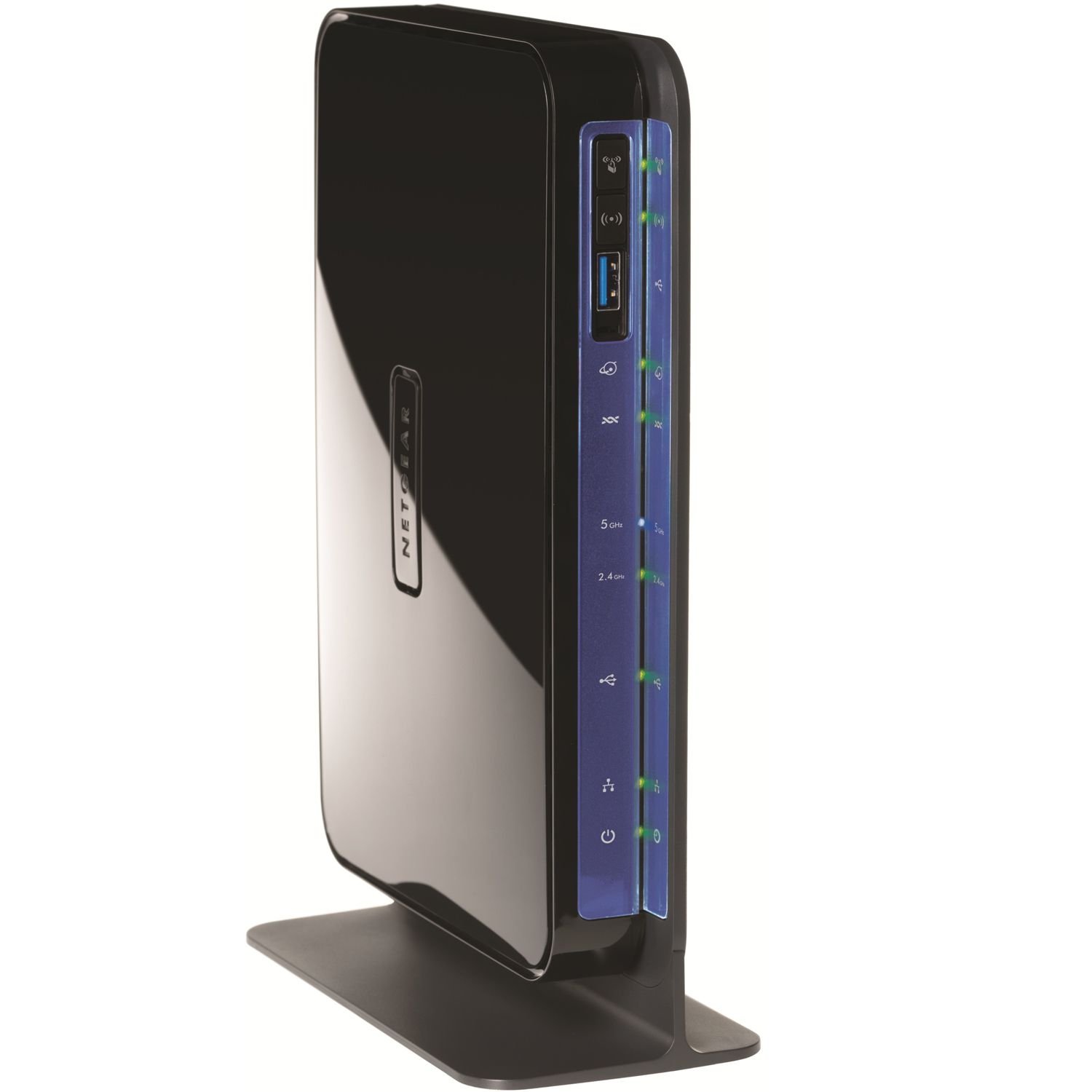
An all-in-one with a four-port gigabit switch for homes that run a lot of wired gear.
This is the combo to consider when your home leans on wired connections as much as Wi-Fi. It packs a built-in ADSL2+ modem, a wireless router, and a four-port gigabit switch into one unit, with a 600 megabits per second data transfer rate — double the 300 megabits per second of the DrayTek Vigor 167. It runs concurrent dual-band 2.4 GHz and 5 GHz so newer and older devices do not crowd one signal. It handles a gaming console, laptop, PC, printer, tablet, and phone off the same box.
The thing everyone raves about is functionality — it is the most-discussed strength by a wide margin — with setup close behind. Owners mention faster browsing, a ping that dropped to 10 to 15 milliseconds, and stronger range before disconnects set in. The USB ports take external storage or a printer, and the Live Parental Controls and guest network add scheduling and access rules. The 2.4 GHz throughput beats the older Zhone boxes it replaces.
The catch sits in setup and range for some homes. Getting the DSL side running is not plug-and-play — you may have to enter your provider’s settings by hand, and the Live Parental Controls setup leans heavily on an OpenDNS account and a companion app, which one owner found frustrating. Wireless range through a two-floor home drew complaints about buffering, and a few units needed reboots when wired ports got moody. It suits a single-floor home that wants four gigabit ports plus dual-band 2.4 GHz and 5 GHz Wi-Fi in one box.
The draw
- 600 megabits per second rate — double the DrayTek Vigor 167’s 300.
- Four-port gigabit switch plus USB storage and printer sharing.
- Concurrent dual-band 2.4 GHz and 5 GHz with guest network.
The reality check
- DSL setup needs manual provider configuration.
- Live Parental Controls take real effort to configure.
- Weak signal through two floors is a common gripe.
Reach for it when: you want DSL, dual-band Wi-Fi, gigabit wired ports, and USB sharing in one box for a single-floor home.
Look past it if: your home is multi-floor or you want parental controls that set up in seconds.
7. C4000BG CenturyLink Bonded Line Wi-Fi DSL Router

The wireless heavyweight of the group, built for whole-home coverage on a bonded line.
For a big connected home on a CenturyLink bonded line, this is the modern wireless pick. Its data transfer rate is 2400 megabits per second, the highest here and double the TP-Link Archer VR400’s 1167 megabits per second. It supports Wi-Fi 6 and 160 MHz channels, which widen the lane for compatible devices, and 1024-QAM for a higher data rate on capable gear. It runs dual-band and supports all ADSL or VDSL profiles up to 17a. Coverage is listed as whole home, and it weighs 2 pounds.
What people praise is the quality, with easy setup right behind it — it is a recognized drop-in for CenturyLink service. Customers note super-fast speeds over old nine-year modems and smooth coverage in a 2000 square foot two-story home with no dead spots and signal reaching a camera 50 feet away. It ships new-in-box and spares you renting from the provider. The 5 GHz band can be disabled for older 2.4 GHz devices, and it handles a full device load without drops.
The honest fit note is reliability checks on certain lines. Some users saw lower signal readings than their previous modem and returned it, and a handful found it pricier than the alternatives. It also has a taller standing profile and, on an older-model comparison, fewer indicator LEDs. On a bonded CenturyLink line that suits its radios, it is the strongest wireless combo on this list; on a line it does not match, the modem-only picks serve you better.
The wireless champion: a 2400 megabits per second rate, Wi-Fi 6, and 160 MHz channels make it the coverage and speed leader for a bonded-line home.
The line-matching caveat: it needs a CenturyLink line that suits its radios — buyers on mismatched services saw weaker readings and returned it.
Choose it when: you are on a CenturyLink bonded line and want the fastest whole-home wireless and Wi-Fi 6 on the list.
Pass if: your line does not match its supported profiles, since a mismatched setup can underperform.
Understanding the Specs
Data Transfer Rate
This is the top speed the box can move data, measured in megabits per second. It is not your internet speed — your DSL line caps that. Think of it as the width of the pipe between your modem and your devices, so a wired PC and a streamer are not bottlenecked inside the home. A modem-only unit still needs this headroom if a router sits in front of it.
Line Compatibility
ADSL, ADSL2+, VDSL, and bonded lines are different connection types, and a modem has to match yours. Provider-specific boxes work best on their own network and may not run on others. Check whether the unit supports fallback to older ADSL standards so it keeps working if your line changes, and confirm it does not list fiber, which is a different technology entirely.
Modem Only vs Modem-Router
A modem-only unit brings in the line and hands it to your own router, giving you full control of Wi-Fi and network settings. A modem-router combo folds the modem, wireless, and Ethernet ports into one box, which is simpler but ties your Wi-Fi quality to that single unit. Pick based on whether you already own a router you trust.
Wireless Bands and Ports
Dual-band units broadcast a separate 2.4 GHz and 5 GHz signal, so older gadgets and newer phones do not fight for one lane. Gigabit LAN ports keep wired speeds from becoming the choke point. If you run a NAS, console, or desktop, count the ports and check the wired speed before you buy.
FAQ
Will a modem-only unit like the DrayTek Vigor 167 work if I already have a router?
How do I know if my line is ADSL2+ or VDSL before I buy a modem?
Can I use a CenturyLink modem like the C2100T on a different provider?
What is the difference between a modem and a modem-router combo?
Why does my DSL modem keep dropping the connection?
Do I need a dual-band modem-router for whole-home Wi-Fi?
Is bridge mode hard to set up on these modems?
Will buying my own modem really match or beat my provider’s box?
Do these modems support wireless with a firewall and QoS features?
What do the VLAN settings on a DSL modem mean for my setup?
Final Thoughts: The Verdict
The adsl modem winner here is the DrayTek Vigor 167, because it supports the widest spread of line types — from ADSL through VDSL2 with vectoring — and hands control to your own router, which is the whole point of ditching the rented box. It also sits as the crowd favorite for DSL users who run their own network. If you want the fastest combined modem-and-router performance with dual-band wireless, the TP-Link Archer VR400 is the one to reach for at a 1167 megabits per second rate. And for a big CenturyLink bonded home, the C4000BG is the wireless leader with Wi-Fi 6 and 2400 megabits per second.
One last nudge: if Speed is what you care about most, the Top Performer pick carries the highest transfer rate on this list — worth comparing side by side before you settle.
How We Picked
We do not accept paid placement. Every pick is matched to a real buyer and a real use-case; we do not hands-on test units.
Sources & Methodology
Specifications: manufacturer listings and product documentation. Review insights: verified customer reviews, as of September 2026. Pricing: not shown on this page (it changes often); check the current price via the retailer link.
As an Amazon Associate, Gadgets Feed earns from qualifying purchases. This does not affect which products we feature.