
Our readers keep the lights on and my morning glass full of iced black tea. As an Amazon Associate, I earn from qualifying purchases.
Specs are compiled from manufacturer listings and verified buyer reviews and can change over time — please confirm the key details on the product page before buying.
If you are still on a copper phone line, your internet speed is capped long before it reaches your router. The real bottleneck is often the rental modem your ISP provided, which can drop connections during video calls or require frequent reboots. A router with a built-in ADSL modem can stabilize your line, boost your plan’s speed, and eliminate the monthly rental fee. This guide ranks the best performers from budget-friendly workhorses to premium dual-band powerhouses, based purely on published specs and what thousands of owners actually experienced.
I’m Min — the founder and writer behind Gadgets Feed. This guide is built by comparing the manufacturers’ published specifications and the patterns across verified customer reviews, so you get each pick’s real strengths and trade-offs instead of marketing spin.
This guide separates reliable gateways from finicky ones to help you find the right ADSL router for your home and plan.
Our Picks at a Glance


How To Choose The Best ADSL Router
Buying a modem-router combo is not like buying a regular Wi-Fi router. You are not just picking signal strength; you are picking the hardware that negotiates with your ISP’s equipment at the exchange. Getting this wrong means paying for a speed you never see. Choosing correctly ensures years of stable, low-maintenance internet.
Check Your Line Type and Speed Tier First
The single biggest mistake is buying a router that does not support your line standard. Most modern units handle ADSL2+, which is the most common. If you have a faster bonded or VDSL2 line, you need a router that explicitly states VDSL2 support. Buying an ADSL2+ only unit for a VDSL2 line will either fail to sync or throttle you to a fraction of your plan’s speed.
Match the Router to Your ISP, Not the Other Way Around
Before you buy, check that the router works with your specific internet provider. Some providers, like CenturyLink, use special login methods and line profiles that not every router supports. A router that works perfectly for one owner on AT&T might fail for another on CenturyLink. So search for your ISP’s name plus the model to see if other customers got it working. The reviews below show this is the difference between “plug and play” and a four-hour setup ordeal.
Think About Wired vs. Wireless Speeds
Your DSL line probably delivers somewhere between 10 and 100 Mbps. Even the cheapest N300 router can handle that over Wi-Fi. The real question is your wired devices. If you have a NAS or a desktop PC with a Gigabit port, you need a router with Gigabit LAN ports. Many budget and mid-range ADSL routers only have 100 Mbps (Fast Ethernet) ports, which will bottleneck any file transfers between wired devices, even if your internet is slower.
Do Not Overpay for Wi-Fi Speed You Cannot Use
It is tempting to buy a top-tier AC1200 or AC2400 router for the big number on the box. But that speed rating is for your local network, not your internet. If your DSL plan tops out at 20 Mbps, an AC1200 router will not make your downloads faster than an N300 unit. The premium is worth it only if you transfer large files between devices on your home network or have many devices that need to share the airwaves smoothly, not for the internet connection itself.
Quick Comparison
| Model | Best For | Max Wi-Fi Speed | Frequency Band | Wired Ports | Amazon |
|---|---|---|---|---|---|
| TP-LINK Archer VR400★ Best Overall | Gamers & HD Streamers | 867 Mbps (5 GHz) | Dual-Band | 1x Gigabit LAN | Amazon |
| CenturyLink Technicolor C1100TBest Value | Budget CenturyLink Plans | 300 Mbps (2.4 GHz) | Single-Band | 4x Gigabit LAN | Amazon |
| Zyxel ADSL 2+ GatewayDeep Control | Tech-Savvy Tweakers | 300 Mbps | Dual-Band | 1x Gigabit LAN | Amazon |
| Netgear N300 DGN2200 | Simple Single-Story Homes | 300 Mbps (2.4 GHz) | Single-Band | 4x 100 Mbps LAN | Amazon |
| TP-Link AC1200 VR400 V3 | Whole-Home Coverage | 867 Mbps (5 GHz) | Dual-Band | 5x Ports | Amazon |
| ASUS DSL-N10 | Tiny Budget Setups | 150 Mbps (2.4 GHz) | Single-Band | — | Amazon |
| CenturyLink C2100T | CenturyLink Prism TV | 300 Mbps (5 GHz) | Dual-Band | 4x Gigabit LAN | Amazon |
| Netgear N600 DGND3700 | Heavy Multi-User Homes | 300 Mbps per Band | Dual-Band | 4x Gigabit LAN | Amazon |
| CenturyLink C4000BG | Large Homes with Fast DSL | 2400 Mbps (5 GHz) | Dual-Band | — | Amazon |
In‑Depth Reviews
1. TP-LINK Archer VR400
Our pick — over 4★ from 850+ verified ratings; the strongest balance of quality and price.
The multi-talent that cancels your ISP rental and handles gaming, streaming, and file servers at once.
Buy this router if you want one box that handles everything without fuss. It pairs an ADSL2+ modem (a modem for standard DSL lines) with an 867 Mbps dual-band Wi-Fi radio, so you get a fast 5 GHz network that streams HD video and handles online gaming without the lag you often see on single-band units. The three high-gain antennas use beamforming, which focuses the signal toward your phone or laptop instead of broadcasting it evenly in all directions.
Its versatility is the standout feature. Beyond the DSL modem, it has an EWAN port and a USB 2.0 port, meaning it can adapt to fibre, cable, or even a 3G/4G dongle if you move house or change providers. The USB port also lets you share a hard drive or printer across your network. It is noticeably heavier than a typical gateway at 850 g, which reflects the extra hardware packed inside. The Tether app for iOS and Android makes managing all of this from your couch genuinely simple.
Here is the honest catch, and it matters if you use wired connections: buyers report that only one of the four LAN ports is truly Gigabit (1,000 Mbps), while the other three are stuck at 100 Mbps. That means wired file transfers to those three ports will bottleneck at 100 Mbps. The WAN port is Gigabit, but the LAN ports are not, so you need the 5 GHz Wi-Fi — which delivers a fast 400-500 Mbps — to get full speed. If most of your devices connect over Wi-Fi anyway, this is not a problem, and this router is a great buy.
Where It Shines
- Fast 867 Mbps 5 GHz band for lag-free gaming and 4K streaming
- Beamforming concentrates signal straight to your devices
- DSL, EWAN, and USB ports adapt to fibre, cable, or 3G/4G
- Handles many devices — IoT, servers, phones — without reboots
The Trade-Off
- Only one Gigabit LAN port; three are 100 Mbps
- USB 2.0 port caps external drive speeds
Reach for this if: you want premium dual-band Wi-Fi and the flexibility to switch ISP types without buying new hardware.
Look elsewhere if: you have a NAS or desktop that needs full Gigabit wired speed — the single fast port is not enough.
2. CenturyLink Technicolor C1100T
A bargain gateway with all four Gigabit LAN ports, built for the budget CenturyLink crowd.
If your goal is to ditch the ISP rental fee without spending much, this router wins on price. Unlike pricier dual-band models, it keeps things simple with a single 2.4 GHz band, but it supports VDSL2 (a faster DSL standard) with vectoring and G.INP impulse noise protection — two technologies that clean up a noisy copper line so your connection stays stable for streaming and gaming. That matters when your line quality is poor. It covers up to 1500 square feet on that 2.4 GHz band, which is plenty for a typical home.
The wired side is where this budget pick punches above its class. It has four auto-MDI/MDIX Gigabit LAN ports, which is something you usually have to pay much more for. That means your desktop PC, NAS, and gaming console can all run at full wired speed without the 100 Mbps bottleneck seen on pricier rivals like the Archer VR400. An owner with a DSL-only area found it self-installed and worked flawlessly with no tech support needed, which is exactly what you want from budget gear.
However, this is older technology, and long-term reliability is inconsistent. A rural owner on a slow 10 Mbps plan saw performance “spotty and throttled down to 1-2 Mbps or would even cut out completely,” only improving after swapping to a newer modem. Others report units that work great for months, then stop. There is also a recurring note that the power cord sits loose — a bump can cut power. For the price, it is a great deal if your line is clean, but treat it as a cost-saving stopgap rather than a long-term investment.
Smart budget play: It delivers rare all-Gigabit wired ports at an entry-level price, which makes it the cheapest way to get fast wired transfers on a CenturyLink plan.
The caveat: long-term reliability is the most-discussed issue — it suits users who want low cost now and are fine replacing it in a couple of years.
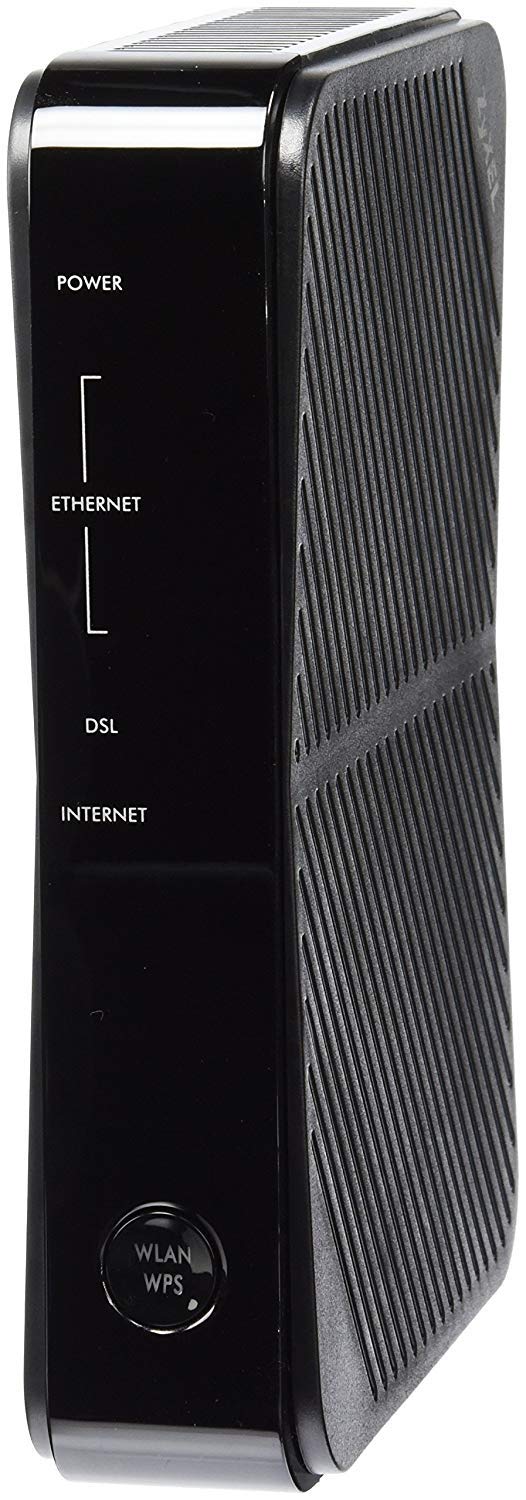
3. Zyxel ADSL 2+ Wireless N Gateway (P660HN-51)
A professional-grade gateway for tweakers who want deep control, not plug-and-play ease.
This one is for the tinkerer who wants deep control. It is the same class of modem that local phone companies use for their own service, and it has the advanced settings to show for it. Dual IPv6/IPv4 routing (supporting both internet protocols) lets you run multiple networks, an SPI firewall (stateful packet inspection, which tracks and blocks suspicious traffic) protects your home, and effective bandwidth management keeps IPTV and voice calls smooth even when other devices are hogging the connection.
For the buyer who is comfortable in a router admin page, owners mention this is a gem. It handles a 12 Mbps CenturyLink DSL line flawlessly with dual-stack IPv6 (running both IPv4 and IPv6) once you update the firmware. The stock firmware initially lacked IPv6 support, but Zyxel’s support team provided an update that enabled it — a sign of a maker willing to help, though you do have to ask. The sturdy feature set lets you shape traffic, set up a guest network, and lock down security the way you want, not the way a consumer app dictates.
The flip side is that this sophistication comes at the cost of approachability. Setup is a genuine project, not a five-minute job. One owner described the instructions as “almost useless,” with online support “even less helpful,” and another spent hours unable to log into their ISP after the DSL sync. There is a real risk it is incompatible with certain CenturyLink setups, requiring frequent factory resets. If you are not comfortable with manual configuration and ISP jargon like VPI/VCI, this gateway will frustrate you rather than serve you.
Built for the enthusiast: Deep configuration options and a sturdy SPI firewall (stateful packet inspection) give you total control over your network.
Not for the impatient: setup is time-consuming and the learning curve is steep — a poor first router for a networking novice.
4. Netgear N300 Wireless ADSL2+ Modem Router (DGN2200)

A dependable single-band workhorse that just works for everyday browsing and streaming.
This is the no-drama pick for people who just want their internet to work. It pairs an ADSL2+ modem with a Wireless-N router that delivers 300 Mbps on the 2.4 GHz band, covering 100-150 square meters (about 1076 to 1615 square feet) indoors. That is enough for a typical home. Owners consistently report it works reliably for a year or more, with one noting it ran flawlessly for about a year with a USB drive plugged in. The WPS button lets you connect devices without typing in a long password, which owners say is genuinely easy.
ReadySHARE gives you fast shared access to an external USB storage drive plugged into the port, turning any flash drive into a mini network drive. Live Parental Controls let you filter what your kids can reach, and separate guest network access keeps visitors off your main devices. Automatic Quality of Service (QoS) prioritizes voice and gaming traffic so a big download does not wreck your video call.
The weak spot is the same one that shows up across many budget ADSL routers: the LAN ports are standard 100 Mbps Fast Ethernet, not Gigabit. If you plug in a desktop PC or a NAS, you will be capped at 100 Mbps for wired transfers. There are also scattered reports of units with internal antennas arriving without the pictured external ones, and a few owners hit frustrating setup hurdles that support could not resolve. For a simple home with Wi-Fi-only devices, it is a solid, affordable choice; for power users with wired demands, the port speed will disappoint.
Why It’s a Safe Bet
- QoS keeps voice and gaming smooth during heavy downloads
- ReadySHARE turns a USB drive into shared network storage
- Guest network access adds a layer of home security
Known Limits
- LAN ports cap at 100 Mbps, bottlenecking wired transfers
- Setup gets mixed feedback — easy for some, impossible for others
Who it suits: casual households on a budget who connect phones, tablets, and laptops over Wi-Fi and never touch wired networking.
Who it doesn’t: anyone with a NAS or desktop demanding Gigabit wired speed.
5. TP-Link AC1200 Wireless VDSL/ADSL Modem Router
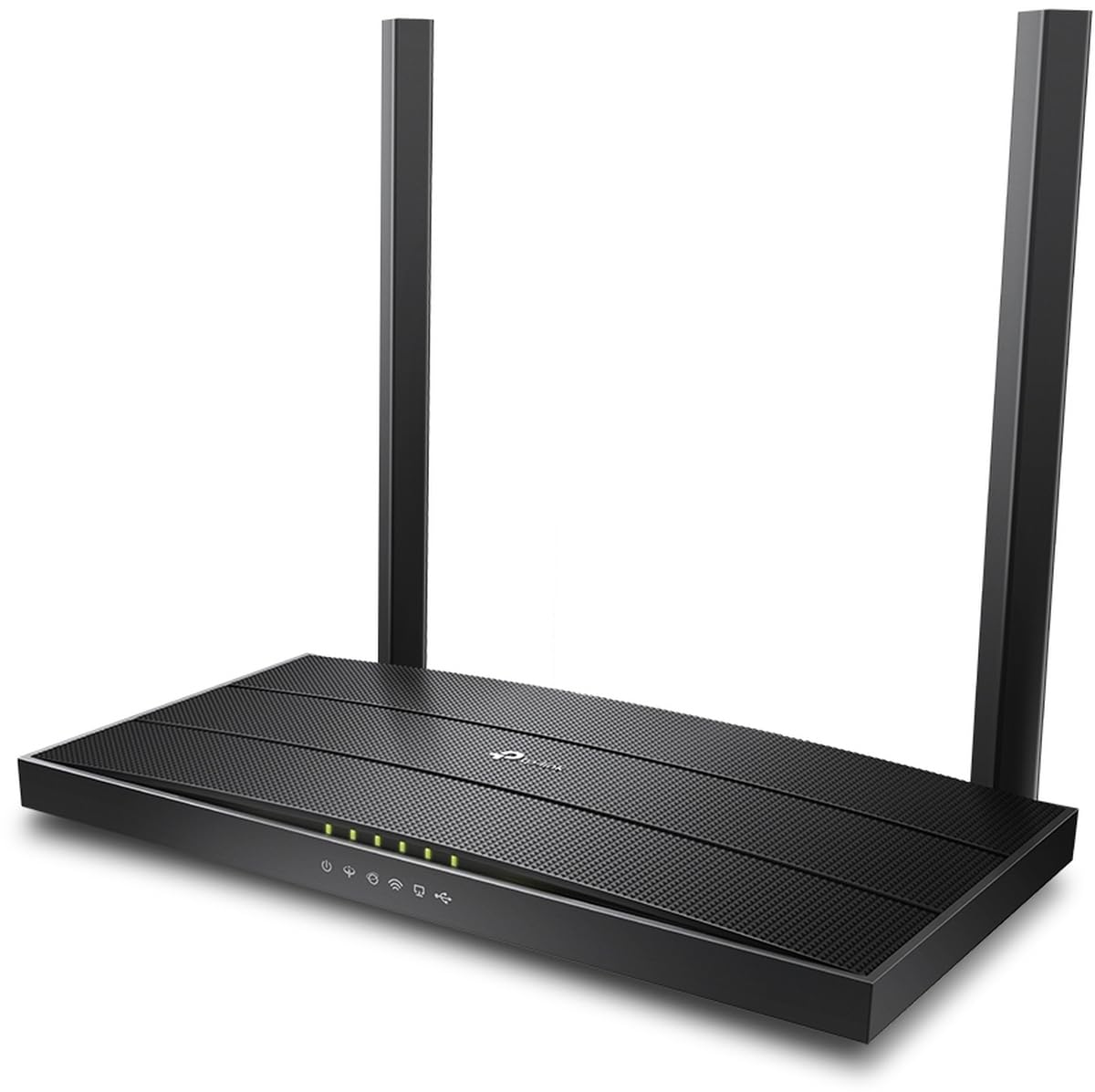
An AC1200 speedster that keeps flaky DSL lines locked on with app-based control.
When your ISP router keeps dropping the connection every few minutes, this is the upgrade that ends the madness. A UK-based owner on the Orange network reported their old provider router constantly dropped the line, while this one “utrzymuje cały czas stabilne połączenie” — maintains a perfectly stable connection the whole time. That stability is the whole point. It is a proper dual-band unit with a combined data rate of 1167 Mbps (300 Mbps on 2.4 GHz plus 867 Mbps on 5 GHz), and it handles both VDSL and ADSL standards.
The big differentiator here is app control. Owners bought two of these specifically for the remote management, and they praise how it auto-switches between the 2.4 GHz and 5 GHz bands under load — so your phone hops to the faster band when you start a big download, without you lifting a finger. The phone-based setup is fast and painless, a big step up from the browser-configuration slog of older units. The 5 GHz band is notably stable for modern devices, even if its raw signal power is modest.
The honest limitation, repeated across several owner experiences, is Wi-Fi range. Even though this is an AC1200 class router, customers note the range is not as long as expected, with one having to buy an extender for the upstairs before coverage was acceptable. Another owner called the 5 GHz signal power weak. If your home is compact and the router sits centrally, you will love the stability and speed. If you have a sprawling house, budget for a range extender or mesh satellite alongside it.
Stability first: it holds a flaky DSL line better than most and auto-switches bands for always-optimal speed.
The honest gap: physical range is modest for an AC1200 unit — plan for an extender in larger homes.
6. ASUS DSL-N10 150Mbps ADSL Wireless Modem Router
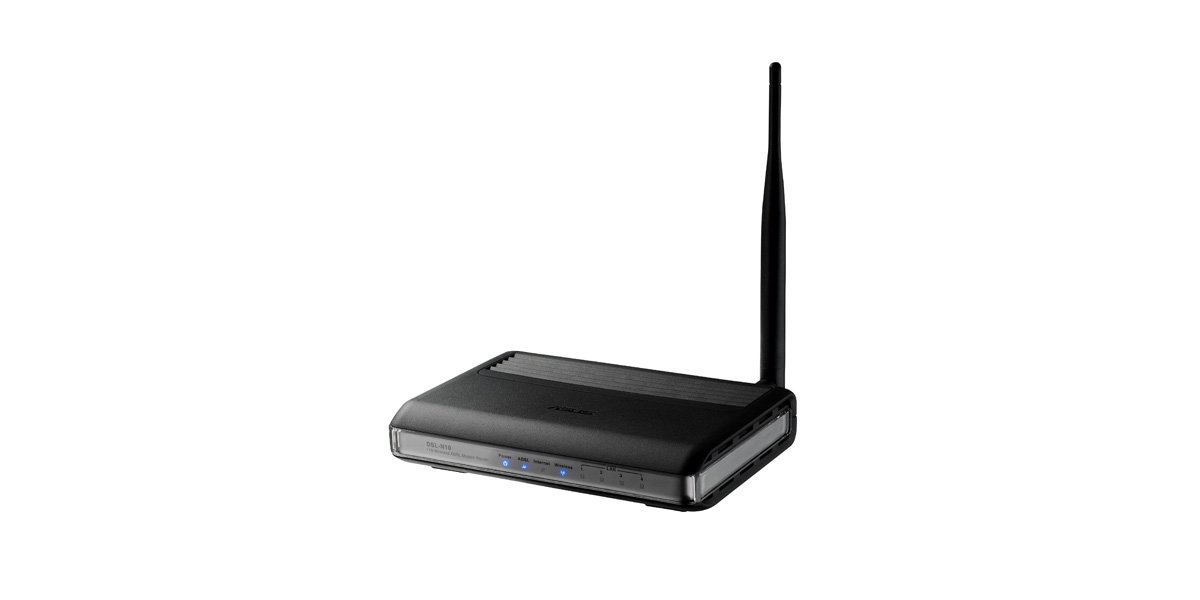
A featherweight 9.6-ounce box that replaces the ISP rental for a fraction of the cost.
If your DSL plan is modest and you want to stop paying a monthly rental fee, this tiny ASUS is the cheapest possible escape hatch. It weighs just 9.6 ounces — the lightest unit in this lineup by far, easily half the weight of most rivals — and it delivers everything a basic copper line needs. The 150 Mbps data rate on 2.4 GHz is more than enough for a typical 10-25 Mbps DSL connection. Setup is genuinely easy: the Plug-n-Surf installation runs from a CD, and reviewers point out getting it installed in about five minutes once they had the right ISP password.
What surprises people is the feature set hidden in such a small, budget box. The 5dBi detachable antenna gives you the option to swap in a bigger one if you need a stronger signal. There is a wireless on/off button on the side, so you can kill the radio when you leave for vacation without unplugging the whole unit. Multiple SSID support lets you broadcast a separate guest network, and the graphic-oriented interface is friendlier than the dense text menus on prosumer gear.
This is aging technology, and its age shows in the firmware and performance. The firmware appears frozen in time, with one owner noting its code looks outdated. Reviews of reliability are genuinely mixed: some units chug along for years — one owner reported a solid 3.5 years before it finally died — while others fail to connect or need weekly reboots as they age. One frustrated owner traced sluggish speeds back to this router and found their old Qwest router tripled the transfer rate. It is an excellent value when it works, but longevity feels like a lottery.
Budget exit strategy: the cheapest way to cancel the ISP rental, easy enough for a five-minute self-install.
The gamble: aging firmware and mixed long-term reliability mean it is best treated as a low-stakes stopgap.
7. CenturyLink Prism TV Technicolor C2100T

A plug-and-play dual-band gateway that doubles wireless speed on CenturyLink VDSL2 lines.
For CenturyLink subscribers, this is the set-and-forget upgrade. It is explicitly built for CenturyLink VDSL2 and ADSL2+ services, and shoppers say it doubles both their wireless and wired speeds compared to older ISP gear. One owner replacing a satellite setup called it “a snap to set up,” and another on a CenturyLink line praised the fast, reliable, smooth connection. Strong 2.4 GHz and 5 GHz signals mean even a modest 3 Mbps plan streams without hiccups. The side-mounted Wi-Fi passcode makes connecting new devices easy.
The dual-band radio is the star here. It pushes 300 Mbps on the 5 GHz band and runs both bands at the same time, so you can put modern phones and laptops on the fast 5 GHz lane while older smart-home gadgets stay on 2.4 GHz without slowing each other down. The four auto-sensing Gigabit LAN ports (1,000 Mbps each) give your wired devices full speed. It is a tall, substantial unit at 2 pounds, so it needs a clear shelf, but that footprint houses serious hardware.
The catch, reported across numerous owners, is long-term reliability. Several units that worked beautifully for months started dropping the DSL connection, with one failing entirely after just three months and another dropping connections repeatedly by November of its first year. One owner framed it bluntly: “Good choice — poor long term reliability.” It also only works with CenturyLink (it is not compatible with fiber connections or AT&T), so it is a locked-in purchase. When it works, it is excellent; the risk is whether it keeps working.
What It Does Best
- Snap setup with strong 2.4/5 GHz signal quality
- Doubles wireless and wired speeds on CenturyLink
- Four Gigabit LAN ports for fast wired devices
What to Watch
- Long-term reliability is the most-discussed concern — drops reported after months
- Locked to CenturyLink; no fiber or AT&T support
Perfect for: CenturyLink households who want instant dual-band speed and an easy self-install with no tech visits.
Think twice if: you need a router that outlasts a couple of years or might switch away from CenturyLink.
8. Netgear N600 Wireless Dual Band Gigabit ADSL2+ Modem Router (DGND3700)
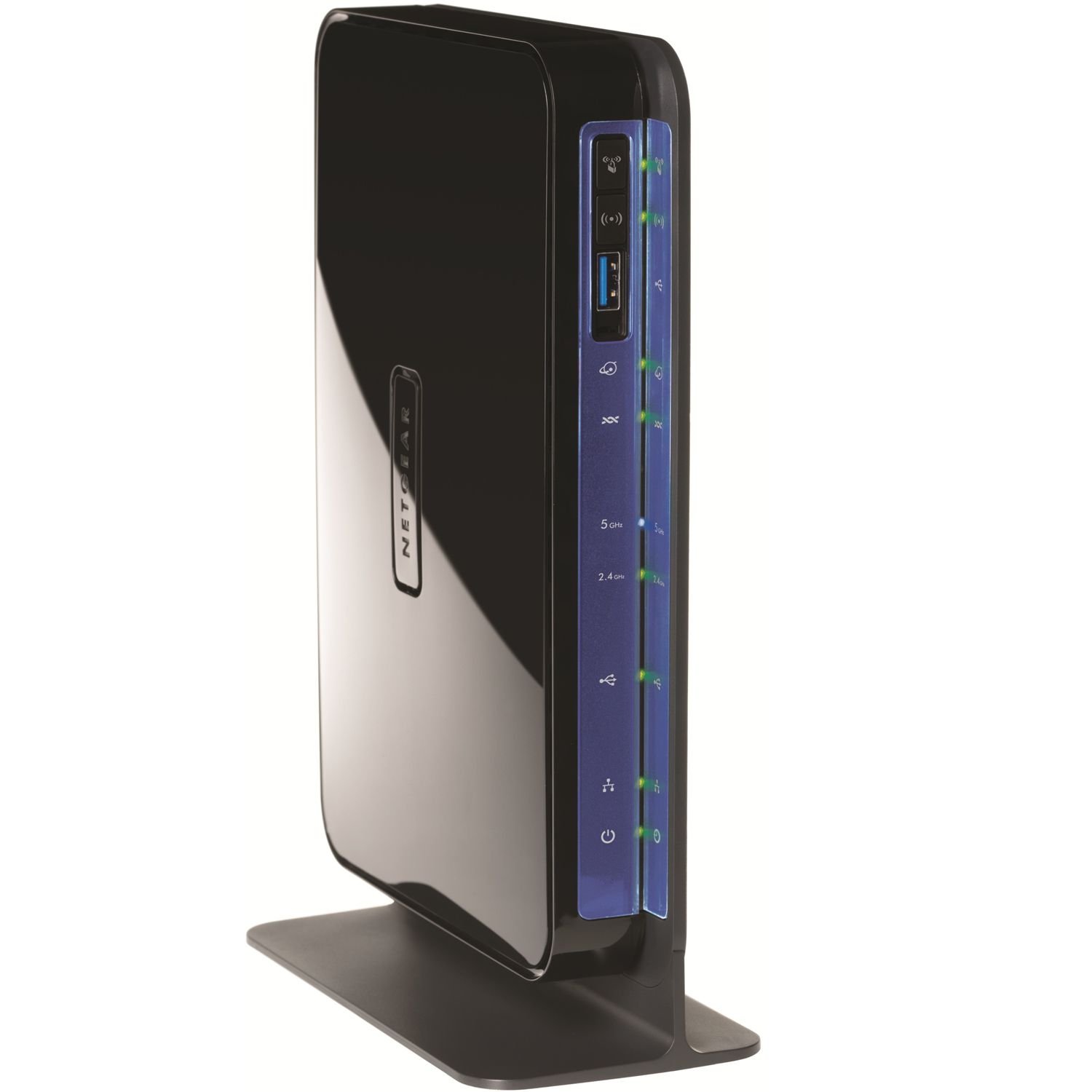
The simultaneous dual-band flag bearer for homes where four heavy users share one DSL line.
This is the router for a busy household where multiple people game, stream Netflix, and download at the same time. Its defining trick is true simultaneous dual-band operation: it broadcasts 300 Mbps on 2.4 GHz and another 300 Mbps on 5 GHz at the same time, so you can split your devices across two clean lanes instead of cramming everyone onto one congested channel. Owners running four heavy users — two PCs, Netflix, and gaming — on a 6 Mbps AT&T DSL line report it handles the load without drama.
The features go deep. Gigabit wired ports mean your desktop and NAS run at full speed. Two USB ports bring ReadySHARE storage and printer sharing to the network. The built-in media server, QoS, VPN support, and port forwarding make it a genuine all-in-one for the enthusiast. One owner saw their ping drop from 25-35 ms down to 10-15 ms, while another measured a strong 52.5 megabits per second on the 2.4 GHz band. Range improved from three bars to five, even reaching the backyard, with zero disconnects over three months.
Setup is the main friction point—this is not plug-and-play. The modem requires manual ISP configuration, including multiplexing, VPI/VCI values, and DSL mode, which trips up less technical owners. The reviews also show a split personality: this is one of the highest-rated all-in-one DSL gateways for functionality and speed, yet a minority had units fail with wireless cameras, suffering frequent drops and poor connections. One owner on higher-speed dual-line CenturyLink found it incompatible and had to return it. Skilled users will love it; novices may struggle.
The heavy lifter: simultaneous dual-band and Gigabit ports shine under multi-user, multi-device loads.
Know before you buy: manual ISP settings are required and compatibility on higher-speed lines is not guaranteed.
9. CenturyLink C4000BG Bonded Line Wi-Fi DSL Router

The Wi-Fi 6 speed demon that blankets a 2000-square-foot home with no dead spots.
If your DSL line is fast and your home is large, this is the premium answer to weak signal complaints. It is the only unit here with Wi-Fi 6 support and WPA3 security, pushing a theoretical 2400 Mbps on the 5 GHz band. That enormous Wi-Fi capacity is designed for whole-home coverage with a single network name (SSID) that your devices automatically roam across. An owner with a 2000-square-foot, two-story home reported flawless coverage with no dead spots and a strong signal even 50 feet outdoors. The quality build and easy setup are exactly what owners praise most.
The speed math is genuinely impressive. It supports 160 MHz channels, which double the speeds offered by 80 MHz channels for compatible laptops and phones. The 1024-QAM modulation increases data rate by 38% compared to older 256-QAM 802.11ac gear. Combined, this delivers gigabit-class Wi-Fi to modern devices — a 2-3x real-world speed increase over older CenturyLink routers, according to owners. It handles a high device load without drops, and you can disable the 5 GHz band if a stubborn 2.4 GHz-only device needs help connecting.
The watch-out is that this router is picky about its environment. One owner who swapped it in for a Zyxel C3000Z saw the DSL line status read “Marginal” instead of “Good,” with the downstream SNR (signal-to-noise ratio) dropping from 15.1 dB to 9.1 dB — a sign the router was more sensitive to line noise — and ended up returning it. Reliability gets mixed feedback overall, and opinions split on whether the price is justified. If your line is clean and you want the fastest, widest Wi-Fi a DSL gateway can offer, it is a stellar pick; if your copper line is marginal, it may expose problems other routers ignore.
The Big Wins
- Wi-Fi 6 and WPA3 for the fastest, most secure wireless
- 160 MHz channel support doubles speeds for modern devices
- Impressively wide coverage across 2000 square feet plus
The Risks
- More sensitive to marginal line quality — SNR can read low
- Mixed reliability feedback and value-for-money opinions
Go for it if: you have a solid CenturyLink connection and want the fastest, widest Wi-Fi coverage available for a DSL line.
Pass if: your line quality is already borderline — this router may expose weaknesses others hide.
Understanding the Specs
ADSL2+ vs VDSL2
What wins people over is knowing which standard your line uses. ADSL2+ is the most common copper standard and tops out around 24 Mbps. VDSL2 is the faster newer standard, often reaching 100 Mbps, and it is what many ISPs now use. A router that supports only ADSL2+ will not sync properly on a VDSL2 line, so check your plan before buying. If a router says VDSL2, it almost always also handles ADSL2+, giving you future-proofing.
Vectoring and G.INP
These two technologies quietly save an unstable connection. Vectoring cancels out crosstalk between copper pairs in your street, and G.INP adds impulse noise protection that retransmits corrupted packets. Together, they keep video calls and streaming smooth even on a noisy line. If your internet has ever cut out during a storm, a router with these features is worth the extra money.
FAQ
Will any ADSL router work with my CenturyLink connection?
What is the difference between ADSL and VDSL2 routers?
Why is my new router slower than my old ISP router?
Can I use a dual-band 5 GHz router with my old DSL line?
How long do ADSL modem routers typically last?
Is a router with gigabit LAN ports worth the extra money for DSL?
Why does my modem keep dropping the DSL connection?
Can I use an ADSL router for fiber or cable internet?
Do I need a separate modem if I buy a router with ADSL built in?
What does WPS mean and should I use it to connect devices?
Final Thoughts: The Verdict
For most buyers, the clear winner in the adsl router space is the TP-Link Archer VR400, because it combines fast 867 Mbps dual-band Wi-Fi with broad compatibility across DSL, fiber, and cable — and it is the crowd favorite that rarely needs rebooting. If your budget is tight and you are on CenturyLink, the Technicolor C1100T delivers rare all-Gigabit wired ports at a bargain price, making it a smart value pick. And for the large home with a fast DSL line, the CenturyLink C4000BG with Wi-Fi 6 and 2400 Mbps speeds is the premium choice that eliminates dead spots entirely.
How We Picked
We do not accept paid placement. Every pick is matched to a real buyer and a real use-case; we do not hands-on test units.
Sources & Methodology
Specifications: manufacturer listings and product documentation. Review insights: verified customer reviews, as of September 2026. Pricing: not shown on this page (it changes often); check the current price via the retailer link.
As an Amazon Associate, Gadgets Feed earns from qualifying purchases. This does not affect which products we feature.