
Our readers keep the lights on and my morning glass full of iced black tea. As an Amazon Associate, I earn from qualifying purchases.
Specs are compiled from manufacturer listings and verified buyer reviews and can change over time — please confirm the key details on the product page before buying.
The biggest trap in 3D scanning isn’t the hardware — it’s the assumption that you must spend a fortune to get usable results. A sub- scanner that hits 0.1mm accuracy is no longer a fantasy, and that’s exactly what this guide is built around. We’re cutting through the marketing to find the models that actually capture clean geometry, handle dark or shiny surfaces, and play nice with your PC.
I’m Min — the founder and writer behind Gadgets Feed. This guide is built by comparing the manufacturers’ published specifications and the patterns across verified customer reviews, so you get each pick’s real strengths and trade-offs instead of marketing spin.
You’ll see how scan speed, light source, and minimum system requirements decide whether a budget unit feels like a bargain or a brick.
Quick Picks
- Creality CR-Scan Ferret — Best Overall
- 3DMakerpro Seal Lite — Detail King
- 3DMakerpro Moose Lite — Mid-Format Pick
- Revopoint POP3 Plus — Easiest to Use
- Revopoint INSPIRE 2 — Outdoor Pick
- Creality Raptor — Pro Precision
How To Choose The Best Affordable 3D Scanner
Picking a budget scanner means knowing which spec actually limits you. The headline accuracy number is tempting, but a scanner that demands a workstation is not affordable in practice. Start with the light source, then the frame rate, then the PC requirements.
Match the light source to your objects
Blue LED and NIR (near-infrared) structured light are common in this price tier. Blue LED uses a shorter wavelength — 400–500nm — to project finer patterns, which helps it catch tiny details. NIR tends to handle larger objects but can struggle with black surfaces. If you mostly scan toys, mechanical parts, or small figurines, a blue or multi-line laser unit is far more forgiving than a basic NIR one.
Quick Comparison
| Model | Best For | Accuracy | Scan Speed | Light Source | Amazon |
|---|---|---|---|---|---|
| Creality CR-Scan Ferret | Fast, full-color handheld scans | 0.1 mm | 30 FPS | Structured Light | Amazon |
| 3DMakerpro Seal Lite | Tiny objects with fine detail | 0.02 mm | 10 FPS | Blue LED | Amazon |
| 3DMakerpro Moose Lite | Medium-format parts & props | 0.05 mm | 10 FPS | NIR Light | Amazon |
| Revopoint POP3 Plus | Full-color, user-friendly scans | 0.04 mm | 18 FPS | Structured Light | Amazon |
| Revopoint INSPIRE 2 | Outdoor & wireless scanning | 0.03 mm | — | Multi-line Laser | Amazon |
| Creality Raptor | Metrology-grade precision work | 0.02 mm | 60 FPS | Blue 7-line Laser | Amazon |
In‑Depth Reviews
1. Creality CR-Scan Ferret

The price-to-power king that captures full-color geometry at triple the speed of its closest rival.
What makes this the top pick is the blend of speed and detail you rarely see together at this level. It captures point clouds at up to 30 FPS (frames per second — how many snapshots it takes each second), which is three times faster than the 10 FPS on the Seal Lite. That speed translates to smoother hand-held sweeps and fewer dropped frames as you move around an object.
The accuracy story is just as strong. It delivers up to 0.1 mm precision with a 0.16 mm resolution, and the built-in high-resolution RGB camera grabs full-color textures so your model keeps its real look. Unlike the Seal Lite’s 0.02mm spec, the Ferret is 5.0x less precise on paper, but for printing props, cosplay parts, or hobby models, that difference rarely matters in the final print.
Buyers report the real catch plainly: “Works very good for the price but you need to have a really good computer for it to work the best that it can if your computer is slow it will just take longer scanning.” It runs on Windows 10/11 with an i5 8th Gen or better and 8GB RAM, so a mid-range laptop from the last few years is the floor. It also sips power — a 5V power bank can run it in the field, which is rare in this category.
What wins people over
- 30 FPS scanning speed makes hand-held use feel fluid
- Full-color textures captured by built-in RGB camera
- Runs off a 5V power bank for on-the-go work
- ASIC chip delivers up to 60 FPS image processing
Where it asks for patience
- Demands an 8th-gen i5 or newer — slow PCs make scans painfully slow
- Some owners found it tough to lock onto complex objects like drones
Grab it for: full-color hobby scans where speed and 0.1mm accuracy beat chasing the finest hairline detail.
Think twice if: your computer is older than an 8th-gen i5 — the bottleneck will be your PC, not the scanner.
2. 3DMakerpro Seal Lite
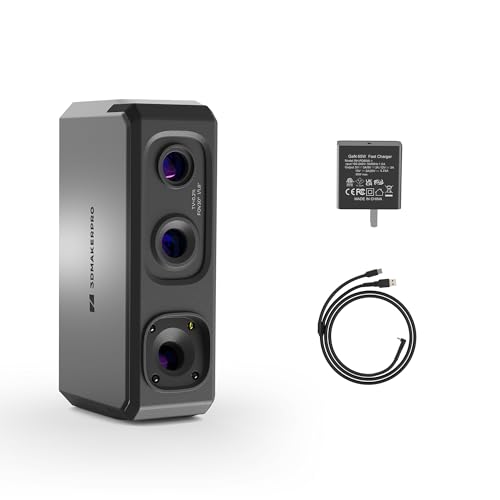
The precision specialist for tiny parts, trading speed for a 0.02mm finish that captures micro-dents.
If your world is small objects — jewelry, gears, miniatures — this is the scanner that wins on pure accuracy. The blue LED light source (a 400–500nm wavelength) projects finer structured light to hit up to 0.02mm accuracy, which is 5.0x tighter than the Ferret’s 0.1mm. That’s the difference between a printable replica and a lumpy approximation when you’re working with parts under a few centimeters.
The trade-off is speed: it captures at 10fps, a third of the Ferret’s 30 FPS. That makes hand-held sweeps slower and more deliberate. Owners describe it as having a “tricky learning curve” but note that once you master the technique, it produces “great quality scans.” It’s built for small-format work (objects 10 to 300mm) with a recommended working distance of 180–280mm.
The honest limits are real. It captures mono (single-color) texture only, not full color, and several owners mention it “failed on hair, black objects, and tiny items” — the review pages sum it up as a device that meets its accuracy claims but demands the right object and lighting. At 1.54 pounds and 2.36 x 1.38 x 4.33 inches, it’s the lighter, more compact sibling to the Moose Lite.
Precision first: the 0.02mm accuracy is the class leader here, but you pay for it with a 10fps scan rate and mono-only textures.
The honesty check: this is for patient users who scan small, matte objects — not for dark, shiny, or hair-covered items.
3. 3DMakerpro Moose Lite
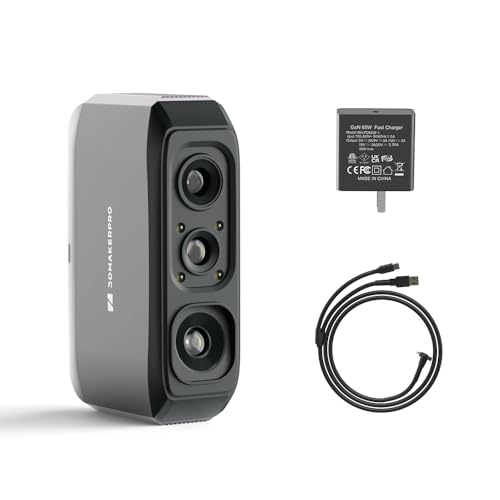
The medium-format workhorse that reaches bigger objects, stretching from 15mm up to a 1500mm range.
This is the scanner you pick when your objects are too big for the Seal Lite’s 300mm limit. The Moose Lite handles anything from 15mm to 1500mm, which covers everything from a soda can to a car bumper. It uses an NIR (near-infrared) light source with 0.05mm accuracy and 0.1mm resolution — that resolution is a 60% tighter finish than the Ferret’s 0.16mm.
At 1.72 pounds, it’s 12% heavier than the Seal Lite’s 1.54 pounds, and its 2.76 x 1.38 x 4.33-inch frame is 17% larger. That extra heft gives it a more substantial grip for longer sweeps, though owners note the grip is “slippery” and suggest a tripod for steady passes. The mono texture capture and 10fps frame rate mirror the Seal Lite, so this is still a patient, technique-driven tool.
The feedback is genuinely split. Some owners call it “precise and efficient” with a fast mono-texture mode and intuitive alignment software. Others had a rougher go — one detailed a whole day spent scanning a single glass that “still came out all wrong,” and a few flagged that the software “needs overhaul/refining.” The recurring theme is that dark objects frustrate it, so budget for scanning spray if your parts are black.
Where it stretches
- 0.05mm accuracy with fast mono-texture capture
- Anti-glare coating cuts reflections on tricky surfaces
- 15mm to 1500mm range covers medium to large parts
Where it strains
- Cannot “see” dark objects without preparation
- Slippery grip makes a tripod nearly essential
Reach for it: medium-format parts and props where the 0.05mm accuracy is enough for a clean base mesh.
Look elsewhere if: you scan black or dark objects daily — this unit will test your patience.
4. Revopoint POP3 Plus

The friendliest gateway into full-color scanning, with a 0.04mm spec and a 190g featherlight body.
Revopoint built its reputation on making scanning approachable, and the POP3 Plus is the payoff. The free Revo Scan software is genuinely intuitive, with in-depth tutorials that walk you through your first capture. It scans medium objects from 20 x 20 x 20 mm up to 2 x 2 x 2 m, which covers most hobby, prop, and product-design needs. The optical zoom (1.5x and 2x magnification) pulls 30% more point cloud detail from small surfaces.
The hardware stays out of your way. At 190g — comfortably lighter than the 372g Raptor — it’s the sort of scanner you can hold for a full session without fatigue. The 9-axis IMU (inertial measurement unit — a sensor that detects tilt and motion) stabilizes the scan to prevent jitter, and the 18 FPS speed is a solid middle ground between the Ferret’s 30 FPS and the Makepro’s 10fps. Class 1 infrared light means it’s safe for scanning skin, and the HD RGB camera with Flash LED captures lifelike color.
The consensus is that scan quality wins people over, though reliability gets mixed feedback — some report clean captures while others struggled to get good scans on the first try. One detailed owner journey sums it up: initial frustration with dead cables and subpar scans on an M1 MacBook Air, then full satisfaction after Revopoint shipped replacements and the interface clicked. There is a learning curve, but the software’s marker tracking mode helps.
Best for beginners: the free Revo Scan software with tutorials removes the biggest barrier to entry in this category.
Expect a warm-up: some customers note a steeper learning curve before scans come out clean — stick with it.
5. Revopoint INSPIRE 2
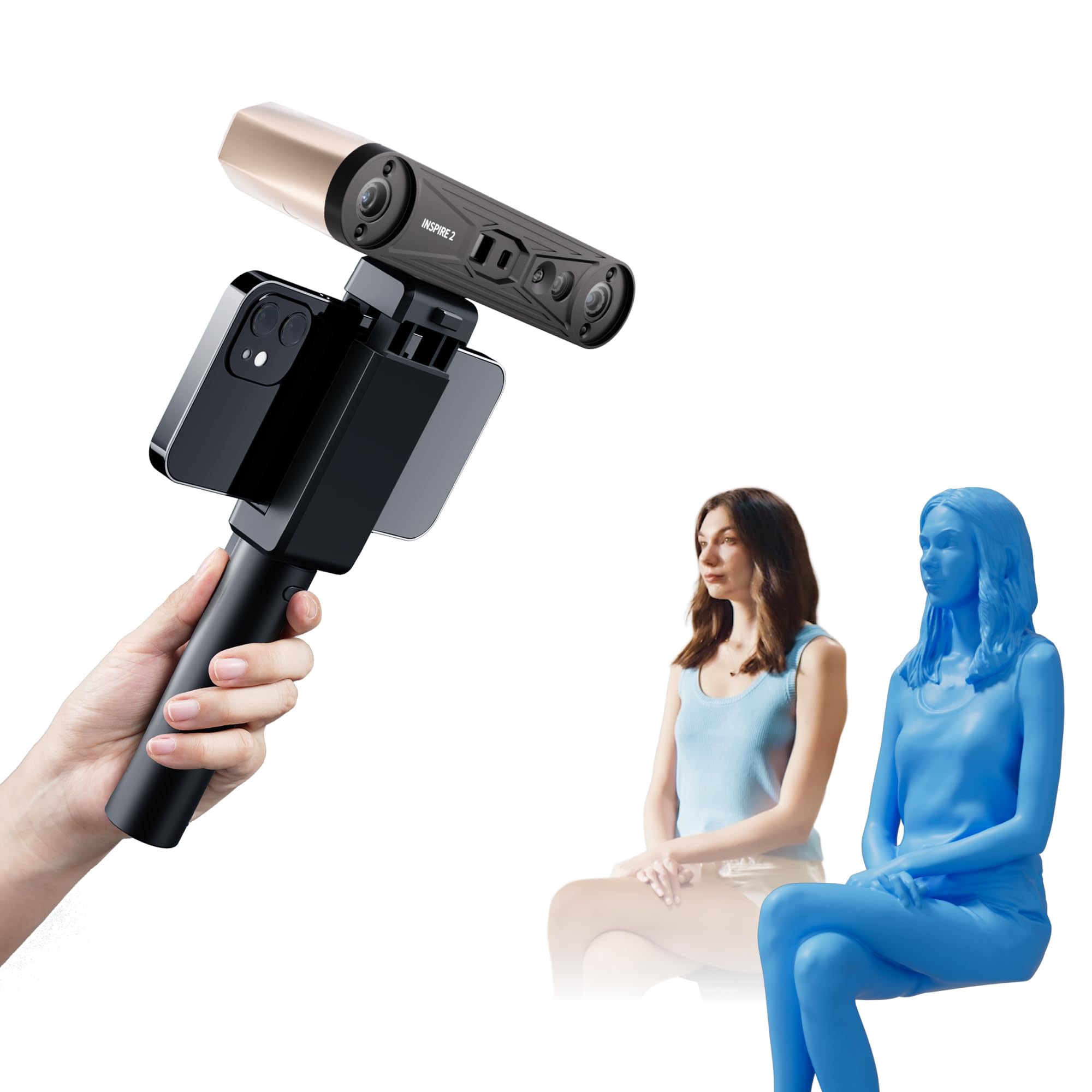
The wireless wanderer that chases 0.03mm precision outdoors, with 11 infrared laser lines beating spray.
This is the scanner for people who refuse to be tied to a desk. Built-in Wi-Fi 6 enables wireless mobile scanning or real-time streaming from your PC to your phone, so you can maneuver around an object without cable drag. It handles outdoor conditions up to 20,000 lux lighting — bright shade or semi-sun — which no other unit in this list dares to promise.
The precision story is strong: up to 0.05mm accuracy and 0.03mm precision, with a high-precision calibration board that boosts point cloud accuracy by 75%. Its 11 infrared laser lines capture reflective or dark surfaces without scanning spray, a genuine convenience that skips the messy prep step. The aerospace-grade aluminum alloy front panel keeps it durable at just 190g.
The verdict is a tale of two experiences. Owners praise it as a “wonderful little scanner” with “excellent accuracy,” especially given the “great value” versus scanners costing roughly twice as much. But reliability draws the sharpest complaints — app crashes, USB disconnects, and a steep learning curve that left some with “no usable scans in 2 months.” The calibration sticky dots also drew fire: “the sticky dots for calibration suck and don’t stay stuck but otherwise it is very detailed and easy to use.”
Why it stands out
- 11 infrared laser lines scan dark surfaces without spray
- Wi-Fi 6 wireless streaming breaks the cable tether
- 0.03mm precision with 190g lightweight body
Why it frustrates
- Software crashes and USB disconnects are recurring themes
- Calibration dots don’t stay stuck
Choose it for: outdoor site work or big-object scans where wireless freedom and no-spray capture matter.
skip it if: you want a plug-and-play tool — the software quirks demand a tolerant early adopter.
6. Creality Raptor

The metrology-grade monster that hits 0.02mm with a blue 7-line laser — the ceiling of this list.
This is the scanner you graduate to. The Raptor pairs a blue parallel 7-line laser with a 2.3-megapixel camera to hit a maximum precision of 0.02mm, matching the Seal Lite’s finest spec but at a 60fps scan rate — six times faster. The all-glass lenses with a large depth of field scan objects from 5mm to 2000mm, a range that swallows everything else on this list.
It’s a hybrid, combining blue laser for high-precision, marker-assisted work with infrared structured light for marker-free scanning of faces and bodies. It handles black and metal objects directly with low dependence on powder spraying, and 12 white LED supplemental lights capture full-color texture. At 372g, it’s noticeably heavier than the 190g Revopoint units, but the tune grip and mechanical buttons are built for longer sessions.
Owners who pair it with a Creality K2 Plus printer report “high fidelity” scans of sub-2mm objects that merge cleanly in software. The recurring advice: it’s “sensitive to equal distance” — you must keep a steady hand at the right range. The main friction is system demands: it wants an i7-Gen7 CPU, an Nvidia GPU with 6GB VRAM, and 16GB of RAM. The reviews are polarized — “incredible quality for the price” sits alongside one owner who lost tracking frequently and returned it.
The pro arsenal
- Blue laser + NIR hybrid handles black and metal objects
- 0.02mm accuracy at a blazing 60fps capture rate
- Scans from 5mm to 2000mm — the widest range here
The pro burden
- Demands a serious PC — i7, 16GB RAM, Nvidia 6GB VRAM
- Some reviewers point out tracking loss and USB disconnects
The standout spec mic-drop: 0.02mm precision at 60fps is the fastest, most accurate combo in this lineup — worth it for serious reverse engineering.
The single caveat: that accuracy only shines on a PC that can keep up, so factor in the hardware cost.
Understanding the Specs
Accuracy (mm) vs Resolution (mm)
Accuracy is how close the scanned model matches the real object’s true size — the “truth” of the measurement. Resolution is how finely the scanner samples that surface, or how much fine detail it can distinguish. A 0.02mm accuracy scanner (like the Seal Lite) is dimensionally truer, while a 0.16mm resolution (like the Ferret) might still miss small texture. For printing parts that must fit together, accuracy matters most; for capturing sculpted detail, resolution does.
Light Source & Frame Rate (FPS)
Blue LED (400–500nm) projects finer patterns for tighter detail but often at slower speeds. NIR (near-infrared) handles larger objects and faces but struggles with black surfaces. Multi-line laser (like the Raptor’s 7-line blue) combines speed and precision. Frame rate — measured in FPS — tells you how many snapshots per second the scanner takes; more FPS means smoother hand-held sweeps and fewer dropped frames. The Ferret’s 30 FPS is triple the 10fps of the 3DMakerpro units.
FAQ
Can an affordable 3D scanner handle dark or black objects?
What computer do I need for these 3D scanners?
What is the difference between full-color and mono texture scanning?
Which scanner is best for scanning the human face or body?
How small of an object can these scanners capture?
Do these scanners work with a phone, or only a computer?
What file formats do budget 3D scanners export?
How long does it take to learn to use an affordable 3D scanner?
Are these scanners good for 3D printing either spare parts or props?
Do I need a turntable or scanning spray?
Final Thoughts: The Verdict
For most buyers, the affordable 3d scanner winner is the Creality CR-Scan Ferret because it delivers full-color scans at 30 FPS with 0.1mm accuracy for a price that undercuts everything with similar speed. If you want the finest detail possible for tiny mechanical parts, grab the 3DMakerpro Seal Lite and its 0.02mm precision. And for outdoor or wireless scanning where no-spray capture is a must, the Revopoint INSPIRE 2 is the one to reach for.
How We Picked
We do not accept paid placement. Every pick is matched to a real buyer and a real use-case; we do not hands-on test units.
Sources & Methodology
Specifications: manufacturer listings and product documentation. Review insights: verified customer reviews, as of August 2026. Pricing: not shown on this page (it changes often); check the current price via the retailer link.
As an Amazon Associate, Gadgets Feed earns from qualifying purchases. This does not affect which products we feature.