
An all-in-one PC is the single best way to reclaim your desk from the tangle of a tower, monitor cables, and a separate power brick. The catch? Most affordable options skimp on RAM, storage, or processor wattage — forcing you back to a traditional desktop within a year. This guide separates the few genuinely capable budget-friendly all-in-ones from the compromised clutter.
I’m Min — the co-founder and writer behind Gadgets Feed. I have spent hundreds of hours researching the technical specifications of consumer desktops, cross-referencing processor benchmarks, memory bandwidth, storage interfaces, and real-world thermal performance to identify which Affordable All-In-One PCs actually deliver on their spec sheets.
Whether you are outfitting a home office, setting up a student workstation, or buying for an elderly relative who needs simplicity without sluggish performance, this guide dissects the eleven most compelling affordable all-in-one pcs on the market today, ranked by real-world value rather than sticker price.
How To Choose The Best Affordable All-In-One PC
Buying an all-in-one PC on a budget forces you to prioritize ruthlessly. The chassis is sealed tighter than a traditional desktop — what you buy is largely what you are stuck with for years. Understanding which trade-offs actually matter is the difference between a machine that feels fast on day one and one that still feels fast three years later.
Processor Generation Matters More Than Core Count
The biggest trap in budget all-in-one PCs is equating “Intel Core i7” with high performance. An older-generation i7 from seven years ago loses to a modern N100 in single-threaded tasks. Look for the generation number — a 13th Gen Intel Core or an AMD Ryzen 7000-series processor will trounce any bargain-bin i5 from three generations back, even if the core count looks lower on paper.
RAM Type and Storage Interface Determine Real-World Speed
DDR5 RAM is not just a marketing bullet — it offers significantly higher bandwidth that helps integrated graphics share system memory more efficiently. Pair that with a PCIe NVMe SSD (not a SATA SSD or, worse, an eMMC drive) for boot times under ten seconds and app launches that feel instantaneous. A model with 8GB DDR4 and a SATA SSD will feel sluggish within months, while 8GB DDR5 with a PCIe drive will stay responsive far longer.
Display Quality and Connectivity Are Non-Negotiable
An affordable AIO with a dim, low-color-gamut panel will frustrate you daily. Aim for at least 250 nits brightness and an IPS panel for wide viewing angles. On the connectivity side, Wi-Fi 6 (or 6E) and Bluetooth 5.x ensure you are not bottlenecked by wireless peripherals or slow file transfers. A model with only USB 2.0 ports will make external storage painfully slow.
Quick Comparison
On smaller screens, swipe sideways to see the full table.
| Model | Category | Best For | Key Spec | Amazon |
|---|---|---|---|---|
| ASUS V470VA-MS504T | Premium | Touchscreen productivity | 1TB PCIe SSD | Amazon |
| HP 27-inch Touchscreen | Premium | Large touch workspace | 1TB PCIe SSD | Amazon |
| HP 24-cr0112 (2025) | Mid-Range | Balanced office work | Core i5-1334U | Amazon |
| HP 24-cr0032 (2024) | Mid-Range | Multi-tasking on Ryzen | Ryzen 7 7730U | Amazon |
| Lenovo ThinkCentre i5 | Mid-Range | 27-inch business display | 100Hz IPS panel | Amazon |
| Dell EC24250 | Mid-Range | Dell reliability | DDR5 RAM | Amazon |
| Acer Aspire C24 | Mid-Range | 120Hz screen clarity | 120Hz IPS display | Amazon |
| Lenovo IdeaCentre 24 | Mid-Range | Quiet office use | 16GB DDR4 RAM | Amazon |
| Lenovo IdeaCentre (N100) | Budget | Basic computing | 5MP webcam | Amazon |
| HP 22-inch (2025) | Budget | Entry-level simplicity | DDR5 RAM | Amazon |
| SAINTDISE 23.8 Touchscreen | Budget | Touchscreen on a budget | Core i7 (older) | Amazon |
In‑Depth Reviews
1. ASUS V470VA-MS504T

The ASUS V470VA-MS504T strikes an almost perfect balance between performance, storage capacity, and build quality at a mid-range price that undercuts most premium competitors. Its 27-inch Full HD anti-glare touchscreen is a tactile delight for navigating Windows 11 — the touch layer responds without the lag that plagues cheaper touch panels. The sheer 1TB PCIe SSD means you never have to play the “which files do I delete” game, and 16GB of DDR5 RAM ensures integrated graphics have sufficient bandwidth for light photo editing and 4K streaming.
Under the hood, the Intel Core i5-13420H processor is an 8-core chip with a 4.6 GHz turbo boost — the same silicon found in many premium laptops costing several hundred dollars more. In real-world terms, this machine chews through a dozen Chrome tabs, Spotify, Slack, and a video call simultaneously without stuttering. The Wi-Fi 6E and Bluetooth 5.3 wireless stack future-proofs your connectivity for years, and the 1080p camera with AI noise cancellation actually makes you look and sound professional on Zoom.
The bundled wired keyboard and mouse are functional but uninspiring — you will likely swap them for a wireless set within a week. The chassis is all-plastic, which is acceptable at this tier, and the stand offers no height adjustment. However, for a machine that combines a 27-inch touchscreen, a terabyte of storage, and DDR5 memory at this price point, the ASUS V470VA is the smartest dollar-for-dollar play in the entire category.
Why it’s great
- 1TB PCIe SSD eliminates storage anxiety entirely
- 27-inch touchscreen is fluid and responsive
- 16GB DDR5 RAM provides excellent bandwidth for integrated graphics
Good to know
- Plastic chassis feels less premium than metal alternatives
- Stand lacks height adjustment
2. HP 27-inch Touchscreen All-in-One

HP’s 27-inch touchscreen AIO is the largest display in this roundup, and it uses that real estate well — the anti-glare IPS panel with 99% sRGB coverage delivers color-accurate visuals that content creators and visual learners will appreciate. The AMD Ryzen 5 7520U processor is a modern 4-core, 8-thread chip that handles the full Microsoft Office suite, browser-based work, and light multitasking with quiet composure. The 16GB of LPDDR5-5500 RAM is soldered onboard, meaning you cannot upgrade later, but 16GB is sufficient for most users over a five-year lifespan.
The 1TB PCIe NVMe SSD matches the ASUS in raw capacity, giving you room for thousands of photos, documents, and a few games. The wireless keyboard and mouse included in the box are genuinely good — they use a single USB dongle, freeing up the slim port selection for other peripherals. The pop-up 1080p IR camera with a privacy shutter is a thoughtful touch for remote workers who value security, and the temporal noise reduction keeps video calls looking crisp even in dim lighting.
The biggest drawback is reliability risk — a single verified review mentions a motherboard failure within six months, and the lack of a power cord in the box is a documented hassle for some buyers. The stand is also non-adjustable in height, which may annoy taller users. But if you want a large, vibrant touchscreen without climbing into premium territory, this HP is the strongest contender for your home office.
Why it’s great
- 27-inch IPS panel with excellent color accuracy (99% sRGB)
- 1TB SSD provides generous storage out of the box
- Wireless keyboard and mouse reduce desktop clutter
Good to know
- RAM is soldered and not user-upgradable
- Reported reliability issues for a small number of units
3. HP 24-cr0112 (2025 Model)
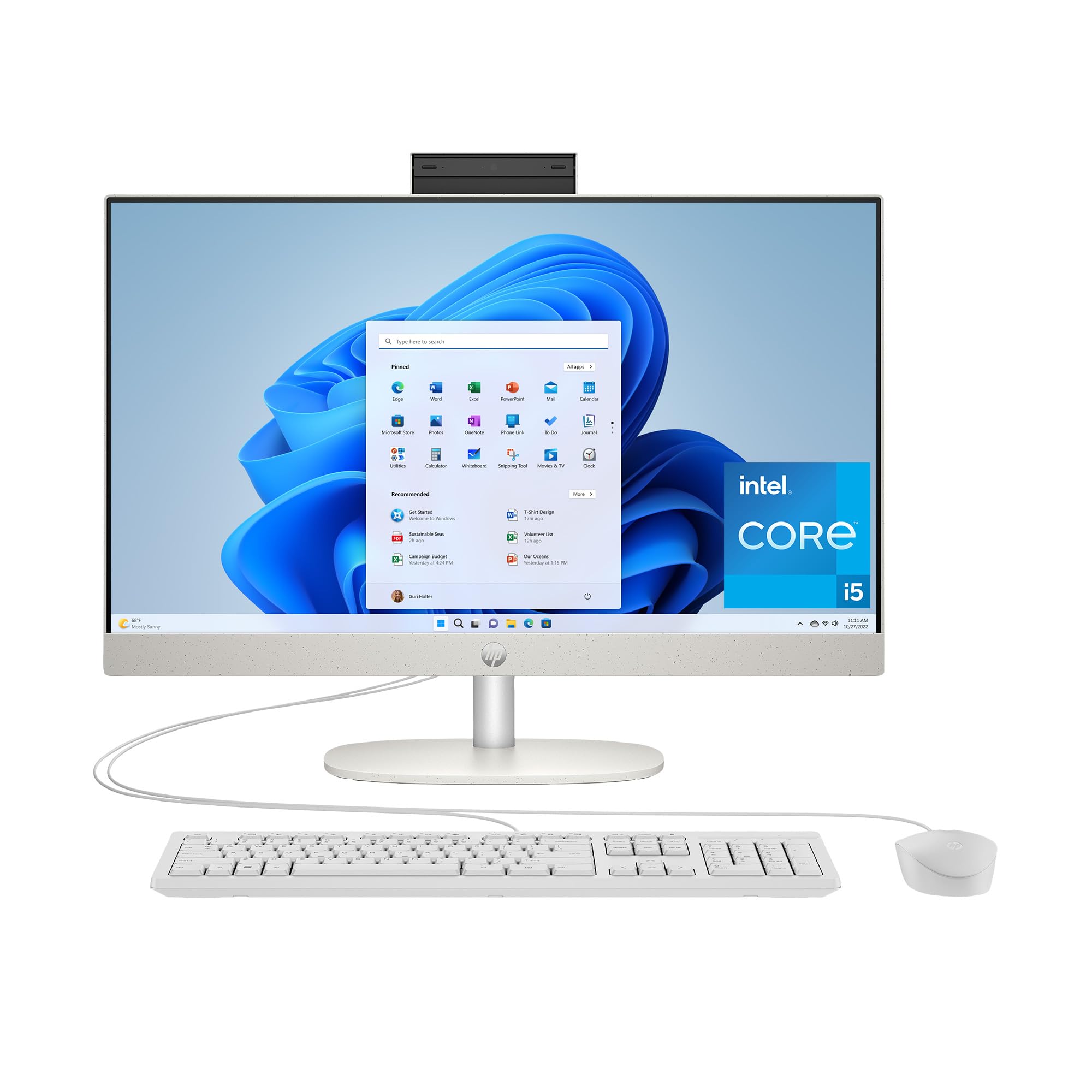
The 2025 version of HP’s 24-inch AIO is a textbook mid-range contender. The 13th Gen Intel Core i5-1334U is a 10-core, 12-thread processor (4 Performance-cores and 6 Efficient-cores) that delivers a palpable upgrade over the budget N100 chips found in lower-tier models. With 16GB of DDR4 RAM and a 512GB PCIe SSD, this machine boots Windows 11 Home in under 10 seconds and handles a dozen browser tabs, a video call, and a music stream without breaking a sweat.
The 23.8-inch FHD IPS display with three-sided micro-edge design achieves an 89% screen-to-body ratio — the bezels are thin enough that the screen feels larger than its measured diagonal. The 8MP pop-up camera with privacy shutter is a win for remote work, and the built-in dual array microphones with AI noise reduction ensure your voice cuts through background chatter. The USB-C port offers 5Gbps signaling, which is fast enough for external SSDs but not Thunderbolt speeds.
Where this HP falls short is port selection: you get only one USB-C and four USB-A ports (two at 5Gbps, two at USB 2.0 speeds), which feels tight for a 2025 desktop. The keyboard and mouse are wired and basic. But the combination of a recent Core i5, 16GB RAM, and a sharp IPS screen at a mid-range price makes this the safest bet for someone who wants reliable performance without any single standout weakness.
Why it’s great
- Powerful 10-core Core i5-1334U processor
- High-quality 8MP pop-up camera with privacy shutter
- Thin bezels give an immersive viewing experience
Good to know
- Port selection is limited for peripheral-heavy users
- Bundled keyboard and mouse are wired and basic
4. HP 24-cr0032 (2024 Model)

The 2024 HP 24-cr0032 is a value anomaly — it packs an AMD Ryzen 7 7730U, an 8-core, 16-thread processor that typically appears in machines costing significantly more. Combined with 16GB of DDR4 RAM and a 512GB PCIe SSD, this is one of the punchiest all-in-ones you can buy without moving into premium price brackets. The Ryzen 7 handles light video editing, large spreadsheets, and even some 1080p gaming at low settings, which is rare in this segment.
The 23.8-inch FHD IPS display with three-sided micro-edge bezels delivers an 89% screen-to-body ratio and pops with brightness at 300 nits. The AMD Radeon Graphics (integrated) are noticeably faster than Intel UHD Graphics for light creative work. The pop-up camera with HP Video Controls and dual-array microphones with advanced noise reduction make this an excellent teleconferencing machine — you will sound and look better than colleagues using built-in webcams on older hardware.
The biggest compromise is the non-adjustable stand, which forces you to prop the machine on a riser if you prefer a higher eye line. The keyboard is compact and the power button location can be awkward. But if raw CPU and GPU performance per dollar is your priority, this HP model delivers a Ryzen 7 in a clean, space-saving chassis that outperforms anything at its price bracket.
Why it’s great
- Ryzen 7 7730U provides workstation-class multi-threaded performance
- Excellent noise-cancelling microphones for video calls
- Bright 300-nit IPS display with wide color coverage
Good to know
- Stand lacks height or tilt adjustment
- Compact keyboard may not suit users with larger hands
5. Lenovo ThinkCentre All-in-One

Lenovo’s ThinkCentre line is built for business, and the 27-inch variant does not compromise. The standout feature here is the display — a 27-inch FHD IPS panel with a 100Hz refresh rate, 99% sRGB coverage, and 300 nits of brightness with a low blue light certification. A 100Hz panel in an all-in-one at this price point is almost unheard of — it makes scrolling through documents and web pages feel silky smooth and reduces eye strain during long work sessions.
Powering the show is an Intel Core i5-13420H, an 8-core processor with a 4.6 GHz turbo that handles heavy multitasking with ease. The 16GB of DDR5 RAM is future-proof and fast, and the 512GB PCIe SSD is snappy. The inclusion of both HDMI-In and HDMI-Out ports is a rare and valuable feature — you can use the ThinkCentre as a standalone monitor for a laptop, or connect a second display for a dual-monitor setup. The wired keyboard and mouse are standard Lenovo fare, reliable if not exciting.
The single verified review warning about warranty activation by the seller is concerning — make sure you register the product with Lenovo directly after purchase. The ThinkCentre also lacks a touchscreen, which some users may want at this price. But if you prioritize a fluid, color-accurate display and the flexibility of HDMI passthrough for a multi-device workspace, this Lenovo is the smartest screen-first choice in the lineup.
Why it’s great
- 100Hz IPS panel with wide color gamut and low blue light
- HDMI-In port allows use as an external monitor
- DDR5 RAM and modern Core i5 processor
Good to know
- Warranty registration should be handled directly with Lenovo
- No touchscreen option available
6. Dell 24 All-in-One EC24250

Dell’s 24-inch AIO brings the brand’s renowned onsite service (one year of in-home support) and a clean, white design that will not look out of place in a modern home office. The Intel Core 3 100U processor is a 6-core, 8-thread chip with a 4.7 GHz turbo — it sits in a performance tier above the N100 but below the Core i5, making it ideal for users who need snappy responsiveness for Office apps and web browsing without the premium of a high-end chip.
The 23.8-inch FHD IPS panel features Dell’s ComfortView Plus, which reduces harmful blue light emissions without making the screen look yellow. The 8GB of DDR5 RAM is the right generation of memory — faster than DDR4 — and the 512GB PCIe SSD keeps boot times under control. The 5MP+IR camera with HDR and a tiltable design (0 to 20 degrees) ensures you look good on calls even in challenging lighting. Dolby Atmos dual Bluetooth speakers deliver surprisingly rich audio for a thin chassis.
The 8GB RAM is the limiting factor here — power users with 20+ browser tabs or heavy multitasking will hit the ceiling sooner than with 16GB models. The stand is also not height-adjustable. However, the Dell name, onsite service, and the image-quality-focused camera make this a compelling choice for families or remote workers who value support and hassle-free ownership over raw specs.
Why it’s great
- One year of Dell onsite service included
- High-quality 5MP IR camera with HDR
- Dolby Atmos speakers offer clear, loud audio
Good to know
- Only 8GB of RAM limits heavy multitasking
- Stand lacks height adjustment
7. Acer Aspire C24 (C24-2G-UR15)

The Acer Aspire C24 is the only all-in-one in this guide with a 120Hz refresh rate display, and that alone makes it a standout for anyone who hates the judder of a standard 60Hz panel. The 23.8-inch FHD IPS screen has a 90.71% screen-to-body ratio, meaning the bezels are vanishingly thin, and Acer’s VisionCare technology (flickerless, BluelightShield, low dimming) keeps your eyes comfortable during long sessions. The 120Hz refresh rate makes every mouse movement, scroll, and window animation feel dramatically smoother.
Under the hood, the AMD Ryzen 5 7430U is a 6-core, 12-thread processor with a 4.3 GHz turbo, paired with AMD Radeon Graphics that outruns Intel UHD for casual gaming and light video editing. The 16GB of DDR4 RAM and 512GB PCIe SSD provide a snappy, responsive experience. Connectivity is generous — Wi-Fi 6E, Bluetooth 5.2, a front USB-C port, DisplayPort-out, HDMI-out, and four USB-A ports. The front I/O access means you can plug in a thumb drive without reaching behind the screen.
The fan noise is the most common complaint — multiple verified reviews mention that the fan is audibly loud, especially during initial setup or software updates. Adjusting the power plan to “balanced” quiets it significantly. The 2MP webcam is adequate for video calls but falls behind the HP and Dell models in quality. If you prioritize a butter-smooth display and the flexibility of Wi-Fi 6E, the Acer Aspire C24 is a strong mid-range contender.
Why it’s great
- 120Hz IPS display is the smoothest in this roundup
- Wi-Fi 6E provides cutting-edge wireless speeds
- 16GB RAM and a capable Ryzen 5 processor
Good to know
- Fan can be loud at default power settings
- 2MP webcam is average compared to competitors
8. Lenovo IdeaCentre 24 (B0FPGCLVSC)

This Lenovo IdeaCentre 24 is the quiet achiever of the group — literally. The Intel N100 processor is a low-power 4-core chip that generates minimal heat, allowing the fan to run silently during normal use. With 16GB of DDR4 RAM and a 512GB PCIe SSD, this machine boots quickly and keeps a dozen browser tabs, email, and Office apps running smoothly. The N100 is not a performance monster, but for basic office work, school assignments, and media consumption, it is entirely adequate and whisper-quiet.
The 23.8-inch FHD IPS anti-glare display is rated at 250 nits — bright enough for indoor use with good color reproduction. The built-in speakers and camera are functional for video calls. The keyboard and mouse included are wired, which keeps things simple and reliable. Wi-Fi 6 and Bluetooth 5.2 ensure modern connectivity, and the Ethernet port provides a wired fallback for stable internet.
The 16GB of RAM is generous for an N100-based system — most budget machines pair this chip with 8GB, so the extra headroom helps prevent slowdowns when multitasking. The main downside is the processor itself: the N100 is sufficient for today’s basic tasks, but it will show its age in three to four years as applications demand more CPU power. If you plan to keep this machine for five years, you may want to invest in a higher-tier processor. For now, it is the most silently capable budget AIO on the list.
Why it’s great
- 16GB RAM is generous for an N100-based all-in-one
- Fan is nearly silent during regular use
- 512GB PCIe SSD provides fast boot and app loading
Good to know
- N100 processor may struggle with future software demands
- Wired keyboard and mouse included
9. Lenovo IdeaCentre (N100 — B0FSGQS2SS)

Lenovo’s other budget IdeaCentre stands out for one specific reason: the webcam. The 5MP AI camera with IR and a privacy e-shutter is miles ahead of the 2MP and 720p cameras found on competing budget all-in-ones. The AI-algorithm-based Lenovo Smart Meeting software automatically centers and frames you during video calls, and the Smart Noise Cancelling removes background chatter from your audio. For remote workers or students who spend hours on Zoom, this is a transformative upgrade.
Beyond the camera, this machine is powered by the same Intel N100 processor found in many budget AIOs, paired with 8GB of RAM and a 256GB PCIe SSD. The 256GB storage is tight — after Windows 11 and essential apps, you will have room for limited files and will likely need external or cloud storage. The 24-inch FHD display is capable, and the Harman audio-enhanced speakers provide better-than-average sound for a thin chassis.
The 8GB RAM is the minimum for Windows 11 — you can multitask moderately, but heavy users should look at 16GB models. The storage ceiling of 256GB is the real bottleneck. However, if your priority is looking and sounding professional on video calls without spending top dollar, this Lenovo’s camera system is best-in-class for the budget tier, and the N100 processor handles the basics well enough.
Why it’s great
- 5MP AI camera with IR and privacy shutter is unmatched at this price
- Smart Noise Cancelling improves call quality
- Harman audio speakers sound crisp and clear
Good to know
- 256GB SSD fills up quickly
- 8GB RAM is the minimum for Windows 11
10. HP 22-inch (2025 Model)

HP’s 22-inch 2025 all-in-one is the most affordable entry point from a major brand, and it makes a smart compromise: DDR5 RAM instead of DDR4. The 8GB of DDR5 memory provides higher bandwidth than the DDR4 found in many similarly-priced machines, which helps the integrated Intel UHD Graphics perform better for light media tasks. The Intel N100 processor is the same 4-core chip used in budget laptops — it is adequate for web browsing, email, and Office apps.
The 21.5-inch FHD display is smaller than the 24-inch standard, but its anti-glare coating keeps reflections at bay. The storage is a 128GB SSD — enough for Windows 11, a few essential apps, and local documents, but you will rely heavily on cloud or external storage for media files. The port selection is decent for the price: one USB-C (data only), two USB-A (Hi-Speed), one USB-A 5Gbps, HDMI-out, and Ethernet. Wi-Fi 6 and Bluetooth 5.3 are included, which is impressive for the price tier.
The screen size may feel cramped for multitasking with side-by-side windows, and the 128GB storage is the tightest in this guide. But HP’s brand reliability, the inclusion of Windows 11 Pro (rare at this price), and the future-friendly DDR5 RAM make this the most trustworthy budget starter machine for a student or a minimal-use home setup.
Why it’s great
- DDR5 RAM provides better bandwidth than budget competitors
- Includes Windows 11 Pro for business-grade features
- Trusted HP build quality and easy setup
Good to know
- 21.5-inch screen is small for multitasking
- 128GB SSD requires external storage reliance
11. SAINTDISE 23.8 Touchscreen
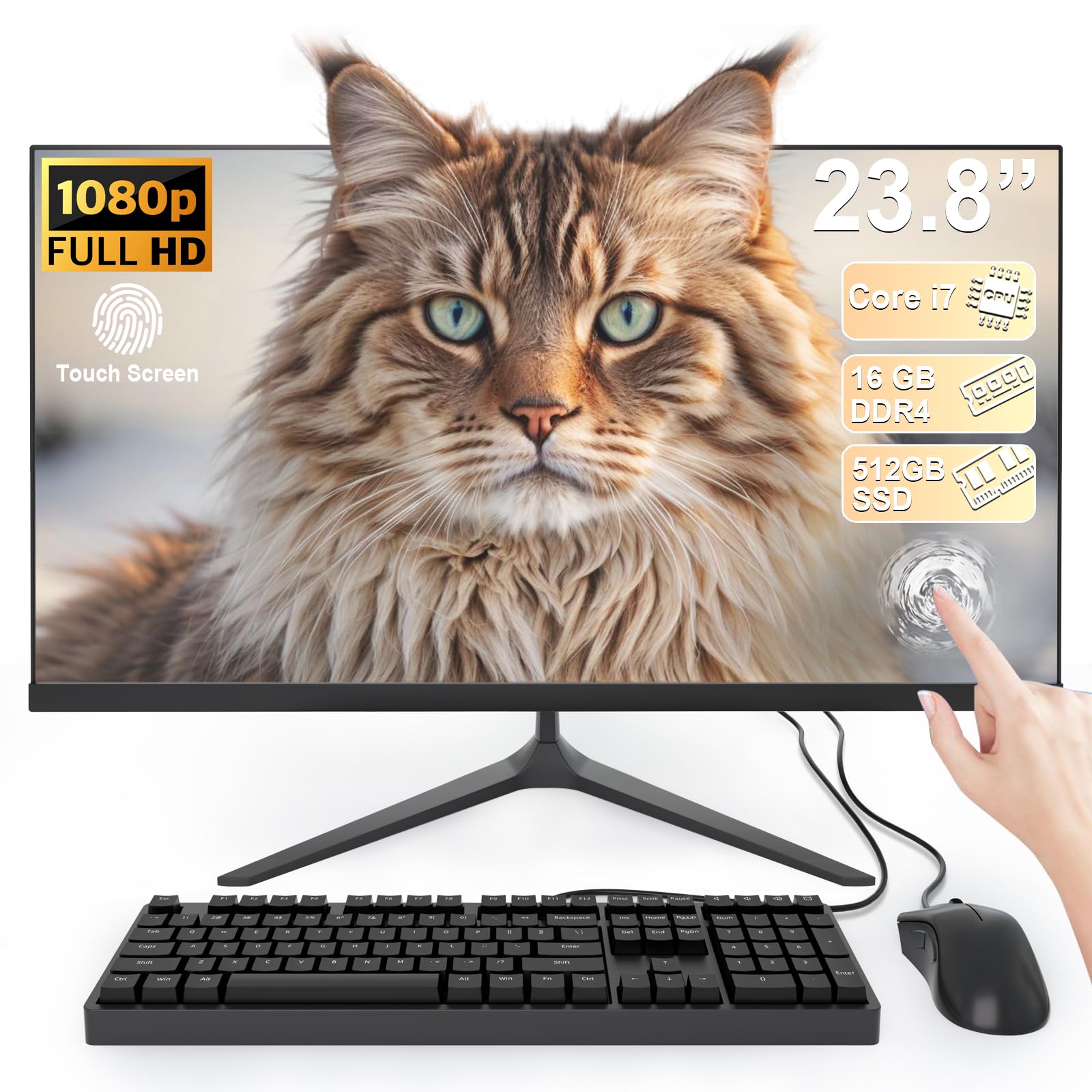
The SAINTDISE 23.8-inch touchscreen AIO is the cheapest way to get a responsive multi-touch display in an all-in-one form factor. The 10-point touch interface works smoothly for gestures like pinch-to-zoom, swipe, and scroll, and the full HD 1920×1080 anti-glare panel keeps reflections down. For users who want to interact with Windows 11 directly — signing documents, navigating maps, or browsing with touch — this machine delivers that experience at a low price.
The “Core i7” badge on this machine refers to an older-generation processor. The item description mentions a 3.0 GHz turbo frequency and 4 cores, which corresponds to a chip from the 7th or 8th generation — not a modern i7. That said, paired with 16GB of RAM and a 512GB SSD, it handles everyday tasks like email, web browsing, streaming video, and Office documents without lag. The port selection is generous: 4 USB 3.0 ports, 2 USB 2.0 ports, HDMI, VGA, LAN, and audio jacks.
The older processor means this machine will not receive Windows 12 updates (if the requirements shift to 8th-gen or newer), and the N100-based competitors above will likely outlast it in raw CPU longevity. The build quality also feels lower than the branded alternatives. But if you absolutely need a touchscreen AIO and cannot stretch your budget to the ASUS V470VA, the SAINTDISE gives you the tactile interface you want for the lowest possible entry price.
Why it’s great
- Responsive 10-point multi-touch display at a low price
- 16GB RAM and 512GB SSD are generous for the tier
- Full-sized port selection including VGA and HDMI
Good to know
- Older-generation Core i7 processor limits future software compatibility
- Build quality is lower than major brand AIOs
FAQ
Can I upgrade the RAM in an affordable all-in-one PC?
Is an all-in-one PC with an N100 processor fast enough for home office work?
Why do some affordable all-in-one PCs have loud fans?
Is a touchscreen worth the extra cost on an all-in-one PC?
How do I connect a second monitor to an affordable all-in-one PC?
Final Thoughts: The Verdict
For most users, the affordable all-in-one pc winner is the ASUS V470VA-MS504T because it combines a 27-inch touchscreen, 16GB DDR5 RAM, and a 1TB SSD in a package that undercuts the competition on storage capacity and display interactivity. If you want the smoothest display experience for scrolling and casual use, grab the Acer Aspire C24 for its 120Hz IPS panel and Wi-Fi 6E. And for the best raw performance per dollar, nothing beats the HP 24-cr0032 with its Ryzen 7 processor — it is the quiet workhorse of the budget segment.