
Our readers keep the lights on and my morning glass full of iced black tea. As an Amazon Associate, I earn from qualifying purchases.
Specs are compiled from manufacturer listings and verified buyer reviews and can change over time — please confirm the key details on the product page before buying.
You want a phone for a senior parent or grandparent that won’t turn into a tech-support job. Smartphones are too complicated, and cheap “dumb phones” are often flimsy or won’t work on your carrier. You need oversized buttons, a loud speaker, and an SOS button for confidence. Here are the affordable flip and feature phones seniors can actually master, plus the compatibility traps that send many buyers back to the return counter.
I’m Min — the founder and writer behind Gadgets Feed. This guide is built by comparing the manufacturers’ published specifications and the patterns across verified customer reviews, so you get each pick’s real strengths and trade-offs instead of marketing spin.
We focus on the affordable cell phones for seniors that balance large keys, clear audio, and emergency features with reliable 4G performance.
Our Picks at a Glance
How To Choose The Best Affordable Phone For Seniors
Before you pick a model, you need to know which cellular network it actually runs on. Most of the phones in this list are built for T-Mobile and its prepaid partners, which means they will not work on Verizon, Boost, or PagePlus. Skipping this step is the single biggest cause of frustration for families — the phone looks perfect but simply won’t connect once the SIM card goes in.
Carrier Compatibility Comes First
Check the carrier your senior already uses before anything else. If they are on Verizon or AT&T, many of these open up phones will be dead on arrival. Look for explicit wording in the listing that names your carrier, and when in doubt, contact the seller before purchasing rather than assuming “open up” means universal.
Button Size and Display Readability
A senior phone lives or dies by its physical keypad. Look for devices with large, backlit, raised buttons and a screen of at least 2.4 inches so numbers and text stay readable without reading glasses. Some models add a second outer display so the time and caller ID are visible without even flipping the phone open.
Battery, SOS, and Hearing Features
Battery capacity is measured in milliamp-hours (mAh) — a higher number means more talk time before a recharge. An emergency SOS button that dials pre-set contacts is a must-have for confidence. If your senior wears hearing aids, look for phones marked hearing-aid compatible (HAC) or with a built-in hearing enhancement mode.
Quick Comparison
| Model | Best For | Screen Size | Battery | Key Feature | Amazon |
|---|---|---|---|---|---|
| artfone G3★ Best Overall | Easiest overall use | 2.4 inches | 1300 mAh | Hearing Aid Mode | Amazon |
| 4G Flip Phone (B0FKCR3WLC)Largest Display | Big dual screens | 2.8 inches | 1400 mAh | Outer Display | Amazon |
| artfone G6 | Crowd favorite | 2.4 inches | 1300 mAh | 1000 Contacts | Amazon |
| AT&T Cingular Flex 2 | Simple smartphone feel | Flip LCD | 1400 mAh | 4GB Storage | Amazon |
| Easyfone Prime-T6 | Picture button dialing | LCD | 1050 mAh | Picture Buttons | Amazon |
| Easyfone Prime-A1 Pro | Harassment call blocking | 2.4 inches | 1500 mAh | BLOCK Key | Amazon |
| EAOR Rugged Phone | Outdoor durability | 2.8 inches | 3000 mAh | IP68 Rugged | Amazon |
In‑Depth Reviews
1. artfone G3 Flip Phone
Our pick — over 4★ from 100+ verified ratings; the strongest balance of quality and price.
The senior phone with the clearest path from box to first successful call.
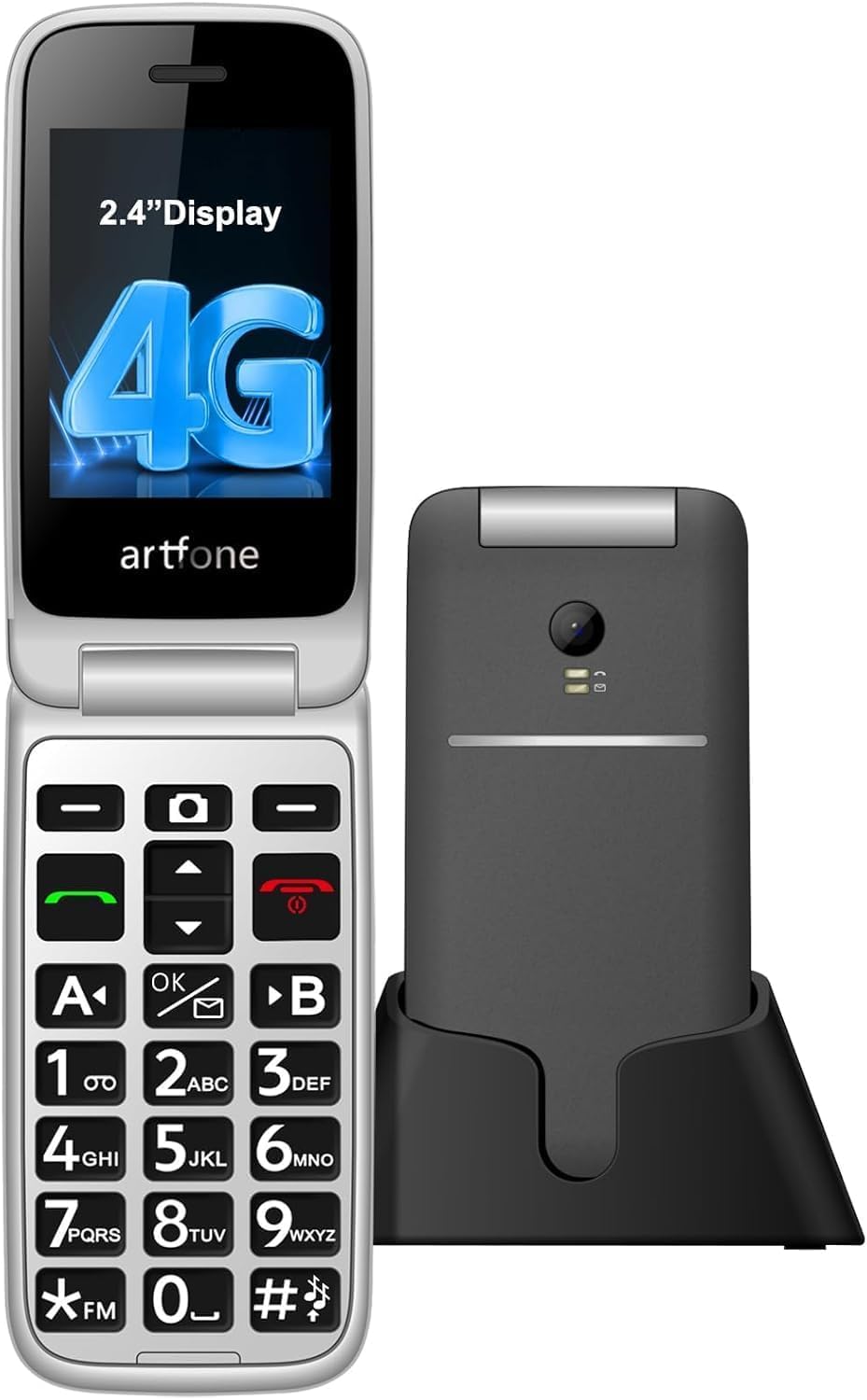
The artfone G3 wins best overall because its hearing enhancement mode and simple setup directly address the two biggest reasons families return senior phones. Its built-in hearing enhancement mode — activated by long-pressing the camera button with earphones or hearing aids connected — captures and amplifies surrounding voices in real time, so face-to-face conversations get louder and clearer. That is a genuinely rare feature at this price tier, and it directly addresses the complaint that seniors struggle to hear callers.
Its 21 large, backlit buttons and 2.4-inch color LCD display cut dialing errors and stay readable in low light. The 1300mAh battery provides 7–8 hours of talk time, and the included charging dock lets seniors charge by simply dropping the phone in.
Buyers praise the back emergency button, and a voice time announcement (hold volume up for 3 seconds) audibly tells the time for visually impaired users. The flip-cover design lets seniors answer or end calls by simply opening or closing the phone, requiring zero instruction.
What wins families over
- Built-in hearing enhancement mode amplifies real-time conversation
- 21 large backlit buttons and a 2.4-inch display reduce dialing errors
- 1300mAh battery with 7–8 hours of talk time plus a charging dock
- SOS button cycles through five pre-set emergency contacts
Who should look elsewhere
- Exclusively T-Mobile compatible — no Verizon or AT&T support
- 0.3MP camera is fine for quick shots, not for quality photos
Reach for this if: you want the most complete senior feature set — hearing help, SOS, speed dial, and a dock — in one phone.
Look elsewhere if: your senior is on a Verizon or AT&T plan, because this T-Mobile-only device won’t connect.
2. 4G Flip Phone (B0FKCR3WLC)
The biggest main display of the bunch, so weak eyes get the largest canvas.
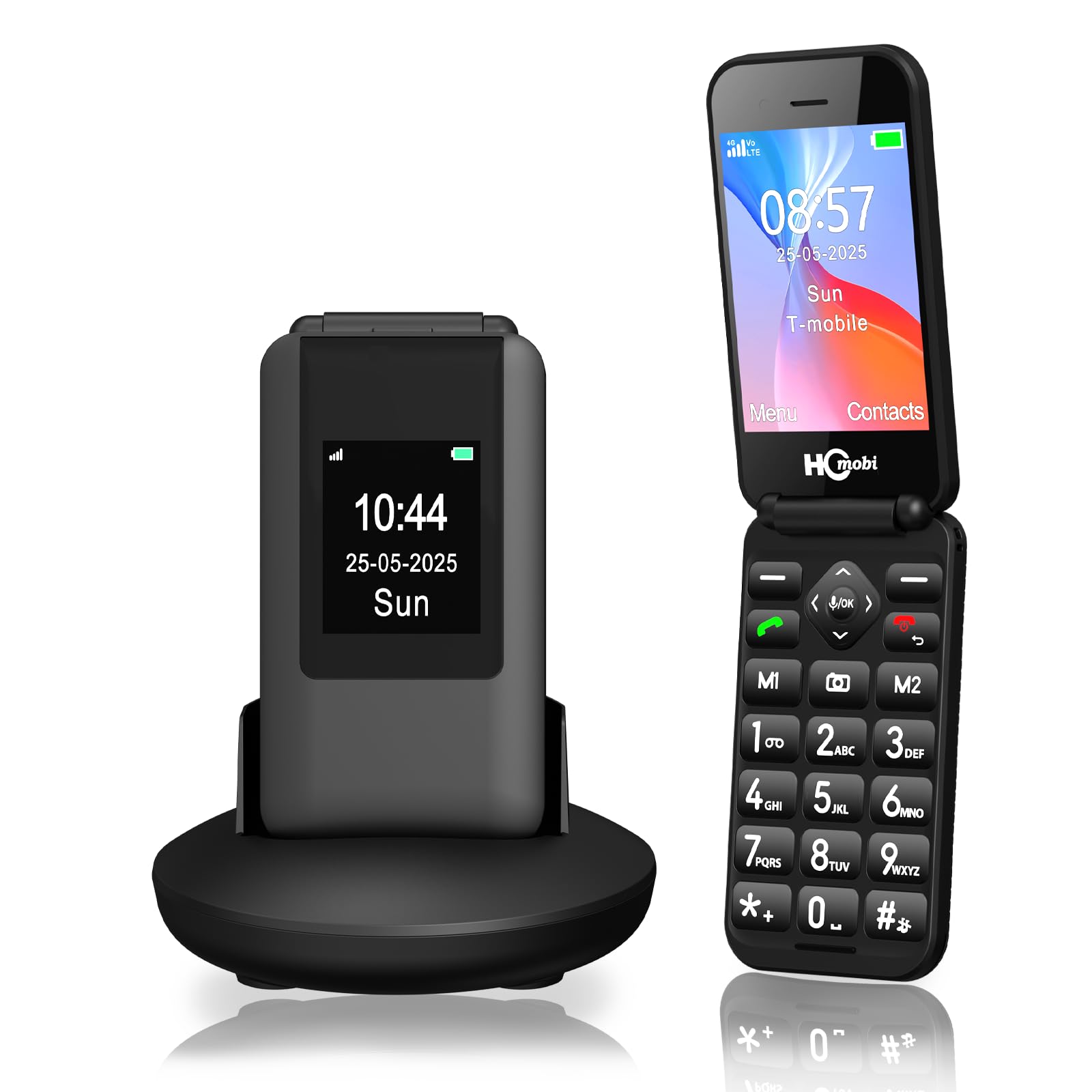
This one leads on screen real estate. Its 2.8-inch inner display is larger than the artfone G3’s 2.4-inch panel by a meaningful 17% gap, which matters enormously for seniors who squint at numbers. There’s also a 1.5-inch outer screen, so the time, caller ID, and text notifications are all visible without flipping the phone open.
Under the hood sits a 1400mAh battery — an 8% larger capacity than the G3’s 1300mAh cell — rated for up to 8 hours of talk time and a full 336 hours of standby. The phone stops checking for a charge when it’s not in use, so it can sit on the nightstand for two weeks and still be ready for an emergency call.
The honest catch here is consistency. Some owners found the phone reliable and easy to use, but a meaningful slice of buyers hit connectivity problems. There are reports of a unit that wouldn’t charge past a certain point or hold a full 100% charge before dying quickly. The phone stores up to 500 contacts and expands to 32GB via microSD, but given the connectivity reports, buy this only if you’re comfortable with a potential return.
Best for the visually impaired: the 2.8-inch inner panel is the largest main screen in this lineup, giving weak eyes the biggest target.
Handle with care: connectivity complaints are the recurring theme here — hard-confirm T-Mobile compatibility before buying, and be ready to test it immediately.
3. artfone G6 Flip Phone
Thousands of owners agree this is the flip phone that seniors actually stick with.
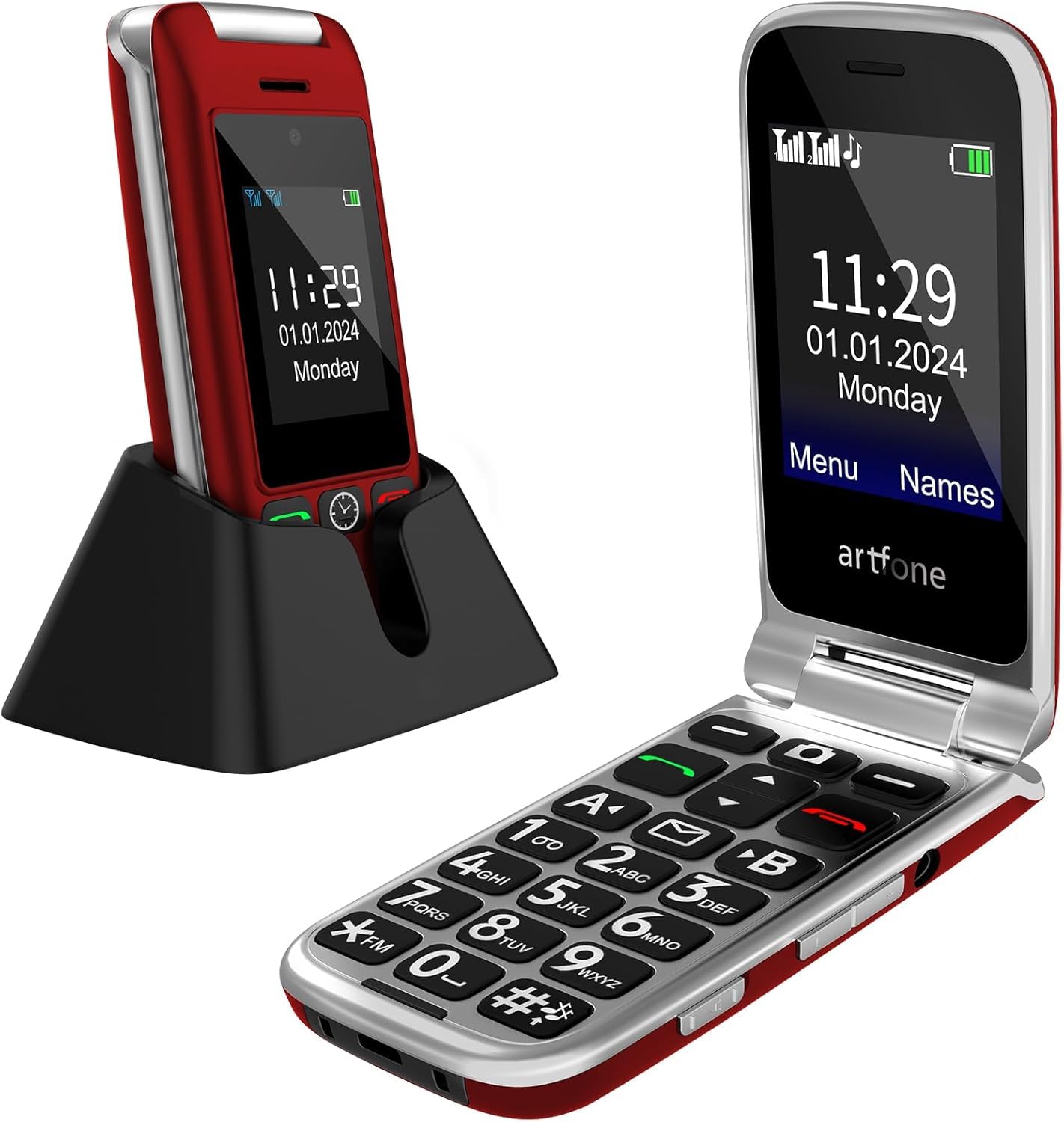
If you want proof a senior phone works in the real world, this is the one with the deepest well of owner experience — the crowd favorite of the entire list. The G6 pairs a 2.4-inch inner screen with a 1.8-inch outer display and the same hearing enhancement mode as the G3. It adds two upgrades that matter for daily wear: a hinge tested for 120,000 flips and a contact book that holds up to 1,000 entries with photo caller ID.
The 1300mAh battery delivers 7–8 hours of talk time, and the included charging dock simplifies recharging. Owners consistently describe it as “easy to use for older people.” One family noted it was the first phone a father could figure out after others were “horrific” — a powerful signal for buyers who have already cycled through duds.
One caregiver flagged that a person with tremors and vision impairment may still struggle with the small physical keys, which is fair context rather than a flaw. There’s also a cautionary tale about a Straight Talk SIM that didn’t activate as expected, so the T-Mobile-network rule still applies here despite the smooth experience most buyers report.
Built for the long haul: the 120,000-flip hinge test and 1,000-contact capacity make this the most durable and roomy senior phone here.
The one honest caveat: an occasional activation snag on a prepaid carrier — confirm SIM compatibility with the seller first.
4. AT&T Cingular Flex 2

The bridge phone for seniors who want simple calling plus a touch of smartphone.
The Cingular Flex 2 is the one pick that behaves more like a miniature smartphone than a classic dumb phone, and that’s exactly the point. With 4GB of built-in storage, it holds apps and photos comfortably, and the LCD display handles video and web browsing without the cramped feel of a small feature phone. The 1400mAh battery provides up to 6 hours of talk time for a typical day.
Owners consistently call it easy to use and particularly well-suited for seniors, with one family noting it was “perfect” for a husband and another describing it as “very old fashioned but easier” for a 98-year-old mother. The flip form factor keeps the interface uncluttered while still offering the modern conveniences of a camera and 30 fps video recording.
The honest tension here is longevity. While some owners mention great performance, others say the phone “didn’t work for long” and broke within a few months, and a few found texting frustrating with its multi-step letter selection. If your senior only needs calls and simple photos, this works beautifully — but it’s not the phone for someone who wants to send long text messages.
Why families pick it
- 4GB storage holds apps, photos, and files with smooth performance
- Flip design keeps the interface simple for senior users
- Classic Navy styling looks modern and professional
The fair warning
- Some units reportedly failed after a few months of use
- Texting requires selecting letters manually, which feels slow
Best if: your senior wants basic calling plus a camera and a bit of app storage in a familiar flip shape.
Think twice if: reliable long-term build quality is your top priority, given the durability reports.
5. Easyfone Prime-T6

Four giant picture buttons replace the phonebook entirely for instant dialing.
The Prime-T6 strips the phone down to its most essential idea: make calling easy. Instead of navigating contacts, your senior presses one of 4 large picture memory buttons — you can slide in a photo of the person they call most — and the phone dials immediately. This is the pick for a parent with dementia, Alzheimer’s, or severe vision loss who cannot grasp a menu system at all.
The philosophy extends to the hardware. The 1050mAh battery offers long standby, the charging dock simplifies refueling, and the clear sound is hearing-aid compatible (HAC). An SOS button sits ready for emergencies, and the package even includes a SpeedTalk SIM card that runs on T-Mobile’s network, plus a neck lanyard and picture-cutting adapter for the buttons.
One family using it for an 83-year-old mother with advanced macular degeneration reported she could feel the preset buttons right away — the strongest possible endorsement for this design. The trade-offs are real: some owners found the plastic build cheap with buttons that came off too easily, and another reported the device struggled to leave “emergency” mode on a different carrier. This is a specialized tool, not an all-rounder.
Purpose-built simplicity: photo buttons eliminate menus entirely, ideal for dementia or severe vision loss.
Strictly T-Mobile: works with T-Mobile, SpeedTalk, and Tello; the included SIM is a bonus, but other carriers are a gamble.
6. Easyfone Prime-A1 Pro

The senior phone that fights back against scam and harassment calls.
The Prime-A1 Pro earns its place with a feature you won’t find on most rivals: a dedicated “BLOCK” shortcut key. One press adds a harassing or scam number to the blacklist, which is a genuine lifesaver for seniors who are targeted by robocalls daily. It combines that with a 1500mAh battery — the largest in the Easyfone lineup — and a 2.4-inch main display paired with a 1.44-inch external screen.
The flip design lets users answer by simply opening the phone, and the powerful speaker is marked hearing-aid compatible (HAC). A photo speed-dial shortcut and SOS button round out the safety features, and the included SpeedTalk SIM gets you started on T-Mobile’s network right away.
The recurring theme in owner feedback is inconsistent reliability. Some families report it works great for an elderly parent with dexterity trouble — “he is able to use the larger buttons” — while others describe units that wouldn’t accept a SIM card or failed to make calls when the grandkids tried to reach home. One user on Consumer Cellular found it incompatible. Treat this as a capable phone that needs a quick functionality test the day it arrives.
What stands out
- Dedicated BLOCK key stops scam calls with one press
- 1500mAh battery is the largest in the Easyfone range
- Large backlit buttons suit hands with arthritis or tremors
What to verify
- Reliability reports are mixed — test the SIM slot immediately on arrival
- Limited to T-Mobile-network carriers only
Choose this for: seniors pestered by robocalls who need a one-press way to block unwanted numbers.
Proceed with caution if: you need guaranteed reliability — an early test of the SIM slot is essential.
7. EAOR Rugged Phone
The tank of the group — built to survive drops, dust, and rain.
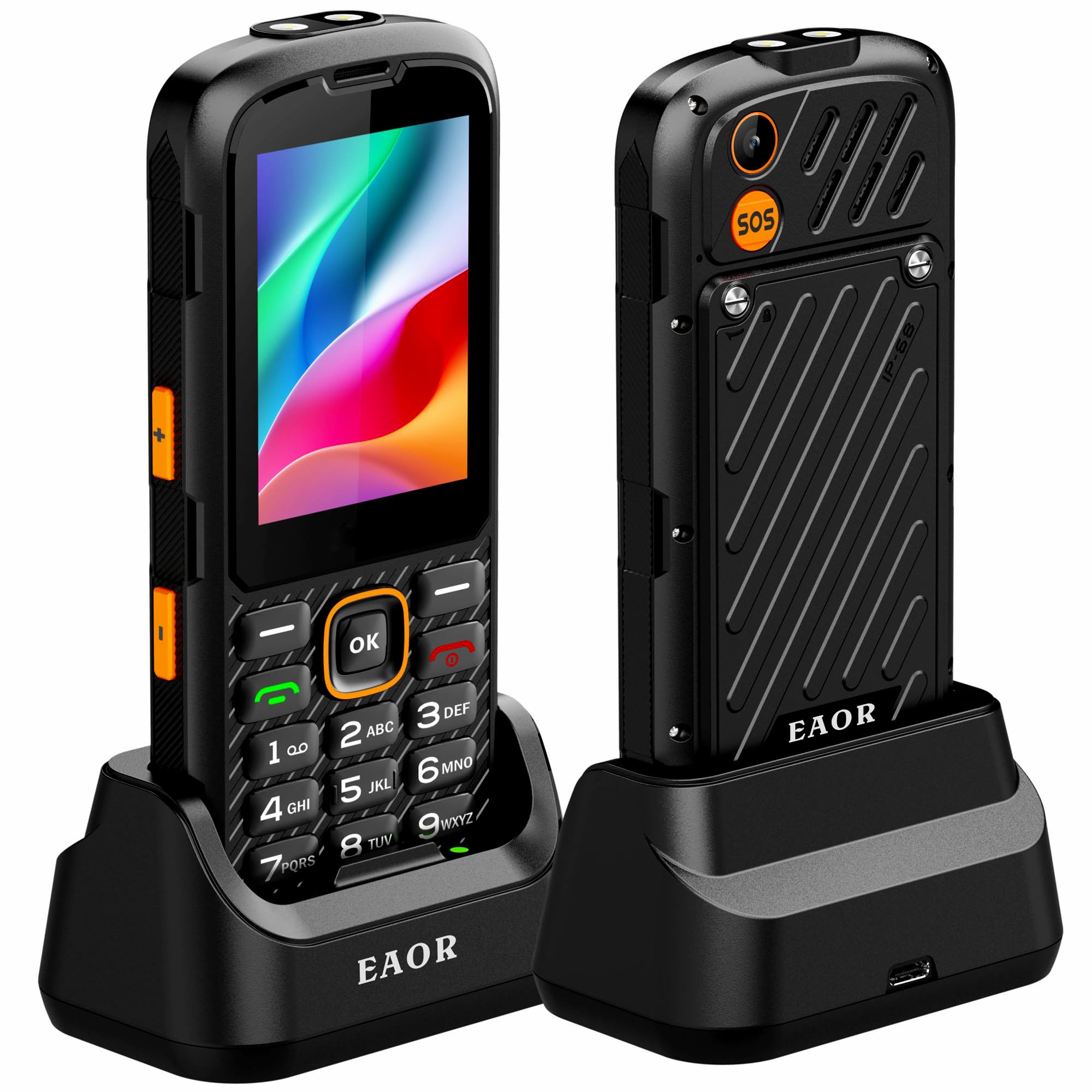
The EAOR is the outlier that solves a different problem entirely: durability. With an IP68 rating — meaning it’s sealed against dust and can survive being submerged in water — and a shockproof reinforced body, this is the phone for a senior who is active outdoors, whether that’s gardening, hiking, or camping. It’s the rare senior phone that owners say “survives what a smartphone cannot.”
It pairs that toughness with the biggest battery of the entire list at 3000mAh — roughly double the capacity of the other phones here — and a 2.8-inch QVGA display with a 240×320 resolution that stays readable in bright sunlight. The 4:3 aspect ratio gives a boxy, easy-to-read layout, and the phone supports dual Nano SIMs for managing two numbers at once. A 2030 waterproof speaker, FM radio, and a bright torch round out the outdoor toolkit.
The carrier story is refreshingly different: this unit explicitly supports AT&T, T-Mobile, and Verizon, giving you far more freedom than any other pick here. The trade-off for all that toughness is weight and bulk — it’s described as brick-like — and one owner noted the menu navigation is clunky, with no in-call dialpad for extensions. It’s a specialized pick, but for the right senior, it’s the only one that can take a fall.
Why it stands alone
- IP68 waterproof, dustproof, and shockproof build
- 3000mAh battery with up to 19.5 hours of talk time
- Works with AT&T, T-Mobile, and Verizon
- Bright torch, FM radio, and 2030 waterproof speaker
Who it’s not for
- Heavy and bulky compared to slim flip phones
- Clunky menus with no in-call keypad for extensions or voicemail
Pick this if: your senior spends time outdoors and needs a phone that shrugs off drops and weather, with the best battery life of the group.
skip it if: your parent needs to navigate voicemail menus or extension prompts during calls — that clunky dialpad is a real limitation.
Understanding the Specs
Battery Capacity (mAh)
Milliamp-hours, or mAh, is the measure of how much energy a battery holds. A higher number means the phone can go longer between charges — the EAOR’s 3000mAh cell, for instance, is roughly double the 1300–1500mAh cells in most flip phones, translating to dramatically longer standby and talk time. For a senior who forgets to charge, a bigger battery means fewer “dead phone” panics.
Carrier Compatibility
This is the spec that makes or breaks the purchase. Many open up senior phones run only on T-Mobile and its prepaid partners like Tello and SpeedTalk, and they will not work on Verizon, Boost, or PagePlus. The EAOR is the exception here, supporting AT&T, T-Mobile, and Verizon. Always check your senior’s current carrier against the phone’s listed compatibility before ordering.
SOS Button
An SOS button is a dedicated physical button, usually on the back, that a senior can press in an emergency to automatically call pre-programmed contacts. Most models cycle through up to five numbers until someone answers. It’s a critical safety net for seniors who live alone or have health conditions, and it’s one of the top reasons families choose these phones over standard smartphones.
Hearing Aid Compatibility (HAC)
Hearing-aid compatible phones are designed to reduce interference and amplify sound so they work cleanly with hearing aids. Some models, like the artfone G3 and G6, go further with a built-in hearing enhancement mode that amplifies surrounding voices in real time. For a senior with hearing loss, this is the difference between a phone that gets used and one that gets ignored.
FAQ
Will these phones work with my parent’s Verizon or AT&T plan?
What does an SOS button actually do on a senior phone?
How long does the battery last on these senior phones?
Can my senior parent hear calls better with these phones?
What is the difference between a 2.4-inch and a 2.8-inch screen?
Do these phones work without a monthly contract?
Which phone is best for a parent with dementia or Alzheimer’s?
Can I block scam and robocall numbers on these phones?
Final Thoughts: The Verdict
For most families, the affordable cell phones for seniors winner is the artfone G3 because it packs the most complete senior feature set — hearing enhancement, SOS, speed dial, and a charging dock — into a phone that’s genuinely easy to use. If your senior is on a Verizon or AT&T plan, the EAOR Rugged Phone is the only pick here that covers all three carriers. And for a parent with dementia who needs the absolute simplest possible dialing, the Easyfone Prime-T6 with its picture buttons is the one to reach for.
How We Picked
We do not accept paid placement. Every pick is matched to a real buyer and a real use-case; we do not hands-on test units.
Sources & Methodology
Specifications: manufacturer listings and product documentation. Review insights: verified customer reviews, as of August 2026. Pricing: not shown on this page (it changes often); check the current price via the retailer link.
As an Amazon Associate, Gadgets Feed earns from qualifying purchases. This does not affect which products we feature.