
For competitive gaming and cinematic single-player adventures, a curved display isn’t just about aesthetics—it’s about wrapping the action around your peripheral vision, reducing eye strain, and pulling you deeper into every frame. Finding that wrap-around immersion without spending a small fortune, however, has always been the real challenge for gamers building their rigs.
I’m Min — the co-founder and writer behind Gadgets Feed. I specialize in dissecting technical specifications and market data to pinpoint where real performance meets genuine value, and I’ve spent dozens of hours analyzing panel types, refresh rates, curvature radii, and color gamut figures to build this guide exclusively for the budget-conscious enthusiast.
This guide breaks down the top performers in the competitive market, helping you cut through the spec sheets to find the perfect affordable curved gaming monitor that actually delivers where it counts.
How To Choose The Best Affordable Curved Gaming Monitor
Choosing a curved gaming monitor on a budget means prioritizing the specs that directly impact your gameplay and immersion. You don’t need to break the bank for a transformative experience, but you do need to know where your money works hardest. Let’s break down the decision into the key factors that separate a great deal from a frustrating compromise.
Curvature Radius: How Tight Should the Arc Be?
The curvature is measured by its radius in millimeters—1000R is the most aggressive arc, while 1500R is more subtle. A 1000R curve wraps the screen tightly around your face, mirroring the human field of view for maximum immersion and reduced eye movement. 1500R is still immersive but works better for mixed-use scenarios (gaming and productivity) where you might share a glance at the screen with others. For a singular gaming setup, prioritize 1000R; for a general-use desk, 1500R offers a good balance.
Resolution vs. Performance: Balancing Pixels and Refresh Rate
At the core of the affordable market, you’ll face a trade-off between 1080p (FHD) and 1440p (QHD) resolutions. QHD offers significantly sharper images (1.7x the pixel density of FHD), but it demands more from your graphics card to maintain high frame rates. A 165Hz QHD monitor is ideal for immersive RPGs, while a 240Hz+ FHD monitor is a better match for competitive esports titles where every millisecond matters. Know your GPU’s capability before choosing your resolution.
Quick Comparison
On smaller screens, swipe sideways to see the full table.
| Model | Category | Best For | Key Spec | Amazon |
|---|---|---|---|---|
| Samsung Odyssey G55C | QHD | Immersive QHD Gaming | 165Hz, 1ms MPRT | Amazon |
| LG 32GS60QC-B | QHD | Competitive & Cinematic | 180Hz, 1ms GtG | Amazon |
| ASUS TUF VG32WQ3B | QHD | Ultra-Fast Response | 180Hz, 0.5ms GtG | Amazon |
| ASUS TUF VG32VQ1B | QHD | Reliable All-Rounder | 165Hz, 1ms MPRT | Amazon |
| Alienware AW3425DWM | Ultrawide QHD | Immersive Ultrawide | 180Hz, 1ms GtG | Amazon |
| KTC H32C5 | FHD | High-FPS Competitive | 280Hz, 1ms MPRT | Amazon |
| Sceptre C345B-QUT168 | Ultrawide QHD | Budget Ultrawide | 180Hz, 1ms MPRT | Amazon |
| SANSUI 34-Inch | Ultrawide QHD | Feature-Loaded Ultrawide | 200Hz, 1ms OD | Amazon |
| Samsung S3 S39GD | FHD | Casual & Budget-Conscious | 100Hz, 4ms GTG | Amazon |
In‑Depth Reviews
1. Samsung 27-Inch Odyssey G55C

The Samsung Odyssey G55C nails the essential formula for an affordable curved QHD monitor. Its aggressive 1000R curvature is the tightest in its class, creating a genuinely immersive effect that fills your peripheral vision. Combined with a crisp 2560×1440 resolution and a 165Hz refresh rate, this monitor delivers sharp, fluid motion that feels right at home with fast-paced shooters and sprawling open-world games alike. The VA panel provides a strong 2500:1 contrast ratio, resulting in deep blacks that make HDR10 content pop far more than standard IPS panels in this price range.
Beyond raw specs, Samsung includes gamer-friendly features like AMD FreeSync for tear-free gameplay and an Eye Saver Mode that minimizes blue light during long sessions. The 1ms MPRT response time keeps motion blur to a minimum, ensuring you see enemies clearly during fast turns. While it lacks height adjustment and built-in speakers, the display itself delivers where it matters most: image quality and immersive speed.
For a sub-premium price, you get a monitor that punches well above its weight. The combination of a steep curve, QHD clarity, and high refresh rate makes it a no-brainer for any gamer looking to upgrade from a standard flat 1080p panel. This is the monitor that proves you don’t need to spend a fortune for a truly enveloping gaming experience.
Why it’s great
- Aggressive 1000R curve for maximum immersion
- QHD resolution offers sharp detail at a great price
- 165Hz with 1ms MPRT for smooth, responsive gameplay
Good to know
- Tilt-only stand with no height adjustment
- No built-in speakers
2. LG 32GS60QC-B Ultragear 32″

LG’s UltraGear lineup brings a premium feel to the affordable curved market with the 32GS60QC-B. This 32-inch QHD monitor features the same aggressive 1000R curvature as our top pick but pushes the refresh rate to 180Hz with a faster 1ms GtG response time. The larger 32-inch screen real estate at 2560×1440 offers a fantastic balance of pixel density and screen size, making it ideal for both competitive gaming where you need to spot enemies and immersive titles where you want to take in the scenery.
Color accuracy is a strong point here, with 99% sRGB coverage and HDR10 support that brings out vibrant details in both bright and dark scenes. The Black Stabilizer feature is particularly useful in shadow-heavy games, allowing you to see into dark corners without washing out the entire picture. The three-side borderless design looks clean on any desk, and the tilt-adjustable stand offers basic ergonomics. Connectivity is solid with two HDMI ports and a DisplayPort.
While the VA panel provides excellent contrast and deep blacks, some users report minor ghosting with certain response time settings in fast-scrolling dark scenes—a common trait of VA panels. The stand is also tilt-only, missing height and swivel adjustments found on more expensive competitors. However, for the price, the combination of a large, steeply curved QHD screen and a smooth 180Hz refresh rate is a standout deal for the serious gamer on a budget.
Why it’s great
- 180Hz refresh rate with fast 1ms GtG response
- Excellent 3000:1 contrast ratio for deep blacks
- Large 32-inch QHD screen with 1000R curve
Good to know
- Tilt-only stand with no height/swivel
- Minor VA ghosting in dark scenes at certain settings
3. ASUS TUF Gaming VG32WQ3B

The ASUS TUF Gaming VG32WQ3B is a testament to how fast an affordable curved monitor can be. With a blistering 0.5ms GtG response time and a 180Hz refresh rate, it’s built from the ground up for competitive gamers who demand the absolute lowest latency. The 1500R curvature is less aggressive than the 1000R panels, but it still provides a noticeable wrap-around effect that enhances immersion without distorting your perception of straight lines—a boon for productivity and design work between gaming sessions.
ASUS packs this monitor with its Extreme Low Motion Blur (ELMB) technology, which synchronizes with Adaptive-Sync to virtually eliminate ghosting and tearing. The 90% DCI-P3 color gamut delivers rich, vibrant colors that are a cut above standard sRGB panels. The included DisplayPort cable supports the full 180Hz at QHD resolution, and the Shadow Boost feature brightens dark areas without over-exposing highlights, a tactical advantage in games like *Rainbow Six Siege* or *Call of Duty*.
The monitor’s main trade-off for its speed is a lower contrast ratio (1000:1) compared to VA competitors, meaning blacks aren’t as deep. The stand, while functional, is also tilt-only. However, for the pure performance metric of response time and refresh rate at this price point, the VG32WQ3B is a top-tier choice for the competitive gamer who wants a curved QHD screen without the budget-busting price tag of a high-end gaming display.
Why it’s great
- Ultra-fast 0.5ms GtG response time
- 180Hz refresh rate with ELMB for blur reduction
- Excellent 90% DCI-P3 color gamut
Good to know
- Lower 1000:1 contrast ratio, not ideal for dark rooms
- Tilt-only stand
4. ASUS TUF Gaming VG32VQ1B
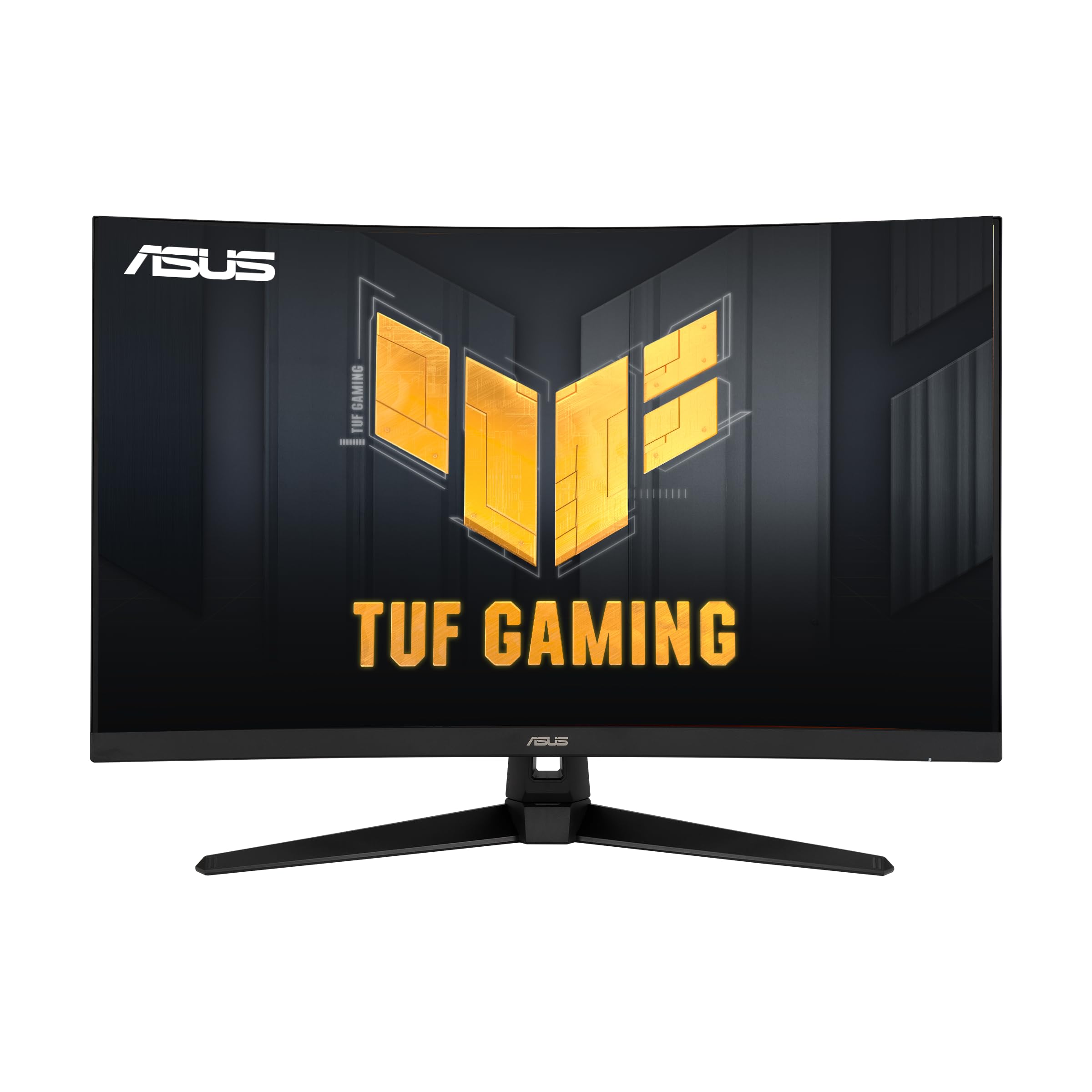
The ASUS TUF VG32VQ1B is the reliable workhorse of this lineup, offering a proven combination of features at a consistently accessible price. This 32-inch QHD monitor uses a 1500R VA panel that provides a 3000:1 contrast ratio for excellent black levels and detailed shadows. The 165Hz refresh rate (also supporting 144Hz) and 1ms MPRT response time ensure smooth, tear-free gameplay, especially when paired with FreeSync Premium technology. It’s a monitor that doesn’t try to be the fastest or the most curved, but nails the fundamentals for a fantastic all-around gaming experience.
ASUS includes built-in speakers, which is a welcome addition for those who want to skip a separate speaker setup for casual play. The Extreme Low Motion Blur (ELMB) technology works in tandem with Adaptive-Sync to minimize ghosting, giving you crisp visuals in fast-paced scenarios. The Shadow Boost feature is also present, brightening dark areas to reveal hidden threats. The VESA mount compatibility allows for easy arm installation, freeing up desk space.
The HDR performance is adequate for the price but not transformative—it brightens highlights but lacks the contrast range of true HDR displays. Some users note a bright orange standby LED that can be distracting in a dark room. For the price, however, the VG32VQ1B offers a rock-solid, feature-rich package that has consistently earned its reputation as a best-value choice for gamers looking for a large, curved QHD monitor.
Why it’s great
- Built-in speakers for an all-in-one solution
- Deep 3000:1 contrast ratio from VA panel
- FreeSync Premium for tear-free gaming
Good to know
- HDR is basic, not true high dynamic range
- Bright orange LED standby light reported by some
5. Alienware AW3425DWM

The Alienware AW3425DWM brings premium brand cachet and genuine ultrawide immersion to the affordable curved market. This 34-inch WQHD (3440×1440) monitor offers that coveted 21:9 aspect ratio, giving you 30% more horizontal screen real estate than a standard 16:9 display. The 1500R curve, combined with the ultrawide format, creates a truly cinematic field of view that makes games like *Cyberpunk 2077* and *Forza Horizon 5* feel breathtakingly expansive. The 180Hz refresh rate and 1ms GtG response time ensure the action stays fluid and responsive.
Alienware prioritizes comfort and connectivity. The stand offers full ergonomic adjustments: height, tilt, and swivel, allowing you to dial in the perfect viewing position for marathon sessions. The hardware-based low blue light solution reduces eye strain without washing out colors, and the VESA DisplayHDR 400 certification ensures a decent HDR experience with peak brightness hitting 400 nits. Connectivity is robust, including HDMI 2.1 and a USB hub with two downstream ports for peripherals.
It’s important to note that this is a VA panel, so while blacks are deep, they don’t reach the inky perfection of OLED. Some users side-by-side with OLED panels note the difference. Additionally, at 3440×1440, this monitor is more demanding on your GPU than a standard 2560×1440 display. If you have a mid-range to high-end graphics card, this is an incredible value for an immersive, ultra-wide gaming experience; if your GPU is older, you might struggle to push high frame rates.
Why it’s great
- Immersive 34-inch ultrawide 21:9 format
- Full-height adjustable stand with ergonomic controls
- Excellent 95% DCI-P3 color coverage
Good to know
- Demanding 3440×1440 resolution needs a strong GPU
- No built-in speakers
6. KTC 32-Inch H32C5
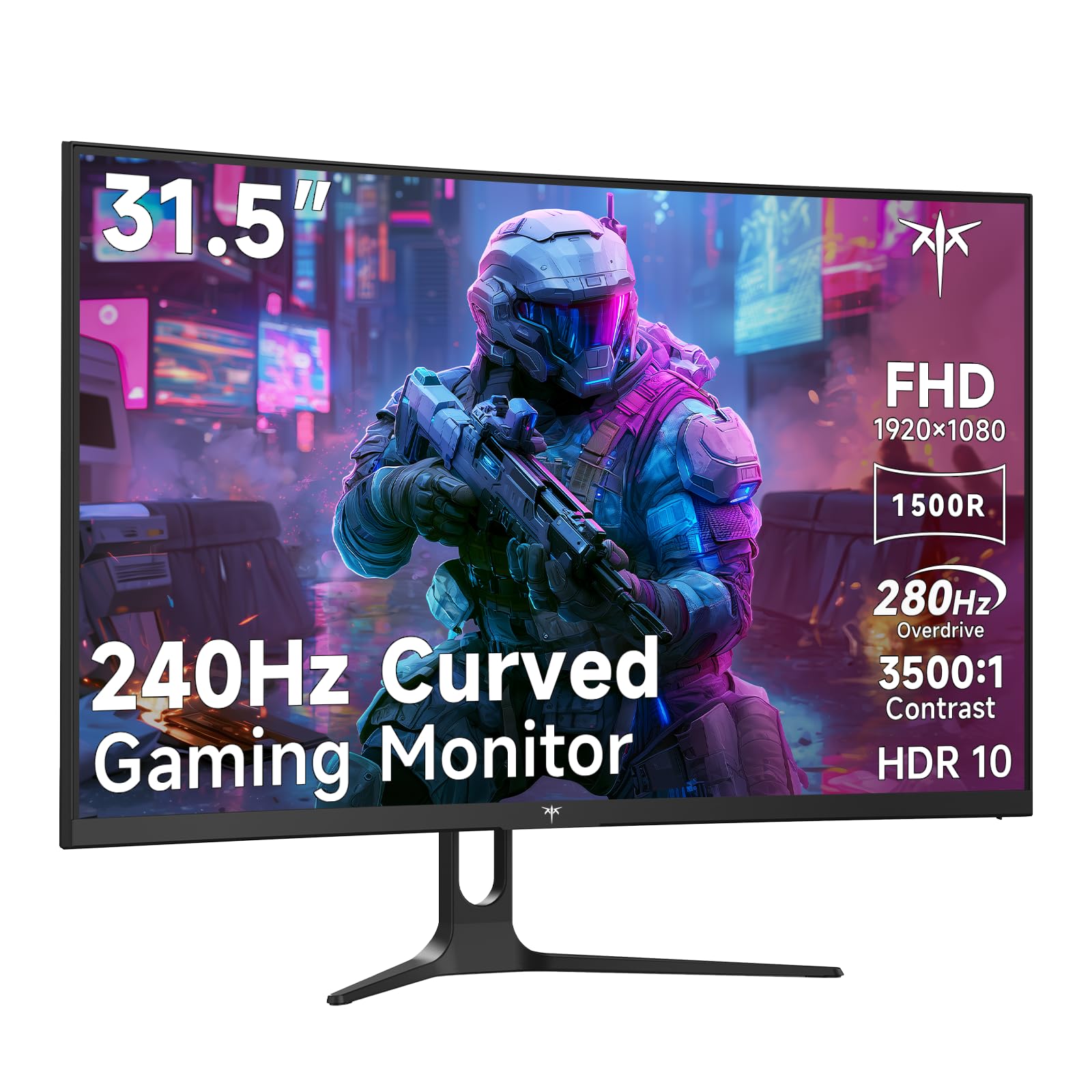
For the competitive esports player who values raw frame rate above all else, the KTC H32C5 delivers an astonishing 280Hz refresh rate at a price that rivals standard 144Hz monitors. This is a 32-inch 1080p monitor, meaning your graphics card can easily push those high frames even on powerful budget builds. The 1500R curvature and 3500:1 contrast ratio from the HVA panel provide solid immersion and deep blacks, ensuring that even though it’s 1080p, the image quality is far from basic. The 1ms MPRT response time ensures motion blur is virtually non-existent.
KTC packs this monitor with versatile connectivity, including two HDMI 2.0 ports (supporting 240Hz) and a DisplayPort 1.4 (supporting the full 280Hz). The 128% sRGB color gamut delivers vibrant colors that pop, and Adaptive-Sync technology keeps screen tearing at bay. For a pure competitive gaming setup focused on performance, the H32C5 is a unique proposition in the affordable curved market. The large 32-inch screen at 1080p also means text and UI elements are larger and easier to read, which some users prefer.
The significant trade-off is resolution. At 32 inches, 1080p has a lower pixel density (around 69 PPI), which means individual pixels can be visible, and the image won’t be as sharp as a QHD display. This monitor is not ideal for productivity tasks like detailed photo editing or reading fine text. If your priority is winning in *Valorant* or *Apex Legends* and you want the smoothest motion possible on a budget, the KTC H32C5 is an excellent, specialized choice.
Why it’s great
- Blistering 280Hz refresh rate for competitive gaming
- Large 32-inch screen with deep 3500:1 contrast
- Excellent value for the highest possible frame rates
Good to know
- 1080p resolution is not sharp at 32 inches
- Tilt-only stand
7. Sceptre 34-Inch C345B-QUT168

The Sceptre C345B-QUT168 is the budget king of ultrawide monitors, offering a massive 34-inch 3440×1440 panel at a price that rivals standard 16:9 displays. This is the monitor for the productivity-minded gamer who wants to replace a dual-monitor setup with a single, seamless curved canvas. The 1500R curvature provides good immersion for gaming, while the vast horizontal resolution allows you to have a full browser window and a document open side-by-side without any bezel interruption. The 180Hz refresh rate and 1ms MPRT response time ensure smooth gameplay, which is impressive for such a large, affordable panel.
Sceptre includes 99% sRGB color gamut coverage, resulting in vibrant, life-like colors out of the box. The 1,000,000:1 dynamic contrast ratio (typical for a VA panel) helps deliver decent black levels. A unique aesthetic touch is the luminous back cover lights that add a modern, ambient glow to your setup. The monitor includes built-in speakers, which are a welcome addition for casual use, though they won’t replace dedicated speakers for serious gaming audio.
At this budget price, there are notable compromises. The stand offers tilt adjustment but no height or swivel, and the build quality feels lighter than premium competitors. Some users have reported backlight bleed or dead pixels—a risk with any monitor, but slightly more common with extreme value panels. It also lacks a USB hub. For the sheer screen real estate and ultrawide gaming experience at the lowest possible entry point, however, the Sceptre C345B-QUT168 is a fantastic deal.
Why it’s great
- Incredible value for a 34-inch ultrawide QHD panel
- 180Hz refresh rate ensures smooth motion
- 21:9 format replaces a dual-monitor setup
Good to know
- Stand lacks height adjustment; build is not premium
- Some variability in panel quality (backlight bleed)
8. SANSUI 34-Inch Curved Gaming Monitor
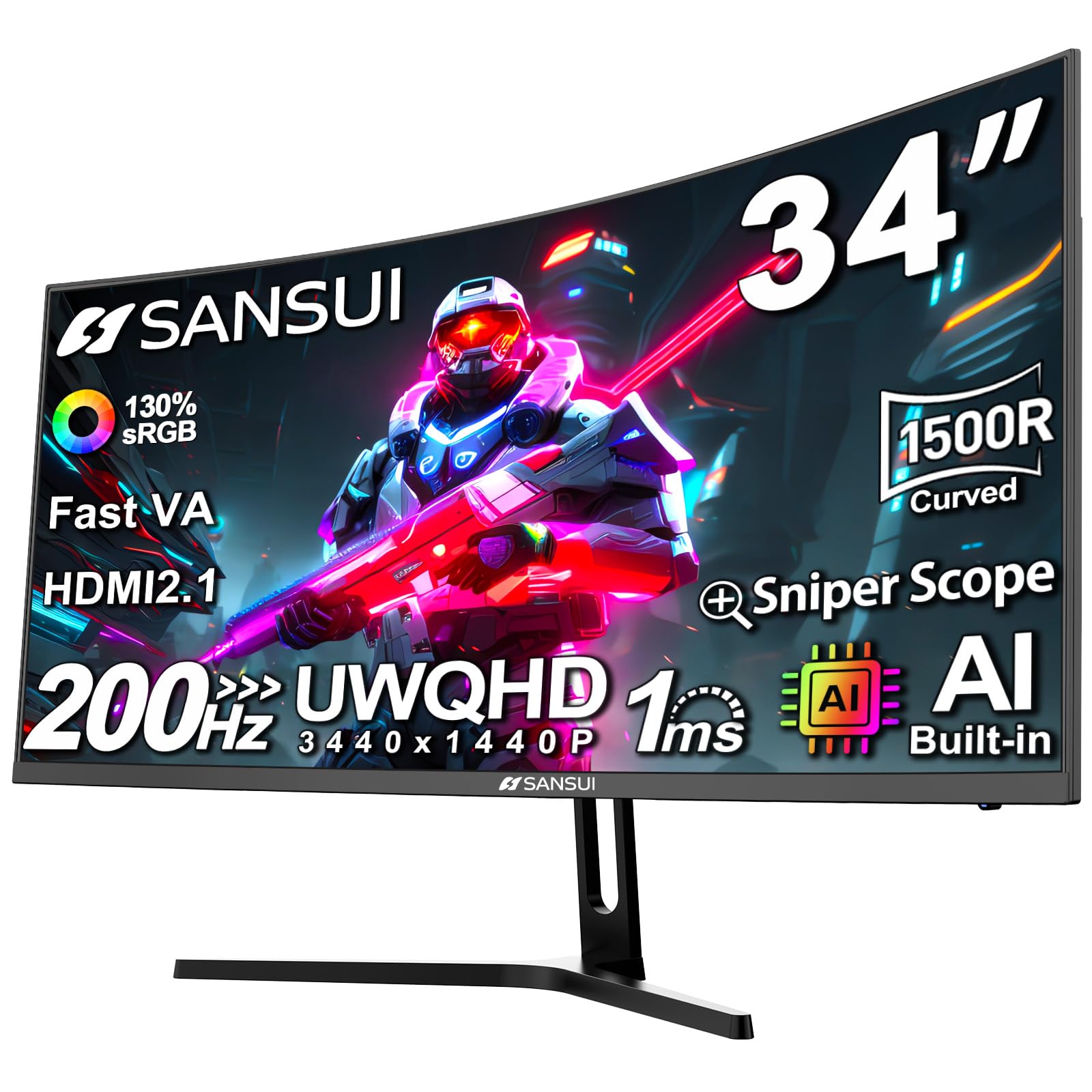
The SANSUI 34-inch monitor is a surprise package that packs a staggering number of features into an ultrawide frame at a competitive price. It offers a UWQHD (3440×1440) resolution paired with a 200Hz refresh rate (via DisplayPort, 165Hz standard) with overdrive 1ms response time—a spec combination that usually commands a much higher price. The 1500R curve wraps the ultrawide viewport nicely, and the Fast VA panel delivers a 3000:1 contrast ratio for rich, deep blacks. It also includes an AI Crosshair feature, which helps with aiming in games that have poor reticle visibility.
Color performance is impressive with 130% sRGB and 97% DCI-P3 coverage, making games and media pop with vibrant, accurate colors. The inclusion of two HDMI 2.1 ports is a notable advantage for console gamers, allowing the PS5 or Xbox Series X to run at full bandwidth. The monitor also supports Picture-in-Picture (PIP) and Picture-by-Picture (PBP) modes, which are excellent for multitasking with two different sources. The Kensington lock and VESA compatibility add extra security and mounting flexibility.
While the advertised 200Hz is achievable, it’s via overclocking and works best with the DP 1.4 cable. Some users have noted that the out-of-box settings might need calibration to achieve the best color accuracy. The stand is tilt-only, and the monitor lacks built-in speakers. For a gamer who wants the premium ultrawide format with high refresh rates, vibrant colors, and HDMI 2.1 support without spending a premium, the SANSUI is a compelling dark horse candidate.
Why it’s great
- 200Hz refresh rate on a 34-inch UWQHD panel
- Excellent color coverage (97% DCI-P3)
- Two HDMI 2.1 ports for console gaming
Good to know
- 200Hz requires manual overclocking and DP 1.4
- No height adjustment or built-in speakers
9. Samsung S3 S39GD 32″

The Samsung S3 (S39GD) is designed for the casual gamer or the user who primarily seeks a large, immersive curved display for everyday use and light gaming. Its standout feature is an aggressive 1000R curvature at 32 inches, which is typically found on much higher-end monitors. This steep curve creates a genuine wrap-around effect that makes single-player games, movies, and even general desktop use feel more engaging. The 100Hz refresh rate is a significant step up from standard 60Hz monitors, providing noticeably smoother motion for web browsing, productivity, and less demanding titles.
Samsung includes built-in speakers, freeing up desk space from external audio solutions. The monitor features a Game Mode that optimizes color and contrast for various genres, and Eye Saver Mode (TÜV certified) reduces blue light for comfortable long sessions. The FHD (1920×1080) resolution is easy for integrated graphics or older GPUs to drive, ensuring you can hit that 100Hz refresh rate without a dedicated gaming PC. The 3000:1 contrast ratio from the VA panel ensures deep blacks and good shadow detail.
This monitor is not designed for competitive esports. The 100Hz refresh rate and 4ms response time are outclassed by even budget 144Hz+ gaming monitors. At 32 inches, the 1080p resolution has a low pixel density, making individual pixels visible up close and text less sharp than a 27-inch QHD display. It’s a fantastic buy for a secondary monitor, a home office setup, or for a gamer who prioritizes a huge, curved screen and a Samsung name over ultra-high frame rates.
Why it’s great
- Aggressive 1000R curve on a large 32-inch screen
- Built-in speakers for a tidy, all-in-one setup
- Very affordable entry point to a curved display
Good to know
- 100Hz is not sufficient for competitive gaming
- 1080p resolution appears soft on a 32-inch screen
FAQ
Is a 1000R curve too aggressive for general desktop use?
Can I use an affordable curved gaming monitor for console gaming (PS5/Xbox)?
Final Thoughts: The Verdict
For most users, the winner for the affordable curved gaming monitor is the Samsung Odyssey G55C because it perfectly balances a steep 1000R curve, crisp QHD resolution, and a smooth 165Hz refresh rate at a price that’s hard to beat. If you want a larger, faster panel for competitive gaming, grab the LG 32GS60QC-B. And for the most immersive ultrawide experience that replaces a dual-monitor setup, nothing beats the Alienware AW3425DWM.