
Our readers keep the lights on and my morning glass full of iced black tea. As an Amazon Associate, I earn from qualifying purchases.
Specs are compiled from manufacturer listings and verified buyer reviews and can change over time — please confirm the key details on the product page before buying.
Buying a fax machine today means making peace with ink, paper trays, and wireless quirks. You do not need a million-dollar enterprise unit for the home office, but you do need one that sends a clean page every time without eating your budget in consumables. This guide cuts through the noise to find affordable fax machines that owners rely on for years, not weeks.
I’m Min — the founder and writer behind Gadgets Feed. This guide is built by comparing the manufacturers’ published specifications and the patterns across verified customer reviews, so you get each pick’s real strengths and trade-offs instead of marketing spin.
From speed demons to compact space-savers, here is everything you need to know before buying. This guide focuses on affordable fax machines that balance price, print quality, and long-term running costs.
Quick Picks
- Canon MAXIFY MB2720 — Best Overall
- Canon MAXIFY MB2120 — Best Value
- Canon PIXMA TR4720 — Compact Pick
- HP OfficeJet Pro 8135e — Feature-Rich
- Epson WorkForce WF-2960 — Budget Champion
How To Choose The Best Affordable Fax Machines
Buying a fax machine means you are committing to paper, ink, and desk space. Your choice really depends on three things: how fast you need to print, how much paper you use, and how much you are willing to spend on cartridges over the life of the machine. A wise choice means the machine pays for itself in saved time and fewer consumables. A poor choice leads to constant paper jams and biweekly ink replacements.
Print Speed & Volume
Speed matters when you are running a business from home. Look for the monochrome pages-per-minute (ppm) rating first. The faster the black-and-white ppm, the quicker you get through a stack of invoices. If you print a lot of graphics or photos, the color ppm number tells you how long you will wait. A machine rated for 24 ppm black-and-white, for instance, will fly through a ten-page fax compared to one that manages only 8.8 ppm.
Paper Handling & Tray Capacity
Paper tray capacity is a small detail that makes a huge difference in daily workflow. A 150-sheet tray holds nearly twice the paper of a 100-sheet tray, which means fewer refills and less interruption. If you frequently print multi-page documents, an automatic document feeder (ADF) is non-negotiable. It lets you load a stack and walk away—no standing there feeding pages one at a time.
Ink Costs & Cartridge System
The real cost of a fax machine is the ink you’ll buy in its first year. Machines that use individual color cartridges (one for cyan, magenta, yellow, black) save you because you only replace the color that runs out. Some machines block non-genuine cartridges with firmware updates, locking you into brand-name ink. Check whether the printer uses a hybrid ink system (separate pigment black for text and dye-based colors for graphics) to avoid using expensive color ink on simple memos.
Connectivity & Ease of Setup
Wireless connection reliability varies significantly between models. Some machines connect easily via QR code and app, while others demand a USB cable and a deep understanding of IP addresses. If you want to print from a phone or tablet, look for models with AirPrint or Mopria support built in. Ethernet is still a good fallback if your Wi-Fi signal is weak in the office corner.
Quick Comparison
| Model | Best For | B&W Speed (ppm) | Paper Tray | Color Speed (ppm) | Amazon |
|---|---|---|---|---|---|
| Canon MAXIFY MB2720 | Speed & endurance | 24 ppm | 500 sheets (two cassettes) | 15.5 ppm | Amazon |
| Canon MAXIFY MB2120 | Low cost per page | — | — | — | Amazon |
| Canon PIXMA TR4720 | Compact & easy setup | 8.8 ppm | 100 sheets | 4.4 ppm | Amazon |
| HP OfficeJet Pro 8135e | Feature-rich home office | 20 ppm | 225 sheets | 10 ppm | Amazon |
| Epson WorkForce WF-2960 | Budget entry point | 14 ppm | 150 sheets | 7.5 ppm | Amazon |
In‑Depth Reviews
1. Canon MAXIFY MB2720

A speed demon that shoots through a whole ream of paper without needing a refill
This is the machine you buy when you are done waiting. The MAXIFY MB2720 prints black-and-white pages at 24 ppm—compared to the PIXMA TR4720’s 8.8 ppm—and color at 15.5 ppm. That is a real difference when you are staring at a twenty-page document before a deadline. It uses Dual Resistant High Density (DRHD) pigment inks, so the text comes out laser-sharp, highlighter-safe, and smudge-resistant—a lifesaver for paperwork that gets handled a lot.
The two paper cassettes hold 500 sheets combined, which is a full ream of paper. You load it once and forget about it for days or weeks. The duty cycle is rated at 20,000 pages per month, which means this printer is built for sustained home office use, not occasional printing. It is a large machine, but buyers report the wireless connectivity (USB, Ethernet, Wi-Fi) is solid once you get the initial setup sorted. A few mention that the scanner setup can be technical, requiring an IP address and SMTP server settings, but the print side works fast and reliably once configured.
Real-world speed: Owners with three years of use report the print quality stays superb on premium paper, though color can be a bit muddy for photo work. The XL ink cartridges hold between 1,100 and 1,500 pages, so the running cost is manageable compared to smaller tanks.
The honest trade-off: This printer is picky about ink. Using non-Canon cartridges can damage the print heads and shorten the printer’s life. The machine also stops printing if any one cartridge is dry—even if you only need black text—which has frustrated some owners.
Best suited to: Anyone running a home office who prints multiple times a day and wants a machine that keeps pace without constant paper refills.
Not for: Casual users who print only a few pages a month, since the initial setup and investment in XL cartridges makes sense only with regular use.
2. Canon MAXIFY MB2120

A low-cost-per-page workhorse that keeps the bottom line in check
If you want the same laser-sharp, smudge-resistant text the MAXIFY line is known for, but you are more budget-conscious, the MB2120 brings the same Dual Resistant High Density (DRHD) ink technology (a special ink that resists smudging and holds up to highlighters) at a lower starting cost. Owners consistently praise the print quality most—it delivers sharp text that is highlighter-proof and resilient, making it a natural fit for small business documents and invoices. Value for money is the second most-cited positive aspect, and many owners note the per-page cost is noticeably low.
This machine also carries a 20,000-page duty cycle, meaning it is rated for the same kind of endurance as the pricier MB2720. You can print and scan wirelessly from any Wi-Fi-enabled device, and the Canon PRINT app lets you control scanning, copying, and printing from your phone. The setup experience gets mixed marks—some owners breeze through the wireless connection, while others find the included documentation lacking and rely on trial and error. Owners mention the hardware works well once it is running, but the software and CD-ROM setup can feel outdated.
Real-world advantage: The low print cost per page makes this a strong candidate for regular office use where every penny counts. A number of owners use compatible ink and report excellent results, which keeps the long-term cost down further.
The honest trade-off: The physical size is larger than what some people expect from a home office printer, and a few customers note paper feed issues and a slow start—up to 5 minutes before the first page prints. It is not a fast machine by modern standards, so do not buy this for quick one-offs.
Grab this if: You need a durable, low-cost-per-page machine for regular black-and-white document printing and are willing to work through a less polished setup process.
Think twice if: You want the fastest possible prints or a small, discreet machine that fits on a tight corner shelf.
3. Canon PIXMA TR4720
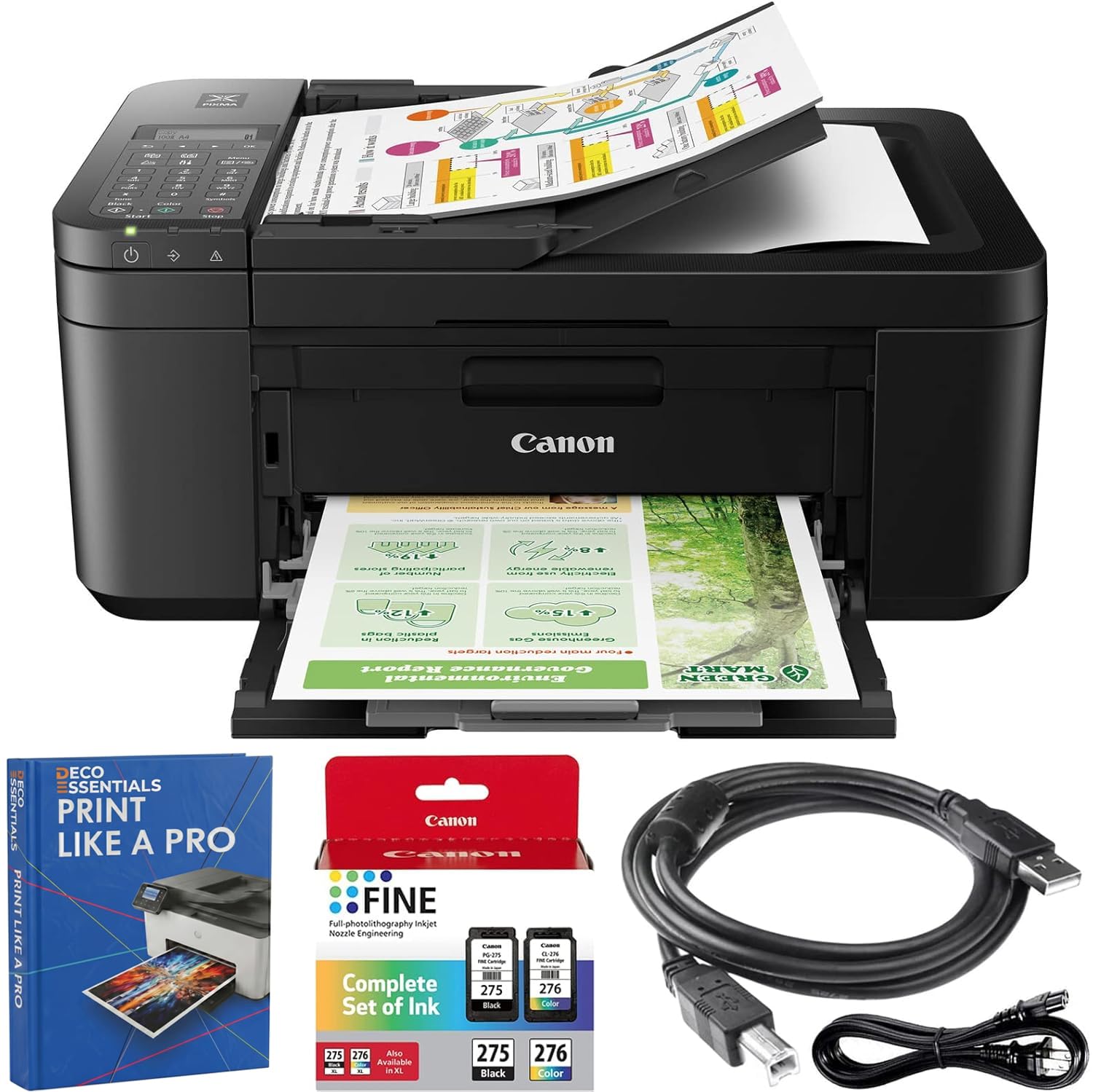
A simple all-in-one that puts setup ease and print quality first
The PIXMA TR4720 is the machine you buy when you want fax, scan, copy, and print in one box without wrestling with complicated software. Owners consistently say the print quality is excellent and the setup is easy—often completed in minutes via QR code and Wi-Fi. The hybrid ink system uses two cartridges (one black, one color) to produce sharp black text and vibrant color prints, and the front-loading 100-sheet paper tray is straightforward to refill. It also has an auto document feeder (ADF) for multi-page scanning and faxing, plus automatic two-sided printing to save paper.
The speed is the most obvious difference here compared to the MAXIFY siblings. This machine prints black at 8.8 ppm and color at 4.4 ppm—a fraction of the speed of the MB2720. That matters if you are sending a ten-page fax every hour. But for the occasional user, the trade-off is fine. The quiet hum of operation is a plus for a home office, though a few owners note it is loud during duplex printing. One real-world wrinkle: some reviewers point out the machine defaults to fax mode when they want to print, requiring a setting change to disable fax in the computer settings. It is a small fix once you know it.
What wins people over
- Exceptional print quality for text and borders
- Simple, app-based wireless setup that works quickly
- Built-in templates (notebook, graph, checklists) for teachers and home users
The speed catch
- Slow print speed—noticeable if you have a stack of documents
- 100-sheet tray is small for regular office use, compared to the WorkForce WF-2960’s 150-sheet tray
- No USB port makes it entirely dependent on wireless or app connection
Best for: Home users, teachers, and students who need a reliable, easy-to-set-up machine for light-to-moderate printing and faxing.
Not the right choice if: You print 50+ pages daily or need a fast machine to keep pace with a busy workflow.
4. HP OfficeJet Pro 8135e

A modern home-office hub with AI features and a large touchscreen
HP packed a lot into this one. The OfficeJet Pro 8135e prints black at 20 ppm and color at 10 ppm, putting it ahead of the PIXMA TR4720 by a wide margin and landing between the slowest and fastest MAXIFY machines. The 225-sheet input tray holds 225 sheets compared to the TR4720’s 100-sheet tray, so you refill less often. The 2.7-inch color touchscreen is phone-like to navigate, and owners call it intuitive and responsive. It has an auto document feeder and automatic two-sided printing as standard, plus dual-band Wi-Fi that is designed to auto-detect and fix connection hiccups.
Where this machine stands out is the software ecosystem. The HP Smart app lets you print, scan, copy, or fax directly from your phone, and AI tools clean up web pages and emails before printing—so you do not waste paper on ads or empty spaces. It also includes a 3-month trial of HP Instant Ink, which auto-orders replacement cartridges before you run out. But there is a catch: this printer is engineered to work only with HP cartridges that have HP chips or circuitry, and regular firmware updates block non-HP cartridges. That means you are locked into the HP ecosystem for as long as you own the machine. Some shoppers say paper jams and flimsy plastic, saying the build feels less sturdy than older HP models.
What owners love most: Ease of use (170 positive mentions) and print quality (156 positive). The consensus is that the machine is simple to operate and produces sharp, accurate color and text.
The honesty check: The most-discussed aspect overall is reliability, which gets mixed reviews—some units work flawlessly for years, while others have connectivity or paper jams from the start. A few buyers also note it is loud during operation.
Choose this if: You want the latest app integration, a generous paper tray, and are comfortable using HP-genuine ink regularly.
Look elsewhere if: You want the freedom to use discount or generic cartridges, or you need a proven budget-friendly long-term solution.
5. Epson WorkForce WF-2960
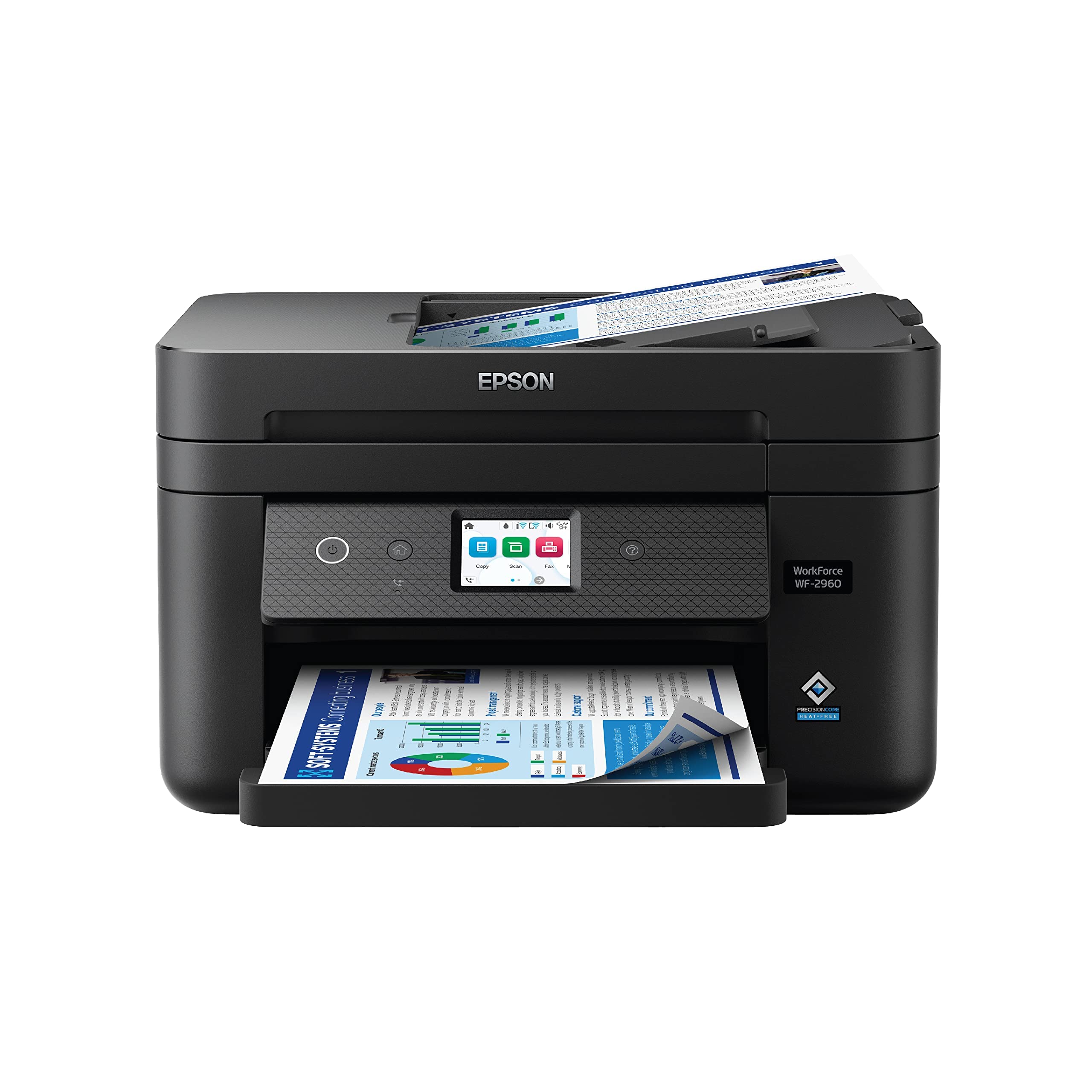
An entry-level all-in-one with a generous 150-sheet tray for the price
The WF-2960 prints black at 14 ppm and color at 7.5 ppm, making it noticeably slower than the MAXIFY MB2720 but faster than the PIXMA TR4720. It has the largest paper tray in its budget bracket—150 sheets—compared to the PIXMA’s 100-sheet tray. That means fewer refill trips during a busy week. It uses Epson’s PrecisionCore printhead technology for sharp text and vibrant graphics, and individual ink cartridges let you replace only the color that runs out rather than swapping a multi-cartridge system.
The 2.4-inch color touchscreen makes navigation simple, and the Epson Smart Panel app supports wireless setup from a smartphone or tablet. It also does automatic two-sided printing to cut paper waste. The honest feedback here is mixed: the most-discussed aspect is reliability, and opinions are split. Some buyers report the printer works great and prints fast, while others say it stops printing properly after a few uses, with print lines becoming unreadable. A number of owners mention that the ink consumption is noticeably high, especially for color, and that the printer refuses to print if even one color cartridge is empty.
The good: The 150-sheet tray and easy smartphone setup are genuine perks at this level. The print quality is solid for occasional use, and the touchscreen is responsive.
The honest trade-off: Ink runs out quickly—some owners mention the printer consumes color ink even when printing black-and-white documents. A few also note that the printhead can fail after a few months, especially if the printer sits unused for a while. This is a machine for light duty, not daily office volume.
Best for: Someone who needs a fax-capable printer for light, occasional use and values a big paper tray and low upfront cost.
Not recommended if: You print every day or need reliable performance for business-critical documents—the ink costs and reliability concerns make it risky for heavy use.
Understanding the Specs
Print Speed (ppm)
Pages per minute is the number you actually care about when you are waiting for a fax or document. The black-and-white (B&W) number tells you how fast it handles standard text documents—the higher the ppm, the less time you spend standing by the machine. Color ppm is almost always slower because printing in color requires more passes. The gap between a 24 ppm machine and an 8.8 ppm one is the difference between a 30-second fax and a near two-minute wait.
Paper Tray Capacity
The tray hold determines how often you stop work to reload. A small 100-sheet tray means you refill after every modest job, while a 150 or 225-sheet tray keeps you running longer. For a home office that prints faxes and documents daily, a larger tray is a real convenience feature that reduces interruptions.
Duplex & Auto Document Feeder
Automatic duplex printing flips the page for you so every sheet is used on both sides—saving paper and reducing waste. An auto document feeder (ADF) lets you load a stack of multi-page originals and have them scanned, copied, or faxed without standing there feeding pages one by one. Without an ADF, a five-page fax becomes a manual chore.
Ink System: Individual vs. Hybrid
An individual cartridge system (separate black, cyan, magenta, yellow) means you replace only the color that runs out. A hybrid system uses one pigment black cartridge for crisp text and a second tri-color cartridge for graphics. The hybrid approach is cheaper upfront but can force you to replace all three colors at once when only one runs out, which wastes ink.
FAQ
Do I need a landline to use a fax machine?
How long does a fax machine last?
Is a fax machine really necessary today?
What does the duty cycle mean?
Do I need auto duplex printing?
Can I use generic or third-party ink cartridges?
What is the difference between an inkjet and a pigment ink fax machine?
Is wireless printing reliable on these machines?
How much does it cost to run an affordable fax machine per year?
Can I scan legal-size documents with these fax machines?
Final Thoughts: The Verdict
For most home offices, the affordable fax machines winner is the Canon MAXIFY MB2720 because its 24 ppm black-and-white speed and 500-sheet capacity blow past everything else in this class while staying affordable on ink—the crowd favorite with thousands of owners. If you want the easiest setup and the best print quality for the price, grab the Canon PIXMA TR4720. And for sheer value and low cost per page, the Canon MAXIFY MB2120 is the one to reach for.
How We Picked
We do not accept paid placement. Every pick is matched to a real buyer and a real use-case; we do not hands-on test units.
Sources & Methodology
Specifications: manufacturer listings and product documentation. Review insights: verified customer reviews, as of July 2026. Pricing: not shown on this page (it changes often); check the current price via the retailer link.
As an Amazon Associate, Gadgets Feed earns from qualifying purchases. This does not affect which products we feature.