
Finding a powerful gaming laptop that doesn’t crush your budget is a balancing act between CPU, GPU, and screen refresh rate. The sweet spot for true performance sits where the dedicated graphics card, not just the processor, defines your in-game frames-per-second.
I’m Min — the co-founder and writer behind Gadgets Feed. My research digs into the thermal design, VRAM capacity, and real-world benchmark performance of these machines to separate true value from marketing fluff.
Whether you need ray tracing on a budget or a high-refresh display for competitive shooters, this guide to the best affordable gaming laptops cuts through the confusion to find your winning rig.
How To Choose The Best Affordable Gaming Laptop
The sheer number of processor and GPU combinations makes choosing an affordable gaming laptop deceptive. You need to focus on the GPU first, then the CPU, and finally the screen, as each piece directly dictates how your games look and run.
The GPU is Your Foundation
For affordable gaming laptops, the graphics card is the single most important component. An NVIDIA GeForce RTX 4050 or RTX 3060 delivers excellent 1080p performance, while the newer RTX 3050 handles esports titles easily but may struggle with the latest AAA games at high settings. Avoid any laptop with only integrated graphics if you intend to play modern 3D games.
RAM and Storage Realities
16GB of RAM is the new standard for smooth gaming, as 8GB often causes stuttering in demanding titles. An SSD is mandatory for fast loading times. Check if the laptop has an additional RAM slot or extra M.2 drive bay — this is critical for future-proofing a more affordable machine without paying a premium upfront for a pre-configured model.
Display Refresh Rate and Resolution
A 144Hz or 165Hz display provides a significant competitive advantage in fast-paced games like Valorant or Apex Legends, making motion appear much smoother. Stick to 1080p (FHD) resolution; it balances visual clarity with the GPU power found in this price range. A 60Hz panel feels sluggish in comparison and should only be accepted if the laptop’s other specs are exceptionally good.
Quick Comparison
On smaller screens, swipe sideways to see the full table.
| Model | Category | Best For | Key Spec | Amazon |
|---|---|---|---|---|
| Acer Nitro V (i5/RTX 4050) | Mid-Range | Best Overall | RTX 4050 & 144Hz | Amazon |
| Acer Nitro V 16S AI | Premium | High-End Value | RTX 5060 & 32GB RAM | Amazon |
| Lenovo LOQ Essential | Mid-Range | Entry RTX 4050 | RTX 4050 & 144Hz | Amazon |
| ASUS TUF Gaming F16 | Premium | Durability | MIL-STD-810H & 144Hz | Amazon |
| MSI Thin 15 | Premium | Portability | i7 & RTX 4050 | Amazon |
| Acer Nitro V (i9/RTX 5060) | Premium | Max Power | i9-13900H & 165Hz | Amazon |
| Alienware Aurora 16 | Premium | Build Quality | WQXGA & RTX 5050 | Amazon |
| ASUS TUF FX505DT | Budget | Bargain Pick | GTX 1650 & 120Hz | Amazon |
| Acer Nitro V (i5/RTX 5050) | Mid-Range | Future-Proof GPU | RTX 5050 & 165Hz | Amazon |
| HP Victus 15 (Ryzen 5/RTX 2050) | Mid-Range | Quiet Operation | Ryzen 5 & 144Hz | Amazon |
| HP Victus 15 (i5/RTX 3050) | Budget | Entry Level Gaming | RTX 3050 & 144Hz | Amazon |
| NIMO Ryzen 7 Pro | Mid-Range | Productivity Focus | 32GB RAM & 1TB SSD | Amazon |
| Lenovo Gaming (Ryzen 5/24GB) | Mid-Range | Multitasking | 24GB RAM & WUXGA | Amazon |
In‑Depth Reviews
1. Acer Nitro V (Intel Core i5-13420H / RTX 4050)

The Acer Nitro V strikes the most effective balance between cost and capability. Its 13th Gen Intel Core i5-13420H paired with the NVIDIA GeForce RTX 4050 delivers strong 1080p performance with DLSS 3 support, making modern games like Cyberpunk 2077 playable at high settings. The 144Hz IPS display is a true competitive advantage, reducing motion blur in fast shooters.
With 8GB of DDR5 RAM, you will feel the need to upgrade to a 16GB kit immediately, but the accessible SODIMM slot makes this a simple and cheap fix. The Thunderbolt 4 port is a rare find at this tier, providing high-speed data and video output. The dual-fan cooling system manages heat well, though the fans do ramp up noticeably under load.
Bloatware is a major pain point, with multiple pre-installed antivirus trials and browser shortcuts bogging down the first boot. A clean Windows install transforms the experience. The build quality feels solid for the price point, with a clean, understated design that doesn’t scream “gamer.”
Why it’s great
- Excellent RTX 4050 GPU performance for 1080p gaming.
- High refresh rate 144Hz IPS display is a steal.
- Easy access to upgrade RAM and SSD.
Good to know
- Comes with only 8GB RAM as a base configuration.
- Heavy bloatware pre-installed that needs to be removed.
- Fans get quite loud during intense gaming sessions.
2. Acer Nitro V 16S AI (AMD Ryzen 7 / RTX 5060)

Stepping up the performance ladder, the Acer Nitro V 16S AI brings the new NVIDIA GeForce RTX 5060 with a massive 572 AI TOPS, offering next-generation frame generation and improved ray tracing. The AMD Ryzen 7 processor handles heavy multitasking without a hitch, making this a powerful workstation as well. The 16-inch WUXGA 180Hz display provides a large, smooth canvas for immersive play.
The massive 32GB of DDR5 RAM is a future-proofing dream, eliminating the immediate need for an upgrade. The 1TB Gen 4 SSD provides ample storage for a large game library. The cooling system is notably quieter than many competitors, staying composed during extended sessions of Stalker 2 and Cyberpunk 2077 with CPU temps peaking around 79°C.
The FHD screen is on the dimmer side, which can be a drawback in brightly lit rooms. Some reports mention the included 135W power adapter is borderline insufficient for the high-performance components, potentially draining the battery during heavy gaming while plugged in. The lid is a fingerprint magnet, requiring frequent cleaning.
Why it’s great
- RTX 5060 GPU offers exceptional performance and AI features.
- 32GB of DDR5 RAM is ready for anything.
- Relatively quiet and efficient cooling solution.
Good to know
- Screen brightness is below average for its class.
- Power adapter capacity may limit full performance.
- Lid surface is highly susceptible to fingerprints.
3. Lenovo LOQ Essential (Intel Core i5 / RTX 4050)
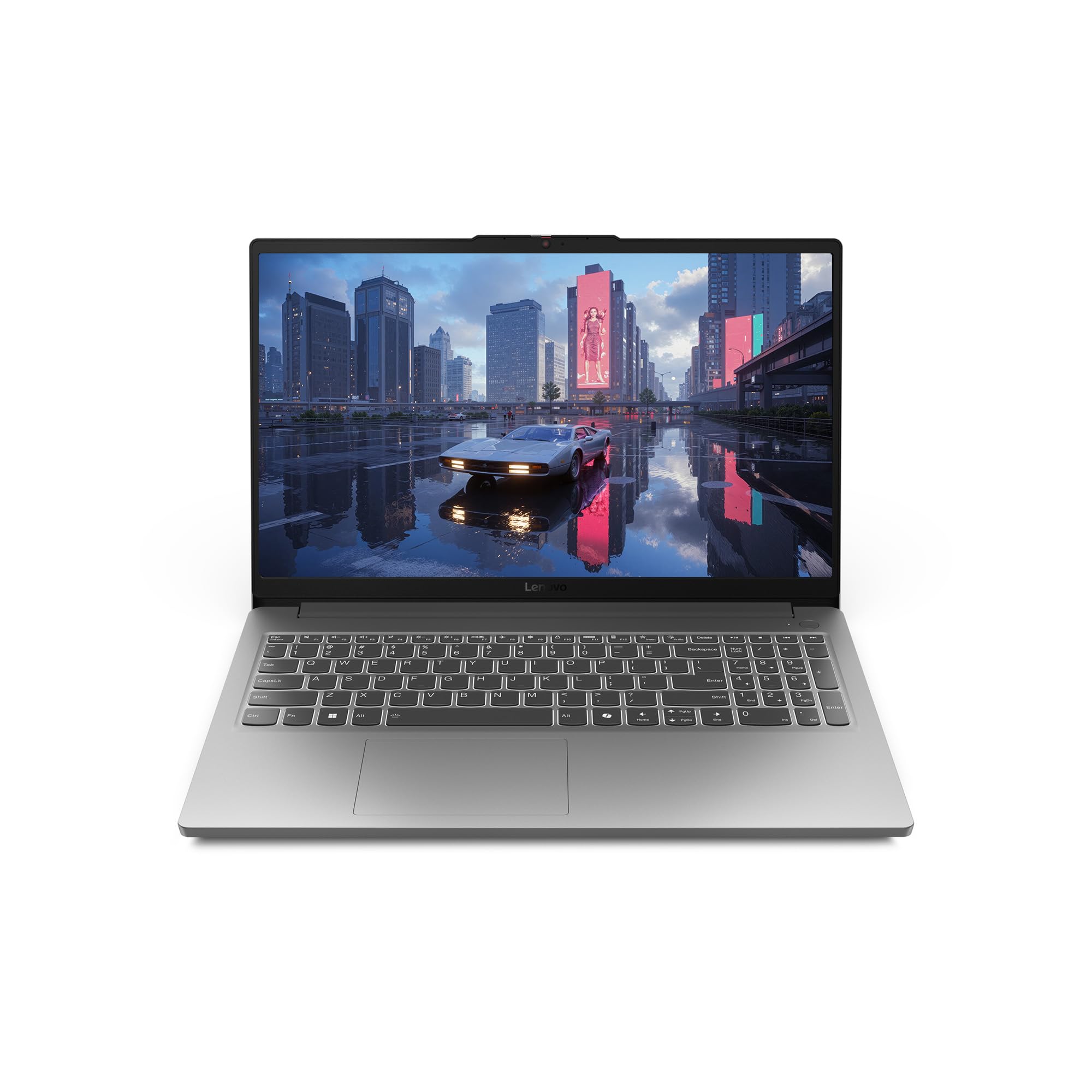
The Lenovo LOQ Essential delivers a fantastic core experience for the money with its RTX 4050 and 144Hz display. This combination allows you to play most AAA titles at high settings with DLSS turned on, and esports titles at the full 144Hz. The lightweight design and small charger make it genuinely portable for a gaming laptop.
The main drawback is the 8GB of single-channel RAM, which heavily bottlenecks gaming performance. Upgrading is possible, but some users have reported stability issues when mixing RAM sticks from different vendors. The 512GB SSD is also the bare minimum, requiring you to manage your game library closely or invest in a second drive.
The cooling system, featuring a large 100mm fan, is effective but can become loud during demanding games. The plastic chassis feels durable for its weight but lacks the premium feel of higher-end models. It’s a pure performance machine for a new PC gamer who knows how to handle a few simple upgrades.
Why it’s great
- Powerful RTX 4050 GPU for smooth 1080p gaming.
- Lightweight and portable chassis design.
- High refresh rate 144Hz display is a major plus.
Good to know
- Single-channel 8GB RAM severely limits performance.
- Storage space is limited at 512GB.
- Single fan gets loud under heavy gaming loads.
4. ASUS TUF Gaming F16 (Intel Core 5 / RTX 4050)

The ASUS TUF Gaming F16 is built to survive, meeting MIL-STD-810H military standards for shock and vibration. This makes it a safer choice for students who toss their laptop in a backpack between classes. The RTX 4050 with a 115W Max TGP delivers solid 1080p frame rates, and the 144Hz IPS-level display with 100% sRGB provides vibrant colors for the price.
The 16:10 display aspect ratio gives extra vertical screen space, beneficial for reading documents or browsing timelines while gaming. The 16GB of DDR5 RAM is a welcome sight, hitting the sweet spot for modern gaming. The advanced cooling system with four exhaust vents and five heat pipes keeps the components from throttling.
Battery life is poor, as it’s common with gaming laptops, and the fans get loud at full speed. The AC adapter connector is located on the left side, which some find awkward. It is also a large and heavy machine, not ideal for frequent travel.
Why it’s great
- MIL-STD-810H certified for exceptional durability.
- 16:10 144Hz display with good color coverage.
- 16GB of DDR5 RAM is a standard configuration.
Good to know
- Very poor battery life for general use.
- Heavy and bulky design reduces portability.
- Fans are loud at full speed.
5. MSI Thin 15 (Intel Core i7-13620H / RTX 4050)

The MSI Thin 15 focuses on portability without sacrificing the core gaming GPU. Its slim and lightweight chassis is easily the most backpack-friendly option among the RTX 4050 laptops. The Intel i7-13620H processor gives it strong multi-core performance for streaming and creative applications alongside its gaming duties.
The 16GB of DDR4 RAM is adequate, though using last-gen memory keeps costs down. The 144Hz FHD display delivers the smooth experience needed for competitive shooters. MSI’s Cooler Boost technology keeps the system stable during long sessions, though the plastic case feels less premium than the aluminum alternatives.
The build quality is primarily plastic, which can feel a bit fragile, and the speakers are mediocre at best. The battery life is limited to around 4 hours for light use. The fan exhaust vents from the left side, which can heat up a mouse or nearby objects.
Why it’s great
- Very slim and lightweight for a gaming laptop.
- Powerful i7-13620H processor for multitasking.
- 144Hz display suitable for competitive gaming.
Good to know
- Plastic chassis feels less durable than rivals.
- Mediocre speaker quality.
- Side fan exhaust can be inconvenient.
6. Acer Nitro V (Intel Core i9-13900H / RTX 5060)

This Acer Nitro V model pairs a top-tier 13th Gen Intel Core i9-13900H processor with the powerful RTX 5060 GPU, creating a desktop-class experience. This combination can handle high-FPS gaming and demanding creative workloads like video editing and 3D rendering. The 165Hz display keeps the fast-paced action perfectly smooth.
The 16GB of DDR4 RAM and 1TB Gen 4 SSD are a well-balanced configuration. DDR4 is older tech, but it doesn’t bottleneck the CPU significantly in this setup. The Thunderbolt 4 port offers versatile connectivity, and the Killer Ethernet E2600 provides low latency for online gaming. The cooling system handles the i9 effectively.
There have been significant reports of Acer BIOS updates bricking devices or causing security issues, which is a serious reliability concern. The power adapter is only 135W, which may limit the full potential of the i9 and RTX 5060 combo under sustained heavy load.
Why it’s great
- Incredible i9-13900H CPU for high-FPS and productivity.
- RTX 5060 is a top-tier GPU for this range.
- Fast 1TB Gen 4 SSD provides ample storage.
Good to know
- Risk of corrupted BIOS from firmware updates.
- 135W power adapter may limit peak performance.
- Uses older DDR4 RAM.
7. Alienware 16 Aurora (Intel Core 7-240H / RTX 5050)

The Alienware 16 Aurora brings a premium aesthetic and high build quality to the table. The 16-inch WQXGA (2560×1600) 120Hz display is the standout feature here, offering significantly more pixels and clarity than standard 1080p panels. The RTX 5050 GPU is a capable performer for 1440p gaming on this sharp display.
The innovative Cryo-Chamber cooling system effectively manages heat, allowing the laptop to run quietly during less demanding tasks. The keyboard is comfortable for long gaming sessions, and the customizable Alienware lighting adds a personal touch. The 1-year Dell Onsite Service provides great peace of mind for a premium product.
Some units have suffered from random shutdowns and severe overheating, suggesting quality control issues. The build, while feeling premium, has been criticized for using some cheap plastic elements on a device at this price. The battery life is typical for a gaming laptop, good for light use but poor under load.
Why it’s great
- Stunning WQXGA display with excellent color accuracy.
- Effective Cryo-Chamber cooling for quiet operation.
- Premium build quality and design.
Good to know
- Quality control issues reported (overheating, shutdowns).
- Heavy weight reduces portability.
- Proprietary software can be buggy.
8. ASUS TUF FX505DT (AMD Ryzen 5 / GTX 1650)

The ASUS TUF FX505DT is a legendary budget king for a reason. Its GTX 1650 handles older and less demanding games with ease, and it can run esports titles at high frame rates on its 120Hz display. The military-grade construction makes it extremely durable, with many users reporting it surviving drops and years of daily use.
This is a machine built for easy upgrades. A single 8GB RAM stick means you must add a second stick for dual-channel performance, which drastically improves frame rates. The 256GB SSD is the primary limit today for a multi-game library. The dual fans with anti-dust technology keep the internal components clean longer.
Performance is limited in modern AAA games compared to an RTX 3050. The fans are loud on Turbo mode, and the laptop runs very hot, often reaching 80-89°C during gaming. The battery life is poor, and the display’s color reproduction is mediocre.
Why it’s great
- Extremely durable with military-standard construction.
- 120Hz display for smooth competitive play.
- Easy to upgrade RAM and storage.
Good to know
- GTX 1650 struggles with modern AAA titles.
- Runs very hot and loud under load.
- Poor screen color reproduction.
9. Acer Nitro V (Intel Core i5-13420H / RTX 5050)

This Acer Nitro V is one of the first affordable options to feature the next-generation NVIDIA GeForce RTX 5050 with 8GB of GDDR7 VRAM. This VRAM buffer is a significant advantage for higher-resolution textures and future game releases. The 165Hz IPS display is a pleasure for any gaming session.
The 16GB of DDR4 RAM and 512GB SSD provide a solid foundation. The inclusion of a Thunderbolt 4 port is a boon for connecting high-speed storage and external displays. The build is clean and understated, with an obsidian black finish that looks professional.
The sound quality is a noted weak point, being described as bare minimum. Reviews also mention a discrepancy in the bundled accessories, with some expecting a mouse pad and receiving a keychain instead. The 8GB of GDDR7 VRAM is excellent, but the GPU’s raw performance tier is still an entry-level RTX card.
Why it’s great
- 8GB of GDDR7 VRAM is future-proof for its class.
- Very high 165Hz refresh rate display.
- Includes Thunderbolt 4 for versatile connectivity.
Good to know
- Below-average built-in speakers.
- Bloatware can be heavy on the system.
- Single storage slot may limit expansion.
10. HP Victus 15 (AMD Ryzen 5 / RTX 2050)

The HP Victus 15 with the Ryzen 5 7535HS offers a very balanced and quiet computing experience. The RTX 2050 may be an entry-level GPU, but it handles esports titles and older AAA games well, while the cool-running AMD processor keeps fan noise low for general use. The 144Hz display is a welcome surprise at this tier.
With 16GB of DDR5 RAM, this machine is ready for multitasking right out of the box. The Bang & Olufsen speakers provide clear audio. Many users report great durability and stability, with some using it for professional work like driving dual 4K monitors for over two years.
The RTX 2050 is significantly weaker than the RTX 3050, so don’t expect to play the latest AAA games at high settings. Battery life is a clear weakness, with most users reporting only 2-3 hours for light tasks and very poor performance when unplugged for gaming.
Why it’s great
- 16GB of fast DDR5 RAM for smooth multitasking.
- 144Hz display provides excellent motion clarity.
- Quiet operation for a gaming laptop.
Good to know
- RTX 2050 is a weak entry-level GPU.
- Battery life is very short.
- Gaming performance drops heavily when unplugged.
11. HP Victus 15 (Intel Core i5 / RTX 3050)

The HP Victus 15 is a classic entry-level gaming laptop that gets the basics right. The RTX 3050 is a clear step up from the RTX 2050, allowing for playable frame rates on most titles at medium settings. The 12th Gen Intel Core i5 processor is still a capable performer for gaming and daily use.
The 8GB of RAM is the major bottleneck, and it is crucial to upgrade to 16GB for a smooth experience. The 144Hz display is a fantastic feature for this price, transforming the feel of competitive games. The backlit keyboard and enhanced thermals round out a solid package for a casual gamer.
Battery life is the most common complaint, often lasting only 1-2 hours while gaming. The laptop is a fingerprint magnet and has a loud fan under load. Some users have reported significant software and hardware issues, including random lockups, so quality control may be a factor.
Why it’s great
- Good RTX 3050 performance for entry-level gaming.
- High refresh rate 144Hz display is a great feature.
- Solid build quality for the price.
Good to know
- Only 8GB of RAM requires immediate upgrade.
- Very poor battery life.
- Some units have software stability issues.
12. NIMO 15.6 (AMD Ryzen 7 Pro 6850U / Radeon 680M)

The NIMO laptop is not a hardcore gaming machine with a dedicated GPU, but its integrated Radeon 680M graphics are incredibly powerful for an APU. It can run many lighter games and even some AAA titles like Baldur’s Gate 3 at impressive settings. Its real strength is in its massive 32GB of RAM and 1TB SSD for heavy multitasking and content creation.
This laptop is built for productivity users who also want some gaming capability. The 100W USB-C fast charging is incredibly convenient, and the 175° hinge makes sharing screens easy. The inclusion of a fingerprint reader and a physical webcam shutter are great for privacy-conscious users who work remotely.
The build quality is cheap, with a slow trackpad. While the CPU is powerful, it is still an integrated GPU, so you won’t get the same frame rates as a dedicated RTX card. It lacks an ethernet port and may require a USB hub for multiple peripherals.
Why it’s great
- Exceptional 32GB of RAM and 1TB storage for multitasking.
- Radeon 680M provides light gaming capability.
- USB-C 100W PD fast charging is very convenient.
Good to know
- Poor build quality with a cheap-feeling chassis.
- Integrated Radeon graphics cannot match dedicated GPUs.
- No ethernet port built-in.
13. Lenovo Gaming (AMD Ryzen 5 / 24GB RAM)
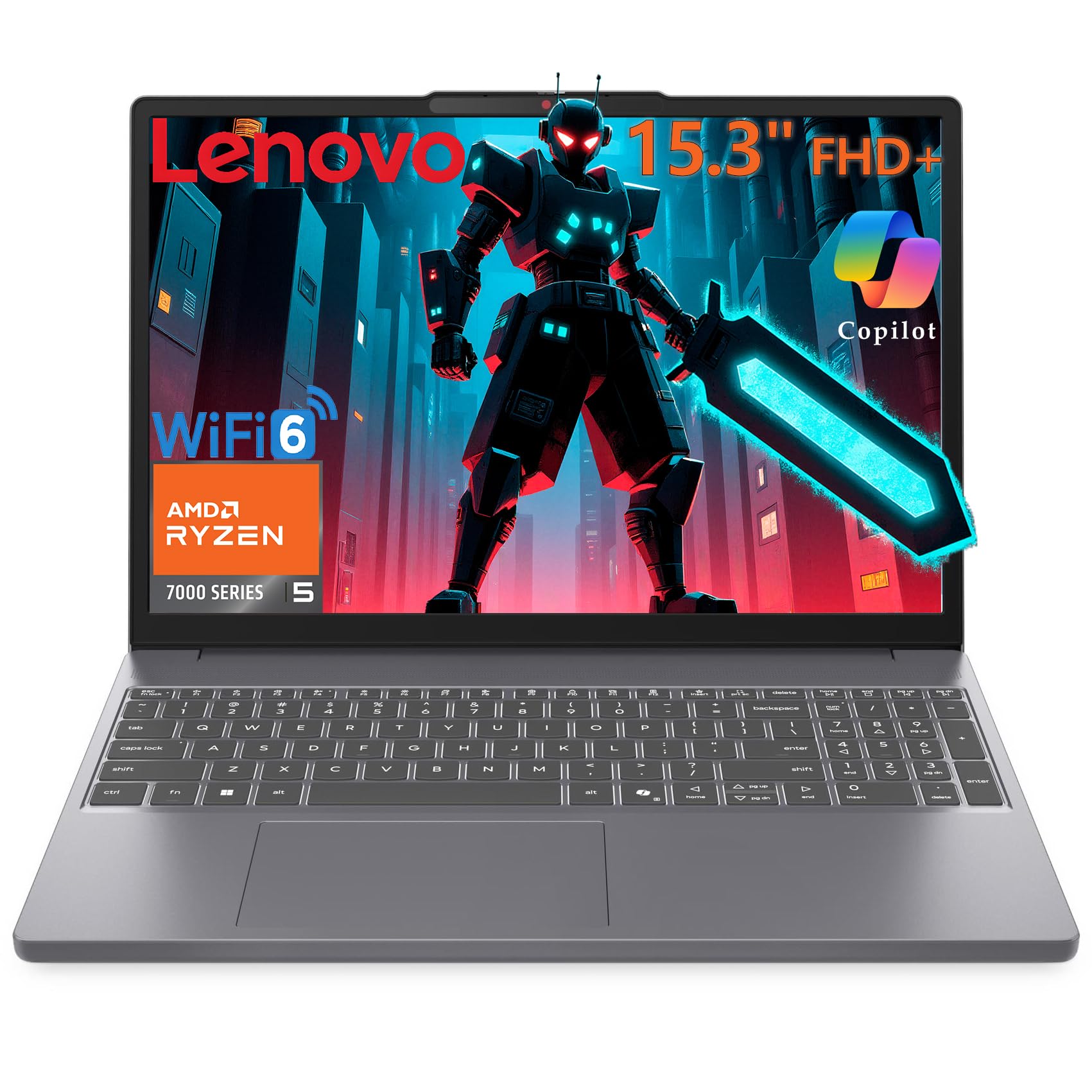
This Lenovo gaming laptop offers an unusual and valuable configuration: 24GB of DDR5 RAM paired with a spacious 1TB SSD. This setup allows for dozens of browser tabs and background applications during a gaming session without a single stutter. The AMD Ryzen 5 7535HS processor provides more than enough power for its target audience.
The WUXGA (1920×1200) display offers a taller aspect ratio that is fantastic for productivity, giving you more vertical screen space for documents and web pages. The Luna Grey aluminum chassis is lightweight at 4.08 lbs, making it genuinely portable for students and professionals.
The integrated Radeon 660M graphics are the clear weak point for serious gaming. While it can handle esports titles and older games, it is not a replacement for a dedicated GPU like an RTX 3050 or better. The 4GB of shared VRAM is a hard limit for modern AAA gaming.
Why it’s great
- Massive 24GB of DDR5 RAM for heavy multitasking.
- Spacious 1TB SSD for game and file storage.
- Lightweight aluminum chassis is easy to carry.
Good to know
- Integrated Radeon graphics are weak for modern gaming.
- Limited to only 4GB of shared VRAM.
- Screen quality is decent, not top-tier.
FAQ
Is an RTX 3050 still good for gaming in 2025?
Can I upgrade the RAM in a budget gaming laptop?
What is the difference between a 60Hz and 144Hz display?
Is an integrated GPU ever enough for gaming?
Final Thoughts: The Verdict
For most users, the best affordable gaming laptop winner is the Acer Nitro V (i5/RTX 4050) for its unbeatable combination of a powerful RTX 4050 GPU, a 144Hz display, and accessible upgrade paths. If you want the absolute best performance for the money, grab the Acer Nitro V 16S AI. And for an extreme budget build that prioritizes durability and high-refresh gaming, nothing beats the ASUS TUF FX505DT.